
Share Todd's profile


Todd
Todd's stats
- Review count21
- Helpfulness votes49
- First reviewAugust 3, 2018
- Last reviewDecember 26, 2020
- Featured reviews0
- Average rating4.5
Reviews comments
- Review comment count0
- Helpfulness votes0
- First review commentNone
- Last review commentNone
- Featured review comments0
Questions
- Question count0
- Helpfulness votes0
- First questionNone
- Last questionNone
- Featured questions0
- Answer count17
- Helpfulness votes9
- First answerNovember 12, 2018
- Last answerNovember 10, 2023
- Featured answers0
- Best answers4

Easily add funds to your account for PlayStation Network (PSN) to use towards anything from PlayStation Store~s (PS Store) huge library of content, including: PlayStation Plus (PS Plus) subscription* with online multiplayer access, games every month, exclusive discounts and more. Games, Virtual currency and add-ons, and more.
Customer Rating

5
Best Practice for PSN purchases
on August 3, 2018
Posted by: Todd
from Virginia, USA
Verified Purchase:Yes
I used to used my Credit card on PSN, but with all they Cyber attacks (I work in Cyber BTW) I removed my info, and I purchase these to fill my "PSN Wallet" then make a purchase. Keep in mind though, as I just found out trying to pump in $180 for Blops 4 ($99) and the Destiny Add on ($80) that it stated "you are exceeding Gift card wallet limit" around the $105 amount when I tried to plug in another $20 at that point. So I purchased Blops, then added the rest, then purchased Forsaken (Destiny 2) I've done it via the Console, but this time I did it via the PC so you can do it multiple ways.
Mobile Submission: False
I would recommend this to a friend!
Share this review:


0points
0of 0voted this as helpful.
Todd's Review Comments
Todd has not submitted comments on any reviews.
Todd's Questions
Todd has not submitted any questions.
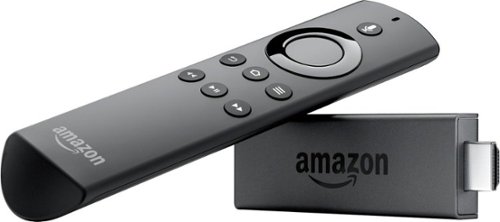
Enjoy smart access to videos, games and apps with this Amazon Fire TV stick. Its Alexa voice remote lets you deliver hands-free commands when you want to watch television or engage with other applications. With a quad-core processor, 1GB internal memory and 8GB of storage, this portable Amazon Fire TV stick works fast for buffer-free streaming.
I have a note 9 and TMobil phone service with free Netflix so I ordered the Amazon fire stick. Do I have to add another line and get a wifi box ? I currently have direct TV. But want to get rid of my high bill. Also tmobil had to give me a booster to get
No you don't have to get another line, you can sign in to Netflix acct (same one) on the firestick. If you are asking about internet to the firestick, you can hotspot your phone (which shares your phones 4G but acts like a router) But I would only suggest that if you have unlimited or monitor you bandwidth usage. Also, if that's the case or if you have DSL or Cable only internet such as I, we too go tired of DTV high bills and got 4 firesticks and Playstation VUE which is $45 up depending on package, plus we had Amazon prime for shipping purposes, so there was that, then added Netflix, and our bill is still half of DTV's was So research VUE also, but you should be fine with Netflix question.
7 years, 8 months ago
by
Todd
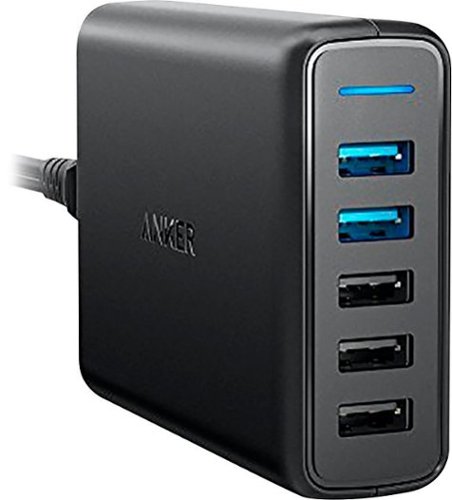
Power multiple gadgets with this five-port Anker PowerPort USB hub. Its two Quick Charge 3.0 ports charge devices up to four times faster than previous-generation USB ports, and its MultiProtect system shields you from power surges and helps prevent short circuits. The PowerIQ and VoltageBoost technologies of this Anker PowerPort USB hub optimize charging speed for non-Quick Charge devices.
Sounding stupid here but is that what I want to add usb ports to my computer. I recently bought a all in one HP (yeah, I already know!) and it needs more usb ports. Will it plug into the wall and into the computer? Thanks for your help.
Power multiple gadgets with this five-port Anker PowerPort USB hub. Its two Quick Charge 3.0 ports charge devices up to four times faster than previous-generation USB ports, and its MultiProtect system shields you from power surges and helps prevent short circuits. The PowerIQ and VoltageBoost technologies of this Anker PowerPort USB hub optimize charging speed for non-Quick Charge devices.
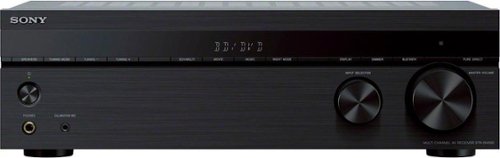
Experience the bigger, clearer picture when you upgrade your home theater setup with the STR-DH590. The 5.2ch AV receiver brings movies to life with 4K HDR pass-through, Dolby Vision and flexible surround sound. Bring all your devices together with BLUETOOTH connectivity and multiple inputs.
What are the watts per channel of this receiver. It says 145 watts power but does it use less per channel. I need it for a hard wired Bose accoustmass 10 home theater which can take only 100 w per channel
This is really a common sense question to be honest. I'm not trying to come across the wrong way, but it's easier for me to put it in simple terms. Most of my speakers have always handle less per channel than the unit that drives it. In your case 145W out, but your speaker only handles 100W ? If I understand you. Here's the deal. NEVER in my life have I ever maxed out the volume on a stereo head unit EVER! You stated you have BOSE which is GREAT speakers, I have Klipsch, also great. Let me tell you, running my volume to 1/4th the way will be more than most people can handle; hence I will never see 145W per channel. If I took mine to half volume, I would literally blow out my windows. Now I have "maxed" out car stereos before and when they reach a certain point there is distortion, this is the point where the speaker cannot handle the power now more, back it down or blow the speaker. It really is that simple. This unit should be just fine for you. And if you ever get to half volume, your speakers will be fine, but your neighbors my not LOL
7 years, 8 months ago
by
Todd
Experience the bigger, clearer picture when you upgrade your home theater setup with the STR-DH590. The 5.2ch AV receiver brings movies to life with 4K HDR pass-through, Dolby Vision and flexible surround sound. Bring all your devices together with BLUETOOTH connectivity and multiple inputs.
Experience the bigger, clearer picture when you upgrade your home theater setup with the STR-DH590. The 5.2ch AV receiver brings movies to life with 4K HDR pass-through, Dolby Vision and flexible surround sound. Bring all your devices together with BLUETOOTH connectivity and multiple inputs.
Will I be able to play my vcr through this unit ? Thank you.
Only if your VCR has an HDMI output. Or you only want the Audio from your VCR to play through the Sony Receiver, with the Video going straight to the TV. The Sony Receiver only has HDMI inputs (4) with one output. (HDMI does both video and audio) and/or it has 4 (RCA type audio only inputs), 1 RCA type digital audio only input, and 1 optical audio only input. I hope I didn't get too technical for you. (Non technical version: If you have an old VCR probably not, if you have a fancy new VCR, then probably, or if you know how to hook up RCA video to the TV, and the RCA audio to the Sony Receiver)
R/
ToddC
R/
ToddC
7 years, 8 months ago
by
Todd
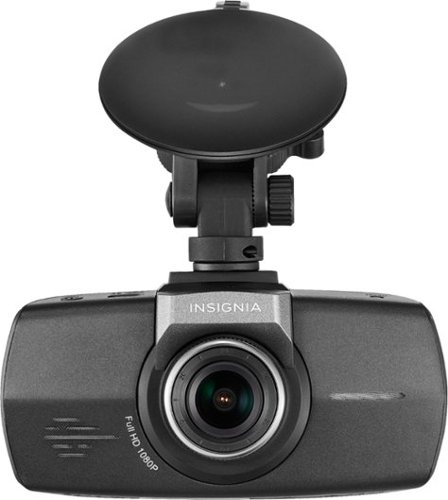
Document road trips with this Insignia dash cam. It records in 1080p HD resolution to capture even the smallest details, and the 130-degree wide angle lens lets you view more of the road so you don't miss anything. This Insignia dash cam has a memory card slot to save footage for later viewing.
Can I record live on Facebook?
I would say "NO" but being a tech guru myself, I could probably link it up to a usb then to a PC and "make it happen" but without doing backflips and standing on your head and a few chicken sacrifices.......No. Video has to be recorded, then taken from the SDCARD to upload. There is no stream.
7 years, 8 months ago
by
Todd