
Share AMXs's profile


AMXs
AMXs's stats
- Review count56
- Helpfulness votes220
- First reviewApril 18, 2020
- Last reviewDecember 27, 2025
- Featured reviews0
- Average rating4.1
- Review comment count5
- Helpfulness votes19
- First review commentNovember 23, 2020
- Last review commentJuly 23, 2023
- Featured review comments0
- Question count2
- Helpfulness votes0
- First questionSeptember 12, 2024
- Last questionSeptember 12, 2024
- Featured questions0
- Answer count15
- Helpfulness votes44
- First answerApril 24, 2020
- Last answerDecember 19, 2025
- Featured answers0
- Best answers8
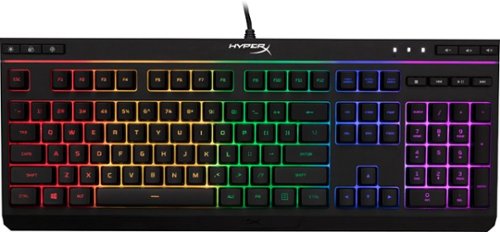
Enhance your in-game performance with this HyperX Alloy Core RGB gaming keyboard. Its soft-touch keys are equipped with anti-ghosting functionality to prevent accidental keystrokes, and the dedicated media controls provide quick access to frequently used functions for seamless operation. This HyperX Alloy Core RGB gaming keyboard is housed in a reinforced plastic frame for maximum stability.
Customer Rating

5
Great backlit keyboard for the money w/RGB effects
on December 27, 2025
Posted by: AMXs
Verified Purchase:Yes
This review is for the HyperX - Alloy Full Size Wired Gaming RGB "MEMBRANE" Keyboard. This unit is not for the serious gamer and does not have mechanical switches. It is intended for those who want a nice looking lit keyboard and more than just a static white light. The RGB functions cannot be controlled by computer software as it is a proprietary internal feature of the keyboard. With that said, it is really not a bad keyboard. It is weighty and not light cheap plastic. It stays in place and does not easily slide when typing. Key feel and travel are OK. It is not so sensitive to touch so it causes typos. There is enough RGB effects to please. However, the RGB is broadly zoned and there is no per-key RGB. The cord is USB A and long enough for desktop placement options. My wife wanted a lit full size keyboard with a number pad. After several months using this keyboard she is extremely happy with it and the RGB. There have been no issue and the works well. She is especially happy she no longer has to turn the room light on to use her desktop in the dark. "Happy wife, Happy Life". ;-)
Mobile Submission: False
I would recommend this to a friend!
Ease of Use

5
Quality
5
Value
5
Share this review:


0points
0of 0voted this as helpful.
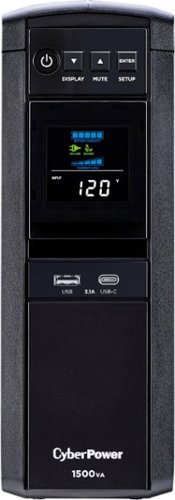
Protect high-end devices with this CyberPower UPS battery backup. The multifunction LCD screen provides immediate charge status of the battery and power conditions to keep you informed, while the automatic voltage regulation maintains a safe voltage level to conserve battery life. This CyberPower UPS battery backup has data line protection that helps prevent damage to electronics.The GX1500U features an advanced multifunction control panel with a color LCD to quickly confirm status and alerts at-a-glance. The screen tilts for easy viewing when the UPS is placed in a low position such as under a desk. Two USB charge ports (one Type-A and one Type-C) power portable devices such as mobile phones and tablets, even during a utility power failure.The GX1500U uses Automatic Voltage Regulation (AVR) to correct minor power fluctuations without switching to battery power, which extends battery life. AVR is essential in areas where power fluctuations occur frequently.
Customer Rating
5
Excellent UPS for Sine Wave
on December 27, 2025
Posted by: AMXs
Verified Purchase:Yes
I purchased the Cyber Power 1500VA Sine Wave UPS for a high end Gaming Desktop. The Cyber Power is a pure Sine Wave UPS and provides clean 60Hz stable power even during summer brown outs. It also has enough power outlets for my needs. The only limitation is the spacing of the outlets. There are only two for larger transformer plugs. This is a limitation of the physical footprint. This unit is big enough and would have to be much larger to space the plugs farther apart. Heat is not an issue. This unit runs cool and quiet and can easily fit in a cabinet. After 6 months this unit has functions flawlessly and I have no complaints.
Mobile Submission: False
I would recommend this to a friend!
Quality
5
Value
5
Ease of Use
5
Share this review:


0points
0of 0voted this as helpful.

Access live over-the-air channels and streaming with this 24-inch TV~and control it all with your voice. Ask Alexa to launch apps, search for titles and more. You won~t miss a second with the Insignia 24~ Class F20 Series LED HD Smart Fire TV.
Customer Rating
5
Great Black Friday Buy
on December 27, 2025
Posted by: AMXs
Verified Purchase:Yes
This review is for the Insignia™ - 24" Class F20 Series LED HD (720p) Smart Fire TV
You cannot beat the Black Friday price $49.99 for this TV. Yes, it is only 720P, but at 24" you do not need 1080P unless you are going to try an use it as a computer monitor. I purchased this TV to replace my 15 yr old 19" Sharp LCD I use in the kitchen, which was starting to fade and not have a good picture, regardless of setting changes. I wanted the Insignia 32" F20, but due to cabinet space limitations, the 32" was 1.5" too tall. Wall mounting is not an option in my kitchen layout.
First off, those complaining about picture fade when viewing at an angle, I find this TV is no worse than any other low priced LED. Yes there are other LED TV's that will give a better picture at a wider angle, but at a higher cost. As a countertop kitchen TV, it works just fine. While cooking I just need the audio most of the time. While eating, shifting the TV towards the table, the viewing angle is just right for everyone. You wouldn't think going from a 19" to 24" is much of a difference, but it is. I wear glasses but don't in the kitchen during food prep. I can actually see this TV so much better than my old 19"; 32" would have been even better, if I could have made it work in my kitchen layout.
This is my first experience with Fire TV, or any Fire device. Once acclimated, I was able to set this TV up and calibrate it to my specifications. For a $50 TV, the picture is amazing. Colors, contrasts, brightness are spot on. Viewing this TV at normal distance, it is tack sharp. If you get up close, like a computer monitor, you can notice the 720P limitations. Remember, this is a 24" TV and most use this size in the kitchen, small den, or bedroom. It really is not meant as a main TV with today's technology and low prices.
Others have complained about quality and breaking within a short period. I can only attest to my experience so far. This TV worked right out of the box. Default settings give a good picture with no adjustments and looks just as good as the online ad image. A great picture can be obtained with a few adjustments. I found the sound can be adjusted and has enough range for decent sound; for a TV that is. It has better sound fidelity than my old Sharp TV. As for longevity, time will tell. I WILL UPDATE this review if this TV breaks or gives me problems. I had a high end Samsung 50" TV quit working just outside the warranty window. Stuff happens to any manufactured device. For $50 bucks, take the chance if you are considering this TV.
As far as apps on this TV, it is a Fire TV with the same apps that are on the Fire Stick. If you use an app for your cable TV channels, verify that this TV's OS ,or any TV, has the required app. I know the Spectrum TV app is not available with Fire devices. I primarily use this TV with my cable TV directly connected to the cable without a set-top box. I primarily just watch the local channels when in the kitchen. But having Wi-Fi for my kitchen TV now is nice, as I am considering on ditching cable TV in the near future.
Overall this TV is a great buy at $49.99. I have no regrets with my purchase and would buy again. I purchased on line Black Friday, picked up at store the same day, walked in, was second in the separate pickup line and walked out in five minutes with my TV. It can't get any better than that on Black Friday. Thank you BB for a great purchase experience and having a separate pickup line so I did not have to wait in the long in-store purchase line.
Overall this TV is a great buy at $49.99. I have no regrets with my purchase and would buy again. I purchased on line Black Friday, picked up at store the same day, walked in, was second in the separate pickup line and walked out in five minutes with my TV. It can't get any better than that on Black Friday. Thank you BB for a great purchase experience and having a separate pickup line so I did not have to wait in the long in-store purchase line.
Mobile Submission: False
I would recommend this to a friend!
Picture Quality
5
Sound Quality

4
Brightness
5
Share this review:


+6points
6of 6voted this as helpful.
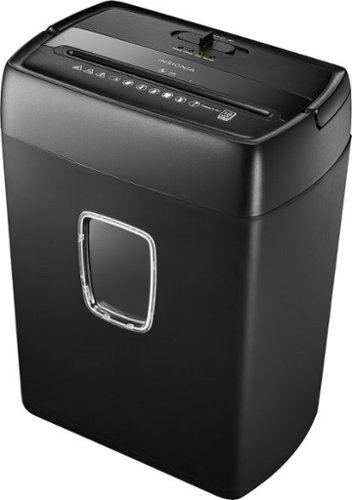
From credit card and Social Security numbers to sensitive tax or client information, you have a lot to lose if your data falls into the wrong hands. Thankfully, data breaches and identity theft aren~t inevitable. By crosscutting your items into small pieces, you can have peace of mind that your most sensitive data is protected. This shredder cuts up to 10 sheets of standard-sized paper at once and can handle staples, small paperclips, CDs and credit cards to make your task easier. A built-in wastebasket collects your shredded waste for later disposal. A quick glance through the viewing window lets you know when it needs to be emptied. Protect your important information with the Insignia 10-Sheet Crosscut Paper/CD Shredder.
Customer Rating
5
Good Value for the $ when on sale
on March 19, 2025
Posted by: AMXs
Verified Purchase:Yes
I have a 10 year old Insignia 10 sheet shredder very similar to this new model. It has served me well all these years. I have a need of an additional shredder and found the new Insignia™ - 10-Sheet Crosscut Paper/CD Shredder on sale half off at BB, which was the price about 10 years ago. It's a "No-Brainer".
The new shredder is a little quieter than the older model and like the older model, will struggle to shred more than 5 pages of 20lb paper. I just ran about 100 plus pages of my 2016 tax, financial, and medical records through this shredder and had no issues, save one. The slot to feed the paper is smaller (opening wise) compared to the older unit. The older unit has a bigger opening and is offset lower on the front side. This allows you to just slide paper from the front to the opening and feeding multiple sheets easier. The new unit's opening is smaller and even on both sides requiring one to feed the paper directly down the opening. Also, if shredding multiple sheets they have to be exactly aligned to fit. This is somewhat awkward and adds to the shredding time. Of course they may have purposely designed it this way as it causes slower feeding (keeping it from overheating) and less over feeding that may jam. During my session the new unit never overheated or jammed. There is one feature I like, it auto reverses after feeding has stopped. This feature will help prevent paper remaining in the teeth. Remember to compress the shredded paper in the bucket periodically, or empty it. If the shredded paper rises high enough it will be pulled back into the teeth and eventually jam, making it a mess to clean up.
Keep in mind this shredder is classified as a "light" shredder and intended for Home-Office use. No shredder will last if not maintained or fed the wrong materials through it. This is a paper shredder that will also shred credit cards, CD/DVD's, and staples. I draw the line at paperclips, since they are so easy to remove. From experience, this shredder and many others will not properly shred Amazon style plastic bag labels, other soft plastic shipping envelopes/bags, or paper labels with bubble wrap backing. The material does not cut well as it stretches and will gum up the teeth. It is very hard to try and clean this stuff out.
Time will tell if this shredder will last like its older brother. I will post an update should any issues arise. From what I put this shredder through for its fist run, I'm quite pleased with its performance.
Time will tell if this shredder will last like its older brother. I will post an update should any issues arise. From what I put this shredder through for its fist run, I'm quite pleased with its performance.
Length of ownership: 1
Mobile Submission: False
I would recommend this to a friend!
Ease of Use
4
Quality
5
Value
5


Share this review:


+19points
19of 19voted this as helpful.

Start streaming in brilliant 4K picture and vivid HDR color with Roku Express 4K+. The fast wireless performance gives you a smooth streaming experience, even with multiple streaming devices connected to your network~it~s perfect for watching in 4K! Use the included voice remote to power up your TV, adjust the volume, and control your streaming so you don~t have to juggle remotes. Easily give voice commands to search, launch channels, turn captions on, and more in just a press. Best of all, Roku streaming gives you a massive selection of free and live TV, and a customizable home screen with your favorite channels, like Netflix, Max, Disney Plus, YouTube, Prime Video, and more, front and center. Setup is a cinch with everything you need in the box, including a Premium High Speed HDMI Cable. Roku Express 4K+ also works with popular voice assistants. Ask Alexa or Hey Google to launch channels, search for entertainment, control your streaming, and more. You can also control your TV using the Apple Home app or Siri on your Apple devices.
Customer Rating
5
Works as well as Ultra, just no Dolby Vision/Atmos
on February 16, 2025
Posted by: AMXs
Verified Purchase:Yes
My old 4210 Roku was becoming too slow and started randomly restarting itself. Otherwise it works well. However it became frustrating just to navigate the streaming channels and I decided to upgrade. I found the Express 4K+ 3941r2 on sale at the time for less than the plain Express 3960 that was not on sale. No regrets.
The Express 4K+ works as well as my more expensive Ultra 4800 with the same voice remote features. The Express 4K+ just doesn't support Dolby Vision or Atmos, but it does support HDR. Also the Express 4K+ comes with the power adapter, where the plain Express does not.
The only issue I had is the length of the provided HDMI cable. It is short and intended for the Express 4k+ to be mounted on the TV near the HDMI ports. Since the Express 4K+ uses an RF remote I placed it under the TV out of site in the cabinet closer to the AC outlets and used my existing 4K rated HDMI cable. Note, the plain Express uses the lesser remote that is IR line of sight, so it cannot be hidden.
Overall, I am extremely satisfied with my choice and the performance. Setup is standard Roku and very simple if you have ever set one up before. If new to Roku, it is not rocket science, just follow the prompts.
OH! One last thing I encountered, is the light on this model Roku will not turn off like the previous Roku's. You can find discussions on this. I found that the default setting for this unit is for the unit to turn off after 20 min of inactivity to save power. For some reason, this setting causes to light to stay on even if the TV is off. Just uncheck this setting and the light will turn off in a few seconds after the TV is turned off and work like all the other Roku's.
The Express 4K+ works as well as my more expensive Ultra 4800 with the same voice remote features. The Express 4K+ just doesn't support Dolby Vision or Atmos, but it does support HDR. Also the Express 4K+ comes with the power adapter, where the plain Express does not.
The only issue I had is the length of the provided HDMI cable. It is short and intended for the Express 4k+ to be mounted on the TV near the HDMI ports. Since the Express 4K+ uses an RF remote I placed it under the TV out of site in the cabinet closer to the AC outlets and used my existing 4K rated HDMI cable. Note, the plain Express uses the lesser remote that is IR line of sight, so it cannot be hidden.
Overall, I am extremely satisfied with my choice and the performance. Setup is standard Roku and very simple if you have ever set one up before. If new to Roku, it is not rocket science, just follow the prompts.
OH! One last thing I encountered, is the light on this model Roku will not turn off like the previous Roku's. You can find discussions on this. I found that the default setting for this unit is for the unit to turn off after 20 min of inactivity to save power. For some reason, this setting causes to light to stay on even if the TV is off. Just uncheck this setting and the light will turn off in a few seconds after the TV is turned off and work like all the other Roku's.
Length of ownership: 5
Mobile Submission: False
I would recommend this to a friend!
Quality
5
Value
5
Ease of Use
5
Share this review:


+18points
18of 18voted this as helpful.
Improve your viewing experience with this 55-inch Samsung smart TV. The variety of applications offer easy access to content on popular streaming services, and the intuitive interface makes finding your favorite shows simple. Boasting native 4K resolution and advanced HDR technology, this Samsung smart TV enriches your movie nights with stunningly detailed visuals and lifelike colors.
Customer Rating
5
Cheaper than Class 8 but is lasting Longer
on December 10, 2024
Posted by: AMXs
Verified Purchase:Yes
Bought this cheaper version for my daughter to replace the same Class 8 series 55" that only lasted 2 years. I prefer the class 8, but this one for the price and it's still going without issues is the better buy.
Length of ownership: 927
Mobile Submission: False
I would recommend this to a friend!
Picture Quality
4
Sound Quality

3
Brightness
4
Share this review:


0points
0of 0voted this as helpful.

Customer Rating

3
Overpriced!
on December 10, 2024
Posted by: AMXs
Verified Purchase:Yes
It's haul away, not rocket science. BB charges $10 more than competitors and will not price match services. One star off for price and one for not matching price.
Length of ownership: 723
Mobile Submission: False
I would recommend this to a friend!
Expertise
5
Professionalism
5
Service
5
Share this review:


0points
0of 0voted this as helpful.
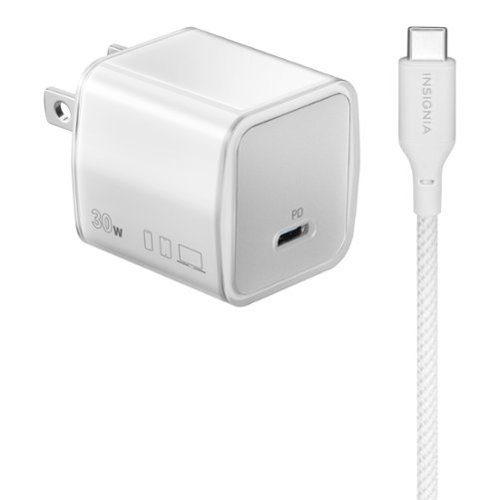
The Insignia 30W USB-C Wall Charger is compatible with smartphones, tablets and more. It has a 30-watt output to quickly charge all your USB-C devices. Its compact, durable body and a foldable plug easily fit into a purse or pocket, ready for when you need it. An included 6 ft. USB-C cable provides flexible placement options and is braided for durability.
Customer Rating
5
Why Pay More for Branded Chargers
on December 10, 2024
Posted by: AMXs
Verified Purchase:Yes
Works well with all quick charge USB C type Smartphones and devices. Why pay more for Apple or Android branded chargers?
Length of ownership: 175
Mobile Submission: False
I would recommend this to a friend!
Quality
5
Value
5
Ease of Use
5
Share this review:


+1point
1of 1voted this as helpful.
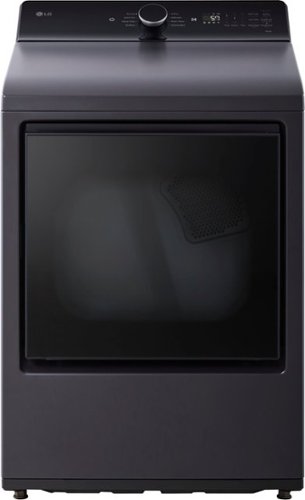
The 2-way LG EasyLoad door opens hamper style for loading and swings open for unloading for maximum versatility. Quickly move clothes from washer to dryer and dryer to basket~and cross laundry off your list. Easy-to-use electronic controls with LED display and built-in intelligence with AI Sensor Dry take out the guesswork. Activate Smart Pairing in the LG ThinQ app and your LG washer will automatically tell the dryer to select a compatible drying cycle.~
Customer Rating

4
Dryer works well at a great price
on December 10, 2024
Posted by: AMXs
Verified Purchase:Yes
I bought the LG DLE8400BE dryer with the matching top load washer. The dryer is quiet, functions well, and looks good. The only thing I dislike is the lint filter. While I like the very fine mesh that catches more lint, I do not like the multi-panel framing and the clam shell design. It makes it too awkward to quickly remove the lint. Although this is just a minor issue, I feel LG could do better to make lint removal more convenient instead of having to dig lint out of eleven framed panels while trying to hold the clam shell open. While emptying this lint filter is a PITA, it does not detract from the overall satisfaction of the dryer. Others may disagree, but I like everything else about this dryer.
Length of ownership: 24
Mobile Submission: False
I would recommend this to a friend!
Capacity
5
Dry Time
5
Ease of Use
5
Share this review:


+6points
6of 6voted this as helpful.
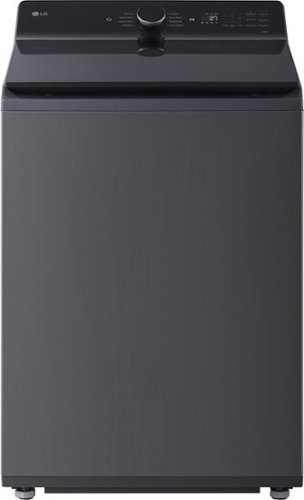
If you~ve ever struggled trying to reach items at the bottom of the tub, get ready for a more comfortable, ergonomic experience. Our EasyUnload angled front design puts all 5.3 cu. ft. of capacity within easy reach~and no sock left behind. A simple dial control plus convenient touch panel and built-in intelligence make it easy to customize your wash or let AI Wash do it for you. All with a sleek, modern design that elevates any laundry space.
Customer Rating
5
Great Deal and it works well
on December 10, 2024
Posted by: AMXs
Verified Purchase:Yes
My old Samsung front loader broke and would not balance properly. The estimate to fix is not cost effective based on the age of the washer. My experience with Samsung appliances has not been a good one over the years and the washer is the last to go. Luckily it is Black Friday. After researching and reviews I purchased the LG WT8405CB washer and matching dryer from BB. I decided no more front load washers and went back to a top load agitator. So far so good.
BB installation was on time and no issues. The two man crew are professional and took care with the install not to damage the product or walls and floors. I ran the first load empty with detergent as instructed to remove any manufacturing residue. Some have complained about top loaders not balancing the loads as well as front loaders. This is not the case for me. My first full load of towels on Normal went well. On this setting the washer will adjust time + or - as well as water level based on the detected load amount. This is the setting I used on my front loader and wanted to compare. At first I saw the water fill, stop, and washing started and the water didn't seem enough to cover the towels. Then in a few minutes the washer started adding more water submerging the towels. I assume this process is to get the towels wet sinking them down so it knows how much more water to add without over adding. The spin cycle went well with no more vibration than a properly functioning front loader. The spin was not "noisy" and did not "walk" the washer across the floor. Keep in mind that a front loader is about 70-80 pounds heavier than a top loader. This extra weight helps with noise and vibration. The LG did not vibrate any more than my front loader before it broke. As for the washing, the top loader is somewhat noisier, due to the different sounds of the back and forth of the agitator sloshing and motor. The most noise is from the drain pump while draining. I sit in my front room about 20 feet from the washer with the laundry room door open. I could not hear the laundry washing while watching TV, but can hear the end of wash tone playing. The end result was the wash completed in about the same time as the front loader (55 to 60 min). The towels came out as dry and just as clean as the front loader.
One other point of note; the detergent tray. Some say its cheap. Meh! It is no worse than others and it functions. My only complaint, I got the black model as I do not like the "Orca" look of the white model. With the black model, the detergent tray is ALL matte black. This makes it hard to see to pour the right amounts without overfilling. Also, being all black will makes it hard to detect any mold over time. LG, if you are monitoring, the dispenser tray should be white like the white model, but with a black face. Mold will grow in the bottom recesses of these dispensers over time and will require brush cleaning with bleach. Luckily the tray is smaller, flatter, and less complicated than the front loader setup. This will make it more easy to just soak the entire tray in a small container or sink. I also found the shelf that the tray inserts into, holds water. For some reason the bottom of the shelf is level not angled down so water will roll off. At least it is white. LG says it is normal for some water to be left in the tray. This is the same with front loaders. However, I do find the amount is more than it should be compared to my front loader. I just wipe the shelf with a dish wash cloth so not to dump water into the drum and dry before putting the tray back in. If water does spill into the drum, just run the Spin Only Cycle for about 2-3 min, as that will drain the excess water out. I leave the tray partially open and the lid up until the next wash to let the washer completely air dry. This is habit from the front loader, as front loaders always have sitting water left behind internally; hence the need for a drain tube. What they don't tell you is you should drain these front loaders every wash day, not just when the filter needs cleaning. Standing water promotes mold and smell, hence the con for front loaders.
I have not tried out the features via Wi-Fi. I will try it out at some point to see what options I can change, but Wi-Fi is not needed just to do the wash. I am security conscious with some IT background and NO "IoT" devices are secure if connected to the internet. If you use the Wi-Fi of these devices, at least put them on your guest network and not your main network.
Overall, both the washer and dryer are smart looking and fit well in my small laundry room. So far (1 month), quality appears to be there; time will tell. The pair do its job well and I am satisfied with the performance. I'm off to a good start, so at this time I do recommend this product. If trouble occurs in the future, I will update this review.
Length of ownership: 24
Mobile Submission: False
I would recommend this to a friend!
Quality
5
Value
5
Ease of Use
5
Share this review:


+11points
11of 11voted this as helpful.
AMXs's Review Comments
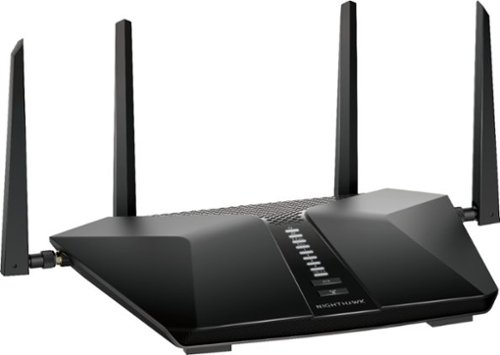
Built with the latest-generation Wi-Fi 6 technology, the NETGEAR Nighthawk AX6 6-stream AX5200 Wi-Fi router provides speeds up to 5.2 Gbps so you can connect, stream, and download faster to newer mobile devices. Powerful 1.5GHz triple-core processor ensures superior performance for concurrent real-time applications such as multimedia streaming, online gaming, and audio/video chats. Engineered to deliver up to four times the data capacity over previous standards, Wi-Fi 6 technology with OFDMA, 160MHz channel support, and 1024-QAM vastly improves network efficiency. High-power amplifiers increase range for reliable whole home network. This next-generation router is recommended for medium to large homes, suitable for up to 25 connected devices.
Overall 1 out of 5
1 out of 5Too Many Bugs
By AMXs
I saw the NETGEAR - Nighthawk AX5200 Dual-Band Wi-Fi Router at BB at half off for Black Friday Sale. Although I currently do not have an AX adapter, I figure this would be a great time to upgrade my current AC router (5-year-old Netgear AC1700 also purchased on Black Friday). I was concerned about some of the reviews regarding reliability and durability, but for this price I took a chance. Big mistake!
After installing the router and configuring the network I was very pleased how this router gave me more performance than the AC1700. Later my issues started. Web pages would take longer to load and other little things concerning speed. However, these issues were not consistent. I then found I could not configure QoS for my devices. Yesterday I spent the over 8hrs researching trying different troubleshooting steps. What is time consuming is EVERY little change requires the router to be rebooted.
I then gave up and called Netgear Support. I will say I was surprised my call was answered so quickly. The person helping me was polite, knowledgeable, and patient. After advising me I will have to reset my router, I was able to change priority by device in the QoS settings, but upon reboot the change did not hold. The tech then asked if I had Denial of Service (DOS) attacks listed in the router log. I had 6 DOS listings for about 4 hours. Again, we reset the router and this time I was able to change the priorities in the QoS and they held on restart. The tech then considered the case closed. The tech told me the DOS attacks can be fixed by my ISP and they need to re-provision my modem. I called and they did and when I restarted everything, my QoS settings were changed back and I could not change them again. I then check the log and saw over 10 DOS attacks just from boot-up. From research, I found out these attacks are apparently false positives and it is how the router handles webpages/cookies. Because of so many, they are affecting the routers performance. My download speed was always good, it’s just web pages were slow to load or would not load at all and I could not change the QoS settings for each device. When this issue then affected my email client and would not connect to any of my three email accounts, that was the end! If others may have issues with this unit, I hope my experience may help. While it’s normal to have a DOS attack once and a while, it’s not normal to have many in say an hour’s time and it can affect the router’s performance.
I gave up and reconnected my old AC1700 router. Wa-la, I was back up and running with no issues. I check the log and NO DOS attacks. No issues with QoS. The next day, at the time I am writing this review, there have been no DOS attacks listed.
I don’t know about you, but I seem to be seeing a lot of poor quality in computer electronics lately and not just Netgear. I will be returning this defective unit to BB. I hate to miss out on this deal, but I’m not willing to try another unit at this time. I wasted way too much time already in the two days of dealing with this router.
I don’t know about you, but I seem to be seeing a lot of poor quality in computer electronics lately and not just Netgear. I will be returning this defective unit to BB. I hate to miss out on this deal, but I’m not willing to try another unit at this time. I wasted way too much time already in the two days of dealing with this router.

AMXs
Update
November 23, 2020
Still wanting this router to work, I tried a second one. After initial setup with only one wired desktop, all seemed to be working without any DOS Attacks. I then updated the firmware (MISTAKE) and when the router restarted BAM, there were 2 DOS attacks right off the bat. I then restarted the router and now there were 5 more DOS attacks, one IP 3 times and that turned out to be Amazon. These are all "False Positives for some reason the router cannot distinguish, but yet all these DOS attacks affect the router's performance over time. As a note, my Nighthawk AC1750 router had NO DOS attacks in the two days between both AX5200 units.
I'm thinking the latest firmware 1.0.2.72 is the cause, but cannot verify. Unless you have an older firmware file saved there is no way I found in the settings to roll back to the previous firmware version. Netgear Support for this router only has the current firmware version to download and not any previous version. So, if you update and there is an issue, you are stuck with it until the next update; unless you can find a previous firmware file. Come on Netgear, at least keep the previous firmware versions available for download just in case. I have also returned this router as the AX5200 is not ready for prime time.
I'm thinking the latest firmware 1.0.2.72 is the cause, but cannot verify. Unless you have an older firmware file saved there is no way I found in the settings to roll back to the previous firmware version. Netgear Support for this router only has the current firmware version to download and not any previous version. So, if you update and there is an issue, you are stuck with it until the next update; unless you can find a previous firmware file. Come on Netgear, at least keep the previous firmware versions available for download just in case. I have also returned this router as the AX5200 is not ready for prime time.
+7points
7of 7voted this comment as helpful.

American car designer Carroll Shelby and driver Ken Miles battle corporate interference, the laws of physics and their own personal demons to build a revolutionary race car for Ford and challenge Ferrari at the 24 Hours of Le Mans in 1966.
Overall1 out of 5
1 out of 5Excellent film. Learned a lot.
By Harpo
I have always followed auto racing and to see a film that tells the story about Carrol Shelby and building race cars was great.
AMXs
Your Title Does Not Support Your Rating
December 26, 2020
Why a 1 Star rating; the lowest for a poor movie? Your title and comments infer you liked the movie and one would think you would at least give it a 3 + Star rating
0points
0of 0voted this comment as helpful.
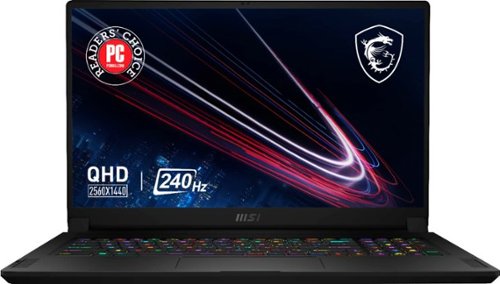
Edge ahead of the pack with this MSI Stealth gaming laptop. The NVIDIA GeForce RTX 3070 graphics card delivers stutter-free, paired with QHD 240hz refresh 3ms screen for fluid gameplay, while the Intel Core i9 processor and 32GB of RAM power through resource-intensive titles. Featuring a 1TB SSD, this MSI Stealth gaming laptop offers ample storage for your files and ultrafast startups.
Overall5 out of 5
5 out of 5Great Features and Specs for the price
By AMXs
I have now had this unit for four weeks and put it through its paces. I am very pleased with its overall performance. I have had no issues. The only down side of this unit is its reduced power to the CPU and GPU. This has to be done to control the heat in the thin format. More power more heat equals a bigger, heavier, and more expensive unit. Although, this unit is not the fastest or the best, you cannot beat the "bang for the buck". It will play AAA games. If you want to do better for the same configuration you will pay about $1K more; that’s if you can find one and not have to wait forever to get it with today’s supply and shipping issues.
I am coming from a 5-year-old Alienware 17 r3 4K UHD 60Hz laptop. I do not do a lot of gaming, but do video and photo processing. I first got the MSI FHD 360Hz unit on sale for $200 less than this one. I wanted the QHD screen but it was out of stock, unknown when it may be available. I was not pleased with the FHD 360Hz panel. Overall, this panel is OK if you want speed. Check out YouTube for gaming speeds. People have complained about the light bleed, but it is no worse than my Alienware. Every LED/LCD panel has light bleed. If you are in a dark room with a black/blank screen you will see it along the edges. In everyday use it is not noticeable; period. I found the MSI panel’s out of the box color calibration to be right on with my Alienware calibrated panel. However, the brightness of the FHD 360Hz panel is a lot dimmer. Same photo on the Alienware (400 nit) I set at a Windows brightness of 50. The MSI (FHD 300 nit) has to be set at 90 to achieve the same brightness. This is in a bright room. For most, this brightness level will be sufficient. But outdoors the MSI FHD panel will fall short. I found I was spoiled by the 4K screen when it comes to graphics. Gaming and watching a movie, the FHD screen is fine. Although I like the MSI FHD 360Hz unit overall, I returned it and decided to wait for a 4K UHD or a 2K QHD unit.
Best Buy got the MSI QHD unit back in stock and I jumped on it. The difference between the FHD 360Hz and the QHD 240Hz is like night and day. The QHD panel is brighter and sharper. When comparing with the Alienware 4K it is right on par. The same picture with the Alienware at 50 brightness, the MSI QHD is at 60. The 2K QHD resolution actually is just fine for my photo and graphic work. Don’t get me wrong, 4K is better if you require it, but I found that this QHD is perfect for my needs. It’s cheaper and less battery drain than a 4K. I found it just as nice on 17” as 4K and it seems to hit the “Sweet Spot” for gamers and photo/video/graphic processors. The brightness and sharpness of the panel is paramount to me. If you want speed and plan on using the laptop inside with normal to low light then the FHD panel is it. But for me the difference of 360Hz to 240Hz is nominal and I want the brighter and sharper image over the little difference of speed.
Heat is an issue with any laptop and especially with gaming laptops. I have a video conversion process I do with proprietary software and it is intense on the CPU and GPU. I’m now working with 4K and the old Alienware can no longer keep up. I found with this unit set in Extreme Performance Mode with GPU set to discrete and GPU over clocked without Cooler Boost turned on, my CPU was running as high as 95c. Turning on cooler boost lowered the CPU to 85C and lower. The GPU ran cool at 75-80c. The fans are running at 6,000 RPM with Cooler Boost and do produce noise, but they are still quieter than a lot of other gaming laptops at max fans. It is no louder than my Alienware when its fans are maxed out. Since my process is automated and takes several hours, I just walk away once I’m satisfied CPU/GPU temps are stable. I found for everyday use and even lighter graphic processing that the Balanced mode works just fine with less fan noise at up to 3,000 RPM with acceptable CPU/GPU temps, or mostly no fan noise for general office work.
MSI GS76 Stealth 11UG-232 QHD Pros and Cons:
Pro: Best bang for the buck for the specs.
Bright, sharp, and fast QHD panel
i9 11th gen mobile CPU
Nvidia RTX 3070 mobile GPU
1TB NVMe PCIe M.2 Gen 4x4 SSD - Second M.2 Gen 3x4 SSD slot available.
32GB RAM – which is more than enough.
Mux switch for the discrete Nvidia GPU
Per Key RGB keyboard
Quiet fans compared to other gaming laptops. All gaming laptops will have fan noise!
Latest generation ports (HDMI is still only 2.1 and not 2.2)
Full Size SD Card Slot, not micro size
AX-6e 2x2 Wi-Fi that can do 6GHz, 5GHz, and 2.4GHz with an AX-6e Network/Router
Number keypad. With disappearing number pads these days, MSI did good for a thin laptop.
Small and light for a 17” laptop. Easy to carry for work and play. Looks like any other work laptop on the outside (Stealth) without all the gaudy lights some gaming laptops have.
I am coming from a 5-year-old Alienware 17 r3 4K UHD 60Hz laptop. I do not do a lot of gaming, but do video and photo processing. I first got the MSI FHD 360Hz unit on sale for $200 less than this one. I wanted the QHD screen but it was out of stock, unknown when it may be available. I was not pleased with the FHD 360Hz panel. Overall, this panel is OK if you want speed. Check out YouTube for gaming speeds. People have complained about the light bleed, but it is no worse than my Alienware. Every LED/LCD panel has light bleed. If you are in a dark room with a black/blank screen you will see it along the edges. In everyday use it is not noticeable; period. I found the MSI panel’s out of the box color calibration to be right on with my Alienware calibrated panel. However, the brightness of the FHD 360Hz panel is a lot dimmer. Same photo on the Alienware (400 nit) I set at a Windows brightness of 50. The MSI (FHD 300 nit) has to be set at 90 to achieve the same brightness. This is in a bright room. For most, this brightness level will be sufficient. But outdoors the MSI FHD panel will fall short. I found I was spoiled by the 4K screen when it comes to graphics. Gaming and watching a movie, the FHD screen is fine. Although I like the MSI FHD 360Hz unit overall, I returned it and decided to wait for a 4K UHD or a 2K QHD unit.
Best Buy got the MSI QHD unit back in stock and I jumped on it. The difference between the FHD 360Hz and the QHD 240Hz is like night and day. The QHD panel is brighter and sharper. When comparing with the Alienware 4K it is right on par. The same picture with the Alienware at 50 brightness, the MSI QHD is at 60. The 2K QHD resolution actually is just fine for my photo and graphic work. Don’t get me wrong, 4K is better if you require it, but I found that this QHD is perfect for my needs. It’s cheaper and less battery drain than a 4K. I found it just as nice on 17” as 4K and it seems to hit the “Sweet Spot” for gamers and photo/video/graphic processors. The brightness and sharpness of the panel is paramount to me. If you want speed and plan on using the laptop inside with normal to low light then the FHD panel is it. But for me the difference of 360Hz to 240Hz is nominal and I want the brighter and sharper image over the little difference of speed.
Heat is an issue with any laptop and especially with gaming laptops. I have a video conversion process I do with proprietary software and it is intense on the CPU and GPU. I’m now working with 4K and the old Alienware can no longer keep up. I found with this unit set in Extreme Performance Mode with GPU set to discrete and GPU over clocked without Cooler Boost turned on, my CPU was running as high as 95c. Turning on cooler boost lowered the CPU to 85C and lower. The GPU ran cool at 75-80c. The fans are running at 6,000 RPM with Cooler Boost and do produce noise, but they are still quieter than a lot of other gaming laptops at max fans. It is no louder than my Alienware when its fans are maxed out. Since my process is automated and takes several hours, I just walk away once I’m satisfied CPU/GPU temps are stable. I found for everyday use and even lighter graphic processing that the Balanced mode works just fine with less fan noise at up to 3,000 RPM with acceptable CPU/GPU temps, or mostly no fan noise for general office work.
MSI GS76 Stealth 11UG-232 QHD Pros and Cons:
Pro: Best bang for the buck for the specs.
Bright, sharp, and fast QHD panel
i9 11th gen mobile CPU
Nvidia RTX 3070 mobile GPU
1TB NVMe PCIe M.2 Gen 4x4 SSD - Second M.2 Gen 3x4 SSD slot available.
32GB RAM – which is more than enough.
Mux switch for the discrete Nvidia GPU
Per Key RGB keyboard
Quiet fans compared to other gaming laptops. All gaming laptops will have fan noise!
Latest generation ports (HDMI is still only 2.1 and not 2.2)
Full Size SD Card Slot, not micro size
AX-6e 2x2 Wi-Fi that can do 6GHz, 5GHz, and 2.4GHz with an AX-6e Network/Router
Number keypad. With disappearing number pads these days, MSI did good for a thin laptop.
Small and light for a 17” laptop. Easy to carry for work and play. Looks like any other work laptop on the outside (Stealth) without all the gaudy lights some gaming laptops have.
Con: Low power CPU/GPU – only 95W to GPU that could handle up to 140W, although too hot for this design. The GE Raider has more power, but is bigger, heavier, and costs more for same specs.
Inverted Motherboard – RAM access requires removal of motherboard. At 32GB there should be no need for more RAM
Keyboard Fonts – Took me some time getting used to compared to a standard keyboard font.
Function Key on right side – Why? You will get used to it.
Internal speakers OK for office work, but not for movies or music.
Right side ports too far front, device cables can get in way of mouse for right handers. Same on left side for lefties.
Inverted Motherboard – RAM access requires removal of motherboard. At 32GB there should be no need for more RAM
Keyboard Fonts – Took me some time getting used to compared to a standard keyboard font.
Function Key on right side – Why? You will get used to it.
Internal speakers OK for office work, but not for movies or music.
Right side ports too far front, device cables can get in way of mouse for right handers. Same on left side for lefties.
I find this laptop to have the best features/specs for the price. MSI quality control seems to very good compared to the last two Alienware laptops I tried in the last two years. Both were returned for motherboard issues. So far, this MSI has handled everything I have thrown at it.
Laptops are personal and subjective. Everyone has different needs. Do your research and know what you are buying. Fan noise is inevitable with any performance gaming laptop and even desktops. It is the nature of the beast. I think MSI has done well with the fans on this unit and they are as quiet as can be. Best Buy has a great return policy. Just be sure to evaluate and return in the allotted time period should you find you do not like your purchase.
FYI, my MSI came with Window 10 “20H2” and not the latest Windows 10 “21H1”. I did update to Windows 11 when offered by Windows update and it went smooth. It kept most my Windows settings, but I did find a few that were changed.
Should anything happen to change my opinion/rating of this unit I will update this review.
Laptops are personal and subjective. Everyone has different needs. Do your research and know what you are buying. Fan noise is inevitable with any performance gaming laptop and even desktops. It is the nature of the beast. I think MSI has done well with the fans on this unit and they are as quiet as can be. Best Buy has a great return policy. Just be sure to evaluate and return in the allotted time period should you find you do not like your purchase.
FYI, my MSI came with Window 10 “20H2” and not the latest Windows 10 “21H1”. I did update to Windows 11 when offered by Windows update and it went smooth. It kept most my Windows settings, but I did find a few that were changed.
Should anything happen to change my opinion/rating of this unit I will update this review.
AMXs
UPDATE: Still going strong - 2 Notes of interest
December 3, 2021
I found if I was playing MS Solitaire Collection fan #1 would pulse, 5 seconds on 5 seconds off round 2500 rpm. Noise overall is not an issue if it was a steady speed, but the pulsing becomes irritating in a quiet room. Changing fan settings did not help, nor did "Silent" mode setting in the MSI Center help. It seems the CPU temps would fluctuate around 57c to 62c just enough to cause the fan to turn off and on. Not sure why the fan temp settings or Silent mode did not address the issue, but I did find a solution. Monitor Refresh Rate. I read about Windows 11 planning on a new feature called Dynamic Refresh Rate to reduce power consumption. Right now the default 240Hz panel refresh rate can only be set at a static max 240 or min 60. When Windows 11 updates to Dynamic Refresh it will set the refresh rate anywhere between the min and max as needed. Since I do not game a lot I find that 60Hz works for most of my needs and I will change to 240Hz as needed. I can only assume the 60Hz requires less power thus less heat on the system. Regardless as to why, changing to 60hz stopped fan #1 pulsing. It does not turn on at all any more while playing MS Solitaire Collection. CPU Temp now running 47c to 57c.
MSI Update Process is not as simple as HP or Dell. Hopefully those who buy gaming computers are not newbies to computer file systems. There is no automated app that will check for updates, download, and install them. In the MSI Center there is a Support Tab that has a "Live Update" feature. I found that it always seems to not recognize one random install even though the driver is updated and installed. When you do the live update it will find any updates on the MSI server for your system. You have to select the update and download it, but it will not install it for you. If you are running Windows 11 you should verify the driver is for Windows 11. I found when I updated the Intel GPU driver MSI Live Update was only offering the Windows 10 update and not the Windows 11 version even though I have Windows 11 installed and the MSI Center is the latest version. Because of the inconsistencies, I just go to the MSI support website and get my updates there. Also, all updates are provided in a .ZIP file that has to be uncompressed first. I have found that a lot of MSI's updates recently are provided without a Setup, Install, or other .EXE file. You have to install from a .INF file or multiple .INF files. If this is new to you you may find it difficult. Another surprise is the BIOS update process. HP and Dell both use a Windows .EXE file and it is a simple process just follow the onscreen prompts. MSI requires the use of a flash drive. It is best to use a flash drive to update the BIOS as it is a more direct way and less chance of errors. If this is new to you then you can find the instructions on MSI web site. NOTE: the instructions do not mention this, be sure your flash drive is formatted in FAT32 as it will not be recognized by the BIOS in any other format. Also, unlike HP and Dell, when MSI updates a driver it deletes the old driver off their site.
MSI Update Process is not as simple as HP or Dell. Hopefully those who buy gaming computers are not newbies to computer file systems. There is no automated app that will check for updates, download, and install them. In the MSI Center there is a Support Tab that has a "Live Update" feature. I found that it always seems to not recognize one random install even though the driver is updated and installed. When you do the live update it will find any updates on the MSI server for your system. You have to select the update and download it, but it will not install it for you. If you are running Windows 11 you should verify the driver is for Windows 11. I found when I updated the Intel GPU driver MSI Live Update was only offering the Windows 10 update and not the Windows 11 version even though I have Windows 11 installed and the MSI Center is the latest version. Because of the inconsistencies, I just go to the MSI support website and get my updates there. Also, all updates are provided in a .ZIP file that has to be uncompressed first. I have found that a lot of MSI's updates recently are provided without a Setup, Install, or other .EXE file. You have to install from a .INF file or multiple .INF files. If this is new to you you may find it difficult. Another surprise is the BIOS update process. HP and Dell both use a Windows .EXE file and it is a simple process just follow the onscreen prompts. MSI requires the use of a flash drive. It is best to use a flash drive to update the BIOS as it is a more direct way and less chance of errors. If this is new to you then you can find the instructions on MSI web site. NOTE: the instructions do not mention this, be sure your flash drive is formatted in FAT32 as it will not be recognized by the BIOS in any other format. Also, unlike HP and Dell, when MSI updates a driver it deletes the old driver off their site.
As I have said, this laptop to me is still the "best bang for the buck". 5 weeks in and I am still quite satisfied with it. Other than my fan pulsing (fixed) its worked like a champ. And now it is $100 off. For those like me that paid full price, I got BB to price match mine. Hopefully, you can catch the deal before it is gone. Good luck
+12points
12of 12voted this comment as helpful.

Meet the ultimate streaming player, Roku Ultra. It~s the fastest and most powerful Roku player ever, with channels like Sling, Hulu, Netflix, Disney+, Prime Video, and HBO Max and that launch in a snap and a lightning-fast interface. Bring out the rich detail in your entertainment with stunningly sharp 4K picture, four times the resolution of HD. Immerse yourself in three-dimensional sound when you combine this Roku streaming device with Dolby Atmos~ audio, and watch in awe as colors pop off your screen with spectacular Dolby Vision~ picture. Streaming in the highest picture quality requires a strong, steady Wi-Fi~ connection, especially in rooms farther from your router. That~s why we boosted our best Wi-Fi in this Roku 4K device with even more speed and range, so you can enjoy fast, uninterrupted TV streaming in any room in your home. Use the Roku voice remote to easily search across thousands of channels with your voice, enjoy private listening with included headphones, power up your TV, and set personal shortcuts for your favorite channels~there~s even a lost remote finder. Your favorite channels are front and center on the customizable home screen, so you can spend your time streaming~not scrolling. After a simple setup with everything you need in the box, you~ll be able to stream a massive selection of free, live, and premium TV, including Roku~ Originals only on The Roku Channel. This Roku Ultra also works with popular voice assistants. Ask Alexa or Hey Google to control your streaming, launch channels, search for entertainment, and more. You can also control your TV using the Apple Home app or Siri on your Apple devices.
Overall5 out of 5
5 out of 5Good Streaming Device for Dolby Vision
By AMXs
I wanted Dolby Vision capability for my Home Theater setup. This version is similar to the previous version, but with better specs. I have 2 other ROKU devices and they all works great as long as the apps support it. Right now Paramount+ says it supports DV and DA, but on ROKU all you get is 1080p not HDR/DA and Dolby Direct sound, no Atmos. It's the blame game, paramount blames ROKU and ROKU blames Paramount. The customer is caught in the middle. However, Disney +, Netflix, and Prime apps work great and give you what they say.
AMXs
Update
May 28, 2022
Paramount + and ROKU have worked out their issue and now all content Paramount + gives in 4K Dolby Vision/Dolby Atmos plays via ROKU Ultra with OS v. 11
0points
0of 0voted this comment as helpful.
![Top Gun: Maverick - 4K Blu-Ray [4K Ultra HD Blu-ray]](https://pisces.bbystatic.com/prescaled/500/500/image2/BestBuy_US/images/products/1611259c-fe74-4e90-8401-0c3ea0e6470e.jpg)
After more than thirty years of service as a top naval aviator, Pete InchMaverickInch Mitchell (Tom Cruise) is where he belongs, pushing the envelope as a courageous test pilot. Yet, Maverick must confront the ghosts of his past when he returns to TOPGUN to train a group of elite graduates and comes face to face with Lt. Bradshaw (Miles Teller), the son of his former wingman InchGooseInch. Bitter rivalries ignite as the pilots prepare for a specialized mission which will require the ultimate sacrifice from those chosen to fly it.
Overall3 out of 5
3 out of 5To bad
By MichaelH
dvd kept freezing on two players took it back was told it was past 14 days so to bad . Great movie just buy it where you get good customer service.
AMXs
Fix for New 4K DVD's That Hang/Freeze
July 23, 2023
Hello MichaelH, I have found when 4K DVD's freeze it is because of a light oily type film from manufacture process that is almost invisible. Wash the DVD by hand with a drop of Dawn dish soap.Handle with care not to rub too hard with your fingers. Wash both sides of the DVD. Then pat dry with a micro-fiber towel; do not rub. Lint is your enemy, so do not use a regular towel. Then use a clean glasses grade cleaning cloth to lightly buff out any visible residue. I have had many Triple layer 4K DVD's hang around the 1:20+ mark. After the above process my DVD's no longer hang. Hope this works for you. AMX
0points
0of 0voted this comment as helpful.
AMXs's Questions

SLIM,SHARP,STYLISH. Stealth 18 AI Studio is the full evolution for coming era. Born for AI, design and performance. A mighty combination for gaming, business and creativity. Succeed in whatever you strive for, no matter where you go.
How many SSD Nvme Slots? MSI specs are vague on this only saying this model has a 1TB Gen 4 SSD. If more than one, is one a Gen 5 and one Gen 4 or are both Gen4? Also are they 2280 length?
1 year, 8 months ago
by
AMXs
SLIM,SHARP,STYLISH. Stealth 18 AI Studio is the full evolution for coming era. Born for AI, design and performance. A mighty combination for gaming, business and creativity. Succeed in whatever you strive for, no matter where you go.
What is the actual aspect ratio of the UHD 18" screen? MSI says 16:9, yet they say the resolution is 3840x2400 which is 16:10. Best Buy specs say resolution is 3840x2560 which totally wrong. Can someone who actually has this unit advise?
1 year, 8 months ago
by
AMXs
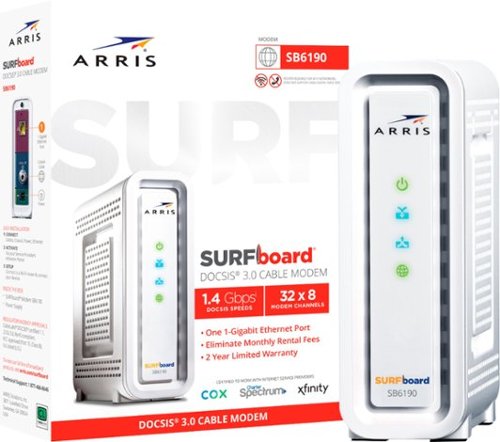
The ARRIS SURFboard SB6190 is a DOCSIS 3.0 cable modem with 32 downstream x 8 upstream bonded channels, making it a perfect addition to your home network. The SB6190 is best for cable internet speed plans up to 800 Mbps.
It's this modem compatible with Optimum in North Carolina?
YES, but here is why you do not want to use it: Security!
According to the answer I got from an Optimum tier 2 tech, DOCSIS 3.0 will work with Optimum Cable in Eastern Carolina, as I have been using an older 16x4 channel version of this modem without issues for over 7 years. I am now upgrading my service from 500 Mb to 1Gb (an offer I cannot refuse), but I have to get a new modem to support that speed. When I mentioned Optimum's Website:
https://www.optimum.net/pages/optimum-certified-modems.html
that says Optimum only supports DOCSIS 3.1, he told me the reason is security. DOCSIS 3.1 is newer technology and that is still updated for security issues, where the older 3.0 is not. The tech recommended I upgrade to 3.1 for that reason alone, regardless if the new 3.0 modem may still work. Everything you do on line may be at risk due to unpatched security issues with DOCSIS 3.0. This is probably why the 3.0 modem is on sale and so cheap. It is outdated tech and no longer updated.
According to the answer I got from an Optimum tier 2 tech, DOCSIS 3.0 will work with Optimum Cable in Eastern Carolina, as I have been using an older 16x4 channel version of this modem without issues for over 7 years. I am now upgrading my service from 500 Mb to 1Gb (an offer I cannot refuse), but I have to get a new modem to support that speed. When I mentioned Optimum's Website:
https://www.optimum.net/pages/optimum-certified-modems.html
that says Optimum only supports DOCSIS 3.1, he told me the reason is security. DOCSIS 3.1 is newer technology and that is still updated for security issues, where the older 3.0 is not. The tech recommended I upgrade to 3.1 for that reason alone, regardless if the new 3.0 modem may still work. Everything you do on line may be at risk due to unpatched security issues with DOCSIS 3.0. This is probably why the 3.0 modem is on sale and so cheap. It is outdated tech and no longer updated.
5 months, 3 weeks ago
by
AMXs
SLIM,SHARP,STYLISH. Stealth 18 AI Studio is the full evolution for coming era. Born for AI, design and performance. A mighty combination for gaming, business and creativity. Succeed in whatever you strive for, no matter where you go.
Edge ahead of the pack with this MSI Stealth gaming laptop. The NVIDIA GeForce RTX 3070 graphics card delivers stutter-free, paired with QHD 240hz refresh 3ms screen for fluid gameplay, while the Intel Core i9 processor and 32GB of RAM power through resource-intensive titles. Featuring a 1TB SSD, this MSI Stealth gaming laptop offers ample storage for your files and ultrafast startups.
how bright is it (in nits)??
A YouTube review claims the FHD 360Hz panel is rated at 300 nit and performs at about 277 nit. I cannot find anywhere that specified the rated nit of the QHD display. However, I have an Alienware 17r3 4K 400 nit display and comparing the same photo on the Alienware and the MSI QHD display, they are almost the same brightness. Windows Brightness Level for the Alienware is 50 and the same brightness for the MSI is 60. I'm guessing the MSI QHD is rated at 400 nit but performs around 350 - 375 nit.
4 years, 6 months ago
by
AMXs
Edge ahead of the pack with this MSI Stealth gaming laptop. The NVIDIA GeForce RTX 3070 graphics card delivers stutter-free, paired with QHD 240hz refresh 3ms screen for fluid gameplay, while the Intel Core i9 processor and 32GB of RAM power through resource-intensive titles. Featuring a 1TB SSD, this MSI Stealth gaming laptop offers ample storage for your files and ultrafast startups.
What is the difference between FHD360hz and QHD240hz? Trying to compare model Gs7611257 and GS7611232
The QHD 240Hz is a 2K display. I have this and it is brighter than the FHD 360Hz 1080p display. The 360Hz display will give you the faster gaming frames per second if that is what you want. However, I find that a 240Hz does quite well with FPS for most games and I like the 2K sharper and brighter screen over the 360Hz display. I got the FHD 360Hz model first and returned it and waited for the QHD display to be restocked. No regrets!
4 years, 6 months ago
by
AMXs
Edge ahead of the pack with this MSI Stealth gaming laptop. The NVIDIA GeForce RTX 3070 graphics card delivers stutter-free, paired with QHD 240hz refresh 3ms screen for fluid gameplay, while the Intel Core i9 processor and 32GB of RAM power through resource-intensive titles. Featuring a 1TB SSD, this MSI Stealth gaming laptop offers ample storage for your files and ultrafast startups.
Hi, I want to know if this very model comes with the same specifications but RTX 3080 GPU. And it's offered price.
Check MSI website. It does come with a RTX3080 for more $$$$ but not from Best Buy at this time. You may want to research a little about MSI Stealth reduced power to the GPU to control the heat in this slim laptop. I have read the RTX3080 is not worth the cost in this unit for the marginal gain in gaming performance over the RTX3070. If you want a 3080 you may want to consider the GE76 Raider or another brand that will give you more GPU power.
4 years, 6 months ago
by
AMXs
Edge ahead of the pack with this MSI Stealth gaming laptop. The NVIDIA GeForce RTX 3070 graphics card delivers stutter-free, paired with QHD 240hz refresh 3ms screen for fluid gameplay, while the Intel Core i9 processor and 32GB of RAM power through resource-intensive titles. Featuring a 1TB SSD, this MSI Stealth gaming laptop offers ample storage for your files and ultrafast startups.
Edge ahead of the pack with this MSI Stealth gaming laptop. The NVIDIA GeForce RTX 3070 graphics card delivers stutter-free, paired with QHD 240hz refresh 3ms screen for fluid gameplay, while the Intel Core i9 processor and 32GB of RAM power through resource-intensive titles. Featuring a 1TB SSD, this MSI Stealth gaming laptop offers ample storage for your files and ultrafast startups.
Does this laptop come with Windows 10 Pro?
I guess it can if you order from somewhere other than Best Buy. I find it cheaper just to get a Windows Pro license and upgrade Home to Pro than to pay the OEM for it. That's what I did and it works fine.
4 years, 6 months ago
by
AMXs
Edge ahead of the pack with this MSI Stealth gaming laptop. The NVIDIA GeForce RTX 3070 graphics card delivers stutter-free, paired with QHD 240hz refresh 3ms screen for fluid gameplay, while the Intel Core i9 processor and 32GB of RAM power through resource-intensive titles. Featuring a 1TB SSD, this MSI Stealth gaming laptop offers ample storage for your files and ultrafast startups.
Edge ahead of the pack with this MSI Stealth gaming laptop. The NVIDIA GeForce RTX 3070 graphics card delivers stutter-free, paired with QHD 240hz refresh 3ms screen for fluid gameplay, while the Intel Core i9 processor and 32GB of RAM power through resource-intensive titles. Featuring a 1TB SSD, this MSI Stealth gaming laptop offers ample storage for your files and ultrafast startups.
Can another internal SSD be added to the Laptop? I would like a bit more internal memory, games are getting bigger and bigger
YES! it comes with a 1TB Gen4x4 M.2 NVMe SSD in slot 0 and a spare Gen 3x2 M.2 Gen3x4 NVMe slot that takes a full size "2280" NVMe SSD. It does not have the mounting screw for the spare slot, so make sure you acquire one with your SSD.
4 years, 6 months ago
by
AMXs
Edge ahead of the pack with this MSI Stealth gaming laptop. The NVIDIA GeForce RTX 3070 graphics card delivers stutter-free, paired with QHD 240hz refresh 3ms screen for fluid gameplay, while the Intel Core i9 processor and 32GB of RAM power through resource-intensive titles. Featuring a 1TB SSD, this MSI Stealth gaming laptop offers ample storage for your files and ultrafast startups.
Can this be used as a business computer? OR Only a gaming computer?? Will it run regular programs and do everything a regular laptop does or is it specifically for gaming??
As others have said YES this is not just a gaming laptop. It will do it all. Note this is a Windows Home OS. If your business requires Windows Pro or Enterprise for their domain then no, you will need to upgrade the OS to Windows Pro or Windows Enterprise.
4 years, 6 months ago
by
AMXs