
Share AMXs's profile


AMXs
AMXs's stats
- Review count56
- Helpfulness votes220
- First reviewApril 18, 2020
- Last reviewDecember 27, 2025
- Featured reviews0
- Average rating4.1
- Review comment count5
- Helpfulness votes19
- First review commentNovember 23, 2020
- Last review commentJuly 23, 2023
- Featured review comments0
- Question count2
- Helpfulness votes0
- First questionSeptember 12, 2024
- Last questionSeptember 12, 2024
- Featured questions0
- Answer count15
- Helpfulness votes44
- First answerApril 24, 2020
- Last answerDecember 19, 2025
- Featured answers0
- Best answers8

With up to 3,000 PSI at 2.0 max GPM, the Greenworks GPW3001 pressure washer is a powerful residential electric pressure washer. With a powerful 14-amp TRUBRUSHLESS motor, axial cam pump, and hassle-free, push-button starts, you~ll get to work fast; just plug the 35-foot power cord into any typical exterior household outlet for quick starts with no priming, no choke, and no pull cord. This quiet-running, lightweight, compact, easy-to-store pressure washer features a rugged steel frame and wheel barrow design, thermal relief valve that purges hot water from the pump to cool it down during constant use, and intelligent PCBA technology that automatically senses which pressure washer nozzle is being used, and adjusts motor speeds to auto-adapt for more pressure and water flow for maximum cleaning power. With a 25-foot, non-marring, high-pressure hose, oversized one-gallon soap tank with built-in detergent system, and on-board accessory storage with 15-, 25- and 40-degree nozzles, turbo nozzle, and soap nozzle tips, it~s versatile, portable, and powerful.
Customer Rating

5
Performs as well as gas unit
on October 12, 2024
Posted by: AMXs
Verified Purchase:Yes
The deck scrubber is Excellent! I was skeptical because of my experience with the smaller electrical PW.
I was able to do a 150 x 10 foot concrete driveway with this unit and it did as well as the gas PW. Unlike the gas units, it is quieter and I do not have to buy gas/oil. Managing the electrical cord is a pain, but I'll take that over refilling the gas tank.
With the "Deal of the Day" price you can't go wrong.
I was able to do a 150 x 10 foot concrete driveway with this unit and it did as well as the gas PW. Unlike the gas units, it is quieter and I do not have to buy gas/oil. Managing the electrical cord is a pain, but I'll take that over refilling the gas tank.
With the "Deal of the Day" price you can't go wrong.
Length of ownership: 88
Mobile Submission: False
I would recommend this to a friend!
Quality

5
Value
5
Ease of Use
5
Share this review:


+3points
3of 3voted this as helpful.

We~re on a mission to make healthy and sustainable living easy and affordable for everyone. Join our community of more than 1.5 million members to access 5,000+ organic and sustainable groceries delivered to your door at member-exclusive prices.
Customer Rating

1
NO DEAL
on October 12, 2024
Posted by: AMXs
Verified Purchase:Yes
You get the same deal from the retailer. BB is giving you NOTHING.
Length of ownership: 1
Mobile Submission: False
No, I would not recommend this to a friend.
Quality

1
Value
1
Ease of Use
1
Share this review:


+1point
1of 1voted this as helpful.

Customer Rating
5
Arrived as scheduled
on October 12, 2024
Posted by: AMXs
Verified Purchase:Yes
Item arrived as scheduled and not damaged. They unboxed the item for me so I did not have to discard the big box and packing material.
Length of ownership: 1
Mobile Submission: False
I would recommend this to a friend!
Expertise
5
Professionalism
5
Service
5
Share this review:


+1point
1of 1voted this as helpful.

We~ll haul away and recycle one major appliance when we deliver a new replacement product. If you prefer, we can move your old appliance to another location in your home.
Customer Rating
1
Cost too Much compaired to competitors
on October 12, 2024
Posted by: AMXs
Verified Purchase:Yes
Most other competitors only charge $50 for Haul Away, but BB charges $60 and will not match prices for "Services
Length of ownership: 1
Mobile Submission: False
I would recommend this to a friend!
Professionalism
5
Service

3
Share this review:


0points
0of 0voted this as helpful.
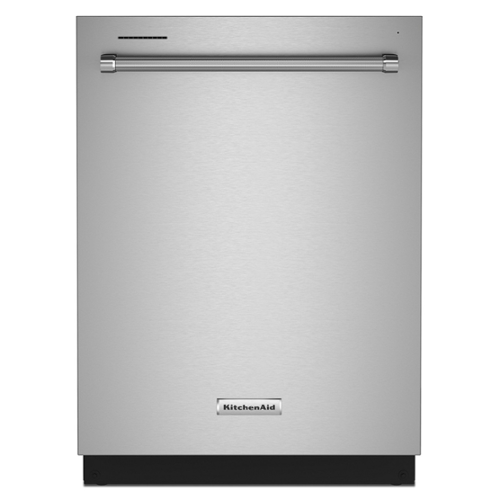
Keep up with the tools you use from prep to table with this dishwasher's three racks of versatile loading possibilities and complete wash coverage. The FreeFlex third rack fits glasses, mugs, bowls, silverware, and cooking tools, freeing up room below for pots, plates, and mixing bowls. The advanced clean water wash system circulates clean water to dishes in all three racks.
Customer Rating

4
Cheaped Out 0n Some Things, but Still Good
on October 12, 2024
Posted by: AMXs
Verified Purchase:Yes
If you self install, you find the KitchenAid Model Model KDTM404KPS Dishwasher has cheaped out on some things. The insulation blanket is not affixed to the unit and just lays over the top and down the sides. It does not cover the corners of the stainless tub. Because you have to adjust the back legs prior to sliding the DW into the opening, the insulation blanket will move and bunch up because there is nothing holding it in place. I had to tape the bottom back corner sections together so when sliding into the opening it keeps the blanket from being pushed out.
The use of a plastic garden hose connector for the hot water plumbing is just cheap. What happened to the brass? Oh, cost cutting. I have read where some complain about leaks because of this type of connector. Because this DW does not come with the 90 degree hose connector you have to buy it, or buy their expensive kit. The leaking complaints have to do with improper threads. Make sure the connector has the correct "Hose" threads.
Also this DW is designed to connect the electrical prior to installing. Newer homes will have a AC receptacle in the cabinet next to the DW and you connect the electrical cord and plug before install. Most homes still have a direct AC wire in the DW opening. If you have direct wire then you have to connect after the DW is in place in the opening. Because the opening for the wire in the DW terminal box is at the back wall of the terminal, it is very difficult to properly install the wire because of very little access. With the DW partially in so oyu have side access, you will have to measure the length of the wire end to install the "Strain Relief" first as there is no way to tighten the strain relief screws after inserting the wire into the terminal box.
As for the the operation of the dishwasher, I found it very good. It is more quiet than my high dollar Samsung that only lasted 8 years. Everything works as designed. I wash my dishes at night while watching TV and open the DW door slightly when finished. In the morning I unload the DW and everything is dry. I do not use the heated dry option as it is not needed in this scenario. For those who need dishes right after washing, I can see where the dishes can still be somewhat wet. If needed get the DW with fan dry option.
There are complaints about the basket design/layout. After 8 years with my other DW you get use to its layout and I too have some complaints, but nothing insurmountable. Give it time and you will adapt. Then when you get your next DW, not of the same brand, you'll complain again because it is not like this one.
Overall, I am satisfied with this DW and do recommend it if you can get it on a good sale. Now I have only had it for a week. There are no leaks, it is quiet, it looks good, the controls all work, and everything works as designed. Only time will tell how well it is built. The days of appliances lasting 20 years or more are gone. Most repairmen I have had out over the years, tell me major appliances are now designed to last only 7 to 10 years. The more bells and whistles, the more to go wrong.
The use of a plastic garden hose connector for the hot water plumbing is just cheap. What happened to the brass? Oh, cost cutting. I have read where some complain about leaks because of this type of connector. Because this DW does not come with the 90 degree hose connector you have to buy it, or buy their expensive kit. The leaking complaints have to do with improper threads. Make sure the connector has the correct "Hose" threads.
Also this DW is designed to connect the electrical prior to installing. Newer homes will have a AC receptacle in the cabinet next to the DW and you connect the electrical cord and plug before install. Most homes still have a direct AC wire in the DW opening. If you have direct wire then you have to connect after the DW is in place in the opening. Because the opening for the wire in the DW terminal box is at the back wall of the terminal, it is very difficult to properly install the wire because of very little access. With the DW partially in so oyu have side access, you will have to measure the length of the wire end to install the "Strain Relief" first as there is no way to tighten the strain relief screws after inserting the wire into the terminal box.
As for the the operation of the dishwasher, I found it very good. It is more quiet than my high dollar Samsung that only lasted 8 years. Everything works as designed. I wash my dishes at night while watching TV and open the DW door slightly when finished. In the morning I unload the DW and everything is dry. I do not use the heated dry option as it is not needed in this scenario. For those who need dishes right after washing, I can see where the dishes can still be somewhat wet. If needed get the DW with fan dry option.
There are complaints about the basket design/layout. After 8 years with my other DW you get use to its layout and I too have some complaints, but nothing insurmountable. Give it time and you will adapt. Then when you get your next DW, not of the same brand, you'll complain again because it is not like this one.
Overall, I am satisfied with this DW and do recommend it if you can get it on a good sale. Now I have only had it for a week. There are no leaks, it is quiet, it looks good, the controls all work, and everything works as designed. Only time will tell how well it is built. The days of appliances lasting 20 years or more are gone. Most repairmen I have had out over the years, tell me major appliances are now designed to last only 7 to 10 years. The more bells and whistles, the more to go wrong.
Length of ownership: 1
Mobile Submission: False
I would recommend this to a friend!
Cleaning Quality
5
Cycle Options

4
Dry Quality
4
Share this review:


+5points
5of 5voted this as helpful.
![Superman: The Movie [4K Ultra HD Blu-ray/Blu-ray] [1978]](https://pisces.bbystatic.com/prescaled/500/500/image2/BestBuy_US/images/products/43acfbf1-bb73-4486-9b04-a01295bf1093.jpg)
Customer Rating
4
Great improvement
on March 4, 2024
Posted by: AMXs
Verified Purchase:Yes
This review is of the technical aspect of this movie and not the subject matter.
This was the first commercial movie I ever bought in 1979. It was a Beta Video Tape. It cost $60 then. I still have the tape and a working Betamax. Of course 4K is like night and day over video tape.
I have seen this movie on TV which is a great improvement over the tape. I found the 4k HDR to be very well done. Colors are rich and sharpness is great for a 45 year old movie. I have seen a lot worse conversions of older movies. I got this movie on sale and it is a great addition to my collection.
This was the first commercial movie I ever bought in 1979. It was a Beta Video Tape. It cost $60 then. I still have the tape and a working Betamax. Of course 4K is like night and day over video tape.
I have seen this movie on TV which is a great improvement over the tape. I found the 4k HDR to be very well done. Colors are rich and sharpness is great for a 45 year old movie. I have seen a lot worse conversions of older movies. I got this movie on sale and it is a great addition to my collection.
Length of ownership: 413
Mobile Submission: False
I would recommend this to a friend!
Share this review:


0points
0of 0voted this as helpful.
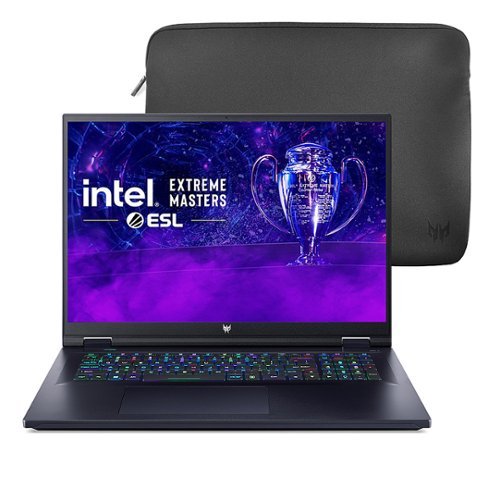
Feel the power emanate from within the neon-hued shell of the Helios 18. Suit up, strap in ~ and let Helios pave the way. Equipped with superior cooling technology and a trove of performance like NVIDIA GeForce RTX 4080 laptop graphics and the latest 13th Gen Intel Core i9-13900HX processor with new performance hybrid architecture~ this gaming laptop will be your guide to gaming bliss. With the 18" 2560 x 1600 IPS Mini LED panel, 250Hz Refresh, NVIDIA Advanced Optimus, NVIDIA G-SYNC technology, a peak brightness of 1000 nits and 3ms Overdrive response time you can say farewell to blur and hello clear, crisp, high-octane gameplay.
Customer Rating

3
Mini LED no big deal for this unit
on March 4, 2024
Posted by: AMXs
Verified Purchase:Yes
I bought because of the sale. I have a similar spec MSI with an Intel i9-11900 and RTX 3070 and wanted the 4080 as well as the alleged superior mini LED 18 screen. After running some real world video processing tests, I found the 480 did not handle these process any faster. Also the mini LED was disappointing. After calibrating it did not look any sharper than my 17" LED 240hz screen. In fact my MSI has a better color balance and seemed brighter and just as sharp. So much for the mini LED hype at least as ACER is concerned.
This unit was not worth the cost, even on sale so I returned it.
This unit was not worth the cost, even on sale so I returned it.
Length of ownership: 201
Mobile Submission: False
No, I would not recommend this to a friend.
Battery Life
3
Speed
3
Display
3
Share this review:


+2points
2of 2voted this as helpful.
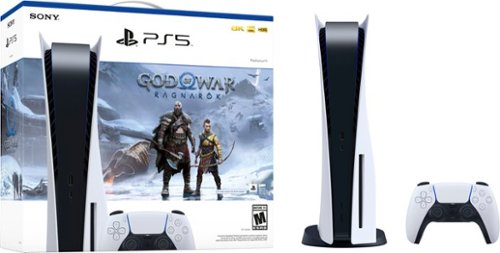
PlayStation 5 Console ~ God of War Ragnar~k Bundle includes: PlayStation 5 console, DualSense wireless controller, Base, HDMI cable, AC power cord, USB cable, Printed materials, ASTRO~s PLAYROOM (Pre-installed game. PS5~ console may need to be updated to the latest system software version. Internet connection required.), God of War Ragnar~k full game voucher. Embark on an epic and heartfelt journey alongside Kratos and Atreus with the ~ God of War Ragnar~k Bundle. Enjoy God of War Ragnar~k with PS5 innovations including 4K and HDR visuals*, DualSense wireless controller adaptive triggers and haptic feedback and Tempest 3D AudioTech**. * 4K and HDR require a 4K and HDR compatible TV or display. ** 3D Audio with stereo headphones (analog or USB).
Customer Rating
5
It's a PS5. Works Great!
on March 4, 2024
Posted by: AMXs
Verified Purchase:Yes
I have had this PS5 for almost 2 years now. Not one single issue with it. It works very well as designed. I added a second SSD with no problems. It just works great.
Length of ownership: 436
Mobile Submission: False
I would recommend this to a friend!
Controller
5
Performance
5
Storage Capacity
5
Share this review:


0points
0of 0voted this as helpful.
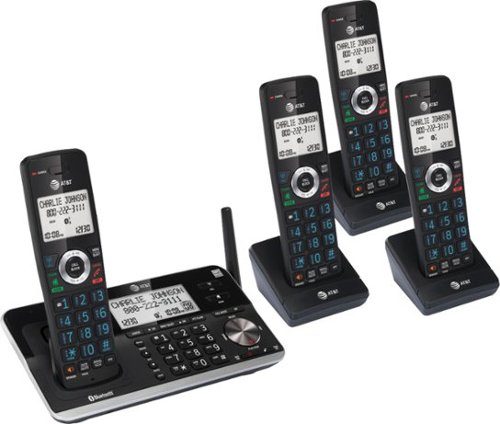
With the AT&T DLP73410 DECT 6.0 4-Handset Expandable Cordless Phone featuring, Unsurpassed, Range, Bluetooth Connect to Cell and Smart Call Blocker, you won't have to worry about unwanted calls waking you up in the middle of the night or tying up the line. Robocalls are automatically blocked from ever ringing through~even the first time. You can also permanently blacklist any number you want with one touch. Bluetooth Connect to Cell technology on the AT&T DLP73410 DECT 6.0 Expandable Cordless Phone lets you receive cell and/or landline calls from one home phone system. With a touch of a button, enjoy the high-tech benefits your smart phone offers. Even if your smart phone is in a different room, you can still access Siri or Google Now from the cordless handsets. Place a call, write or read a text and perform all the other actions these services offer.
Customer Rating
5
Big bright handset screen.
on March 4, 2024
Posted by: AMXs
Verified Purchase:Yes
Replacing 18 year old ATT similar set where smaller display is becoming very dim and hard to see without glasses. Best feature about this set is the screen calls feature called "Smart Call Blocker". Instantly stopped ROBO calls. Now if you do want to receive calls from a call center (calling you back instead of waiting for them to answer is one situation) you will need to add their number into the "allow list". The issue is a automatic calling system calling you back will dial your number but the caller may not be connected immediately or there is a auto voice menu asking you to push a number. Because they can't hit the # key the call screening of this set will not connect the call unless the caller hits the # key when instructed thus will not ring through.
Since this situation is not that often, you can also just disable the call screening until you get your call back.
My personal need do not require the base set with all its features. But since the model that had a more simple base set was basically the same price (this set on sale) I opted for this set. Glad I did.
Also this unit has Bluetooth and you can pair your cell phone to answer it as well as the landline number. The cell phone should be no more that 15 ft from the base unit though. I have not used this feature so I do not know how well it will work for me in various parts of my house.
Since this situation is not that often, you can also just disable the call screening until you get your call back.
My personal need do not require the base set with all its features. But since the model that had a more simple base set was basically the same price (this set on sale) I opted for this set. Glad I did.
Also this unit has Bluetooth and you can pair your cell phone to answer it as well as the landline number. The cell phone should be no more that 15 ft from the base unit though. I have not used this feature so I do not know how well it will work for me in various parts of my house.
AT&T has the user and quick guide manuals on line. If not familiar with the Smart Call Blocker you should read them first.
Operation is just like any phone once set up. It's the set up that can be challenging for some.
Operation is just like any phone once set up. It's the set up that can be challenging for some.
Length of ownership: 5
Mobile Submission: False
I would recommend this to a friend!
Quality
5
Value
5
Ease of Use
3
Share this review:


+4points
4of 4voted this as helpful.
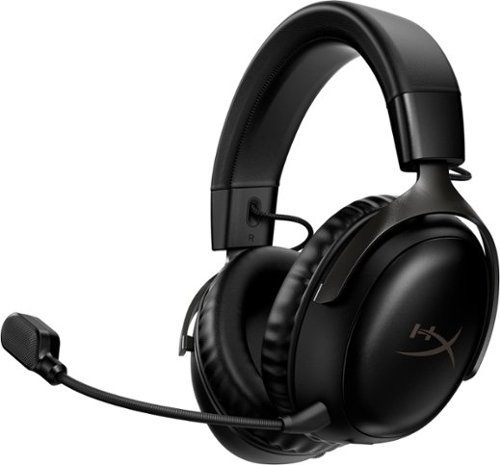
The legendary headset with a fresh look. HyperX Cloud III Wireless is the continuation of a line of headsets with uncompromised comfort and audio quality. The 53mm drivers are now angled for an improved listening experience and optimally tuned for gaming. Comfort remains key as the headset features additional signature HyperX memory foam in the headband and plush ear cushions for a great fit that comfortable throughout long gaming sessions. It also features a newly improved microphone that accurately reproduces sound for clear communications over in-game chat and calls. With 120 hours of battery life, you can focus on the game and not a low battery indicator. Play more and play comfortably.
Customer Rating
5
Very comfortable! Performs well!
on March 4, 2024
Posted by: AMXs
Verified Purchase:Yes
I have been using this headset for a couple of months now. They were recommended by a friend. I have issues with things on my head feeling tight and uncomfortable. I can't do VR. This headset is light and is very comfortable around the ears and no weight on top of the head. The mic does cancel background noise.
Catch it on sale for a great deal.
Catch it on sale for a great deal.
Length of ownership: 47
Mobile Submission: False
I would recommend this to a friend!
Ease of Use
5
Quality
5
Value
5
Share this review:


0points
0of 0voted this as helpful.
AMXs's Review Comments
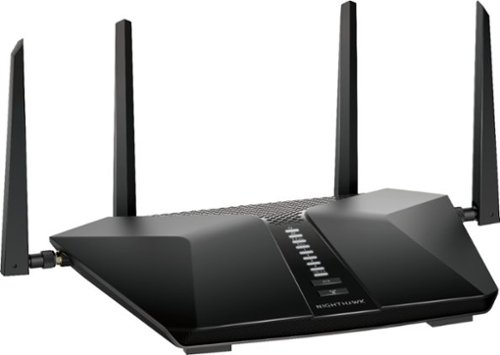
Built with the latest-generation Wi-Fi 6 technology, the NETGEAR Nighthawk AX6 6-stream AX5200 Wi-Fi router provides speeds up to 5.2 Gbps so you can connect, stream, and download faster to newer mobile devices. Powerful 1.5GHz triple-core processor ensures superior performance for concurrent real-time applications such as multimedia streaming, online gaming, and audio/video chats. Engineered to deliver up to four times the data capacity over previous standards, Wi-Fi 6 technology with OFDMA, 160MHz channel support, and 1024-QAM vastly improves network efficiency. High-power amplifiers increase range for reliable whole home network. This next-generation router is recommended for medium to large homes, suitable for up to 25 connected devices.
Overall1 out of 5
1 out of 5Too Many Bugs
By AMXs
I saw the NETGEAR - Nighthawk AX5200 Dual-Band Wi-Fi Router at BB at half off for Black Friday Sale. Although I currently do not have an AX adapter, I figure this would be a great time to upgrade my current AC router (5-year-old Netgear AC1700 also purchased on Black Friday). I was concerned about some of the reviews regarding reliability and durability, but for this price I took a chance. Big mistake!
After installing the router and configuring the network I was very pleased how this router gave me more performance than the AC1700. Later my issues started. Web pages would take longer to load and other little things concerning speed. However, these issues were not consistent. I then found I could not configure QoS for my devices. Yesterday I spent the over 8hrs researching trying different troubleshooting steps. What is time consuming is EVERY little change requires the router to be rebooted.
I then gave up and called Netgear Support. I will say I was surprised my call was answered so quickly. The person helping me was polite, knowledgeable, and patient. After advising me I will have to reset my router, I was able to change priority by device in the QoS settings, but upon reboot the change did not hold. The tech then asked if I had Denial of Service (DOS) attacks listed in the router log. I had 6 DOS listings for about 4 hours. Again, we reset the router and this time I was able to change the priorities in the QoS and they held on restart. The tech then considered the case closed. The tech told me the DOS attacks can be fixed by my ISP and they need to re-provision my modem. I called and they did and when I restarted everything, my QoS settings were changed back and I could not change them again. I then check the log and saw over 10 DOS attacks just from boot-up. From research, I found out these attacks are apparently false positives and it is how the router handles webpages/cookies. Because of so many, they are affecting the routers performance. My download speed was always good, it’s just web pages were slow to load or would not load at all and I could not change the QoS settings for each device. When this issue then affected my email client and would not connect to any of my three email accounts, that was the end! If others may have issues with this unit, I hope my experience may help. While it’s normal to have a DOS attack once and a while, it’s not normal to have many in say an hour’s time and it can affect the router’s performance.
I gave up and reconnected my old AC1700 router. Wa-la, I was back up and running with no issues. I check the log and NO DOS attacks. No issues with QoS. The next day, at the time I am writing this review, there have been no DOS attacks listed.
I don’t know about you, but I seem to be seeing a lot of poor quality in computer electronics lately and not just Netgear. I will be returning this defective unit to BB. I hate to miss out on this deal, but I’m not willing to try another unit at this time. I wasted way too much time already in the two days of dealing with this router.
I don’t know about you, but I seem to be seeing a lot of poor quality in computer electronics lately and not just Netgear. I will be returning this defective unit to BB. I hate to miss out on this deal, but I’m not willing to try another unit at this time. I wasted way too much time already in the two days of dealing with this router.

AMXs
Update
November 23, 2020
Still wanting this router to work, I tried a second one. After initial setup with only one wired desktop, all seemed to be working without any DOS Attacks. I then updated the firmware (MISTAKE) and when the router restarted BAM, there were 2 DOS attacks right off the bat. I then restarted the router and now there were 5 more DOS attacks, one IP 3 times and that turned out to be Amazon. These are all "False Positives for some reason the router cannot distinguish, but yet all these DOS attacks affect the router's performance over time. As a note, my Nighthawk AC1750 router had NO DOS attacks in the two days between both AX5200 units.
I'm thinking the latest firmware 1.0.2.72 is the cause, but cannot verify. Unless you have an older firmware file saved there is no way I found in the settings to roll back to the previous firmware version. Netgear Support for this router only has the current firmware version to download and not any previous version. So, if you update and there is an issue, you are stuck with it until the next update; unless you can find a previous firmware file. Come on Netgear, at least keep the previous firmware versions available for download just in case. I have also returned this router as the AX5200 is not ready for prime time.
I'm thinking the latest firmware 1.0.2.72 is the cause, but cannot verify. Unless you have an older firmware file saved there is no way I found in the settings to roll back to the previous firmware version. Netgear Support for this router only has the current firmware version to download and not any previous version. So, if you update and there is an issue, you are stuck with it until the next update; unless you can find a previous firmware file. Come on Netgear, at least keep the previous firmware versions available for download just in case. I have also returned this router as the AX5200 is not ready for prime time.
+7points
7of 7voted this comment as helpful.

American car designer Carroll Shelby and driver Ken Miles battle corporate interference, the laws of physics and their own personal demons to build a revolutionary race car for Ford and challenge Ferrari at the 24 Hours of Le Mans in 1966.
Overall1 out of 5
1 out of 5Excellent film. Learned a lot.
By Harpo
I have always followed auto racing and to see a film that tells the story about Carrol Shelby and building race cars was great.
AMXs
Your Title Does Not Support Your Rating
December 26, 2020
Why a 1 Star rating; the lowest for a poor movie? Your title and comments infer you liked the movie and one would think you would at least give it a 3 + Star rating
0points
0of 0voted this comment as helpful.
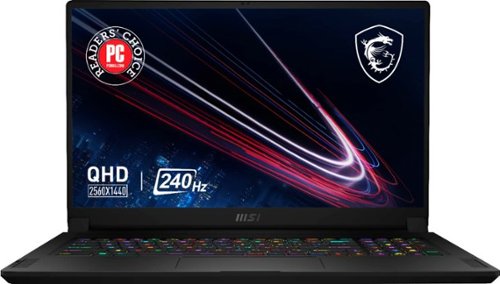
Edge ahead of the pack with this MSI Stealth gaming laptop. The NVIDIA GeForce RTX 3070 graphics card delivers stutter-free, paired with QHD 240hz refresh 3ms screen for fluid gameplay, while the Intel Core i9 processor and 32GB of RAM power through resource-intensive titles. Featuring a 1TB SSD, this MSI Stealth gaming laptop offers ample storage for your files and ultrafast startups.
Overall5 out of 5
5 out of 5Great Features and Specs for the price
By AMXs
I have now had this unit for four weeks and put it through its paces. I am very pleased with its overall performance. I have had no issues. The only down side of this unit is its reduced power to the CPU and GPU. This has to be done to control the heat in the thin format. More power more heat equals a bigger, heavier, and more expensive unit. Although, this unit is not the fastest or the best, you cannot beat the "bang for the buck". It will play AAA games. If you want to do better for the same configuration you will pay about $1K more; that’s if you can find one and not have to wait forever to get it with today’s supply and shipping issues.
I am coming from a 5-year-old Alienware 17 r3 4K UHD 60Hz laptop. I do not do a lot of gaming, but do video and photo processing. I first got the MSI FHD 360Hz unit on sale for $200 less than this one. I wanted the QHD screen but it was out of stock, unknown when it may be available. I was not pleased with the FHD 360Hz panel. Overall, this panel is OK if you want speed. Check out YouTube for gaming speeds. People have complained about the light bleed, but it is no worse than my Alienware. Every LED/LCD panel has light bleed. If you are in a dark room with a black/blank screen you will see it along the edges. In everyday use it is not noticeable; period. I found the MSI panel’s out of the box color calibration to be right on with my Alienware calibrated panel. However, the brightness of the FHD 360Hz panel is a lot dimmer. Same photo on the Alienware (400 nit) I set at a Windows brightness of 50. The MSI (FHD 300 nit) has to be set at 90 to achieve the same brightness. This is in a bright room. For most, this brightness level will be sufficient. But outdoors the MSI FHD panel will fall short. I found I was spoiled by the 4K screen when it comes to graphics. Gaming and watching a movie, the FHD screen is fine. Although I like the MSI FHD 360Hz unit overall, I returned it and decided to wait for a 4K UHD or a 2K QHD unit.
Best Buy got the MSI QHD unit back in stock and I jumped on it. The difference between the FHD 360Hz and the QHD 240Hz is like night and day. The QHD panel is brighter and sharper. When comparing with the Alienware 4K it is right on par. The same picture with the Alienware at 50 brightness, the MSI QHD is at 60. The 2K QHD resolution actually is just fine for my photo and graphic work. Don’t get me wrong, 4K is better if you require it, but I found that this QHD is perfect for my needs. It’s cheaper and less battery drain than a 4K. I found it just as nice on 17” as 4K and it seems to hit the “Sweet Spot” for gamers and photo/video/graphic processors. The brightness and sharpness of the panel is paramount to me. If you want speed and plan on using the laptop inside with normal to low light then the FHD panel is it. But for me the difference of 360Hz to 240Hz is nominal and I want the brighter and sharper image over the little difference of speed.
Heat is an issue with any laptop and especially with gaming laptops. I have a video conversion process I do with proprietary software and it is intense on the CPU and GPU. I’m now working with 4K and the old Alienware can no longer keep up. I found with this unit set in Extreme Performance Mode with GPU set to discrete and GPU over clocked without Cooler Boost turned on, my CPU was running as high as 95c. Turning on cooler boost lowered the CPU to 85C and lower. The GPU ran cool at 75-80c. The fans are running at 6,000 RPM with Cooler Boost and do produce noise, but they are still quieter than a lot of other gaming laptops at max fans. It is no louder than my Alienware when its fans are maxed out. Since my process is automated and takes several hours, I just walk away once I’m satisfied CPU/GPU temps are stable. I found for everyday use and even lighter graphic processing that the Balanced mode works just fine with less fan noise at up to 3,000 RPM with acceptable CPU/GPU temps, or mostly no fan noise for general office work.
MSI GS76 Stealth 11UG-232 QHD Pros and Cons:
Pro: Best bang for the buck for the specs.
Bright, sharp, and fast QHD panel
i9 11th gen mobile CPU
Nvidia RTX 3070 mobile GPU
1TB NVMe PCIe M.2 Gen 4x4 SSD - Second M.2 Gen 3x4 SSD slot available.
32GB RAM – which is more than enough.
Mux switch for the discrete Nvidia GPU
Per Key RGB keyboard
Quiet fans compared to other gaming laptops. All gaming laptops will have fan noise!
Latest generation ports (HDMI is still only 2.1 and not 2.2)
Full Size SD Card Slot, not micro size
AX-6e 2x2 Wi-Fi that can do 6GHz, 5GHz, and 2.4GHz with an AX-6e Network/Router
Number keypad. With disappearing number pads these days, MSI did good for a thin laptop.
Small and light for a 17” laptop. Easy to carry for work and play. Looks like any other work laptop on the outside (Stealth) without all the gaudy lights some gaming laptops have.
I am coming from a 5-year-old Alienware 17 r3 4K UHD 60Hz laptop. I do not do a lot of gaming, but do video and photo processing. I first got the MSI FHD 360Hz unit on sale for $200 less than this one. I wanted the QHD screen but it was out of stock, unknown when it may be available. I was not pleased with the FHD 360Hz panel. Overall, this panel is OK if you want speed. Check out YouTube for gaming speeds. People have complained about the light bleed, but it is no worse than my Alienware. Every LED/LCD panel has light bleed. If you are in a dark room with a black/blank screen you will see it along the edges. In everyday use it is not noticeable; period. I found the MSI panel’s out of the box color calibration to be right on with my Alienware calibrated panel. However, the brightness of the FHD 360Hz panel is a lot dimmer. Same photo on the Alienware (400 nit) I set at a Windows brightness of 50. The MSI (FHD 300 nit) has to be set at 90 to achieve the same brightness. This is in a bright room. For most, this brightness level will be sufficient. But outdoors the MSI FHD panel will fall short. I found I was spoiled by the 4K screen when it comes to graphics. Gaming and watching a movie, the FHD screen is fine. Although I like the MSI FHD 360Hz unit overall, I returned it and decided to wait for a 4K UHD or a 2K QHD unit.
Best Buy got the MSI QHD unit back in stock and I jumped on it. The difference between the FHD 360Hz and the QHD 240Hz is like night and day. The QHD panel is brighter and sharper. When comparing with the Alienware 4K it is right on par. The same picture with the Alienware at 50 brightness, the MSI QHD is at 60. The 2K QHD resolution actually is just fine for my photo and graphic work. Don’t get me wrong, 4K is better if you require it, but I found that this QHD is perfect for my needs. It’s cheaper and less battery drain than a 4K. I found it just as nice on 17” as 4K and it seems to hit the “Sweet Spot” for gamers and photo/video/graphic processors. The brightness and sharpness of the panel is paramount to me. If you want speed and plan on using the laptop inside with normal to low light then the FHD panel is it. But for me the difference of 360Hz to 240Hz is nominal and I want the brighter and sharper image over the little difference of speed.
Heat is an issue with any laptop and especially with gaming laptops. I have a video conversion process I do with proprietary software and it is intense on the CPU and GPU. I’m now working with 4K and the old Alienware can no longer keep up. I found with this unit set in Extreme Performance Mode with GPU set to discrete and GPU over clocked without Cooler Boost turned on, my CPU was running as high as 95c. Turning on cooler boost lowered the CPU to 85C and lower. The GPU ran cool at 75-80c. The fans are running at 6,000 RPM with Cooler Boost and do produce noise, but they are still quieter than a lot of other gaming laptops at max fans. It is no louder than my Alienware when its fans are maxed out. Since my process is automated and takes several hours, I just walk away once I’m satisfied CPU/GPU temps are stable. I found for everyday use and even lighter graphic processing that the Balanced mode works just fine with less fan noise at up to 3,000 RPM with acceptable CPU/GPU temps, or mostly no fan noise for general office work.
MSI GS76 Stealth 11UG-232 QHD Pros and Cons:
Pro: Best bang for the buck for the specs.
Bright, sharp, and fast QHD panel
i9 11th gen mobile CPU
Nvidia RTX 3070 mobile GPU
1TB NVMe PCIe M.2 Gen 4x4 SSD - Second M.2 Gen 3x4 SSD slot available.
32GB RAM – which is more than enough.
Mux switch for the discrete Nvidia GPU
Per Key RGB keyboard
Quiet fans compared to other gaming laptops. All gaming laptops will have fan noise!
Latest generation ports (HDMI is still only 2.1 and not 2.2)
Full Size SD Card Slot, not micro size
AX-6e 2x2 Wi-Fi that can do 6GHz, 5GHz, and 2.4GHz with an AX-6e Network/Router
Number keypad. With disappearing number pads these days, MSI did good for a thin laptop.
Small and light for a 17” laptop. Easy to carry for work and play. Looks like any other work laptop on the outside (Stealth) without all the gaudy lights some gaming laptops have.
Con: Low power CPU/GPU – only 95W to GPU that could handle up to 140W, although too hot for this design. The GE Raider has more power, but is bigger, heavier, and costs more for same specs.
Inverted Motherboard – RAM access requires removal of motherboard. At 32GB there should be no need for more RAM
Keyboard Fonts – Took me some time getting used to compared to a standard keyboard font.
Function Key on right side – Why? You will get used to it.
Internal speakers OK for office work, but not for movies or music.
Right side ports too far front, device cables can get in way of mouse for right handers. Same on left side for lefties.
Inverted Motherboard – RAM access requires removal of motherboard. At 32GB there should be no need for more RAM
Keyboard Fonts – Took me some time getting used to compared to a standard keyboard font.
Function Key on right side – Why? You will get used to it.
Internal speakers OK for office work, but not for movies or music.
Right side ports too far front, device cables can get in way of mouse for right handers. Same on left side for lefties.
I find this laptop to have the best features/specs for the price. MSI quality control seems to very good compared to the last two Alienware laptops I tried in the last two years. Both were returned for motherboard issues. So far, this MSI has handled everything I have thrown at it.
Laptops are personal and subjective. Everyone has different needs. Do your research and know what you are buying. Fan noise is inevitable with any performance gaming laptop and even desktops. It is the nature of the beast. I think MSI has done well with the fans on this unit and they are as quiet as can be. Best Buy has a great return policy. Just be sure to evaluate and return in the allotted time period should you find you do not like your purchase.
FYI, my MSI came with Window 10 “20H2” and not the latest Windows 10 “21H1”. I did update to Windows 11 when offered by Windows update and it went smooth. It kept most my Windows settings, but I did find a few that were changed.
Should anything happen to change my opinion/rating of this unit I will update this review.
Laptops are personal and subjective. Everyone has different needs. Do your research and know what you are buying. Fan noise is inevitable with any performance gaming laptop and even desktops. It is the nature of the beast. I think MSI has done well with the fans on this unit and they are as quiet as can be. Best Buy has a great return policy. Just be sure to evaluate and return in the allotted time period should you find you do not like your purchase.
FYI, my MSI came with Window 10 “20H2” and not the latest Windows 10 “21H1”. I did update to Windows 11 when offered by Windows update and it went smooth. It kept most my Windows settings, but I did find a few that were changed.
Should anything happen to change my opinion/rating of this unit I will update this review.
AMXs
UPDATE: Still going strong - 2 Notes of interest
December 3, 2021
I found if I was playing MS Solitaire Collection fan #1 would pulse, 5 seconds on 5 seconds off round 2500 rpm. Noise overall is not an issue if it was a steady speed, but the pulsing becomes irritating in a quiet room. Changing fan settings did not help, nor did "Silent" mode setting in the MSI Center help. It seems the CPU temps would fluctuate around 57c to 62c just enough to cause the fan to turn off and on. Not sure why the fan temp settings or Silent mode did not address the issue, but I did find a solution. Monitor Refresh Rate. I read about Windows 11 planning on a new feature called Dynamic Refresh Rate to reduce power consumption. Right now the default 240Hz panel refresh rate can only be set at a static max 240 or min 60. When Windows 11 updates to Dynamic Refresh it will set the refresh rate anywhere between the min and max as needed. Since I do not game a lot I find that 60Hz works for most of my needs and I will change to 240Hz as needed. I can only assume the 60Hz requires less power thus less heat on the system. Regardless as to why, changing to 60hz stopped fan #1 pulsing. It does not turn on at all any more while playing MS Solitaire Collection. CPU Temp now running 47c to 57c.
MSI Update Process is not as simple as HP or Dell. Hopefully those who buy gaming computers are not newbies to computer file systems. There is no automated app that will check for updates, download, and install them. In the MSI Center there is a Support Tab that has a "Live Update" feature. I found that it always seems to not recognize one random install even though the driver is updated and installed. When you do the live update it will find any updates on the MSI server for your system. You have to select the update and download it, but it will not install it for you. If you are running Windows 11 you should verify the driver is for Windows 11. I found when I updated the Intel GPU driver MSI Live Update was only offering the Windows 10 update and not the Windows 11 version even though I have Windows 11 installed and the MSI Center is the latest version. Because of the inconsistencies, I just go to the MSI support website and get my updates there. Also, all updates are provided in a .ZIP file that has to be uncompressed first. I have found that a lot of MSI's updates recently are provided without a Setup, Install, or other .EXE file. You have to install from a .INF file or multiple .INF files. If this is new to you you may find it difficult. Another surprise is the BIOS update process. HP and Dell both use a Windows .EXE file and it is a simple process just follow the onscreen prompts. MSI requires the use of a flash drive. It is best to use a flash drive to update the BIOS as it is a more direct way and less chance of errors. If this is new to you then you can find the instructions on MSI web site. NOTE: the instructions do not mention this, be sure your flash drive is formatted in FAT32 as it will not be recognized by the BIOS in any other format. Also, unlike HP and Dell, when MSI updates a driver it deletes the old driver off their site.
MSI Update Process is not as simple as HP or Dell. Hopefully those who buy gaming computers are not newbies to computer file systems. There is no automated app that will check for updates, download, and install them. In the MSI Center there is a Support Tab that has a "Live Update" feature. I found that it always seems to not recognize one random install even though the driver is updated and installed. When you do the live update it will find any updates on the MSI server for your system. You have to select the update and download it, but it will not install it for you. If you are running Windows 11 you should verify the driver is for Windows 11. I found when I updated the Intel GPU driver MSI Live Update was only offering the Windows 10 update and not the Windows 11 version even though I have Windows 11 installed and the MSI Center is the latest version. Because of the inconsistencies, I just go to the MSI support website and get my updates there. Also, all updates are provided in a .ZIP file that has to be uncompressed first. I have found that a lot of MSI's updates recently are provided without a Setup, Install, or other .EXE file. You have to install from a .INF file or multiple .INF files. If this is new to you you may find it difficult. Another surprise is the BIOS update process. HP and Dell both use a Windows .EXE file and it is a simple process just follow the onscreen prompts. MSI requires the use of a flash drive. It is best to use a flash drive to update the BIOS as it is a more direct way and less chance of errors. If this is new to you then you can find the instructions on MSI web site. NOTE: the instructions do not mention this, be sure your flash drive is formatted in FAT32 as it will not be recognized by the BIOS in any other format. Also, unlike HP and Dell, when MSI updates a driver it deletes the old driver off their site.
As I have said, this laptop to me is still the "best bang for the buck". 5 weeks in and I am still quite satisfied with it. Other than my fan pulsing (fixed) its worked like a champ. And now it is $100 off. For those like me that paid full price, I got BB to price match mine. Hopefully, you can catch the deal before it is gone. Good luck
+12points
12of 12voted this comment as helpful.

Meet the ultimate streaming player, Roku Ultra. It~s the fastest and most powerful Roku player ever, with channels like Sling, Hulu, Netflix, Disney+, Prime Video, and HBO Max and that launch in a snap and a lightning-fast interface. Bring out the rich detail in your entertainment with stunningly sharp 4K picture, four times the resolution of HD. Immerse yourself in three-dimensional sound when you combine this Roku streaming device with Dolby Atmos~ audio, and watch in awe as colors pop off your screen with spectacular Dolby Vision~ picture. Streaming in the highest picture quality requires a strong, steady Wi-Fi~ connection, especially in rooms farther from your router. That~s why we boosted our best Wi-Fi in this Roku 4K device with even more speed and range, so you can enjoy fast, uninterrupted TV streaming in any room in your home. Use the Roku voice remote to easily search across thousands of channels with your voice, enjoy private listening with included headphones, power up your TV, and set personal shortcuts for your favorite channels~there~s even a lost remote finder. Your favorite channels are front and center on the customizable home screen, so you can spend your time streaming~not scrolling. After a simple setup with everything you need in the box, you~ll be able to stream a massive selection of free, live, and premium TV, including Roku~ Originals only on The Roku Channel. This Roku Ultra also works with popular voice assistants. Ask Alexa or Hey Google to control your streaming, launch channels, search for entertainment, and more. You can also control your TV using the Apple Home app or Siri on your Apple devices.
Overall5 out of 5
5 out of 5Good Streaming Device for Dolby Vision
By AMXs
I wanted Dolby Vision capability for my Home Theater setup. This version is similar to the previous version, but with better specs. I have 2 other ROKU devices and they all works great as long as the apps support it. Right now Paramount+ says it supports DV and DA, but on ROKU all you get is 1080p not HDR/DA and Dolby Direct sound, no Atmos. It's the blame game, paramount blames ROKU and ROKU blames Paramount. The customer is caught in the middle. However, Disney +, Netflix, and Prime apps work great and give you what they say.
AMXs
Update
May 28, 2022
Paramount + and ROKU have worked out their issue and now all content Paramount + gives in 4K Dolby Vision/Dolby Atmos plays via ROKU Ultra with OS v. 11
0points
0of 0voted this comment as helpful.
![Top Gun: Maverick - 4K Blu-Ray [4K Ultra HD Blu-ray]](https://pisces.bbystatic.com/prescaled/500/500/image2/BestBuy_US/images/products/1611259c-fe74-4e90-8401-0c3ea0e6470e.jpg)
After more than thirty years of service as a top naval aviator, Pete InchMaverickInch Mitchell (Tom Cruise) is where he belongs, pushing the envelope as a courageous test pilot. Yet, Maverick must confront the ghosts of his past when he returns to TOPGUN to train a group of elite graduates and comes face to face with Lt. Bradshaw (Miles Teller), the son of his former wingman InchGooseInch. Bitter rivalries ignite as the pilots prepare for a specialized mission which will require the ultimate sacrifice from those chosen to fly it.
Overall3 out of 5
3 out of 5To bad
By MichaelH
dvd kept freezing on two players took it back was told it was past 14 days so to bad . Great movie just buy it where you get good customer service.
AMXs
Fix for New 4K DVD's That Hang/Freeze
July 23, 2023
Hello MichaelH, I have found when 4K DVD's freeze it is because of a light oily type film from manufacture process that is almost invisible. Wash the DVD by hand with a drop of Dawn dish soap.Handle with care not to rub too hard with your fingers. Wash both sides of the DVD. Then pat dry with a micro-fiber towel; do not rub. Lint is your enemy, so do not use a regular towel. Then use a clean glasses grade cleaning cloth to lightly buff out any visible residue. I have had many Triple layer 4K DVD's hang around the 1:20+ mark. After the above process my DVD's no longer hang. Hope this works for you. AMX
0points
0of 0voted this comment as helpful.
AMXs's Questions

SLIM,SHARP,STYLISH. Stealth 18 AI Studio is the full evolution for coming era. Born for AI, design and performance. A mighty combination for gaming, business and creativity. Succeed in whatever you strive for, no matter where you go.
How many SSD Nvme Slots? MSI specs are vague on this only saying this model has a 1TB Gen 4 SSD. If more than one, is one a Gen 5 and one Gen 4 or are both Gen4? Also are they 2280 length?
1 year, 8 months ago
by
AMXs
SLIM,SHARP,STYLISH. Stealth 18 AI Studio is the full evolution for coming era. Born for AI, design and performance. A mighty combination for gaming, business and creativity. Succeed in whatever you strive for, no matter where you go.
What is the actual aspect ratio of the UHD 18" screen? MSI says 16:9, yet they say the resolution is 3840x2400 which is 16:10. Best Buy specs say resolution is 3840x2560 which totally wrong. Can someone who actually has this unit advise?
1 year, 8 months ago
by
AMXs
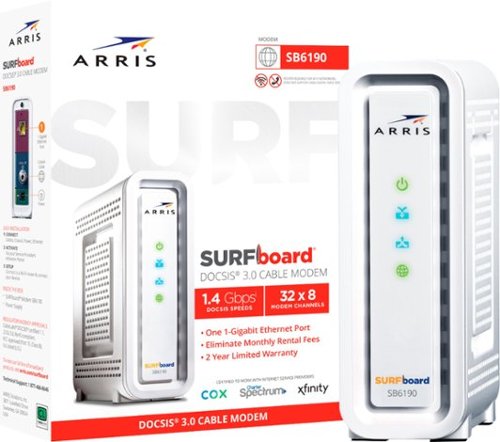
The ARRIS SURFboard SB6190 is a DOCSIS 3.0 cable modem with 32 downstream x 8 upstream bonded channels, making it a perfect addition to your home network. The SB6190 is best for cable internet speed plans up to 800 Mbps.
It's this modem compatible with Optimum in North Carolina?
YES, but here is why you do not want to use it: Security!
According to the answer I got from an Optimum tier 2 tech, DOCSIS 3.0 will work with Optimum Cable in Eastern Carolina, as I have been using an older 16x4 channel version of this modem without issues for over 7 years. I am now upgrading my service from 500 Mb to 1Gb (an offer I cannot refuse), but I have to get a new modem to support that speed. When I mentioned Optimum's Website:
https://www.optimum.net/pages/optimum-certified-modems.html
that says Optimum only supports DOCSIS 3.1, he told me the reason is security. DOCSIS 3.1 is newer technology and that is still updated for security issues, where the older 3.0 is not. The tech recommended I upgrade to 3.1 for that reason alone, regardless if the new 3.0 modem may still work. Everything you do on line may be at risk due to unpatched security issues with DOCSIS 3.0. This is probably why the 3.0 modem is on sale and so cheap. It is outdated tech and no longer updated.
According to the answer I got from an Optimum tier 2 tech, DOCSIS 3.0 will work with Optimum Cable in Eastern Carolina, as I have been using an older 16x4 channel version of this modem without issues for over 7 years. I am now upgrading my service from 500 Mb to 1Gb (an offer I cannot refuse), but I have to get a new modem to support that speed. When I mentioned Optimum's Website:
https://www.optimum.net/pages/optimum-certified-modems.html
that says Optimum only supports DOCSIS 3.1, he told me the reason is security. DOCSIS 3.1 is newer technology and that is still updated for security issues, where the older 3.0 is not. The tech recommended I upgrade to 3.1 for that reason alone, regardless if the new 3.0 modem may still work. Everything you do on line may be at risk due to unpatched security issues with DOCSIS 3.0. This is probably why the 3.0 modem is on sale and so cheap. It is outdated tech and no longer updated.
5 months, 3 weeks ago
by
AMXs
SLIM,SHARP,STYLISH. Stealth 18 AI Studio is the full evolution for coming era. Born for AI, design and performance. A mighty combination for gaming, business and creativity. Succeed in whatever you strive for, no matter where you go.
Edge ahead of the pack with this MSI Stealth gaming laptop. The NVIDIA GeForce RTX 3070 graphics card delivers stutter-free, paired with QHD 240hz refresh 3ms screen for fluid gameplay, while the Intel Core i9 processor and 32GB of RAM power through resource-intensive titles. Featuring a 1TB SSD, this MSI Stealth gaming laptop offers ample storage for your files and ultrafast startups.
how bright is it (in nits)??
A YouTube review claims the FHD 360Hz panel is rated at 300 nit and performs at about 277 nit. I cannot find anywhere that specified the rated nit of the QHD display. However, I have an Alienware 17r3 4K 400 nit display and comparing the same photo on the Alienware and the MSI QHD display, they are almost the same brightness. Windows Brightness Level for the Alienware is 50 and the same brightness for the MSI is 60. I'm guessing the MSI QHD is rated at 400 nit but performs around 350 - 375 nit.
4 years, 6 months ago
by
AMXs
Edge ahead of the pack with this MSI Stealth gaming laptop. The NVIDIA GeForce RTX 3070 graphics card delivers stutter-free, paired with QHD 240hz refresh 3ms screen for fluid gameplay, while the Intel Core i9 processor and 32GB of RAM power through resource-intensive titles. Featuring a 1TB SSD, this MSI Stealth gaming laptop offers ample storage for your files and ultrafast startups.
What is the difference between FHD360hz and QHD240hz? Trying to compare model Gs7611257 and GS7611232
The QHD 240Hz is a 2K display. I have this and it is brighter than the FHD 360Hz 1080p display. The 360Hz display will give you the faster gaming frames per second if that is what you want. However, I find that a 240Hz does quite well with FPS for most games and I like the 2K sharper and brighter screen over the 360Hz display. I got the FHD 360Hz model first and returned it and waited for the QHD display to be restocked. No regrets!
4 years, 6 months ago
by
AMXs
Edge ahead of the pack with this MSI Stealth gaming laptop. The NVIDIA GeForce RTX 3070 graphics card delivers stutter-free, paired with QHD 240hz refresh 3ms screen for fluid gameplay, while the Intel Core i9 processor and 32GB of RAM power through resource-intensive titles. Featuring a 1TB SSD, this MSI Stealth gaming laptop offers ample storage for your files and ultrafast startups.
Hi, I want to know if this very model comes with the same specifications but RTX 3080 GPU. And it's offered price.
Check MSI website. It does come with a RTX3080 for more $$$$ but not from Best Buy at this time. You may want to research a little about MSI Stealth reduced power to the GPU to control the heat in this slim laptop. I have read the RTX3080 is not worth the cost in this unit for the marginal gain in gaming performance over the RTX3070. If you want a 3080 you may want to consider the GE76 Raider or another brand that will give you more GPU power.
4 years, 6 months ago
by
AMXs
Edge ahead of the pack with this MSI Stealth gaming laptop. The NVIDIA GeForce RTX 3070 graphics card delivers stutter-free, paired with QHD 240hz refresh 3ms screen for fluid gameplay, while the Intel Core i9 processor and 32GB of RAM power through resource-intensive titles. Featuring a 1TB SSD, this MSI Stealth gaming laptop offers ample storage for your files and ultrafast startups.
Edge ahead of the pack with this MSI Stealth gaming laptop. The NVIDIA GeForce RTX 3070 graphics card delivers stutter-free, paired with QHD 240hz refresh 3ms screen for fluid gameplay, while the Intel Core i9 processor and 32GB of RAM power through resource-intensive titles. Featuring a 1TB SSD, this MSI Stealth gaming laptop offers ample storage for your files and ultrafast startups.
Does this laptop come with Windows 10 Pro?
I guess it can if you order from somewhere other than Best Buy. I find it cheaper just to get a Windows Pro license and upgrade Home to Pro than to pay the OEM for it. That's what I did and it works fine.
4 years, 6 months ago
by
AMXs
Edge ahead of the pack with this MSI Stealth gaming laptop. The NVIDIA GeForce RTX 3070 graphics card delivers stutter-free, paired with QHD 240hz refresh 3ms screen for fluid gameplay, while the Intel Core i9 processor and 32GB of RAM power through resource-intensive titles. Featuring a 1TB SSD, this MSI Stealth gaming laptop offers ample storage for your files and ultrafast startups.
Edge ahead of the pack with this MSI Stealth gaming laptop. The NVIDIA GeForce RTX 3070 graphics card delivers stutter-free, paired with QHD 240hz refresh 3ms screen for fluid gameplay, while the Intel Core i9 processor and 32GB of RAM power through resource-intensive titles. Featuring a 1TB SSD, this MSI Stealth gaming laptop offers ample storage for your files and ultrafast startups.
Can another internal SSD be added to the Laptop? I would like a bit more internal memory, games are getting bigger and bigger
YES! it comes with a 1TB Gen4x4 M.2 NVMe SSD in slot 0 and a spare Gen 3x2 M.2 Gen3x4 NVMe slot that takes a full size "2280" NVMe SSD. It does not have the mounting screw for the spare slot, so make sure you acquire one with your SSD.
4 years, 6 months ago
by
AMXs
Edge ahead of the pack with this MSI Stealth gaming laptop. The NVIDIA GeForce RTX 3070 graphics card delivers stutter-free, paired with QHD 240hz refresh 3ms screen for fluid gameplay, while the Intel Core i9 processor and 32GB of RAM power through resource-intensive titles. Featuring a 1TB SSD, this MSI Stealth gaming laptop offers ample storage for your files and ultrafast startups.
Can this be used as a business computer? OR Only a gaming computer?? Will it run regular programs and do everything a regular laptop does or is it specifically for gaming??
As others have said YES this is not just a gaming laptop. It will do it all. Note this is a Windows Home OS. If your business requires Windows Pro or Enterprise for their domain then no, you will need to upgrade the OS to Windows Pro or Windows Enterprise.
4 years, 6 months ago
by
AMXs