ITJim
Top 100 Contributor
ITJim's Stats
- Review Count153
- Helpfulness Votes1,560
- First ReviewNovember 23, 2013
- Last ReviewMay 10, 2026
- Featured Reviews0
- Average Rating4.3
Reviews Comments
- Review Comment Count0
- Helpfulness Votes0
- First Review CommentNone
- Last Review CommentNone
- Featured Review Comments0
Questions
- Question Count0
- Helpfulness Votes0
- First QuestionNone
- Last QuestionNone
- Featured Questions0
- Answer Count17
- Helpfulness Votes31
- First AnswerNovember 23, 2013
- Last AnswerMay 22, 2021
- Featured Answers0
- Best Answers3
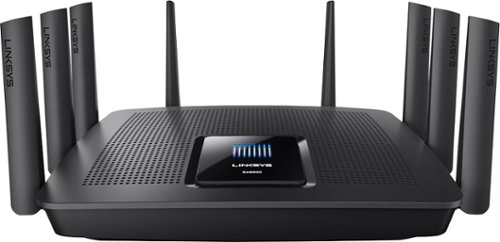
Linksys - AC5400 Tri-Band WiFi 5 Router
Your household is busy streaming media, working online, and playing games every day. This Linksys Wi-Fi Router will expand your network coverage, send signals directly to your devices, and deliver a lag-free connection, even when you~re all online at the same time.
A Beast of a Home/Small Business Router!
Customer Rating

5.0
This is by far the most macho networking device I think I have ever had the privilege to integrate into my home network. To give you some context, my home network consists of multiple phones and tablets, laptops, desktops, two TVs, two network enabled audio receivers, an Xbox, Wii U, multiple 1GB network switches, a network area storage device, multiple smart BD players, guests that come over to borrow my bandwidth from time to time, and a bunch of other stuff that I’m probably forgetting about. My home isn’t quite a “smart home” yet but with the Internet of Things taking hold it won’t be long before we all will be investing in beefier networking equipment to keep everything connected. That is where the Linksys EA9500 AMX-Steam comes in.
Before I go much further I was asked to give an honest review of this product by BB and I’m going to do just that. Physically, this device is massive. It is the largest piece of networking equipment I’ve seen for the Home/Small Office space. I’ve had a lot of home networking products over the years and this one wins on weight and size. The antennas are industrial looking and strangely attractive as far as antennas go. Be sure to pick a roomy, stable location for this device. The box had plenty of packing to protect it during shipping. My device arrived in a box that looked like it was kicked a few times and then run over. But the device and its contents didn’t have a scratch.
The initial setup process was fairly easy and straight forward. If you are part of the set and forget crowd, then simply follow the four-page quick setup guide that comes with the device and you’ll be up and running in about five minutes. For once the marketing matches the experience. However, if you want to dive deeper into your router for a more custom installation then you are looking at 30 minutes minimum setup time. I am impressed with the amount of work Linksys put into consumerizing the graphical user interfaces. It is fairly straight forward and accessible for a network device. I used the quick setup feature first and then did a deep dive into the advanced features. My network is fairly complex with a few older pieces of tech that simply would not work without some additional customization.
Setting up my wireless devices was very easy. I gave each network a name, set the password, and then added the information into each one of my wireless devices. I did have one challenge with a Samsung TV. The TV was incapable of speaking to an 802.11n that also leverage the 80hz band. I don’t know why since the router should have stepped the frequency down to accommodate the TV. The solution was to split the 5Ghz networks in two, assign one to a 40hz band, and then assign the TV to that WI-FI network. The other network was set to 802.11ac with an 80hz band for future technology. Maybe some future firmware update will address this issue.
My wired devices were easier. I have a pre-existing 8-port 1GB switch that most of my network runs through. My old router had a 1GB switch built in, however, it didn’t have enough ports to support my network. It was also a poorly performing switch. The separate switch removed the network load to behind the router so that the router could focus on internet and wireless communications. This setup served me well for over a year. The EA9500 comes with a built in 8 port GB Switch. Since Linksys chose to brag about how much of a beast this router is I chose to challenge their marketing gods. For my test I used a music library containing 43GB of uncompressed FLAC formatted music. To put this into context, a 3 minutes MP3 is about 7mb. A 3 minutes uncompressed FLAC music file is about 100MB. In find the larger files easier to monitor and measure. I chose to move the folder over the wireless and the wired networks using the router for all wireless communications. I started with the wired devices.
All devices performed admirably and in line with what I was expecting. At 10/100 speeds I was pushing 98mbs or roughly 11.3 MB/s. At 10/100/1000 speeds I was pushing 800mbs or roughly 92 MB/s. This is from source to my computer. To confirm my results, I hooked my 10/100/1000 network switch up (no router this time) and ran the same tests. I got the same results. The end result is I retired network switch and am using the router in its place. One less network hop on my network should improve performance slightly and now there is one less device that I need to manage. Win/win!
Performing this same test with my wireless network I found that my 802.11g 2.4gz connection was maxed out at 98mbs. That is better than the 56mbs 802.11g specification at this frequency. I also have several 802.11n devices on my network that range in top speeds from 300mbs to 450mbs. Both tests came in about half of the max specification. One thing to keep in mind is that network speed is governed by the slowest connection. In general, I have found that the 5ghz frequencies are not as consistent as the lower 2.4ghz frequencies in both distance and reliability and is completely dependent on location. The location for my router is in the worst possible place for my home; the basement. For these tests I was in direct line of site of the router but there is a lot of stuff in the basement that can generate interference such as electrical wires, my furnace, copper pipes that pick and absorb RF, concrete walls, the floor above, and boxes full of stuff that will often degrade and block signals. My disclaimer is that your personal experience may be much different from mine. Over all though I am happy with the results because the performance is already better than the router the EA9500 replaced.
I could not test the 802.11ac performance. I do not currently own any devices, other than the router, that are compatible with the 802.11ac specification.
One feature that is a head scratcher is the LED screen on the top of the EA9500. I haven’t figured out why Linksys wasted its time or treasure on this feature. It displays their logo and a bunch of white bars. When the router boots up the white bars are accompanied by some little blue bars. And that’s it! It’s pretty, but other than that it doesn’t server any purpose. The router does have a feature that allows the lights on the router to be turned off. I chose to turn this feature off. No sense in wasting electricity on a useless function.
There is a novel network map in the router’s interface. It is nice to see all of the active devices on the network. However, I would have loved to see a bandwidth meter of some kind showing how much bandwidth each device was eating up. This way I could tell who, or what, was killing my connection to my favorite game. On my old router I could tell at a glance if more than one person was streaming video or music. It may seem like a silly feature but it does come in handy. Once you’ve had it with other products you learn to rely upon it for valuable information about your network behavior. It can also help in finding trouble spots on your network.
Some of you are probably asking if you can stream movies and play games with the EA9500. I have a 15mb downstream connection and 1mb upstream connection. Definitely not the best. I streamed a Netflix movie on my computer, another Netflix movie on my tablet, a constant stream of full screen video from YouTube to my laptop, Pandora to my home theater receiver, put the wife on Facebook with her laptop, and then loaded up my favorite 24 player, multiplayer video game. The game showed a few moments where my ping was over 200ms but for the most part it was steady at 50ms. 50ms is average latency when this same game is the only traffic on my network. Under my own router the above scenario would net me a 400ms to 900ms latency. In the world of online gaming this is huge and is often the difference between a great game and terrible experience. The EA9500 did an excellent job of managing the network traffic and available bandwidth.
Final thoughts. Can I run a sophisticated, Internet of Things, home of the future with this thing? Yes. Can I operate that fancy new Samsung, uh Android, uh cool refrigerator that Best Buy sells? Without a doubt. Can I setup and satisfy the needs of a small office with this? I work from home a lot and do video conferencing, Voice over IP, remote server connection, and remote collaboration with my colleagues via a secure, encrypted VPN connection. So, yes! Do you need this? If you are a power user like me, have a family with high bandwidth demands, or have an eye towards future proofing your technologically advanced lifestyle then yes, I think you are the target audience for this device. If you have a small office with limited space, then this device will also fulfill your needs. If you live in a one-bedroom apartment with a laptop and a cell phone then no, this product is definitely overkill for you. You can get away with a smaller, less powerful model.
I went into this product skeptical that it was more snake oil marketing fantasy and came away a believer that this product is what it claims to be. It will be interesting to see what others have to say about. My experience thus far has been very positive and will recommend this for anyone who has a big home, small office with a few employees, or high bandwidth demands and a lot of old and new wireless technology that needs to coexist.
I would recommend this to a friend!
My Best Buy number: 0736414133
+23points
25out of 27found this review helpful.
Share this review:


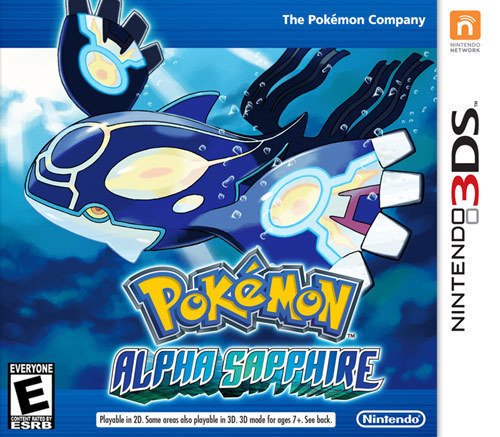
Pokmon Alpha Sapphire Standard Edition - Nintendo 3DS
First launched in 2003 for the Game Boy Advance, Pok~mon Sapphire Version brought you compelling stories that made you thirst for more. Now, you can continue immersing yourself within the Pok~mon franchise with Pok~mon Alpha Sapphire ~ the latest in the catch-'em-all legacy. Experience a heart-pounding journey that challenges you to collect, battle and trade Pok~mon as you fight to stop a nefarious group determined to alter the Hoenn region forever.Delve into a thrilling 3D world of action with Pok~mon Alpha Sapphire. Travel to the Hoenn region, a land of stunning natural beauty, where a mysterious cave reveals a scene described in legends. Unleash the awe-inspiring power of Primal Reversion, a brand-new transformation experienced by Pok~mon Groudon and Kyogre. Uncover the mind-blowing mysteries of Mega Evolution as more and more Pok~mon achieve this ability. Experience intense, strikingly realistic visuals thanks to the 3D capabilities of your Nintendo 3DS. With so much to explore, you'll happily spend hours playing Pok~mon Alpha Sapphire.
Fun Game
Customer Rating
5.0
I purchased this for my daughter. She is a massive Pokémon fan. She played the last game X/Y and couldn't wait to get your hands on this one. My daughter gives this game three thumbs up.
I would recommend this to a friend!
My Best Buy number: 0736414133
0points
0out of 0found this review helpful.
Share this review:


![Iron Man 2 [Blu-ray/DVD] [Includes Digital Copy] [2010]](https://pisces.bbystatic.com/prescaled/500/500/image2/BestBuy_US/images/products/304b2327-370a-41e7-956a-951dd4939472.png)
Iron Man 2 [Blu-ray/DVD] [Includes Digital Copy] [2010]
Great Movie
Customer Rating
5.0
Iron Man 2 picks up where the first movie ended. The movie is a lot of fun and has plenty of action. What I didn't like about the movie was the laser focus on Tony Stark. Mickey Rourke was under utilized in this film and I found that to be a shame. The scenes he was in were fantastic and much more interesting than Tony struggling with his daddy issues. I wish Marvel would learn that developing a bad guy can be a good thing.
The introduction of Scarlett Johansson was great. She was sexy, smart, and tough. Everything you want to see in a female version of James Bond.
I would recommend this to a friend!
My Best Buy number: 0736414133
0points
0out of 0found this review helpful.
Share this review:


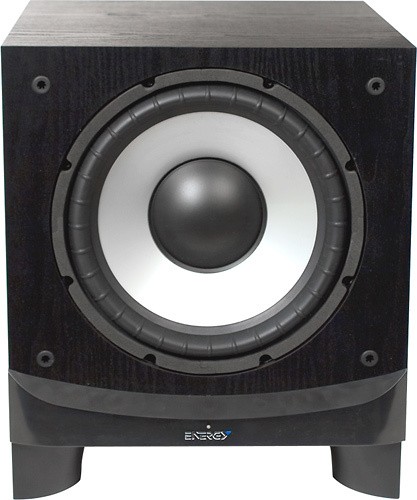
Energy - 10" 400-Watt Powered Subwoofer - Black Ash
Learn more about Magnolia Premium Installation Equip your home theater with 400W of low-frequency power using this powered subwoofer that features a bass-reflex enclosure with a down-firing port for punchy, full-bodied bass tone and a variable 40-120Hz low-pass filter for customizable sound.
Great Subwoofer
Customer Rating
5.0
This is my very first home theater subwoofer. So I really don't have anything to compare this too other than what I heard in the store. Comparing both sound and price this was the best for both. The sub was on sale for $300 and sounded great with the B&W speakers I purchased with them. How could I go wrong? My movies sound amazing. Movies rock my house and music sounds amazing. I did listen to the B&W 10" sub but didn't like the punchiness. Not to say it wasn't a great sub. It simply didn't align with what I wanted in a base. Either way I am happy with my purchase.
I would recommend this to a friend!
My Best Buy number: 0736414133
+2points
2out of 2found this review helpful.
Share this review:


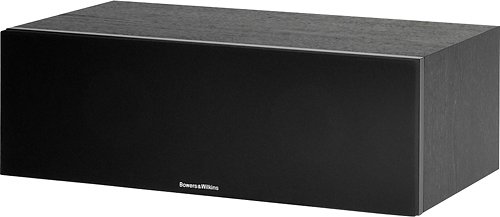
Bowers & Wilkins - 600 Series HTM62 S2 Dual 5" 2-Way Center-Channel Speaker - Black
Learn moreabout Magnolia PremiumInstallation Experience vibrant sound with this Bowers & Wilkins 600 Series HTM62 S2 FP35378 center-channel speaker, which features two 5" DuPont~ KEVLAR~ fiber woofer cones for crisp audio and a 1" decoupled double-dome aluminum tweeter for vivid highs.
Great Center
Customer Rating
5.0
My first center channel was a sound plate from LG. LG has nothing on this center channel. The voices are clear, crisp, full bodied, and are audible at all volume levels. I matched these up with a pair of B&W 685 bookshelf speakers. Amazing sound.
I would recommend this to a friend!
My Best Buy number: 0736414133
+5points
5out of 5found this review helpful.
Share this review:


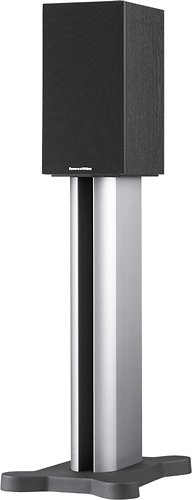
Bowers & Wilkins - 600 Series 685 S2 6-1/2" 2-Way Loudspeakers (Pair) - Black
Enjoy your music with these Bowers & Wilkins 600 Series 685 S2 2-way loudspeakers, which feature 6-1/2" woven Aramid fiber woofer cones for clear sound. The 1" decoupled double-dome aluminum tweeters deliver crisp, pure highs.
Amazing Speakers
Customer Rating
5.0
Where I live my choices for quality audio are limited. So I took a trip to my closest Magnolia store in the neighboring state. I brought with me a small selection of music and a few movies so that I could audition the speakers. I understand that how it sounds in the showroom is not exactly what I should expect in my home but it would give me some idea of what the speaker's themselves can handle. I told the Best Buy rep what my goals were. He brought me into the higher end sound room and let me audition the whole room. After trying out a few systems he steered me towards the B&W line. I had never heard of these guys but after the first demo it became my baseline for comparing everything else to. The sound was clear, full, and essentially my ears loved them. After about an hour of playing around with music, movies, and matching center and subs I finally settled on the 685s. They fit the balance of size and price I was looking for. I have not regretted the decision. They sound just as wonderful in my living room. I chose to match this up with the HTM62 S2 and the Energy ESW-C10 which was on sale for half the price of the B&W Sub. Music sound wonderful compared to my old Bose 321 system. And I find myself leaving the radio running all day now that music doesn't have that cruddy Bose sound. Movies are full and rich at all volume levels. When I finish building out my home theatre they will be with additional B&W speakers.
I would recommend this to a friend!
My Best Buy number: 0736414133
+14points
15out of 16found this review helpful.
Share this review:


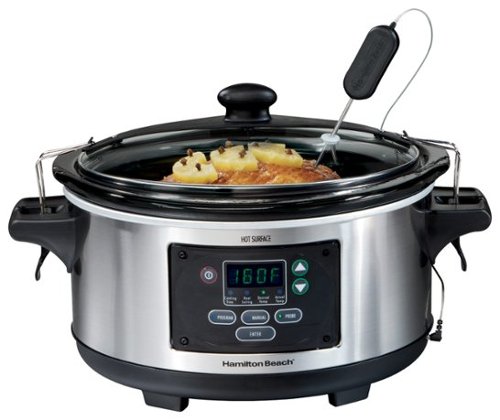
Hamilton Beach - Set & Forget 6-Quart Slow Cooker - Silver
This Hamilton Beach Set & Forget 33969 slow cooker features full-grip handles for easy portability. An oval design with a 6-quart capacity accommodates up to a 6-lb. chicken or up to a 4-lb. roast.
Fantastic!
Customer Rating
5.0
This is a fantastic slow cooker. The probe is easy to program and the LCD display is a god send. I really enjoy cooking with this slow cooker because I no longer have to guess if my food is done. The system sets itself warm when the desired time or temp have been reached. And the clamps on the lid take the worry out of transporting the food to a party or local event.
I would recommend this to a friend!
My Best Buy number: 0736414133
+4points
5out of 6found this review helpful.
Share this review:


![1989 [CD]](https://pisces.bbystatic.com/prescaled/500/500/image2/BestBuy_US/images/products/365f5006-bcf8-445f-b20e-eb10c5b28bcb.jpg)
1989 [CD]
Great Album but....
Customer Rating

4.0
The tunes are catchy and fun. However the topics are the same relationship themes that permeate all of her work. It would be nice to hear an album with some fresher themes other than dating and relationship issues.
I would recommend this to a friend!
My Best Buy number: 0736414133
0points
0out of 0found this review helpful.
Share this review:


![The Wizard of Oz (75th Anniversary Edition) [Blu-ray] [Standard]](https://pisces.bbystatic.com/prescaled/500/500/image2/BestBuy_US/images/products/bc600a52-1c90-48fe-b1e3-21d5b82f46de.jpg)
The Wizard of Oz (75th Anniversary Edition) [Blu-ray] [Standard]
The Wizard of Oz (75th Anniversary Edit
Great Classic
Customer Rating
5.0
I grew up with the Wizard of OZ and am excited by the love and care that went into this edition. Thank you whoever did this. This was definitely a labor of love.
I would recommend this to a friend!
My Best Buy number: 0736414133
0points
0out of 0found this review helpful.
Share this review:


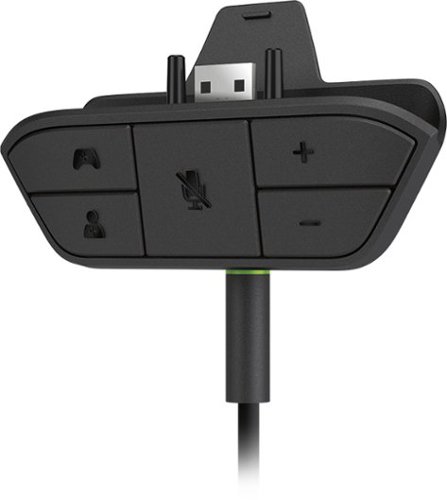
Microsoft - Xbox One Stereo Headset Adapter - Black
Plug your favorite compatible headset into the Xbox One Stereo Headset Adapter and hear the action just the way you like it. Easily adjust chat audio without taking your hands off the controller. Add game audio by connecting directly to your controller, console, or TV.
Great Product
Customer Rating
5.0
What's great about it: Works as advertised
What's not so great: Nothing thus far
The product does exactly what it says it does. It allows me to hear stereo sound through with my Xbox 360 headset and communicate over Xbox Live with the headset's microphone.
I would recommend this to a friend!
0points
0out of 0found this review helpful.
Share this review:


ITJim's Questions
ITJim has not submitted any questions.

JBL - FREE True Wireless In-Ear Headphones Gen 2 - Black
Perceive every detail of your music with this pair of JBL wireless headphones. The 10Hz to 22kHz frequency response lets you enjoy the full range of sound, while the in-line microphone provides an effortless switch to hands-free calls. Featuring 5.6mm dynamic drivers, these JBL wireless headphones supply rich, resonant bass for your enjoyment.
Are these noise cancelling for gyms that play really loud music?
No, they are not noise cancelling. They do come with three silicon ear canal adapters: small, medium, and Large. You can block out some sound if you use a connector that fits snuggly in the ear canal. This will muffle and not canceling outside noise.
7 years, 4 months ago
by
Posted by:
ITJim
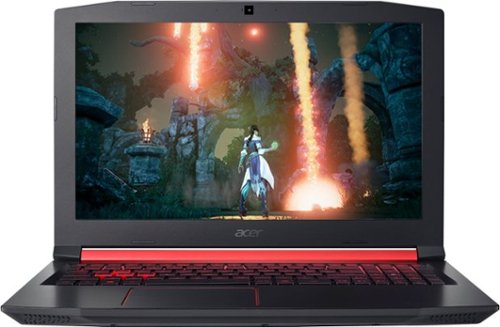
Acer - Nitro 5 15.6" Gaming Laptop - AMD Ryzen 5 - 8GB Memory - AMD Radeon RX 560X - 1TB Hard Drive
Enjoy engaging simulations and immersive visuals with this Acer Nitro 5 gaming laptop. The Radeon graphics card offers 4GB of dedicated video memory for efficient rendering performance, and the 2.GHz AMD Ryzen processor and 8GB of RAM provide ample computing power. This Acer Nitro 5 gaming laptop has a 1TB hard drive for your collection.
Not computer savvy. Love playing games but also surfing the web and photos. Just looking for a "standalone" that I can take anywhere...outside or in my room with no wires and connections. Is this good for that? And can I connect to a printer? Thanks!
If I understand you correctly, you want to know if you can surf the web, view photos, and connect to a wireless printer. Correct?
You can use this computer to surf the web, view photos, and connect to a wireless printer. You will need to a wireless network, of some kind, in order to surf the web without a wired connection. The printer could be connected to your wireless network or you could connect over bluetooth. It depends on your printer. My Acer Nitro 5 is connected wirelessly to my network, the internet, and my printer. If you are unsure of how to setup a wireless network, connect your laptop, or connect wirelessly to your printer, then I you will want to speak with your local Best Buy Geek Squad representative. They should be able to get you going. Hope this helps!
You can use this computer to surf the web, view photos, and connect to a wireless printer. You will need to a wireless network, of some kind, in order to surf the web without a wired connection. The printer could be connected to your wireless network or you could connect over bluetooth. It depends on your printer. My Acer Nitro 5 is connected wirelessly to my network, the internet, and my printer. If you are unsure of how to setup a wireless network, connect your laptop, or connect wirelessly to your printer, then I you will want to speak with your local Best Buy Geek Squad representative. They should be able to get you going. Hope this helps!
7 years, 6 months ago
by
Posted by:
ITJim
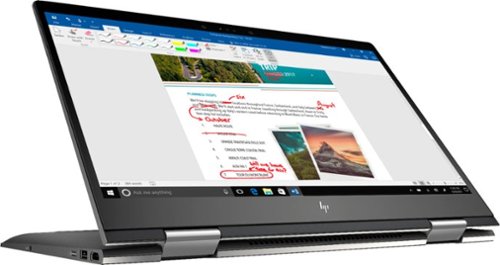
Envy x360 2-in-1 15.6" Touch-Screen Laptop - AMD Ryzen 5 - 8GB Memory - 1TB Hard Drive - HP Finish In Dark Ash Silver
Optimize your productivity and entertainment experience with this 15.6-inch HP Envy convertible laptop. Its AMD Ryzen 5 processor and 8GB of RAM provide smooth performance, and its AMD Radeon graphics loads stunning gaming visuals. This HP Envy convertible laptop has 1TB of storage, and its Windows Ink feature lets you work with a digital pen. Learn more.
What is the full name of the cpu?
The CPU is a Ryzen 5 2500u. It is a four core, eight thread CPU with integrated Vega Graphics in a 15W TDP. You can find more information from AMD's website here: https://www.amd.com/en/products/apu/amd-ryzen-5-2500u
8 years, 5 months ago
by
Posted by:
ITJim
Envy x360 2-in-1 15.6" Touch-Screen Laptop - AMD Ryzen 5 - 8GB Memory - 1TB Hard Drive - HP Finish In Dark Ash Silver
Optimize your productivity and entertainment experience with this 15.6-inch HP Envy convertible laptop. Its AMD Ryzen 5 processor and 8GB of RAM provide smooth performance, and its AMD Radeon graphics loads stunning gaming visuals. This HP Envy convertible laptop has 1TB of storage, and its Windows Ink feature lets you work with a digital pen. Learn more.
Does this laptop have a display port?
No. It has an HDMI output and a USB C connector that can do video with the right connector. Do a search on BB's site for: USB C to display port. There are several options listed.
8 years, 5 months ago
by
Posted by:
ITJim
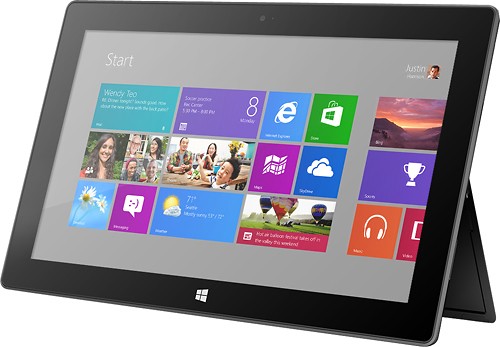
Microsoft - Surface - 32GB - Black
Microsoft Surface Tablet: Do more on the go with the productivity of a laptop in the compact size of a tablet. Create documents with Microsoft Office RT, sync files between Windows devices and video chat with friends and family. The built-in kickstand props up your tablet at just the right angle for easy viewing.
do i have to get a network package to buy the surface?
ive been told i need to buy a network plan with a monthly charge. Or can i just use wifi?
No Surface product has native support for a Cell carrier such as ATT, Sprint, etc.... All you have is WiFi. If you have internet in your home with a WiFi router or some other device to server your WiFi enabled devices, then you have everything you need. Just make sure your connection is password protected and encrypted. You can also turn off the WiFi on the tablet, Airplane mode, and use it offline. I hope that answers your question.
12 years, 5 months ago
by
Posted by:
ITJim
from
Maine
Microsoft - Surface - 32GB - Black
Microsoft Surface Tablet: Do more on the go with the productivity of a laptop in the compact size of a tablet. Create documents with Microsoft Office RT, sync files between Windows devices and video chat with friends and family. The built-in kickstand props up your tablet at just the right angle for easy viewing.
Can I download PFD files from Internet Explorer to the Microsoft Surface RT?
Can I download PFD files from Internet Explorer to the Microsoft Surface RT, then view them without internet connection?
Yes you can. First go to the Microsoft Store and pick up the Free Adobe Acrobat Reader application. Then you can open PDFs from your flash drive, desktop, network locations, or even the web. Do keep in mind that your ability to open some PDFs from the web is also dependent upon the source of your PDFs. Finally, the surface, as I have experienced with most tablets, do have a difficult time with very large PDF files sizes and very complex PDFs. This is typically an issue with the small amount of RAM you have on a tablet as compared to a modern PC. (2GB on Surface RT and up to 64 GB on a PC). The amount of RAM does make a difference.
12 years, 5 months ago
by
Posted by:
ITJim
from
Maine
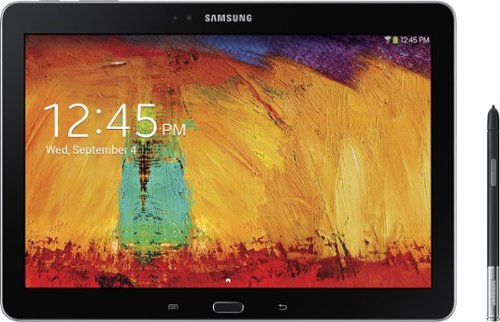
Samsung - Galaxy Note 2014 Edition - 10.1" - 16GB - Black
Samsung Galaxy Note 2014 Edition - 10.1" - 16GB: This sleek, stylish tablet comes with a 10.1" Full HD touch screen to display movies, Web sites and more with impressive visual fidelity. The included S Pen is pressure sensitive and allows you to draw, write, edit and more as easily as if you were using a real pen.
Syncing with a Windows 7 Laptop.
Will this version of Samsung Galaxy Note 10.1 2014 Edition be able to sync with my laptop and thus allow me to control it from the laptop, like the Samsung Tab 2 allows? This also mean I would be able to view content like pics and music from my laptop to my tablet and vice or verser.
I've found that the Galaxy 2014 edition doesn't sync well with anything. Or I haven't found the app or the feature or the best kept secret desktop app that will allow it. I'm thinking of something like iTunes that will sync everything for me and backup my device.
I have found a few work arounds the may interest you.
1) You can upload all of your photos and files to an SD card. You can then move the SD card between the computer and the tablet. Kind of 10 years go I know but there you go.
2) You can plug your tablet directly into the laptop with the USB cable that is connected to your power cord. Then you can easily move items between the tablet and your Laptop using the very useful Windows Explorer App. Thank you Microsoft.
3) If you want to take control of your laptop from your tablet then you can download another nifty Microsoft tool called Microsoft Remote Desktop. You will also have to allow remote connections in Windows on our laptop to make this work. I've already taken over my desktop to edit photos from my tablet. It works very well. However, there is no pinch and zoom. So if you can't read a word when you pull it up on the screen then there isn't anything you are going to do about it. There are other remote desktop apps that may give you additional features. X2 is one I used for my Ipad and is also available on Google Play.
4)Laptop taking control of the Tablet? I haven't heard anything about this. I do know, however, that Samsung saved all the best software for this own devices. Sync easily between your Samsung laptop and your device. However, this is only software and Samsung could be a hero and release it to the rest of their paying customers. I've seen the Samsung Laptops. I won't be buying one anytime soon.
I have found a few work arounds the may interest you.
1) You can upload all of your photos and files to an SD card. You can then move the SD card between the computer and the tablet. Kind of 10 years go I know but there you go.
2) You can plug your tablet directly into the laptop with the USB cable that is connected to your power cord. Then you can easily move items between the tablet and your Laptop using the very useful Windows Explorer App. Thank you Microsoft.
3) If you want to take control of your laptop from your tablet then you can download another nifty Microsoft tool called Microsoft Remote Desktop. You will also have to allow remote connections in Windows on our laptop to make this work. I've already taken over my desktop to edit photos from my tablet. It works very well. However, there is no pinch and zoom. So if you can't read a word when you pull it up on the screen then there isn't anything you are going to do about it. There are other remote desktop apps that may give you additional features. X2 is one I used for my Ipad and is also available on Google Play.
4)Laptop taking control of the Tablet? I haven't heard anything about this. I do know, however, that Samsung saved all the best software for this own devices. Sync easily between your Samsung laptop and your device. However, this is only software and Samsung could be a hero and release it to the rest of their paying customers. I've seen the Samsung Laptops. I won't be buying one anytime soon.
12 years, 5 months ago
by
Posted by:
ITJim
from
Maine