MnstrMike
Top 250 Contributor
MnstrMike's Stats
- Review Count169
- Helpfulness Votes890
- First ReviewAugust 5, 2011
- Last ReviewSeptember 2, 2026
- Featured Reviews0
- Average Rating4.1
Reviews Comments
- Review Comment Count2
- Helpfulness Votes5
- First Review CommentNovember 26, 2015
- Last Review CommentJune 18, 2017
- Featured Review Comments0
Questions
- Question Count0
- Helpfulness Votes0
- First QuestionNone
- Last QuestionNone
- Featured Questions0
- Answer Count41
- Helpfulness Votes48
- First AnswerNovember 22, 2010
- Last AnswerDecember 8, 2021
- Featured Answers0
- Best Answers5

Introducing the Flex Open Clip Wireless Earbuds, the epitome of convenience and innovation in earbud technology. With its unique, clip-style design, these earbuds offer a distinct open-ear experience unlike any other. Simply clip them around your ear and immerse yourself in your surroundings while still enjoying your favorite tunes. Featuring touch controls directly on the earbud, managing your music and calls has never been easier or more intuitive. With USB-C charging, you can quickly and conveniently power up your earbuds for extended listening sessions. Compatible with the JLab App, you can further personalize your listening experience to suit your preferences. Enjoy a remarkable 21+ hours of playtime, ensuring you never miss a beat throughout your day. Thanks to multipoint technology, you can seamlessly connect to any two devices simultaneously, making it effortless to switch between your smartphone, tablet, or laptop without missing a moment of your audio experience. Experience the freedom and versatility of the Flex Open Clip Wireless Earbuds - where innovative design meets exceptional functionality for the ultimate listening experience.
Good Buds, Different Design
Customer Rating

4.0
Images for this Review
(click to see full-size image)


Definitely a unique take on the earbud design. These are definitely great for an active lifestyle and one where you don’t need and/or want to block out ambient noise.
The accessory looks a little unusual for sure, but it delivers on audio quality and battery life.
The only downside is making sure not to get the buds mixed up on which side they go in the case. The magnets will quickly tell you as you drop it in and it shoots it back out! Reminds me of Mexican Jumping Beans.
I did find that I felt a little more ear fatigue than normal compared to a standard style earbud. If just using for workouts or short periods of time, it's not an issue. If you are looking for extended periods of time, may need to take that into consideration. There is a bit of pressure exerted for the buds to “clip” around your ear.
The companion app is quiet good with lots of useful features. The soundscape mode is pretty neat with calming nature sounds and cityscape if that is your zen. Most of the modes are water related, but you can build your own scene by selecting multiple sound options at once and setting the volume independently on each. This feature is not limited to the Flex earbuds, but available across their line of products.
I would recommend this to a friend!
0points
0out of 0found this review helpful.
Share this review:


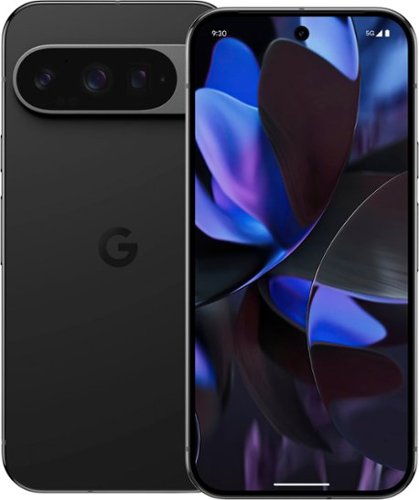
Google - Pixel 9 Pro 128GB (Unlocked) - Obsidian
Meet Pixel 9 Pro with Gemini, now in two sizes. It has a sleek, stunning design, and it~s the most powerful Pixel yet. Take pro-level photos and videos with the triple camera system, and make expert edits. And it~s engineered by Google, so it gets the best of Google~s AI first.
Finally a Premium Nexus (Pixel)!!
Customer Rating

5.0
Images for this Review
(click to see full-size image)


There has been a lot of hype around the release of the Pixel 9/Pro/XL series and I am for once glad the phone, in this instance the 9 Pro, is living up to it.
Not since the Nexus years do I remember a Google phone that delivered on being the best of both software, hardware, and design; thinking of the Huawei Nexus 6P. Honestly, looking at the Pixel 6 you can see the design language carried over from the Nexus 6P.
The 9 series feels like an evolution from that design and one that I gladly welcome. The ergonomics of the 9 Pro and its symmetry makes the device feel every bit of premium and at least this can help you deal with the price point.
If you’re a gamer, no it’s not going to beat other chipsets, but the total hardware package in the 9 Pro is working really well. And to my knowledge this is Pixel’s first launch without some issue at launch…if you don’t count the on-stage snafu with AI.
I know many want a “mini” Pro/Ultra device and for Android, this is as close as you're going to get; all the features of the XL in a pint size 6.3”.
Day-to-day use is mostly my concern and over the years I have come to care less about the hardware specs being the latest just because they are. Rarely does it translate into the real world. With Google designing its own Tensor Chips, I will say the G4 series is definitely a refinement and the modem being used is a huge upgrade. My wife has had the 8 Pro since it came out and it has had horrible audio quality on phone calls. I sent it in for repair as an update never came, thinking it could have been software related, but Google said it was working fine. Our home has a Pixel 5, 7, and 8a in use and the 8 Pro was the worst of them all.
Like a car having a 1000 horsepower and all the bells and whistles, if it doesn't drive straight, what’s the point?
The 9 Pro drives straight! Call quality is what it should be and overall daily use is fantastic.
AI has now taken over phones, which I don’t think I am complaining about…yet, but there is definitely a lot of new AI features that loaded up and while they are nice, I don’t think it really changes how I use my device. Pixel OS has a great list of communicating features, but honestly I don’t use any of them. Where my concern in a device lies, is whether or not it works at the basic tasks with buttery smoothness that a $1k device should and give me minimum real ALL DAY battery life…AND IT DOES! By morning when it is time to charge I am still at 30%. Obviously your mileage will vary based on usage, but for me, it’s great.
There are plenty of tech reviewers out there that have all the stats, teardowns, and in-depth breakdowns, so I’m not trying to be that. I can’t answer if it is worth to upgrade, cause your needs may be different, but coming from the 8 Pro, it is definitely worth the upgrade. The smaller screen size isn’t even all that noticeable, what is noticeable is the ease of fitting it in a pocket or purse.
If you can budget for the 256GB model, I would, 128GB is barebones these days for the amount of stores, restaurants, parking apps that are deemed necessary these days. Add to it the awesome camera photos and storage will fill up quickly.
Can’t go wrong with a Black phone, especially if you're just going to throw a case on it. The 9 Pro is the first phone I can remember not wanting to put a case on because it feels so good in hand, so if you must cover up, find one worthy of the cause. That wintergreen of the base 9 series is pretty sharp looking and I wish the 9 Pro had color that wasn’t so bland…again, can’t go wrong with Black.
I would recommend this to a friend!
+3points
3out of 3found this review helpful.
Share this review:


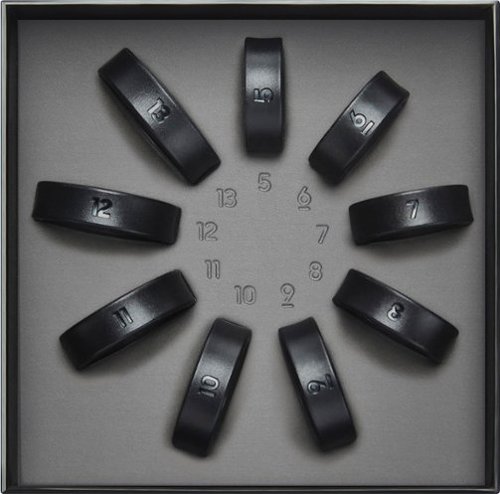
Samsung - Galaxy Ring Sizing Kit - Black - (2024)
Finding your Galaxy Ring size is a breeze with our Galaxy Ring Sizing Kit. Simply select your best fit from a variety of sizing options and receive a $10 Best Buy Gift Card towards your future Galaxy Ring purchase.
Read on for a great idea!
Customer Rating
5.0
Images for this Review
(click to see full-size image)


So you need a reason to know your significant other’s ring size!! For a mere $10 you can get the Galaxy Ring Kit and save your relationship from those disastrous consequences of sneaking around, meeting up with her best friend, and risk someone else seeing you together.
Samsung has the perfect cover for you!
And while your at it go ahead and get the Galaxy Ring to keep your story intact.
The kit has sizes 5 to 13 so you’ll be sure to find the right size.
Can you guess which one in the photo is not like the others? The Ring Kit is super accurate to the real device and side by side its really hard to tell, accept for the size printed on each ring. Weight is obviously different but these are so light you won’t notice and material is different too.
I went with a size 10 and chose to where it as my wedding band, as it just feels too weird to where another ring on a different finger…again. Also, if I wore it on my index finger as it is recommended, I would need a size 13 but then I couldn’t bend my finger.
Hope this helps you with your special day!
I would recommend this to a friend!
0points
0out of 0found this review helpful.
Share this review:


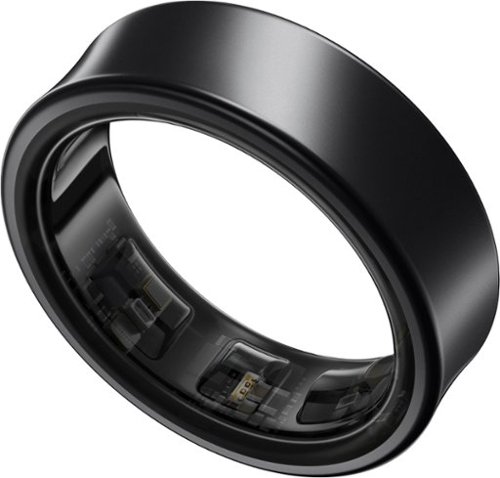
Samsung - Galaxy Ring Size Before You Buy Size 5 - Titanium Black - (2024)
Get a deeper understanding of your body with the all-new Galaxy Ring. Merging the convenience of a wellness tracker with the timeless elegance of a sleek band, Galaxy Ring helps go-getters track their busy days in style. Packing the latest tracking innovations into a compact design that fits comfortably on your finger, Galaxy Ring tracks the valuable wellness insights you need to keep a pulse on your life, from the conference room to the yoga studio to dinner with family and friends. Enhanced by Galaxy AI,~ Galaxy Ring gives you new ways to feel amazing, like Energy Score ~ just open your phone to learn how ready you are to take on the day. You~ll also get a great night~s rest while Galaxy Ring does its thing ~ this sleep tracker is so comfortable, you~ll hardly know it~s there. The feather light silhouette slips seamlessly into your life with a durable design~ that allows you to wear it confidently from your morning shower to the gym, while a long-lasting battery~ lets you track insights for up to six days~ in between charges. Slip on a new, easier way to keep your health on track ~ Galaxy Ring
Say "I DO" To A Better Life!
Customer Rating
5.0
Images for this Review
(click to see full-size image)



First things first…FITMENT. The Galaxy Ring is concave in design and the edges to me feel flat. There might be a slight bevel to it, but that may just be because of it being a polymer material. My wedding band is a Comfort Fit, so that and a Domed Fit are more my style. So I would have preferred one of those designs over the Concave Flat. I’m sure trying to fit the tech inside a very small space is quite tricky so the decrease in the side volume of a dome would make the ring thicker overall?
Actually wearing it doesn’t cause discomfort, sizing will be key here. In the documentation I received with the sizing kit, no where did it say it must be worn on the pointer finger, but the illustrations in the guide showed it being worn on the pointer finger.
Ultimately I chose to wear it on my left hand in place of my wedding band, as that hasn’t fit in the last 10 years anyway (something no one tells you when you marry at a young age!). Also, the ring size kit only goes up to 13. My pointer fingers on either hand could fit the 13, but a 13.5 would be nicer, however, even in that scenario it feels foreign to have a ring on that finger; at least now that I am no longer a teenager!
Both ring fingers for me sized at a 10. The left hand the 10 requires only a minimal shift/rock to slide it off the finger, on the right hand however a 10.5 would have been better as it sticks more. The 11 was just a bit too big for the left hand and the right hand it did fit a bit better than the 10, but then my fingers felt like they were being crushed together (this is where the comfort/dome fit would be better).
It only took a couple days to adjust to the band design. It’s summer now, so it will be interesting to see how it fairs in the cooler months when it isn’t so humid.
Samsung could have a lot of fun in the advertising and marketing department for this device being used in place of a traditional wedding ring!
Does it actually do what it is designed to do? YES!
I have worn a Galaxy Smartwatch for quite a few years. I went back to wearing a watch just for the time, but I really wanted the ability to interact with messages and not being accessing my phone all the time. I really like that about a Smartwatch. The step counter and activity logger has been as accurate as my Galaxy Watch 4. There is always a margin of error in these devices. I have been impressed with the sleep tracking. I never wear my watch to bed as it is too bulky and causes my wrist to swell. The ring doesn’t have that effect on my finger and tracks my sleeping hours quite well. If I have laid in bed watching tv, it doesn’t start to count that on the sleep timer, so there is a bit of untruth. And the same if I read in bed in the morning before actually getting up and moving around.
I have worn a Galaxy Smartwatch for quite a few years. I went back to wearing a watch just for the time, but I really wanted the ability to interact with messages and not being accessing my phone all the time. I really like that about a Smartwatch. The step counter and activity logger has been as accurate as my Galaxy Watch 4. There is always a margin of error in these devices. I have been impressed with the sleep tracking. I never wear my watch to bed as it is too bulky and causes my wrist to swell. The ring doesn’t have that effect on my finger and tracks my sleeping hours quite well. If I have laid in bed watching tv, it doesn’t start to count that on the sleep timer, so there is a bit of untruth. And the same if I read in bed in the morning before actually getting up and moving around.
Battery Life
After 5 full days of use it used 65% battery, so 35% remaining. I didn’t have auto-detect for workouts (running/walking) turned on and I didn’t have Blood Oxygen levels while sleeping turned on. Samsung states the 11 and under sizes get 6 days battery life and the 12/13 get 7 days. With all features turned on I would say that should be pretty accurate. Having the ones I had turned off shows you can squeeze out a few more days of use, so an increase of around 50% of estimated battery life. Charging is supposed to take 80 minutes from 0-100, so I can only assume those to be true as I have not needed to charge it this first week of use, besides unboxing and starting at 100%.
After 5 full days of use it used 65% battery, so 35% remaining. I didn’t have auto-detect for workouts (running/walking) turned on and I didn’t have Blood Oxygen levels while sleeping turned on. Samsung states the 11 and under sizes get 6 days battery life and the 12/13 get 7 days. With all features turned on I would say that should be pretty accurate. Having the ones I had turned off shows you can squeeze out a few more days of use, so an increase of around 50% of estimated battery life. Charging is supposed to take 80 minutes from 0-100, so I can only assume those to be true as I have not needed to charge it this first week of use, besides unboxing and starting at 100%.
I think this device is definitely going to be niche as a watch can do more and because of ring size limitations, but if you are not a watch person and really want to be able to track your activity better there it can definitely provide that.
I would recommend this to a friend!
0points
0out of 0found this review helpful.
Share this review:


Introducing JBuds Lux ANC Over-Ear Headphones - the epitome of exceptional sound quality and unparalleled luxury. With cutting-edge 40mm drivers, these headphones deliver a depth and clarity to your music that is truly unforgettable. Experience a new legacy in audio excellence with JBuds Lux ANC Headphones from JLab. Seamlessly blending innovation and lab-quality sound, these sleek headphones guarantee an elevated listening experience unlike any other. No matter where you are - whether in the midst of a bustling commute or unwinding at home - immerse yourself in uninterrupted music bliss with Smart Active Noise Canceling technology. Customize your sound experience further through the JLab App, ensuring that every note and beat is tailored to your preferences. But luxury isn't just about sound - it's about comfort and style too. With Cloud Foam earcups and headband, JBuds Lux ANC Headphones provide ultimate comfort, allowing you to embrace your favorite tunes or podcasts for hours on end without fatigue. Indulge in the ultimate listening experience with JBuds Lux ANC Over-Ear Headphones - where exceptional sound quality meets unparalleled luxury.
Great Sound & Excellent Comfort
Customer Rating
5.0
Images for this Review
(click to see full-size image)

Excellent OE Headphones! Battery life is phenomenal, still can’t get it below 100% after a week of off/on/standby usage. App is nice and easy to use and has functional features. My set didn’t have an update out of the box, but glad there is at least the feature to receive them should there be a need.
Sound Quality
Really good, could have some better bass, but definitely good for listening to music or watching movies. The app allows you to adjust equalizer settings for 3 built-in options and a fourth that allows you to customize. I found the JLab Signature default setting to be quite good for most content.
Really good, could have some better bass, but definitely good for listening to music or watching movies. The app allows you to adjust equalizer settings for 3 built-in options and a fourth that allows you to customize. I found the JLab Signature default setting to be quite good for most content.
There is also an option for optimization of content: Music or Movie. Movie adds a bit more clear tone to hear spoken word and a touch more bass.
I didn’t actually use for calls so cannot comment on call quality. For my use I wasn’t too worried about it as I won’t them for listening when I don’t want to be disturbed.
Button Controls
These are super intuitive and I love me a physical button over soft touch; no fumbling for finding the right spot. 4 easy to press buttons that provide firm feedback. The app allows for customization of the button press commands for the on/off/gesture button. Noise Cancellation button is dedicated and has the traditional ON/OFF/Be Aware (Hear Through) options.
These are super intuitive and I love me a physical button over soft touch; no fumbling for finding the right spot. 4 easy to press buttons that provide firm feedback. The app allows for customization of the button press commands for the on/off/gesture button. Noise Cancellation button is dedicated and has the traditional ON/OFF/Be Aware (Hear Through) options.
Fitment
These are true over-the-ear design and not on the ear. My daughter tested them for a few hours and loved that they didn’t mess her with the studs in her ears. However, for her the headband cushion is of a mesh type and that pressing on her scalp became uncomfortable for her after an hour or so. She has long hair so it naturally parts, whereas mine is short and does not so could just be that. I’d also guess that if the band was extended to where it was not touching the scalp or putting any pressure then this would not be an issue either.
These are true over-the-ear design and not on the ear. My daughter tested them for a few hours and loved that they didn’t mess her with the studs in her ears. However, for her the headband cushion is of a mesh type and that pressing on her scalp became uncomfortable for her after an hour or so. She has long hair so it naturally parts, whereas mine is short and does not so could just be that. I’d also guess that if the band was extended to where it was not touching the scalp or putting any pressure then this would not be an issue either.
The foam earpads are nice and soft and have a neoprene feel to them. They create a really good seal around the ear, so expect to have some humidity build up after a short time of use.
The headphones fold up and would fit in an external pocket of a backpack.
I would recommend this to a friend!
+5points
5out of 5found this review helpful.
Share this review:


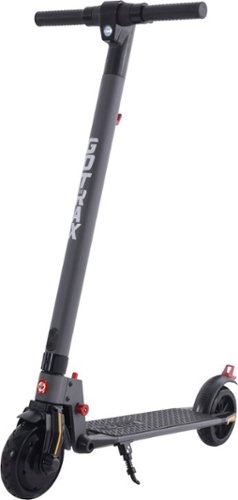
Reliable and convenient, the XR LITE is the most portable solution for urban commuting.
Low Expectations = Great Scooter
Customer Rating

2.0
Images for this Review
(click to see full-size image)



SPECS on Box vs BB Site
Charge time 5 hours…6.5 hours= Winner 5 Hours
Range 5 Miles…7 Miles = Loser 2-3 miles max
Tires 6.5in Air-Filled…8.5in Pneumatic, pre-slimmed = Loser 6.5in rubber tire
Charge time 5 hours…6.5 hours= Winner 5 Hours
Range 5 Miles…7 Miles = Loser 2-3 miles max
Tires 6.5in Air-Filled…8.5in Pneumatic, pre-slimmed = Loser 6.5in rubber tire
2 Stars feels like a cheap shot, but 3 Stars feels like to middle of the road for misleading info. So 2.5 is more realistic but I rounded down. Rebrand/remarket as a child's scooter/toy and it would definitely be 4-5 stars.
Weight/Speed/Range/Battery
Definitely want to consider the use case. I am just under the 220lb limit at 210lb and it struggled to climb any hill under my weight. Reaching max 12mph speed is possible, but takes long straight road. Even smallish dips will decrease the ability of the scooter.
Definitely want to consider the use case. I am just under the 220lb limit at 210lb and it struggled to climb any hill under my weight. Reaching max 12mph speed is possible, but takes long straight road. Even smallish dips will decrease the ability of the scooter.
Contrast with two of my daughters at 150lb and 110lb was a totally different experience. Easily and quickly reached max 12mph speed and was able to climb small hill for both. The 150lb rider did so at 5mph but the lightest 110lb rider did so at 10mph.
Range is going to be 2-3 miles max with rider assist, even with lighter riders. Now super flat areas with a 100lb rider, might eek out to 5 miles range as a theoretical max, but real world use just prepare for 2-3 miles.
Battery Life
Under my weight when the battery indicator hit 1 bar (like immediately) the scooter could not power me. Did not have this problem with the lighter riders.
Under my weight when the battery indicator hit 1 bar (like immediately) the scooter could not power me. Did not have this problem with the lighter riders.
There is no electric key for a lock, etc so it needs to go everywhere the rider goes to detract from theft.
I was looking at this for personal use in certain situations where I am needing to walk a lot. I am battling a pinched nerve in the leg and while standing isn’t an issue walking certain distances currently irritates and inflames the nerve, so I thought this could be a fun solution for that. And rightfully it is!
However the biggest drawback is it states there are air filled or even pneumatic(air) tires. I’m guessing by Pneumatic is that there is supposed an “air gap” inside the tire to soften the ride, but it is anything but a soft ride. Just like a skateboard or folding scooter with ABEC wheels, you will feel each bump.
Incorrect info a side, if you are buying as a toy for a kid, its a fine electric scooter. But a “Commuting” Scooter which brings to mind an intended city or campus use by a teenager/adult, I would look for a better spec’ed scooter albeit more expensive.
I would recommend this to a friend!
+1point
1out of 1found this review helpful.
Share this review:


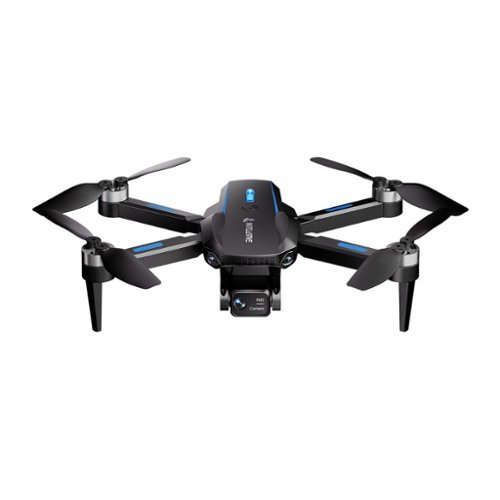
The S5C Elite is a drone that uses a brushless motor and 1080p FPV camera and trajectory mapping. Enjoy endless fun with 2 included batteries providing an impressive flight time of 30 mins.
Mario Kart In The Sky!
Customer Rating

3.0
Images for this Review
(click to see full-size image)




If you have no knowledge of drones and are looking to get a present and be the cool gift…look no further!
The Snaptain SC5 Elite has a lot of features, can be flown with only the included remote, remote + smartphone, or smartphone only. This versatility means no restrictions for getting up and flying quickly.
The Snaptain SC5 Elite has a lot of features, can be flown with only the included remote, remote + smartphone, or smartphone only. This versatility means no restrictions for getting up and flying quickly.
If you are looking to get into drone flying and don’t want an expensive overhead…this drone is good enough for you to determine that.
Two reasons for the 3 Stars instead of 5 has to do with the drone drift and max distance. Some of this just has to do with the extreme light weight (145g according to specs) so it is going to get pushed a little easier and some drift should be expected. However, in my flying sessions the wind was not a factor and I found the drone to drift quite a lot.
It seems to have a hard time when input has ceased after flying in a drifting pattern and trying to change direction. It will change direction, but it takes a very long time to do so, It is typically easier to just stop. However, this also poses an issue (same when just flying in a straight line), when canceling forward input, the drone will air break, but also continue moving in the same direction, then slowly begin to reverse. Again this is after no input has been given.
It takes some time to get used to it and anticipate these extra maneuvers, but this also means you need an extremely large open area free of trees and houses. The box states Ages 14+, I think you could go younger; especially if the kid likes to play Super Smash Bros. since the drone drift I find is similar to that game.
Distance is said straight line 328ft and height is limited to 164ft, doing some math, it means at max height, max distance then is 284ft.. However, I find the drone begins to lose input at about 150 to 200ft. The remote will notify by beeps when signal has degraded, it also does so in the app. If you are at max height and flying away from yourself, you will reach the control limit range quicker. The drone limits its self from its height automatically and this barrier cannot be broken, however, distance from operator I found is theoretical and does not auto-stop the drone, as it just keeps flying on its own at that point.
Any info in the segments below deemed negative are only meant to show the drone’s limitations. Remember, this is a toy and the features it offers are quite good. Please don’t expect qualities of a higher quality and subsequently a higher priced drone.
Flight Time
This is true to product info at 15 min and charge time is true to 160 minutes (~2.5hrs) @5v 2amp charger (I used a Samsung phone charger); manual states max is 5v 3amp with included cable.
This is true to product info at 15 min and charge time is true to 160 minutes (~2.5hrs) @5v 2amp charger (I used a Samsung phone charger); manual states max is 5v 3amp with included cable.
Video/Photo Quality
This is a toy, that fact that it can do it is a plus, but don’t expect to get awesome shots. I used a SanDisk Ultra 32GB UHS-1 with write speeds of 100MB/s and a Samsung 32GB UHS-1 with write speeds up to 48MB/s. Both recorded the same quality of footage and both cards are well equipped to record at 1080p video with ease, but many of the videos had missing segments and were grainy. This is to be expected since the drone camera is not on a gimbal but a fixed arm that allows vertical rotation still but no stabilization.
This is a toy, that fact that it can do it is a plus, but don’t expect to get awesome shots. I used a SanDisk Ultra 32GB UHS-1 with write speeds of 100MB/s and a Samsung 32GB UHS-1 with write speeds up to 48MB/s. Both recorded the same quality of footage and both cards are well equipped to record at 1080p video with ease, but many of the videos had missing segments and were grainy. This is to be expected since the drone camera is not on a gimbal but a fixed arm that allows vertical rotation still but no stabilization.
Discrepancies
BB Webpage vs Guide
Charge Time: 100 min vs 160 min
SD Card: 128GB vs 64GB
Accessories: Protective Propeller Guards vs no included propeller guards
Battery: Printed Guide states when charging battery light on, finished off vs reality = charging Red, finished Green
In App Guide and Tutorial Video is for Snaptain E20, not really an issue as basics are all the same. When the App is connected to the Drone the Snaptain E5C Elite model is shown in both image and name, but when not connectted the E20 is shown; there are navigation buttons that let you see other drones, but it does not change the video or guide.
Controller: not so much a discrepancy but an omission that the drone can be flown with or without the included controller if a Smart Device is connected to the drone. Google Play Store states requires Android 4.4 or higher, but Guide states Android 8.0 or higher, my device used to test is running Android 11.
BB Webpage vs Guide
Charge Time: 100 min vs 160 min
SD Card: 128GB vs 64GB
Accessories: Protective Propeller Guards vs no included propeller guards
Battery: Printed Guide states when charging battery light on, finished off vs reality = charging Red, finished Green
In App Guide and Tutorial Video is for Snaptain E20, not really an issue as basics are all the same. When the App is connected to the Drone the Snaptain E5C Elite model is shown in both image and name, but when not connectted the E20 is shown; there are navigation buttons that let you see other drones, but it does not change the video or guide.
Controller: not so much a discrepancy but an omission that the drone can be flown with or without the included controller if a Smart Device is connected to the drone. Google Play Store states requires Android 4.4 or higher, but Guide states Android 8.0 or higher, my device used to test is running Android 11.
The Snaptain SC5 Elite is a great starter drone or the "cool relative" gift and great for casual flying.
I would recommend this to a friend!
0points
0out of 0found this review helpful.
Share this review:


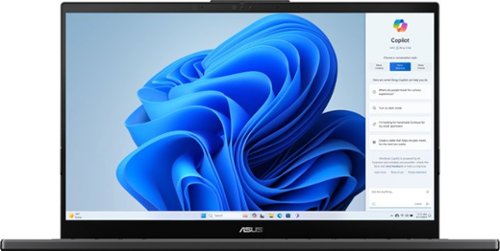
ASUS - Vivobook Pro 15 FHD OLED Laptop - Intel Core Ultra 9 with 24GB Memory - NVIDIA GeForce RTX 3050 - 2TB SSD - Earl Gray
The versatile and powerful ASUS Vivobook Pro OLED is designed for those who want to do more, ignite creativity, or game. The Intel Core Ultra 9 processor, paired with NVIDIA RTX3050 graphics, deliver outstanding multitasking and creative power. Backed with advanced thermal technology, the laptop is primed to deliver maximum, sustainable performance. ASUS DialPad, an intuitive physical controller, gives you instant and precise fingertip control over creative, productivity, and entertainment apps. The NanoEdge OLED display with Dolby Vision comes with a cinema-grade 100% DCI-P3 gamut, and is PANTONE Validated for its accurate color. The Harman Kardon-certified quad-speaker Dolby Atmos audio system adds to the cinematic experience with ultra-realistic multi-dimensional sound.
Excellent Value to Performance!
Customer Rating
5.0
Images for this Review
(click to see full-size image)


It’s been a very long time since I have had a 15.6” laptop. I’ve been using 13.3”-14” for close to 10 years now. It hasn’t been too crazy of an adjustment as they are built about as small they can be without sacrificing features like a camera or awkward palm rests, etc.
I’ve also been a long time ASUS fan and have been using a Zenbook 14 OLED for 2 years. While OLED isn’t the best when it comes to glare, it is awesome when working with photos or video. I only work inside so at least I can mitigate light pollution pretty good.
ASUS Dial is a new concept for me from a traditional dial pad, but I think it will provide some good use scenarios. I do make content, I dabble in Adobe products, but they are mostly overkill for my needs. I work in Timelines so a fine tune option will be nice, but not sure how much more useful than arrow keys. It has plenty of apps that it is compatible with but seeing what features are available with each app takes some time. When using with Chrome browser tabs it kept wanting to jump to the next dial option.
Keyboard
Is proper sized and doesn’t feel cramped. The keys at first felt a little clicky like they were mechanical, but they have “worn in” a bit and quieted down; which I am not a fan of mechanical keyboards. The added 10-Key pad is nice. It is small so don't expect a natural experience, but it is quicker than using the top row for most tasks.
Is proper sized and doesn’t feel cramped. The keys at first felt a little clicky like they were mechanical, but they have “worn in” a bit and quieted down; which I am not a fan of mechanical keyboards. The added 10-Key pad is nice. It is small so don't expect a natural experience, but it is quicker than using the top row for most tasks.
Battery Life
I am about 50/50 desktop replacement/laptop. I utilize the MYASUS Battery Care Mode setting to 80% charge and override to 100% when I know I will be in road warrior mode. Claimed 10 hours battery I think is a stretch, probably with battery saver mode on it could but only when doing on device simple tasks. Content creating is going to pull some juice and this is not device is not that optimized. I ran some Geekbench 6.0 tests to see the difference between plugged-in and battery performance. Single-Core 2449 vs 1350 and Multi-Core 13082 vs 8300. So definitely optimized or slowed rather.
I am about 50/50 desktop replacement/laptop. I utilize the MYASUS Battery Care Mode setting to 80% charge and override to 100% when I know I will be in road warrior mode. Claimed 10 hours battery I think is a stretch, probably with battery saver mode on it could but only when doing on device simple tasks. Content creating is going to pull some juice and this is not device is not that optimized. I ran some Geekbench 6.0 tests to see the difference between plugged-in and battery performance. Single-Core 2449 vs 1350 and Multi-Core 13082 vs 8300. So definitely optimized or slowed rather.
Something to note, ASUS laptops with a dedicated GPU use a traditional bullet charging adapter, where as the non-dedicated GPU laptops charge over USB-C. I’ll miss my one USB-C charger to rule them all packing I’ve been accustomed too, but the flip side is the 200w charging brick super chargers the laptop quite quick! And the Thunderbolt 4 port will charge my phone quickly too. I will need to rethink my desktop setup as I use a dock to attach a screen, speakers, and extra ports. It is powered over USB-C but it doesn’t play nicely with Vivobook Pro so I have just been using HDMI output directly instead.
Screen
The OLED looks fantastic and makes all content look great. I wish it was either a 2K or higher though, mostly so I can fit more content on the screen. My Zenbook 14 OLED is a 2.8K at a 2880x1800 resolution and I had it set to 150% scale (recommended 200%). I have the Zenbook Pro’s 1080P screen set to 100% (125% recommended) and does slim down the icons and app windows, but another quarter scale down and I could do some serious multi-window work. The glass cover is definitely nicer and more premium than the Zenbook one that did not have but a film cover.
The OLED looks fantastic and makes all content look great. I wish it was either a 2K or higher though, mostly so I can fit more content on the screen. My Zenbook 14 OLED is a 2.8K at a 2880x1800 resolution and I had it set to 150% scale (recommended 200%). I have the Zenbook Pro’s 1080P screen set to 100% (125% recommended) and does slim down the icons and app windows, but another quarter scale down and I could do some serious multi-window work. The glass cover is definitely nicer and more premium than the Zenbook one that did not have but a film cover.
Camera & Audio
No complaints here! I don’t typically use the camera on a laptop anymore as they are normally really bad, but this one is quiet nice and I love the physical privacy slide too.
No complaints here! I don’t typically use the camera on a laptop anymore as they are normally really bad, but this one is quiet nice and I love the physical privacy slide too.
Audio playback is solid and full. Low bass sounds pretty flat, so listening to some Deep Chill or even spoken word YouTube videos, has a blown sub kind of sound on deep hits. They are definitely good enough, but there is definitely a repeating “pop” sound in any content you play in the browser I found. Watching my movies in the Movies + TV app the popping sound didn’t present itself.
I wouldn’t say I am impressed with this laptop as it is replacement is still quite good, but I can say it is an upgrade as it should be, so depending on how old of a laptop you are coming from then it should be pretty impressive. Having the dedicated GPU is quite nice and in that area gaming and apps that can utilize it is impressive as my old one just used the EVO platform.
It definitely renders videos faster and does everything I typically do faster, so that is great, but to be expected with triple the RAM that is also faster.
Upgrade Capability
Max 40GB RAM = 8GB on board + 32GB single stick (as reviewed 24GB Total). So glad at least there is one slot that can be upgraded. Not a big fan of the new trend of soldered only.
Max 40GB RAM = 8GB on board + 32GB single stick (as reviewed 24GB Total). So glad at least there is one slot that can be upgraded. Not a big fan of the new trend of soldered only.
2TB NVME! Very cool it has that included and on initial setup only 56GB was being used. After it ran all the updates that crept to 67GB, so not too bad.
Build Quality
The laptop is super clean and very sturdy with definite premium heritage and the black aluminum design is very sharp. No creaking from the chassis when typing or carrying it around.
The laptop is super clean and very sturdy with definite premium heritage and the black aluminum design is very sharp. No creaking from the chassis when typing or carrying it around.
The Vivobook Pro definitely lives up to the Pro name with the spec sheet, build quality, and usage and will definitely make a great laptop for anyone into content creation and gaming without breaking the budget.
I would recommend this to a friend!
-1point
0out of 1found this review helpful.
Share this review:


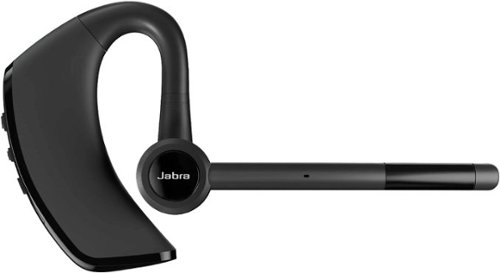
Jabra - Talk 65 Premium Bluetooth Mono Headset - Black
Jabra Talk 65 premium bluetooth mono headset is engineered for calls on the go. When making calls in a variety of different environments, you don~t want to worry about background noise. Jabra Talk 65 has two built-in microphones delivering up to 80% noise cancellation from your end of the call. With up to 14 hours of talk time on a single charge with a wireless range of up to 300 feet/100 meters so you can keep communicating on even the longest shifts. Your headset can take a bit of a beating when you~re constantly on the go. Why settle for a product that isn~t tough enough to handle it? The Talk 65 features IP54-rated protection against dust and water, so it~s durable enough to go wherever you do. Stream GPS directions, or instantly access Siri or Google Assistant, while on the go and stay hands-free and keep your eyes on the road.
Nothing Beats A Dedicated Headset
Customer Rating
5.0
Images for this Review
(click to see full-size image)

A fantastic accessory for phone calls and office life. Better than using my Samsung Galaxy Bud Pro 2's for phone calls.
I’ve paired the Talk 65 with my S24 Ultra. Pairing was super easy and its great to use a bluetooth audio device again that doesn’t require having an app to download. I also don't have to use both earbuds to be able to activate better sound quality/ background noise cancellation.
It’s been awhile since I have used an exclusive BT headset and honestly I prefer it over my wireless earbuds for talking on the phone. I don’t have to worry about background noise and having only one speaker for the ear means I can still be aware of my surroundings…and not yell into the mic!
Out of the box my unit had 90% charge, so I did not bother to fully charge as it is better for lithium batteries. I have been using on off and on for the past 5 days about 4 to 5 hours a day with at least 2 hours of that time dedicated to phone call use and the other listening to podcasts and standby time. As of writing I am still at 70% charge!
The Talk 65 is really good with the spoken word and I no issues with the volume. I only used the default installed ear piece and it fit just fine. If you need/wanted the ear piece to fit deeper into the ear then the smaller one should accomplish this. I did use the device at max volume the whole time since the ear piece does sit in the ear like an ear bud, again this is the fitment I wanted.
I love the simplicity of this device as it tactile buttons instead of haptic like most earbuds these days. The commands are pretty simple to master with exclusive Vol +/- buttons, Power On/Off/Assistant, and Call Answer/End/Mute. 4 buttons total.
Audio quality is great and it has even replaced my vehicle headunit that has been very temperamental when on calls. I am happy I have had no issues and even with windows down at 45mph there were not reports of excessive wind or static. Callers could here wind, but as if it was in the background.
I am going to fully embrace my Xennial generation and start using a bluetooth headset in public now…I may even wear a fanny pack! As a fashion accessory it is a little large compared to small wireless earbuds, but it’s a welcomed trade off for better call quality.
I would recommend this to a friend!
0points
0out of 0found this review helpful.
Share this review:


Vankyo - Leisure 570B Native 1080P Wireless Smart Single LCD Mini Projector, Screen Included - White
Sit back, relax and enjoy family movie night with the Vankyo L570B projector. The Vankyo Leisure 570B wireless smart WebOS mini projector delivers a full HD 1080P picture up to 200". Featuring 200 lumens and a 1000:1 contrast ratio for vivid color and a sharp image. Enhanced features include keystone adjustment, eliminating the need for manual tweaks during use and guaranteeing flawless display quality. Featuring DolbyAudio surround sound and dual 5W speakers for a truly amazing viewing experience. And, with Smart WebOS included, you can tune into all your favorite streaming channels, including Netflix, YouTube, Amazon Prime and more. 100" screen included.
The Little Projector That Could
Customer Rating
5.0
Images for this Review
(click to see full-size image)


Auto Focus and Keystone
This feature works quickly and well, but once it is set and you begin to adjust the location of the projector it gets confused on getting the setup correct. It just requires a power off and on to reset the keystone settings. There is an option in the settings for auto keystone when projector is moved, but again it doesn't like a major shift in movement.
This feature works quickly and well, but once it is set and you begin to adjust the location of the projector it gets confused on getting the setup correct. It just requires a power off and on to reset the keystone settings. There is an option in the settings for auto keystone when projector is moved, but again it doesn't like a major shift in movement.
There is a manual option to adjust, but I found it only allows minimal change. My image was way out of balance and the limits on the manual were not enough to bring into balance. The auto keystone does it better and quicker than the manual setup.
Focus can also be done manually, but I found it always focused properly even when the image was not proportioned correctly (again that was when moving after it was auto-focused).
Screen Mirroring
I used my GALAXY S24 ULTRA to mirror and the audio and video was little choppy. If you had to use this option its not the end of the world, but I wouldn't rely on it as the main viewing option.
I used my GALAXY S24 ULTRA to mirror and the audio and video was little choppy. If you had to use this option its not the end of the world, but I wouldn't rely on it as the main viewing option.
Netflix, YouTube, Amazon Prime, and Plex TV are all officially supported. Plex was a pleasant surprise when I started the projector for the first time as I can stream from my home server and also has options for a lot of free content.
Of course with the HDMI port any smart device will instantly add more streaming options.
USB input worked just fine. Content recorded in portrait (9x16) won't auto rotate. There are options to zoom in and out, but nothing to rotate the image. I couldn’t find an unmount/eject option for the USB, so I’d recommend powering off the projector before removing any USB attached storage. Mine was 32GB Flash drive, not sure what the max supported size is.
Audio
I have been pretty impressed with the audio. Its not hallow or high pitch/tinny. It has enough mid and high for speaking audio to sound pleasing and at high volume doesn't distort.
I have been pretty impressed with the audio. Its not hallow or high pitch/tinny. It has enough mid and high for speaking audio to sound pleasing and at high volume doesn't distort.
Heavy action content with explosions, etc are where the speakers struggle, but sports, tv sitcoms, kid shows the audio is fine.
C and S sounds at high volume my wife struggled with, so your experience may differ from mine.
But adding an external speaker either via headphone jack or bluetooth would easily fix this. If using outside I would recommend this as the sound won’t be able to travel like it can inside.
Image
I tested this little projector that could in three different settings:
A quick setup test on a white board in dark setting, using the included screen in both a low ambient daylight setting (sun on opposite side of the facing wall) and then dark setting with included screen.
I tested this little projector that could in three different settings:
A quick setup test on a white board in dark setting, using the included screen in both a low ambient daylight setting (sun on opposite side of the facing wall) and then dark setting with included screen.
Verdict…don’t use the included screen! The screen captures too much of the return light and due to the nature of the fabric it reduces the clarity and brightness of the image. If you have light gray to white satin finish color on your wall (like in the pics), the image will look immensely better. Of course an actual screen is even better. In a pinch though its better than nothing.
Plastic hooks and 3M removable strips are included for wall attachment, I don’t think this should be considered for permanent wall attachment. Because the screen is stretch fabric, to reduce sag, it needs to be stretched pretty good and I found this tension was too much for one of the strips to hold and ended pulling off the wall after about 8 hours of install.
I am truly impressed though with the quality of the projector, including the software features, and streaming options to get up and running. Because it is a limited streaming set the projector user interface and experience is pretty quick to respond and accept the inputs.
I watched two hours of sports (MotoGP), Gods of Egypt about 30 minutes, and some Demon Slayer S1E1 and all content looked good and even better when I removed the included screen. The project does get warm, but not as hot as the halogen bulb versions. The LED bulbs have come along way with clarity. The only downside (I wouldn’t say negative given the value) is the overall brightness (200 lumens) is only suitable for dark settings. Low ambient lighting is useable, but washout is still a concern. For daytime viewing in mid-ambient light setting you will want around 2000 lumens, however, cost and lumens are directly related.
If you are wanting a projector that’s easy to pack and can take on an impromptu family vacation, the L570 is perfect. Best case uses will always require a dark setting, but you can get by with some low ambient lighting.
Also pictured is a Vankyo projector stand that I picked up separately. I have a tripod for a camera/phone mount and it did work, but it was a little cheap and not sturdy enough to support the weight and the Vankyo branded stand was more secure and included a bubble level built-in.
I would recommend this to a friend!
0points
0out of 0found this review helpful.
Share this review:


MnstrMike's Questions
MnstrMike has not submitted any questions.

GE - Classic Drip 10-Cup Coffee Maker - Stainless Steel
At GE Appliances, we're bringing craftsmanship to your countertops, with reliable and durable drip coffee makers. Equipped with either a sleek glass or insulated thermal carafe, our coffee makers have convenient functions such as Delayed Start and Timer, to make the brewing process simple and user-friendly. And all GE Appliances drip coffee makers are finished with tasteful and durable stainless steel, making them the perfect accent for any kitchen or office ~ all from a brand you trust.
Does the coffee maker use basket type filters or cone filters? Sorry that my original question was not more clear.
Removable mesh basket filter of the cone style. So you don't have to purchase filters.
5 years, 7 months ago
by
Posted by:
MnstrMike
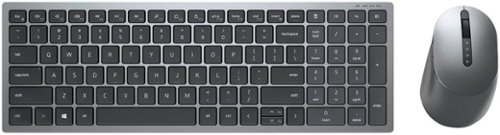
Dell - KM7120W Full-size Wireless Scissor Clicky Switch Keyboard and Mouse Combo with Compact Design - Gray
Dell Multi-Device Wireless Keyboard and Mouse Combo enhance daily performance and productivity with this keyboard mouse combo that fits into virtually any workspace. Easily switch between 2.4GHz wireless or Bluetooth connectivity.Multi-OS compatibility. Tested and certified to work seamlessly with Dell systems.Programmable shortcut keys/buttons with customizable keyboard tilt.
Texture or feel of the keys? Are they hard plastic or do they have a somewhat spongy or soft rubbery feel to them? I type on my fingernail tips is why I ask.
The texture is a matte textured feel. It is not super slick. They are a hard plastic and don't appear to have any sort of coating on them. I will say as hard plastic goes, they are not as hard as some other keyboards I have in my personal office. So if using your finger nails, your might be noticing the clickety clack, but compared to my to other older keyboards, your probably going to notice it is a duller than usual. The keys themselves are very quiet like that of a nice laptop with really good feedback. It definitely feels like a laptop experiencing for my desktop, which I am digging!
In the photo the bigger the keyboard, the louder the keys. The middle keyboard is an HP set that came with a desktop, it too has textured keys, but it is definitely a harder plastic. And the Logitech on the bottom is loud as can be and definitely has hard hallow sounding keys that would definitely give some extra sound when typing with fingernails.
So of the 3 three the Dell is definitely going to give you the best sound experience.
In the photo the bigger the keyboard, the louder the keys. The middle keyboard is an HP set that came with a desktop, it too has textured keys, but it is definitely a harder plastic. And the Logitech on the bottom is loud as can be and definitely has hard hallow sounding keys that would definitely give some extra sound when typing with fingernails.
So of the 3 three the Dell is definitely going to give you the best sound experience.
Images for this Answer
(click to see full-size image)

5 years, 8 months ago
by
Posted by:
MnstrMike
Dell - KM7120W Full-size Wireless Scissor Clicky Switch Keyboard and Mouse Combo with Compact Design - Gray
Dell Multi-Device Wireless Keyboard and Mouse Combo enhance daily performance and productivity with this keyboard mouse combo that fits into virtually any workspace. Easily switch between 2.4GHz wireless or Bluetooth connectivity.Multi-OS compatibility. Tested and certified to work seamlessly with Dell systems.Programmable shortcut keys/buttons with customizable keyboard tilt.
Is the keyboard backlit?
Nope, that would have been a nice touch, but I think battery life may suffer and for me, it don't type much in the dark when using my desktop, but if you are using this as a travel set, i could see the benefit of having backlight. I won't buy a laptop without it anymore.
5 years, 8 months ago
by
Posted by:
MnstrMike
Dell - KM7120W Full-size Wireless Scissor Clicky Switch Keyboard and Mouse Combo with Compact Design - Gray
Dell Multi-Device Wireless Keyboard and Mouse Combo enhance daily performance and productivity with this keyboard mouse combo that fits into virtually any workspace. Easily switch between 2.4GHz wireless or Bluetooth connectivity.Multi-OS compatibility. Tested and certified to work seamlessly with Dell systems.Programmable shortcut keys/buttons with customizable keyboard tilt.
is this keyboard and mouse compatible with an HP laptop?
It is capable of connecting via the included USB receiver which makes compatible with just about computing device and it also has bluetooth connection for up to two devices, so as long as your device has a USB port or Bluetooth connectivity your are good to go.
5 years, 8 months ago
by
Posted by:
MnstrMike

DJI - Mini 2 Fly More Combo Drone with Remote Control
DJI Mini 2 is beginner-friendly, powerful, and well, mini. Impressive performance, stunning image quality, and creative videos are just a few taps away. Explore an entirely new perspective, capturing the moments that make your life truly yours.
does this drone have the the ability to return to the controller?
YES, it is called Return to Home. Each time it takes off it will set a GPS locator. If you are outside of the 20 meter radius (~70ft) the RTH function will work. Inside of that you can see the drone pretty easily and fly it back line of site or via the live feed.
5 years, 9 months ago
by
Posted by:
MnstrMike
DJI - Mini 2 Fly More Combo Drone with Remote Control
DJI Mini 2 is beginner-friendly, powerful, and well, mini. Impressive performance, stunning image quality, and creative videos are just a few taps away. Explore an entirely new perspective, capturing the moments that make your life truly yours.
hello do I need any permission or authorization to fly my Mavic mini in Miami Beach?
You don't need a license or registration to fly the Mini Series drones. However, when drone is locked on to GPS there are areas that have restrictions. Some of those areas do require you to register and you can do so via the DJI Fly App.
Images for this Answer
(click to see full-size image)


5 years, 9 months ago
by
Posted by:
MnstrMike
DJI - Mini 2 Fly More Combo Drone with Remote Control
DJI Mini 2 is beginner-friendly, powerful, and well, mini. Impressive performance, stunning image quality, and creative videos are just a few taps away. Explore an entirely new perspective, capturing the moments that make your life truly yours.
To keith131 the battery from mini 1 dose fit mini 2 but the mini 2 won't fit mini1. So back to my question will it damage the mini 2 using the battery from mini 1.
From the DJI website.
No. Mavic Mini will not function with the battery of DJI Mini 2. Although the international version of DJI Mini 2 can use Mavic Mini’s battery, the power will decrease and the total weight will exceed 250 g, requiring registration in some countries and regions. Please check local rules and regulations before use.
No. Mavic Mini will not function with the battery of DJI Mini 2. Although the international version of DJI Mini 2 can use Mavic Mini’s battery, the power will decrease and the total weight will exceed 250 g, requiring registration in some countries and regions. Please check local rules and regulations before use.
5 years, 9 months ago
by
Posted by:
MnstrMike
DJI - Mini 2 Fly More Combo Drone with Remote Control
DJI Mini 2 is beginner-friendly, powerful, and well, mini. Impressive performance, stunning image quality, and creative videos are just a few taps away. Explore an entirely new perspective, capturing the moments that make your life truly yours.
Can I use my iPhone 8 with this controller?
JLab - Epic Air Sport ANC True Wireless Earbuds - Black
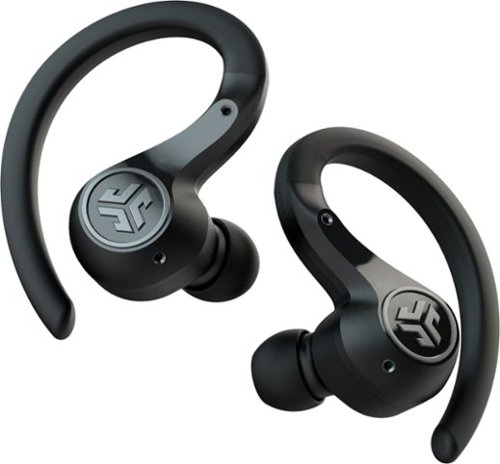
Offering the ultimate true-wireless experience for any fitness-loving music lover, JLab Epic Air Sport ANC offers customized sound and active noise canceling plus industry-leading 70+ hours playtime. Transition from gym to calls or from work to a run, effortlessly, with features like wear-detect, movie mode, wireless charging and more.
Can I wear this in one just one ear?
JBL - Quantum 800 RGB Wireless DTS Headphone:X v2.0 Gaming Headset for PC, PS4, Xbox One, Nintendo Switch, and Mobile Devices - Black
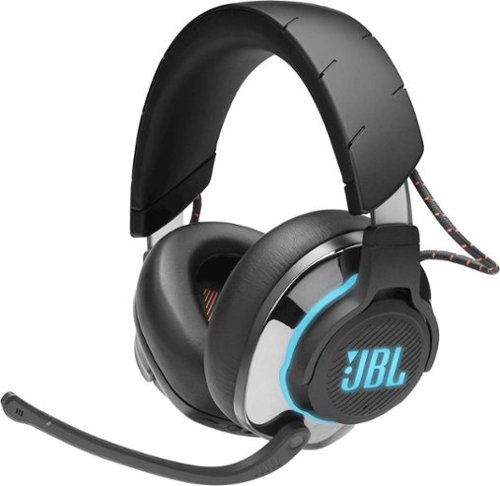
Stay in the game with this JBL Quantum 800 over-ear wireless gaming headset. The memory foam padding ensures comfort during long duels, while the unidirectional microphone delivers clear communication to your teammates. This JBL Quantum 800 over-ear wireless gaming headset features accurate spatial audio positioning to give you an edge over your enemies.
So you can make them wireless and wired do I use the usb thing for wireless how do you hook it up
The wireless options is dependent on the platform of use PC=2.4Ghz radio via USB Dongle, Xbox One S can only use 3.5mm port to controller, and Bluetooth is with any device with Bluetooth. PS3/4 both have Bluetooth radios so it would work with them.
6 years, 3 months ago
by
Posted by:
MnstrMike