Samsung
Samsung's Stats
Reviews
- Review Count0
- Helpfulness Votes0
- First ReviewNone
- Last ReviewNone
- Featured Reviews0
- Average Rating0
Reviews Comments
- Review Comment Count0
- Helpfulness Votes0
- First Review CommentNone
- Last Review CommentNone
- Featured Review Comments0
Questions
- Question Count0
- Helpfulness Votes0
- First QuestionNone
- Last QuestionNone
- Featured Questions0
- Answer Count74019
- Helpfulness Votes37,965
- First AnswerApril 24, 2013
- Last AnswerSeptember 2, 2026
- Featured Answers0
- Best Answers3950
Samsung's Reviews
Samsung has not submitted any reviews.
Samsung's Questions
Samsung has not submitted any questions.
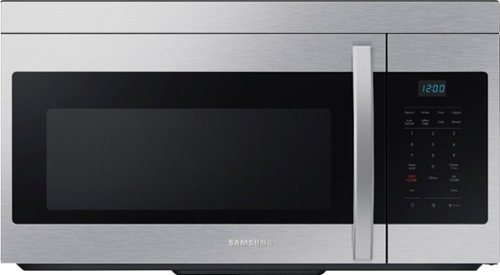
This 1.6 cu. ft. capacity Over-the-Range Microwave with Auto Cook takes the guesswork out of cook time with pre-programmed settings. Its powerful 2-speed 300 CFM ventilation system quickly and quietly reduces unwanted cooking odors.
Are the numbers light up when your kitchen is dark or just the time is displayed. ?

Hello there,
Thank you for asking. Let's get the details you need.
No, the numbers are not lit up; only the time displays when your kitchen is dark.
Have a great day.
^Camille
Thank you for asking. Let's get the details you need.
No, the numbers are not lit up; only the time displays when your kitchen is dark.
Have a great day.
^Camille
1 year ago
by
Posted by:
Samsung
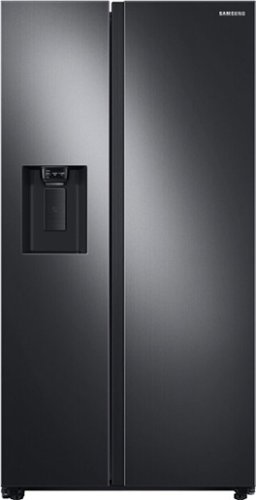
Samsung 27.4 cu. ft. large capacity Side-by-Side refrigerator that is beautifully designed with a minimal display dispenser, modern design that blends beautifully into your kitchen, and a finish that withstands everyday smudges.
I have a 29" door width to my kitchen will ii fit through the door?
Hello there,
Thank you for asking. Let's get the details you need.
No, the fridge won't fit as the width would be 35 7/8 inches.
Have a great day.
^Camille
Thank you for asking. Let's get the details you need.
No, the fridge won't fit as the width would be 35 7/8 inches.
Have a great day.
^Camille
1 year ago
by
Posted by:
Samsung
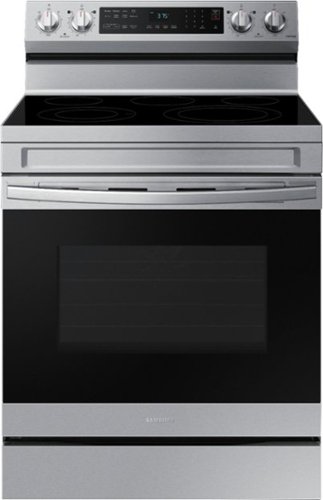
Elevate the look of your kitchen with Samsung~s Smart Freestanding Electric Range. Our Stainless Steel design elegantly wraps around cooktop sides and up through the slim control panel. Upgraded technology makes cooking simple and fun.
What would cause the oven temperature to get to hot? IT NOT EVEN 2 YEARS OLD !! I Don't use the oven that much it should have lasted longer tha 1 1/2 years
Nicole, thank you for reaching out regarding your oven being too hot. Allow us to help.
Please refer to your user manual for the steps to take if your oven is too hot. Turn to page 54, "The oven temperature is too hot or too cold."
User Manual
https://downloadcenter.samsung.com/content/UM/202502/20250219150615857/O_01._IB_FULL_NE5000A_NE63A6511_AA-05_EN.pdf
Should you need more assistance, please feel free to get back to us via the following options:
1. Facebook Messenger: http://m.me/Samsungsupport
2. Twitter: https://twitter.com/messages/compose?recipient_id=18768513
3. Samsung Community: https://us.community.Samsung.com/t5/Samsung-Community/ct-p/us
When you message us, please provide us with this reference number (1150494973) to help our team pull up your information.
Have a great day.
^Camille
Please refer to your user manual for the steps to take if your oven is too hot. Turn to page 54, "The oven temperature is too hot or too cold."
User Manual
https://downloadcenter.samsung.com/content/UM/202502/20250219150615857/O_01._IB_FULL_NE5000A_NE63A6511_AA-05_EN.pdf
Should you need more assistance, please feel free to get back to us via the following options:
1. Facebook Messenger: http://m.me/Samsungsupport
2. Twitter: https://twitter.com/messages/compose?recipient_id=18768513
3. Samsung Community: https://us.community.Samsung.com/t5/Samsung-Community/ct-p/us
When you message us, please provide us with this reference number (1150494973) to help our team pull up your information.
Have a great day.
^Camille
1 year ago
by
Posted by:
Samsung
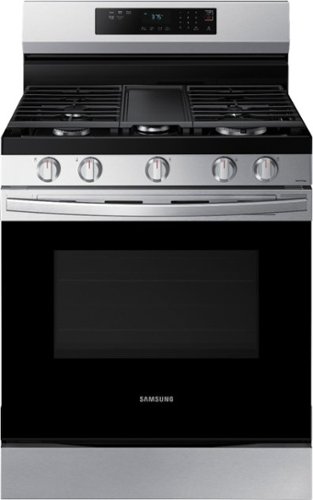
Elevate the look of your kitchen with Samsung~s Smart Freestanding Gas Range. Upgraded technology makes cooking simple and fun.
I had one of the parts break on my oven. It's a side plastic cover near the knobs. I can't seem to find a replacement part. Would love to order one. It broke within the first couple months of having the oven.
Hello there,
Thank you for asking. Let's get the details you need.
To check the availability and compatibility of your range's plastic cover on the side of the knob, you can contact Samsung's official parts distributor for customers purchasing Samsung parts or accessories.
Orders can be placed online at www.samsungparts.com or by phone at 800-627-4368; hours of operation are 9:00 am – 6:30 pm EST, Monday–Friday.
Have a great day.
^Camille
Thank you for asking. Let's get the details you need.
To check the availability and compatibility of your range's plastic cover on the side of the knob, you can contact Samsung's official parts distributor for customers purchasing Samsung parts or accessories.
Orders can be placed online at www.samsungparts.com or by phone at 800-627-4368; hours of operation are 9:00 am – 6:30 pm EST, Monday–Friday.
Have a great day.
^Camille
1 year ago
by
Posted by:
Samsung
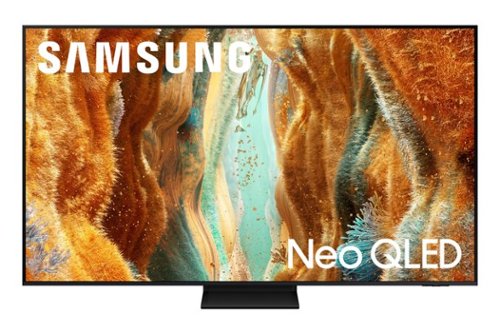
Take full advantage of Samsung Vision AI with enhanced picture and sound upscaled to 4K quality, plus experiences uniquely tailored to you - whether you're streaming your favorite show, gaming with friends, or watching live sports. And with access to free, premium channels, there's always some thing great to watch - in vivid detail brought to life by proprietary Mini LEDs.
Can you easily pair Sony mini speakers Bluetooth and Apple earods
Hi Ed - Both devices can be connected via Bluetooth.
~ Samsung Specialist
~ Samsung Specialist
1 year ago
by
Posted by:
Samsung
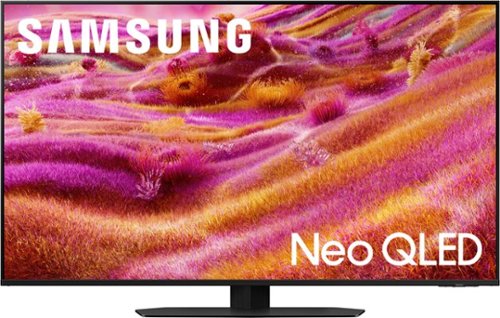
Our most advanced 4K processor powers Samsung Vision AI for enhanced picture, sound, and breakthrough TV experiences. Get amazingly detailed picture and vivid color on a glare free screen for viewing without distraction, even in the brightest rooms. Enriching new personalized TV experiences let you dive deeper into your content and get more from your TV.
Does the TV show misty spots when looking at the TV from a side View in your living room?
So that we can better understand and assist with this, please reach out to Samsung Support at: 1-800-SAMSUNG, 8AM - 12AM EST, 7 days a week, or Chat with us on Samsung.com: https://www.samsung.com/us/support/contact/
~ Samsung Specialist
~ Samsung Specialist
1 year ago
by
Posted by:
Samsung
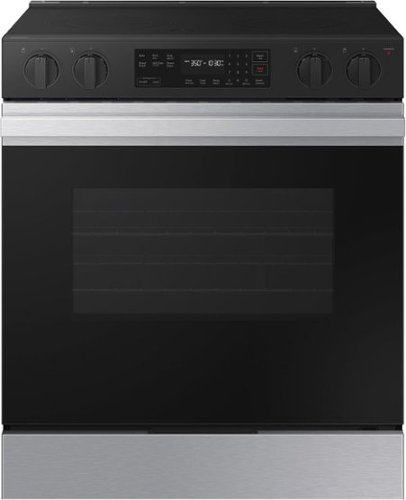
Samsung's smart electric range features a stylish and contemporary Bespoke design with a recessed handle that seamlessly blends into your kitchen for an elegant and minimalist look. The Precision Knobs will prevent accidental cooktop turn-on with its pinch, press and turn mechanism and the extra large 6.3 cu. ft. oven easily accommodates large dishes or roasting pans to cook for your whole family.
Can something be put on oven bottom to catch spills? Foil or some kind of mat?
MollyB, thank you for asking. Let's get the details you need.
We recommend you use protective liners to catch drippings from your oven. We do not recommend you use aluminum foil because it poses a fire risk.
Have a great day.
^Camille
We recommend you use protective liners to catch drippings from your oven. We do not recommend you use aluminum foil because it poses a fire risk.
Have a great day.
^Camille
1 year ago
by
Posted by:
Samsung
Samsung - Bespoke 4-Door French Door Refrigerator Panel - Top Panel - Charcoal Glass
Personalize your Bespoke 4-Door French Door Refrigerator with customizable and changeable refrigerator door panels. Choose from a range of colors and either steel or glass finishes, to design a refrigerator that expresses your personal style. If you want to update your d~cor, you can simply change the color of your refrigerator by choosing new panels.
Will this fit RF29BB86004M?
No, Christina, this panel does not fit your fridge with model RF29BB86004M.
Have a great day.
^Camille
Have a great day.
^Camille
1 year ago
by
Posted by:
Samsung
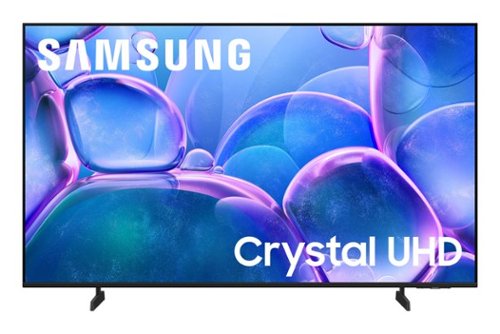
Upgrade your home theater with this stylish 4K TV featuring vibrant colors, rich contrast and an advanced 4K processor. Stay endlessly entertained with thousands of on demand shows and movies for free and enjoy peace of mind as watch thanks to our proprietary triple layer security that protects your personal data across all connected devices at once.
How do I watch DvDs through my ps5 on my Samsung crystal TV Everytime I try to the screen always goes black then goes back to the menu screen on my ps5
Hi Tzilla,
. To help resolve the issue, please try the following steps:
1. Power off and disconnect all HDMI devices and cables connected to the TV.
2. Unplug the TV’s power cord from the wall outlet.
3. Press and hold the power button on the TV (not the remote) for at least 30 seconds to discharge residual power.
4. Reconnect the HDMI cables to their respective HDMI ports on the TV.
5. Plug the TV’s power cord back into the wall outlet and power the TV on.
Once reconnected, go to: Home > left directional key > Connected Devices > Connection Guide > Video Device > HDMI Troubleshooting. This tool will scan for HDMI connection issues and may help detect and resolve any problems automatically.
Please also ensure your TV is running the latest firmware, as updates may improve HDMI compatibility and stability. Go to: Settings > Support > Software Update > Update Now
When reconnecting your devices, make sure you are using a compatible HDMI cable. We recommend the following cable types for best performance:
• High Speed HDMI Cable
• High Speed HDMI Cable with Ethernet
• Premium High-Speed HDMI Cable
• Premium High-Speed HDMI Cable with Ethernet
• Ultra High-Speed HDMI Cable
If the issue continues, please reach out to Samsung Customer Support at 1-800-SAMSUNG, 8AM - 12AM EST, 7 days a week. LiveChat agents are also available via the ‘Support’ link on our website.
~Samsung Advisor
. To help resolve the issue, please try the following steps:
1. Power off and disconnect all HDMI devices and cables connected to the TV.
2. Unplug the TV’s power cord from the wall outlet.
3. Press and hold the power button on the TV (not the remote) for at least 30 seconds to discharge residual power.
4. Reconnect the HDMI cables to their respective HDMI ports on the TV.
5. Plug the TV’s power cord back into the wall outlet and power the TV on.
Once reconnected, go to: Home > left directional key > Connected Devices > Connection Guide > Video Device > HDMI Troubleshooting. This tool will scan for HDMI connection issues and may help detect and resolve any problems automatically.
Please also ensure your TV is running the latest firmware, as updates may improve HDMI compatibility and stability. Go to: Settings > Support > Software Update > Update Now
When reconnecting your devices, make sure you are using a compatible HDMI cable. We recommend the following cable types for best performance:
• High Speed HDMI Cable
• High Speed HDMI Cable with Ethernet
• Premium High-Speed HDMI Cable
• Premium High-Speed HDMI Cable with Ethernet
• Ultra High-Speed HDMI Cable
If the issue continues, please reach out to Samsung Customer Support at 1-800-SAMSUNG, 8AM - 12AM EST, 7 days a week. LiveChat agents are also available via the ‘Support’ link on our website.
~Samsung Advisor
1 year ago
by
Posted by:
Samsung
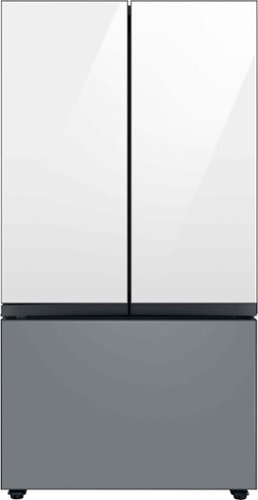
Samsung - BESPOKE 30 cu. ft. 3-Door French Door Smart Refrigerator with Beverage Center - Custom Panel Ready
Extra-large capacity 3-Door French Door Refrigerator with customizable and changeable door panels available in a variety of colors and finishes. A revolution in convenience and design, the concealed Beverage Center features both a water dispenser and AutoFill Water Pitcher. Plus a Dual Ice Maker with cubed ice and Ice Bites.
Can my customer cabinet maker make panels or does it only work with the manufacturers?
Abby, thank you for asking. Let's get the details you need.
No, we recommend you use the manufacturer's produce panel.
Here is a link to the list of colors available for the panel. Turn to page 1.
Spec sheet
https://image-us.samsung.com/SamsungUS/home/home-appliances/pdf/RF30BB6600_V8.pdf?_ga=2.229004636.1310275692.1756144300-419372044.1755534368
Have a great day.
^Camille
No, we recommend you use the manufacturer's produce panel.
Here is a link to the list of colors available for the panel. Turn to page 1.
Spec sheet
https://image-us.samsung.com/SamsungUS/home/home-appliances/pdf/RF30BB6600_V8.pdf?_ga=2.229004636.1310275692.1756144300-419372044.1755534368
Have a great day.
^Camille
1 year ago
by
Posted by:
Samsung