Samsung
Samsung's Stats
Reviews
- Review Count0
- Helpfulness Votes0
- First ReviewNone
- Last ReviewNone
- Featured Reviews0
- Average Rating0
Reviews Comments
- Review Comment Count0
- Helpfulness Votes0
- First Review CommentNone
- Last Review CommentNone
- Featured Review Comments0
Questions
- Question Count0
- Helpfulness Votes0
- First QuestionNone
- Last QuestionNone
- Featured Questions0
- Answer Count74095
- Helpfulness Votes37,971
- First AnswerApril 24, 2013
- Last AnswerSeptember 4, 2026
- Featured Answers0
- Best Answers3950
Samsung's Reviews
Samsung has not submitted any reviews.
Samsung's Questions
Samsung has not submitted any questions.

Samsung - Galaxy Book5 Pro - Copilot+ PC - 14" 3K AMOLED Touch-Screen Laptop - Intel Core Ultra 7 - 16GB Memory - 512GB SSD - Gray
Galaxy Book5 Pro gives you premium performance and pro-level power in a device designed to move as fast as you do. From creating presentations to editing large files, the AI-powered Intel Core Ultra 7 processor makes it all feel unbelievably fast and smooth. With its lightweight build and long-lasting battery, you can seamlessly transition from your desk to a cafe to a client meeting without missing a beat. Packed with cutting-edge technology, Book5 Pro has smart features like AI Select~ and Copilot AI assistance to help you simplify complex tasks and streamline your workflow. Because work rarely happens on just one device, Book5 Pro is also built with advanced features that make it easy to work in sync with the rest of your Galaxy devices. Get an important notification or need to respond to a text mid-project? Phone Link ~ puts your phone screen right on Book5 Pro, allowing you to access all your important phone features and control it right from your PC. Sharing big files between your devices? With Quick Share~ you can do it wirelessly, quickly and safely. Plus, Auto Hotspot~ kicks in when your Wi-Fi doesn~t, so your laptop stays connected even when your day takes a detour. No matter where work takes you, Galaxy Book5 Pro keeps you a step ahead.
The specs for this machine say it has a numeric keypad, but I do not see one in any of the pictures of the keyboard. Does it have a numeric keypad?

Hey there BillM, thank you for finding the free time out of your busy day to ask us your question about the Samsung Galaxy Book5 Pro. Yes, the advertised Galaxy Book5 Pro offers a Pro keyboard with Numeric key. If you think of any other questions, please feel free to contact Support. Thank you for choosing Samsung! - Debra
1 year, 2 months ago
by
Posted by:
Samsung
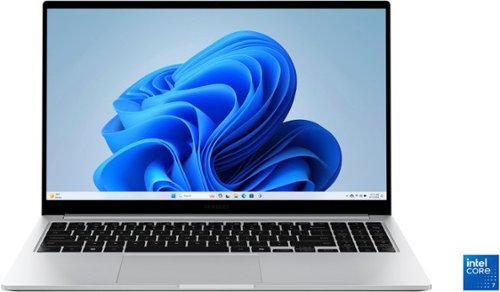
Samsung - Galaxy Book4 15.6" FHD Laptop - Intel Core 7- 16GB Memory - 512GB SSD - Silver
Get a little more out of your everyday with Galaxy Book4. This laptop delivers on all the top features you need with the premium design you want. The gorgeous display, ample processing power and seamless connectivity with your other Galaxy devices make your next laptop choice a no brainer. Powered by the latest Intel Core processor and a long lasting battery, this laptop allows you to stay on top of your inbox, listen to your favorite music and check in on what your friends are up to on social media. Need more storage? You~re in luck! You can expand your storage up to 2TB with a microSD card, so this laptop will support your needs no matter what you decide to take on next. Enjoy browsing the web or streaming video on the gorgeous full HD display that will be sure to spark screen envy wherever you go. And you~ll see every detail of that new movie you~ve been looking forward to on the large 15.6" screen. Plus, you can easily sync with your other Galaxy devices to create a seamlessly connected and aesthetically pleasing premium Galaxy ecosystem. Power and premium design to elevate your world that~s Galaxy Book4.
Where is the power button and how long does is take to charge?
Greetings Summer, thank you for finding the time out of your day to ask us your questions about the Samsung Galaxy Book4. The power button on the Galaxy Book4 is located on the top row of your keyboard, furthest button to the right. This button also serves as a Fingerprint recognition sensor. Charging time for the Galaxy Book4 may vary depending on the specific model and configuration. You can anticipate a full charge to take a few hours before being completed. If you have any other questions or if you would like any further assistance, please feel free to contact Support. Thank you for being a dedicated Samsung customer. - Debra
1 year, 2 months ago
by
Posted by:
Samsung
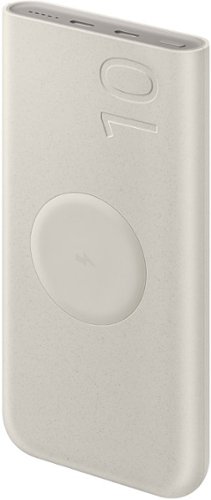
Samsung - 25W 10,000mAh Wireless Battery Pack - Beige
With a convenient wireless charger, simply place your device on the wireless battery pack to receive a boost.
Will this charge my Galaxy Watch Ultra?
Salutations HoyteeToytee, thank you for taking the time to ask us your question about the Samsung 25W 10,000mAh Wireless Battery Pack. Yes, it will charge your Galaxy Watch Ultra. Please keep in mind that the Galaxy Watch Ultra does not support wireless charging. If you have additional questions for us, do not hesitate to contact Support. Thank you for being a faithful Samsung customer. - Debra
1 year, 2 months ago
by
Posted by:
Samsung

Enjoy room filling sound in an all in one design. Experience captivating 3D audio with Dolby Digital 5.1 capable and DTS Virtual :X. Perfectly synchronized TV and soundbar sound brings a new level of immersion. Plus, don't miss a word, thanks to a built in center speaker.
Can this sound bar attach to the Samsung 85 inch TV that will be hung on the wall?
Hi Bill! The HW-S50B features three ways to connect to an external device: HDMI (ARC), digital optical audio, and Bluetooth wireless audio technology. If your TV is compatible with one of these three audio connections, you should have no issue connecting the soundbar to your TV. ~Samsung Solutions
1 year, 2 months ago
by
Posted by:
Samsung
Enjoy room filling sound in an all in one design. Experience captivating 3D audio with Dolby Digital 5.1 capable and DTS Virtual :X. Perfectly synchronized TV and soundbar sound brings a new level of immersion. Plus, don't miss a word, thanks to a built in center speaker.
Also What cables do I need to attach to the TV
Hi Bill! The HW-S50B features three ways to connect to an external device: HDMI (ARC), digital optical audio, and Bluetooth wireless audio technology. If your TV is compatible with one of these three audio connections, you should have no issue connecting the soundbar to your TV. ~Samsung Solutions
1 year, 2 months ago
by
Posted by:
Samsung
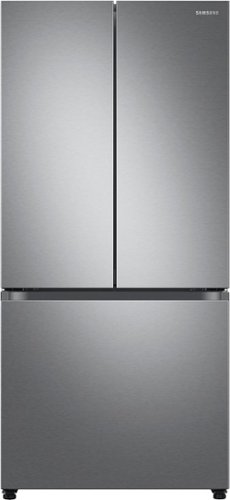
The Samsung 33" French Door refrigerator creates a stylish and modern kitchen with its compact design and recessed handles. The Beverage Center provides convenient access to refreshing cold, filtered water. With the Dual Auto Ice Maker, you can select from cubed ice or Ice Bites that chill your drink faster.
What is the noise level of this fridge?
Hi Pascal,
A refrigerator is never completely quiet, even when it's new. In fact, new fridges may be louder as they settle into place. Still, noises from your ice maker or compressor should never get so loud that they're interrupting conversation. This guide will review potential noises and advise you of any steps you should take when there is something you can do to prevent the noise.
We recommend checking the resources below for noise that you can potentially encounter with the fridge. Please watch the video and kindly click on the embedded words for more details.
Understand the noises coming from your Samsung refrigerator:
https://www.samsung.com/us/support/troubleshooting/TSG01001032/
Should you still need support, please don’t hesitate to reach out to us through the channels below.
1. Facebook Messenger: http://m.me/samsungsupport
2. Twitter: https://twitter.com/messages/compose?recipient_id=18768513
3. Samsung Community: https://us.community.samsung.com/t5/Samsung-Community/ct-p/us
When you message us, provide us with this reference number (1149708013), and it will help our team pull up your information.
^Rodel
A refrigerator is never completely quiet, even when it's new. In fact, new fridges may be louder as they settle into place. Still, noises from your ice maker or compressor should never get so loud that they're interrupting conversation. This guide will review potential noises and advise you of any steps you should take when there is something you can do to prevent the noise.
We recommend checking the resources below for noise that you can potentially encounter with the fridge. Please watch the video and kindly click on the embedded words for more details.
Understand the noises coming from your Samsung refrigerator:
https://www.samsung.com/us/support/troubleshooting/TSG01001032/
Should you still need support, please don’t hesitate to reach out to us through the channels below.
1. Facebook Messenger: http://m.me/samsungsupport
2. Twitter: https://twitter.com/messages/compose?recipient_id=18768513
3. Samsung Community: https://us.community.samsung.com/t5/Samsung-Community/ct-p/us
When you message us, provide us with this reference number (1149708013), and it will help our team pull up your information.
^Rodel
1 year, 2 months ago
by
Posted by:
Samsung
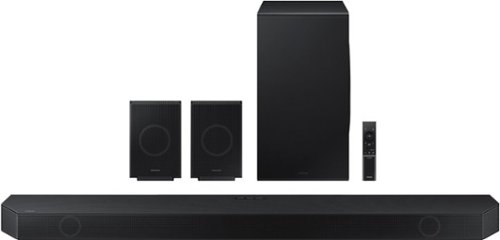
Samsung - HW-Q990D/ZA 11.1.4 Channel Q-Series Soundbar with Wireless Subwoofer and Rear Speakers, Dolby Atmos and Q-Symphony - Black
Experience our greatest of all time-level audio synchronized with your TV~s speakers* and customized to your living space. With intelligently tuned, 11.1.4 Ch. True Dolby Atmos Sound, the Q990D stands above the rest.
I have a samsung q990d and a LG OLED65C7P. I connect everything with hdmi to arc. It seems I lose connection constanty. When it works, its great. But I lose connection and the hdmi inputs to the soundbar do not function also. Whats gping on here?
Hi Footballer! the Soundbar is connected to the Internet, Auto Update allows software to update automatically even when the Soundbar is turned off. You can also update by using the SmartThings app.
If not connected to the internet, you can download it onto a USB device, and then upload it to your soundbar - no wireless connection required. Connect the USB drive that contains the update firmware to the SERVICE port of the Soundbar.
1.Go to the Samsung Electronics website (www.samsung.com) → click on the “Support” option in the upper left corner.
2.Click on “Manuals & Software” from the pop-up list > TVs & Home Theater > Home Theater > Select your model
2. Download the firmware file (USB type).
3. Unzip the file to create a folder with the file name.
4. Store the created folder in a USB and then connect it to the Soundbar.
5. A sequence of “UPDATE” > “BYE” > “ON” will appear on the display 3 times. This will take around 6 minutes.
- During update, do not turn it off or remove the USB.
- If “UPDATE” does not appear on the display window, remove the power cord from the Soundbar and then reconnect it.
- When the latest version is installed, no update is performed.
- Depending on the USB type, update may not be supported.
6. After the 3 cycles are complete, the Soundbar will restart and last source used will appear on the display for about 20 seconds and then it will go off (“UPDATE” > “BYE” > “ON”) 3 times “D.IN” > off
If you need more help, Samsung is here for you. Please call us at 1-800-SAMSUNG, 8AM - 12AM EST (Ask for Soundbars), 7 days a week. Our Live Chat agents are also available by clicking on the ‘Support’ link on our website.
~ Samsung Solutions
If not connected to the internet, you can download it onto a USB device, and then upload it to your soundbar - no wireless connection required. Connect the USB drive that contains the update firmware to the SERVICE port of the Soundbar.
1.Go to the Samsung Electronics website (www.samsung.com) → click on the “Support” option in the upper left corner.
2.Click on “Manuals & Software” from the pop-up list > TVs & Home Theater > Home Theater > Select your model
2. Download the firmware file (USB type).
3. Unzip the file to create a folder with the file name.
4. Store the created folder in a USB and then connect it to the Soundbar.
5. A sequence of “UPDATE” > “BYE” > “ON” will appear on the display 3 times. This will take around 6 minutes.
- During update, do not turn it off or remove the USB.
- If “UPDATE” does not appear on the display window, remove the power cord from the Soundbar and then reconnect it.
- When the latest version is installed, no update is performed.
- Depending on the USB type, update may not be supported.
6. After the 3 cycles are complete, the Soundbar will restart and last source used will appear on the display for about 20 seconds and then it will go off (“UPDATE” > “BYE” > “ON”) 3 times “D.IN” > off
If you need more help, Samsung is here for you. Please call us at 1-800-SAMSUNG, 8AM - 12AM EST (Ask for Soundbars), 7 days a week. Our Live Chat agents are also available by clicking on the ‘Support’ link on our website.
~ Samsung Solutions
1 year, 2 months ago
by
Posted by:
Samsung
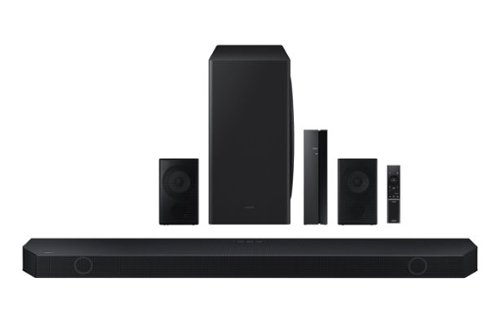
Samsung - HW-Q850D/ZA 7.1.2 Channel Wireless Dolby ATMOS Soundbar + Rear Speakers w/ Q Symphony - Black
This soundbar adapts rich, wireless audio to your space while staying in sync with your TV~s speakers* to amplify your experience.
Are all speakers wireless?
Hello Rostik27! Occasionally, customers have trouble hiding and running speaker wires from the front of the room (where their soundbar is) to the back of their room (where they have their rear speakers). The Rear Speaker Kit eliminates that hassle. Connect the rear speakers to its wireless module and place these three in the back of your room. One wire is required to connect each rear speaker to the wireless module. Then plug in the power cable to the module. The “wireless” convenience is in connecting your soundbar and any other speakers at the front of the room to the rear speakers – this can now be done via Wi-Fi through the wireless module, eliminating any clutter of long wires running the length of your room. ~ Samsung Solutions
1 year, 2 months ago
by
Posted by:
Samsung
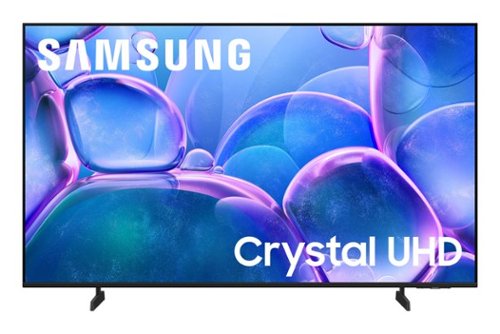
Samsung - 50" Class U7900 Series UHD 4K Smart Tizen TV (2025)
Upgrade your home theater with this stylish 4K TV featuring vibrant colors, rich contrast and an advanced 4K processor. Stay endlessly entertained with thousands of on demand shows and movies for free and enjoy peace of mind as watch thanks to our proprietary triple layer security that protects your personal data across all connected devices at once.
what is the length of the manufacturers warranty
Hi Warranty,
Samsung stands behind the quality and performance of our TVs with a limited 1-year manufacturer’s warranty when purchased brand-new from an authorized dealer.
~Samsung Advisor
Samsung stands behind the quality and performance of our TVs with a limited 1-year manufacturer’s warranty when purchased brand-new from an authorized dealer.
~Samsung Advisor
1 year, 2 months ago
by
Posted by:
Samsung
Upgrade your home theater with this stylish 4K TV featuring vibrant colors, rich contrast and an advanced 4K processor. Stay endlessly entertained with thousands of on demand shows and movies for free and enjoy peace of mind as watch thanks to our proprietary triple layer security that protects your personal data across all connected devices at once.
Does this tv have bluetooth?
Hi Repnotic,
Yes, the U7900 TV is Bluetooth-enabled.
~Samsung Advisor
Yes, the U7900 TV is Bluetooth-enabled.
~Samsung Advisor
1 year, 2 months ago
by
Posted by:
Samsung