Samsung
Samsung's Stats
Reviews
- Review Count0
- Helpfulness Votes0
- First ReviewNone
- Last ReviewNone
- Featured Reviews0
- Average Rating0
Reviews Comments
- Review Comment Count0
- Helpfulness Votes0
- First Review CommentNone
- Last Review CommentNone
- Featured Review Comments0
Questions
- Question Count0
- Helpfulness Votes0
- First QuestionNone
- Last QuestionNone
- Featured Questions0
- Answer Count73632
- Helpfulness Votes37,928
- First AnswerApril 24, 2013
- Last AnswerAugust 14, 2026
- Featured Answers0
- Best Answers3941
Samsung's Reviews
Samsung has not submitted any reviews.
Samsung's Questions
Samsung has not submitted any questions.
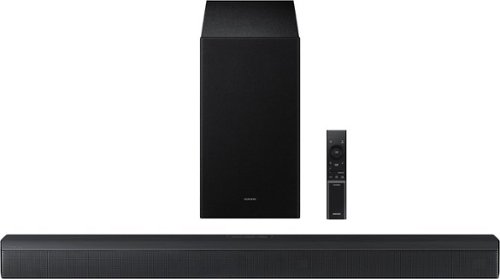
Upgrade your home theater setup with a 3.1 Channel sound system, featuring a built in center speaker to enhance voices and a wireless subwoofer for booming bass. Get rich and balanced sound in your movies and shows while voices are intelligently separated from background noise, delivering clear dialogue even at low volume. Plus, you won't have to hassle with pairing and unpairing your devices to play music - you can connect two simultaneously and switch between them seamlessly.
Cani i control the soundbar with my roku remote?

Hello DJ922! Yes, the HW-B650F can often be controlled using your Roku remote when connected to a compatible Roku TV via HDMI ARC. This allows you to adjust the soundbar's volume using the Roku remote instead of the soundbar remote. ~ Samsung Solutions
1 month, 3 weeks ago
by
Posted by:
Samsung
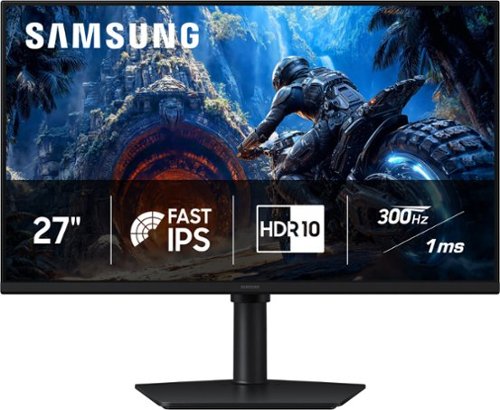
Samsung~s 27" Odyssey G4 Gaming Monitor offers brilliant lifelike visuals for exhilarating, engaging gameplay. Fast IPS panel with a 178~ wide viewing angle accurately delivers clear, crisp hues that remain consistent from multiple viewpoints. HDR10 provides brighter highlights and nuanced shadows for added depth and more realistic scenes. 300Hz Refresh Rate and 1ms response time (GtG) enables ultra-smooth gaming precision with minimized screen lag, while AMD FreeSync Premium reduces choppiness and image tearing. Black Equalizer enhances visibility in dark scenes, making it easier to view fine details, while Virtual Aim Point provides elevated precision and accuracy. Height-adjustable Ergonomic Stand pivots, tilts, and swivels for the perfect view.
Do I connect both cables that come with the monitor to my computer ??
No, you should only connect one of the display cables (either the HDMI or the DisplayPort cable) from the monitor to your computer, plus the power cable.
Connecting both cables at the same time can cause screen flickering, or your computer may get confused and send the signal to a "ghost" second screen.
- Samsung Monitors
Connecting both cables at the same time can cause screen flickering, or your computer may get confused and send the signal to a "ghost" second screen.
- Samsung Monitors
1 month, 3 weeks ago
by
Posted by:
Samsung
Samsung~s 27" Odyssey G4 Gaming Monitor offers brilliant lifelike visuals for exhilarating, engaging gameplay. Fast IPS panel with a 178~ wide viewing angle accurately delivers clear, crisp hues that remain consistent from multiple viewpoints. HDR10 provides brighter highlights and nuanced shadows for added depth and more realistic scenes. 300Hz Refresh Rate and 1ms response time (GtG) enables ultra-smooth gaming precision with minimized screen lag, while AMD FreeSync Premium reduces choppiness and image tearing. Black Equalizer enhances visibility in dark scenes, making it easier to view fine details, while Virtual Aim Point provides elevated precision and accuracy. Height-adjustable Ergonomic Stand pivots, tilts, and swivels for the perfect view.
Does it pair Bluetooth speakers directly to monitor?
Doc:
No, you cannot pair Bluetooth speakers directly to the Samsung G40H monitor. The monitor does not have a built-in Bluetooth audio transmitter or smart operating system required to connect wireless audio devices. However, you can achieve wireless audio by pairing your Bluetooth speakers directly to your PC or gaming console instead of the monitor
- Samsung Monitors
No, you cannot pair Bluetooth speakers directly to the Samsung G40H monitor. The monitor does not have a built-in Bluetooth audio transmitter or smart operating system required to connect wireless audio devices. However, you can achieve wireless audio by pairing your Bluetooth speakers directly to your PC or gaming console instead of the monitor
- Samsung Monitors
1 month, 3 weeks ago
by
Posted by:
Samsung
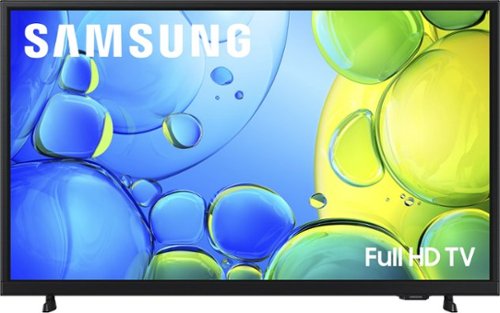
Step up to Full HD for a significantly clearer picture than regular HD. Enjoy impressive, fine-tuned colors and deep contrast, all wrapped in a sleek design and secured by triple-layer protection. Virtual 3-D sound is enhanced and tracks movement on screen for a truly immersive experience.
can I download the angel studio app
Hi SB19,
Yes, the Angel Studios app is available for download.
~Samsung Advisor
Yes, the Angel Studios app is available for download.
~Samsung Advisor
1 month, 3 weeks ago
by
Posted by:
Samsung
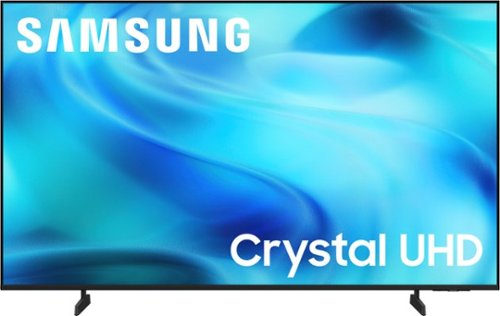
Watch all your content in crisp 4K resolution, with rich contrast, amazing color and clear picture. Discover thousands of subscription-free channels, including 700+ premium channels with Samsung TV Plus. Also, play thousands of video games without a console thanks to Samsung Gaming Hub. Enjoy peace of mind for years to come with the TV brand rated #1 in durability.
Does this model has An optical audio output or any audio output
Hi,
The U8000H features 3 HDMI ports and is Bluetooth-enabled. If an optical port is important to your setup needs, we recommend the QN70H TV Series and above.
~Samsung Advisor
The U8000H features 3 HDMI ports and is Bluetooth-enabled. If an optical port is important to your setup needs, we recommend the QN70H TV Series and above.
~Samsung Advisor
1 month, 3 weeks ago
by
Posted by:
Samsung
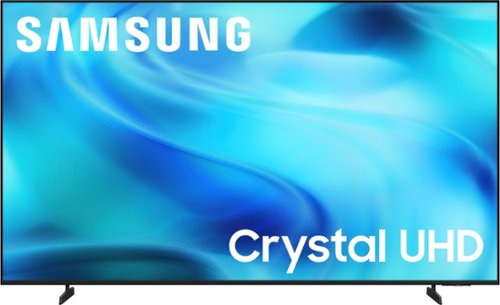
Watch all your content in crisp 4K resolution, with rich contrast, amazing color and clear picture. Discover thousands of subscription-free channels, including 700+ premium channels with Samsung TV Plus. Also, play thousands of video games without a console thanks to Samsung Gaming Hub. Enjoy peace of mind for years to come with the TV brand rated #1 in durability.
what does the remote look like can I dial in a specific channel?
Hi cm,
The U8000H comes with the IR simple remote control model: BN59-01484A. It does not have a number keypad.
~Samsung Advisor
The U8000H comes with the IR simple remote control model: BN59-01484A. It does not have a number keypad.
~Samsung Advisor
1 month, 3 weeks ago
by
Posted by:
Samsung
Watch all your content in crisp 4K resolution, with rich contrast, amazing color and clear picture. Discover thousands of subscription-free channels, including 700+ premium channels with Samsung TV Plus. Also, play thousands of video games without a console thanks to Samsung Gaming Hub. Enjoy peace of mind for years to come with the TV brand rated #1 in durability.
Can this tv act a computer monitor
Hi,
Yes, you can use the U8000H TV as a computer monitor.
~Samsung Advisor
Yes, you can use the U8000H TV as a computer monitor.
~Samsung Advisor
1 month, 3 weeks ago
by
Posted by:
Samsung
Watch all your content in crisp 4K resolution, with rich contrast, amazing color and clear picture. Discover thousands of subscription-free channels, including 700+ premium channels with Samsung TV Plus. Also, play thousands of video games without a console thanks to Samsung Gaming Hub. Enjoy peace of mind for years to come with the TV brand rated #1 in durability.
What is the pixel resolution?
Hi Bobbie,
The U8000H offers 4K resolution.
~Samsung Advisor
The U8000H offers 4K resolution.
~Samsung Advisor
1 month, 3 weeks ago
by
Posted by:
Samsung
Watch all your content in crisp 4K resolution, with rich contrast, amazing color and clear picture. Discover thousands of subscription-free channels, including 700+ premium channels with Samsung TV Plus. Also, play thousands of video games without a console thanks to Samsung Gaming Hub. Enjoy peace of mind for years to come with the TV brand rated #1 in durability.
How far apart is the TV stand or the footings?
Hi Brian,
The leg width of the 43" U8000H is 24.1”.
~Samsung Advisor
The leg width of the 43" U8000H is 24.1”.
~Samsung Advisor
1 month, 3 weeks ago
by
Posted by:
Samsung
Watch all your content in crisp 4K resolution, with rich contrast, amazing color and clear picture. Discover thousands of subscription-free channels, including 700+ premium channels with Samsung TV Plus. Also, play thousands of video games without a console thanks to Samsung Gaming Hub. Enjoy peace of mind for years to come with the TV brand rated #1 in durability.
How can I connect a Lan cable to the TV to have hard wired internet.
Hi Eddiek,
Yes, the U8000H offers an Ethernet input.
~Samsung Advisor
Yes, the U8000H offers an Ethernet input.
~Samsung Advisor
1 month, 3 weeks ago
by
Posted by:
Samsung