Samsung
Samsung's Stats
Reviews
- Review Count0
- Helpfulness Votes0
- First ReviewNone
- Last ReviewNone
- Featured Reviews0
- Average Rating0
Reviews Comments
- Review Comment Count0
- Helpfulness Votes0
- First Review CommentNone
- Last Review CommentNone
- Featured Review Comments0
Questions
- Question Count0
- Helpfulness Votes0
- First QuestionNone
- Last QuestionNone
- Featured Questions0
- Answer Count74095
- Helpfulness Votes37,973
- First AnswerApril 24, 2013
- Last AnswerSeptember 4, 2026
- Featured Answers0
- Best Answers3950
Samsung's Reviews
Samsung has not submitted any reviews.
Samsung's Questions
Samsung has not submitted any questions.
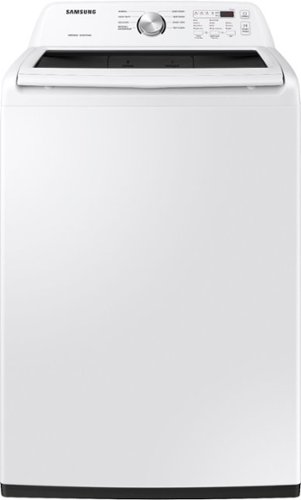
Samsung~s Large 4.5 cu. ft. Capacity Top Load washer fits more in every load and cuts down on laundry time. It is equipped with Vibration Reduction Technology+ to reduce noise for quiet washing and features Self Clean to eliminate bacteria from the drum.
is this direct drive?

Hi Rob,
Thank you for reaching out to us. We're glad to assist.
No, this washer model uses a belt to spin the drum.
If you have further questions or inquiries, these are the platforms on which you can reach us:
1. Facebook Messenger: http://m.me/samsungsupport
2. Twitter: https://twitter.com/messages/compose?recipient_id=18768513
3. Samsung Community: https://us.commuity.samsung.com/t5/Samsung-Community/ct-p/us
4. Samsung Customer Care: 1-800-7267864 (1800-SAMSUNG)
Please provide us with this reference number (1148535892) to help our team pull up your information when you message us.
Thank you.
-Kimberly
Thank you for reaching out to us. We're glad to assist.
No, this washer model uses a belt to spin the drum.
If you have further questions or inquiries, these are the platforms on which you can reach us:
1. Facebook Messenger: http://m.me/samsungsupport
2. Twitter: https://twitter.com/messages/compose?recipient_id=18768513
3. Samsung Community: https://us.commuity.samsung.com/t5/Samsung-Community/ct-p/us
4. Samsung Customer Care: 1-800-7267864 (1800-SAMSUNG)
Please provide us with this reference number (1148535892) to help our team pull up your information when you message us.
Thank you.
-Kimberly
1 year, 6 months ago
by
Posted by:
Samsung
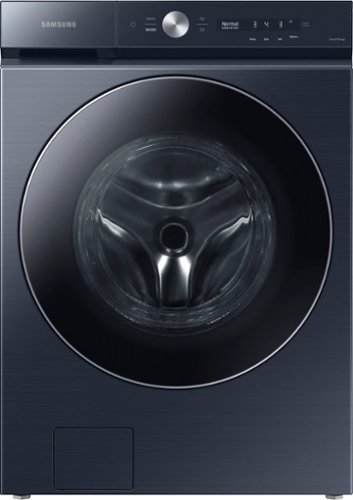
Samsung~s Bespoke 5.3 cu. ft. Ultra Capacity Front Load Washer has a sleek, flat-panel design, comes in new premium colors, and is equipped with smart features that simplify your laundry experience. It has our AI OptiWash, which senses soil levels and automatically adjusts time and detergent for a worry-free wash, and Auto Dispense, which conveniently stores and automatically dispenses up to 32 loads of detergent and softener.
is this one for washing and drying?
Hello Polla,
No, this is a washing machine model that only washes. To use the "Dryer" option, the washer must be stacked with its matching dryer and utilize the MultiControl kit and function.
For your reference, you can check the product description at the following link:
Bespoke 5.3 cu. ft. Ultra Capacity Front Load Washer with AI OptiWash™ and Auto Dispense
https://www.samsung.com/us/home-appliances/washers/bespoke/bespoke-5-3-cu-ft-ultra-capacity-front-load-washer-with-ai-optiwash-and-auto-dispense-in-brushed-navy-wf53bb8900adus/
Have a lovely day.
-Kimberly
No, this is a washing machine model that only washes. To use the "Dryer" option, the washer must be stacked with its matching dryer and utilize the MultiControl kit and function.
For your reference, you can check the product description at the following link:
Bespoke 5.3 cu. ft. Ultra Capacity Front Load Washer with AI OptiWash™ and Auto Dispense
https://www.samsung.com/us/home-appliances/washers/bespoke/bespoke-5-3-cu-ft-ultra-capacity-front-load-washer-with-ai-optiwash-and-auto-dispense-in-brushed-navy-wf53bb8900adus/
Have a lovely day.
-Kimberly
1 year, 6 months ago
by
Posted by:
Samsung
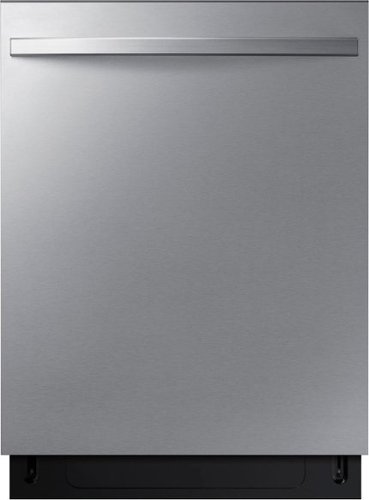
This dishwasher features a convenient 3rd rack, enabling you to load dishes and utensils more efficiently. The 3 Point Wash System~ includes three powerful wash arms to deliver a powerful, even spray on every rack. And with AutoRelease~ Door Drying, you~ll see improved drying performance leaving your dishes spotless.
Does this unit have adjustable "feet" that can raise/lower the unit under the counter? I need about 1/4th" more clearance if I buy this, without jamming it under the countertop.
Hi Ryan,
Yes, this dishwasher model has adjustable feet. If the leveling legs are rotated to the right (counterclockwise), they are loosened and the front of the dishwasher is raised. The maximum height that can be raised is about 38 mm.
We recommend checking the manual link below and refer to page 8 for the clearance required for installation.
User manual
https://downloadcenter.samsung.com/content/EM/202411/20241120145117964/DW3000_6000_DD81-04332A_IM_final_version_241113.pdf
If you have further questions or inquiries, these are the platforms on which you can reach us:
1. Facebook Messenger: http://m.me/samsungsupport
2. Twitter: https://twitter.com/messages/compose?recipient_id=18768513
3. Samsung Community: https://us.commuity.samsung.com/t5/Samsung-Community/ct-p/us
4. Samsung Customer Care: 1-800-7267864 (1800-SAMSUNG)
Please provide us with this reference number (1148536554) to help our team pull up your information when you message us.
Thank you.
-Kimberly
Yes, this dishwasher model has adjustable feet. If the leveling legs are rotated to the right (counterclockwise), they are loosened and the front of the dishwasher is raised. The maximum height that can be raised is about 38 mm.
We recommend checking the manual link below and refer to page 8 for the clearance required for installation.
User manual
https://downloadcenter.samsung.com/content/EM/202411/20241120145117964/DW3000_6000_DD81-04332A_IM_final_version_241113.pdf
If you have further questions or inquiries, these are the platforms on which you can reach us:
1. Facebook Messenger: http://m.me/samsungsupport
2. Twitter: https://twitter.com/messages/compose?recipient_id=18768513
3. Samsung Community: https://us.commuity.samsung.com/t5/Samsung-Community/ct-p/us
4. Samsung Customer Care: 1-800-7267864 (1800-SAMSUNG)
Please provide us with this reference number (1148536554) to help our team pull up your information when you message us.
Thank you.
-Kimberly
1 year, 6 months ago
by
Posted by:
Samsung
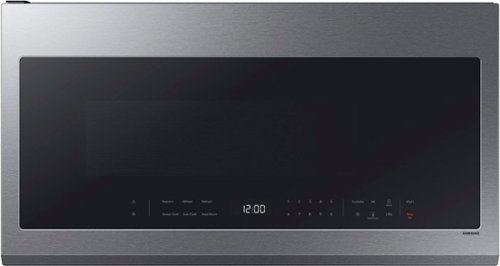
This Samsung Over-the-Range Microwave conveniently syncs with your Samsung range or cooktop so that ventilation and lighting will turn on automatically when you turn on the burners. Through the SmartThings app, you can remotely adjust ventilation speed and cooking time right from your smartphone and receive alerts when heating or cooking is finished. It also has an extra-large 2.1 cu. ft. capacity that will accommodate even your largest dishes, and glass touch controls illuminate with a simple touch and dim when not in use for a clean, seamless look.
Is there a light under neath the microwave? Do you offer a ventilation kit
Good day,
Yes, this microwave model has a cooktop light. It does not need a ventilation kit since it has a built-in vent.
For more details about the ventilation type, please see page 11 of the installation manual link below.
Manual
https://downloadcenter.samsung.com/content/EM/202403/20240318130943669/DE68-04108A-08_IM_ME18H704SFB_AA_EN_240305.pdf
If you have further questions or inquiries, these are the platforms on which you can reach us:
1. Facebook Messenger: http://m.me/samsungsupport
2. Twitter: https://twitter.com/messages/compose?recipient_id=18768513
3. Samsung Community: https://us.commuity.samsung.com/t5/Samsung-Community/ct-p/us
4. Samsung Customer Care: 1-800-7267864 (1800-SAMSUNG)
Please provide us with this reference number (1148535890) to help our team pull up your information when you message us.
Thank you.
-Kimberly
Yes, this microwave model has a cooktop light. It does not need a ventilation kit since it has a built-in vent.
For more details about the ventilation type, please see page 11 of the installation manual link below.
Manual
https://downloadcenter.samsung.com/content/EM/202403/20240318130943669/DE68-04108A-08_IM_ME18H704SFB_AA_EN_240305.pdf
If you have further questions or inquiries, these are the platforms on which you can reach us:
1. Facebook Messenger: http://m.me/samsungsupport
2. Twitter: https://twitter.com/messages/compose?recipient_id=18768513
3. Samsung Community: https://us.commuity.samsung.com/t5/Samsung-Community/ct-p/us
4. Samsung Customer Care: 1-800-7267864 (1800-SAMSUNG)
Please provide us with this reference number (1148535890) to help our team pull up your information when you message us.
Thank you.
-Kimberly
1 year, 6 months ago
by
Posted by:
Samsung
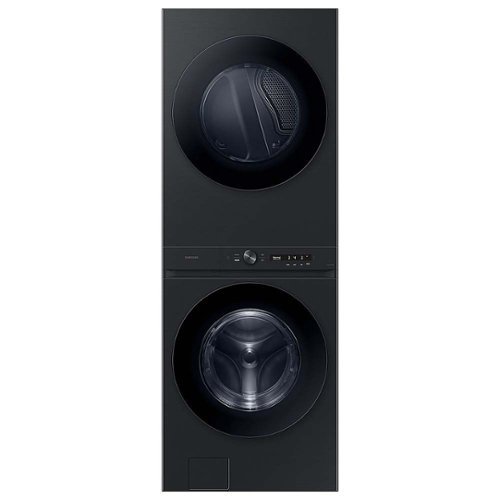
The Samsung Bespoke AI Laundry Hub 4.6 cu. Ft. Large Capacity Front Load washer and dryer with an Easy Reach Control Panel, offers a space-saving solution in one single machine. Complete with AI powered features that make laundry day easier.
Does the dryer drum alternate between clockwise and anticlock to prevent tangling and sheets rolling into a burrito
Good day,
Thank you for reaching out to us. We're glad to assist.
The dryer spins clockwise only, and we recommend untangling your clothes before inserting them. Tangled items may degrade the drying efficiency or cause the door to open.
If you have further questions or inquiries, these are the platforms on which you can reach us:
1. Facebook Messenger: http://m.me/samsungsupport
2. Twitter: https://twitter.com/messages/compose?recipient_id=18768513
3. Samsung Community: https://us.commuity.samsung.com/t5/Samsung-Community/ct-p/us
4. Samsung Customer Care: 1-800-7267864 (1800-SAMSUNG)
Please provide us with this reference number (1148535333) to help our team pull up your information when you message us.
Thank you.
-Kimberly
Thank you for reaching out to us. We're glad to assist.
The dryer spins clockwise only, and we recommend untangling your clothes before inserting them. Tangled items may degrade the drying efficiency or cause the door to open.
If you have further questions or inquiries, these are the platforms on which you can reach us:
1. Facebook Messenger: http://m.me/samsungsupport
2. Twitter: https://twitter.com/messages/compose?recipient_id=18768513
3. Samsung Community: https://us.commuity.samsung.com/t5/Samsung-Community/ct-p/us
4. Samsung Customer Care: 1-800-7267864 (1800-SAMSUNG)
Please provide us with this reference number (1148535333) to help our team pull up your information when you message us.
Thank you.
-Kimberly
1 year, 6 months ago
by
Posted by:
Samsung

Samsung - 50 Class DU7200 Series Crystal UHD 4K Smart Tizen TV (2024)
This essential TV features a range of contrast and color and smart capabilities. Enjoy your content with richer details, brighter images and clearer resolution with 4K Upscaling.
Does this tv support the Direct TV app?
Hi RJR,
Yes, the Direct TV app is available on the DU7200 TV.
~Samsung Advisor
Yes, the Direct TV app is available on the DU7200 TV.
~Samsung Advisor
1 year, 6 months ago
by
Posted by:
Samsung

Samsung - 50 Class DU8000 Series Crystal UHD Smart Tizen TV (2024)
This essential TV features a thin design that practically blends into your wall with thousands of on demand shows and movies for free. All that extra content comes in crisp 4K and prismatic color AirSlim.
Is there a multi-audio option. Can I use the TV speekers and BT headphones separately
Hi Kali,
Yes, you can use the Dual Bluetooth Audio feature, which allows you to listen to the TV through the speaker and your external Bluetooth device simultaneously.
~Samsung Advisor
Yes, you can use the Dual Bluetooth Audio feature, which allows you to listen to the TV through the speaker and your external Bluetooth device simultaneously.
~Samsung Advisor
1 year, 6 months ago
by
Posted by:
Samsung
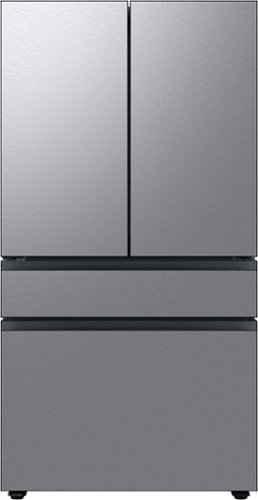
Counter Depth 4-Door French Door Refrigerator is a revolution in convenience and design, the concealed Beverage Center features both a water dispenser and AutoFill Water Pitcher. Plus a Dual Ice Maker with cubed ice and Ice Bites.
Our fridge was installed today and replaced a previous version of this that we had before. The door swing is stuck at 90 degrees, how do we adjust this to open to the width that is shown on the photos (and the width that our previous one opened)?
Greetings,
Thank you for your inquiry. Let's get you the details you need.
This fridge's 2-inch clearance allows the door to swing up to 125 degrees. Thus, the wider the clearance, the wider you can swing the door open.
Should you ever need more assistance, please feel free to get back to us via the following options:
1. Facebook Messenger: http://m.me/samsungsupport
2. Twitter: https://twitter.com/messages/compose?recipient_id=18768513
3. Samsung Community: https://us.community.samsung.com/t5/Samsung-Community/ct-p/us
Please provide us with this reference number, 1148536739, to help our team pull up your information when you message us.
Have a great day.
-John
Thank you for your inquiry. Let's get you the details you need.
This fridge's 2-inch clearance allows the door to swing up to 125 degrees. Thus, the wider the clearance, the wider you can swing the door open.
Should you ever need more assistance, please feel free to get back to us via the following options:
1. Facebook Messenger: http://m.me/samsungsupport
2. Twitter: https://twitter.com/messages/compose?recipient_id=18768513
3. Samsung Community: https://us.community.samsung.com/t5/Samsung-Community/ct-p/us
Please provide us with this reference number, 1148536739, to help our team pull up your information when you message us.
Have a great day.
-John
1 year, 6 months ago
by
Posted by:
Samsung
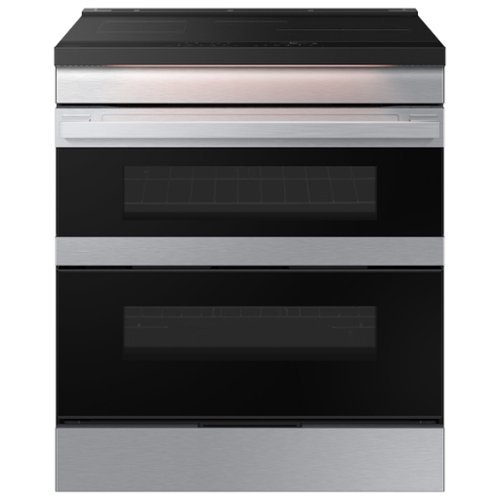
Samsung's smart induction range features a Flex Duo dual oven that lets you convert one oven into two so you can cook multiple meals at once at different temperatures. Ambient Edge Lighting lets you know when your cooktop is on or your food is still cooking from a distance. The range's stylish and contemporary Bespoke design will give your kitchen a premium look.
Does the heat from one oven leak into the other one? Can you broil in this oven?Where would I find a manual?
Hi Teresa,
No, the heat is well-contained within each compartment due to a removable divider and independent temperature controls. You can cook at different temperatures without major heat leaks.
To learn more about the broiling function of this range, kindly read pages 43-44 of the manual below.
User manual:
https://downloadcenter.samsung.com/content/UM/202502/20250218140916237/O_IB_FULL_NE9100D_NSI6DG9550SRAA_EN.pdf
Here at Samsung, we encourage our customers to minimize the use of paper, which is why we encourage them to take advantage of accessing the digital copy on our website, or you can place an order at www.samsungparts.com or by phone at 800-627-4368; hours of operation are 9:00 am – 6:30 pm EST, Monday – Friday.
Have a good day!
Chrystel
No, the heat is well-contained within each compartment due to a removable divider and independent temperature controls. You can cook at different temperatures without major heat leaks.
To learn more about the broiling function of this range, kindly read pages 43-44 of the manual below.
User manual:
https://downloadcenter.samsung.com/content/UM/202502/20250218140916237/O_IB_FULL_NE9100D_NSI6DG9550SRAA_EN.pdf
Here at Samsung, we encourage our customers to minimize the use of paper, which is why we encourage them to take advantage of accessing the digital copy on our website, or you can place an order at www.samsungparts.com or by phone at 800-627-4368; hours of operation are 9:00 am – 6:30 pm EST, Monday – Friday.
Have a good day!
Chrystel
1 year, 6 months ago
by
Posted by:
Samsung
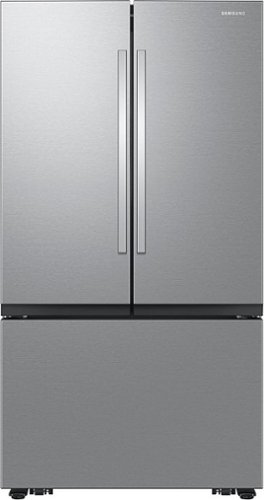
Samsung Mega Capacity 3-Door French Door refrigerator features 32 cu. ft. capacity, Dual Auto Ice Maker and a modern design. Store more groceries, including big and bulky items. The Dual Auto Ice Maker makes two types of ice ~ cubed, or Ice Bites that chill your drink faster.
Hi.. can I purchase an additional storage bin for the fridge door? The small size one.
Hello Isla,
No, there are no available slots in the fridge where you can place an additional storage bin for the fridge door.
Have a great day.
-John
No, there are no available slots in the fridge where you can place an additional storage bin for the fridge door.
Have a great day.
-John
1 year, 6 months ago
by
Posted by:
Samsung