Samsung
Samsung's Stats
Reviews
- Review Count0
- Helpfulness Votes0
- First ReviewNone
- Last ReviewNone
- Featured Reviews0
- Average Rating0
Reviews Comments
- Review Comment Count0
- Helpfulness Votes0
- First Review CommentNone
- Last Review CommentNone
- Featured Review Comments0
Questions
- Question Count0
- Helpfulness Votes0
- First QuestionNone
- Last QuestionNone
- Featured Questions0
- Answer Count74122
- Helpfulness Votes37,964
- First AnswerApril 24, 2013
- Last AnswerSeptember 7, 2026
- Featured Answers0
- Best Answers3951
Samsung's Reviews
Samsung has not submitted any reviews.
Samsung's Questions
Samsung has not submitted any questions.

Samsung - HW-B650/ZA 3.1 Channel Soundbar with Wireless Subwoofer, Dolby 5.1 / DTS Virtual:X - Black
Dolby Atmos creates realistic 3D sound by projecting it from all around you, including from above, while DTS Virtual: X expands your listening experience without having to add extra speakers. Boost the bass with a touch of a button. The built-in center speaker delivers enhanced dialogue so you won't miss a word. Experience the intensity of action movies with the powerful bass coming from the included subwoofer. Enjoy optimized audio with enhanced voice clarity on all your favorite video content.
my sound bar wont reconnect , how i erset ?

Hello dorando661, You can factory reset you soundbar by following one of the following steps:
With Remote:
Turn soundbar off
Press power on soundbar 5 – 10 seconds
Release the power button once you see INT or RESET on the soundbar’s LED panel
Wait for the soundbar to turn back on then it should return to default settings.
With Remote:
Power Off Soundbar
Hold Play/Pause button on the remote for about 5 – 10 seconds
Release the button once you see INT or RESET on the soundbar’s LED panel
Power on soundbar and repair to your TV
Without remote
Turn on soundbar
Press and hold the volume up (+) and volume down (-) buttons on the soundbar at the same time for about 5 – 10 seconds
Release when you see LED say INT or RESET
Wait for soundbar to reboot
If you need more help, Samsung is here for you. Please call us at 1-800-SAMSUNG, 8AM - 12AM EST (Ask for Soundbars), 7 days a week. Our Live Chat agents are also available by clicking on the ‘Support’ link on our website.
~ Samsung Solutions
With Remote:
Turn soundbar off
Press power on soundbar 5 – 10 seconds
Release the power button once you see INT or RESET on the soundbar’s LED panel
Wait for the soundbar to turn back on then it should return to default settings.
With Remote:
Power Off Soundbar
Hold Play/Pause button on the remote for about 5 – 10 seconds
Release the button once you see INT or RESET on the soundbar’s LED panel
Power on soundbar and repair to your TV
Without remote
Turn on soundbar
Press and hold the volume up (+) and volume down (-) buttons on the soundbar at the same time for about 5 – 10 seconds
Release when you see LED say INT or RESET
Wait for soundbar to reboot
If you need more help, Samsung is here for you. Please call us at 1-800-SAMSUNG, 8AM - 12AM EST (Ask for Soundbars), 7 days a week. Our Live Chat agents are also available by clicking on the ‘Support’ link on our website.
~ Samsung Solutions
1 year, 6 months ago
by
Posted by:
Samsung
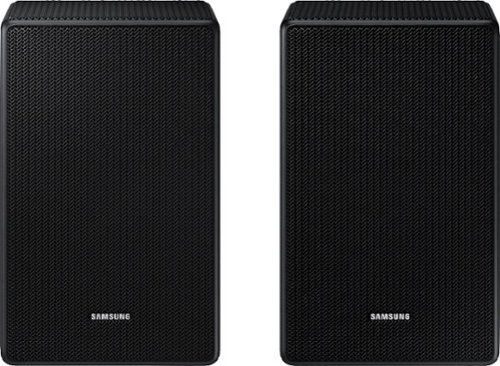
Are the Samsung - SWA-9500S/ZA 2.0.2 Channel Wireless Rear Speaker Kit, Dolby Atmos/DTS:X - Black compatible with Samsung- HW-Q60C 3.1 Channel Q-Series Soundbar with wireless Subwoofer, Dolby Atmos and Q-Symphony -Titan Black?
Hello Gabe, No the HW-Q60C Soundbar is only compatible with the SWA-9200S Wireless Rear Speaker Kit. ~ Samsung Solutions
1 year, 6 months ago
by
Posted by:
Samsung
Is the Samsung SWA-9200S Wireless Rear Speaker - Pair - Black [Canada Version] (2022) compatible with the Samsung HW-S700D/ZC Slim Series Soundbar with Wireless Dolby Atmos, DTS Virtual: X, 3.1 ch, Subwoofer, Built-in Voice Assistant, Black Color [Canada
Hi Otiswinston, Yes you can connect the SWA-9200S Wireless Rear Speakers Kit to your soundbar. ~ Samsung Solutions
1 year, 6 months ago
by
Posted by:
Samsung
Are these speakers compatible with a Samsung HW-B57C Soundbar?
Hi there, The HW-B57C Soundbar is compatible with the SWA-9200S Wireless Rear Speaker Kit and not the SWA-9500S. ~ Samsung Solutions
1 year, 6 months ago
by
Posted by:
Samsung
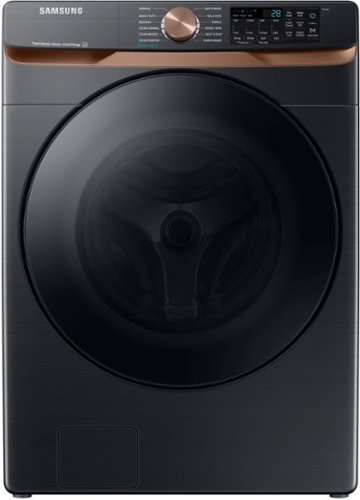
Samsung's 5.0 cu. ft. Extra Large Capacity Front Load Washer is equipped with our Super Speed Wash, which powerfully cleans a full load of laundry in just 28 minutes. It also has Steam, which lets you gently remove stains without any time-consuming pretreatments.
Are the old washer and dryer taken away by the delivery team when the new washer and dryer are delivered?
Dear valued BestBuy client,
To better assist you with this, don't hesitate to get in touch with our BestBuy Customer Service department at (888) 237-8289. They are available 24 hours a day. They can answer your question or transfer you to your local store to check their haul-away service.
Have a great day.
-Ernest-
To better assist you with this, don't hesitate to get in touch with our BestBuy Customer Service department at (888) 237-8289. They are available 24 hours a day. They can answer your question or transfer you to your local store to check their haul-away service.
Have a great day.
-Ernest-
1 year, 6 months ago
by
Posted by:
Samsung

Samsung - B series 2.1 ch. DTS Virtual:X Soundbar - Black
Good times are just a beat away. Enjoy an intense, dynamic, all encompassing listening experience with this crowd pleasing audio sidekick. Powerful bass booms from the included subwoofer, while the soundbar expertly spreads the sound around. When you game, the experience is optimized with perfectly synced, directional audio.
How many watts is it?
Hello Jay, The HW-C445 Soundbar is a 2.1-channel Soundbar System with 260 Watts of power. ~ Samsung Solutions
1 year, 6 months ago
by
Posted by:
Samsung
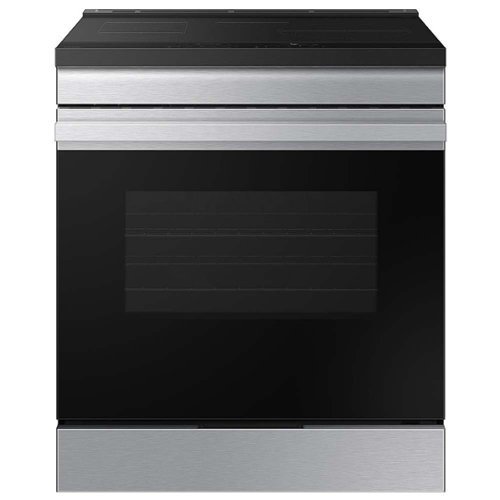
Samsung's smart induction range features an Anti-Scratch Matte Glass Cooktop 54% more scratch resistant and more durable, that will keep your range looking like new. The contemporary Bespoke design with a recessed handle will seamlessly blend into your kitchen for an elegant and minimalist look. The powerful 4.3kW Induction Cooktop lets you cook a variety of dishes quickly and easily.
Does this range top have an auto shut off feature if a pot is removed?
Hi there,
Yes, if no pot(cookware) is detected in the cooktop zone, then the cooktop will automatically turn off.
^Rodel
Yes, if no pot(cookware) is detected in the cooktop zone, then the cooktop will automatically turn off.
^Rodel
1 year, 6 months ago
by
Posted by:
Samsung
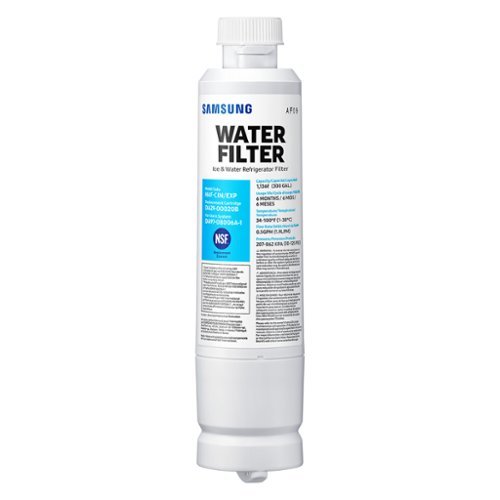
Give your family safe, fresh-testing water with Samsung genuine filters. Samsung water filters remove over 99% of numerous harmful contaminants, including lead. Each filter lasts for 6 months or 300 gallons.
What is the filter for RF29bb8600qlaa
Greetings!
We are happy to answer your question about the compatible water filter for refrigerator model RF29BB8600QLAA.
The compatible genuine water filter is model HAF-QIN. I have shared the Samsung link below for the compatible water filter.
https://www.samsung.com/us/home-appliances/home-appliances-accessories/refrigerators/haf-qin-refrigerator-water-filter-haf-qin-exp/
Should you have additional questions, please feel free to get back to us via the following options:
1. Facebook Messenger: http://m.me/samsungsupport
2. Twitter: https://twitter.com/messages/compose?recipient_id=18768513
3. Samsung Community: https://us.community.samsung.com/t5/Samsung-Community/ct-p/us
When you message us, please provide us with this reference number 1148431716 to help our team pull up your information.
Leo
We are happy to answer your question about the compatible water filter for refrigerator model RF29BB8600QLAA.
The compatible genuine water filter is model HAF-QIN. I have shared the Samsung link below for the compatible water filter.
https://www.samsung.com/us/home-appliances/home-appliances-accessories/refrigerators/haf-qin-refrigerator-water-filter-haf-qin-exp/
Should you have additional questions, please feel free to get back to us via the following options:
1. Facebook Messenger: http://m.me/samsungsupport
2. Twitter: https://twitter.com/messages/compose?recipient_id=18768513
3. Samsung Community: https://us.community.samsung.com/t5/Samsung-Community/ct-p/us
When you message us, please provide us with this reference number 1148431716 to help our team pull up your information.
Leo
1 year, 6 months ago
by
Posted by:
Samsung

Enjoy Dolby Atmos sound from above and around without requiring HDMI cables. Perfectly synchronized TV and soundbar audio~ bring s a new level of immersion. This all in one soundbar delivers sharp and rich audio with a compact design. ~ Q Symphony requires a compatible 2020 2024 Samsung TV. Please refer to samsung.com for more information.
Is this sound bar totally wireless?
Hello Dukster, The HW-S60D Soundbar can be connected wirelessly to any compatible device via Bluetooth or Wi-Fi with a compatible Samsung TV. If you connect the soundbar using either of the 2 mentioned wireless connections you will simply have to have the Soundbar plugged into a power outlet. ~ Samsung Solutions
1 year, 6 months ago
by
Posted by:
Samsung
Enjoy Dolby Atmos sound from above and around without requiring HDMI cables. Perfectly synchronized TV and soundbar audio~ bring s a new level of immersion. This all in one soundbar delivers sharp and rich audio with a compact design. ~ Q Symphony requires a compatible 2020 2024 Samsung TV. Please refer to samsung.com for more information.
Every time we turn the TV off and back on, the sound bar doesn’t automatically turn on with the TV remote. We’ve tried everything. Is there a trick???
Hello Help, In all configurations (Optical, Bluetooth, ARC, and Wi-Fi) when the TV is turned ON, the Soundbar will turn ON. If your soundbar is not turning on, it could be due to another reason. For example, if the Soundbar was used to connect to another device (say a smart phone), then it will remember the last device (smart phone) and wait for a command from that device (the smartphone) and ignore the TV ON command.
You may want to try using a HDMI-ARC connection to the TV. When the TV turns ON, it will send a command to turn on the Soundbar and forces the source on the Soundbar to change to HDMI-ARC. This would make the Soundbar change the source from the prior state it was in.
~ Samsung Solutions
You may want to try using a HDMI-ARC connection to the TV. When the TV turns ON, it will send a command to turn on the Soundbar and forces the source on the Soundbar to change to HDMI-ARC. This would make the Soundbar change the source from the prior state it was in.
~ Samsung Solutions
1 year, 6 months ago
by
Posted by:
Samsung