Samsung
Samsung's Stats
Reviews
- Review Count0
- Helpfulness Votes0
- First ReviewNone
- Last ReviewNone
- Featured Reviews0
- Average Rating0
Reviews Comments
- Review Comment Count0
- Helpfulness Votes0
- First Review CommentNone
- Last Review CommentNone
- Featured Review Comments0
Questions
- Question Count0
- Helpfulness Votes0
- First QuestionNone
- Last QuestionNone
- Featured Questions0
- Answer Count74124
- Helpfulness Votes37,975
- First AnswerApril 24, 2013
- Last AnswerSeptember 7, 2026
- Featured Answers0
- Best Answers3951
Samsung's Reviews
Samsung has not submitted any reviews.
Samsung's Questions
Samsung has not submitted any questions.
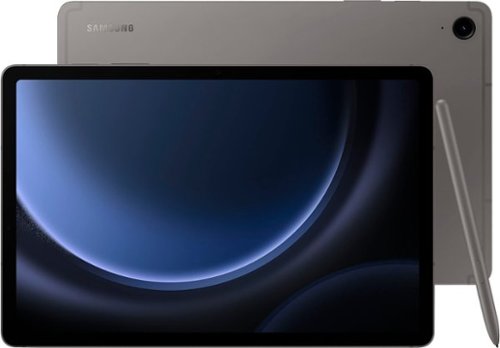
Samsung - Galaxy Tab S9 FE - 10.9" 128GB - Wi-Fi - with S-Pen - Gray
Begin your tablet journey with Galaxy Tab S9 FE Series. The perfect introductory tablets, Tab S9 FE Series gives you the just the right mix of innovative Galaxy features that you need for your lifestyle. Stay in touch with your world and on top of your day with powerful processors, high-quality video playback, great sound and reliable connectivity. Whether you~re wrapping up a work project or kicking back with your favorite entertainment, you~ll have plenty of room to do what you need on big, beautiful screens. Plus, these Tabs let you go for hours with powerful, fast-charging batteries that have your back. They~re built to last too, with water and dust resistance that make them some of the most durable tablets on the market. Discover the new standard of tablet essentials with Galaxy Tab S9 FE Series.
can i use my wireless provider for connection.

Greetings, thanks for asking us your question about the Samsung Galaxy Tab S9 FE. The advertised version of this tablet is for a Wi-Fi enabled version that lacks cellular capabilities. It would require a steady Wi-Fi signal in order for it to be fully functional. You are looking for an LTE/cellular version of this tablet if you are wanting a cellular carrier to provide mobile services to it when you are not in the presence of a Wi-Fi connection. If you have any other questions, feel free to contact Support at your leisure. Thank you for choosing Samsung! - Debra
1 year, 6 months ago
by
Posted by:
Samsung
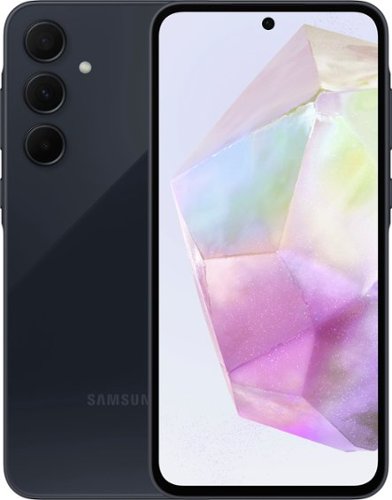
Samsung - Galaxy A35 5G 128GB (Unlocked) - Awesome Navy
Packed with amazing capabilities, Galaxy A35 5G is designed to bring out the best in every moment. From mountain adventures to local hangouts, the pro-grade camera of A35 5G captures mind-blowing details. Plus, discover more at your fingertips with Circle to Search with Google, allowing you to circle any image on your screen for more details in a snap. Stay out late with friends and capture incredible photos and videos in the dark with Nightography. Whether you~re binge-watching at home or at the park, the brilliantly bright screen shines in any setting. Plus, with expandable storage of up to a massive 1TB, along with revamped durability, A35 5G has your back, ensuring you conquer your day with unmatched confidence. Awesome experience. Awesome value.
Is this compatible with Visible phone plam, they are out of Verizon
Hi Meme, thanks for asking us your question about the Samsung Galaxy A35. The advertised unlocked Galaxy A35 is compatible with AT&T, Boost Mobile, Cricket, Google Fi, H2O Wireless, Metro by T-Mobile, Mint Mobile, Simple Mobile, T-Mobile, Ting Mobile, Ultra Mobile, US Cellular, and Verizon. We recommend reaching out to your carriers to inquire if this device would be compatible on their wireless network. Feel free to reach out to Support if you would like any further assistance. Thanks for being a valued Samsung customer. - Debra
1 year, 6 months ago
by
Posted by:
Samsung

Galaxy Book5 Pro gives you premium performance and pro-level power in a device designed to move as fast as you do. From creating presentations to editing large files, the AI-powered Intel Core Ultra 7 processor makes it all feel unbelievably fast and smooth. With its lightweight build and long-lasting battery, you can seamlessly transition from your desk to a cafe to a client meeting without missing a beat. Packed with cutting-edge technology, Book5 Pro has smart features like AI Select~ and Copilot AI assistance to help you simplify complex tasks and streamline your workflow. Because work rarely happens on just one device, Book5 Pro is also built with advanced features that make it easy to work in sync with the rest of your Galaxy devices. Get an important notification or need to respond to a text mid-project? Phone Link ~ puts your phone screen right on Book5 Pro, allowing you to access all your important phone features and control it right from your PC. Sharing big files between your devices? With Quick Share~ you can do it wirelessly, quickly and safely. Plus, Auto Hotspot~ kicks in when your Wi-Fi doesn~t, so your laptop stays connected even when your day takes a detour. No matter where work takes you, Galaxy Book5 Pro keeps you a step ahead.
Does it feature a Backlit Keyboard?
Greetings Lidia, thanks for asking us your question about the Samsung Galaxy Book5 Pro. Yes, the Galaxy Book5 Pro does offer a backlit keyboard. Let us know if you have any questions for us by contacting Support. Thanks for being a devoted Samsung customer. - Debra
1 year, 6 months ago
by
Posted by:
Samsung
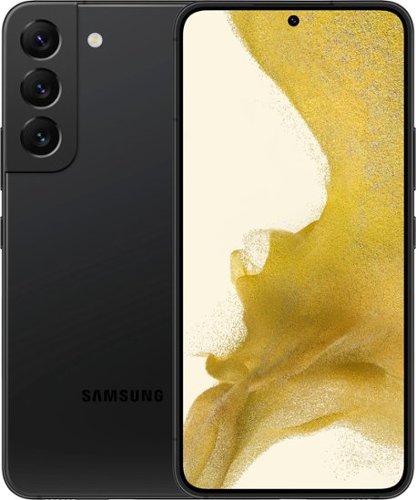
Samsung - Galaxy S22 5G 256GB (Unlocked) - Phantom Black
The only glare you'll get now is from jealous strangers. Enjoy high outdoor visibility and a crystal-clear view in bright daylight or at night with adaptive 120Hz Infinity-O Displays equipped with Vision Booster tech. Make nighttime pics and videos come out clear as day with the epic upgrades to our Pro-grade Camera: a big pixel sensor that pulls in tons of light and Super Clear Glass to dial down lens flare. Get epic low-light portraits and selfies thanks to all-new upgrades to the Rear Camera and Selfie Camera, each capturing more light for incredible color and detail. Live Sharing with Google Duo lets you co-watch YouTube videos and content with the whole gang from anywhere. You can even cast it onto your TV to see everyone all at once. Give your night videos the big TV break they deserve. Use Smart View to cast to your TV and either mirror your phone, or keep using other apps without interrupting the show. Seamlessly connect your phone and computer and use your favorite mobile apps right on your Windows PC. Accomplish more and keep the collaboration going wherever your business takes you with the next-level integration of both Microsoft and Google cloud productivity tools. Switch up the view with an even bigger screen, or use both devices at once for even more space to create. Your Samsung Account makes it seamless to continue edits from one Galaxy to another, so you can start something on your phone and finish on Galaxy Tab S8+. Whether you're vlogging your day, gaming all night or simply scrolling your feed, the 4nm processor makes for an incredibly smooth experience. Worry less with Corning Gorilla Glass Victus+ on the screen and back panels and a polished, protective Armor Aluminum frame. Plus, with its IP68 water resistance rating, it can take a splash, too. Secure your private data from the second you turn your phone on with Samsung Knox. Knox Vault helps keep your biometric information safe, while Secure Folder locks down your private data. And the new Permission Usage dashboard lets you see which apps are sharing your data or tracking you, and allows you to grant or deny access on your terms.
is this phone an android, or i phone?
Hi Rook, thanks for asking us your question about the Samsung Galaxy S22. The advertised Galaxy S22 is an Android device. If you think of any other questions, please feel free to reach out to Support. Thanks for being a valued Samsung customer. - Debra
1 year, 6 months ago
by
Posted by:
Samsung

Staying in the moment is easier than ever with the all-new Galaxy S25 Ultra. Its intelligent AI transforms into your own virtual assistant that evolves with you to work better for you. Let~s say you want to enjoy a night out with friends but don~t have time to plan. Just ask Galaxy S25 Ultra to invite your friends to the nearest bowling lounge tonight. Your phone will find the info and text it to them. You don~t need to slow down your speech or speak like a robot ~just talk to your phone naturally, and it will understand. While you~re out rolling spares, Night Video brings out the details in every moment ~even in low light ~while Audio Eraser makes it easy to reduce distracting noises, like those pins crashing one lane over. Galaxy S25 Ultra also keeps up with your schedule and provides the weather forecast for your night, allowing you to stay a step ahead and adjust plans on the fly. With a phone as evolved as Galaxy S25 Ultra, you don~t have to sweat the small stuff ~it~s handled intelligently.
Is there much of a difference between the S25+Ultra and the S23+Ultra to make me want to switch?
Hi there Sanduv, thanks for taking the time out of your day to ask us your question about the Samsung Galaxy S25 Ultra. The Galaxy S25 Ultra has upgraded its design with sleek, rounded edges that unifies Galaxy’s design identity. Plus, Galaxy S25 Series is thinner than previous models. It's 0.4 mm thinner than its predecessor. The Galaxy S25 Ultra’s 50 MP Ultra-Wide camera is the best when compared with Galaxy S24 Series, S23 Series, S22 Series, and S21 Series. Along with the next-gen ProVisual Engine, Galaxy S25 Ultra’s camera can capture 200 MP Wide, 50/10 MP Quad Telephoto, and 12 MP selfie photos. Galaxy S25 and Galaxy S25+ also boast impressive cameras with Ultra-Wide Camera at 12 MP, Wide-angle Camera at 50 MP, and Telephoto at 10 MP. The Galaxy S25 Series presents the very first 3 nm processor custom-designed for Galaxy smartphones. Snapdragon 8 Elite for Galaxy integrates ray tracing and Vulkan optimization for an improved gaming experience and with a larger Vapor Chamber and new thermal interface material (TIM), you’ll get a smoother and cooler experience so you can fully immerse yourself into the game for longer. also, the Galaxy S25 Ultra’s display size is the largest of any Galaxy smartphones, measuring 6.9”. Those are just a few changes that have been made to the new Galaxy S25 Ultra. If you have any other questions for us, feel free to reach out to Support. Thank you for being a faithful Samsung customer. - Debra
1 year, 6 months ago
by
Posted by:
Samsung
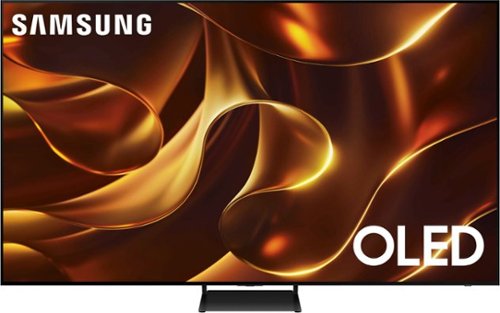
Samsung - 77 Class S84D Series 4K OLED Smart Tizen TV
This premium TV features details and contrast, expert validated colors and a slim bezel. Its design brings you a modern look, wh ile clear motion and depth enhance the picture.
The TV tilts back when in the stand. It isn't straight up and down. Is this normal?
Hi CDH - Please give us the opportunity to better assist with this by reaching Samsung Support at: 1-800-SAMSUNG, 8AM - 12AM EST, 7 days a week, or Chat with us on Samsung.com: https://www.samsung.com/us/support/contact/
~ Samsung Specialist
~ Samsung Specialist
1 year, 6 months ago
by
Posted by:
Samsung
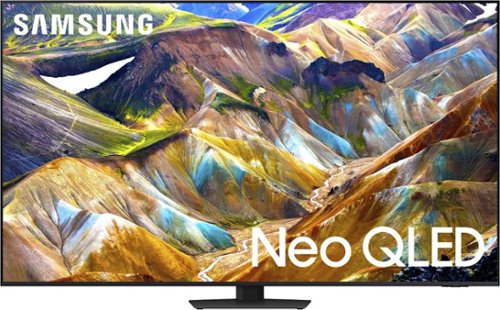
Samsung - 85 Class QN85D Series NEO QLED 4K Mini LED Smart Tizen TV (2024)
This Samsung AI TV uses individual zones of light for impressive color and contrast for an optimized viewing experience. Clear motion is matched with synced sound, all with more picture dimensions to draw you in.
does my wall mount for my 75 inch samsung work for the 85 inch tv
75" and 85" TVs usually support different VESA patterns. The 85" QN85D can use any type of universal wall mount that supports a VESA pattern of 600mm x 400mm.
~ Samsung Specialist
~ Samsung Specialist
1 year, 6 months ago
by
Posted by:
Samsung

Samsung - 75 Class Q80D Series QLED 4K Smart Tizen TV (2024)
This advanced TV features super precise LEDs that elevate color and contrast. Dive even deeper into your content with dimensional scenes and seamless action.
I do not want to use any of the smart tv features or Samsung apps, I use an Apple TV 4K or Directv exclusively. Will this TV allow you to configure it to just come on to the last input when powered on? My current Samsung does, but I just want to be sure.
You can choose what your TV does when you turn it on by going to: Menu > Settings > All Settings > General & Privacy > Start Screen Option > Autorun Smart Hub
- Enabling Autorun Smart Hub automatically launches the Smart Hub when the TV is turned on. Navigate to this option to enable or disable the feature.
- If Autorun Last App is set to on, the last used app is automatically run when you turn on the TV. You can turn this function on or off by pressing the Select button in the current menu.
~ Samsung Specialist
- Enabling Autorun Smart Hub automatically launches the Smart Hub when the TV is turned on. Navigate to this option to enable or disable the feature.
- If Autorun Last App is set to on, the last used app is automatically run when you turn on the TV. You can turn this function on or off by pressing the Select button in the current menu.
~ Samsung Specialist
1 year, 6 months ago
by
Posted by:
Samsung
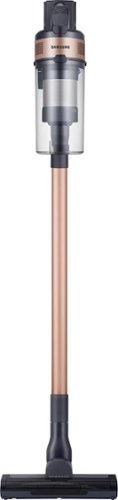
Samsung - Jet 60 Pet Cordless Stick Vacuum - Rose Gold
The Samsung Jet 60 Pet Cordless Stick Vacuum features a lightweight and maneuverable design plus a removable battery for extended cleaning time up to 40 minutes. The mini motorized tool is perfect for cleaning up pet dander and allergens. Compatible with the Samsung Clean Station.
Hi I was using it this week and when its on the low setting it makes a weird noise and then turns and the motor over heats any ideas what's wrong with it?
Hi Brandon,
The vacuum plays a major role in providing convenience in every household, and there could be several reasons why it might overheat. Let's get the information you need to ensure your vacuum is in top condition.
The link below will help identify the reason why the Jet Stick might overheat, how to address it, and how to set up a service call if necessary.
Samsung Jet Stick stops during cleaning:
https://www.samsung.com/us/support/troubleshooting/TSG01204485/
Should you need more assistance with the vacuum, please feel free to get back to us via the following options:
1. Facebook Messenger: http://m.me/Samsungsupport
2. Twitter: https://twitter.com/messages/compose?recipient_id=18768513
3. Samsung Community: https://us.community.Samsung.com/t5/Samsung-Community/ct-p/us
Please provide us with this reference number (1148379561) to help our team pull up your information when you message us.
Have a great day.
-Ernest-
The vacuum plays a major role in providing convenience in every household, and there could be several reasons why it might overheat. Let's get the information you need to ensure your vacuum is in top condition.
The link below will help identify the reason why the Jet Stick might overheat, how to address it, and how to set up a service call if necessary.
Samsung Jet Stick stops during cleaning:
https://www.samsung.com/us/support/troubleshooting/TSG01204485/
Should you need more assistance with the vacuum, please feel free to get back to us via the following options:
1. Facebook Messenger: http://m.me/Samsungsupport
2. Twitter: https://twitter.com/messages/compose?recipient_id=18768513
3. Samsung Community: https://us.community.Samsung.com/t5/Samsung-Community/ct-p/us
Please provide us with this reference number (1148379561) to help our team pull up your information when you message us.
Have a great day.
-Ernest-
1 year, 6 months ago
by
Posted by:
Samsung
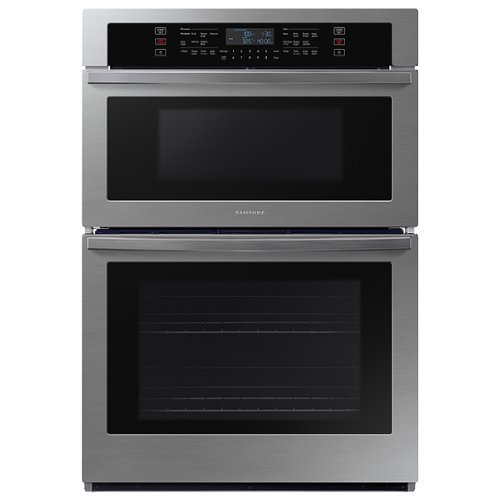
From multiple casserole dishes to two full racks of cookies, this combination microwave and wall oven easily accommodates the busy home kitchens.
What are the rough opening measurements for this oven?
Hi JosephOven,
The product and cabinet dimensions are located on pages 5-6 (Preparation) of the installation manual, which you can check from the link below.
Installation manual:
https://downloadcenter.samsung.com/content/EM/202004/20200401105114227/Install_NQ5300R_NQ70R5511DG_AA_DG68-01149A-04_EN-MES-CFR.pdf
Have a great day,
-Ernest-
The product and cabinet dimensions are located on pages 5-6 (Preparation) of the installation manual, which you can check from the link below.
Installation manual:
https://downloadcenter.samsung.com/content/EM/202004/20200401105114227/Install_NQ5300R_NQ70R5511DG_AA_DG68-01149A-04_EN-MES-CFR.pdf
Have a great day,
-Ernest-
1 year, 6 months ago
by
Posted by:
Samsung