Samsung
Samsung's Stats
Reviews
- Review Count0
- Helpfulness Votes0
- First ReviewNone
- Last ReviewNone
- Featured Reviews0
- Average Rating0
Reviews Comments
- Review Comment Count0
- Helpfulness Votes0
- First Review CommentNone
- Last Review CommentNone
- Featured Review Comments0
Questions
- Question Count0
- Helpfulness Votes0
- First QuestionNone
- Last QuestionNone
- Featured Questions0
- Answer Count74124
- Helpfulness Votes37,975
- First AnswerApril 24, 2013
- Last AnswerSeptember 7, 2026
- Featured Answers0
- Best Answers3951
Samsung's Reviews
Samsung has not submitted any reviews.
Samsung's Questions
Samsung has not submitted any questions.
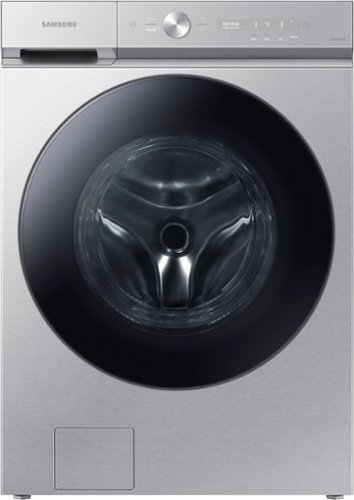
Samsung - BESPOKE 5.3 Cu. Ft. High-Efficiency Stackable Smart Front Load Washer with Steam and Super Speed Wash - Silver Steel
Samsung~s Bespoke 5.3 cu. ft. Ultra Capacity Front Load Washer has a sleek, flat-panel design, comes in new premium colors, and is equipped with smart features that simplify your laundry experience. It has our Super Speed Wash, which powerfully cleans a full load of laundry in just 28 minutes, and our AI Smart Dial, which learns and recommends your favorite cycles and makes controlling your washer a breeze.
HOW TO UNLOCK THE DOOR

Hi there,
This washer has a lock feature that automatically locks the door during a cycle.
Should you need further assistance, please feel free to get back to us via the following options:
1. Facebook Messenger: http://m.me/Samsungsupport
2. Twitter: https://twitter.com/messages/compose?recipient_id=18768513
3. Samsung Community: https://us.community.Samsung.com/t5/Samsung-Community/ct-p/us
Please provide us with this reference number (1148373825) to help our team pull up your information when you message us.
Have a great day,
-Ernest-
This washer has a lock feature that automatically locks the door during a cycle.
Should you need further assistance, please feel free to get back to us via the following options:
1. Facebook Messenger: http://m.me/Samsungsupport
2. Twitter: https://twitter.com/messages/compose?recipient_id=18768513
3. Samsung Community: https://us.community.Samsung.com/t5/Samsung-Community/ct-p/us
Please provide us with this reference number (1148373825) to help our team pull up your information when you message us.
Have a great day,
-Ernest-
1 year, 6 months ago
by
Posted by:
Samsung
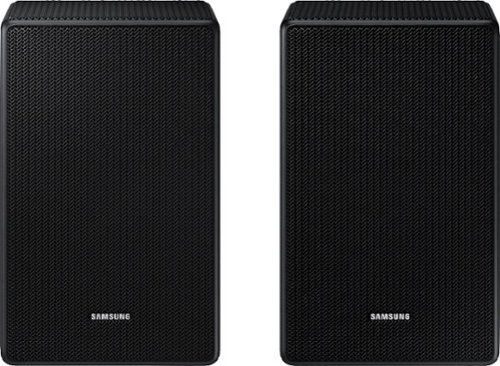
Will these speakers work with the below soundbar? Model: HW-R550/ZA - Samsung - 2.1-Channel 320W - Soundbar System with 6-1/2" Wireless Subwoofer. If not, which ones would? Thanks!
Hello KKB13, The SWA-9500S is compatible with Samsung Q Series Soundbar HW-Q800D, HW-QS730D, HW-Q900C, HW-Q800C, HW-Q700C, HW-Q800B, HW-Q700B, HW-Q900A, HW-Q800A, HW-Q700A models, and S-Series models HW-S800D/S801D, HW-S800B/S801B. The HW-R550 Soundbar is compatible with the SWA-8500S Wireless Rear Speaker Kit. ~ Samsung Solutions
1 year, 6 months ago
by
Posted by:
Samsung
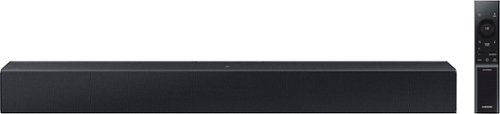
Add a soundbar. Enjoy everything more. From concerts to cooking competitions, for binging shows and streaming music, this soundbar is loaded with clever features that you~ll use every day.
is it better to connect via the hdmi arc port for a Samsung 8000
Hi! The HW-C400 features two ways to connect to an external device: Digital optical audio, and Bluetooth wireless audio technology. If your TV is compatible with one of these two audio connections, you should have no issue connecting the soundbar to your TV. ~Samsung Solutions
1 year, 6 months ago
by
Posted by:
Samsung

Enjoy Dolby Atmos sound from above and around without requiring HDMI cables. Perfectly synchronized TV and soundbar audio~ bring s a new level of immersion. This all in one soundbar delivers sharp and rich audio with a compact design. ~ Q Symphony requires a compatible 2020 2024 Samsung TV. Please refer to samsung.com for more information.
WHAT IS THE VOLTAGE OF SAMSUNG SOUNDBAR ALL IN ONE? I HAVE 220V CONNECTION AT HOME.
Hi there PHOENIX, The HW-S60D Soundbar is intended for use in the U.S. and will only support 110-120V.
~ Samsung Solutions
~ Samsung Solutions
1 year, 6 months ago
by
Posted by:
Samsung
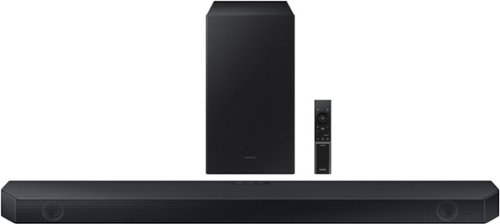
Samsung - HW-Q600C 3.1.2 Channel Q-series Soundbar with Wireless Subwoofer, Dolby Atmos and Q-Symphony - Titan Black
Get the party started and level-up your entertainment experience with the Q600C. Enjoy optimized sound that syncs with your TV~s audio and surrounds you in the story.
I have two Bose revolve sounlink II’s, can these be used as rear speakers? We have a Samsung DU7200 Crystal UHD.
Hi Mike, No you can't connect your Bose to the Samsung HW-Q600C. If you would like you can also add the SWA-9200S Rear Speaker Kit to create a multi-channel system for a true surround sound experience. Check it out at Best Buy: https://www.bestbuy.com/site/samsung-swa-9200s-za-2-0ch-wireless-rear-speaker-kits-black/6510790.p?skuId=6510790
~ Samsung Solutions
~ Samsung Solutions
1 year, 6 months ago
by
Posted by:
Samsung
Samsung - HW-Q600C 3.1.2 Channel Q-series Soundbar with Wireless Subwoofer, Dolby Atmos and Q-Symphony - Titan Black
Get the party started and level-up your entertainment experience with the Q600C. Enjoy optimized sound that syncs with your TV~s audio and surrounds you in the story.
How do I trouble shoot? My sound bar is not working. Has power, but no sound
Hello Deb, If your device is connected, but you are not hearing any sound, first make sure that the Mute function is off, and that the volume is not set to minimum.
You will also want to verify that your TV is set to use external speakers & that your soundbar is set to the correct source.
Change the TV’s audio output to PCM or Dolby Digital. (For a Samsung TV: Home → Settings → Sound → Expert Settings → Digital Output Audio Format)
If you need more help, Samsung is here for you. Please call us at 1-800-SAMSUNG, 8AM - 12AM EST (Ask for Soundbars), 7 days a week. Our Live Chat agents are also available by clicking on the ‘Support’ link on our website.
~ Samsung Solutions
You will also want to verify that your TV is set to use external speakers & that your soundbar is set to the correct source.
Change the TV’s audio output to PCM or Dolby Digital. (For a Samsung TV: Home → Settings → Sound → Expert Settings → Digital Output Audio Format)
If you need more help, Samsung is here for you. Please call us at 1-800-SAMSUNG, 8AM - 12AM EST (Ask for Soundbars), 7 days a week. Our Live Chat agents are also available by clicking on the ‘Support’ link on our website.
~ Samsung Solutions
1 year, 6 months ago
by
Posted by:
Samsung
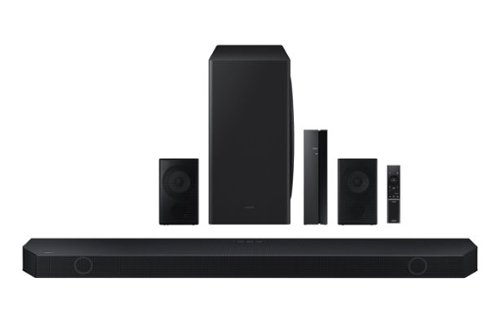
Samsung - HW-Q850D/ZA 7.1.2 Channel Wireless Dolby ATMOS Soundbar + Rear Speakers w/ Q Symphony - Black
This soundbar adapts rich, wireless audio to your space while staying in sync with your TV~s speakers* to amplify your experience.
How hard is this to set up? I am VERY technical impaired, I'm hesitant to buy anything new out of fear of difficulty
Hello Rachel,
If available, we recommend using the HDMI connection to your TV.
Connecting your soundbar to a TV through HDMI will provide the best audio and user experience, often eliminating any connection or delay issues you may be experiencing. There are 2 ways to connect your soundbar with HDMI: you can connect a device to your soundbar (like a Blu-ray player) and then connect the soundbar to the TV, or you can use HDMI ARC. The first method will give you the best possible sound from external devices you regularly use. ARC is the way to go if you want great sound from streaming apps on your TV and a soundbar.
When powered on for the first time, the rear speakers and subwoofer should automatically connect wirelessly.
Please know you also have the option to connect this soundbar using Bluetooth, Optical, or Wi-Fi.
If you need more help, Samsung is here for you. Please call us at 1-800-SAMSUNG, 8AM - 12AM EST (Ask for Soundbars), 7 days a week. Our Live Chat agents are also available by clicking on the ‘Support’ link on our website.
~ Samsung Solutions
If available, we recommend using the HDMI connection to your TV.
Connecting your soundbar to a TV through HDMI will provide the best audio and user experience, often eliminating any connection or delay issues you may be experiencing. There are 2 ways to connect your soundbar with HDMI: you can connect a device to your soundbar (like a Blu-ray player) and then connect the soundbar to the TV, or you can use HDMI ARC. The first method will give you the best possible sound from external devices you regularly use. ARC is the way to go if you want great sound from streaming apps on your TV and a soundbar.
When powered on for the first time, the rear speakers and subwoofer should automatically connect wirelessly.
Please know you also have the option to connect this soundbar using Bluetooth, Optical, or Wi-Fi.
If you need more help, Samsung is here for you. Please call us at 1-800-SAMSUNG, 8AM - 12AM EST (Ask for Soundbars), 7 days a week. Our Live Chat agents are also available by clicking on the ‘Support’ link on our website.
~ Samsung Solutions
1 year, 6 months ago
by
Posted by:
Samsung
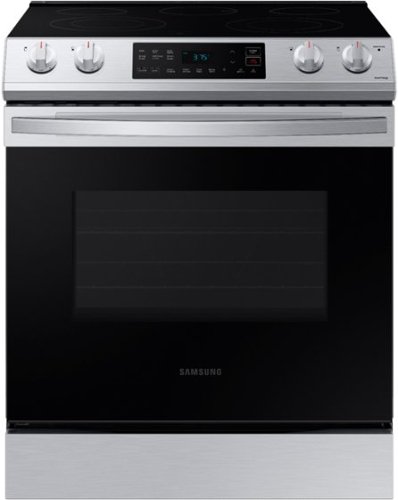
Samsung - 6.3 cu. ft. Front Control Slide-In Electric Range with Wi-Fi, Fingerprint Resistant - Stainless Steel
The Samsung Front Control Slide-In Electric Range is fully Wi-Fi connected and voice enabled, making it easy to create delicious meals for your family.
Do knobs have blue light when on?
Hi there,
No, the cooktop knobs have lamps to indicate if it's turned on or off. You can check the link below and see page 24 (Cooktop on/off lamp) for reference.
User manual:
https://downloadcenter.samsung.com/content/UM/202311/20231122164039184/01._DG68_01212A_05_IB_FULL_NE63T811_AA_EN_230922.pdf
Have a great day,
-Ernest-
No, the cooktop knobs have lamps to indicate if it's turned on or off. You can check the link below and see page 24 (Cooktop on/off lamp) for reference.
User manual:
https://downloadcenter.samsung.com/content/UM/202311/20231122164039184/01._DG68_01212A_05_IB_FULL_NE63T811_AA_EN_230922.pdf
Have a great day,
-Ernest-
1 year, 6 months ago
by
Posted by:
Samsung
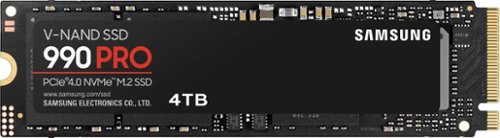
Reach max performance of PCIe 4.01. Experience longer-lasting, opponent blasting speed. The in-house controller's smart heat control delivers our best power efficiency while maintaining ferocious performance that always keeps you at the top of your game.
Can a Samsung 990 Pro 4TB with a heatsink fit in HP Zbook Fury 16 G11 workstation? This is just an extension of the question to a previous post (AXpact) Thank you
AXpact:
With its slim size, 990 PRO with Heatsink is a perfect fit for desktops and laptops that meet the PCI-SIG D8 standard. (PCI-SIG D8 standard spec: 8.8mm). We recommend checking if the M.2 slot in your ZBook Fury 16 G11 has enough clearance for the additional height of the heatsink.
- Samsung Memory
With its slim size, 990 PRO with Heatsink is a perfect fit for desktops and laptops that meet the PCI-SIG D8 standard. (PCI-SIG D8 standard spec: 8.8mm). We recommend checking if the M.2 slot in your ZBook Fury 16 G11 has enough clearance for the additional height of the heatsink.
- Samsung Memory
1 year, 6 months ago
by
Posted by:
Samsung
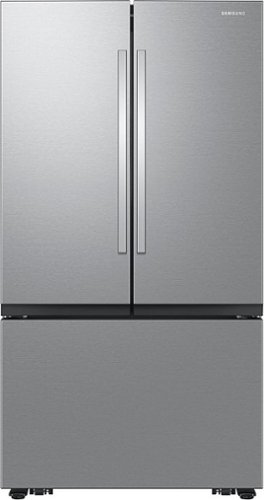
Samsung Mega Capacity 3-Door French Door refrigerator features 32 cu. ft. capacity, Dual Auto Ice Maker and a modern design. Store more groceries, including big and bulky items. The Dual Auto Ice Maker makes two types of ice ~ cubed, or Ice Bites that chill your drink faster.
Where is the filter? I need name, serial , where to purchase, etc
Hi Ben,
We are glad to answer your question about this Samsung refrigerator model.
The water filter for this refrigerator model is located between the crisper drawers in the fridge compartment. The model number of the water filter is HAF-QIN. You can purchase the water filter on the Samsung website, which I have shared below.
https://www.samsung.com/us/home-appliances/home-appliances-accessories/refrigerators/haf-qin-refrigerator-water-filter-haf-qin-exp/
Should you have additional questions, please feel free to get back to us via the following options:
1. Facebook Messenger: http://m.me/samsungsupport
2. Twitter: https://twitter.com/messages/compose?recipient_id=18768513
3. Samsung Community: https://us.community.samsung.com/t5/Samsung-Community/ct-p/us
When you message us, please provide us with this reference number 1148371203 to help our team pull up your information.
Leo
We are glad to answer your question about this Samsung refrigerator model.
The water filter for this refrigerator model is located between the crisper drawers in the fridge compartment. The model number of the water filter is HAF-QIN. You can purchase the water filter on the Samsung website, which I have shared below.
https://www.samsung.com/us/home-appliances/home-appliances-accessories/refrigerators/haf-qin-refrigerator-water-filter-haf-qin-exp/
Should you have additional questions, please feel free to get back to us via the following options:
1. Facebook Messenger: http://m.me/samsungsupport
2. Twitter: https://twitter.com/messages/compose?recipient_id=18768513
3. Samsung Community: https://us.community.samsung.com/t5/Samsung-Community/ct-p/us
When you message us, please provide us with this reference number 1148371203 to help our team pull up your information.
Leo
1 year, 6 months ago
by
Posted by:
Samsung