Samsung
Samsung's Stats
Reviews
- Review Count0
- Helpfulness Votes0
- First ReviewNone
- Last ReviewNone
- Featured Reviews0
- Average Rating0
Reviews Comments
- Review Comment Count0
- Helpfulness Votes0
- First Review CommentNone
- Last Review CommentNone
- Featured Review Comments0
Questions
- Question Count0
- Helpfulness Votes0
- First QuestionNone
- Last QuestionNone
- Featured Questions0
- Answer Count74124
- Helpfulness Votes37,975
- First AnswerApril 24, 2013
- Last AnswerSeptember 7, 2026
- Featured Answers0
- Best Answers3951
Samsung's Reviews
Samsung has not submitted any reviews.
Samsung's Questions
Samsung has not submitted any questions.

Samsung - 75 Class DU7200 Series Crystal UHD 4K Smart Tizen TV (2024)
This essential TV features a range of contrast and color and smart capabilities. Enjoy your content with richer details, brighter images and clearer resolution with 4K Upscaling.
Can you download apps

HI,
Yes, the DU7200 TV has a built-in app store.
~Samsung Advisor
Yes, the DU7200 TV has a built-in app store.
~Samsung Advisor
1 year, 6 months ago
by
Posted by:
Samsung
Samsung - 85 Class DU7200 Series Crystal UHD 4K Smart Tizen TV (2024)
This essential TV features a range of contrast and color and smart capabilities. Enjoy your content with richer details, brighter images and clearer resolution with 4K Upscaling.
Is there an on button on the tv itself? If so, where?
Hi Kitty,
The off button is located on the lower right corner below the Samsung logo.
~Samsung Advisor
The off button is located on the lower right corner below the Samsung logo.
~Samsung Advisor
1 year, 6 months ago
by
Posted by:
Samsung
Samsung - 65 Class DU7200 Series Crystal UHD 4K Smart Tizen TV (2024)
This essential TV features a range of contrast and color and smart capabilities. Enjoy your content with richer details, brighter images and clearer resolution with 4K Upscaling.
How can I disable the system voice that reads the screen information?
Hi Micky,
To turn off Voice Guide, navigate to Home > Settings > All Settings> General > Accessibility > Voice Guide Settings > Voice Guide.
~Samsung Advisor
To turn off Voice Guide, navigate to Home > Settings > All Settings> General > Accessibility > Voice Guide Settings > Voice Guide.
~Samsung Advisor
1 year, 6 months ago
by
Posted by:
Samsung
Samsung - 50 Class DU7200 Series Crystal UHD 4K Smart Tizen TV (2024)
This essential TV features a range of contrast and color and smart capabilities. Enjoy your content with richer details, brighter images and clearer resolution with 4K Upscaling.
Can this tv be used for teams calls
Hi Barefoot,
The DU7200 TV does not have a built-in camera. You would need to connect an external device to use Teams.
~Samsung Advisor
The DU7200 TV does not have a built-in camera. You would need to connect an external device to use Teams.
~Samsung Advisor
1 year, 6 months ago
by
Posted by:
Samsung

Samsung - 65 Class DU8000 Series Crystal UHD Smart Tizen TV (2024)
This essential TV features a thin design that practically blends into your wall with thousands of on demand shows and movies for free. All that extra content comes in crisp 4K and prismatic color AirSlim.
What is the warranty on the Samsung - 65” Class DU8000 Series Crystal UHD Smart Tizen TV (2024) Samsung - 65” Class DU8000 Series Crystal UHD Smart Tizen TV (2024)?
Hi RWineJr,
You can access the warranty information here: https://www.samsung.com/us/support/legal/LGL10000312/?modelCode=UN65DU8000FXZA#standard-limited-warranty
~Samsung Advisor
You can access the warranty information here: https://www.samsung.com/us/support/legal/LGL10000312/?modelCode=UN65DU8000FXZA#standard-limited-warranty
~Samsung Advisor
1 year, 6 months ago
by
Posted by:
Samsung
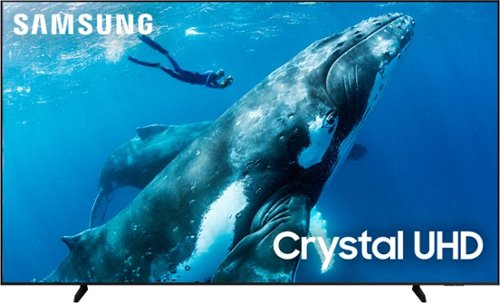
Make the most of your big screen with a wide picture ratio that displays every color in crisp 4K resolution. Add ultra smooth action and improved contrast to the mix for a hugely impressive view.
Does this Samsung 98 inch have chromecast?
Hi Anthony,
Chromecast is not included with the DU9000 TV. It runs off Tizen, our own Smart Platform.
~Samsung Advisor
Chromecast is not included with the DU9000 TV. It runs off Tizen, our own Smart Platform.
~Samsung Advisor
1 year, 6 months ago
by
Posted by:
Samsung
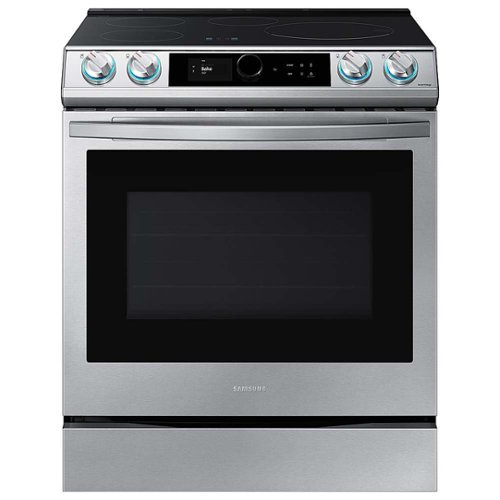
Samsung - 30 in. Wide 4 Elements 6.3 cu. ft. Slide-in Induction Range with Smart Dial, WiFi & Air Fry - Stainless Steel
The Samsung Smart Slide-In Induction range with Smart Dial and Air Fry is fully Wi-Fi connected and voice-enabled, giving you the tools you need to simplify the cooking experience in the kitchen. This Slide-In range features Virtual Flame technology giving the visual of gas cooking, with the precision of induction cooking.
Is the oven self cleaning?
Yes, Terry, this range model has Self-Clean and Steam Clean features. You can check the link below and see "features" for reference.
Specification sheets:
https://image-us.samsung.com/SamsungUS/home/home-appliances/ranges/electric-ranges/ne63t8911ss-aa/NE63T8911SS_V4.pdf
Have a great day,
-Ernest-
Specification sheets:
https://image-us.samsung.com/SamsungUS/home/home-appliances/ranges/electric-ranges/ne63t8911ss-aa/NE63T8911SS_V4.pdf
Have a great day,
-Ernest-
1 year, 6 months ago
by
Posted by:
Samsung
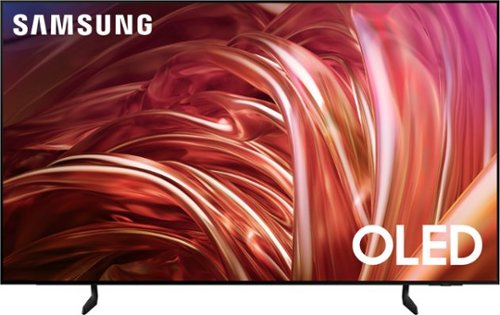
Samsung - 65 Class S85D Series OLED 4K Smart Tizen TV (2024)
This premium Samsung AI TV features details and contrast, expert validated colors, and a slim bezel. An AI-powered processor that upgrades your content scene by scene. Its contour design brings you a modern look, while clear motion and depth enhance the picture.
What is the difference between the Samsung S85D OLED 4K TV and the Samsung Class QLED 4K Q80D TV? Which is better and why?
Please give us the opportunity to better assist with this by reaching Samsung Support at: 1-800-SAMSUNG, 8AM - 12AM EST, 7 days a week, or Chat with us on Samsung.com: https://www.samsung.com/us/support/contact/
~ Samsung Specialist
~ Samsung Specialist
1 year, 6 months ago
by
Posted by:
Samsung
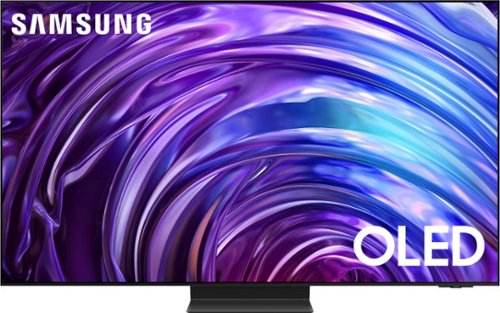
Samsung - 65 Class S95D Series OLED 4K Glare-Free Smart Tizen TV (2024)
This premium Samsung AI TV features dramatic detail, reduced glare, and our most powerful brightness. Smooth motion, depth and 4K processing make for a non-stop, breathtaking picture.
Is there a user guide for this tv?
SunshineSally - To assist in learning the various functions, please know you can download the S95D TV's User Manual, e-Manual, Remote Control Leaflet, and Quick Setup Guide on Samsung's website under Support > Manuals & Software > TVs & Home Theater. You can search for and select the S95D TV to download the guides you would like. The e-Manual and Remote Guide are both also embedded into your TV itself under Menu > Settings > Support > Open e-Manual.
1 year, 6 months ago
by
Posted by:
Samsung

Samsung - 77" Class S90D Series OLED 4K UHD Smart Tizen TV (2024)
This premium TV features a detailed image, strong contrast and clear motion. Increased depth and AI-powered 4K upscaling all work to bring clarity to your content.
Does this television have PIP?
coachallen16 - PiP (Picture in Picture) capability is available by using our Multi View feature. With Multi View, you can view media from different sources, such as an app, Blu-ray player, or game console, on the main screen while also mirroring your phone to the smaller screen. When using PiP, you can select the position of the smaller screen when it’s displayed on the main screen. You can also choose the top left and top right corners, or the bottom left and bottom right corners for the smaller screen. If you don’t like where you placed the smaller screen, you can always change it later. Hope this helps!
~ Samsung Specialist
~ Samsung Specialist
1 year, 6 months ago
by
Posted by:
Samsung