Samsung
Samsung's Stats
Reviews
- Review Count0
- Helpfulness Votes0
- First ReviewNone
- Last ReviewNone
- Featured Reviews0
- Average Rating0
Reviews Comments
- Review Comment Count0
- Helpfulness Votes0
- First Review CommentNone
- Last Review CommentNone
- Featured Review Comments0
Questions
- Question Count0
- Helpfulness Votes0
- First QuestionNone
- Last QuestionNone
- Featured Questions0
- Answer Count74141
- Helpfulness Votes37,976
- First AnswerApril 24, 2013
- Last AnswerSeptember 8, 2026
- Featured Answers0
- Best Answers3951
Samsung's Reviews
Samsung has not submitted any reviews.
Samsung's Questions
Samsung has not submitted any questions.
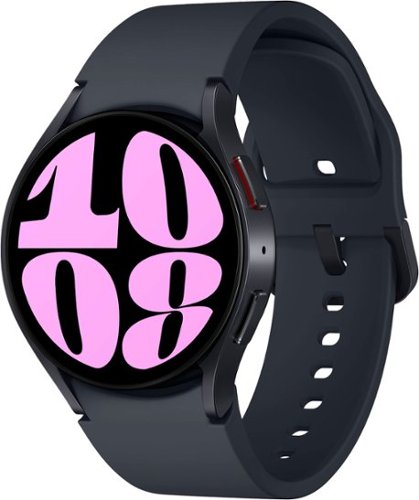
Samsung - Galaxy Watch6 Aluminum Smartwatch 40mm BT - Graphite - (2023)
It~s your day ~own it with Samsung Galaxy Watch6. From the gym to the office, our large display keeps you in the know with simple navigation and a super easy-to-read screen. Work out smarter with personalized heart rate zones, and get insights for better rest with Advanced Sleep Coaching. Stay connected by using Galaxy Watch6 to call, text, play music and get notifications on the go. Plus, wherever the day takes you, own your look with a variety of customizable Watch bands and faces. Unlock your day~s full potential with Galaxy Watch6.
Is this watch for Android phones?

Greetings, thank you for finding the unobstructed time out of your bustling day to ask us your question about the Samsung Galaxy Watch6. Yes, the Galaxy Watch6 is perfect for Android smartphone users. It is not compatible with iOS as it relies on Google Play services which is not supported on iOS. If you think of additional questions for us, feel free to contact us. Thank you for being a dedicated Samsung customer. - Debra
1 year, 8 months ago
by
Posted by:
Samsung
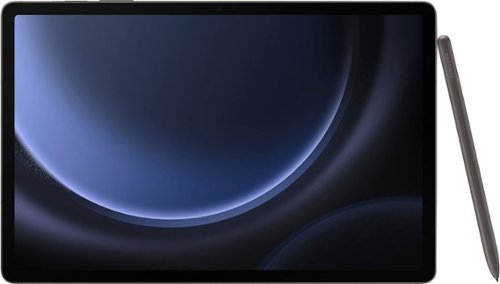
Samsung - Galaxy Tab S9 FE+ - 12.4" 128GB - Wi-Fi - with S-Pen - Gray
Meet Galaxy Tab S9 FE+, the powerful tablet that~s made just for you. A universe of possibilities awaits with Tab S9 FE+. This versatile and durable device is built to stand the test of time and meet the evolving needs of your day. Conquer every task, from your passion project to your to-do list, with a powerful processor that delivers a reliably smooth experience. And when work~s done, kick back with hours of uninterrupted entertainment ~the expansive 12.4" screen gives you more than enough room to keep up with your hobbies, unwind with your favorite games or catch up on the latest shows. Let your imagination run loose with the included S Pen that allows you to draw and write by hand with that pen-on-paper feeling. Plus, the powerful battery charges fast and keeps you going. Discover the power to inspire with Galaxy Tab S9 FE+.
Is this the international version?
Salutations Jeygee, thanks for taking the time out of your busy schedule to ask us your question about the Samsung Galaxy Tab S9 FE+. The advertised Galaxy Tab S9 FE+ is a U.S. version of this tablet; however, it is fully functional while in the presence of a steady Wi-Fi signal regardless on your final destination. If you have additional questions for us, do not hesitate to reach back out at your leisure. Thank you for being a faithful Samsung customer. - Debra
1 year, 8 months ago
by
Posted by:
Samsung
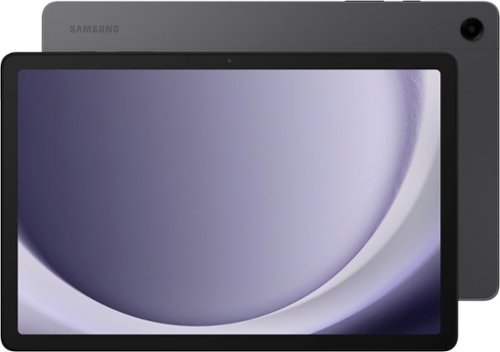
Samsung - Galaxy Tab A9+ 11" 256GB - Wi-Fi - Graphite
Meet your go to device for on the go family fun Galaxy Tab A9+. A bright, engaging 11" screen is perfect for every family member to do what they love. Whether they~re enjoying a show, unwinding with a game or catching up on schoolwork or day to day tasks, an upgraded chipset makes every experience feel smooth and easy. You can even open multiple apps at the same time and get all your everyday tasks done quickly. Use it for hours without worrying about power, and keep everything you love together with plenty of storage space. Plus, the preloaded Samsung Kids app provides a safe digital environment for your little ones to happily learn and play. Give your family a great all in one Tab that perfectly meets all their everyday needs without taking a bite out of your wallet Galaxy Tab A9+.
On the Galaxy A 9 + that has 256 gb rom, how can I go from 8 RAM to say 16 RAM?
Hi Ken, thanks for taking the time out of your day to ask us your question about the Samsung Galaxy Tab A9+. The Tab A9+ does not offer an upgradeable RAM, however, you do have expandable storage capabilities (up to 1TB) if you find yourself in the need of additional storage for the Tab A9+. Just add a microSD card and you're set to go! Let us know if you have any other questions for us by reaching back out at your earliest convenience. Thank you for being a cherished Samsung customer. - Debra
1 year, 8 months ago
by
Posted by:
Samsung
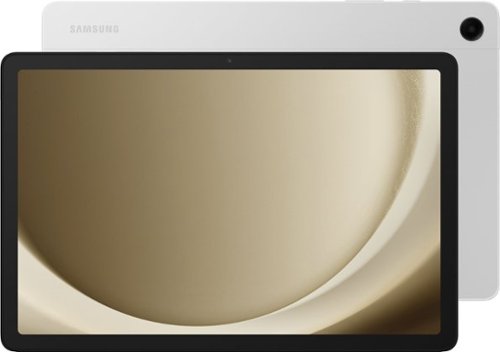
Samsung - Galaxy Tab A9+ 11" 128GB - Wi-Fi - Silver
Meet your go to device for on-the-go family fun Galaxy Tab A9+. A bright, engaging 11" screen is perfect for every family member to do what they love. Whether they~re enjoying a show, unwinding with a game, or catching up on schoolwork or day to day tasks, an upgraded chipset makes every experience feel smooth and easy. You can even open multiple apps at the same time and get all your everyday tasks done quickly. Use it for hours without worrying about power and keep everything you love together with plenty of storage space. Plus, the preloaded Samsung Kids app provides a safe digital environment for your little ones to happily learn and play. Give your family a great all in one Tab that perfectly meets all their everyday needs without taking a bite out of your wallet Galaxy Tab A9+.
Does it come with a stylus pen?
Hey Theresa, thank you for finding the time out of your bustling day to ask us your question about the Samsung Galaxy Tab A9+. No, the Tab A9+ is not compatible with the S Pen so one if not included in the box when you purchase this tablet. Feel free to reach back out with any other questions you may have. Thank you for being a trustworthy Samsung customer. - Debra
1 year, 8 months ago
by
Posted by:
Samsung
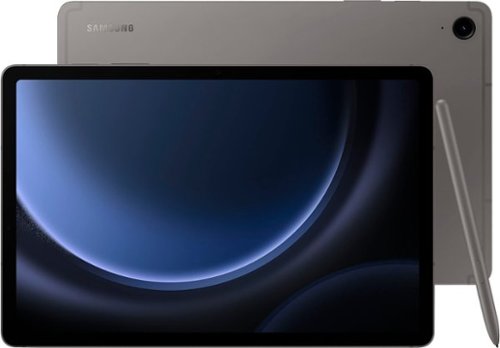
Samsung - Galaxy Tab S9 FE - 10.9" 128GB - Wi-Fi - with S-Pen - Gray
Begin your tablet journey with Galaxy Tab S9 FE Series. The perfect introductory tablets, Tab S9 FE Series gives you the just the right mix of innovative Galaxy features that you need for your lifestyle. Stay in touch with your world and on top of your day with powerful processors, high-quality video playback, great sound and reliable connectivity. Whether you~re wrapping up a work project or kicking back with your favorite entertainment, you~ll have plenty of room to do what you need on big, beautiful screens. Plus, these Tabs let you go for hours with powerful, fast-charging batteries that have your back. They~re built to last too, with water and dust resistance that make them some of the most durable tablets on the market. Discover the new standard of tablet essentials with Galaxy Tab S9 FE Series.
What is difference between fe and fe+?
Thanks for reaching out, Christine. The Samsung Galaxy Tab S9 FE features a 10.9-inch display, while the Samsung Galaxy Tab S9 FE+ has a larger 12.4-inch screen. The FE model is equipped with 6 GB of RAM, whereas the FE+ comes with 8 GB of RAM. In terms of battery capabilities, the FE+ has a battery capacity of 10090, allowing for up to 131 hours of audio playback time and up to 20 hours of video playback time when used wirelessly. On the other hand, the FE has a battery capacity of 8000 mAh, providing up to 113 hours of audio playback and up to 18 hours of video playback wirelessly. If you have any further questions, please be sure to reach out to us at Support. -Kelvin
1 year, 8 months ago
by
Posted by:
Samsung

Samsung - Galaxy Watch7 Aluminum Smartwatch 40mm LTE - Green - (2024)
Your favorite new health and wellness companion is here ~ Galaxy Watch7. Enhanced with Galaxy AI,~ this Watch has everything you need to keep you moving toward your health goals. Wake up on the right side of the bed every morning with an Energy Score~ that helps you understand your well-being better. Hit your morning workout while staying in touch with your world ~ make calls from your Watch and quickly respond to texts on the go with Suggested Replies.~ Then hone in on your heart health during your workout with improved Heart Rate Tracking,~ and improve each day with personalized Wellness Tips~ viewable right on your Galaxy smartphone.~ Plus, stay in the zone by streaming your favorite playlist or podcast from your Watch to your Galaxy Buds.~ Your ultimate fitness partner is now on your wrist ~ Galaxy Watch7.
Can I use this watch with an iPhone?
We appreciate you taking the time to reach out to us! The Watch7 is compatible with phones running Android 10.0 and having a RAM of 2.0 GB or higher. For any further questions, please be sure to reach out to us at Support. -Kelvin
1 year, 8 months ago
by
Posted by:
Samsung
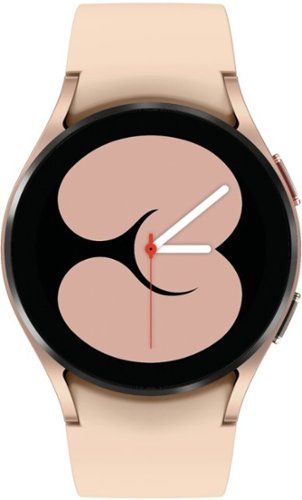
Samsung - Galaxy Watch4 Aluminum Smartwatch 40mm BT - Gold - (2021)
Crush workouts and all your health goals with Samsung Galaxy Watch4. Be your best with the watch that knows you best.
Does it have GPS
It's great to hear from you! We see that you reached out to ask about the Galaxy Watch4. The Watch4 enables you to track your activities and fitness metrics both on the watch and your phone. You can count your steps, monitor calories, and utilize GPS to stay connected. The Galaxy Watch4 automatically detects physical activities, allowing you to track your routines effectively, and it supports over 90 exercises for a more precise report of your workouts. If you have any further questions, please be sure to reach out to us at Support. -Kelvin
1 year, 8 months ago
by
Posted by:
Samsung

Transform all you do and how you do it with Galaxy Book4 Edge, the first Galaxy PC built for AI, now with Copilot+ PC. With an innovative Snapdragon X Elite processor powering industry leading intelligence, it~s designed to help you unlock higher levels of productivity, communication, creativity and more. Galaxy Book4 Edge revolutionizes your PC experience with intuitive AI-powered features right at your fingertips. Searching for a document, email, or web page on your PC? Now you can just describe how you remember something, and Recall* will find it, instantly. Just provide a short description of what you remember and let your PC do the rest. Controlling your Galaxy AI phone is now easier too ~ call, text, set reminders and more from the convenience of your PC.~ From international webinars to chatting with others overseas, get accurate subtitles in real time with automatic Live Captions~ that translate 44 languages into English. And when you~re feeling creative, light your spark with Cocreator~ and amplify your artwork on the stunning 3K AMOLED touchscreen display. Embrace the power and unlimited possibilities of AI with Galaxy Book4 Edge.
Does this support esim or sim cards?
It's great to hear from you, Xavi. We see that you reached out to inquire about the Galaxy Book4 Edge. This device is not esim or sim compatible. When a Galaxy phone is connected to a Windows 10 or 11 PC using Link to Windows and the Phone Link app, you can send and receive mobile calls and text messages directly on the PC without even reaching for the phone. If you're looking for compatible products that support calling and texting across multiple devices, check out the latest Galaxy phones and Windows PCs. If you have any further questions, please be sure to reach out to us at Support. -Kelvin
1 year, 9 months ago
by
Posted by:
Samsung

Make every day more extraordinary with Galaxy Tab S10 Ultra. Power through all your favorite experiences with groundbreaking Galaxy AI features, a long-lasting battery and a powerful chipset. Discover new ways to simplify your life with Galaxy AI on the big screen of Tab S10 Ultra. Write notes with that pen like feeling using the included S Pen, or type on an attachable keyboard then instantly summarize and organize your notes with Note Assist. Looking for another great time saver? Transcript Assist transcribes meetings and lectures for you, freeing you up to do other things. Find more information on items online quickly and easily using Circle to Search with Google. Simply circle what you~re interested in on the screen and then shop, identify or translate what you see, just like that. Indulge yourself in the ultimate viewing experience a glorious 14.6" Dynamic AMOLED 2X display. It~s the largest tablet screen available. Whether you~re streaming a blockbuster or outracing your competition in a game, experience every heart pounding moment with vibrancy and clarity. Plus, the screen is designed to minimize glare, making it easy to see even in bright sunlight. When it~s time to get back to the real world, work like a boss with plenty of space to toggle between windows or collaborate on calls. There~s so much room, you can even do both at once and more. Have the confidence to take your Tab with you as you get things done with enhanced durability that~s built to withstand even fast paced lifestyles. The enhanced Armor Aluminum frame offers strong protection against dings and scratches. And Tab S10 Ultra is water and dust resistant, so it~s made to go where you go, unlike some of those other tablets. Break free from the ordinary with the tablet that stands out Galaxy Tab S10 Ultra.
Can 5G cervice by use on this tablet?
We appreciate you taking the time to reach out to us, Paco. Since this is a Wi-Fi tablet, you would need to be connected to a Wi-Fi or hotspot connection in order to have connection. If you have any other questions, please feel free to reach out to us at Support. -Kelvin
1 year, 9 months ago
by
Posted by:
Samsung
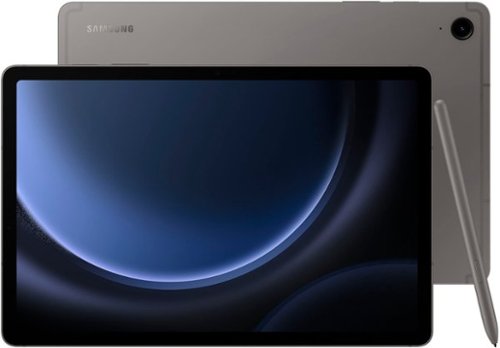
Samsung - Galaxy Tab S9 FE - 10.9" 256GB - Wi-Fi - with S-Pen - Gray
Begin your tablet journey with Galaxy Tab S9 FE Series. The perfect introductory tablets, Tab S9 FE Series gives you the just the right mix of innovative Galaxy features that you need for your lifestyle. Stay in touch with your world and on top of your day with powerful processors, high-quality video playback, great sound and reliable connectivity. Whether you~re wrapping up a work project or kicking back with your favorite entertainment, you~ll have plenty of room to do what you need on big, beautiful screens. Plus, these Tabs let you go for hours with powerful, fast-charging batteries that have your back. They~re built to last too, with water and dust resistance that make them some of the most durable tablets on the market. Discover the new standard of tablet essentials with Galaxy Tab S9 FE Series.
Does it have capability to add a cellular microchip for internet usage and calls? Or wi-fi only?
Thanks for reaching out, JcMoreira. We noticed you reached out to inquire about the Galaxy Tab S9 FE. Please keep in mind that this device is Wi-Fi only, meaning you cannot add a SIM card. For your information, there are key differences in how calls and texts function between LTE and Bluetooth tablets. LTE tablets with an active SIM card or eSIM can send and receive calls and messages. On the other hand, Bluetooth tablets, as well as LTE tablets without active network service, can still make and receive calls and texts if they are connected to a Galaxy phone that has active service, connected to a Wi-Fi network, and signed into the same Samsung account. Additionally, the "Call & Text on Other Devices" feature must be enabled. If you have any further questions, please be sure to reach out to us at Support. -Kelvin
1 year, 9 months ago
by
Posted by:
Samsung