Samsung
Samsung's Stats
Reviews
- Review Count0
- Helpfulness Votes0
- First ReviewNone
- Last ReviewNone
- Featured Reviews0
- Average Rating0
Reviews Comments
- Review Comment Count0
- Helpfulness Votes0
- First Review CommentNone
- Last Review CommentNone
- Featured Review Comments0
Questions
- Question Count0
- Helpfulness Votes0
- First QuestionNone
- Last QuestionNone
- Featured Questions0
- Answer Count74155
- Helpfulness Votes37,978
- First AnswerApril 24, 2013
- Last AnswerSeptember 9, 2026
- Featured Answers0
- Best Answers3951
Samsung's Reviews
Samsung has not submitted any reviews.
Samsung's Questions
Samsung has not submitted any questions.
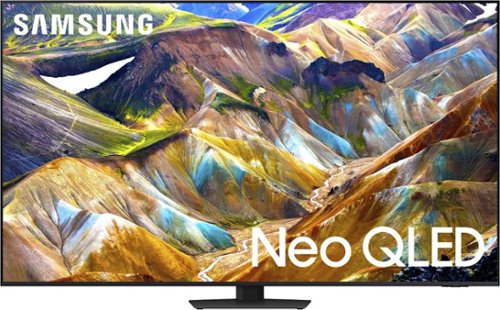
Samsung - 85 Class QN85D Series NEO QLED 4K Mini LED Smart Tizen TV (2024)
This Samsung AI TV uses individual zones of light for impressive color and contrast for an optimized viewing experience. Clear motion is matched with synced sound, all with more picture dimensions to draw you in.
How many HDMI inputs are there on this TV?

Hi Mark - The QN85D features 4x HDMI ports.
~ Samsung Specialist
~ Samsung Specialist
1 year, 9 months ago
by
Posted by:
Samsung
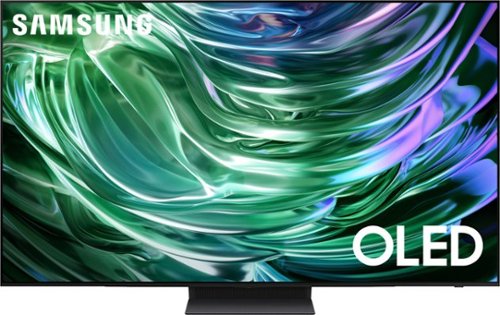
Samsung - 83 Class S90D Series OLED 4K UHD Smart Tizen TV (2024)
This premium TV features a detailed image, strong contrast and clear motion. Increased depth and AI-powered 4K upscaling all work to bring clarity to your content.
Is this panel WLED or QDLED?
Falco - We’re continually evolving our TV portfolio to provide our customers with new and exciting innovations and experiences. Samsung OLED TVs consistently offer a premium experience while delivering excellent viewing performance, regardless of the specific panels that are integrated into the product.
~ Samsung Specialist
~ Samsung Specialist
1 year, 9 months ago
by
Posted by:
Samsung

Samsung - 77" Class S90D Series OLED 4K UHD Smart Tizen TV (2024)
This premium TV features a detailed image, strong contrast and clear motion. Increased depth and AI-powered 4K upscaling all work to bring clarity to your content.
Is this TV considered anti-glare, or matte finish?
Hi Glenn - While the S90D features Ultra Viewing Angle and Anti-Reflection technology to provide you with wider viewing angles, enhanced color, and minimized glare to help you enjoy shows without distractions, OLED Glare Free is available on our S95D Series.
~ Samsung Specialist
~ Samsung Specialist
1 year, 9 months ago
by
Posted by:
Samsung
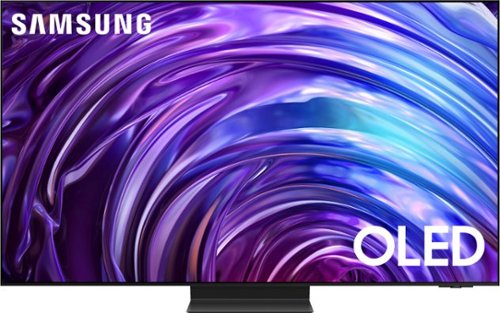
Samsung - 77 Class S95D Series OLED 4K Glare-Free Smart Tizen TV (2024)
This premium Samsung AI TV features dramatic detail, reduced glare, and our most powerful brightness. Smooth motion, depth and 4K processing make for a non-stop, breathtaking picture.
Does the S95D one-connect box support Samsung Anynet+ (HDMI-CEC)? Most Samsung TVs do, but I'd like to clarify since this one connects through the one-connect box.
Batman - Yes, Anynet+ is supported on the S95D.
~ Samsung Specialist
~ Samsung Specialist
1 year, 9 months ago
by
Posted by:
Samsung
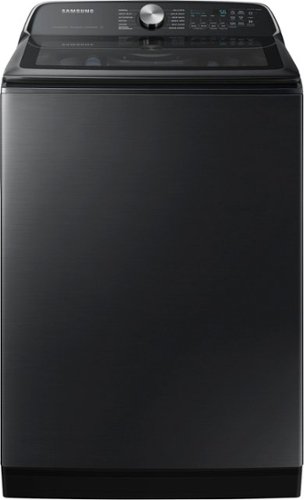
Samsung's 5.5 cu. ft. Extra-Large Capacity Top Load Washing Machine is equipped with Super Speed Wash, which powerfully cleans a full load of laundry in just 28 minutes without sacrificing cleaning performance. With Wi-Fi connectivity, you can remotely start, stop, or delay your smart washer from our simple-to use SmartThings App. Active Waterjet, a built-in water faucet, lets you easily pretreat heavily soiled and stained clothes.
How long does the delicate cycle run?
Hi Sherrie,
Thank you for reaching out with your question about the Delicate cycle duration for the Samsung WA55CG7100AV washer.
The length of the Delicate cycle on this model can vary depending on the specific settings and load size but typically runs between 20 and 35 minutes. You can find details on selecting and customizing this cycle to best care for your garments in the “Cycle Guide” section, starting on page 37 through page 40, of your user manual. For a full overview, here is a link to the manual for further reference:
[Samsung WA55CG7100AV User Manual] https://downloadcenter.samsung.com/content/UM/202407/20240725164005396/OID67143_IB_WA7100C_EN.pdf
Should you need more assistance, please feel free to get back to us via the following options:
1. Facebook Messenger: http://m.me/Samsungsupport
2. Twitter: https://twitter.com/messages/compose?recipient_id=18768513
3. Samsung Community: https://us.community.Samsung.com/t5/Samsung-Community/ct-p/us
When you message us, please provide us with this reference number (1147666557) to help our team gather your information.
Have a great day.
^Charles
Thank you for reaching out with your question about the Delicate cycle duration for the Samsung WA55CG7100AV washer.
The length of the Delicate cycle on this model can vary depending on the specific settings and load size but typically runs between 20 and 35 minutes. You can find details on selecting and customizing this cycle to best care for your garments in the “Cycle Guide” section, starting on page 37 through page 40, of your user manual. For a full overview, here is a link to the manual for further reference:
[Samsung WA55CG7100AV User Manual] https://downloadcenter.samsung.com/content/UM/202407/20240725164005396/OID67143_IB_WA7100C_EN.pdf
Should you need more assistance, please feel free to get back to us via the following options:
1. Facebook Messenger: http://m.me/Samsungsupport
2. Twitter: https://twitter.com/messages/compose?recipient_id=18768513
3. Samsung Community: https://us.community.Samsung.com/t5/Samsung-Community/ct-p/us
When you message us, please provide us with this reference number (1147666557) to help our team gather your information.
Have a great day.
^Charles
1 year, 9 months ago
by
Posted by:
Samsung
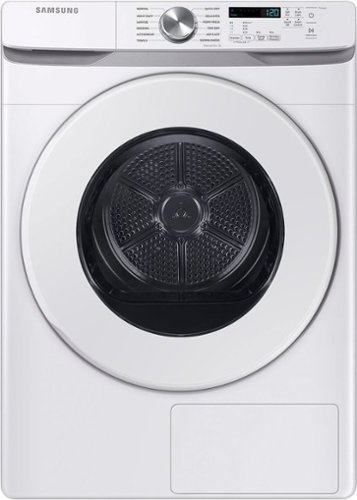
The Samsung Ventless Hybrid Heat Pump Dryer is a more energy efficient, cost-effective and gentle way to dry your clothes. It is easier to install because of it's ventless design, and easier to use and control with Wi-Fi connectivity using the SmartThings App.
Does this dryer drain the water or store it to be manually dumped?
Hi Taylor,
The Samsung DV45DG6000HWA2 dryer model does not have a water tank that requires manual draining. This dryer is vented, meaning it expels moisture from the clothes through a ventilation system rather than collecting water that needs to be dumped manually. The exhaust system is typically connected to a duct that directs moisture outside your home.
For detailed setup and maintenance instructions, you can refer to the "Exhaust Requirements" section in the dryer’s user manual, starting from page 26 through 29, which can be found in the Samsung DV45DG6000HWA2 user manual here.
Manual
https://downloadcenter.samsung.com/content/UM/202409/20240926145004307/OID79716_IB_DV6000D_EN_240812.pdf
Should you need more assistance, please feel free to get back to us via the following options:
1. Facebook Messenger: http://m.me/Samsungsupport
2. Twitter: https://twitter.com/messages/compose?recipient_id=18768513
3. Samsung Community: https://us.community.Samsung.com/t5/Samsung-Community/ct-p/us
When you message us, please provide us with this reference number (1147666153) to help our team gather your information.
Have a great day.
^Charles
The Samsung DV45DG6000HWA2 dryer model does not have a water tank that requires manual draining. This dryer is vented, meaning it expels moisture from the clothes through a ventilation system rather than collecting water that needs to be dumped manually. The exhaust system is typically connected to a duct that directs moisture outside your home.
For detailed setup and maintenance instructions, you can refer to the "Exhaust Requirements" section in the dryer’s user manual, starting from page 26 through 29, which can be found in the Samsung DV45DG6000HWA2 user manual here.
Manual
https://downloadcenter.samsung.com/content/UM/202409/20240926145004307/OID79716_IB_DV6000D_EN_240812.pdf
Should you need more assistance, please feel free to get back to us via the following options:
1. Facebook Messenger: http://m.me/Samsungsupport
2. Twitter: https://twitter.com/messages/compose?recipient_id=18768513
3. Samsung Community: https://us.community.Samsung.com/t5/Samsung-Community/ct-p/us
When you message us, please provide us with this reference number (1147666153) to help our team gather your information.
Have a great day.
^Charles
1 year, 9 months ago
by
Posted by:
Samsung
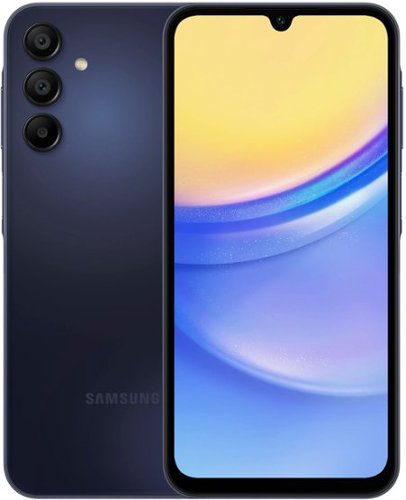
Samsung - Galaxy A15 5G 128GB (Unlocked) - Blue Black
Awesome belongs to anyone with Galaxy A15 5G. Built with all the essential features, Galaxy A15 5G makes it easier to embrace cutting edge innovation while providing unmatched value. Immerse yourself in your favorite content, with Samsung TV Plus, showcased in crisp clarity on a bright display. Capture and cherish precious moments spent with friends and family using a triple lens camera system, and never worry about running out of space with expandable storage. Power through your day with a reliable battery that charges at lightning speed with Super Fast Charging. Plus, with Samsung Wallet and four years of softwareupdates included, you can trust that your A15 5G can support your every need. Experience the awesomeness in every day with Galaxy A15 5G where innovation meets accessibility. Awesome experience. Awesome value.
Will you copy information from old phone to new?
Hello! Thank you for reaching out to inquire about the Galaxy A15. The simplest way to transfer data from your old device to your new one is by using Smart Switch. Smart Switch allows you to transfer your contacts, music, photos, calendar events, text messages, device settings, and more to your new Galaxy device. If you have any further questions, please don't hesitate to contact us at Support. -Kelvin
1 year, 9 months ago
by
Posted by:
Samsung

Samsung - Galaxy Watch FE Smartwatch 40mm BT with Pink Band - Pink Gold - (2024)
Start your journey toward a healthier, happier you with Galaxy Watch FE, the Watch that knows you best. Get more out of every movement and work toward your health goals with easy-to-understand insights like step counts, calories burned, heart health, muscle mass and more.~ Your best self isn~t just made by moving ~ Advanced Sleep Coaching with Galaxy AI~ helps you plan your bedtime, detect snoring~ and track your sleep stages so you can rest better and wake up feeling energized. When you~re up and ready to go, feel free to make calls, take pics and pull up playlists right from your wrist thanks to seamless connectivity with your other Galaxy devices. With its sleek and lightweight design, you can enjoy all-day comfort and style, wherever your day takes you. Plus, at an affordable price, Watch FE helps you stick to all your goals. Empower you and your loved ones to take control of your health and wellness with an everyday companion that will support you every step of the way ~ Galaxy Watch FE.
I have skin allergies. What materials are used for the watch back and band? After purchase, are there additional charges or subscriptions required to use the watch?
Thanks for reaching out to us, Alister. We noticed you reached out to ask about the Galaxy Watch FE. The Galaxy Watch FE's rear case combines polycarbonate with glass fiber and Gorilla Glass, providing added strength and resistance. The band is made from flexible silicone for comfort, while the buckle is crafted from stainless steel, enhancing its overall quality and style. There are no additional charges after purchase required to use this watch. If you have any further questions, be sure to reach out to us at Support. -Kelvin
1 year, 9 months ago
by
Posted by:
Samsung

Samsung - 60 Class DU6900 Series Crystal UHD 4K Smart Tizen TV (2024)
This essential TV features a range of contrast and color and smart capabilities. Enjoy your content with richer details, brighter images and clearer resolution with 4K Upscaling.
Are the legs of the stand adjustable? How far apart are the legs at the different width settings? I see the DU7200 does have different widths and is adjustable.
Smitty,
The leg width of the 60” DU6900 is adjustable between two positions: 38” or 12”.
~Samsung Pro
The leg width of the 60” DU6900 is adjustable between two positions: 38” or 12”.
~Samsung Pro
1 year, 9 months ago
by
Posted by:
Samsung

Samsung - Galaxy Watch Ultra Titanium Smartwatch 47mm LTE - Titanium Gray - (2024)
Gear up for greatness with Galaxy Watch Ultra, a premium new smartwatch built for top-of-the-line performance. Climb the highest peak. Bike the long way home. The durable titanium design is our toughest yet, able to stand up to the rigors of your workout ~ even ocean swimming.~ Maintain your healthy lifestyle with new features enhanced by Galaxy AI~ that give your performance an edge, including an Energy Score~ that helps you start each day in the know and improved Heart Rate Tracking~ that helps you hone in on your heart health during your favorite cardio activities. Challenge yourself to do better than before on a run or a bike ride with a tracker that compares your current performance to your last one.~ Wherever you decide to go, blaze new trails with an improved GPS~ that makes navigation a breeze and a battery that keeps you moving ~ it~s our longest lasting yet, up to 100 hours.~ Plus, you can stay focused on your workout while keeping in touch with call and text capabilities right on your wrist.~ Get the extra motivation you need to conquer your goals with Galaxy Watch Ultra.
Does this watch work with Apple iPhone and does it measure Sp02?
Thank you for your interest in the Galaxy Watch Ultra, Angel. The Watch Ultra is equipped with a sensor that detects when you start and stop your sleep cycle, tracking four stages of sleep: light sleep, deep sleep, rapid eye movement (REM), and awake time. Additionally, the watch can measure blood oxygen levels (SpO2) and skin temperature. The Galaxy Watch Ultra is compatible with phones that run Android 10.0 or higher and have at least 2.0 GB of RAM. To utilize the Galaxy AI features for data tracking, you’ll need a compatible Samsung Galaxy phone, the Samsung Health app, and a Samsung account. For any further questions, be sure to reach out to us at Support. -Kelvin
1 year, 9 months ago
by
Posted by:
Samsung