Samsung
Samsung's Stats
Reviews
- Review Count0
- Helpfulness Votes0
- First ReviewNone
- Last ReviewNone
- Featured Reviews0
- Average Rating0
Reviews Comments
- Review Comment Count0
- Helpfulness Votes0
- First Review CommentNone
- Last Review CommentNone
- Featured Review Comments0
Questions
- Question Count0
- Helpfulness Votes0
- First QuestionNone
- Last QuestionNone
- Featured Questions0
- Answer Count74162
- Helpfulness Votes37,978
- First AnswerApril 24, 2013
- Last AnswerSeptember 9, 2026
- Featured Answers0
- Best Answers3951
Samsung's Reviews
Samsung has not submitted any reviews.
Samsung's Questions
Samsung has not submitted any questions.
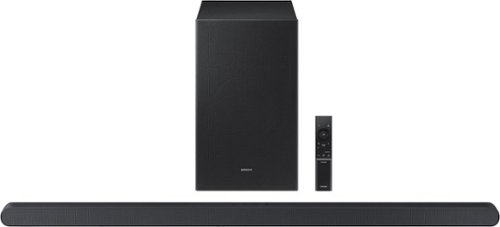
This ultra slim Soundbar delivers a big audio experience. Enjoy audio calibrated to fit your space and Dolby Atmos sound from a slim, stylish package.
HW-S700D 3.1 Channel S-Series Soundbar - Can the subwoofer be turned off and only listen to the soundbar? The subwoofer is too loud when my wife is asleep so I unplug my current (old) subwoofer.

Hi there FredSecret77! You can activate Night Mode reduces the overall volume of the audio, especially bass, to help you watch TV at night without disturbing others.
There are multiple ways to control the bass levels for your new Soundbar.
1) Using the WOOFER button on the provided Soundbar remote. Use the woofer button by pushing forward or pulling backward on the button itself to adjust the bass levels between -12 or -6/+6. If you want to reset the bass to 0 then push the button in.
2) When you press the TONE CONTROL button, you can adjust the treble or bass levels between -6/+6.
Alternatively, you can adjust all of these same settings and more within the SmartThings app. Download the app for your iOS or Android device and then connect your Soundbar to Wi-Fi. From here, you will be able to adjust all of the same settings as the provided remote, but with the added benefit of being able to see the changes on your smart device.
I hope this tip helps improve your enjoyment. For more help, please call us at 1-800-SAMSUNG (Ask for Soundbars), 8 AM – 12 AM EST, 7 days a week. Live Chat with an agent as well as manuals, software, and warranty info can be found at the ‘Support’ link on our Samsung website.
~ Samsung Solutions
There are multiple ways to control the bass levels for your new Soundbar.
1) Using the WOOFER button on the provided Soundbar remote. Use the woofer button by pushing forward or pulling backward on the button itself to adjust the bass levels between -12 or -6/+6. If you want to reset the bass to 0 then push the button in.
2) When you press the TONE CONTROL button, you can adjust the treble or bass levels between -6/+6.
Alternatively, you can adjust all of these same settings and more within the SmartThings app. Download the app for your iOS or Android device and then connect your Soundbar to Wi-Fi. From here, you will be able to adjust all of the same settings as the provided remote, but with the added benefit of being able to see the changes on your smart device.
I hope this tip helps improve your enjoyment. For more help, please call us at 1-800-SAMSUNG (Ask for Soundbars), 8 AM – 12 AM EST, 7 days a week. Live Chat with an agent as well as manuals, software, and warranty info can be found at the ‘Support’ link on our Samsung website.
~ Samsung Solutions
1 year, 9 months ago
by
Posted by:
Samsung
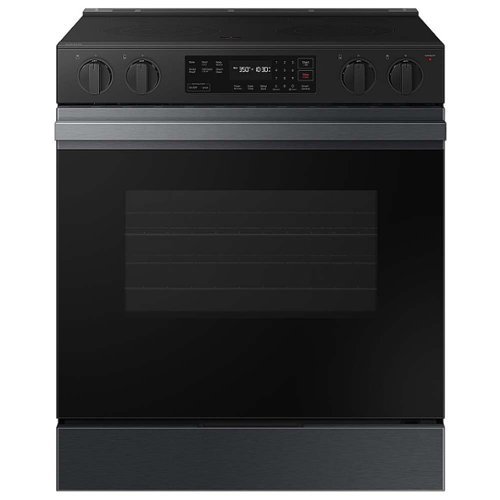
Samsung - Bespoke 6.3 Cu. Ft. Slide-In Electric Range with Precision Knobs - Matte Black Steel
Samsung's smart electric range features a stylish and contemporary Bespoke design with a recessed handle that seamlessly blends into your kitchen for an elegant and minimalist look. The Precision Knobs will prevent accidental cooktop turn-on with its pinch, press and turn mechanism and the extra large 6.3 cu. ft. oven easily accommodates large dishes or roasting pans to cook for your whole family.
I don’t see a switch for oven light. I like to see what’s baking, before I open door? Can’t seem to find it.
Hi there,
To turn on the oven light on your Samsung NSE6DG8100MTAA, you can do so easily from the control panel. Simply press the button designated for the oven light to switch it on or off. This function is included in the "Operating the oven" section of the manual, specifically on page 32. You can check for more details in the full manual linked .
Manual
https://downloadcenter.samsung.com/content/UM/202405/20240503155440978/01._IB_FULL_NE9100D_NSE6DG8100_EN.pdf
Have a great day.
^Charles
To turn on the oven light on your Samsung NSE6DG8100MTAA, you can do so easily from the control panel. Simply press the button designated for the oven light to switch it on or off. This function is included in the "Operating the oven" section of the manual, specifically on page 32. You can check for more details in the full manual linked .
Manual
https://downloadcenter.samsung.com/content/UM/202405/20240503155440978/01._IB_FULL_NE9100D_NSE6DG8100_EN.pdf
Have a great day.
^Charles
1 year, 9 months ago
by
Posted by:
Samsung
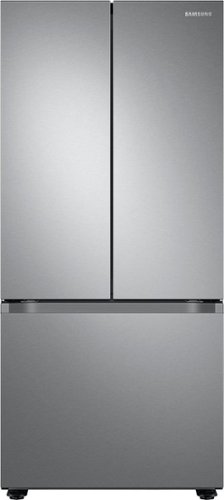
Samsung - 22 cu. ft. 3-Door French Door Smart Refrigerator with All-Around Cooling - Stainless Steel
Samsung's 22 cu. ft. Smart 3-Door French Door refrigerator is beautifully designed with a modern look that blends seamlessly into your kitchen.
The doorways to my Kitchen are 30” wide. Will the refrigerator fit ? When we purchased our current unit we had to remove the door’s because of the handles to make it fit.
Hi Bob1969,
No, because the fridge's dimensions with door and handles are: W: 29 7/8" H: 66 6/8" D: 34 1/2".
Please see the "Dimensions" section in the product page for reference.
Product page
https://www.samsung.com/us/home-appliances/refrigerators/3-door-french-door/22-cu-ft-smart-3-door-french-door-refrigerator-in-stainless-steel-rf22a4121sr-aa/#specs
Have a great day.
^Aloe
No, because the fridge's dimensions with door and handles are: W: 29 7/8" H: 66 6/8" D: 34 1/2".
Please see the "Dimensions" section in the product page for reference.
Product page
https://www.samsung.com/us/home-appliances/refrigerators/3-door-french-door/22-cu-ft-smart-3-door-french-door-refrigerator-in-stainless-steel-rf22a4121sr-aa/#specs
Have a great day.
^Aloe
1 year, 9 months ago
by
Posted by:
Samsung

Enjoy Dolby Atmos sound from above and around without requiring HDMI cables. Perfectly synchronized TV and soundbar audio~ bring s a new level of immersion. This all in one soundbar delivers sharp and rich audio with a compact design. ~ Q Symphony requires a compatible 2020 2024 Samsung TV. Please refer to samsung.com for more information.
I have older Samsung sub woofer and rear speakers. Would these be compatible with this soundbar?
Hello Geezer! Depending on the model it can be possible. The HW-S60D Soundbar is compatible with the Samsung SWA-W510 Subwoofer and the SWA-9200S Wireless Rear Speaker Kit. ~ Samsung Solutions
1 year, 9 months ago
by
Posted by:
Samsung
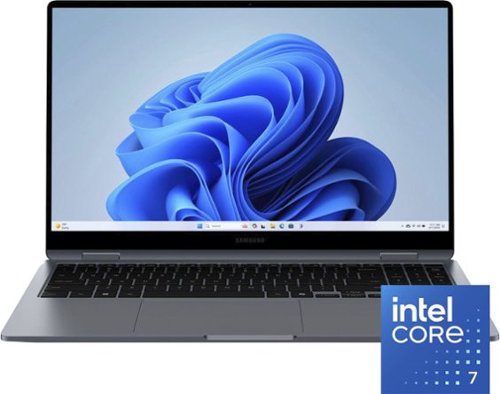
Samsung - Galaxy Book4 360 2-in-1 15.6" FHD AMOLED Touch Screen Laptop - Intel Core 7 - 16GB Memory -512GB SSD - Gray
Discover the power for your hobbies and so much more in Galaxy Book4 360. This 2-in-1 laptop features a brilliant full HD AMOLED display and effortlessly connects to your other Galaxy devices so they work together in perfect harmony. The latest Intel Core processor and a long lasting battery give you the power to go from spreadsheets to checking email to binging the latest hit show. Go ahead and get comfy as you easily fold back the 360 degree hinge to take notes or fine tune those photos from your last dinner party with the compatible S-Pen. In either mode, you get the premium experience of the full HD AMOLED display on a spacious 15.6" screen. Need more room to explore? Easily pair your Galaxy Book4 360 with your Tab S9 using Second Screen and effortlessly move items across both devices. You can also sync files and continue your smartphone conversations from the comfort of your keyboard using Link to Windows. A powerful 360 degree design to help you explore all your interests that~s Galaxy Book4 360.
What model of intel 7 processor does it have?
Thanks for reaching out to us. The Galaxy Book4 360 comes with either the Intel Core 5 or the Intel Core 7 processor. For any further questions, please be sure to reach out to us at Support. -Kelvin
1 year, 9 months ago
by
Posted by:
Samsung
Enjoy Dolby Atmos sound from above and around without requiring HDMI cables. Perfectly synchronized TV and soundbar audio~ bring s a new level of immersion. This all in one soundbar delivers sharp and rich audio with a compact design. ~ Q Symphony requires a compatible 2020 2024 Samsung TV. Please refer to samsung.com for more information.
I bought it but wonder can it ulcarrybboth 220VA and 110V input eletricity? I plan to bring the soundbar to a country which input eletcricity is 220VA. Thanks
Hi Marshall. This Samsung soundbar is intended for use in the U.S. and will only support 110-120V. You would need to purchase a converter/adapter to be able to use it with a 220V outlet. ~ Samsung Solutions
1 year, 9 months ago
by
Posted by:
Samsung
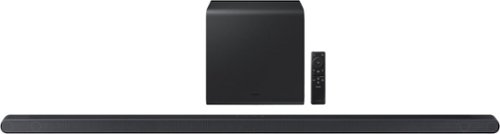
From Wireless Dolby Atmos to sound calibrated to fit your space, the ultra slim Samsung S800D delivers a rich audio experience with style and features se t to impress.
Will this HW-S800D soundbar work with a SWA-W510/ZA subwoofer. Thanks
Hi there LuisG. No, the HW-S800D Soundbar can only be connected with the included subwoofer. ~ Samsung Solutions
1 year, 9 months ago
by
Posted by:
Samsung
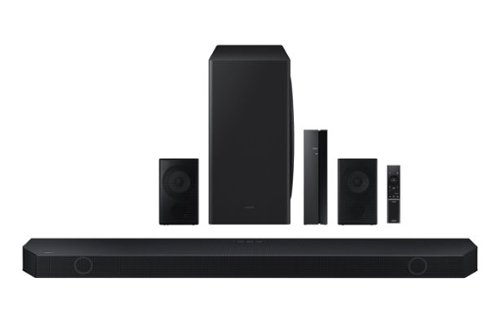
Samsung - HW-Q850D/ZA 7.1.2 Channel Wireless Dolby ATMOS Soundbar + Rear Speakers w/ Q Symphony - Black
This soundbar adapts rich, wireless audio to your space while staying in sync with your TV~s speakers* to amplify your experience.
Can I use existing, built-in ceiling speakers as rear speakers? I’d like to avoid black boxes hanging off the walls in our family room. I understand it may decrease the overall sound quality vs. the included ones. Acceptable specs for rear speakers?
Hello ChrisW. No, you are unable to connect the HW-Q850D Soundbar to your built-in ceiling speakers. ~ Samsung Solutions
1 year, 9 months ago
by
Posted by:
Samsung
Samsung - HW-Q850D/ZA 7.1.2 Channel Wireless Dolby ATMOS Soundbar + Rear Speakers w/ Q Symphony - Black
This soundbar adapts rich, wireless audio to your space while staying in sync with your TV~s speakers* to amplify your experience.
Does have 2.1 hdmi
Hello there Logan! No, the HW-Q850D Soundbar does not have HDMI 2.1. ~ Samsung Solutions
1 year, 9 months ago
by
Posted by:
Samsung
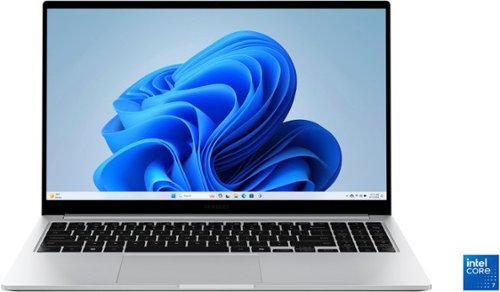
Samsung - Galaxy Book4 15.6" FHD Laptop - Intel Core 7- 16GB Memory - 512GB SSD - Silver
Get a little more out of your everyday with Galaxy Book4. This laptop delivers on all the top features you need with the premium design you want. The gorgeous display, ample processing power and seamless connectivity with your other Galaxy devices make your next laptop choice a no brainer. Powered by the latest Intel Core processor and a long lasting battery, this laptop allows you to stay on top of your inbox, listen to your favorite music and check in on what your friends are up to on social media. Need more storage? You~re in luck! You can expand your storage up to 2TB with a microSD card, so this laptop will support your needs no matter what you decide to take on next. Enjoy browsing the web or streaming video on the gorgeous full HD display that will be sure to spark screen envy wherever you go. And you~ll see every detail of that new movie you~ve been looking forward to on the large 15.6" screen. Plus, you can easily sync with your other Galaxy devices to create a seamlessly connected and aesthetically pleasing premium Galaxy ecosystem. Power and premium design to elevate your world that~s Galaxy Book4.
Which bluetooth version does this use? Specs on HDMI port? Specs on screen such as is it an IPS etc?
It's great to hear from you, Bobb! The Galaxy Book4 features Bluetooth version 5.2 and includes the following ports: one HDMI port, one Type-C 3.2 port, a MicroSD card reader, one headphone out/mic-in combo, and one RJ45 (LAN) port. In terms of design, it has a 15.6" FHD LED display with a resolution of 1920 x 1080 and an anti-glare finish. The overall size of the display is 15.6 inches. For any other questions, do not hesitate to reach out to us at Support. -Kelvin
1 year, 9 months ago
by
Posted by:
Samsung