Samsung
Samsung's Stats
Reviews
- Review Count0
- Helpfulness Votes0
- First ReviewNone
- Last ReviewNone
- Featured Reviews0
- Average Rating0
Reviews Comments
- Review Comment Count0
- Helpfulness Votes0
- First Review CommentNone
- Last Review CommentNone
- Featured Review Comments0
Questions
- Question Count0
- Helpfulness Votes0
- First QuestionNone
- Last QuestionNone
- Featured Questions0
- Answer Count73681
- Helpfulness Votes37,930
- First AnswerApril 24, 2013
- Last AnswerAugust 18, 2026
- Featured Answers0
- Best Answers3943
Samsung's Reviews
Samsung has not submitted any reviews.
Samsung's Questions
Samsung has not submitted any questions.
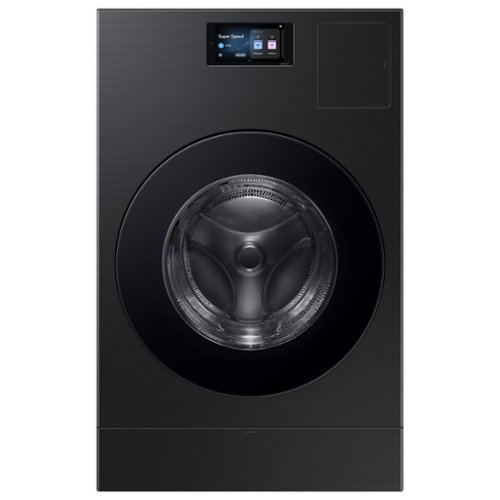
The Bespoke AI Vented Laundry Combo makes life easier to manage. Forget waiting at home to switch clothes to the dryer, this All in One washes and dries in one machine leaving your clothes clean and dry in 68 minutes. Designed to save space and time, it's fast drying performance combined with an intelligent wash system makes laundry day less of a chore. Enjoy an easy installation by simply swapping your existing washer and electric dryer with one AI Vented Laundry Combo. Based on using a Super Speed cycle only with an 10 lb. DOE load (cotton 50% + polyester 50%). Individual results may vary based on actual load content.
If I wanted to put 2 machines side by side, (large family) how could I hook up both dryers as I only have 1 exhaust vent hole? Do they make a “Y” pipe to connect both?

Hello,
If you’re thinking about placing two separate dryers side by side (outside of this combo model), connecting both to a single exhaust with a Y pipe is not recommended. This type of setup can restrict airflow, allow lint to build up more quickly, and may cause backflow between machines, which can impact performance and safety. Standard installation practices typically require each vented dryer to have its own dedicated exhaust line.
Your trust in Samsung means a great deal to us.
Nicole
Samsung Care
If you’re thinking about placing two separate dryers side by side (outside of this combo model), connecting both to a single exhaust with a Y pipe is not recommended. This type of setup can restrict airflow, allow lint to build up more quickly, and may cause backflow between machines, which can impact performance and safety. Standard installation practices typically require each vented dryer to have its own dedicated exhaust line.
Your trust in Samsung means a great deal to us.
Nicole
Samsung Care
2 months, 1 week ago
by
Posted by:
Samsung
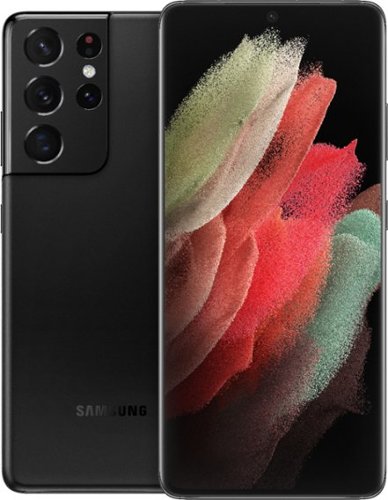
Galaxy S21 Ultra 5G is crafted so you don~t need to choose between video and photo. With a single tap, you can pull super-clear stills straight from high-resolution 8K video. Or if you~re looking to capture stunning photos, the 108MP camera feels like you~ve brought your own professional studio with you. Galaxy S21 Ultra 5G, designed to be epic in every way.
Hi, good afternoon this phone is new?
Hey there Theking, thanks for asking us your question about the Samsung Galaxy S21 Ultra. That's a great question! We suggest reaching out to the seller to inquire about warranty options available with the purchase of this device. Let us know if you have additional questions, please do not hesitate to reach out to Support. Thank you for being a valued Samsung customer. - Debra
2 months, 2 weeks ago
by
Posted by:
Samsung
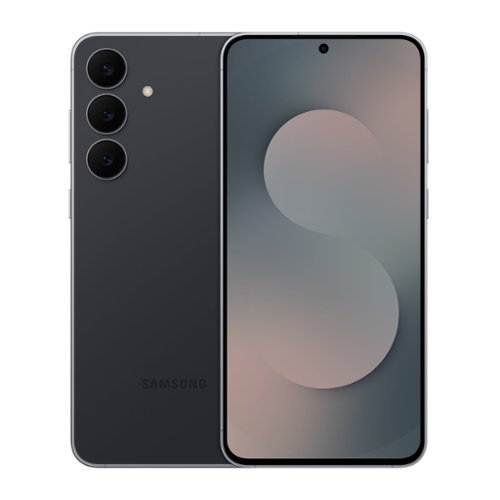
Galaxy S25 FE brings upgraded essentials to level up your everyday. Its lightweight and sleek design makes it easy to carry; and wrapped in durable Gorilla Glass Victus+ and a sturdy Armor Aluminum frame, it~s built to go wherever life takes you. The 6.7" full HD display with barely there bezels gives you more room to see and do and ensures smooth scrolling with a refresh rate up to120Hz. Plus, S25 FE brings smart assistance to your everyday with Gemini Live. Show Gemini what you see with camera sharing, and ask questions in real time. Add to that an advanced camera. Whether you're snapping a quick selfie or editing vacation footage, S25 FE helps you get the shot and polish it too. The triple lens rear camera system captures every angle with clarity, and the 12MP front camera with ProVisual Engine makes every shot count from bright daytime photos to clear low light moments. Plus, now you can erase audio, adjust skin tone, resize objects and more with AI powered Generative Edit. With a faster CPU, GPU and NPU, a larger vapor chamber for better cooling and a 4,900mAh battery with Super Fast Charging 2.0, Galaxy S25 FE delivers steady performance that carries you through your day. It~s the everyday ready device with smart, powerful, premium features that actually make a difference.
What size do I need to buy a micro sd memory card for this cellphone?
Hey there Memory, thanks for asking us your question about the Samsung Galaxy S25 FE. The advertised Galaxy S25 FE does not have a built-in microSD card slot. Check out, "Manage storage on your Samsung Galaxy phone" if you would like to learn about available storage options. Feel free to contact Support if you would like any further assistance. Thank you for being a cherished Samsung customer. - Debra
2 months, 2 weeks ago
by
Posted by:
Samsung
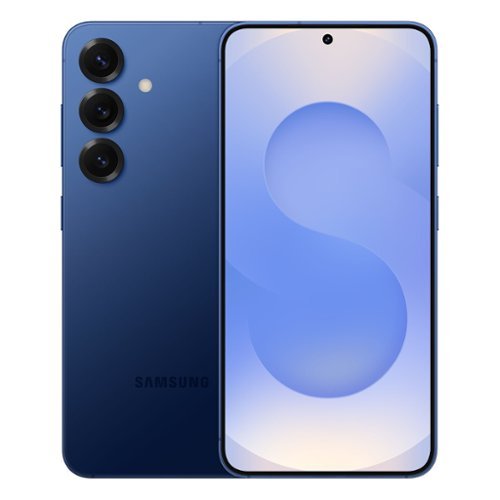
Imagine a new phone that truly simplifies your day. Galaxy S25 does more than keep your world all in one place ~it uses AI to intuitively streamline your life. What if you could plan a night out with your friends with one simple ask? Your personal assistant will find the perfect spot and text it to them. Want to keep tabs on your busy day ahead? Galaxy S25 gives you the insights you need before you know you need them with Now Brief. Want to wow with your content? Capture and curate post-worthy shots every time with an incredible high-res camera. Looking for a phone that can truly keep up with you? Galaxy S25 is built with a long-lasting battery. What if you could experience epic tech that brings ease to your everyday? Galaxy S25 does just that.
Is this phone compatible with Xfinity phone plans?
Salutations Grootie, thanks for asking us your question about the Samsung Galaxy S25. The advertised unlocked Galaxy S25 is compatible with AT&T, Boost Mobile, Cricket, Google Fi, H2O Wireless, Mint Mobile, Sprint, T-Mobile, Ultra Mobile, US Cellular, Verizon, and Visible. Please let us know if you have additional questions by reaching out to Support. Thank you for being a staunch Samsung customer. - Debra
2 months, 2 weeks ago
by
Posted by:
Samsung
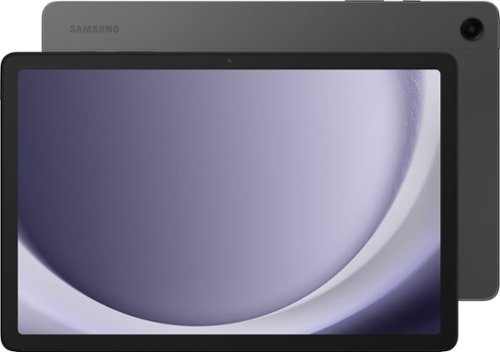
Samsung - Galaxy Tab A9+ 11" 128GB - Wi-Fi - Graphite
Meet your go to device for on-the-go family fun Galaxy Tab A9+. A bright, engaging 11" screen is perfect for every family member to do what they love. Whether they~re enjoying a show, unwinding with a game, or catching up on schoolwork or day to day tasks, an upgraded chipset makes every experience feel smooth and easy. You can even open multiple apps at the same time and get all your everyday tasks done quickly. Use it for hours without worrying about power and keep everything you love together with plenty of storage space. Plus, the preloaded Samsung Kids app provides a safe digital environment for your little ones to happily learn and play. Give your family a great all in one Tab that perfectly meets all their everyday needs without taking a bite out of your wallet Galaxy Tab A9+.
Does the samsung galaxy tabA9+ have a manufacturer warranty
Hey Rand, thank you for taking the opportunity to ask us your question about the Samsung Galaxy Tab A9+. Yes, Samsung provides a 12-month warranty for manufacturing defects in materials and workmanship. If you have any other questions, please do not hesitate to reach out to Support. Thank you for being a dedicated Samsung customer. - Debra
2 months, 2 weeks ago
by
Posted by:
Samsung

Samsung - Galaxy A16 5G 128GB (Unlocked) - Blue Black
Galaxy A16 5G delivers an awesome experience at an awesome value, bringing you everything you need at a great price. Stream your favorite shows on its large 6.7~ display, enjoy smooth performance across all your apps and capture life~s special moments in detail with the triple-lens camera. Power through your day with a reliable Super Fast Charging battery, and stay connected to your family and friends with ultrafast 5G. Enjoy all the awesome perks that come with an A Series phone including Samsung Wallet, Samsung TV Plus and partner offers like three months of free Peacock Premium. Plus, with six years of OS and security updates, your phone helps keep you protected and up to date. Bring home a phone that delivers incredible value and makes your everyday a little easier.
Where is the phone jack outlet? There are only 2 slots at the bottom, 1 for "C" charging and 1 more which is not identified? Is the second 1 to the right the headphone jack?
Howdy Ampman, thanks for taking the time to ask us your questions regarding your Samsung Galaxy A16 5G. The bottom edge of your phone features one USB-C port, one microphone hole, and a speaker. To use traditional wired headphones, you will need to plug a USB-C to 3.5mm adapter into the charging port. You can also utilize USB-C Earphones that connect directly to the charging port. Hope that helps! If you have additional questions, please contact Support. Thank you for being a faithful Samsung customer. - Debra
2 months, 2 weeks ago
by
Posted by:
Samsung
Samsung - Galaxy A16 5G 128GB (Unlocked) - Blue Black
Galaxy A16 5G delivers an awesome experience at an awesome value, bringing you everything you need at a great price. Stream your favorite shows on its large 6.7~ display, enjoy smooth performance across all your apps and capture life~s special moments in detail with the triple-lens camera. Power through your day with a reliable Super Fast Charging battery, and stay connected to your family and friends with ultrafast 5G. Enjoy all the awesome perks that come with an A Series phone including Samsung Wallet, Samsung TV Plus and partner offers like three months of free Peacock Premium. Plus, with six years of OS and security updates, your phone helps keep you protected and up to date. Bring home a phone that delivers incredible value and makes your everyday a little easier.
Your recent answer to me said to use a USB C adapter to the "charging port" for headphone listening with headphones? Does the "charging port" Can it actually be used for headphones as an outlet?
Hello again Ampman, thanks for asking us your question about the Samsung Galaxy A16 5G. The advertised Galaxy A16 5G lacks a traditional 3.5mm audio jack. To use headphones, you can either connect wired headphones via a USB-C adapter (dongle) or USB-C wired earbuds, or switch to wireless Bluetooth headphones. Hope that clarifies any confusion that may be present. Feel free to reach out to Support with any additional questions you may have. Thanks for being a dedicated Samsung customer. - Debra
2 months, 2 weeks ago
by
Posted by:
Samsung
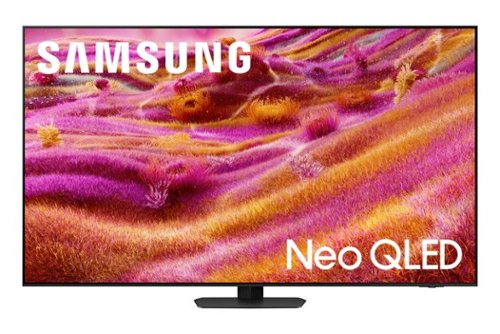
Our most advanced 4K processor powers Samsung Vision AI for enhanced picture, sound, and breakthrough TV experiences. Get amazingly detailed picture and vivid color on a glare free screen for viewing without distraction, even in the brightest rooms. Enriching new personalized TV experiences let you dive deeper into your content and get more from your TV.
Is it compatible with Sonos equipment or limited to Samsung soundbars?
Richard - The QN90F can connect to audio devices via HDMI, Optical, Bluetooth, or Wi-Fi.
~ Samsung Specialist
~ Samsung Specialist
2 months, 2 weeks ago
by
Posted by:
Samsung
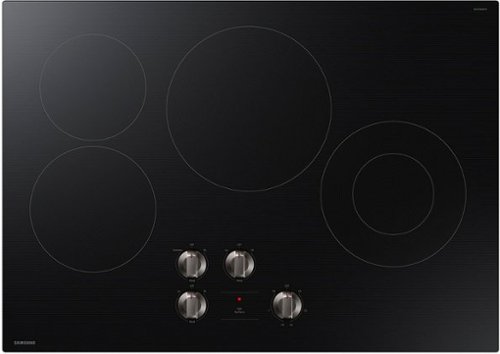
From boiling water to melting chocolate, this innovative cooktop features 4 elements to accommodate the busiest home kitchens. Get cutting-edge energy efficiency along with the latest technology, with our ENERGY STAR Certified cooktops.
My current cooktop is slightly over 30". How will this fit?
Hello searchinggal,
The 30" size refers to the cooktop itself, while the required cutout is smaller about 28 ½" to 28 ⁷⁄₈" wide. If your opening is over 30", the cooktop can still sit on top, but small gaps may be visible.
For the best fit and proper installation, we strongly suggest having a professional installer to handle the setup, especially if adjustments are needed.
You can explore the full guide here:
Samsung cooktop installation manual:
https://downloadcenter.samsung.com/content/EM/202412/20241202133624714/DG68-01666A-00_IM_NZ30FG5332RKAA_EN-MES-CFR_241126.pdf
Samsung values your business.
Rachel
Samsung Care
The 30" size refers to the cooktop itself, while the required cutout is smaller about 28 ½" to 28 ⁷⁄₈" wide. If your opening is over 30", the cooktop can still sit on top, but small gaps may be visible.
For the best fit and proper installation, we strongly suggest having a professional installer to handle the setup, especially if adjustments are needed.
You can explore the full guide here:
Samsung cooktop installation manual:
https://downloadcenter.samsung.com/content/EM/202412/20241202133624714/DG68-01666A-00_IM_NZ30FG5332RKAA_EN-MES-CFR_241126.pdf
Samsung values your business.
Rachel
Samsung Care
2 months, 2 weeks ago
by
Posted by:
Samsung

Step up to Full HD for a significantly clearer picture than regular HD. Enjoy impressive, fine-tuned colors and deep contrast, all wrapped in a sleek design and secured by triple-layer protection. Virtual 3-D sound is enhanced and tracks movement on screen for a truly immersive experience.
can it be used outdoors
Hi augs,
The F6000F TV is not rated for outdoor use.
~Samsung Advisor
The F6000F TV is not rated for outdoor use.
~Samsung Advisor
2 months, 2 weeks ago
by
Posted by:
Samsung