Samsung
Samsung's Stats
Reviews
- Review Count0
- Helpfulness Votes0
- First ReviewNone
- Last ReviewNone
- Featured Reviews0
- Average Rating0
Reviews Comments
- Review Comment Count0
- Helpfulness Votes0
- First Review CommentNone
- Last Review CommentNone
- Featured Review Comments0
Questions
- Question Count0
- Helpfulness Votes0
- First QuestionNone
- Last QuestionNone
- Featured Questions0
- Answer Count73699
- Helpfulness Votes37,931
- First AnswerApril 24, 2013
- Last AnswerAugust 18, 2026
- Featured Answers0
- Best Answers3943
Samsung's Reviews
Samsung has not submitted any reviews.
Samsung's Questions
Samsung has not submitted any questions.
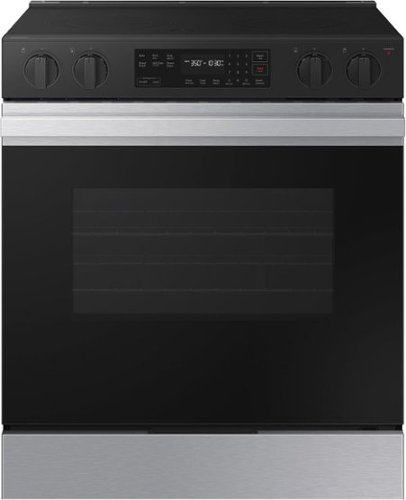
Samsung's smart electric range features a stylish and contemporary Bespoke design with a recessed handle that seamlessly blends into your kitchen for an elegant and minimalist look. The Precision Knobs will prevent accidental cooktop turn-on with its pinch, press and turn mechanism and the extra large 6.3 cu. ft. oven easily accommodates large dishes or roasting pans to cook for your whole family.
Does this range come in a brush black color

Hi larry, this model is part of Samsung’s Bespoke line, which features select, curated finishes. The available finish is Stainless Steel, and a brush black option is not listed for this model at this time.
Here is the official Samsung US spec sheet link to check available colors:
https://images.samsung.com/is/content/samsung/p6pim/us/nse6dg8100sraa/specsheet/us-specsheet-nse6dg8100sraa-550335543.pdf
We’re glad to shed some light on this.
Khristine
Samsung Care
Here is the official Samsung US spec sheet link to check available colors:
https://images.samsung.com/is/content/samsung/p6pim/us/nse6dg8100sraa/specsheet/us-specsheet-nse6dg8100sraa-550335543.pdf
We’re glad to shed some light on this.
Khristine
Samsung Care
2 months, 3 weeks ago
by
Posted by:
Samsung
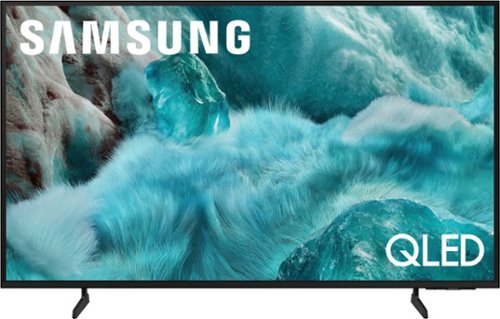
Discover a new level of visual and auditory brilliance with our next level smart TV. Powered by Pantone certified color accuracy, witness over one billion authentic hues burst forth in beautiful detail. Quantum HDR takes things further, elevating contrast for lifelike imagery. Add to that our advanced 3D audio system syncing flawlessly with on screen motion, all intelligently powered by Samsung Vision AI. And rest assured, Knox keeps your private info safe and secure.
I need simplicity for my Alzheimer husband can this be programmed to his own apps on front screen? Does it have a voice activated remote?
Hi Rae,
The Home Screen on the Q7F does offer customization. It, however, does not support far-field/hands-free voice commands. You can still take advantage of Alexa & Bixby voice commands – just press and hold the mic button on your remote, say a command, and then release the button.
All that being said, we recommend visiting your local Best Buy directly so they can best assist you with the best TV for you and your husband.
~Samsung Advisor
The Home Screen on the Q7F does offer customization. It, however, does not support far-field/hands-free voice commands. You can still take advantage of Alexa & Bixby voice commands – just press and hold the mic button on your remote, say a command, and then release the button.
All that being said, we recommend visiting your local Best Buy directly so they can best assist you with the best TV for you and your husband.
~Samsung Advisor
2 months, 3 weeks ago
by
Posted by:
Samsung
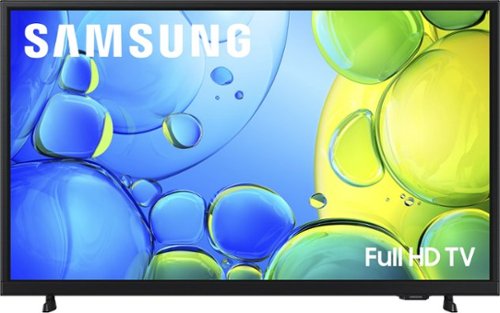
Step up to Full HD for a significantly clearer picture than regular HD. Enjoy impressive, fine-tuned colors and deep contrast, all wrapped in a sleek design and secured by triple-layer protection. Virtual 3-D sound is enhanced and tracks movement on screen for a truly immersive experience.
Will thus tv connect to a dvr player?
Hi,
You can connect to a DVR via HDMI cable.
~Samsung Advisor
You can connect to a DVR via HDMI cable.
~Samsung Advisor
2 months, 3 weeks ago
by
Posted by:
Samsung
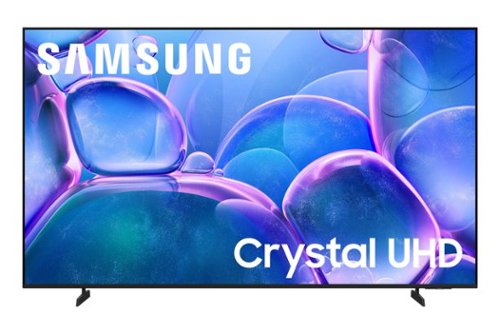
Upgrade your home theater with this stylish 4K TV featuring vibrant colors, rich contrast and an advanced 4K processor. Stay endlessly entertained with thousands of on demand shows and movies for free and enjoy peace of mind as watch thanks to our proprietary triple layer security that protects your personal data across all connected devices at once.
Can this tv link to multiple devices with blue tooth? For example, two different couches with speakers.
Hi Danny,
Yes, the U7900F can connect to two Bluetooth speakers.
~Samsung Advisor
Yes, the U7900F can connect to two Bluetooth speakers.
~Samsung Advisor
2 months, 3 weeks ago
by
Posted by:
Samsung
Upgrade your home theater with this stylish 4K TV featuring vibrant colors, rich contrast and an advanced 4K processor. Stay endlessly entertained with thousands of on demand shows and movies for free and enjoy peace of mind as watch thanks to our proprietary triple layer security that protects your personal data across all connected devices at once.
Do the tv have a built-in Bluetooth?
Hi,
The U7900F is Bluetooth-enabled.
~Samsung Advisor
The U7900F is Bluetooth-enabled.
~Samsung Advisor
2 months, 3 weeks ago
by
Posted by:
Samsung
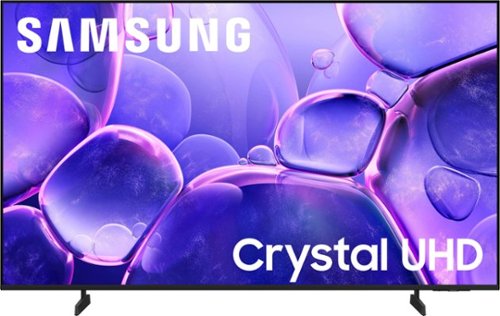
Upgrade your home theater with this stylish 4K TV featuring vibrant colors, rich contrast and an advanced 4K processor. Stay endlessly entertained with thousands of on demand shows and movies for free and enjoy peace of mind as watch thanks to our proprietary triple layer security that protects your personal data across all connected devices at once.
Does it have apps. Netflix prime disney hbo /max
Hi Tomi,
Yes, the U8000F is a Smart TV that offers access to your favorite streaming apps like Netflix, Hulu, HBO Max, Prime Video, Disney+, and more.
~Samsung Advisor
Yes, the U8000F is a Smart TV that offers access to your favorite streaming apps like Netflix, Hulu, HBO Max, Prime Video, Disney+, and more.
~Samsung Advisor
2 months, 3 weeks ago
by
Posted by:
Samsung
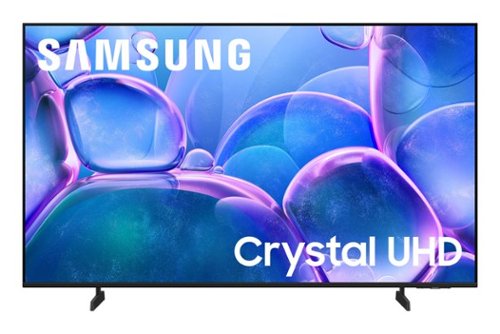
Upgrade your home theater with this stylish 4K TV featuring vibrant colors, rich contrast and an advanced 4K processor. Stay endlessly entertained with thousands of on demand shows and movies for free and enjoy peace of mind as watch thanks to our proprietary triple layer security that protects your personal data across all connected devices at once.
In the video attached below the picture quality doesn’t look the best when there is a lot of things going on at once. For example the basketball game there is a lot of things and it looks fuzzy. How can this be fixed?
Hi Bryman,
Thank you for your feedback on the Samsung U7900F TV and your experience when watching fast-motion content. If the picture appears blurry or unnatural during high-speed scenes, there are several settings you can adjust to improve motion clarity.
Go to: Home > left directional key > Settings > All Settings > Picture > Expert Settings, and review these key settings:
Picture Clarity Settings
• Off: Disables all motion enhancement
• Auto: Automatically adjusts motion clarity based on content
• Custom: Enables manual control of:
o Judder Reduction: Smooths motion in film-based content
o LED Clear Motion: Increases sharpness during fast movement
o Noise Reduction: Helps reduce distortion in lower-quality sources
Additional Picture Controls
• Brightness – Adjust overall image brightness
• Contrast – Controls the difference between light and dark areas
• Sharpness – Enhances the definition of object edges
• Color – Adjusts color intensity for more natural or vivid tones
We hope these settings help improve your viewing experience, especially with fast-moving content. If you'd like further assistance, feel free to reach out to Samsung Support at 1-800-SAMSUNG, 8AM – 9PM EST Mon – Fri, 8AM – 6PM Sat – Sun. LiveChat is also available via the ‘Support’ link on our website.
~Samsung Advisor
Thank you for your feedback on the Samsung U7900F TV and your experience when watching fast-motion content. If the picture appears blurry or unnatural during high-speed scenes, there are several settings you can adjust to improve motion clarity.
Go to: Home > left directional key > Settings > All Settings > Picture > Expert Settings, and review these key settings:
Picture Clarity Settings
• Off: Disables all motion enhancement
• Auto: Automatically adjusts motion clarity based on content
• Custom: Enables manual control of:
o Judder Reduction: Smooths motion in film-based content
o LED Clear Motion: Increases sharpness during fast movement
o Noise Reduction: Helps reduce distortion in lower-quality sources
Additional Picture Controls
• Brightness – Adjust overall image brightness
• Contrast – Controls the difference between light and dark areas
• Sharpness – Enhances the definition of object edges
• Color – Adjusts color intensity for more natural or vivid tones
We hope these settings help improve your viewing experience, especially with fast-moving content. If you'd like further assistance, feel free to reach out to Samsung Support at 1-800-SAMSUNG, 8AM – 9PM EST Mon – Fri, 8AM – 6PM Sat – Sun. LiveChat is also available via the ‘Support’ link on our website.
~Samsung Advisor
2 months, 3 weeks ago
by
Posted by:
Samsung
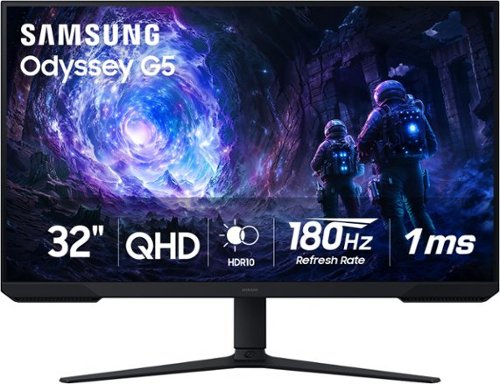
Samsung~s 32~ Odyssey G5 G51F Gaming Monitor boasts incredibly detailed, pin-sharp images with QHD resolution (2560x1440). HDR10 provides brighter highlights, improved contrast and color accuracy, making every scene feel more vivid and realistic. 180Hz Refresh Rate and near-instant 1ms Response Time (MPRT) captures all your moves with reduced lag for ultra-smooth gameplay. AMD FreeSync Premium Pro reduces choppiness, screen lag, and image tears. Black Equalizer allows you to adjust dark areas in games, so you can locate opponents hiding in the deepest shadows. Virtual Aim Point allows you to hit your marks with next-level accuracy, giving you the optimal aim with crosshairs on the screen. Auto Source Switch+ instantly switches to a new source signal when connected devices are turned on, without having to use multiple inputs. Ergonomic stand makes it simple to tilt and adjust the monitor for total gaming comfort.
Having trouble connecting Bose speakers,not getting any sound,running a vga saris window computer
Hi T,
If you are not hearing any sound, please try the following troubleshooting tips:
• Check your volume and mute settings, and confirm external speakers are powered on.
• If using HDMI ARC/eARC, make sure you’re using a certified HDMI cable and go to: Settings > All Settings > Sound > Expert Settings > HDMI eARC Mode = Auto. Also enable Anynet+ (HDMI-CEC) under External Device Manager.
• For Optical, be sure the external audio device is on before connecting, and set Sound Output = Optical.
• For Bluetooth, try unpairing and reconnecting: Settings > Sound > Sound Output > Bluetooth Speaker List
• For Wi-Fi speakers, use: Sound Output > Wi-Fi Speaker Surround Setup and make sure both devices are on the same network.
You can also try running a Sound Test: Settings > Support > Device Care > Self Diagnosis > Sound Test
If your issue continues, we’re happy to help at 1-800-SAMSUNG between 8AM - 9PM EST Monday - Friday, and 8AM - 6PM Saturday and Sunday. Our LiveChat agents are also available by clicking the ‘Support’ link at Samsung.com.
~Samsung Advisor
If you are not hearing any sound, please try the following troubleshooting tips:
• Check your volume and mute settings, and confirm external speakers are powered on.
• If using HDMI ARC/eARC, make sure you’re using a certified HDMI cable and go to: Settings > All Settings > Sound > Expert Settings > HDMI eARC Mode = Auto. Also enable Anynet+ (HDMI-CEC) under External Device Manager.
• For Optical, be sure the external audio device is on before connecting, and set Sound Output = Optical.
• For Bluetooth, try unpairing and reconnecting: Settings > Sound > Sound Output > Bluetooth Speaker List
• For Wi-Fi speakers, use: Sound Output > Wi-Fi Speaker Surround Setup and make sure both devices are on the same network.
You can also try running a Sound Test: Settings > Support > Device Care > Self Diagnosis > Sound Test
If your issue continues, we’re happy to help at 1-800-SAMSUNG between 8AM - 9PM EST Monday - Friday, and 8AM - 6PM Saturday and Sunday. Our LiveChat agents are also available by clicking the ‘Support’ link at Samsung.com.
~Samsung Advisor
2 months, 3 weeks ago
by
Posted by:
Samsung

Featuring a matte screen for a print like finish, Pantone Validated colors, and a slim customizable bezel that looks like a gallery frame, the TV for art lovers has access to curated works from top tier galleries and museums to blend into any style or d~cor. Samsung Vision AI powers superb picture, sound and personalized TV experiences.
Does the One Connect Box come with my Frame TV from Best Buy that I purchased?
Hi,
Yes, the Frame TV (LS03FA) includes a One Connect Box and One Invisible Connection Cable as these are required for use.
~ Samsung Advisor
Yes, the Frame TV (LS03FA) includes a One Connect Box and One Invisible Connection Cable as these are required for use.
~ Samsung Advisor
2 months, 3 weeks ago
by
Posted by:
Samsung
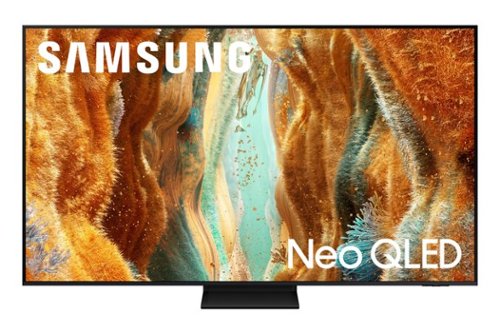
Take full advantage of Samsung Vision AI with enhanced picture and sound upscaled to 4K quality, plus experiences uniquely tailored to you - whether you're streaming your favorite show, gaming with friends, or watching live sports. And with access to free, premium channels, there's always some thing great to watch - in vivid detail brought to life by proprietary Mini LEDs.
Can you change the display orientation on this tv from landscape to portrait?
The QN70F does not support portrait mode.
~ Samsung Specialist
~ Samsung Specialist
2 months, 3 weeks ago
by
Posted by:
Samsung