Samsung
Samsung's Stats
Reviews
- Review Count0
- Helpfulness Votes0
- First ReviewNone
- Last ReviewNone
- Featured Reviews0
- Average Rating0
Reviews Comments
- Review Comment Count0
- Helpfulness Votes0
- First Review CommentNone
- Last Review CommentNone
- Featured Review Comments0
Questions
- Question Count0
- Helpfulness Votes0
- First QuestionNone
- Last QuestionNone
- Featured Questions0
- Answer Count72649
- Helpfulness Votes37,800
- First AnswerApril 24, 2013
- Last AnswerJune 26, 2026
- Featured Answers0
- Best Answers3927
Samsung's Reviews
Samsung has not submitted any reviews.
Samsung's Questions
Samsung has not submitted any questions.
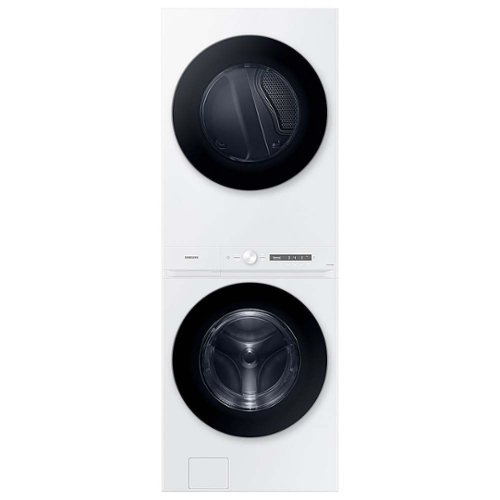
The Samsung Bespoke Laundry Hub Large Capacity 4.6 cu. ft. front load washer and dryer with an Easy Reach Control Panel, offers a space-saving solution in one single machine. The washer includes Steam Wash which gently removes stains without time-consuming pre-treatments. The dryer's vent sensor monitors the condition of its air duct so it runs safely and efficiently.
Can the Washer and Dryer be setup side by side or do they have to be stacked? My Laundry Room isn't compatible with a stacked setup.
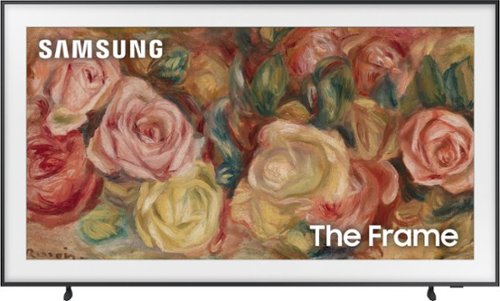
This lifestyle TV helps you curate your own gallery with works of art or personal photos. It~s customizable and showcases expert validated color and 4K resolution.
Is this model AI enabled?
Hi Kristie - The Frame 2024 incorporates AI into many features and functions. For example, The Frame TV is powered by machine learning with our impressive 4K processor that enhances your 4K HDR picture and sound for sharp details, clear resolution and vivid color and contrast. You'll also gain Intelligent Mode functions which improves your viewing experience by recognizing your content, usage patterns and the environment around your TV.
~ Samsung Specialist
~ Samsung Specialist
2 years, 2 months ago
by
Posted by:
Samsung
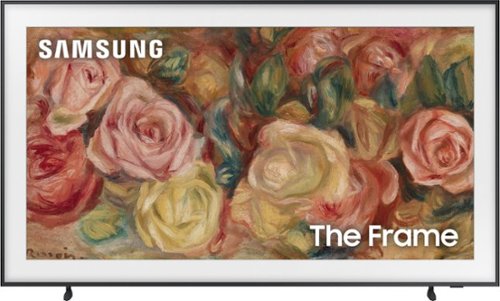
Samsung - 50 Class LS03D The Frame Series QLED 4K with Anti-Reflection and Slim Fit Wall Mount Included (2024)
This lifestyle TV helps you curate your own gallery with works of art or personal photos. It~s customizable and showcases expert validated color and 4K resolution.
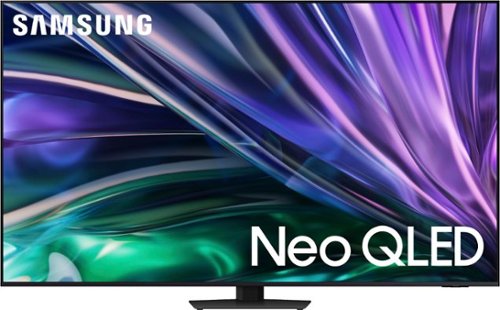
Samsung - 65 Class QN85D Series NEO QLED 4K Mini LED Smart Tizen TV (2024)
This Samsung AI TV uses individual zones of light for impressive color and contrast for an optimized viewing experience. Clear motion is matched with synced sound, all with more picture dimensions to draw you in.
This unbelievable Samsung AI TV features a more detailed image, high resolution, and great sound. Clear movement and enhanced depth bring wow to everything you watch.
Samsung - 75 Class QN85C Neo QLED 4K UHD Smart Tizen TV (2023)
Samsung Neo QLED 4K is a whole different deal. We~re talking over a billion shades of color. Larger than life sound that reacts to the action on screen. And resolution that~s automatically enhanced, no matter what you~re watching. This is 4K for the future.
Where I can find manual instruction for TV Samsung QN75QN85CA
Peter - You can download the QN85C TV's User Manual, e-Manual, Remote Control Leaflet, and Quick Setup Guide on Samsung's website under ‘Support’ (top right corner) > Manuals & Software > TVs & Home Theater. From there, you can select the QN85C under Samsung Neo QLED 4K > C Model Lineup. The e-Manual is also embedded into the TV itself under Menu > Settings > Support > Open e-Manual.
~ Samsung Specialist
~ Samsung Specialist
2 years, 2 months ago
by
Posted by:
Samsung
Samsung - 65" Class QN90C Neo QLED 4K UHD Smart Tizen TV (2023)
Some TVs just have it. They make everything look good~even hard stuff like 4K upscaling, weird viewing angles and daytime sports. Among the gifted their talents still shine bright. But when it~s Samsung Neo QLED 4K we~re talking about, there~s no need to be jealous. Because~thanks to its brilliant picture, dynamic audio and stellar design~it~ll make you look good, too.
Can you recommend a full motion tv wall mount or tv stand with integrated mount best for this tv?
Poston - The wall mount type used will depend on your preference; if you prefer the mount stationary, we recommend using a fixed mount or our Slim Fit mount. If you prefer the mount to move, take a look at tilting or full motion mounts. The 65" QN90C TV can use any type of universal wall mount with a VESA pattern of 400mm x 300mm.
~ Samsung Specialist
~ Samsung Specialist
2 years, 2 months ago
by
Posted by:
Samsung
Samsung - 85" Class QN90C Series Neo QLED 4K UHD Smart Tizen TV (2023)
Some TVs just have it. They make everything look good~even hard stuff like 4K upscaling, weird viewing angles and daytime sports. Among the gifted their talents still shine bright. But when it~s Samsung Neo QLED 4K we~re talking about, there~s no need to be jealous. Because~thanks to its brilliant picture, dynamic audio and stellar design~it~ll make you look good, too.
Can you use 2 bluetooth components at the same time. Sound bar and headphones.
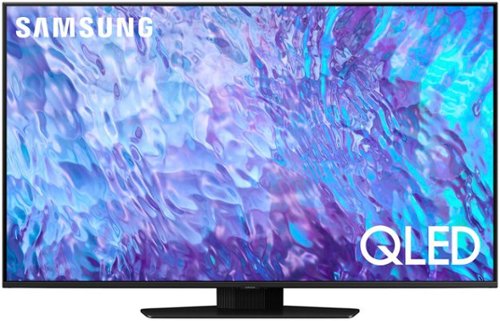
Samsung - 50 Class Q80C QLED 4K UHD Smart Tizen TV (2023)
Don~t settle for basic. Punch up the contrast with super-precise LEDs and elevate the ordinary to something more impressive. Direct Full Array and Dolby Atmos technology headline Samsung QLED~s refined audio/visual experience
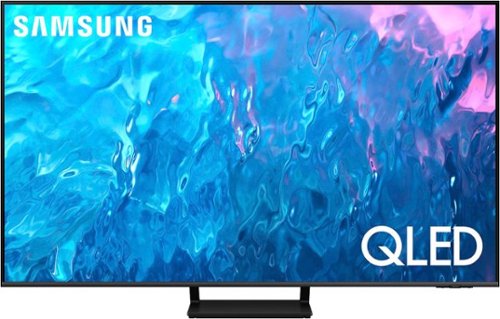
Samsung - 85" Class Q70C QLED 4K UHD Smart Tizen TV (2023)
Life can be beautiful. Don~t wait for life to show you a view worth remembering. Make your escape with 4K upscaling, impressive color volume and a mind-blowing, slim design. Enjoy content in ultra-high definition as everything is transformed into 4K resolution by the Quantum Processor. But the experience goes beyond delivering vivid contrast and 100% color volume*.
Does this tv have PIP??
PiP (Picture in Picture) capability is available by using our Multi View feature. With Multi View, you can view media from different sources, such as an app, Blu-ray player, or game console, on the main screen while also mirroring your phone to the smaller screen. When using PiP, you can select the position of the smaller screen when it’s displayed on the main screen. You can also choose the top left and top right corners, or the bottom left and bottom right corners for the smaller screen. If you don’t like where you placed the smaller screen, you can always change it later.
~ Samsung Specialist
~ Samsung Specialist
2 years, 2 months ago
by
Posted by:
Samsung