Samsung
Samsung's Stats
Reviews
- Review Count0
- Helpfulness Votes0
- First ReviewNone
- Last ReviewNone
- Featured Reviews0
- Average Rating0
Reviews Comments
- Review Comment Count0
- Helpfulness Votes0
- First Review CommentNone
- Last Review CommentNone
- Featured Review Comments0
Questions
- Question Count0
- Helpfulness Votes0
- First QuestionNone
- Last QuestionNone
- Featured Questions0
- Answer Count72689
- Helpfulness Votes37,801
- First AnswerApril 24, 2013
- Last AnswerJune 29, 2026
- Featured Answers0
- Best Answers3927
Samsung's Reviews
Samsung has not submitted any reviews.
Samsung's Questions
Samsung has not submitted any questions.
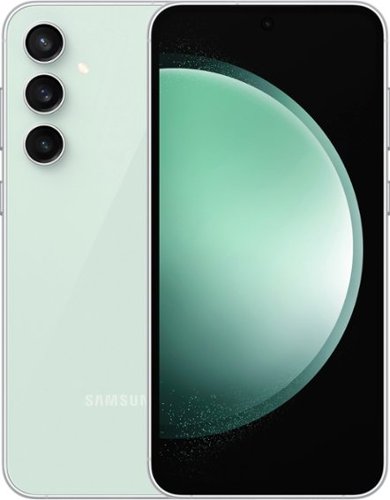
Samsung - Galaxy S23 FE 128GB (Unlocked) - Mint
Galaxy AI is here. Search like never before,~ get real-time interpretation on a call,~ format your notes into a clear summary,~ and effortlessly edit your photos~ - all from your smartphone, all with AI. Get more out of your passions with the phone that~s designed to elevate your everyday. Whether you~re binge-watching shows or capturing shots for social, Galaxy S23 FE is jam-packed with features that help you get more out of whatever you~re into including a long-lasting battery, a premium processor, a smooth and strong display, a triple-lens camera and more.
Is the Finger Print Reader located on the side of the phone or on the screen?
Hi there DBL26, thanks for taking the opportunity to ask us your question about the Samsung Galaxy S23 FE. The Galaxy S23 FE offers an in-display fingerprint reader. If you have any other questions for us, please do not hesitate to reach out to Samsung Support at your leisure. Thank you for being a loyal Samsung customer. - Debra
2 years, 2 months ago
by
Posted by:
Samsung

Samsung - 65" Class The Frame QLED 4K UHD Smart Tizen TV (2022)
Artwork, shows, movies and memories display what you love on The Frame, the picture frame like TV. See everything on the QLED 4K TV at 100% Color Volume with Quantum Dot that saturates your screen with a billion colors. Switch on Art Mode and transform your TV into your own personal art exhibit.~ ~QLED televisions can produce 100% Color Volume in the DCI P3 color space, the format for most cinema screens and HDR movies for television.

Samsung - 77 Class S89C OLED 4K UHD Smart Tizen TV
Prepare to be captivated. Whether you prefer dramatic thrillers or fantasy football, lose yourself in the viewing adventure with a contrast rich picture. Let your picture do the talking with the sleek and thin Laser Slim design. You~ll see pure blacks, bright whites and dramatic color, while the audio pulls you into the action thanks to Dolby Atmos built in and Object Tracking Sound Lite. The Samsung OLED experience doesn~t stop there shifting adventures is a breeze with access to the latest Smart TV apps and Samsung Gaming Hub.
Is the stand supposed to make the tv slant up ever so slightly.
Please know that the S89C TV’s stand was solidly designed and extensively tested for stability, but there are a few things we’d like you to check:
1. Make sure the stand is correctly installed (all screws aligning, snug in place, etc.). Please also make sure you’ve installed the “R” labeled leg on the right, and “L” on the left. When the legs are inserted correctly, you’ll hear a slight “click” when they’re in place.
2. If you need more instruction, refer to the Quick Setup Guide for more help: [INSERT QSG]
3. Inspect the stand for any cracks, damage, or missing hardware.
If your stand is correctly installed and it still seems crooked/wobbly, please reach Samsung Support and an agent will be happy to help. You can call us at 1-800-SAMSUNG, 8AM - 12AM EST, 7 days a week, or Chat with us on Samsung.com: https://www.samsung.com/us/support/contact/
~ Samsung Specialist
1. Make sure the stand is correctly installed (all screws aligning, snug in place, etc.). Please also make sure you’ve installed the “R” labeled leg on the right, and “L” on the left. When the legs are inserted correctly, you’ll hear a slight “click” when they’re in place.
2. If you need more instruction, refer to the Quick Setup Guide for more help: [INSERT QSG]
3. Inspect the stand for any cracks, damage, or missing hardware.
If your stand is correctly installed and it still seems crooked/wobbly, please reach Samsung Support and an agent will be happy to help. You can call us at 1-800-SAMSUNG, 8AM - 12AM EST, 7 days a week, or Chat with us on Samsung.com: https://www.samsung.com/us/support/contact/
~ Samsung Specialist
2 years, 2 months ago
by
Posted by:
Samsung
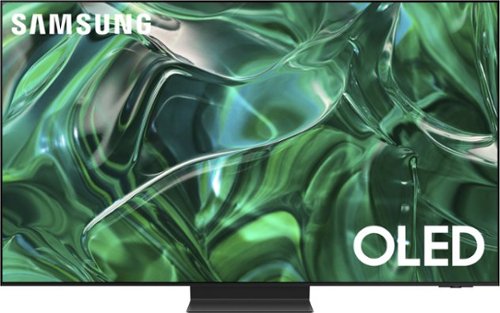
Samsung - 77" Class S95C OLED 4K UHD Smart Tizen TV (2023)
Steal the show with the bold contrast, dramatic sound, and vibrant colors of Samsung OLED. Samsung~s Infinity One Design is sleek, slim and impossibly thin. Imagination becomes reality with the infinite amount of dramatic detail made possible by self-illuminating pixels. Sit back and be mesmerized as your content is transformed to 4K.

Samsung - 32 Class Q60D Series QLED 4K Smart Tizen TV (2024)
This advanced TV features a bright new world of color and contrast, with 4K upscaling and seamless motion for crisp, smooth content.
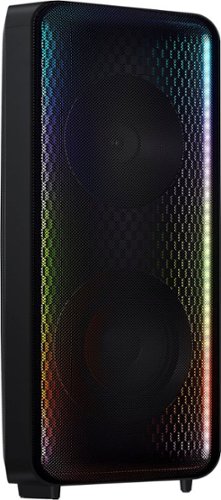
Go wall-to-wall with Samsung Sound Tower's unique Bi-directional design. Enjoy up to 18 hours of unplugged entertainment with our built-in battery. Rain or shine, enjoy year-round outdoor entertainment with this soundbar that is IPX5 rated for weather-resistant durability against water and dust.
Just received this sound tower and the quality is really good. However, it's super quiet! I mean my phone is almost as loud. What could be wrong? I'm I doing something wrong? Playing Bluetooth through Spotify and YouTube music. Thanks
Hello Jason! Please ensure that your Bluetooth connection is stable. Sometimes interference or distance can affect the sound quality. Make sure your phone is within a reasonable range of the Sound Tower. Also when playing music from your phone via Bluetooth, ensure that the volume on your phone is turned up as well. Sometimes the phone’s volume affects the overall output. Adjust the volume on both your phone and the Sound Tower to find the right balance.
~ Samsung Solutions
~ Samsung Solutions
2 years, 2 months ago
by
Posted by:
Samsung
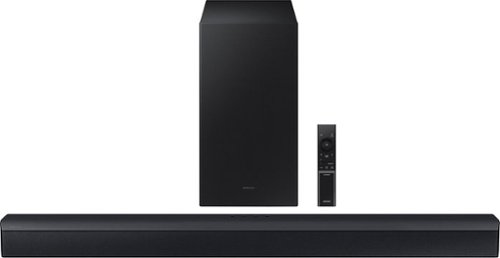
Samsung - HW-C450 2.1 Channel B-Series Soundbar with Wireless Subwoofer, DTS Virtual: X - Titan Black
Versatile and easy to use, this soundbar comes equipped with tech to enhance your listening, viewing and gaming experience~with DTS Virtual: X, an included subwoofer and bass you can boost with a tap
Is that an hdmi input on the soundbar? It does not seem to be an easy fit if it is. I did connect the digital optical wire though and paired it. It does work but the sound is choppy at times. Is that a soundbar issue or is that a WiFi issue??
Hi Johnny! The HW-C450 Soundbar does have have an HDMI port. If you are experiencing issues with the sound occasionally dropping from your soundbar. You may first want to check the cable connection of the soundbar to the TV or external device to ensure it is secure, and properly connected to the correct port.
In addition to checking the connections of the soundbar, please make sure your soundbar is using the latest firmware version. Updating the firmware on your soundbar gives you all the benefits of the latest improvements. You can update your firmware by using a USB device.
You may also want to initialize your soundbar by pressing the - and + (volume) buttons on the top of the soundbar at the same time for at least 5 seconds. “INIT OK” appears on the display and then the Soundbar is reset. Please know, this will reset all settings on the soundbar back to default; any sound adjustments will need to be performed again.
If you need more help, Samsung is here for you. Please call us at 1-800-SAMSUNG, 8AM - 12AM EST (Ask for Soundbars), 7 days a week. Our Live Chat agents are also available by clicking on the ‘Support’ link on our website.
~ Samsung Solutions
In addition to checking the connections of the soundbar, please make sure your soundbar is using the latest firmware version. Updating the firmware on your soundbar gives you all the benefits of the latest improvements. You can update your firmware by using a USB device.
You may also want to initialize your soundbar by pressing the - and + (volume) buttons on the top of the soundbar at the same time for at least 5 seconds. “INIT OK” appears on the display and then the Soundbar is reset. Please know, this will reset all settings on the soundbar back to default; any sound adjustments will need to be performed again.
If you need more help, Samsung is here for you. Please call us at 1-800-SAMSUNG, 8AM - 12AM EST (Ask for Soundbars), 7 days a week. Our Live Chat agents are also available by clicking on the ‘Support’ link on our website.
~ Samsung Solutions
2 years, 2 months ago
by
Posted by:
Samsung
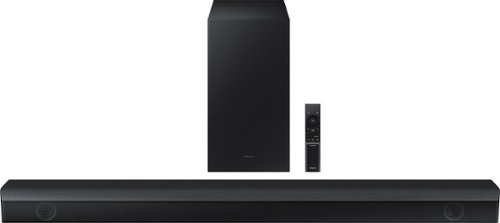
Samsung - HW-B650/ZA 3.1 Channel Soundbar with Wireless Subwoofer, Dolby 5.1 / DTS Virtual:X - Black
Dolby Atmos creates realistic 3D sound by projecting it from all around you, including from above, while DTS Virtual: X expands your listening experience without having to add extra speakers. Boost the bass with a touch of a button. The built-in center speaker delivers enhanced dialogue so you won't miss a word. Experience the intensity of action movies with the powerful bass coming from the included subwoofer. Enjoy optimized audio with enhanced voice clarity on all your favorite video content.
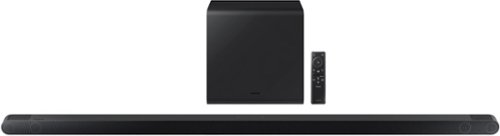
Samsung - HW-S800B 3.1.2ch Soundbar with Wireless Dolby Atmos / DTS:X - Black
Unbelievably sleek, low-profile soundbar delivers high quality audio in a super slim package. Enjoy a surround sound experience with Dolby Atmos and skip the need for HDMI cables. Synchronized audio using every speaker in compatible Samsung TV and soundbars. Simply pair the soundbar with a compatible iPhone or other iOS device to play music.

Samsung - HW-S60B 5.0ch All in One Soundbar with Wireless Dolby Atmos - Black
Enjoy room filling sound in an all in one design. Hear Dolby Atmos sound from above and around without requiring HDMI cables. Perfectly synchronized TV and soundbar sound brings a new level of immersion. Don't miss a word, thanks to a built in center speaker. Plus, play your favorite songs with Alexa built in.
Is this compatible with all TV’s? I have a Hisense TV
Hi DC! The HW-S60B features four ways to connect to an external device: Wi-Fi, HDMI (eARC), digital optical audio, and Bluetooth wireless audio technology. If your TV is compatible with one of these four audio connections, you should have no issue connecting the soundbar to your TV. ~Samsung Solutions
2 years, 2 months ago
by
Posted by:
Samsung