Samsung
Samsung's Stats
Reviews
- Review Count0
- Helpfulness Votes0
- First ReviewNone
- Last ReviewNone
- Featured Reviews0
- Average Rating0
Reviews Comments
- Review Comment Count0
- Helpfulness Votes0
- First Review CommentNone
- Last Review CommentNone
- Featured Review Comments0
Questions
- Question Count0
- Helpfulness Votes0
- First QuestionNone
- Last QuestionNone
- Featured Questions0
- Answer Count72714
- Helpfulness Votes37,804
- First AnswerApril 24, 2013
- Last AnswerJune 29, 2026
- Featured Answers0
- Best Answers3927
Samsung's Reviews
Samsung has not submitted any reviews.
Samsung's Questions
Samsung has not submitted any questions.

This lifestyle TV helps you curate your own gallery with works of art or personal photos. It~s customizable and showcases expert validated color and 4K resolution.
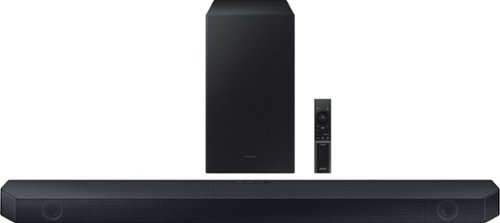
Samsung - HW-Q60C 3.1 Channel Q-Series Soundbar with Wireless Subwoofer, Dolby Atmos and Q-Symphony - Titan Black
Turn up the volume on your audio experience with the Q60C soundbar and enjoy realistic 3D sound that expands the possibilities of all your favorite content. With Q-Symphony and 3.1ch. Dolby Atmos Sound, you~ll experience dimensional audio that wraps all around you.
I haven’t been able to figure out how to turn on the q60c with Alexa. With my tv connection to speaker via Bluetooth, it’s a pain to go to tv settings to turn on soundbar each time we turn on tv.
Hello Derek! . To set up the Alexa functionality, you must do it within the SmartThings app. Follow these steps on your mobile device:
1. Install and launch the SmartThings app from your mobile (smartphone or tablet)
2. Sign into your SmartThings account or create a new account
3. Tap the + button at the top right of the main page > select Device > AV > Samsung > Soundbar
4. After the Soundbar has been added, select the Soundbar from the main page
5. Tap on the 3 vertical dots on the top right corner and tap on “Alexa Settings” to log in to your Amazon account
I hope this helps. For further assistance, please contact Samsung Customer Support at 1-800-SAMSUNG, 8AM - 12AM EST (Ask for Soundbars), 7 days a week. Our Live Chat agents are also available by clicking on the ‘Support’ link on our website.
~ Samsung Solutions
1. Install and launch the SmartThings app from your mobile (smartphone or tablet)
2. Sign into your SmartThings account or create a new account
3. Tap the + button at the top right of the main page > select Device > AV > Samsung > Soundbar
4. After the Soundbar has been added, select the Soundbar from the main page
5. Tap on the 3 vertical dots on the top right corner and tap on “Alexa Settings” to log in to your Amazon account
I hope this helps. For further assistance, please contact Samsung Customer Support at 1-800-SAMSUNG, 8AM - 12AM EST (Ask for Soundbars), 7 days a week. Our Live Chat agents are also available by clicking on the ‘Support’ link on our website.
~ Samsung Solutions
2 years, 3 months ago
by
Posted by:
Samsung
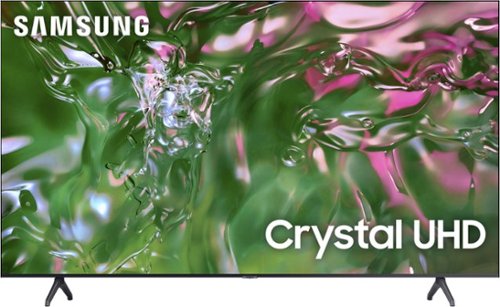
Samsung - 65" Class TU690T Crystal UHD 4K Smart Tizen TV (2023)
See how Crystal UHD with Smart TV elevates what you watch~at a value you~ll love. Go beyond HDTV to enjoy your content in 4K resolution, and in PurColor. With Smart TV powered by Tizen built in, it~s easy to find and stream the latest shows and movies in just a few clicks.
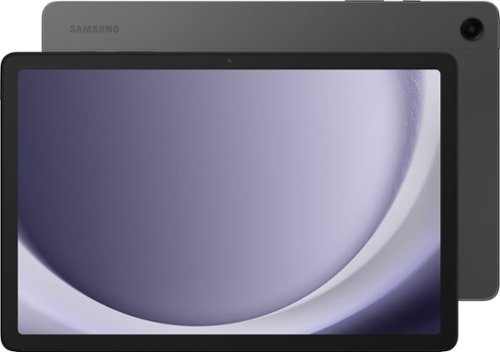
Meet your go to device for on-the-go family fun Galaxy Tab A9+. A bright, engaging 11" screen is perfect for every family member to do what they love. Whether they~re enjoying a show, unwinding with a game, or catching up on schoolwork or day to day tasks, an upgraded chipset makes every experience feel smooth and easy. You can even open multiple apps at the same time and get all your everyday tasks done quickly. Use it for hours without worrying about power and keep everything you love together with plenty of storage space. Plus, the preloaded Samsung Kids app provides a safe digital environment for your little ones to happily learn and play. Give your family a great all in one Tab that perfectly meets all their everyday needs without taking a bite out of your wallet Galaxy Tab A9+.
Hi are there any keyboards book covers compatible with this tablet? Also is the S pen compatible with this item, or any pen/stylus to use on this tablet?
Good day Gleepa3334, thank you for finding the free time out of your busy day to ask us your question about the Samsung Galaxy Tab A9+. We currently have Book Covers available for the Galaxy Tab A9+ available but no keyboards are currently showing as being available for this tablet. The Galaxy Tab A9+ is not compatible with S Pens. Let us know if you have any additional questions for us by reaching out to Samsung Support at your leisure. Thank you for being an unwavering Samsung customer. - Debra
2 years, 3 months ago
by
Posted by:
Samsung
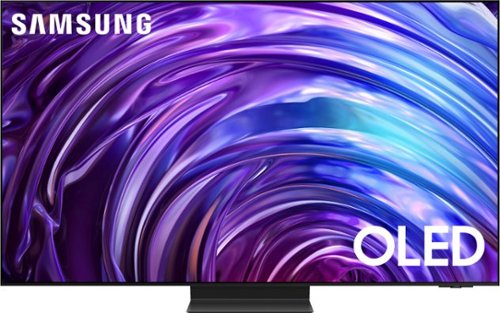
Samsung - 77 Class S95D Series OLED 4K Glare-Free Smart Tizen TV (2024)
This premium Samsung AI TV features dramatic detail, reduced glare, and our most powerful brightness. Smooth motion, depth and 4K processing make for a non-stop, breathtaking picture.
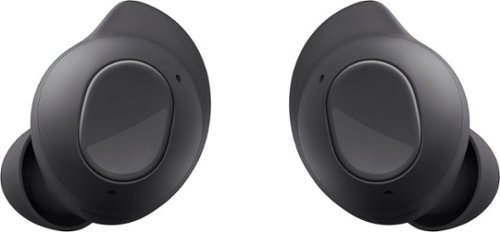
Samsung - Galaxy Buds FE Wireless Earbud Headphones - Graphite
Meet Galaxy Buds FE, your new favorite everyday audio experience. Buds FE fit comfortably into your day, combining your favorite Galaxy innovations on the go. With their ear-friendly design and a variety of wingtip options, your Buds stay in place securely and comfortably ~ you might even forget you~re wearing them. Lose yourself in the sounds you love with Active Noise Cancellation and Ambient Sound. Plus, Buds FE connect seamlessly with your Galaxy devices ~ get ready for effortless pairing from your phone to your Tab to your laptop. It~s easy to keep up with Buds FE too. Get a notification if you leave a Bud behind, and locate it easily with SmartThings Find. Enjoy your favorite audio experiences throughout your day with Galaxy Buds FE. Whether on a call or during face-to-face conversations, hear real-time translations through your Buds with Galaxy AI.~
will the Samsung galaxy ear buds work with any tv, or just the Samsung tv?
Hey Jon, thank you for finding the unobstructed time out of your bustling day to ask us your question about the Samsung Galaxy Buds FE. It is possible to pair your Galaxy Buds FE to your TV even if it is not Samsung branded, if your TV has built in Bluetooth capabilities. Let us know if you have any other questions for us by reaching out to Samsung Support at your earliest convenience. Thank you for being a trustworthy Samsung customer. - Debra
2 years, 3 months ago
by
Posted by:
Samsung
Meet your go to device for on-the-go family fun Galaxy Tab A9+. A bright, engaging 11" screen is perfect for every family member to do what they love. Whether they~re enjoying a show, unwinding with a game, or catching up on schoolwork or day to day tasks, an upgraded chipset makes every experience feel smooth and easy. You can even open multiple apps at the same time and get all your everyday tasks done quickly. Use it for hours without worrying about power and keep everything you love together with plenty of storage space. Plus, the preloaded Samsung Kids app provides a safe digital environment for your little ones to happily learn and play. Give your family a great all in one Tab that perfectly meets all their everyday needs without taking a bite out of your wallet Galaxy Tab A9+.
Is there a spec sheet on the Samsung Galaxy A9+ tablet?
Howdy Vic, thanks for taking the available time out of your busy day to ask us your question about the Samsung Galaxy Tab A9+. Absolutely! We offer a plethora of resources online for our customers to review that include product specifications, device manuals, software updates, interactive simulators, and video tutorials. Feel free to check out those resources when you have some free time. Let us know if you have any other questions for us or if you would like any further assistance by reaching out to Samsung Support at your earliest convenience. Thank you for being a valued Samsung customer. - Debra
2 years, 3 months ago
by
Posted by:
Samsung
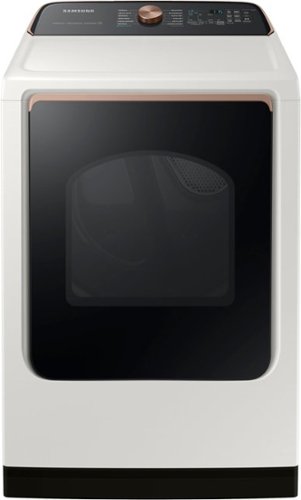
Samsung - 7.4 Cu. Ft. Smart Electric Dryer with Steam Sanitize+ - Ivory
Samsung~s new Smart Dryer has integrated Wi-Fi that allows you to remotely start or stop your cycle, schedule laundry on your time, and receive end of cycle alerts and more, right from your smartphone. Also, the Steam Sanitize+ cycle eliminates 99.9% of germs and bacteria while relaxing and smoothing away wrinkles from everyday wear.
I see in the customer interior photos that the dryer has cutouts for a drying rack. Does this unit come with it? If not, can I use a drying rack from my old Samsung unit or order the drying rack separately?
Hi there,
A rack dryer is compatible with the dryer and it is sold separately.
To check the availability and compatibility of a dryer rack, you can contact Samsung's official parts distributor for customers purchasing Samsung parts or accessories.
Orders can be placed online at www.samsungparts.com or by phone at 800-627-4368; hours of operation are 9:00 a.m. – 6:30 p.m. EST, Monday – Friday.
Have a great day.
^Charles
A rack dryer is compatible with the dryer and it is sold separately.
To check the availability and compatibility of a dryer rack, you can contact Samsung's official parts distributor for customers purchasing Samsung parts or accessories.
Orders can be placed online at www.samsungparts.com or by phone at 800-627-4368; hours of operation are 9:00 a.m. – 6:30 p.m. EST, Monday – Friday.
Have a great day.
^Charles
2 years, 3 months ago
by
Posted by:
Samsung
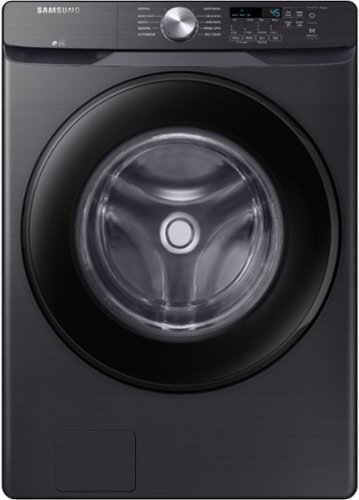
Samsung~s Energy Star Certified Front Load washer has 4.5 cu. ft. capacity to fit more in every load and cut down on laundry time. It is equipped with Vibration Reduction Technology+ to reduce noise for quiet washing and features Self Clean+ to eliminate 99% of bacteria that can form in the drum.(1) **(1)Based on testing by Intertek of the Self Clean+ cycle on the WF6000R.
Can a GE dryer be stacked on top of this washer GE Dryer is /model GFD45ESPK0DG IS 27 INCHES WIDE AND 28 INCHES DEEP. If not can, you recommend a washer that would work. Don't want another GE as it broke after 6 years
Hi Shelly,
Our Samsung washers and dryers are designed to stack with their corresponding pairs.
The matching dryers for this washer model are DVE45T6000V/A3 (electric) and DVG45T6000V/A3 (gas), which can be stacked with the SKK-8K stacking kit.
If you have further questions or inquiries, these are the platforms on which you can reach us:
1. Facebook Messenger: http://m.me/samsungsupport
2. Twitter: https://twitter.com/messages/compose?recipient_id=18768513
3. Samsung Community: https://us.commuity.samsung.com/t5/Samsung-Community/ct-p/us
Please provide us with this reference number (1146987898) to help our team pull up your information when you message us.
Thank you.
-Kimberly
Our Samsung washers and dryers are designed to stack with their corresponding pairs.
The matching dryers for this washer model are DVE45T6000V/A3 (electric) and DVG45T6000V/A3 (gas), which can be stacked with the SKK-8K stacking kit.
If you have further questions or inquiries, these are the platforms on which you can reach us:
1. Facebook Messenger: http://m.me/samsungsupport
2. Twitter: https://twitter.com/messages/compose?recipient_id=18768513
3. Samsung Community: https://us.commuity.samsung.com/t5/Samsung-Community/ct-p/us
Please provide us with this reference number (1146987898) to help our team pull up your information when you message us.
Thank you.
-Kimberly
2 years, 3 months ago
by
Posted by:
Samsung
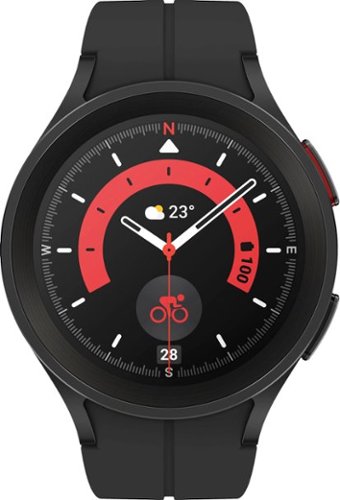
Samsung - Galaxy Watch5 Pro Titanium Smartwatch 45mm BT - Black - (2022)
Take on your ultimate adventure with Galaxy Watch5 Pro~. It~s our most advanced outdoor watch yet, featuring a 2x stronger~ Sapphire Crystal Glass display. Power through intense activities, even with GPS on, with a long-lasting battery. Stay on the right trail even in unfamiliar terrain thanks to voice or vibration guided turn-by-turn navigation~. Push your body further with accurate sensors that help keep a closer eye on your heart rate~, and BIA~ measurements that help you track your physique. Get the rest you need to stay energized on your journeys with Advanced Sleep Coaching~. Look sharp on every expedition with bands and watch faces that you can match to any outfit. Plus, pair your watch with the rest of your Galaxy for a connected network of devices that work together to help go stronger and harder than ever before. Whether you~re hiking, kayaking~ or camping, get ready to take it to the extreme with Galaxy Watch5 Pro.
Can I swim with this watch?
Howdy Zara, thanks for taking the time out of your hectic day to ask us your question about the Samsung Galaxy Watch5 Pro. That's a great question. It is possible to swim while wearing the Galaxy Watch5 Pro due to its IP68 rating making it water-resistant in up to 5 feet of water for up to 30 minutes. You can use Water lock mode to exercise in the water while wearing your watch. While in Water lock mode, touchscreen, wake-up gestures, and watch always on will be disabled. You can also enable Water lock mode from the Settings menu. From Settings, tap Advanced features > Water lock. Tap to enable. If you have any other questions for us, let us know by reaching out to Samsung Support at your earliest convenience. Thank you for being a devoted Samsung customer. - Debra
2 years, 3 months ago
by
Posted by:
Samsung