Samsung
Samsung's Stats
Reviews
- Review Count0
- Helpfulness Votes0
- First ReviewNone
- Last ReviewNone
- Featured Reviews0
- Average Rating0
Reviews Comments
- Review Comment Count0
- Helpfulness Votes0
- First Review CommentNone
- Last Review CommentNone
- Featured Review Comments0
Questions
- Question Count0
- Helpfulness Votes0
- First QuestionNone
- Last QuestionNone
- Featured Questions0
- Answer Count72715
- Helpfulness Votes37,805
- First AnswerApril 24, 2013
- Last AnswerJune 30, 2026
- Featured Answers0
- Best Answers3927
Samsung's Reviews
Samsung has not submitted any reviews.
Samsung's Questions
Samsung has not submitted any questions.
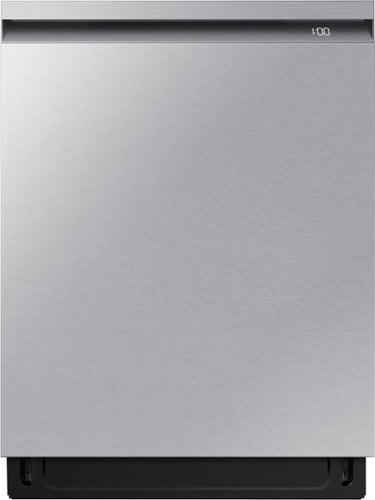
A mundane chore like washing dishes is easier and more effective with a washing system that has dual wash arms and a spray jet that blasts water at high pressure, covering all angles to clean even the dirtiest dishes. To achieve improved drying performance the AutoRelease Door automatically opens at the end of the cycle to circulate air and dry dishes faster.
Question 2 for my Samsung - AutoRelease Smart Built-In Dishwasher with StormWash+, 42dBA - Stainless Steel. The cover for the rinsing agent is popped open after each wash. Is that normal for this machine? Never seen this before.
Hello there,
Thank you for asking about your rinse aid. Let's get the details you need.
Ensuring you use a liquid rinse aid is crucial for optimal dishwasher performance. Additionally, ensuring that the rinse aid dispenser is properly closed helps maintain the integrity of the rinse aid and prevents any potential leaks or spills.
Keeping these factors in check will help your dishwasher run smoothly and efficiently.
Please see pages 26 to 27 under the "Rinse aid" and page 35 under the "Rinse aid amount" section of the manual for more details.
Manual
https://downloadcenter.samsung.com/content/UM/202308/20230809164225409/North_America_DW7000B_WEB_DW0005_English.pdf
Should you need more assistance, please feel free to get back to us via the following options:
1. Facebook Messenger: http://m.me/Samsungsupport
2. Twitter: https://twitter.com/messages/compose?recipient_id=18768513
3. Samsung Community: https://us.community.Samsung.com/t5/Samsung-Community/ct-p/us
When you message us, please provide us with this reference number (1146965612) to help our team pull up your information.
Have a great day.
^Camille
Thank you for asking about your rinse aid. Let's get the details you need.
Ensuring you use a liquid rinse aid is crucial for optimal dishwasher performance. Additionally, ensuring that the rinse aid dispenser is properly closed helps maintain the integrity of the rinse aid and prevents any potential leaks or spills.
Keeping these factors in check will help your dishwasher run smoothly and efficiently.
Please see pages 26 to 27 under the "Rinse aid" and page 35 under the "Rinse aid amount" section of the manual for more details.
Manual
https://downloadcenter.samsung.com/content/UM/202308/20230809164225409/North_America_DW7000B_WEB_DW0005_English.pdf
Should you need more assistance, please feel free to get back to us via the following options:
1. Facebook Messenger: http://m.me/Samsungsupport
2. Twitter: https://twitter.com/messages/compose?recipient_id=18768513
3. Samsung Community: https://us.community.Samsung.com/t5/Samsung-Community/ct-p/us
When you message us, please provide us with this reference number (1146965612) to help our team pull up your information.
Have a great day.
^Camille
2 years, 3 months ago
by
Posted by:
Samsung

Samsung - Galaxy Book4 Pro 14" AMOLED Touch Screen Laptop - Intel Core Ultra 7 - 16GB Memory - 512GB SSD - Moonstone Gray
From passion projects to vacation planning to managing your household, you have a lot going on and need a device powerful enough to handle it all. Galaxy Book4 Pro offers extraordinary power in our thinnest laptop in the Galaxy Book4 Series and becomes even mightier when connected to your other Galaxy devices. Whether you~re editing files for your new project or managing the family calendar and household budget, the latest Intel Core Ultra processor has your back. Even your busiest days are no match for the lightweight design and long lasting battery. You can take this laptop anywhere, and with the anti reflective screen, why not enjoy a sunny day outside while you check off items on your to do list? Even go getters need a break, so grab this laptop to start planning your next getaway. See every vibrant detail on the stunning Dynamic AMOLED 2X display, now with touchscreen, as you research your next destination, and be transported to a different world before even getting on the plane. Hop on a video call with your travel partners to finalize the itinerary, and feel like you~re in the same room thanks to a studio worthy mic and quad AKG speakers. Sync this laptop with your other Galaxy devices for a new level of productivity. Pair it with your smartphone to effortlessly sync files and call and text right from your laptop, all while knowing you have our most advanced security with Secured Core PC and Samsung Knox. Power and portability to keep you moving forward that~s Galaxy Book4 Pro.
Can the RAM be upgraded, same with the harddrive? Please do not say get the 16", as I want the 14". Also, why not have 14" with at least 32GB RAM, and 1TB storage or more?
Hey Ia24601, thank you for finding the time out of your bustling day to ask us your question about the Samsung Galaxy Book4 Pro. The Galaxy Book4 Pro 14" is offered in 512GB and 1TB of total storage capacity which is SSD, and it has a 16GB RAM. Due to the storage being an SSD, we recommend choosing the maximum storage that you believe that you will need. Reach out to Samsung Support if you would like any further assistance or if you have any additional questions. Thank you for being a trustworthy Samsung customer. - Debra
2 years, 3 months ago
by
Posted by:
Samsung
Samsung - Galaxy Book4 Pro 14" AMOLED Touch Screen Laptop - Intel Core Ultra 7 - 16GB Memory - 512GB SSD - Moonstone Gray
From passion projects to vacation planning to managing your household, you have a lot going on and need a device powerful enough to handle it all. Galaxy Book4 Pro offers extraordinary power in our thinnest laptop in the Galaxy Book4 Series and becomes even mightier when connected to your other Galaxy devices. Whether you~re editing files for your new project or managing the family calendar and household budget, the latest Intel Core Ultra processor has your back. Even your busiest days are no match for the lightweight design and long lasting battery. You can take this laptop anywhere, and with the anti reflective screen, why not enjoy a sunny day outside while you check off items on your to do list? Even go getters need a break, so grab this laptop to start planning your next getaway. See every vibrant detail on the stunning Dynamic AMOLED 2X display, now with touchscreen, as you research your next destination, and be transported to a different world before even getting on the plane. Hop on a video call with your travel partners to finalize the itinerary, and feel like you~re in the same room thanks to a studio worthy mic and quad AKG speakers. Sync this laptop with your other Galaxy devices for a new level of productivity. Pair it with your smartphone to effortlessly sync files and call and text right from your laptop, all while knowing you have our most advanced security with Secured Core PC and Samsung Knox. Power and portability to keep you moving forward that~s Galaxy Book4 Pro.
Does the pro screen rotate backwards 360 degrees?
Howdy Nicky, thanks for taking the available time out of your busy day to ask us your question about the Samsung Galaxy Book4 Pro. That's a great question. This 3K AMOLED display is now a touchscreen which makes it easy to navigate through apps and content with the tip of your finger. However, it is immobile so it will not rotate. If you have any additional questions for us, feel free to reach out to Samsung Support at your leisure. Thank you for being a valued Samsung customer. - Debra
2 years, 3 months ago
by
Posted by:
Samsung
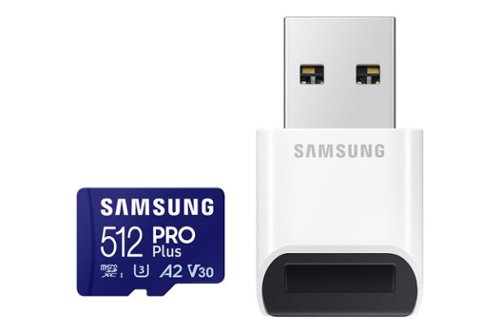
Samsung - Pro Plus 512GB microSDXC Memory Card
Your new go-to card + reader combo, the Micro SD PRO Plus + Adapter makes capturing seamless 4K video on compatible phones or drones a breeze. Plus, the expanded storage provides you the freedom to play more high-performance and intensive games on your tablet or gaming device. It~s all the extra space you need from a brand you can count on.

Samsung - Pro Plus 512 GB microSDXC Memory Card
Your new go-to card + adapter combo, the Micro SD PRO Plus + Adapter makes capturing seamless 4K video on compatible phones or drones a breeze. Plus, the expanded storage provides you the freedom to play more high-performance and intensive games on your tablet or gaming device. It~s all the extra space you need from a brand you can count on.
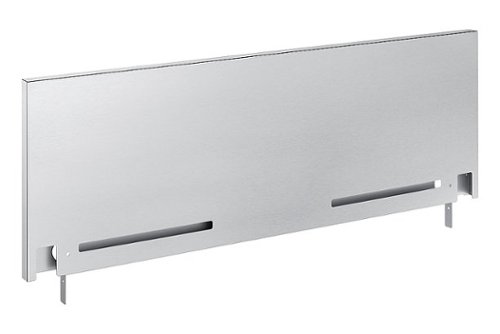
Now you can easily beautify your backsplash and give it the upgrade it deserves. Choose a premium, professional look or cover up any unfinished backsplash area with a sleek 9" backguard for your 30" Front Control Slide-in Range.
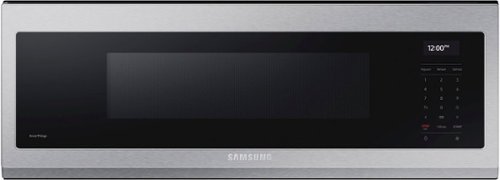
Free up space above your cooktop with the new beautifully designed Smart SLIM Microwave. This combination microwave with ventilation hood fits into the same space as an under-the-cabinet hood, but despite its slim size it has a sizeable 1.1 cu ft capacity. The SLIM Microwave packs in the powerful performance you need with all the technology that you love in a slim, space efficient size.
I am not sure when it stopped heating up. I followed some basic directions and reset it, but it still doesn't work. This microwave was delivered in Feb last year, 2023. NOW, how can I get suitable services for this case?
Hello Hannah,
We know the convenience of having a working microwave at home. We are here to help.
Please visit the link below for steps to take when the microwave is not heating.
The Samsung microwave is not heating up or has stopped working.
https://www.samsung.com/us/support/troubleshooting/TSG01001963/
We would love to speak to you directly to provide options about getting the unit serviced.
Please feel free to get back to us via the following options:
1. Facebook Messenger: http://m.me/samsungsupport
2. Twitter: https://twitter.com/messages/compose?recipient_id=18768513
3. Samsung Community: https://us.commuity.samsung.com/t5/Samsung-Community/ct-p/us
Please provide us with this reference number (1146964050) to help our team pull up your information when you message us.
Thank you.
-Kimberly
We know the convenience of having a working microwave at home. We are here to help.
Please visit the link below for steps to take when the microwave is not heating.
The Samsung microwave is not heating up or has stopped working.
https://www.samsung.com/us/support/troubleshooting/TSG01001963/
We would love to speak to you directly to provide options about getting the unit serviced.
Please feel free to get back to us via the following options:
1. Facebook Messenger: http://m.me/samsungsupport
2. Twitter: https://twitter.com/messages/compose?recipient_id=18768513
3. Samsung Community: https://us.commuity.samsung.com/t5/Samsung-Community/ct-p/us
Please provide us with this reference number (1146964050) to help our team pull up your information when you message us.
Thank you.
-Kimberly
2 years, 3 months ago
by
Posted by:
Samsung
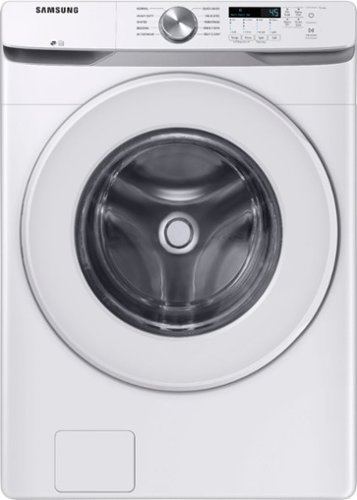
Samsung~s Energy Star Certified Front Load washer has 4.5 cu. ft. capacity to fit more in every load and cut down on laundry time. It is equipped with Vibration Reduction Technology+ to reduce noise for quiet washing and features Self Clean+ to eliminate 99% of bacteria that can form in the drum.1
Is this a stackable unit?
Hi Desmond,
Yes, this washer model is stackable.
The matching dryers for this washer are the DVE45T6000W (electric) and DVG45T6000W (gas).
Additionally, if you perhaps prefer long-vent dryers suitable for the washer, these are DVE45T6020W (electric) and DVG45T6020W (gas).
This washer and dryer model is compatible with the stacking kit SKK-8K.
-Kimberly
Yes, this washer model is stackable.
The matching dryers for this washer are the DVE45T6000W (electric) and DVG45T6000W (gas).
Additionally, if you perhaps prefer long-vent dryers suitable for the washer, these are DVE45T6020W (electric) and DVG45T6020W (gas).
This washer and dryer model is compatible with the stacking kit SKK-8K.
-Kimberly
2 years, 3 months ago
by
Posted by:
Samsung
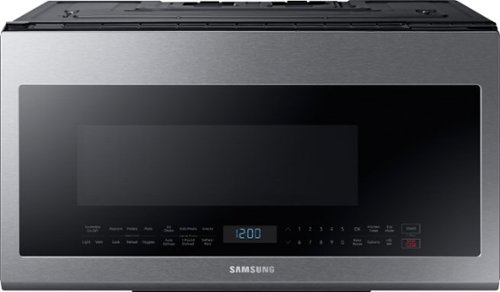
Samsung - 2.1 Cu. Ft. Over-the-Range Microwave with Sensor Cook - Stainless Steel
This Samsung Over-the-Range Microwave makes preparing multiple dishes effortless with its large 2.1cu. ft. capacity, accommodating even your biggest dishes. The Glass Control panel provides a seamless, integrated look, ensuring all design elements will match in your kitchen. Sensor Cook technology automatically adjusts your cooking time for optimal results. Additionally, the Ceramic Enamel Interior provides a durable, scratch-resistant and easy to clean interior, making everyday maintenance simple.
Can this microwave be mounted on the wall instead on cabinet?
Hello Marco,
Our Samsung over-the-range microwaves are designed to be mounted on the wall in between cabinets and/or placed above a range. Since the microwave can also work as a hood vent, no obstacles should be placed below it.
To secure the wiring, the microwave must be mounted on the wall in between the cabinets.
We have included an installation video link below for your reference and further details.
Installing your over-the-range microwave | Samsung US
https://www.youtube.com/watch?v=eueYEAgeDWQ
-Kimberly
Our Samsung over-the-range microwaves are designed to be mounted on the wall in between cabinets and/or placed above a range. Since the microwave can also work as a hood vent, no obstacles should be placed below it.
To secure the wiring, the microwave must be mounted on the wall in between the cabinets.
We have included an installation video link below for your reference and further details.
Installing your over-the-range microwave | Samsung US
https://www.youtube.com/watch?v=eueYEAgeDWQ
-Kimberly
2 years, 3 months ago
by
Posted by:
Samsung

Personalize your Bespoke 3-Door French Door Refrigerator with customizable and changeable refrigerator door panels. Choose from a range of colors and either steel or glass finishes, to design a refrigerator that expresses your personal style. If you want to update your d~cor, you can simply change the color of your refrigerator by choosing new panels.