Samsung
Samsung's Stats
Reviews
- Review Count0
- Helpfulness Votes0
- First ReviewNone
- Last ReviewNone
- Featured Reviews0
- Average Rating0
Reviews Comments
- Review Comment Count0
- Helpfulness Votes0
- First Review CommentNone
- Last Review CommentNone
- Featured Review Comments0
Questions
- Question Count0
- Helpfulness Votes0
- First QuestionNone
- Last QuestionNone
- Featured Questions0
- Answer Count74341
- Helpfulness Votes37,977
- First AnswerApril 24, 2013
- Last AnswerSeptember 16, 2026
- Featured Answers0
- Best Answers3947
Samsung's Reviews
Samsung has not submitted any reviews.
Samsung's Questions
Samsung has not submitted any questions.
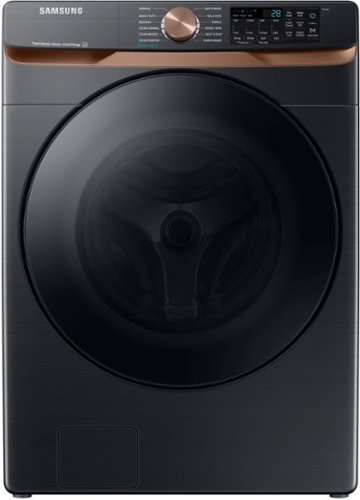
Samsung's 5.0 cu. ft. Extra Large Capacity Front Load Washer is equipped with our Super Speed Wash, which powerfully cleans a full load of laundry in just 28 minutes. It also has Steam, which lets you gently remove stains without any time-consuming pretreatments.
We are in need of a replacement seal for the washer.

Hi Chelsea,
Let us help you with your needs with this Samsung washing machine model.
I have the website of our authorized distributor for parts and accessories website below where you can check the seal compatible with your washer and its availability.
https://samsungparts.com/pages/supports
Should you need more assistance, please feel free to get back to us via the following options:
1. Facebook Messenger: http://m.me/samsungsupport
2. Twitter: https://twitter.com/messages/compose?recipient_id=18768513
3. Samsung Community: https://us.community.samsung.com/t5/Samsung-Community/ct-p/us
When you message us, please provide us with this reference number 1146723611 to help our team pull up your information.
Leo
Let us help you with your needs with this Samsung washing machine model.
I have the website of our authorized distributor for parts and accessories website below where you can check the seal compatible with your washer and its availability.
https://samsungparts.com/pages/supports
Should you need more assistance, please feel free to get back to us via the following options:
1. Facebook Messenger: http://m.me/samsungsupport
2. Twitter: https://twitter.com/messages/compose?recipient_id=18768513
3. Samsung Community: https://us.community.samsung.com/t5/Samsung-Community/ct-p/us
When you message us, please provide us with this reference number 1146723611 to help our team pull up your information.
Leo
2 years, 8 months ago
by
Posted by:
Samsung
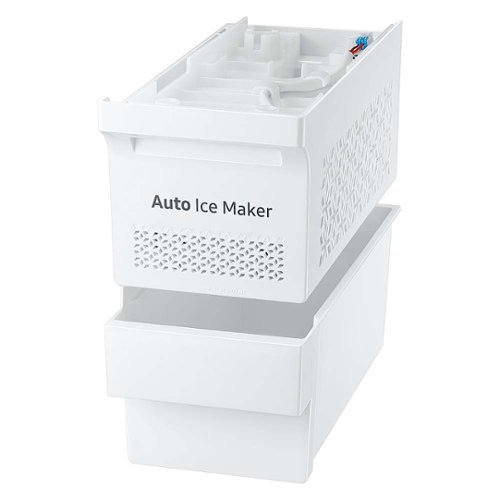
Enjoy more flexibility with an optional ice maker, which can be installed whenever you need to make ice, and then removed when you need additional storage space
Hi, I have this Samsung refrigerator model RT18M6215WW with this cute little "Auto Ice Maker" in the freezer. My problem is I cannot stop it from making ice. I cannot find any directions to shut it off or slow it down. It won't stop. Please help me?
Hi Gerry,
We understand your situation and we are willing to help.
I have shared this model's user manual link below. Please turn to page 22 to turn off the ice maker on refrigerator model RT18M6215WW.
https://downloadcenter.samsung.com/content/UM/202310/20231010182145012/DA68-03570A-16_EN_MES_FR.pdf
Should you need more assistance, please feel free to get back to us via the following options:
1. Facebook Messenger: http://m.me/samsungsupport
2. Twitter: https://twitter.com/messages/compose?recipient_id=18768513
3. Samsung Community: https://us.community.samsung.com/t5/Samsung-Community/ct-p/us
When you message us, please provide us with this reference number 1146723591 to help our team pull up your information.
Leo
We understand your situation and we are willing to help.
I have shared this model's user manual link below. Please turn to page 22 to turn off the ice maker on refrigerator model RT18M6215WW.
https://downloadcenter.samsung.com/content/UM/202310/20231010182145012/DA68-03570A-16_EN_MES_FR.pdf
Should you need more assistance, please feel free to get back to us via the following options:
1. Facebook Messenger: http://m.me/samsungsupport
2. Twitter: https://twitter.com/messages/compose?recipient_id=18768513
3. Samsung Community: https://us.community.samsung.com/t5/Samsung-Community/ct-p/us
When you message us, please provide us with this reference number 1146723591 to help our team pull up your information.
Leo
2 years, 8 months ago
by
Posted by:
Samsung

Samsung - Pro Plus + Adapter 128GB microSDXC Memory Card, Up-to 180MB/s, UHS-l, C10,U3,V30,A2.
Your new go-to card + adapter combo, the Micro SD PRO Plus + Adapter makes capturing seamless 4K video on compatible phones or drones a breeze. Plus, the expanded storage provides you the freedom to play more high-performance and intensive games on your tablet or gaming device. It~s all the extra space you need from a brand you can count on.
The user manual for my drone requires a TF card DSDR05A for video recording. Is that the same as a MicroSD card? Will the Samsung 128 Pro work with my drone? Is the Samsung 128 Pro in FAT32 format?
DroneHead,
A TF memory card is an older version of the microSD, with generally lower capacity. Exact compatibility with your drone may vary - some devices have capacity limits. The PRO Plus can be formatted to FAT32.
~Samsung Pro
A TF memory card is an older version of the microSD, with generally lower capacity. Exact compatibility with your drone may vary - some devices have capacity limits. The PRO Plus can be formatted to FAT32.
~Samsung Pro
2 years, 8 months ago
by
Posted by:
Samsung

Samsung - Pro Plus 512 GB microSDXC Memory Card
Your new go-to card + adapter combo, the Micro SD PRO Plus + Adapter makes capturing seamless 4K video on compatible phones or drones a breeze. Plus, the expanded storage provides you the freedom to play more high-performance and intensive games on your tablet or gaming device. It~s all the extra space you need from a brand you can count on.
Can this be used for S23fe? If yes, where can this be inserted on the phone?
Nick,
The S23 series does not support microSD cards like the PRO Plus.
~Samsung Pro
The S23 series does not support microSD cards like the PRO Plus.
~Samsung Pro
2 years, 8 months ago
by
Posted by:
Samsung
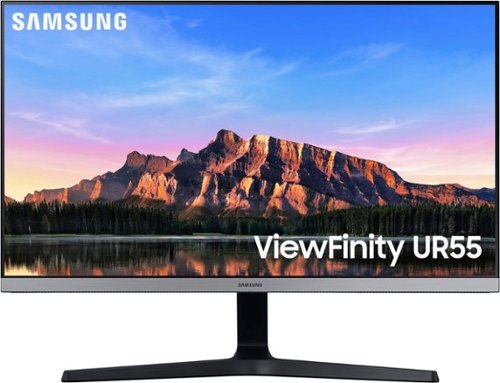
Samsung - 28 ViewFinity UHD IPS AMD FreeSync with HDR Monitor - Black
The Samsung UR55 IPS 4K UHD monitor delivers stunning images composed of 8 million pixels for even more intricate detail. Experience unparalleled realism when gaming or enjoying movies.
Does this monitor have an option for a reticle for FPS's?
Hi Kelly - This monitor does not support a feature we offer in many of our gaming monitors called “Virtual Aim Point”. This article shows some examples of Virtual Aim Point which is also found on some of our TVs. https://www.samsung.com/ae/support/tv-audio-video/how-to-use-a-virtual-aim-point-in-game-bar/ . If you are looking for a new 4K monitor in the 27”-28” range, I would recommend looking at these monitors since they are also 4K and support virtual aim point. LS28BG702ENXGO, LS27CM701UNXZA, and LS27CM801UNXZA
2 years, 8 months ago
by
Posted by:
Samsung
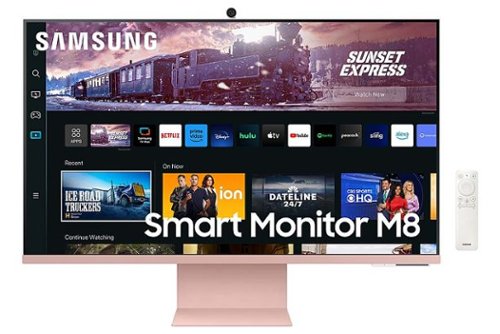
Samsung - 27" M80C 4K UHD Smart Monitor with Streaming TV and SlimFit Camera Included - Pink
The M80C Smart Monitor with embedded TV apps allows you to experience smarter entertainment. It~s the ultimate hub for gaming, entertainment, and productivity, all on one monitor. Connect to loved ones, colleagues, and even health professionals, via the SlimFit Camera. Plus, an ergonomic, slim design provides workspace utility and style
Can two of these be connected for dual monitor usage?
Hi Dee - Absolutely, that would be a great setup! You can connect your PC / Laptop to either the HDMI Port or USB-C Port (that also supports Power Delivery). The only limitation to keep in mind is ensuring your PC has enough video outputs (if not you will need an adaptor) and that your PC’s graphics card can support dual monitors (which many PC’s can).
2 years, 8 months ago
by
Posted by:
Samsung

Samsung - 49" Odyssey OLED G9 (G95SC) DQHD 240Hz 0.03ms G-Sync Compatible Curved Smart Gaming Monitor - Silver
Introducing the world's first 49" OLED monitor, the Odyssey OLED G95SC. The 49" curved monitor with Dual QHD resolution and 110 PPI delivers maximum space to take in all the pin-sharp details. Neo Quantum Processor brings brighter whites, deeper blacks and near infinite color contrast. Its curved screen wraps around your field of view for truly engrossing gameplay in up to 32:9 aspect ratio. With a hair-raising 0.03ms(GtG)* on the 240Hz refresh rate screen, you can react to your opponent~s every move quicker than ever before. DisplayHDR True Black 400 allows you to see true black and dark colors on screen without pixel light bleed for supreme color and depth expression in every game. G-Sync compatibility keeps the GPU and panel synced up to eliminate choppiness, screen-lag and image tears. Fast-action and complex game scenes are stable and stutter-free with AMD FreeSync Premium Pro for your competitive edge.
Is this a tv. Can be connected to cable
Thank you for your question! The OLED G9 does offer built in TV apps for you to be able to stream some of the most popular apps like Netflix, Prime Video, Disney+, Spectrum Tv, and much more. If you would prefer to connect a cable box, you can do so as well. This monitor does come with speakers and a remote to make that easier. Keep in mind, the normal aspect ratio of cable is only 16:9 so it will not fill the entire screen of this monitor which is 32:9.
2 years, 8 months ago
by
Posted by:
Samsung
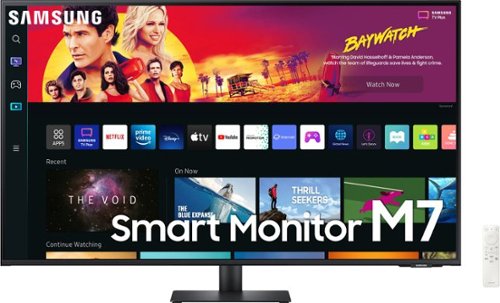
Samsung - M7B Series 43" Smart Tizen 4K UHD Monitor with HDR10 (HDMI, USB-C) - Black
Everything you need is right in your screen. Watch, work and chat - all without connecting a separate PC - with Smart Monitor. Your favorite content, productivity and video call apps are built-in for a simpler and more stylish desk setup that~s a joy to use every time.
Can this monitor be connected to 2desktops- on Apple and one PC
Hi DocRock - yes you can hook up your Apple and PC to the 43” M70B but you will not be able to see both at the same time since this monitor does not support Picture in Picture or Picture by Picture. You can connect your two devices to either the (2) HDMI ports or 1 HDMI and 1 USB-C connection.
2 years, 8 months ago
by
Posted by:
Samsung
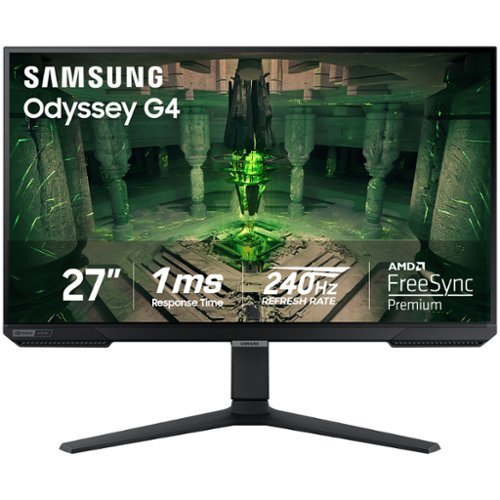
When it comes to gaming performance, the slightest disadvantage can be the difference between winning and losing a match. With a 240Hz refresh rate, lightning fast 1ms (GTG) response time and full adaptive G-Sync compatibility and FreeSync Premium support, you can be sure that the Odyssey G4 won~t let you down on the battlefield.
what bracket would i use to put two next to each other
Hi Joe - we don’t have a certain brand or model that we can specifically recommend, but make sure that the mount you purchase can support a 100mm x 100mm wall mount pattern and 7.93lbs for each monitor.
2 years, 8 months ago
by
Posted by:
Samsung
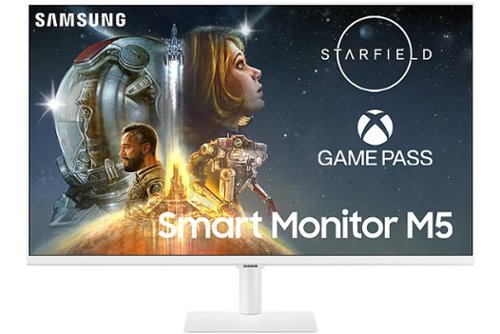
Samsung - M50C 27" FHD Smart Tizen Monitor with Streaming TV, HDR10, Built-in Speakers (HDMI, USB) - White
The M50C Smart Monitor with embedded TV apps enables you to experience smarter viewing and performance. It~s the ultimate hub for gaming, entertainment, and productivity all on one monitor. Effortlessly work on documents and access files from PCs wirelessly. Easily control all your in-home IoT devices from this one convenient monitor.
Is the app screen the main wallpaper or can I set a custom wallpaper?
Hi Faith - at the time there is not an option to change the wallpaper when looking at the App selection. There is a feature built in called “My Contents” that will allow you to customize the monitor while in standby mode though. Please visit this link to learn more. https://www.samsung.com/uk/support/computing/use-my-contents-on-your-samsung-smart-monitor/
2 years, 8 months ago
by
Posted by:
Samsung