Samsung
Samsung's Stats
Reviews
- Review Count0
- Helpfulness Votes0
- First ReviewNone
- Last ReviewNone
- Featured Reviews0
- Average Rating0
Reviews Comments
- Review Comment Count0
- Helpfulness Votes0
- First Review CommentNone
- Last Review CommentNone
- Featured Review Comments0
Questions
- Question Count0
- Helpfulness Votes0
- First QuestionNone
- Last QuestionNone
- Featured Questions0
- Answer Count74385
- Helpfulness Votes37,977
- First AnswerApril 24, 2013
- Last AnswerSeptember 17, 2026
- Featured Answers0
- Best Answers3947
Samsung's Reviews
Samsung has not submitted any reviews.
Samsung's Questions
Samsung has not submitted any questions.

Samsung - Pro Plus 256GB microSDXC Memory Card
Your new go-to card + adapter combo, the Micro SD PRO Plus + Adapter makes capturing seamless 4K video on compatible phones or drones a breeze. Plus, the expanded storage provides you the freedom to play more high-performance and intensive games on your tablet or gaming device. It~s all the extra space you need from a brand you can count on.
Is the PRO Plus microSD card compatible with the 2023 Galaxy Tab S9 Ultra?

Nick,
Yes, the PRO Plus microSD card is compatible with the Galaxy Tab S9 Ultra.
~Samsung Pro
Yes, the PRO Plus microSD card is compatible with the Galaxy Tab S9 Ultra.
~Samsung Pro
2 years, 8 months ago
by
Posted by:
Samsung
Samsung - Pro Plus 256GB microSDXC Memory Card
Your new go-to card + adapter combo, the Micro SD PRO Plus + Adapter makes capturing seamless 4K video on compatible phones or drones a breeze. Plus, the expanded storage provides you the freedom to play more high-performance and intensive games on your tablet or gaming device. It~s all the extra space you need from a brand you can count on.
IS This card compatible with the Nintendo switch
Hello,
Yes, the PRO Plus microSD card is compatible with the Nintendo Switch.
~Samsung Pro
Yes, the PRO Plus microSD card is compatible with the Nintendo Switch.
~Samsung Pro
2 years, 8 months ago
by
Posted by:
Samsung

Samsung - HW-B650/ZA 3.1 Channel Soundbar with Wireless Subwoofer, Dolby 5.1 / DTS Virtual:X - Black
Dolby Atmos creates realistic 3D sound by projecting it from all around you, including from above, while DTS Virtual: X expands your listening experience without having to add extra speakers. Boost the bass with a touch of a button. The built-in center speaker delivers enhanced dialogue so you won't miss a word. Experience the intensity of action movies with the powerful bass coming from the included subwoofer. Enjoy optimized audio with enhanced voice clarity on all your favorite video content.
The sound cuts out every now and then and won’t work again unless I restart the soundbar. I have the HDMI connected to my TVs ARC port. The source on the soundbar says TV ARC when working but when sound cuts out it says the source is D.IN, why is this?
Hi there,
To set your Soundbar using TV ARC it needs to be set to the D.IN source on your Soundbar. There are a few steps you can take to troubleshoot your Soundbar.
First, you will want to download the latest software for your Soundbar. You can download the firmware directly from Samsung’s website by clicking “Support” in the top right corner. Then go to “Manuals & Software” > “TVs & Home Theater” > “Home Theater” > “Sound Bars”. From there, you can select the HW-B650 under Standard.
Download the update and install it via USB thumb stick to your soundbar. If you need additional help, there are how-to instructions on this page. Please know that Samsung Customer Service is here to assist as well.
Please verify that you are running the latest firmware on your TV. You can check to see what software version your TV is using and if there is an available update through the settings on your TV. Go to: Menu > Settings > Support > Software Update.
Additionally, try doing a soft reset, unplug the soundbar from the outlet for roughly 30 seconds and then plug it back in.
If this still does not correct your issue, then do a hard reset. With the Soundbar on, press the + & - Volume buttons on the body of the soundbar at the same time for at least 5 seconds. INIT OK” appears on the display and then the Soundbar is reset.
~Samsung Solutions
To set your Soundbar using TV ARC it needs to be set to the D.IN source on your Soundbar. There are a few steps you can take to troubleshoot your Soundbar.
First, you will want to download the latest software for your Soundbar. You can download the firmware directly from Samsung’s website by clicking “Support” in the top right corner. Then go to “Manuals & Software” > “TVs & Home Theater” > “Home Theater” > “Sound Bars”. From there, you can select the HW-B650 under Standard.
Download the update and install it via USB thumb stick to your soundbar. If you need additional help, there are how-to instructions on this page. Please know that Samsung Customer Service is here to assist as well.
Please verify that you are running the latest firmware on your TV. You can check to see what software version your TV is using and if there is an available update through the settings on your TV. Go to: Menu > Settings > Support > Software Update.
Additionally, try doing a soft reset, unplug the soundbar from the outlet for roughly 30 seconds and then plug it back in.
If this still does not correct your issue, then do a hard reset. With the Soundbar on, press the + & - Volume buttons on the body of the soundbar at the same time for at least 5 seconds. INIT OK” appears on the display and then the Soundbar is reset.
~Samsung Solutions
2 years, 8 months ago
by
Posted by:
Samsung
Samsung - HW-B650/ZA 3.1 Channel Soundbar with Wireless Subwoofer, Dolby 5.1 / DTS Virtual:X - Black
Dolby Atmos creates realistic 3D sound by projecting it from all around you, including from above, while DTS Virtual: X expands your listening experience without having to add extra speakers. Boost the bass with a touch of a button. The built-in center speaker delivers enhanced dialogue so you won't miss a word. Experience the intensity of action movies with the powerful bass coming from the included subwoofer. Enjoy optimized audio with enhanced voice clarity on all your favorite video content.
Is this soundboard wireless?
Hi PG13,
The HW-B650 Soundbar has the ability to connect using Bluetooth.
~Samsung Solutions
The HW-B650 Soundbar has the ability to connect using Bluetooth.
~Samsung Solutions
2 years, 8 months ago
by
Posted by:
Samsung
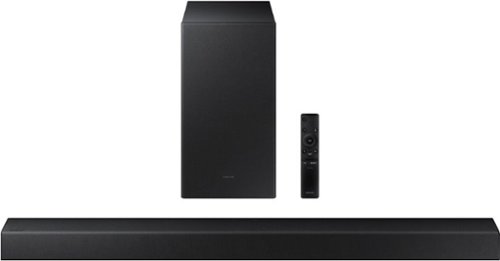
Samsung - A series | 2.1.ch Dolby & DTS | Soundbar - Titan Black
Elevate your audio experience with high-quality optimized sound. *Requires a Bluetooth compatible TV.
I currently have a Samsung tu690t tv that has the optical audio out into a bose sound system. Could I add this sound bar wirelessly to the back off my room for broader sound and if so would it sync correctly?
Hi Ken,
This would not work as your TV will work exclusively with the Bose sound system you currently have or the HW-A445 Soundbar that you link using Bluetooth. You cannot use both at the same time.
~Samsung Solutions
This would not work as your TV will work exclusively with the Bose sound system you currently have or the HW-A445 Soundbar that you link using Bluetooth. You cannot use both at the same time.
~Samsung Solutions
2 years, 8 months ago
by
Posted by:
Samsung
Samsung - A series | 2.1.ch Dolby & DTS | Soundbar - Titan Black
Elevate your audio experience with high-quality optimized sound. *Requires a Bluetooth compatible TV.
I received the Samsung A445 soundbar for Christmas. When I press the volume button on the remote control it mutes the soundbar. That makes no sense since there is a dedicated mute button. Is my remote defective?
Hi Pete,
The volume button is a toggle switch with the added function of being able to be pressed in. When you PRESS DOWN the button it will mute/unmute your Soundbar. When you push the switch forward or pull it back then it will increase/decrease the volume.
~Samsung Solutions
The volume button is a toggle switch with the added function of being able to be pressed in. When you PRESS DOWN the button it will mute/unmute your Soundbar. When you push the switch forward or pull it back then it will increase/decrease the volume.
~Samsung Solutions
2 years, 8 months ago
by
Posted by:
Samsung
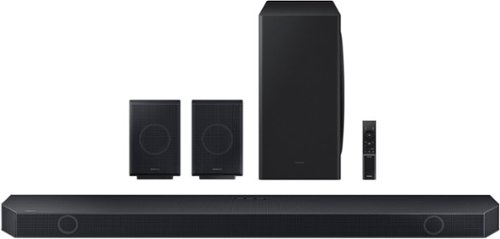
Samsung - Q-Series 9.1.4ch Wireless True Dolby Atmos Soundbar with Q-Symphony and Rear Speakers - Titan Black
Audio quality is a question of fidelity. How faithful is your sound? This Samsung HW-Q960C soundbar sets the standard high with cutting edge features and channel after channel of next level sound immersion for an audio experience that's truly distinctive.
I have a 20' high cathedral ceiling, will the room-sensing and up-firing speakers work OK with this ceiling. Also, I have a Samsung 65" Class - Q8DT Series - 4K UHD QLED LCD TV which is pre-2022, what features will I lose with a pre-2022 TV?
Hi LarryP,
The maximum height for Dolby Atmos content that Dolby recommends is roughly 14 feet so you might notice some loss of up-firing content. The HW-Q930C Soundbar does have the ability to adapt to the room conditions using SpaceFit Sound. This feature will help calibrate your Soundbar to the room size and shape for optimal sound.
Using your current TV, you will not be able to take advantage of Dolby Atmos over Wi-FI.
~Samsung Solutions
The maximum height for Dolby Atmos content that Dolby recommends is roughly 14 feet so you might notice some loss of up-firing content. The HW-Q930C Soundbar does have the ability to adapt to the room conditions using SpaceFit Sound. This feature will help calibrate your Soundbar to the room size and shape for optimal sound.
Using your current TV, you will not be able to take advantage of Dolby Atmos over Wi-FI.
~Samsung Solutions
2 years, 8 months ago
by
Posted by:
Samsung
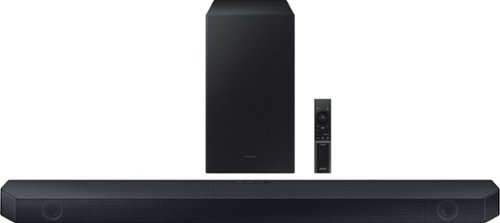
Samsung - HW-Q60C 3.1 Channel Q-Series Soundbar with Wireless Subwoofer, Dolby Atmos and Q-Symphony - Titan Black
Turn up the volume on your audio experience with the Q60C soundbar and enjoy realistic 3D sound that expands the possibilities of all your favorite content. With Q-Symphony and 3.1ch. Dolby Atmos Sound, you~ll experience dimensional audio that wraps all around you.
Do this sound bar have the up firing speakers?
Hi Marcelle,
The HW-Q60C Soundbar does not have dedicated up-firing speakers.
~Samsung Solutions
The HW-Q60C Soundbar does not have dedicated up-firing speakers.
~Samsung Solutions
2 years, 8 months ago
by
Posted by:
Samsung
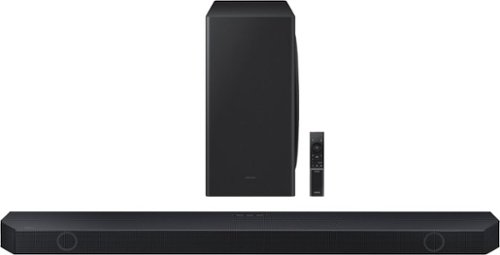
Samsung - Q-series 5.1.2 ch Wireless Dolby Atmos Soundbar w/ Q Symphony - Black
If you want your content to really come alive, this Samsung soundbar is the missing link. The Q800C produces life-like audio through 5.1.2 Ch. True Dolby Atmos Sound, while harmonizing with your Samsung TV to maximize the potential of both.
Is system compatiable with 2021 Samsung Q80A TV ?
Hi there,
The HW-Q800C Soundbar is definitely compatible with the Samsung Q80A TV using either Bluetooth, Digital Optical, Wi-Fi, or HDMI. We do recommend using HDMI as this will offer the best audio and user experience to you.
~Samsung Solutions
The HW-Q800C Soundbar is definitely compatible with the Samsung Q80A TV using either Bluetooth, Digital Optical, Wi-Fi, or HDMI. We do recommend using HDMI as this will offer the best audio and user experience to you.
~Samsung Solutions
2 years, 8 months ago
by
Posted by:
Samsung
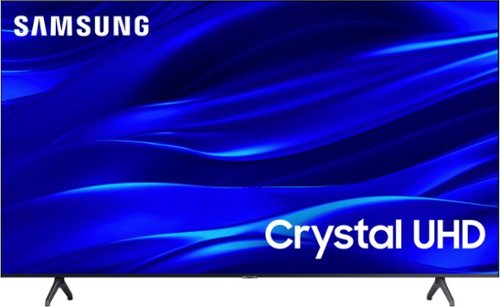
Samsung - 43" Class TU690T Crystal UHD 4K Smart Tizen TV (2022)
See how Crystal UHD with Smart TV elevates what you watch~at a value you~ll love. Go beyond HDTV to enjoy your content in 4K resolution, and in PurColor. And with Smart TV powered by Tizenbuilt in, it~s easy to find and stream the latest shows and movies in just a few clicks.
Will this tv fully sync with the xfinity cable remote control so I only need the xfinity remote control to operate the tv with xfinity cable service? I am returning an Insignia fire tv because you have to use both the tv and xfinity to operate
Hi,
You can use a Comcast remote to control the TU690T TV - depending on the type of remote you are utilizing (e.g., Xfinity X1), it may require additional programming steps. You can find programming instructions on your cable provider's website or contact them directly. Hope this helps!
~Samsung Advisor
You can use a Comcast remote to control the TU690T TV - depending on the type of remote you are utilizing (e.g., Xfinity X1), it may require additional programming steps. You can find programming instructions on your cable provider's website or contact them directly. Hope this helps!
~Samsung Advisor
2 years, 8 months ago
by
Posted by:
Samsung