Samsung
Samsung's Stats
Reviews
- Review Count0
- Helpfulness Votes0
- First ReviewNone
- Last ReviewNone
- Featured Reviews0
- Average Rating0
Reviews Comments
- Review Comment Count0
- Helpfulness Votes0
- First Review CommentNone
- Last Review CommentNone
- Featured Review Comments0
Questions
- Question Count0
- Helpfulness Votes0
- First QuestionNone
- Last QuestionNone
- Featured Questions0
- Answer Count74385
- Helpfulness Votes37,977
- First AnswerApril 24, 2013
- Last AnswerSeptember 17, 2026
- Featured Answers0
- Best Answers3947
Samsung's Reviews
Samsung has not submitted any reviews.
Samsung's Questions
Samsung has not submitted any questions.
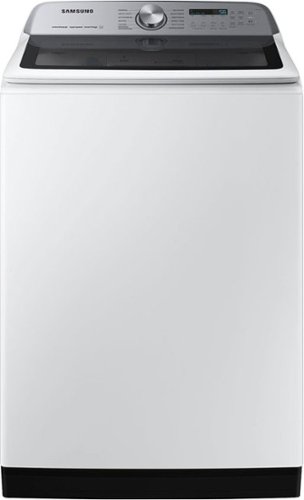
Samsung's 5.5 cu. ft. Extra-Large Capacity Top Load Washing Machine is equipped with Super Speed Wash, which powerfully cleans a full load of laundry in just 28 minutes without sacrificing cleaning performance. With Wi-Fi connectivity, you can remotely start, stop, or delay your smart washer from our simple-to use SmartThings App. Active Waterjet, a built-in water faucet, lets you easily pretreat heavily soiled and stained clothes.
where would you put a detergent pod? in the detergent dispenser or directly in the tub? Thank you

Hello there,
We do not recommend you use a detergent pod on top of the load washer, as this is too small for detergent pods to work correctly.
Please see this link for details. Kindly choose "Add detergent pods to your washing machine."
How to use detergent in your Samsung washing machine
https://www.samsung.com/us/support/answer/ANS00031847/
Have a great day.
^Camille
We do not recommend you use a detergent pod on top of the load washer, as this is too small for detergent pods to work correctly.
Please see this link for details. Kindly choose "Add detergent pods to your washing machine."
How to use detergent in your Samsung washing machine
https://www.samsung.com/us/support/answer/ANS00031847/
Have a great day.
^Camille
2 years, 8 months ago
by
Posted by:
Samsung
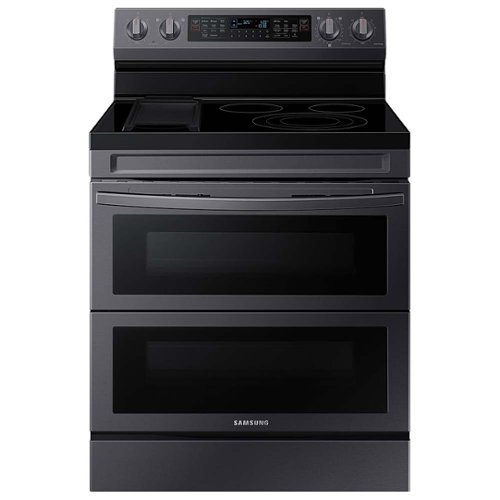
Cook two dishes at different temperatures with Samsung~s new Flex Duo Freestanding Electric Range. Use the full oven for a large roast or split it into two smaller ovens that can cook at different temperatures. Upgraded technology makes cooking simple and fun.
Can I use something inbetween my pans and the stove when I cook to avoid scratching the surface?
No, Rittney, we do not have any stovetop covers.
To prevent scratches on your stovetop, please see pages 27 to 28 under "Choosing the proper cookware" and "Protecting the cooktop" and pages 55 to 57 under "Care and cleaning of the glass cooktop" of the manual for more details.
Manual
https://downloadcenter.samsung.com/content/UM/202311/20231122154330373/O_01._NE63A6751_AA_EN.pdf
Have a great day.
^Camille
To prevent scratches on your stovetop, please see pages 27 to 28 under "Choosing the proper cookware" and "Protecting the cooktop" and pages 55 to 57 under "Care and cleaning of the glass cooktop" of the manual for more details.
Manual
https://downloadcenter.samsung.com/content/UM/202311/20231122154330373/O_01._NE63A6751_AA_EN.pdf
Have a great day.
^Camille
2 years, 8 months ago
by
Posted by:
Samsung
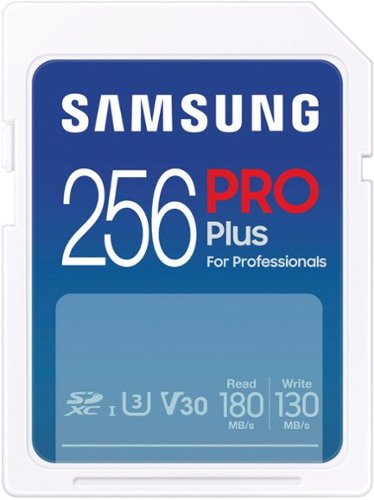
Samsung - Pro Plus 256GB SDXC Memory Card
Built to last, Samsung's PRO Plus offers extreme performance in a variety of capacities, with robust reliability making this SD card the ideal choice for photographers and other digital media professionals. Use it across your work devices, and continue relying on the brand name in flash memory~. ~Source: 2003-Q3 2020 IHS Market data: NAND suppliers' revenue market share.
Is this compatible with a Nintendo Switch?
Zrockz,
The Nintendo Switch supports microSD cards, not full size SD cards.
~Samsung Pro
The Nintendo Switch supports microSD cards, not full size SD cards.
~Samsung Pro
2 years, 8 months ago
by
Posted by:
Samsung

Samsung - Pro Plus + Adapter 128GB microSDXC Memory Card, Up-to 180MB/s, UHS-l, C10,U3,V30,A2.
Your new go-to card + adapter combo, the Micro SD PRO Plus + Adapter makes capturing seamless 4K video on compatible phones or drones a breeze. Plus, the expanded storage provides you the freedom to play more high-performance and intensive games on your tablet or gaming device. It~s all the extra space you need from a brand you can count on.
Hello is this card compatible with the OnePlus n200 5G cell phone? thank you in advance and Merry Christmas
Julius,
Yes, the 128GB PRO Plus is compatible with the OnePlus N200 5G phone.
~Samsung Pro
Yes, the 128GB PRO Plus is compatible with the OnePlus N200 5G phone.
~Samsung Pro
2 years, 8 months ago
by
Posted by:
Samsung
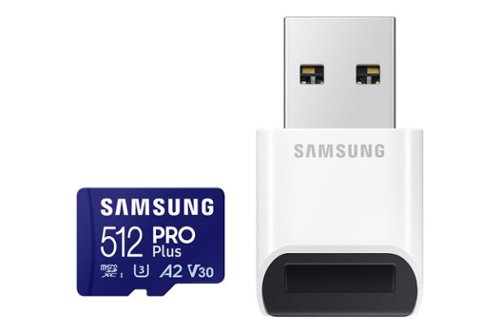
Samsung - Pro Plus 512GB microSDXC Memory Card
Your new go-to card + reader combo, the Micro SD PRO Plus + Adapter makes capturing seamless 4K video on compatible phones or drones a breeze. Plus, the expanded storage provides you the freedom to play more high-performance and intensive games on your tablet or gaming device. It~s all the extra space you need from a brand you can count on.
Can I use for extra storage for phone Samsung galaxy A51
NohaGad,
Yes, the 512GB PRO Plus is compatible with the A51.
~Samsung Pro
Yes, the 512GB PRO Plus is compatible with the A51.
~Samsung Pro
2 years, 8 months ago
by
Posted by:
Samsung

Samsung - Pro Plus 512 GB microSDXC Memory Card
Your new go-to card + adapter combo, the Micro SD PRO Plus + Adapter makes capturing seamless 4K video on compatible phones or drones a breeze. Plus, the expanded storage provides you the freedom to play more high-performance and intensive games on your tablet or gaming device. It~s all the extra space you need from a brand you can count on.
Can I use it in a samsung galaxy s21 to store videos? My phone is running out of space
S21user,
The S21 series does not support microSD cards, so the PRO Plus is not compatible.
~Samsung Pro
The S21 series does not support microSD cards, so the PRO Plus is not compatible.
~Samsung Pro
2 years, 8 months ago
by
Posted by:
Samsung
Samsung - Pro Plus 512GB microSDXC Memory Card
Your new go-to card + reader combo, the Micro SD PRO Plus + Adapter makes capturing seamless 4K video on compatible phones or drones a breeze. Plus, the expanded storage provides you the freedom to play more high-performance and intensive games on your tablet or gaming device. It~s all the extra space you need from a brand you can count on.
Does this support my 4k?
Kridge,
Yes, the PRO Plus supports 4K content.
~Samsung Pro
Yes, the PRO Plus supports 4K content.
~Samsung Pro
2 years, 8 months ago
by
Posted by:
Samsung

Samsung - BESPOKE 6.3 cu. ft. Smart Rapid Heat Induction Slide-in Range with Air Fry & Convection+ - White Glass
The Samsung Smart Rapid Heat Induction Slide-in Range with Air Fry & Convection+ is powered by induction, making it hyperfast, which means more cooking and less waiting. Air Fry mode lets you enjoy healthier* fried foods fast. Air Fry tray included.
Can you get white side panels for this range since i need free standing
Hi there,
Yes, you can get the white side panels for this range. You can select the color on the right side of the screen if you order it online.
^Rodel
Yes, you can get the white side panels for this range. You can select the color on the right side of the screen if you order it online.
^Rodel
2 years, 8 months ago
by
Posted by:
Samsung
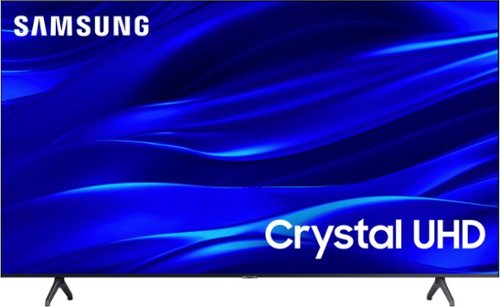
Samsung - 43" Class TU690T Crystal UHD 4K Smart Tizen TV (2022)
See how Crystal UHD with Smart TV elevates what you watch~at a value you~ll love. Go beyond HDTV to enjoy your content in 4K resolution, and in PurColor. And with Smart TV powered by Tizenbuilt in, it~s easy to find and stream the latest shows and movies in just a few clicks.
Does this Samsung 43 inch tv have a EyeComfort mode?
Hi cookie,
No, the TU690T TV does not offer Eye Comfort Mode. We offer this feature starting with our 55" Q70C and above.
~Samsung Advisor
No, the TU690T TV does not offer Eye Comfort Mode. We offer this feature starting with our 55" Q70C and above.
~Samsung Advisor
2 years, 8 months ago
by
Posted by:
Samsung
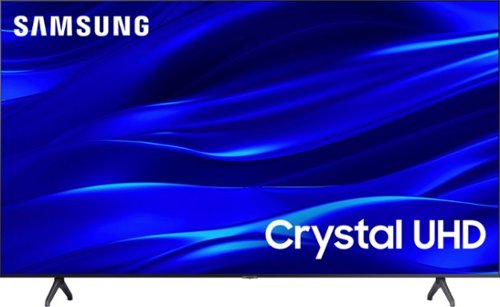
Samsung - 55" Class TU690T Crystal UHD 4K Smart Tizen TV (2023)
See how Crystal UHD with Smart TV elevates what you watch~at a value you~ll love. Go beyond HDTV to enjoy your content in 4K resolution, and in PurColor. And with Smart TV powered by Tizenbuilt in, it~s easy to find and stream the latest shows and movies in just a few clicks.
I am NOt being able to connect/cast from my phone. I tried so may times but cannot connect from my phone. I am using youtube for an example. Please help.
Hi there,
To cast from your cell phone, please make sure your cell phone is up to date with the latest Firmware. To update your TV, go to Settings> Support> Software Update. Make sure your device and the TV are both connected to the same Wi-Fi network.
If you have an Android cell phone, please follow the below instructions:
1. On your mobile phone, drag down the top bar of your screen.
2. Select Smart View
3. Select the TV you want to connect to.
4. Select Allow.
On your TV, Go to Settings and select General> External Connection Manager> Device Connection Manager> Device list> Then from the list, select the device you want to connect and change the status to allow.
Using Apple AirPlay:
Use AirPlay if you are an iPhone or iPad user, and make sure the Apple AirPlay Settings option is enabled by following these steps:
Use AirPlay if you are an iPhone or iPad user. Go to: Source > Connection Guide > Smartphone > Apple AirPlay
If you need more help, you can reach Samsung Support at: 1-800-SAMSUNG, 8AM - 12AM EST, 7 days a week, or Chat with us on Samsung.com: https://www.samsung.com/us/support/contact/
~ Samsung Advisor
To cast from your cell phone, please make sure your cell phone is up to date with the latest Firmware. To update your TV, go to Settings> Support> Software Update. Make sure your device and the TV are both connected to the same Wi-Fi network.
If you have an Android cell phone, please follow the below instructions:
1. On your mobile phone, drag down the top bar of your screen.
2. Select Smart View
3. Select the TV you want to connect to.
4. Select Allow.
On your TV, Go to Settings and select General> External Connection Manager> Device Connection Manager> Device list> Then from the list, select the device you want to connect and change the status to allow.
Using Apple AirPlay:
Use AirPlay if you are an iPhone or iPad user, and make sure the Apple AirPlay Settings option is enabled by following these steps:
Use AirPlay if you are an iPhone or iPad user. Go to: Source > Connection Guide > Smartphone > Apple AirPlay
If you need more help, you can reach Samsung Support at: 1-800-SAMSUNG, 8AM - 12AM EST, 7 days a week, or Chat with us on Samsung.com: https://www.samsung.com/us/support/contact/
~ Samsung Advisor
2 years, 8 months ago
by
Posted by:
Samsung