Samsung
Samsung's Stats
Reviews
- Review Count0
- Helpfulness Votes0
- First ReviewNone
- Last ReviewNone
- Featured Reviews0
- Average Rating0
Reviews Comments
- Review Comment Count0
- Helpfulness Votes0
- First Review CommentNone
- Last Review CommentNone
- Featured Review Comments0
Questions
- Question Count0
- Helpfulness Votes0
- First QuestionNone
- Last QuestionNone
- Featured Questions0
- Answer Count74401
- Helpfulness Votes37,963
- First AnswerApril 24, 2013
- Last AnswerSeptember 18, 2026
- Featured Answers0
- Best Answers3947
Samsung's Reviews
Samsung has not submitted any reviews.
Samsung's Questions
Samsung has not submitted any questions.
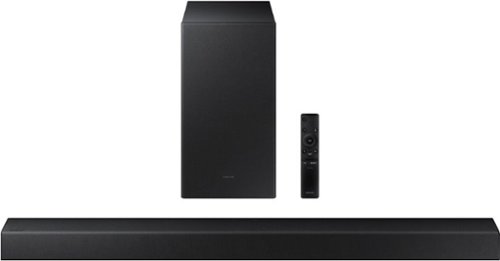
Samsung - A series | 2.1.ch Dolby & DTS | Soundbar - Titan Black
Elevate your audio experience with high-quality optimized sound. *Requires a Bluetooth compatible TV.
using optical cable how to connect curve tv remote to soundbar to contol the on/off and volume control? pressing left on soundbar remote does not turn on the auto power link... pressing the woofer up doesnt go to tv...

Hi Mimi,
To use the Soundbar with your Samsung TV, follow these instructions: you can control the volume and mute the soundbar using your Samsung TV's remote. The soundbar should also turn on and off with the TV.
1. Use the TV remote to navigate to Settings, select Sound, and then select Sound Output on your Samsung TV.
2. Select your Samsung soundbar, and then select Close. Now you can use your TV remote to adjust volume and mute the soundbar. The soundbar should also turn on and off with the TV.
By default, Samsung TV remotes should be able to control Samsung soundbars. If it isn't working, be sure the soundbar is powered on, and then press and hold the WOOFER button up until "ON - TV REMOTE" appears on the display (about 5 seconds). Next, you'll need to choose between connecting with an optical cable or an HDMI cable.
For detailed instructions, please visit: https://www.samsung.com/us/support/answer/ANS00049279/
~Samsung Solutions
To use the Soundbar with your Samsung TV, follow these instructions: you can control the volume and mute the soundbar using your Samsung TV's remote. The soundbar should also turn on and off with the TV.
1. Use the TV remote to navigate to Settings, select Sound, and then select Sound Output on your Samsung TV.
2. Select your Samsung soundbar, and then select Close. Now you can use your TV remote to adjust volume and mute the soundbar. The soundbar should also turn on and off with the TV.
By default, Samsung TV remotes should be able to control Samsung soundbars. If it isn't working, be sure the soundbar is powered on, and then press and hold the WOOFER button up until "ON - TV REMOTE" appears on the display (about 5 seconds). Next, you'll need to choose between connecting with an optical cable or an HDMI cable.
For detailed instructions, please visit: https://www.samsung.com/us/support/answer/ANS00049279/
~Samsung Solutions
2 years, 9 months ago
by
Posted by:
Samsung
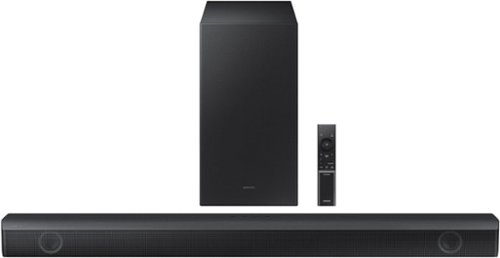
Samsung - HW-B550 2.1ch Soundbar with Dolby Audio / DTS Virtual:X - Black
Dolby Audio creates realistic 3D sound by projecting it from all around you, including from above, while DTS Virtual: X expands your listening experience without having to add extra speakers. Boost the bass with a touch of a button. Experience the intensity of action movies with the powerful bass coming from the included subwoofer. .Enjoy optimized audio with enhanced voice clarity on all your favorite video content.
My Samsung tv is wall mounted. If I place the sound bar on top of a tv stand, will the connection cables be hanging down and visible?
Hi Seymour,
For the best audio and user experience, you will want to connect the HW-B550 Soundbar using a HDMI cable. You can also connect the HW-B550 Soundbar with Bluetooth if you do not want to hide any cables.
~Samsung Solutions
For the best audio and user experience, you will want to connect the HW-B550 Soundbar using a HDMI cable. You can also connect the HW-B550 Soundbar with Bluetooth if you do not want to hide any cables.
~Samsung Solutions
2 years, 9 months ago
by
Posted by:
Samsung
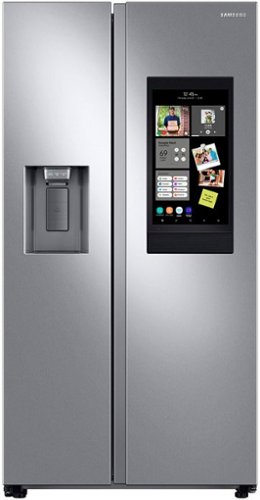
Samsung's Family Hub side-by-side large capacity refrigerator is beautifully designed with a minimal display dispenser, modern design that blends beautifully into your kitchen, and a finish that withstands everyday smudges.
Can I replace my cracked screen on this refrigerator
Yes, you can replace the cracked screen on this refrigerator, Nat.
To better assist you with the screen replacement, we suggest contacting us via the Support Channels below to speak with a live representative.
1. Facebook Messenger: http://m.me/samsungsupport
2. Twitter: https://twitter.com/messages/compose?recipient_id=18768513
3. Samsung Community: https://us.commuity.samsung.com/t5/Samsung-Community/ct-p/us
4. Customer Care: 1-800-726-7864 (1-800-SAMSUNG)
Thank you.
-Angelica
To better assist you with the screen replacement, we suggest contacting us via the Support Channels below to speak with a live representative.
1. Facebook Messenger: http://m.me/samsungsupport
2. Twitter: https://twitter.com/messages/compose?recipient_id=18768513
3. Samsung Community: https://us.commuity.samsung.com/t5/Samsung-Community/ct-p/us
4. Customer Care: 1-800-726-7864 (1-800-SAMSUNG)
Thank you.
-Angelica
2 years, 9 months ago
by
Posted by:
Samsung
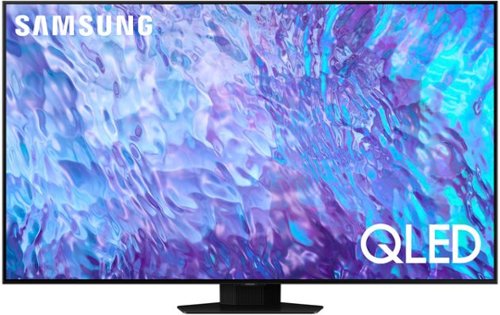
Samsung - 55 Class Q80C QLED 4K UHD Smart Tizen TV (2023)
Don~t settle for basic. Punch up the contrast with super-precise LEDs and elevate the ordinary to something more impressive. Direct Full Array and Dolby Atmos technology headline Samsung QLED~s refined audio/visual experience
can you download the espn app on this tv?
Hi Soccermom - Yes, the ESPN app can be installed from the built-in App Store.
~ Samsung Specialist
~ Samsung Specialist
2 years, 9 months ago
by
Posted by:
Samsung
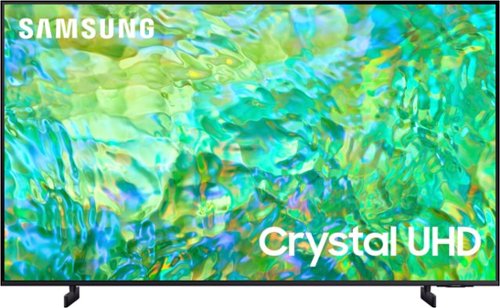
Samsung - 85" Class CU8000 Crystal UHD 4K Smart Tizen TV (2023)
One screen. All the things. With effortless performance, crowd-pleasing features and great value, you can bring home a winner~and feel like a million bucks. Watch your favorite movies and TV shows in captivating 4K resolution as the Crystal Processor automatically transforms every frame. Picture quality is improved as colors, contrast, and motion are analyzed and adjusted as you watch.
what is the width and height
Hi,
The 85" CU8000 TV measurements are 74.6" x 42.7" x 2.4" (WxHxD).
~Samsung Advisor
The 85" CU8000 TV measurements are 74.6" x 42.7" x 2.4" (WxHxD).
~Samsung Advisor
2 years, 9 months ago
by
Posted by:
Samsung

Samsung - HW-B650/ZA 3.1 Channel Soundbar with Wireless Subwoofer, Dolby 5.1 / DTS Virtual:X - Black
Dolby Atmos creates realistic 3D sound by projecting it from all around you, including from above, while DTS Virtual: X expands your listening experience without having to add extra speakers. Boost the bass with a touch of a button. The built-in center speaker delivers enhanced dialogue so you won't miss a word. Experience the intensity of action movies with the powerful bass coming from the included subwoofer. Enjoy optimized audio with enhanced voice clarity on all your favorite video content.
If I buy a soundbar what is return policy?
Hi there,
Please contact your local Best Buy for return policy questions.
~Samsung Solutions
Please contact your local Best Buy for return policy questions.
~Samsung Solutions
2 years, 9 months ago
by
Posted by:
Samsung
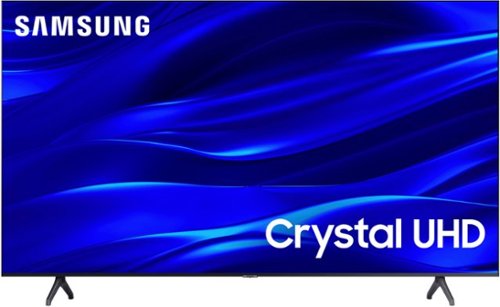
Samsung - 50" Class TU690T Series LED 4K UHD Smart Tizen TV (2023)
See how Crystal UHD with Smart TV elevates what you watch~at a value you~ll love. Go beyond HDTV to enjoy your content in 4K resolution, and in PurColor. And with Smart TV powered by Tizenbuilt in, it~s easy to find and stream the latest shows and movies in just a few clicks.
What year model is this, I'm asking because I purchased a new TV at Thanksgiving and received a TV that had black screen and a 2020 model already 4 yrs old
Hi She,
The TU690T TV was released in 2022.
~Samsung Advisor
The TU690T TV was released in 2022.
~Samsung Advisor
2 years, 9 months ago
by
Posted by:
Samsung
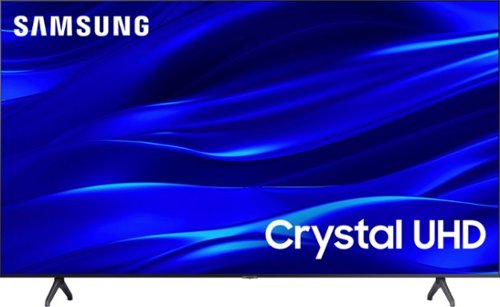
Samsung - 55" Class TU690T Crystal UHD 4K Smart Tizen TV (2023)
See how Crystal UHD with Smart TV elevates what you watch~at a value you~ll love. Go beyond HDTV to enjoy your content in 4K resolution, and in PurColor. And with Smart TV powered by Tizenbuilt in, it~s easy to find and stream the latest shows and movies in just a few clicks.
Can I use my Amazon Firestick with this tv?
Hi,
Yes, you can connect your Firestick via HDMI.
~Samsung Advisor
Yes, you can connect your Firestick via HDMI.
~Samsung Advisor
2 years, 9 months ago
by
Posted by:
Samsung
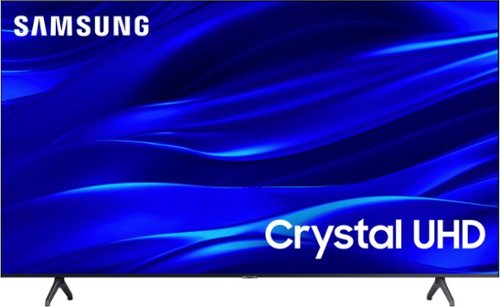
Samsung - 43" Class TU690T Crystal UHD 4K Smart Tizen TV (2022)
See how Crystal UHD with Smart TV elevates what you watch~at a value you~ll love. Go beyond HDTV to enjoy your content in 4K resolution, and in PurColor. And with Smart TV powered by Tizenbuilt in, it~s easy to find and stream the latest shows and movies in just a few clicks.
Do you get Samsung live tv free
Hi there,
Yes, Samsung TV Plus does come with the TU690T TV, offering hundreds of free channels.
~Samsung Advisor
Yes, Samsung TV Plus does come with the TU690T TV, offering hundreds of free channels.
~Samsung Advisor
2 years, 9 months ago
by
Posted by:
Samsung
Samsung - 50" Class TU690T Series LED 4K UHD Smart Tizen TV (2023)
See how Crystal UHD with Smart TV elevates what you watch~at a value you~ll love. Go beyond HDTV to enjoy your content in 4K resolution, and in PurColor. And with Smart TV powered by Tizenbuilt in, it~s easy to find and stream the latest shows and movies in just a few clicks.
Can this tv be put on the wall ?
Hi Luna,
Yes, you can mount the 50" TU690T TV with a wall mount compatible with a VESA Map of 200x200mm.
~Samsung Advisor
Yes, you can mount the 50" TU690T TV with a wall mount compatible with a VESA Map of 200x200mm.
~Samsung Advisor
2 years, 9 months ago
by
Posted by:
Samsung