Samsung
Samsung's Stats
Reviews
- Review Count0
- Helpfulness Votes0
- First ReviewNone
- Last ReviewNone
- Featured Reviews0
- Average Rating0
Reviews Comments
- Review Comment Count0
- Helpfulness Votes0
- First Review CommentNone
- Last Review CommentNone
- Featured Review Comments0
Questions
- Question Count0
- Helpfulness Votes0
- First QuestionNone
- Last QuestionNone
- Featured Questions0
- Answer Count74411
- Helpfulness Votes37,980
- First AnswerApril 24, 2013
- Last AnswerSeptember 18, 2026
- Featured Answers0
- Best Answers3947
Samsung's Reviews
Samsung has not submitted any reviews.
Samsung's Questions
Samsung has not submitted any questions.
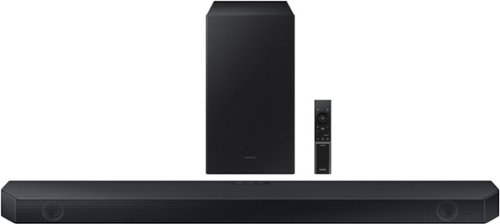
Samsung - HW-Q600C 3.1.2 Channel Q-series Soundbar with Wireless Subwoofer, Dolby Atmos and Q-Symphony - Titan Black
Get the party started and level-up your entertainment experience with the Q600C. Enjoy optimized sound that syncs with your TV~s audio and surrounds you in the story.
Hello, Will the sounbar work with a LG tv?

Hi Jeff,
The HW-Q600C Soundbar is compatible with any TV that supports HDMI ARC, Bluetooth, Digital Optical.
~Samsung Solutions
The HW-Q600C Soundbar is compatible with any TV that supports HDMI ARC, Bluetooth, Digital Optical.
~Samsung Solutions
2 years, 10 months ago
by
Posted by:
Samsung
Samsung - HW-Q600C 3.1.2 Channel Q-series Soundbar with Wireless Subwoofer, Dolby Atmos and Q-Symphony - Titan Black
Get the party started and level-up your entertainment experience with the Q600C. Enjoy optimized sound that syncs with your TV~s audio and surrounds you in the story.
Is this sound bar compatible with LG tvs?
Hi Raul,
The HW-Q600C Soundbar is compatible with any TV that supports HDMI ARC, Bluetooth, Digital Optical.
~Samsung Solutions
The HW-Q600C Soundbar is compatible with any TV that supports HDMI ARC, Bluetooth, Digital Optical.
~Samsung Solutions
2 years, 10 months ago
by
Posted by:
Samsung
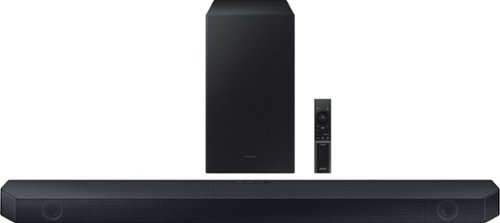
Samsung - HW-Q60C 3.1 Channel Q-Series Soundbar with Wireless Subwoofer, Dolby Atmos and Q-Symphony - Titan Black
Turn up the volume on your audio experience with the Q60C soundbar and enjoy realistic 3D sound that expands the possibilities of all your favorite content. With Q-Symphony and 3.1ch. Dolby Atmos Sound, you~ll experience dimensional audio that wraps all around you.
Will my tV with built in Alexa be able to control the sound bar?
Hi Jon2,
The HW-Q60C Soundbar is not Wi-Fi compatible, so you will not be able to use voice commands to control the Soundbar.
~Samsung Solutions
The HW-Q60C Soundbar is not Wi-Fi compatible, so you will not be able to use voice commands to control the Soundbar.
~Samsung Solutions
2 years, 10 months ago
by
Posted by:
Samsung
Samsung - HW-Q60C 3.1 Channel Q-Series Soundbar with Wireless Subwoofer, Dolby Atmos and Q-Symphony - Titan Black
Turn up the volume on your audio experience with the Q60C soundbar and enjoy realistic 3D sound that expands the possibilities of all your favorite content. With Q-Symphony and 3.1ch. Dolby Atmos Sound, you~ll experience dimensional audio that wraps all around you.
Does this will work on 65” Samsung tv from2013
Hi there,
The HW-Q60C Soundbar will work with any TV that supports HDMI ARC, Bluetooth or Digital Optical Cable.
~Samsung Solutions
The HW-Q60C Soundbar will work with any TV that supports HDMI ARC, Bluetooth or Digital Optical Cable.
~Samsung Solutions
2 years, 10 months ago
by
Posted by:
Samsung
Samsung - HW-Q60C 3.1 Channel Q-Series Soundbar with Wireless Subwoofer, Dolby Atmos and Q-Symphony - Titan Black
Turn up the volume on your audio experience with the Q60C soundbar and enjoy realistic 3D sound that expands the possibilities of all your favorite content. With Q-Symphony and 3.1ch. Dolby Atmos Sound, you~ll experience dimensional audio that wraps all around you.
Will this soundbar work on a samsung 75cu8000fxza? Or, does the samsung HAVE to be a "Q" series?
Hi Jon2,
The Q60C Soundbar will definitely work with the CU8000 Samsung TV. We do recommend using a HDMI cable for the best audio and user experience.
~Samsung Solutions
The Q60C Soundbar will definitely work with the CU8000 Samsung TV. We do recommend using a HDMI cable for the best audio and user experience.
~Samsung Solutions
2 years, 10 months ago
by
Posted by:
Samsung
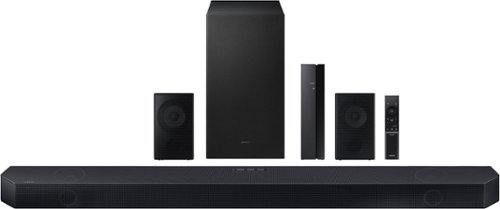
Samsung - Q series 5.1.2ch Wireless Dolby Atmos Soundbar w/ Q Symphony - Titan Black
Hear everything you see on a whole different level with this soundbar.
WIFI drops. We have an 85" Neo QLED 4K QN85C. It will give us an error message "the wireless bandwidth of the TV and Wi-Fi speakers are not the same. To complete speaker setup, select Auto Set to match the wireless bandwidth. There is no option for it
Hi WiFi,
Within your Wi-Fi Router check to see if there is an option to place specific smart devices on specific bandwidth.
~Samsung Solutions
Within your Wi-Fi Router check to see if there is an option to place specific smart devices on specific bandwidth.
~Samsung Solutions
2 years, 10 months ago
by
Posted by:
Samsung
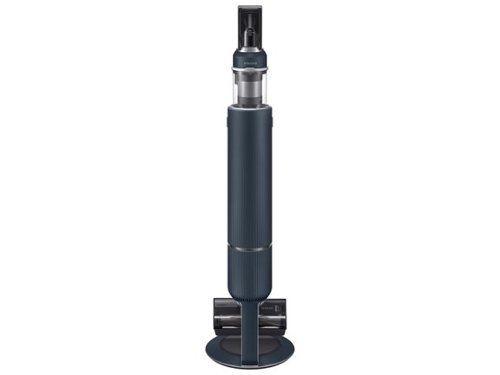
Samsung - BESPOKE Jet Cordless Stick Vacuum with All-in-One Clean Station - Midnight Blue
Design meets function with the Bespoke Jet Cordless Stick Vacuum. Innovative design combines a Clean Station, charging stand and powerful Jet Stick into one show-stopping vacuum. Available in contemporary colors and premium finishes to beautifully fit your d~cor and lifestyle. Built-in Clean Station lets you empty the dustbin at the press of a button while also charging your vacuum. The Bespoke Jet is a powerful Jet Stick, so you can tackle any mess across multiple floor types such as carpets, hardwood floors and tile. The Bespoke Jet is engineered around a lightweight, maneuverable design, plus a multistage filtration system that maintains cleaner air in your home.
Does this vacuum come with two batteries?
Hello wendell,
This vacuum model comes with one battery.
Have a great day.
-John
This vacuum model comes with one battery.
Have a great day.
-John
2 years, 10 months ago
by
Posted by:
Samsung
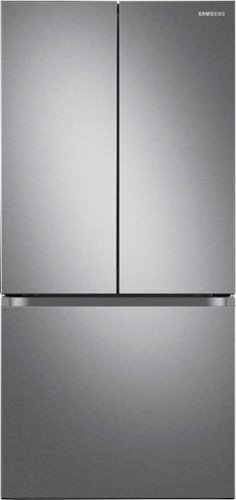
33" wide Smart Counter Depth 3-Door French Door Refrigerator with a modern look that blends seamlessly into your kitchen.
How do I remove the middle shelf in the refrigerator in order to put it in the adjustment slot? The doors don't open wide enough to allow the shelf to come out. There is a scratch on lower left side that shows. Can it be fixed?
Hi there,
Let's help you with your refrigerator needs.
The fridge doors can fully open up to 135 degrees, just enough to remove the shelves.
I have shared the manual for the shelf removal instructions. Please read page 44-45 for reference.
User manual:
https://downloadcenter.samsung.com/content/UM/202311/20231107195808543/FDR_RF5000A_DA68-04132A-04_EN_MES_CFR.pdf
For reference, I've also shared this YouTube video for instructions on properly cleaning the fridge to prevent further scratches on the unit's interior and exterior surfaces.
How to clean your Samsung refrigerator:
https://www.youtube.com/watch?v=Gw_NOk1rLAY
Have a great day!
^Chrystel
Let's help you with your refrigerator needs.
The fridge doors can fully open up to 135 degrees, just enough to remove the shelves.
I have shared the manual for the shelf removal instructions. Please read page 44-45 for reference.
User manual:
https://downloadcenter.samsung.com/content/UM/202311/20231107195808543/FDR_RF5000A_DA68-04132A-04_EN_MES_CFR.pdf
For reference, I've also shared this YouTube video for instructions on properly cleaning the fridge to prevent further scratches on the unit's interior and exterior surfaces.
How to clean your Samsung refrigerator:
https://www.youtube.com/watch?v=Gw_NOk1rLAY
Have a great day!
^Chrystel
2 years, 10 months ago
by
Posted by:
Samsung
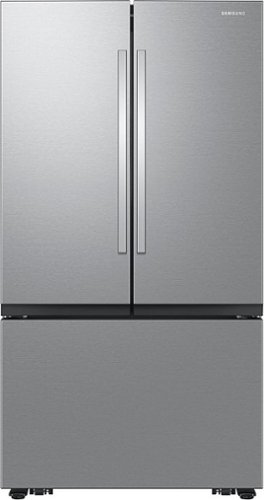
Samsung Mega Capacity 3-Door French Door refrigerator features 32 cu. ft. capacity, Dual Auto Ice Maker and a modern design. Store more groceries, including big and bulky items. The Dual Auto Ice Maker makes two types of ice ~ cubed, or Ice Bites that chill your drink faster.
Does this have zero clearance hinges so that it may be installed next to the wall?
Hi Will,
No, we strongly recommend allowing 2.5 inches of clearance on the hinge side of the refrigerator when installing next to a wall where the handle may make contact.
Have a great day!
^Chrystel
No, we strongly recommend allowing 2.5 inches of clearance on the hinge side of the refrigerator when installing next to a wall where the handle may make contact.
Have a great day!
^Chrystel
2 years, 10 months ago
by
Posted by:
Samsung
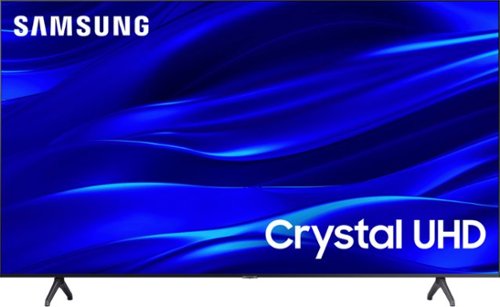
Samsung - 75" Class TU690T Crystal UHD 4K Smart Tizen TV (2023)
See how Crystal UHD with Smart TV elevates what you watch~at a value you~ll love. Go beyond HDTV to enjoy your content in 4K resolution, and in PurColor. And with Smart TV powered by Tizenbuilt in, it~s easy to find and stream the latest shows and movies in just a few clicks.
How do I setup Alexa on this TV? I’ve looked and can’t find how to do it?
Hi Arthur,
To set up your Alexa with the TU690T TV, please follow the below directions:
1. Download the Smartthings App on your Android or Apple device and log in with the same account that you are signed into on your Samsung TV.
2. On the app, you will need to add your TV as a device if you have not already done so.
3. Using the Amazon Alexa app on your Android or Apple device, connect the app to Smartthings, which should be under Devices> Your Smart Home Skills. Follow the prompts to sign in to your Samsung Account and enable the device.
After following the prompts, you should be connected and can now control your Samsung TV with your Alexa Dot device!
I hope this helps! if you ever need help, please do not hesitate to contact us at 1-800-SAMSUNG, 8 AM - 12 AM EST, seven days a week. Our LiveChat agents are also available by clicking on the ‘Support’ link on our website.
~ Samsung Advisor
To set up your Alexa with the TU690T TV, please follow the below directions:
1. Download the Smartthings App on your Android or Apple device and log in with the same account that you are signed into on your Samsung TV.
2. On the app, you will need to add your TV as a device if you have not already done so.
3. Using the Amazon Alexa app on your Android or Apple device, connect the app to Smartthings, which should be under Devices> Your Smart Home Skills. Follow the prompts to sign in to your Samsung Account and enable the device.
After following the prompts, you should be connected and can now control your Samsung TV with your Alexa Dot device!
I hope this helps! if you ever need help, please do not hesitate to contact us at 1-800-SAMSUNG, 8 AM - 12 AM EST, seven days a week. Our LiveChat agents are also available by clicking on the ‘Support’ link on our website.
~ Samsung Advisor
2 years, 10 months ago
by
Posted by:
Samsung