Samsung
Samsung's Stats
Reviews
- Review Count0
- Helpfulness Votes0
- First ReviewNone
- Last ReviewNone
- Featured Reviews0
- Average Rating0
Reviews Comments
- Review Comment Count0
- Helpfulness Votes0
- First Review CommentNone
- Last Review CommentNone
- Featured Review Comments0
Questions
- Question Count0
- Helpfulness Votes0
- First QuestionNone
- Last QuestionNone
- Featured Questions0
- Answer Count73722
- Helpfulness Votes37,937
- First AnswerApril 24, 2013
- Last AnswerAugust 19, 2026
- Featured Answers0
- Best Answers3943
Samsung's Reviews
Samsung has not submitted any reviews.
Samsung's Questions
Samsung has not submitted any questions.
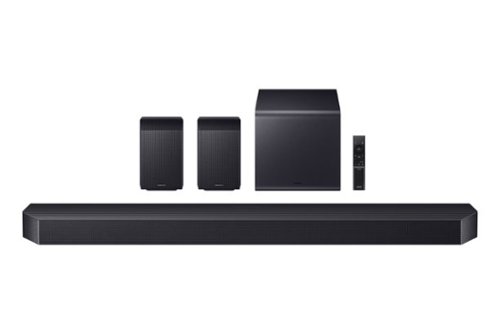
Elevate your home theater experience with cinema like immersion. Surround yourself with sound from every angle with 11.1.4 channels and wireless Dolby Atmos. Get stunning audio calibrated to your room that delivers clear, enveloping sound. Enjoy full, rich sound and deep bass from the included wireless subwoofer with Dynamic Bass Control.
Do the Active Voice Amplifier and Sound Elevation features functions with non-Samsung TVs .

Hello nickfromyorkmaine! Yes, Active Voice Amplifier (AVA) and Sound Elevation will still work with non-Samsung TVs as long as your soundbar is connected correctly, preferably using HDMI ARC/eARC. These features are built into the soundbar itself, so they enhance dialogue clarity and overall sound regardless of the TV brand. Just keep in mind that Samsung-specific features like Q-Symphony only work with compatible Samsung TVs, but AVA and Sound Elevation should still function normally with most other TVs.
~ Samsung Solutions
~ Samsung Solutions
3 months, 2 weeks ago
by
Posted by:
Samsung
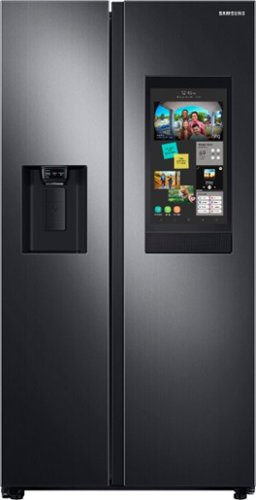
Samsung - 26.7 cu. ft. Side-by-Side Smart Refrigerator with 21.5" Touch-Screen Family Hub - Black Stainless Steel
Samsung's Family Hub side-by-side large capacity refrigerator is beautifully designed with a minimal display dispenser, modern design that blends beautifully into your kitchen, and a finish that withstands everyday smudges.
Is the stainless steel really $800 more than the black stainless steel? Any specific reason for that or it is really just for the color?
Hi StainlessSteelOP,
The price gap can be surprising when you’re looking at the same refrigerator in different finishes.
Since pricing is set directly by the retailer, Best Buy would be the best place to get the full breakdown on what’s driving the difference. You can reach their team at 888‑237‑8289 for more details.
We appreciate hearing from you and truly value your business.
Jeffrey
Samsung Care
The price gap can be surprising when you’re looking at the same refrigerator in different finishes.
Since pricing is set directly by the retailer, Best Buy would be the best place to get the full breakdown on what’s driving the difference. You can reach their team at 888‑237‑8289 for more details.
We appreciate hearing from you and truly value your business.
Jeffrey
Samsung Care
3 months, 2 weeks ago
by
Posted by:
Samsung
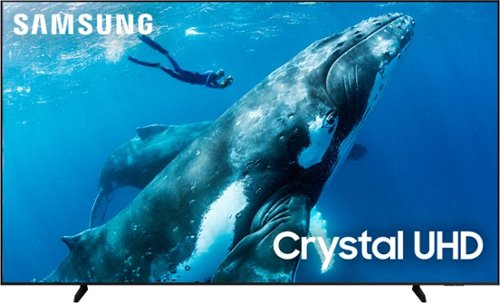
Make the most of your big screen with a wide picture ratio that displays every color in crisp 4K resolution. Add ultra smooth action and improved contrast to the mix for a hugely impressive view.
Can this TV be used overseas with 220volts?
Hi Yaway,
No, the DU9000F TV is intended for use in the US only.
~Samsung Advisor
No, the DU9000F TV is intended for use in the US only.
~Samsung Advisor
3 months, 2 weeks ago
by
Posted by:
Samsung
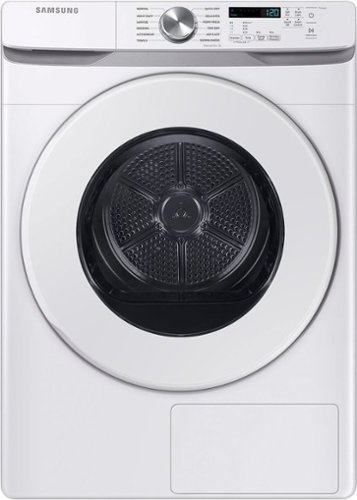
The Samsung Ventless Hybrid Heat Pump Dryer is a more energy efficient, cost-effective and gentle way to dry your clothes. It is easier to install because of it's ventless design, and easier to use and control with Wi-Fi connectivity using the SmartThings App.
How many kilowatts per hour does it use?
Hi Mario, checking the energy specs in advance is a great way to plan for efficient everyday use.
For the Samsung 7.5 cu. ft. Large Capacity Ventless Hybrid Heat Pump Dryer with Wi‑Fi, energy use is typically expressed as annual consumption rather than per-hour usage. According to Samsung’s official specifications and Energy Guide details, this model uses about 263 kWh per year based on standard DOE testing.
Additional efficiency ratings listed by Samsung include:
- DOE Energy Factor: 9.1 lb/kWh
- Energy Guide Label Value: 0.95
Here’s a handy guide where you can explore full details in the Specs section: https://www.samsung.com/us/laundry/dryers/ventless-7-5-cu-ft-large-capacity-ventless-hybrid-heat-pump-dryer-with-wi-fi-in-white-sku-dv45dg6000hwa2/
Glad to help shed some light on this.
Khristine
Samsung Care
For the Samsung 7.5 cu. ft. Large Capacity Ventless Hybrid Heat Pump Dryer with Wi‑Fi, energy use is typically expressed as annual consumption rather than per-hour usage. According to Samsung’s official specifications and Energy Guide details, this model uses about 263 kWh per year based on standard DOE testing.
Additional efficiency ratings listed by Samsung include:
- DOE Energy Factor: 9.1 lb/kWh
- Energy Guide Label Value: 0.95
Here’s a handy guide where you can explore full details in the Specs section: https://www.samsung.com/us/laundry/dryers/ventless-7-5-cu-ft-large-capacity-ventless-hybrid-heat-pump-dryer-with-wi-fi-in-white-sku-dv45dg6000hwa2/
Glad to help shed some light on this.
Khristine
Samsung Care
3 months, 2 weeks ago
by
Posted by:
Samsung

Step up to Full HD for a significantly clearer picture than regular HD. Enjoy impressive, fine-tuned colors and deep contrast, all wrapped in a sleek design and secured by triple-layer protection. Virtual 3-D sound is enhanced and tracks movement on screen for a truly immersive experience.
When you turn it on does it go back to last watched channel?
Hi Rockin,
The F6000F TV defaults to Samsung TV Plus at startup. However, you can customize what happens when the TV powers on. Go to: Settings > All Settings > Advanced Features > Start Screen Option, then enable or disable:
• Start with Smart Hub Home
• Autorun Multi View Casting
• Autorun Multi View Mirroring
~Samsung Advisor
The F6000F TV defaults to Samsung TV Plus at startup. However, you can customize what happens when the TV powers on. Go to: Settings > All Settings > Advanced Features > Start Screen Option, then enable or disable:
• Start with Smart Hub Home
• Autorun Multi View Casting
• Autorun Multi View Mirroring
~Samsung Advisor
3 months, 2 weeks ago
by
Posted by:
Samsung
Step up to Full HD for a significantly clearer picture than regular HD. Enjoy impressive, fine-tuned colors and deep contrast, all wrapped in a sleek design and secured by triple-layer protection. Virtual 3-D sound is enhanced and tracks movement on screen for a truly immersive experience.
Can this tv connect to a bluetooth speaker?
Hi Daniel,
Yes, the F6000F is Bluetooth-enabled.
~Samsung Advisor
Yes, the F6000F is Bluetooth-enabled.
~Samsung Advisor
3 months, 2 weeks ago
by
Posted by:
Samsung
Step up to Full HD for a significantly clearer picture than regular HD. Enjoy impressive, fine-tuned colors and deep contrast, all wrapped in a sleek design and secured by triple-layer protection. Virtual 3-D sound is enhanced and tracks movement on screen for a truly immersive experience.
I Have a Amazon fire stick can I still Use it on this t v
Hi,
Yes, you can connect your Amazon Fire TV Stick to the F6000F TV.
~Samsung Advisor
Yes, you can connect your Amazon Fire TV Stick to the F6000F TV.
~Samsung Advisor
3 months, 2 weeks ago
by
Posted by:
Samsung
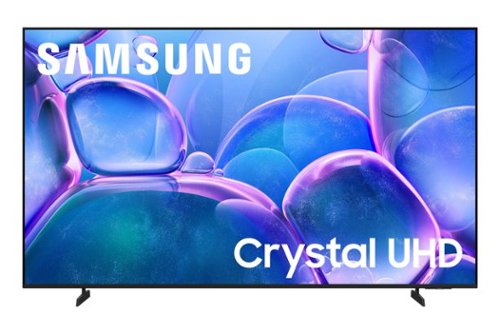
Upgrade your home theater with this stylish 4K TV featuring vibrant colors, rich contrast and an advanced 4K processor. Stay endlessly entertained with thousands of on demand shows and movies for free and enjoy peace of mind as watch thanks to our proprietary triple layer security that protects your personal data across all connected devices at once.
Will you connect to Direct Tv and Wi-fi? I live in San Manuel85631
Hi Joyce,
Yes, the U7900F TV is Wi-fi capable and can connect to your external cable or satellite box.
~Samsung Advisor
Yes, the U7900F TV is Wi-fi capable and can connect to your external cable or satellite box.
~Samsung Advisor
3 months, 2 weeks ago
by
Posted by:
Samsung
Upgrade your home theater with this stylish 4K TV featuring vibrant colors, rich contrast and an advanced 4K processor. Stay endlessly entertained with thousands of on demand shows and movies for free and enjoy peace of mind as watch thanks to our proprietary triple layer security that protects your personal data across all connected devices at once.
Will the Sanus BLT2 Mount work with this television?
Hi Jack,
You will need a mount compatible with a VESA Map of 400mm x 300mm.
~Samsung Advisor
You will need a mount compatible with a VESA Map of 400mm x 300mm.
~Samsung Advisor
3 months, 2 weeks ago
by
Posted by:
Samsung
Upgrade your home theater with this stylish 4K TV featuring vibrant colors, rich contrast and an advanced 4K processor. Stay endlessly entertained with thousands of on demand shows and movies for free and enjoy peace of mind as watch thanks to our proprietary triple layer security that protects your personal data across all connected devices at once.
Does it support both 110V power and 220V?
Hi Inno,
The U7900F TV supports 110V and is intended for use in the US only.
~Samsung Advisor
The U7900F TV supports 110V and is intended for use in the US only.
~Samsung Advisor
3 months, 2 weeks ago
by
Posted by:
Samsung