Samsung
Samsung's Stats
Reviews
- Review Count0
- Helpfulness Votes0
- First ReviewNone
- Last ReviewNone
- Featured Reviews0
- Average Rating0
Reviews Comments
- Review Comment Count0
- Helpfulness Votes0
- First Review CommentNone
- Last Review CommentNone
- Featured Review Comments0
Questions
- Question Count0
- Helpfulness Votes0
- First QuestionNone
- Last QuestionNone
- Featured Questions0
- Answer Count74508
- Helpfulness Votes37,987
- First AnswerApril 24, 2013
- Last AnswerSeptember 23, 2026
- Featured Answers0
- Best Answers3950
Samsung's Reviews
Samsung has not submitted any reviews.
Samsung's Questions
Samsung has not submitted any questions.
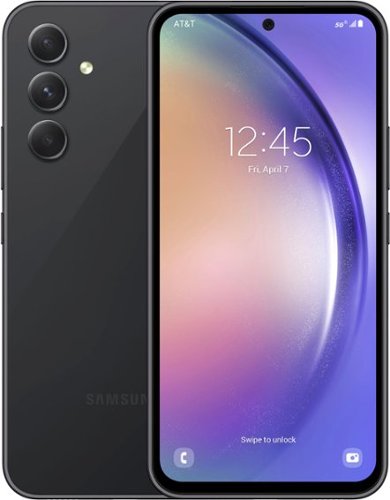
Samsung - Galaxy A54 5G 128GB - Awesome Graphite (AT&T)
Complete with a refined design, 5G1 performance and pro-grade camera, Galaxy A54 5G delivers all you need to live life to the fullest and never hold back. *AT&T 5G requires compatible plan. 5G is not available everywhere. Visit AT&T's website for details
Will phone work with consumer cellular?

Howdy Ed, thanks for taking the time out of your hectic day to ask us your question about the Samsung Galaxy A54 5G. The advertised Galaxy A54 5G is locked to the AT&T wireless network. Let us know if you think of any additional questions for us by contacting Samsung Support. Thank you for being a devoted Samsung customer. - Debra
2 years, 11 months ago
by
Posted by:
Samsung

Samsung - 49" Odyssey OLED G9 (G95SC) DQHD 240Hz 0.03ms G-Sync Compatible Curved Smart Gaming Monitor - Silver
Introducing the world's first 49" OLED monitor, the Odyssey OLED G95SC. The 49" curved monitor with Dual QHD resolution and 110 PPI delivers maximum space to take in all the pin-sharp details. Neo Quantum Processor brings brighter whites, deeper blacks and near infinite color contrast. Its curved screen wraps around your field of view for truly engrossing gameplay in up to 32:9 aspect ratio. With a hair-raising 0.03ms(GtG)* on the 240Hz refresh rate screen, you can react to your opponent~s every move quicker than ever before. DisplayHDR True Black 400 allows you to see true black and dark colors on screen without pixel light bleed for supreme color and depth expression in every game. G-Sync compatibility keeps the GPU and panel synced up to eliminate choppiness, screen-lag and image tears. Fast-action and complex game scenes are stable and stutter-free with AMD FreeSync Premium Pro for your competitive edge.
If I connect two computers to this monitor, is it possible adjust the display size for each computer, or is 50/50 the only option? Can it do 1/3 input 1 and 2/3 input 2?
Thank you for your question! Using the built-in PBP (Picture by Picture) mode to connect two sources to the monitor will only allow for a 50/50 screen split. You can utilize the PIP (Picture in Picture) mode to allow for more customization. While it does not support a side-by-side view, you can make one window bigger than the other and adjust the location of the window on screen. I hope this helps!
2 years, 11 months ago
by
Posted by:
Samsung
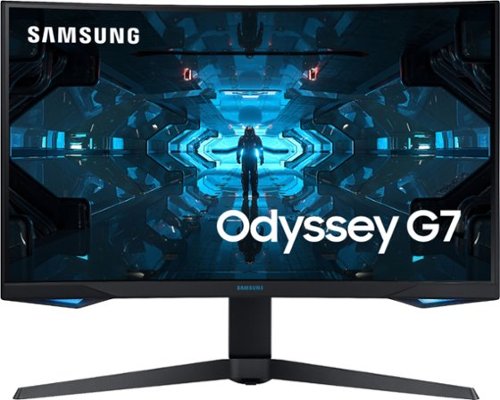
Samsung - Odyssey G7 27" LED Curved QHD FreeSync and G-SYNC Compatible Monitor with HDR (DisplayPort, HDMI) - Black
Stay at the top of your game with this 27-inch Samsung Odyssey WQHD gaming monitor. The 1 ms response time and a 240Hz refresh rate deliver detailed visuals for fast-paced gaming, while the QLED technology ensures accurate color reproduction for realistic visuals. This Samsung Odyssey WQHD gaming monitor has an Infinity Core Lighting system, which matches your gaming system for customization.
I have this monitor but it only gives 144 Hz on hdmi port and support 240 Hz on display port. But my laptop does not have display port it has hdmi 2.1, so if use adapter of hdmi 2.1 to display port 1.4 will it work ?
Thank you for your question! For the best image quality results maintaining VRR and HDR support, we recommend avoiding adapters where possible. Use of an HDMI 2.1 to DP 1.4 connection may allow you to achieve a faster refresh rate; however, this is largely dependent on the specs of the adapter being used. Samsung does not offer any recommendations for adapters to use.
2 years, 11 months ago
by
Posted by:
Samsung
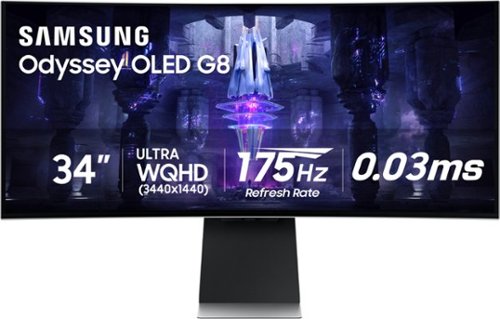
Samsung - 34" Odyssey OLED G8 Curved WQHD FreeSync Premium Pro Smart Gaming Monitor with HDR400, (Micro DP, Micro HDMI, USB) - Silver
Get ready to experience mesmerizing gaming with Samsung's 175Hz QD-OLED screen. Enhanced with the Neo Quantum Processor, it delivers brighter whites, deeper blacks and near-infinite color contrast, for an intensely captivating view in QD-OLED. The fastest Odyssey yet moves at electrifying speed with a hair-raising 0.03ms GTG response time. Instantly access top streaming services via Gaming Hub and enjoy smooth play with Samsung~s advanced streaming technology. Additionally, your game room will be instantly upgraded with the Odyssey QD-OLED G8's super slim frame, premium metal finish and visually stunning Core Lighting+.
I hooked up my Macbook pro and air to this monitor can someone tell me why I am getting black bars on the side and not getting full wide screen
Thank you for your question! The Odyssey OLED G8 features WQHD resolution which is wider than traditional QHD. Not all content is formatted for this resolution type, meaning you may experience black bars on the left and right side in certain use cases. Generally, this is a setting that will need to be adjusted through your device, but you may want to try adjusting the “Picture Size” option in your monitors advanced settings menu. Adjusting the setting to “Wide” will fill the width of the screen whereas “Auto” will adjust based on the input source.
2 years, 11 months ago
by
Posted by:
Samsung
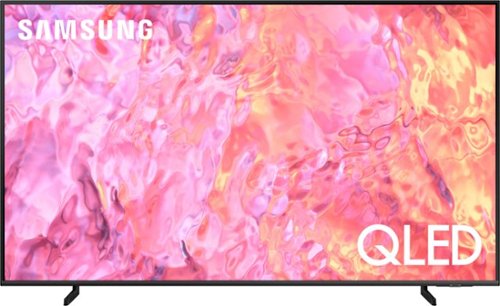
Samsung - 85" Class Q60C QLED 4K UHD Smart Tizen TV (2023)
This lean, mean 4K machine is primed for your leap into Quantum Dot technology~and a bold new world of color and contrast. Take your entire viewing experience to the next level with the elevated audio and astounding picture quality of Samsung QLED. Not only will you see your TV shows and movies instantly transformed into 4K, but you~ll also take in a billion shades of unwavering color. Beyond amazing visuals, you~ll be drawn in by 3D surround sound that moves with the action.
Does this TV have full array local dimming?
Neoflyer - The Q60C TV offers Dual LED backlighting to deliver vivid images with improved contrast, off-axis viewing, and color accuracy. Direct Full Array Backlighting begins with our Q80C Series and above.
~ Samsung Specialist
~ Samsung Specialist
2 years, 11 months ago
by
Posted by:
Samsung
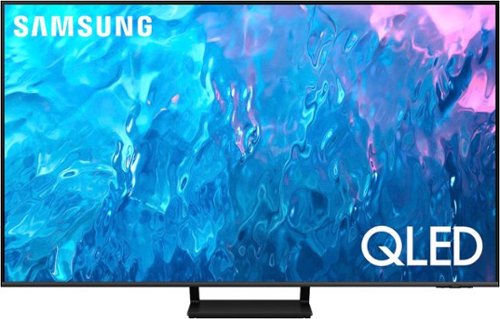
Samsung - 75" Class Q70C QLED 4K UHD Smart Tizen TV (2023)
Life can be beautiful. Don~t wait for life to show you a view worth remembering. Make your escape with 4K upscaling, impressive color volume and a mind-blowing, slim design. Enjoy content in ultra-high definition as everything is transformed into 4K resolution by the Quantum Processor. But the experience goes beyond delivering vivid contrast and 100% color volume*.
Does the stand swivel to allow the tv to be moved right or left
Hi Bill - The Q70C TV stand is stationary and does not swivel.
~ Samsung Specialist
~ Samsung Specialist
2 years, 11 months ago
by
Posted by:
Samsung
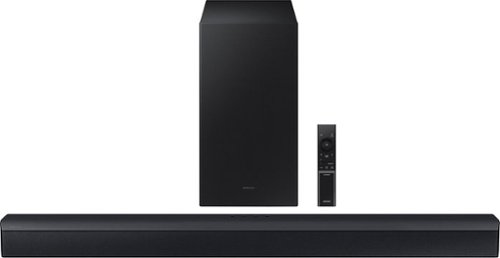
Samsung - HW-C450 2.1 Channel B-Series Soundbar with Wireless Subwoofer, DTS Virtual: X - Titan Black
Versatile and easy to use, this soundbar comes equipped with tech to enhance your listening, viewing and gaming experience~with DTS Virtual: X, an included subwoofer and bass you can boost with a tap
I have an old Samsung Plasma TV that is not a smart tv, but it does have an optical audio out port. Will the C-series 2.1 DTS sound bar work with my tv?
Hi MikeSki,
The HW-C450 Soundbar has the ability to connect using the Digital Optical port.
~Samsung Solutions
The HW-C450 Soundbar has the ability to connect using the Digital Optical port.
~Samsung Solutions
2 years, 11 months ago
by
Posted by:
Samsung
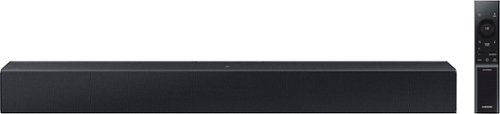
Add a soundbar. Enjoy everything more. From concerts to cooking competitions, for binging shows and streaming music, this soundbar is loaded with clever features that you~ll use every day.
Will this work with a Samsung odyssey monitor and Xbox?
Hi Benjamin,
The HW-C400 Soundbar has a Digital Optical Input, as long as your Samsung monitor model has this port then you will be able to connect them easily.
~Samsung Solutions
The HW-C400 Soundbar has a Digital Optical Input, as long as your Samsung monitor model has this port then you will be able to connect them easily.
~Samsung Solutions
2 years, 11 months ago
by
Posted by:
Samsung

Samsung - Pro Plus 256GB microSDXC Memory Card
Your new go-to card + adapter combo, the Micro SD PRO Plus + Adapter makes capturing seamless 4K video on compatible phones or drones a breeze. Plus, the expanded storage provides you the freedom to play more high-performance and intensive games on your tablet or gaming device. It~s all the extra space you need from a brand you can count on.
Will this work for a Samsung Note 8 phone?
Howdy Lisa, thanks for taking the available time out of your busy day to ask us your question about the Samsung Pro Plus 256GB microSDXC Memory Card. Yes, it is compatible for use with your Samsung Note 8. Check out the article, "MicroSD cards and your Galaxy phone or tablet" if you would like more information on the topic. Let us know if you have any other questions for us by reaching out to Samsung Support. Thank you for being a valued Samsung customer. - Debra
2 years, 11 months ago
by
Posted by:
Samsung
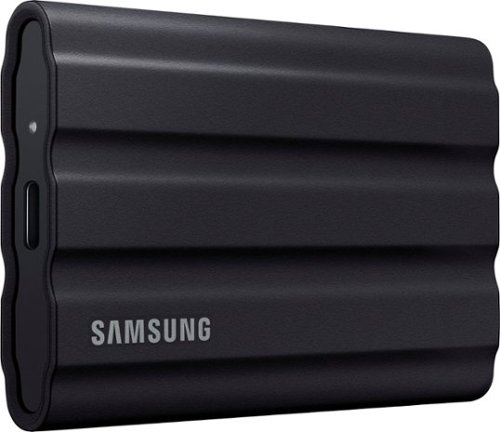
Samsung T7 Shield 1TB, Portable SSD, up to 1050 MB/S, USB 3.2 Gen2, Rugged, IP65 Rated, for Photographers, Content Creators, and Gaming, External Solid State Drive, Black.
Does this come with a manufacturer warranty? What does it cover and how long is it covered? Thank you!
Help:
Samsung stands behind the quality and performance of every T7 Shield SSD we manufacture with a limited 3-year manufacturer’s warranty when purchased brand-new, directly from any authorized dealer, like Best Buy.
Please contact Samsung Customer Support directly to assist you with warranty service.
Call: 1-800-SAMSUNG (ask for Memory or press #, then 6 for Memory products)
Available 9AM – 9PM EST (Mon-Fri)
- Samsung Memory
Samsung stands behind the quality and performance of every T7 Shield SSD we manufacture with a limited 3-year manufacturer’s warranty when purchased brand-new, directly from any authorized dealer, like Best Buy.
Please contact Samsung Customer Support directly to assist you with warranty service.
Call: 1-800-SAMSUNG (ask for Memory or press #, then 6 for Memory products)
Available 9AM – 9PM EST (Mon-Fri)
- Samsung Memory
2 years, 11 months ago
by
Posted by:
Samsung