Samsung
Samsung's Stats
Reviews
- Review Count0
- Helpfulness Votes0
- First ReviewNone
- Last ReviewNone
- Featured Reviews0
- Average Rating0
Reviews Comments
- Review Comment Count0
- Helpfulness Votes0
- First Review CommentNone
- Last Review CommentNone
- Featured Review Comments0
Questions
- Question Count0
- Helpfulness Votes0
- First QuestionNone
- Last QuestionNone
- Featured Questions0
- Answer Count73722
- Helpfulness Votes37,938
- First AnswerApril 24, 2013
- Last AnswerAugust 19, 2026
- Featured Answers0
- Best Answers3944
Samsung's Reviews
Samsung has not submitted any reviews.
Samsung's Questions
Samsung has not submitted any questions.
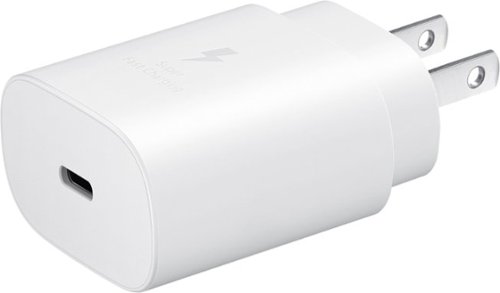
Super fast charging up to 25W with compatible devices and other USB devices will charge at varying rates also works with USB-C cable
Does this work with the Samsung A17 smart phone?

Good day, thank you for reaching out with your question about the Samsung 25W Super Fast Charging Wall Charger USB-C. Yes, the advertised 25W USB-C Wall Charger (Model: EP-TA800NWEGUS) is compatible with the Galaxy A17 5G for fast charging. It uses USB PD 3.0 PPS technology to deliver maximum speed, often charging Galaxy A-series devices from 5% to 50% in approximately 20 minutes. If you have any other questions for us or if you'd like further assistance, please feel free to reach out to Support. Thank you for being a devoted Samsung customer. - Debra
3 months, 3 weeks ago
by
Posted by:
Samsung

Snap your device into place easily thanks to the precision magnets on the Galaxy Magnet Wireless Charger, our quickest yet. This charger powers your device fast, bringing your Galaxy S26 Ultra up to 50% in less than an hour.
Can this be used with a car charger instead of a charging block?
Hey Ak, thank you for taking the time to ask us your question about the Samsung Magnet Wireless Charger and 45W Travel Adapter. Yes, the advertised Magnet Wireless Charger (EP-P2900) can be used in a car, but it requires a high-power car charger (not included) that supports USB-PD and PPS to function optimally. Using a low-power USB port will cause slow charging or, in some cases, a red blinking light error. Hope that helps! If you have additional questions or if you would like further assistance, please feel free to reach out to Support at your leisure. Thank you for being a treasured Samsung customer. - Debra
3 months, 3 weeks ago
by
Posted by:
Samsung
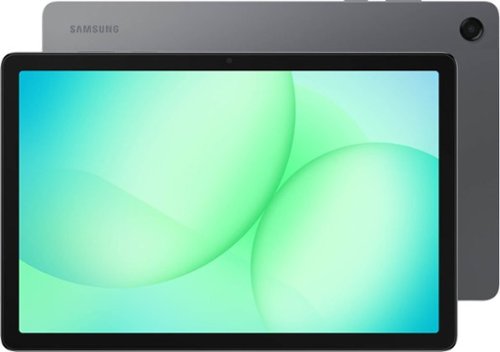
Galaxy Tab A11+ moves with your family~s day from work to play and every moment between. Its bright 11" screen brings streaming, reading and schoolwork to life while upgraded performance keeps multitasking smooth across all your everyday apps. A long lasting battery helps everyone stay powered through busy routines, and with plenty of memory plus expandable storage, there~s room to keep all your family~s photos, games and files together. All this power and convenience comes at an incredible value, making it an easy choice for every day.
Can I connect a mouse?
Hey there Rob, thank you for asking us your question about the Samsung Galaxy Tab A11+. Yes, the advertised Galaxy Tab A11+ can connect to a mouse. It supports both Bluetooth and wired mice, allowing you to use a cursor for navigation, productivity, and desktop-like functionality via Samsung DeX. Feel free to reach out to Support if you have any other questions for us. Thank you for choosing Samsung! - Debra
3 months, 3 weeks ago
by
Posted by:
Samsung
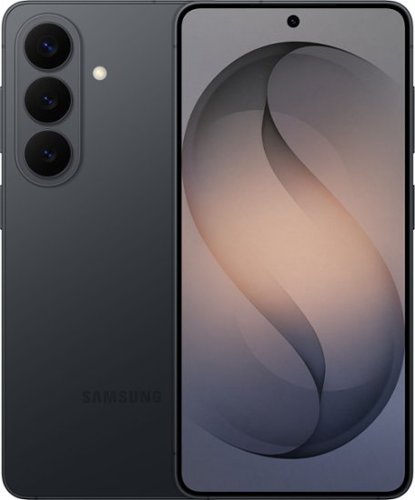
Samsung Galaxy S26 keeps things moving effortlessly. From quick replies to creative moments, everything feels smooth and responsive as you move between texting, scrolling, creating and sharing with Galaxy AI. Even better, this seamless experience comes alive on a larger, vibrant display that automatically enriches color to make photos feel more expressive and videos more engaging. When inspiration strikes, it~s easy to act on it. Photo Assist with Galaxy AI helps you clean up a photo by removing distractions while restoring details or exploring artistic styles like painting, black and white or playful illustrations to give your photos an entirely new look. And when you want to do more, Creative Studio makes it simple to create custom stickers, personalize profile pictures or generate new images from a quick prompt. No extra apps. No technical skills. Just effortless tools that help turn ideas into something uniquely yours. Samsung Galaxy S26 brings performance, immersion and creativity together ~ designed to keep everything you do feeling fast, vivid and inspired.
can this phone be used on spectrum
Howdy, thank you for asking us your question about the Samsung Galaxy S26. The advertised unlocked Galaxy S26 is compatible with AT&T, Boost Mobile, Cricket, Google Fi, H2O Wireless, Mint Mobile, Sprint, T-Mobile, Ultra Mobile, US Cellular, Verizon, and Visible. If you would like further assistance, please let us know by reaching out to Support. Thanks for choosing Samsung! - Debra
3 months, 3 weeks ago
by
Posted by:
Samsung
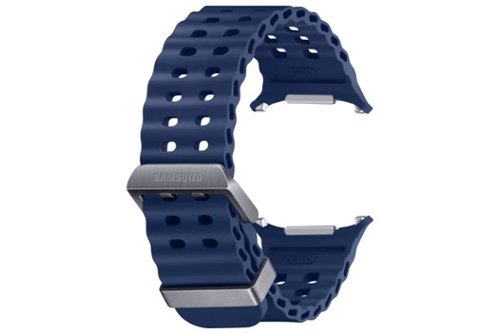
The Marine Band is crafted to meet the performance standards of the new Galaxy Watch Ultra.~ Its titanium buckle is light and durable, and the wide ripple design is made for easy water drainage and quick sweat drying.
Will this bank fit a galaxy watch 6
Hey there JLC, thank you for taking the opportunity to ask us your question about the Samsung Marine Band for Galaxy Watch Ultra. No, the Galaxy Watch Ultra bands do not directly fit the Galaxy Watch6. The Galaxy Watch Ultra uses a unique, wider, and redesigned lug system, whereas the Watch6 uses a standard 20mm connector. Please feel free to reach out to Support if you think of additional questions you may have for us. Thank you for being a loyal Samsung customer. - Debra
3 months, 3 weeks ago
by
Posted by:
Samsung

With a new, hexagonal, cone-shaped design, S Pen is redefining how you write, draw and create.
Will the S pen work with the tab S6 lite?
Greetings Eden, thank you for taking the time to ask us your question about the Samsung Galaxy Tab S11/S11 Ultra S-Pen. Yes, the advertised Samsung S-Pen model EJ-PX730BWEGUJ is compatible with the Galaxy Tab S6 Lite for writing and drawing. Please do not hesitate to reach out to Support if you have additional questions for us. Thank you for being a valued Samsung customer. - Debra
3 months, 3 weeks ago
by
Posted by:
Samsung
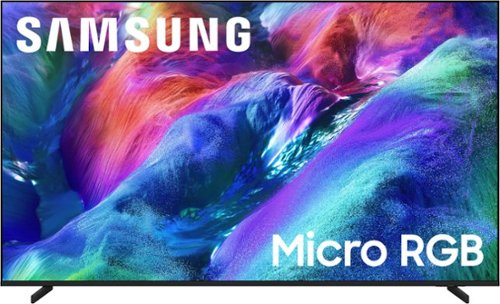
Discover expanded color like you've never seen before with 100% BT.2020 color area. The AI engine finely controls thousands of micro sized red, green and blue LEDs for ultra wide spectrum color with stunning brightness, precise contrast and true depth for a lifelike vie wing experience.
What is the difference between Micro RGB and the QLED?
Hi Bolt - Micro RGB creates color directly from tiny red, green, and blue lights for more precise color and a wider range. QLED uses 100% Color Volume with Quantum Dot technology, delivering vibrant, consistent color.
~ Samsung Specialist
~ Samsung Specialist
3 months, 3 weeks ago
by
Posted by:
Samsung
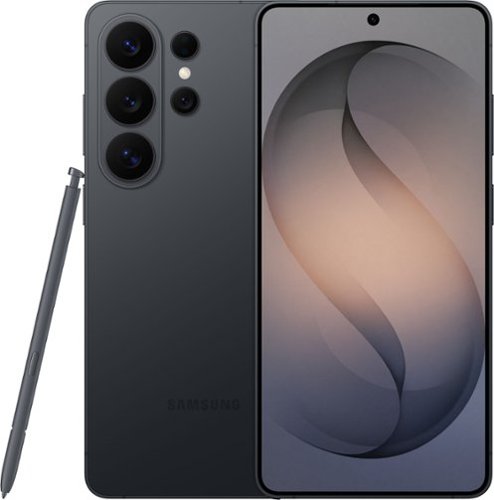
When everything just works, you stay in the moment. Samsung Galaxy S26 Ultra anticipates what you need next, empowers your creativity, delivers powerful performance with stunning, ultra-vivid viewing and even gives you the freedom to keep your screen private~whenever you choose. Out with friends and capturing the night? Nightography brings every scene to life, revealing rich detail even in low light. Snap photos or record video confidently as the night goes on, and then use Photo Assist with Galaxy AI to refine your shots in seconds ~cleaning up distractions, enhancing details and helping every memory look the way it felt. No extra apps. No slowing down. Creativity doesn~t stop once the moment is captured. Creative Studio with Galaxy AI on Galaxy S26 Ultra turns inspiration into creation, just like that. Transform photos into custom stickers, design invitations or generate entirely new images using a simple prompt ~all without switching apps or learning new tools. Whether you~re refining a memory or imagining something brand new, Galaxy AI helps bring ideas to life effortlessly, so creativity feels intuitive, not technical. When it~s time to turn ideas into plans, Galaxy S26 Ultra makes it simple. Now Nudge with Galaxy AI helps you stay on top of conversations by suggesting quick actions like adding an event, sharing a photo or finding a location ~all without slowing things down. All of this happens with privacy in mind. With the world~s first privacy display built into a phone, you can keep personal moments for your eyes only. Whether you~re creating, checking emails or just catching up, everything feels effortless and on your terms. Samsung Galaxy S26 Ultra is more than a smartphone ~it~s your companion.
does it work with spectrum mobile as a carrier?
Howdy TypicalWrecker, thank you for asking us your question about the Samsung Galaxy S26 Ultra. The advertised unlocked Galaxy S26 Ultra is compatible with AT&T, Boost Mobile, Cricket, Google Fi, H2O Wireless, Mint Mobile, Sprint, T-Mobile, Ultra Mobile, US Cellular, Verizon, and Visible. Please feel free to reach out to Support if you have additional questions. Thanks for being a loyal Samsung customer. - Debra
3 months, 3 weeks ago
by
Posted by:
Samsung
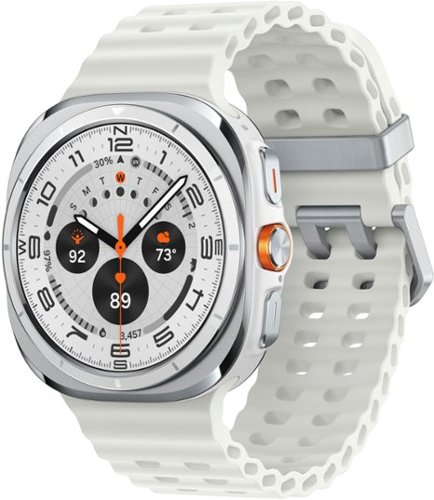
Galaxy Watch Ultra is no ordinary watch ~it~s the Watch built for outdoor adventurers who push the limits. Whether you~re a peak seeker, ridge runner or backcountry biker, this sporty Watch is titanium tough to help you go the distance. With its precision tracking capabilities, the power of Galaxy AI and a long-lasting battery, it~s got everything you need to achieve your personal best for days at a time. Get the competitive edge with sleep insights that coach you toward better rest so you can conquer your nights and win your days. Focus on your milestones while you stay in the know with quick briefings on the weather, your physical activity and more, all at a glance on your Watch screen. Plus, free up your hands with a little extra help from your Watch ~send texts and knock out multiple tasks while you hike or climb with an assistant you activate by simply raising your wrist. Whether you~re answering the call of the wild or living every day to the fullest, Watch Ultra helps you stay on track so you can reach new heights. Step up and stand out with Galaxy Watch Ultra.
Can I get incoming and out going text messages
Hello, thank you for taking the time to ask us your question about the Samsung Galax Watch Ultra. Yes, you can send and receive incoming/outgoing text messages on the Galaxy Watch Ultra. It supports SMS and MMS via the Samsung Messages or Google Messages apps, allowing you to reply via keyboard, voice-to-text, or quick responses. If you have any other questions for us or if you would like any further assistance, please let us know by reaching out to Support. Thank you for being a staunch Samsung customer. - Debra
3 months, 3 weeks ago
by
Posted by:
Samsung
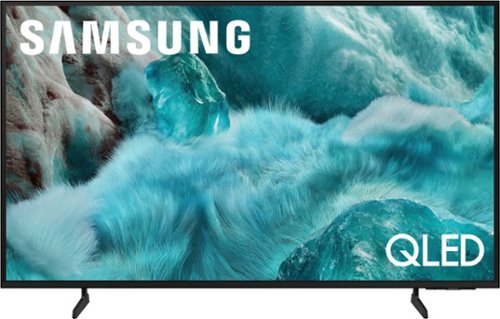
Discover a new level of visual and auditory brilliance with our next level smart TV. Powered by Pantone certified color accuracy, witness over one billion authentic hues burst forth in beautiful detail. Quantum HDR takes things further, elevating contrast for lifelike imagery. Add to that our advanced 3D audio system syncing flawlessly with on screen motion, all intelligently powered by Samsung Vision AI. And rest assured, Knox keeps your private info safe and secure.
How do you increase the volume when the remote won't work
Annieb - For us to better assist with troubleshooting and finding a solution, we recommend reaching out to Samsung Support at 1-800-SAMSUNG (8AM – 9PM EST Mon – Fri, 8AM – 6PM Sat – Sun), or via live chat at https://www.samsung.com/us/support/contact/
~ Samsung Specialist
~ Samsung Specialist
3 months, 3 weeks ago
by
Posted by:
Samsung