Samsung
Samsung's Stats
Reviews
- Review Count0
- Helpfulness Votes0
- First ReviewNone
- Last ReviewNone
- Featured Reviews0
- Average Rating0
Reviews Comments
- Review Comment Count0
- Helpfulness Votes0
- First Review CommentNone
- Last Review CommentNone
- Featured Review Comments0
Questions
- Question Count0
- Helpfulness Votes0
- First QuestionNone
- Last QuestionNone
- Featured Questions0
- Answer Count74536
- Helpfulness Votes37,987
- First AnswerApril 24, 2013
- Last AnswerSeptember 25, 2026
- Featured Answers0
- Best Answers3950
Samsung's Reviews
Samsung has not submitted any reviews.
Samsung's Questions
Samsung has not submitted any questions.

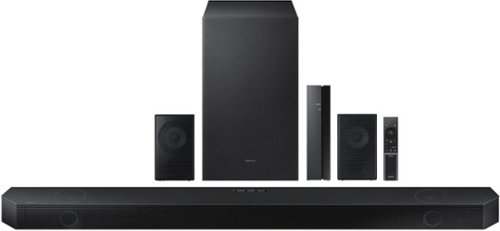
Samsung - HW-Q930B/ZA 9.1.4ch Soundbar with Wireless Dolby Atmos / DTS:X and Rear Speakers - Black
Enjoy an unparalleled audio experience with the Q930B, thanks to wireless Dolby Atmos. Sound floods your ears from every corn er of the room with 9 channels, 1 subwoofer and 4 up firing channels to make you feel like you~re right there at the big game, concert or action scene. With Q Symphony, the soundbar sound synchronizes with all of the internal speakers in your compatible Samsung TV to enrich the audio even further. Plus, the included up firing rear speakers project sound above and around you.
Hi, I Have samsung Rear Speaker swa9500s can i add on the 930b soundbar so i can have 4 rear speaker? Thank You for the info 🙏

Hi David,
The HW-Q930B Soundbar is exclusively compatible with it's included wireless rear speakers.
~Samsung Solutions
The HW-Q930B Soundbar is exclusively compatible with it's included wireless rear speakers.
~Samsung Solutions
3 years, 2 months ago
by
Posted by:
Samsung
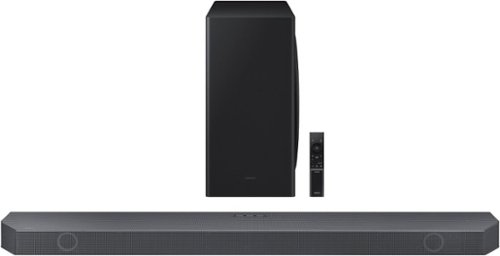
Samsung - HW-Q750B 5.1.2ch Soundbar with Wireless Dolby Atmos / DTS:X - Black
Take your audio to a higher level with the Q750B with Dolby Atmos sound without requiring HDMI cables. Enjoy a cinematic experience with 5 channels, 1 subwoofer and 2 up firing channels. With Q Symphony, the soundbar sound synchronizes with your compatible Samsung TV. Plus, control your soundbar hands free using Alexa voice controls.
Will this work with any tv like a Sony that’s two years old
Hi there,
The HW-Q750B Soundbar will work with any TV that supports Bluetooth, Digital Optical, and HDMI. We do recommend using a HDMI cable as this will offer the best audio and user experience.
~Samsung Solutions
The HW-Q750B Soundbar will work with any TV that supports Bluetooth, Digital Optical, and HDMI. We do recommend using a HDMI cable as this will offer the best audio and user experience.
~Samsung Solutions
3 years, 2 months ago
by
Posted by:
Samsung
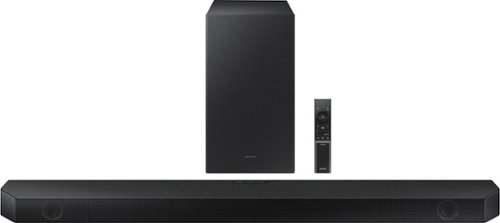
Samsung - 5.1.2 Ch Soundbar with Wireless Dolby Atmos/ DTS:X - Black
Enjoy a surround sound experience with Dolby Atmos and skip the need for HDMI cables. Totally immerse yourself in astonishing 3D sound with 5 channels, 1 subwoofer and 2 up-firing channels working together to create a captivating audio experience. Synchronized audio using every speaker in compatible Samsung TV and soundbars. Sound calibrated for your space to perfection.
Does this have 1 hdmi earc and another hdmi port?
Hi Jimm,
The HW-Q800B Soundbar will have one OUT and one IN HDMI port, it does support eARC as well for a direct connection to the TV.
~Samsung Solutions
The HW-Q800B Soundbar will have one OUT and one IN HDMI port, it does support eARC as well for a direct connection to the TV.
~Samsung Solutions
3 years, 2 months ago
by
Posted by:
Samsung
Samsung - HW-Q930B/ZA 9.1.4ch Soundbar with Wireless Dolby Atmos / DTS:X and Rear Speakers - Black
Enjoy an unparalleled audio experience with the Q930B, thanks to wireless Dolby Atmos. Sound floods your ears from every corn er of the room with 9 channels, 1 subwoofer and 4 up firing channels to make you feel like you~re right there at the big game, concert or action scene. With Q Symphony, the soundbar sound synchronizes with all of the internal speakers in your compatible Samsung TV to enrich the audio even further. Plus, the included up firing rear speakers project sound above and around you.
Is the subwoofer 8’ or 10’? And what powers the rear speakers?
Hi there,
The wireless subwoofer is an 8" sub, and the rear speakers are truly wireless where you only need to plug each one in to a power outlet.
~Samsung Solutions
The wireless subwoofer is an 8" sub, and the rear speakers are truly wireless where you only need to plug each one in to a power outlet.
~Samsung Solutions
3 years, 2 months ago
by
Posted by:
Samsung
Samsung - HW-Q600B 3.1.2ch Soundbar with Dolby Atmos / DTS:X - Black
Step up your audio game with the Samsung Q600B soundbar, with realistic 3D audio thanks to Dolby Atmos DTS:X. Enjoy sound projecting all around you, including from above. With Adaptive Sound, enjoy your favorite video games and sporting events like never before. It~s the perfect way to level up your entertainment.
When I pause a show, the sound bar goes in hiatus? it doesn't turn off, bc in order to get the volume back on I have to turn it off and turn it bk on to get the volume bk. And this is after 15 minutes. My TV remote no longer controls the volume. HELP!
Hi Seaqueen75,
For step-by-step troubleshooting, please call Samsung Customer Support at 1-800-SAMSUNG (ask for Soundbars), available 8 AM – 12 AM EST, 7 days a week.
LiveChat with an agent by clicking the ‘Support’ link on the Samsung website.
~Samsung Solutions
For step-by-step troubleshooting, please call Samsung Customer Support at 1-800-SAMSUNG (ask for Soundbars), available 8 AM – 12 AM EST, 7 days a week.
LiveChat with an agent by clicking the ‘Support’ link on the Samsung website.
~Samsung Solutions
3 years, 2 months ago
by
Posted by:
Samsung
Samsung - HW-Q930B/ZA 9.1.4ch Soundbar with Wireless Dolby Atmos / DTS:X and Rear Speakers - Black
Enjoy an unparalleled audio experience with the Q930B, thanks to wireless Dolby Atmos. Sound floods your ears from every corn er of the room with 9 channels, 1 subwoofer and 4 up firing channels to make you feel like you~re right there at the big game, concert or action scene. With Q Symphony, the soundbar sound synchronizes with all of the internal speakers in your compatible Samsung TV to enrich the audio even further. Plus, the included up firing rear speakers project sound above and around you.
What rear speakers are compatible with the 930b?
Hi there,
The HW-Q930B Soundbar comes with rear speakers that having top-firing and front-firing channels. These rear speakers are exclusively compatible with the HW-Q930B Soundbar.
~Samsung Solutions
The HW-Q930B Soundbar comes with rear speakers that having top-firing and front-firing channels. These rear speakers are exclusively compatible with the HW-Q930B Soundbar.
~Samsung Solutions
3 years, 2 months ago
by
Posted by:
Samsung
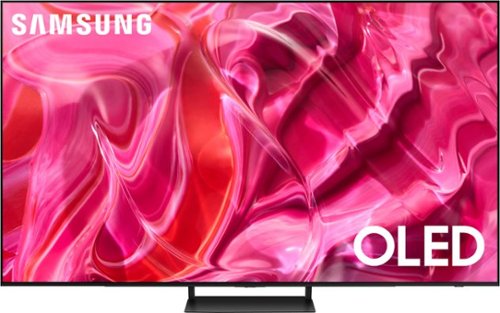
Samsung - 77" Class S90C OLED 4K UHD Smart Tizen TV (2023)
Prepare to be captivated. Whether you prefer dramatic thrillers or fantasy football, lose yourself in the viewing adventure w ith a contrast rich picture. Let your picture do the talking with the sleek and thin LaserSlim design. You~ll see pure blacks, bright whites and dramatic color, while the audio pulls you into the action thanks to Dolby Atmos built in and Object Tracking Sound Lite. The Samsung OLED experience doesn~t stop there shifting adventures is a breeze with access to the latest Smart TV apps and Samsung Gaming Hub. ~ ~High speed internet connection, additional gaming service subscriptions and compatible controller required.
Is it possible to disconnect the Google/Alexa assists on this TV or any Sony or Samsung 77" OLED SMART TV?
Shel - Please know your TV’s voice assistant capability will not be enabled until you’ve set it up in the menu. If Alexa has previously been set up, you can disable it by logging out of your Amazon account: Settings > All Settings > General & Privacy > Voice > Amazon Alexa Settings
~ Samsung Specialist
~ Samsung Specialist
3 years, 2 months ago
by
Posted by:
Samsung
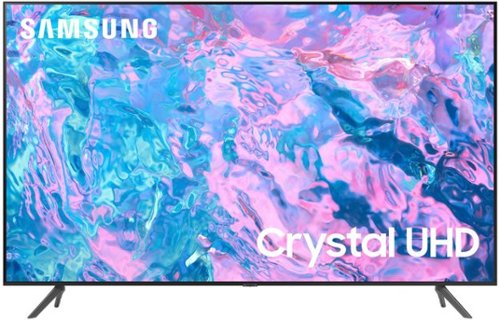
Samsung - 65 Class CU7000 Crystal UHD 4K Smart Tizen TV (2023)
True-to-life color. Effortless connectivity. Dazzling 4K value. Samsung Crystal UHD is worth a look (and more). Effortlessly access TV shows, movies and ambient content using the Samsung Smart Hub, or find a range of great games on the Samsung Gaming Hub.* Enjoy content even more clear than it was created as its upgraded to 4K resolution
Can you connect an antenna to this tv
Hi bv,
Yes, there is an RF antenna input where you can connect an antenna.
~Samsung Advisor
Yes, there is an RF antenna input where you can connect an antenna.
~Samsung Advisor
3 years, 2 months ago
by
Posted by:
Samsung
Samsung - 65 Class CU7000 Crystal UHD 4K Smart Tizen TV (2023)
True-to-life color. Effortless connectivity. Dazzling 4K value. Samsung Crystal UHD is worth a look (and more). Effortlessly access TV shows, movies and ambient content using the Samsung Smart Hub, or find a range of great games on the Samsung Gaming Hub.* Enjoy content even more clear than it was created as its upgraded to 4K resolution
Is the Apple Music app available on this device?
Hi,
Yes, the Apple Music app is available for download on the CU7000 via the built-in app store.
~Samsung Advisor
Yes, the Apple Music app is available for download on the CU7000 via the built-in app store.
~Samsung Advisor
3 years, 2 months ago
by
Posted by:
Samsung
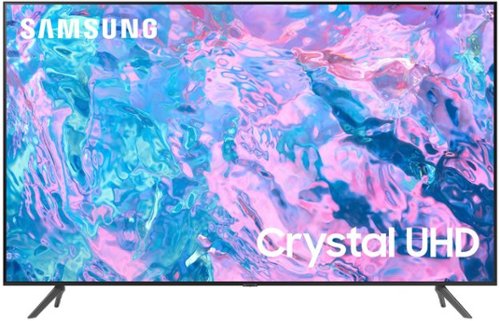
True-to-life color. Effortless connectivity. Dazzling 4K value. Samsung Crystal UHD is worth a look (and more). Effortlessly access TV shows, movies and ambient content using the Samsung Smart Hub, or find a range of great games on the Samsung Gaming Hub.* Enjoy content even more clear than it was created as its upgraded to 4K resolution
Does this 70" tv have the next gen 3.0 Digital tuner? Thank you.
Hi Rick,
The CU7000 has a built-in ATSC 1.0/ClearQAM tuner; when stepping up to the QN90C Neo QLED or S90C OLED, you’ll gain a built-in ATSC 3.0 tuner for receiving digital broadcasts.
~Samsung Advisor
The CU7000 has a built-in ATSC 1.0/ClearQAM tuner; when stepping up to the QN90C Neo QLED or S90C OLED, you’ll gain a built-in ATSC 3.0 tuner for receiving digital broadcasts.
~Samsung Advisor
3 years, 2 months ago
by
Posted by:
Samsung