Samsung
Samsung's Stats
Reviews
- Review Count0
- Helpfulness Votes0
- First ReviewNone
- Last ReviewNone
- Featured Reviews0
- Average Rating0
Reviews Comments
- Review Comment Count0
- Helpfulness Votes0
- First Review CommentNone
- Last Review CommentNone
- Featured Review Comments0
Questions
- Question Count0
- Helpfulness Votes0
- First QuestionNone
- Last QuestionNone
- Featured Questions0
- Answer Count74532
- Helpfulness Votes37,973
- First AnswerApril 24, 2013
- Last AnswerSeptember 25, 2026
- Featured Answers0
- Best Answers3950
Samsung's Reviews
Samsung has not submitted any reviews.
Samsung's Questions
Samsung has not submitted any questions.
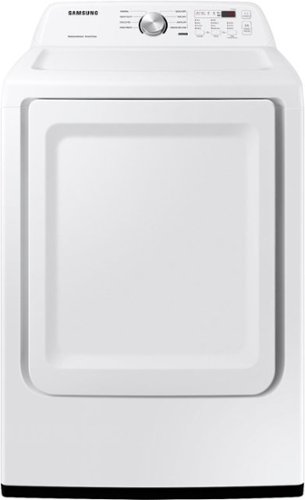
Samsung~s dryers have advanced features like Sensor Dry, which optimizes cycle time and temperature to thoroughly dry without damaging your clothes. Also, with 7.2 cu. ft. capacity and 8 Preset Drying Cycles, you can do fewer loads in less time and fulfill almost every drying need.
does this have an end of cycle signal and if so can it be turned off?

Hi Joe,
No, there is no option to turn off the end-of-cycle signal.
Have a great day.
^Aloe
No, there is no option to turn off the end-of-cycle signal.
Have a great day.
^Aloe
3 years, 3 months ago
by
Posted by:
Samsung

Artwork, shows, movies and memories~display what you love on The Frame, the picture frame-like TV. See everything on the QLED FHD TV at 100% Color Volume with Quantum Dot that saturates your screen with a billion colors. Switch on Art Mode and transform your TV into your own personal art exhibit.
Is there an option to get a clear power cord for the 32 inch model?
Hi,
The 2022 Frame TV is compatible with the 2021 Frame TV's One Invisible Connection cables.
~Samsung Advisor
The 2022 Frame TV is compatible with the 2021 Frame TV's One Invisible Connection cables.
~Samsung Advisor
3 years, 3 months ago
by
Posted by:
Samsung
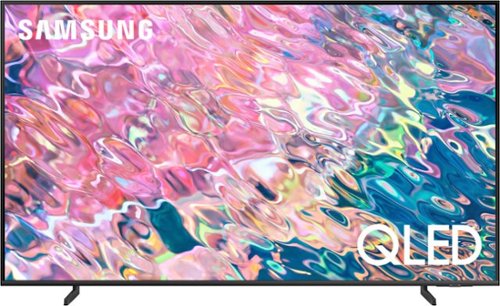
Samsung - 50 Class Q60B QLED 4K Smart Tizen TV (2022)
Leap into the world of bold contrast and vivid color with QLED 4K. Together, cool and warm Dual LEDs shine a billion shades of Quantum Dot color for a natural looking picture. Enjoy it all upscaled to glorious 4K, in details and colors that stay true even in bright scenes, thanks to 100% Color Volume.~ ~QLED televisions can produce 100% Color Volume in the DCI P3 color space, the format for most cinema screens and HDR movies for television.
What is the difference between these 2 Samsung 50" QLED 4 K TVs: QN50Q60BAFXZA, SKU: 6502236; AND, QN50Q60CAFXZA, SKU: 6537419? Thank you.
Hi HarryESJ,
Thanks for asking! The Picture: Both models feature our Quantum Processor 4K Lite, 100% Color Volume with Quantum Dot Technology, and Dual LED backlighting to deliver vivid images with improved contrast, off-axis viewing, and color accuracy. Sound: When paired with a Q or S Series Soundbar, you can take advantage of Q-Symphony 3.0, which uses AI to enhance further and amplify your sound for a more accurate and immersive audio solution.
Features: The Q60C includes Telemedicine for at-home care and ConnecTime to make and receive video calls – directly from the TV itself. Lastly, Gaming: Game Bar 3.0 adds MiniMap Sharing and Virtual Aim Point to elevate the experience for every type of gamer.
~Samsung Advisor
Thanks for asking! The Picture: Both models feature our Quantum Processor 4K Lite, 100% Color Volume with Quantum Dot Technology, and Dual LED backlighting to deliver vivid images with improved contrast, off-axis viewing, and color accuracy. Sound: When paired with a Q or S Series Soundbar, you can take advantage of Q-Symphony 3.0, which uses AI to enhance further and amplify your sound for a more accurate and immersive audio solution.
Features: The Q60C includes Telemedicine for at-home care and ConnecTime to make and receive video calls – directly from the TV itself. Lastly, Gaming: Game Bar 3.0 adds MiniMap Sharing and Virtual Aim Point to elevate the experience for every type of gamer.
~Samsung Advisor
3 years, 3 months ago
by
Posted by:
Samsung
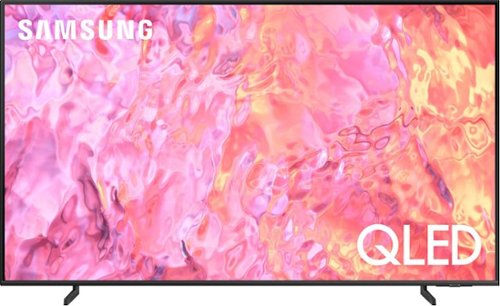
Samsung - 55" Class Q60C QLED 4K UHD Smart Tizen TV (2023)
This lean, mean 4K machine is primed for your leap into Quantum Dot technology~and a bold new world of color and contrast. Take your entire viewing experience to the next level with the elevated audio and astounding picture quality of Samsung QLED. Not only will you see your TV shows and movies instantly transformed into 4K, but you~ll also take in a billion shades of unwavering color. Beyond amazing visuals, you~ll be drawn in by 3D surround sound that moves with the action.
Why does a Samsung 55 class QLED QN55Q60BAFXZA differ from a QN55Q60CAFXZA
Hi Will,
Thanks for asking! The Picture: Both models feature our Quantum Processor 4K Lite, 100% Color Volume with Quantum Dot Technology, and Dual LED backlighting to deliver vivid images with improved contrast, off-axis viewing, and color accuracy. Sound: When paired with a Q or S Series Soundbar, you can take advantage of Q-Symphony 3.0, which uses AI to enhance further and amplify your sound for a more accurate and immersive audio solution. Features: The Q60C includes Telemedicine for at-home care and ConnecTime to make and receive video calls – directly from the TV itself. Lastly, Gaming: Game Bar 3.0 adds MiniMap Sharing and Virtual Aim Point to elevate the experience for every type of gamer.
~Samsung Advisor
Thanks for asking! The Picture: Both models feature our Quantum Processor 4K Lite, 100% Color Volume with Quantum Dot Technology, and Dual LED backlighting to deliver vivid images with improved contrast, off-axis viewing, and color accuracy. Sound: When paired with a Q or S Series Soundbar, you can take advantage of Q-Symphony 3.0, which uses AI to enhance further and amplify your sound for a more accurate and immersive audio solution. Features: The Q60C includes Telemedicine for at-home care and ConnecTime to make and receive video calls – directly from the TV itself. Lastly, Gaming: Game Bar 3.0 adds MiniMap Sharing and Virtual Aim Point to elevate the experience for every type of gamer.
~Samsung Advisor
3 years, 3 months ago
by
Posted by:
Samsung
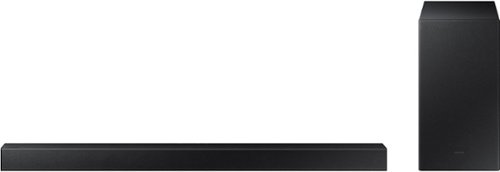
Samsung - 2.1-Channel Soundbar with Wireless Subwoofer and DOLBY AUDIO / DTS 2.0 - Black
Elevate your audio experience with high-quality optimized sound. The power of Samsung sound bar HW-A430/ZA makes surround soundbar comes to life with speakers that fire all around you.
THIS IS NOT CMOPATIBLE WITH ALL SAMSUNG TV REMOTES (confirmed incompatible with TU690TFXZA by Samsung tech support this morning)
Hi there,
If your soundbar is connected to your TV with an optical cable, you can control the volume and mute the soundbar using your Samsung TV's remote.
1) Use the TV remote to navigate to Settings, select Sound, and then select Sound Output on your Samsung TV.
2) Select your Samsung soundbar, and then select Close. Now you can use your TV remote to adjust volume and mute the soundbar. The soundbar should also turn on and off with the TV.
Other manufacturers’ remotes may have to be enabled on your soundbar. First, turn Off the Soundbar. Once powered off, push up and hold the WOOFER button for 5 seconds. Each time you push the WOOFER button up and hold it for 5 seconds, the mode switches in the following order: “OFF-TV REMOTE” (Default mode), “SAMSUNG-TV REMOTE”, “ALL-TV REMOTE”. Please also make sure your speaker settings on the TV are set to External Speaker.
If you are still experiencing issues with your Soundbar, do a hard reset. With the Soundbar on, press the + & - (Volume UP/DOWN) buttons on the body at the same time for at least 5 seconds. “INIT OK” appears on the display and then the Soundbar is reset.
~Samsung Solutions
If your soundbar is connected to your TV with an optical cable, you can control the volume and mute the soundbar using your Samsung TV's remote.
1) Use the TV remote to navigate to Settings, select Sound, and then select Sound Output on your Samsung TV.
2) Select your Samsung soundbar, and then select Close. Now you can use your TV remote to adjust volume and mute the soundbar. The soundbar should also turn on and off with the TV.
Other manufacturers’ remotes may have to be enabled on your soundbar. First, turn Off the Soundbar. Once powered off, push up and hold the WOOFER button for 5 seconds. Each time you push the WOOFER button up and hold it for 5 seconds, the mode switches in the following order: “OFF-TV REMOTE” (Default mode), “SAMSUNG-TV REMOTE”, “ALL-TV REMOTE”. Please also make sure your speaker settings on the TV are set to External Speaker.
If you are still experiencing issues with your Soundbar, do a hard reset. With the Soundbar on, press the + & - (Volume UP/DOWN) buttons on the body at the same time for at least 5 seconds. “INIT OK” appears on the display and then the Soundbar is reset.
~Samsung Solutions
3 years, 3 months ago
by
Posted by:
Samsung
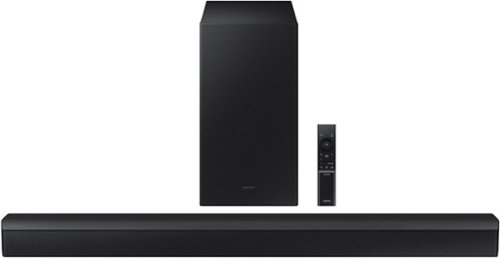
Samsung - HW-B450/ZA 2.1ch Soundbar with DOLBY AUDIO/ DTS 2.0 CHANNEL - Black
Take your audio setup to the next level with the B450. Bass tones come alive and create a more well rounded sound with the included subwoofer~. And if you want to crank it up even more, Bass Boost amplifies the deeper tones at the touch of a button. Whether you~re playing games or kicking back with your favorite show, Adaptive Sound Lite enhances and optimizes your entertainment. Plus, you can seamlessly pair mobile devices with Bluetooth~ TV Connection~. ~Applicable on Q series, B models and S8 series. ~Please check whether your TV is Bluetooth~ compatible.
I have an older Samsung TV and an Amazon Firestick. I use the Amazon remote control to adjust the volume of the TV speakers. If I add the HW-450 Sound bar, can I still control TV/Sound bar volume via the Amazon Firestick remote control?
Hi Midman,
You will be able to as long as you use the Digital Optical Cable input.
~Samsung Solutions
You will be able to as long as you use the Digital Optical Cable input.
~Samsung Solutions
3 years, 3 months ago
by
Posted by:
Samsung
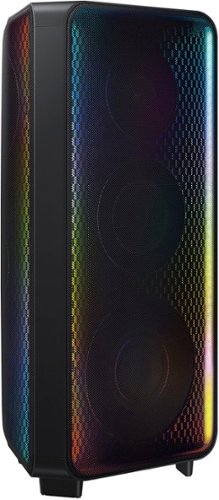
Get the party started with the Samsung MX-ST90B Sound Tower and fill the room with rich sound and LED party lighting.
Will this speaker connect with the MX T70?
Hi there,
Yes, the Sound Towers will be able to connect wirelessly or wired to all the different models up to 10 at a time. If you want stereo output, you will need to have two of the same model connected together.
~Samsung Solutions
Yes, the Sound Towers will be able to connect wirelessly or wired to all the different models up to 10 at a time. If you want stereo output, you will need to have two of the same model connected together.
~Samsung Solutions
3 years, 3 months ago
by
Posted by:
Samsung
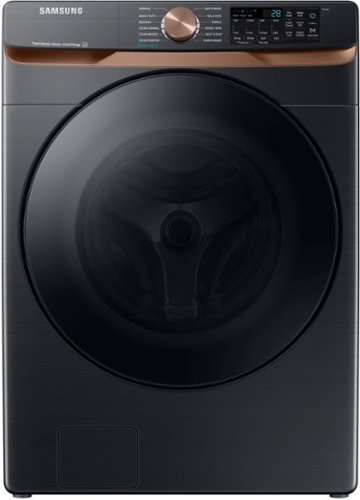
Samsung's 5.0 cu. ft. Extra Large Capacity Front Load Washer is equipped with our Super Speed Wash, which powerfully cleans a full load of laundry in just 28 minutes. It also has Steam, which lets you gently remove stains without any time-consuming pretreatments.
Are these stackable? If they are stackable what goes on the bottom the washer or the dryer?
Hi Anita,
Yes, these are stackable. The washer goes to the bottom.
Have a great day.
^Aloe
Yes, these are stackable. The washer goes to the bottom.
Have a great day.
^Aloe
3 years, 3 months ago
by
Posted by:
Samsung

Samsung - Pro Plus 512 GB microSDXC Memory Card
Your new go-to card + adapter combo, the Micro SD PRO Plus + Adapter makes capturing seamless 4K video on compatible phones or drones a breeze. Plus, the expanded storage provides you the freedom to play more high-performance and intensive games on your tablet or gaming device. It~s all the extra space you need from a brand you can count on.
Can this be used in a Nintendo Switch?
Ella,
Yes, the PRO Plus microSD card is compatible with the Nintendo Switch.
~Samsung Pro
Yes, the PRO Plus microSD card is compatible with the Nintendo Switch.
~Samsung Pro
3 years, 3 months ago
by
Posted by:
Samsung
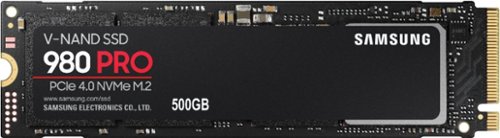
Samsung - 980 PRO 500GB Internal Gaming SSD PCIe Gen 4 x4 NVMe
Unleash the power of the Samsung 980 PRO PCIe 4.0 NVMe Gen4 SSD for next-level computing. 980 PRO delivers 2x the data transfer rate of PCIe 3.0, while maintaining compatibility with PCIe 3.0.~ ~The NVM Express~ design mark is a registered trademark of NVM Express, Inc.* Results are based on a comparison with Samsung PCIe 3.0 NVMe SSDs and SATA SSDs. PS5 compatible with heatsink as recommended by Sony; heatsink sold separately.
Will this work inside a MacBook AIr 2017?
Hi there,
Specs for the MacBook Air 2017 indicate that it is configurable to PCIe M.2 SSD, such as the 980 PRO.
- Samsung Memory
Specs for the MacBook Air 2017 indicate that it is configurable to PCIe M.2 SSD, such as the 980 PRO.
- Samsung Memory
3 years, 3 months ago
by
Posted by:
Samsung