Samsung
Samsung's Stats
Reviews
- Review Count0
- Helpfulness Votes0
- First ReviewNone
- Last ReviewNone
- Featured Reviews0
- Average Rating0
Reviews Comments
- Review Comment Count0
- Helpfulness Votes0
- First Review CommentNone
- Last Review CommentNone
- Featured Review Comments0
Questions
- Question Count0
- Helpfulness Votes0
- First QuestionNone
- Last QuestionNone
- Featured Questions0
- Answer Count74532
- Helpfulness Votes37,974
- First AnswerApril 24, 2013
- Last AnswerSeptember 25, 2026
- Featured Answers0
- Best Answers3951
Samsung's Reviews
Samsung has not submitted any reviews.
Samsung's Questions
Samsung has not submitted any questions.

Enjoy room filling sound in an all in one design. Experience captivating 3D audio with Dolby Digital 5.1 capable and DTS Virtual :X. Perfectly synchronized TV and soundbar sound brings a new level of immersion. Plus, don't miss a word, thanks to a built in center speaker.
What subwoofers can be hooked to this soundbar? And can I add a subwoofer and rear surround speakers kit?

Hello Barnes24,
The SWA-9200S Wireless Rear Speaker Kit and the SWA-W510 Wireless Subwoofer can both be connected to this Soundbar.
~Samsung Solutions
The SWA-9200S Wireless Rear Speaker Kit and the SWA-W510 Wireless Subwoofer can both be connected to this Soundbar.
~Samsung Solutions
3 years, 6 months ago
by
Posted by:
Samsung
Enjoy room filling sound in an all in one design. Experience captivating 3D audio with Dolby Digital 5.1 capable and DTS Virtual :X. Perfectly synchronized TV and soundbar sound brings a new level of immersion. Plus, don't miss a word, thanks to a built in center speaker.
Will I be able to control the volume with my cable TV remote?
Hello Sue,
Yes you can! Follow the instructions below on how to set that up if you are not using a Samsung TV.
1. Turn Off the Soundbar.
2. Push up and hold the WOOFER button for 5 seconds. Each time you push the WOOFER button up and hold it for 5 seconds, the mode switches in the following order: “Off-TV Remote” (Default mode), “Samsung-TV Remote”, “All-TV Remote”.
The middle LED on top of the Soundbar will blink Cyan ONCE to enable a Samsung TV remote to control Soundbar. It will blink BLUE ONCE to show that a third party remote has been enabled.
~Samsung Solutions
Yes you can! Follow the instructions below on how to set that up if you are not using a Samsung TV.
1. Turn Off the Soundbar.
2. Push up and hold the WOOFER button for 5 seconds. Each time you push the WOOFER button up and hold it for 5 seconds, the mode switches in the following order: “Off-TV Remote” (Default mode), “Samsung-TV Remote”, “All-TV Remote”.
The middle LED on top of the Soundbar will blink Cyan ONCE to enable a Samsung TV remote to control Soundbar. It will blink BLUE ONCE to show that a third party remote has been enabled.
~Samsung Solutions
3 years, 6 months ago
by
Posted by:
Samsung
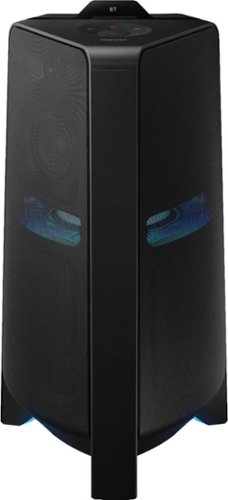
Samsung - Sound Tower Powered Wireless Speaker (Each) - Black
Get the party started with this Samsung T70 sound tower. The powerful speakers fill the room with up to 1500W of bi-directional sound, and the built-in 10-inch woofer delivers loud, impressively detailed bass. This Samsung T70 sound tower has integrated LED party lights that enhance any gathering with a variety of rhythmic lighting effects.
Is the MX-T compatible with an amplifier?
Hello Dominik,
No it is not, you will connect it to a smart device using Bluetooth or can play music directly off of a USB drive.
~Samsung Solutions
No it is not, you will connect it to a smart device using Bluetooth or can play music directly off of a USB drive.
~Samsung Solutions
3 years, 6 months ago
by
Posted by:
Samsung

Samsung - HW-B650/ZA 3.1 Channel Soundbar with Wireless Subwoofer, Dolby 5.1 / DTS Virtual:X - Black
Dolby Atmos creates realistic 3D sound by projecting it from all around you, including from above, while DTS Virtual: X expands your listening experience without having to add extra speakers. Boost the bass with a touch of a button. The built-in center speaker delivers enhanced dialogue so you won't miss a word. Experience the intensity of action movies with the powerful bass coming from the included subwoofer. Enjoy optimized audio with enhanced voice clarity on all your favorite video content.
How do you permanently link the soundbar to the TV so it automatically turns on and off with TV remote? And can a Verizon fios remote be used?
Hello Raych,
This function can be used with IR remote controls only. Bluetooth remote controls (remote controls that require pairing) are not supported. Set the TV speaker to External Speaker to use this function.
1. Turn Off the Soundbar.
2. Push up and hold the WOOFER button for 5 seconds.
Each time you push the WOOFER button up and hold it for 5 seconds, the mode switches in the
following order: “OFF-TV REMOTE” (Default mode), “SAMSUNG-TV REMOTE”, “ALL-TV REMOTE”.
This will allow you to control the volume of the Soundbar with your TV remote. By connecting your Soundbar to the TV using a HDMI cable, it will automatically be set to turn on/off with your TV.
~Samsung Solutions
This function can be used with IR remote controls only. Bluetooth remote controls (remote controls that require pairing) are not supported. Set the TV speaker to External Speaker to use this function.
1. Turn Off the Soundbar.
2. Push up and hold the WOOFER button for 5 seconds.
Each time you push the WOOFER button up and hold it for 5 seconds, the mode switches in the
following order: “OFF-TV REMOTE” (Default mode), “SAMSUNG-TV REMOTE”, “ALL-TV REMOTE”.
This will allow you to control the volume of the Soundbar with your TV remote. By connecting your Soundbar to the TV using a HDMI cable, it will automatically be set to turn on/off with your TV.
~Samsung Solutions
3 years, 6 months ago
by
Posted by:
Samsung
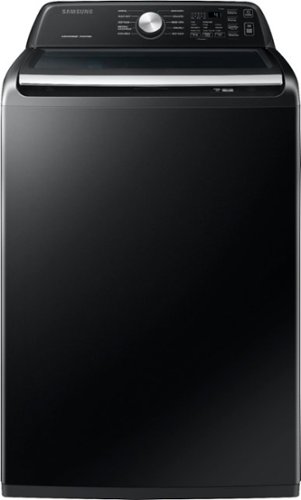
Samsung - 4.4 Cu. Ft. High-Efficiency Top Load Washer with ActiveWave Agitator - Brushed Black
Equipped with the ActiveWave Agitator, Samsung~s large 4.4 cu. ft. capacity Top Load Washer is designed to reduce noise and vibration while delivering powerful cleaning, and features Active WaterJet, a built-in water faucet for easy pretreating.
does this washer have a second rinse and second spin function?
Greetings!
We appreciate your question about the rinse and spin cycle this Samsung washing machine has.
You may add an extra rinse or set the washing machine for deep rinse mode. You may as well add another spin cycle to this washing machine.
Leo
We appreciate your question about the rinse and spin cycle this Samsung washing machine has.
You may add an extra rinse or set the washing machine for deep rinse mode. You may as well add another spin cycle to this washing machine.
Leo
3 years, 6 months ago
by
Posted by:
Samsung
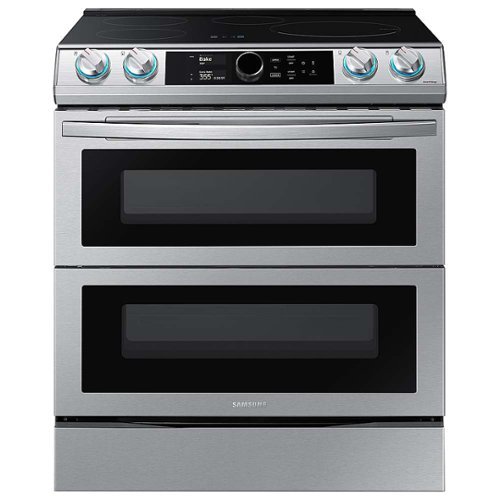
Samsung - 6.3 cu. ft. Slide-In Induction Range with WiFi, Flex Duo, Smart Dial & Air Fry - Stainless Steel
The Samsung Smart Slide-In Induction range with Flex Duo, Smart Dial and Air fry is fully Wi-Fi connected and voice-enabled, giving you the tools you need to simplify the cooking experience in the kitchen. This Slide-In range features Virtual Flame technology giving the visual of gas cooking, with the precision of induction cooking.
It appears that the bottom oven can be used as a conventional electric oven. Is there a heat source in the bottom of the oven? How many heat sources are there for the bottom?
Greetings!
We appreciate your question about the oven of this Samsung range model.
There are a total of 4 heating elements in the oven cavity. When the divider is inserted in its position, there are 2 heating elements for the bottom oven. The bottom oven can be used with either conventional or convection baking.
Leo
We appreciate your question about the oven of this Samsung range model.
There are a total of 4 heating elements in the oven cavity. When the divider is inserted in its position, there are 2 heating elements for the bottom oven. The bottom oven can be used with either conventional or convection baking.
Leo
3 years, 6 months ago
by
Posted by:
Samsung
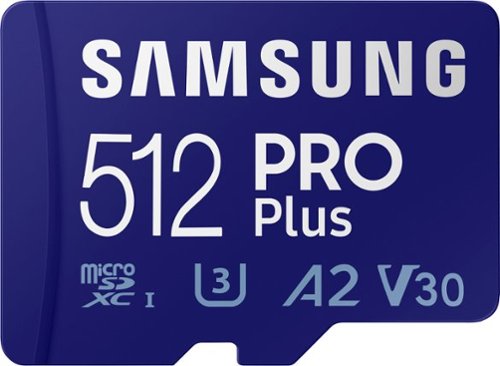
Samsung - PRO Plus 512GB microSDXC UHS-I Memory Card with Adapter
Your new go-to card + adapter combo, the Micro SD PRO Plus + Adapter makes capturing seamless 4K video on compatible phones or drones a breeze. Plus, the expanded storage provides you the freedom to play more high-performance and intensive games on your tablet or gaming device. It~s all the extra space you need from a brand you can count on.
Will this work on my Galaxy A52?
Driver431,
Yes, the PRO Plus 512GB microSD card is compatible with the GalaxyA52.
~Samsung Pro
Yes, the PRO Plus 512GB microSD card is compatible with the GalaxyA52.
~Samsung Pro
3 years, 6 months ago
by
Posted by:
Samsung
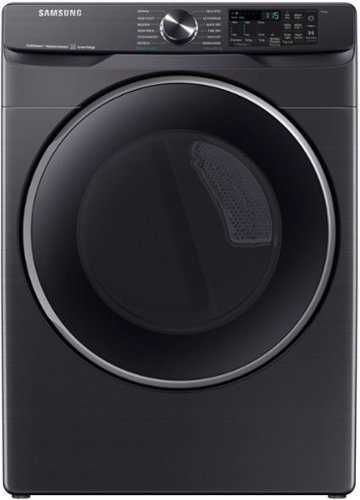
Samsung - 7.5 cu. ft. Smart Electric Dryer with Steam Sanitize+ - Brushed Black
Samsung~s new 7.5 cu. ft. dryer allows you to remotely start or stop your cycle, schedule laundry on your time, receive end of cycle alerts, and more, right from your smartphone. Steam Sanitize+ eliminates 99.9% of germs and bacteria, while Multi-Steam technology relaxes and smooths away wrinkles from everyday wear.
I am purchasing the dryer only , do I have to stack it or can it be a stand alone dryer?
Hi Bobby,
We appreciate your question about installing this Samsung dryer model.
This dryer can be installed on its own (Stand Alone).
Leo
We appreciate your question about installing this Samsung dryer model.
This dryer can be installed on its own (Stand Alone).
Leo
3 years, 6 months ago
by
Posted by:
Samsung
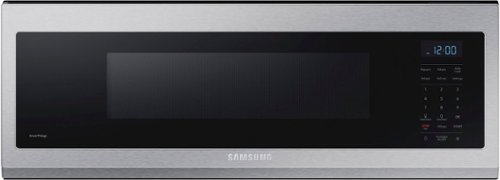
Free up space above your cooktop with the new, beautifully designed Smart SLIM Microwave. This combination microwave with ventilation hood fits into the same space as an under-the-cabinet hood, but despite its slim size, it has a 1.1 cu. ft. capacity. The SLIM Microwave packs in the powerful performance you need with all the technology that you love in a slim, space efficient size.
Hello we have 30” between wall and cabinet, same as a hood vent. Will I be able to open the door since its 29.78 wide
Greetings!
We appreciate your question on whether the door on this Samsung microwave will open with the space you have allotted it for.
The door may not open fully to 90 degrees since the door will need approximately half an inch to do so.
Leo
We appreciate your question on whether the door on this Samsung microwave will open with the space you have allotted it for.
The door may not open fully to 90 degrees since the door will need approximately half an inch to do so.
Leo
3 years, 6 months ago
by
Posted by:
Samsung
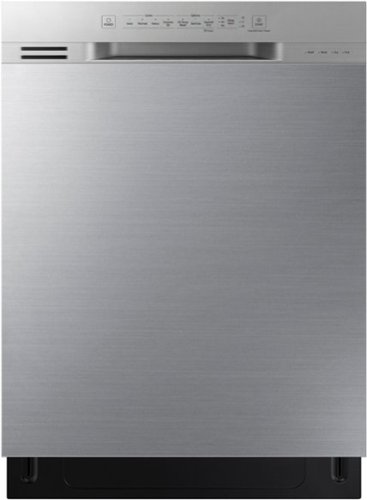
Samsung - 24" Front Control Built-In Dishwasher with 3rd Rack, Quiet Clean, 51 dBA - Stainless Steel
The Samsung dishwasher with easy-to-use digital touch controls offers the flexibility of a 3rd rack to easily access and clean more utensils and culinary tools. The upper rack is height-adjustable so that it can easily accommodate dishes of various shapes and sizes. The interior door is made from stainless steel making it more durable and hygienic.
Does the door lock when unit is running?
Greetings!
We appreciate your question about the door locking when this Samsung dishwasher is in operation.
The door does not lock when it is in operation. When the door is opened while the dishwasher is operating, a safety mechanism is activated and stops the cycle. To resume operation, press the Start button, and then close the door within 3 seconds.
Leo
We appreciate your question about the door locking when this Samsung dishwasher is in operation.
The door does not lock when it is in operation. When the door is opened while the dishwasher is operating, a safety mechanism is activated and stops the cycle. To resume operation, press the Start button, and then close the door within 3 seconds.
Leo
3 years, 6 months ago
by
Posted by:
Samsung