Samsung
Samsung's Stats
Reviews
- Review Count0
- Helpfulness Votes0
- First ReviewNone
- Last ReviewNone
- Featured Reviews0
- Average Rating0
Reviews Comments
- Review Comment Count0
- Helpfulness Votes0
- First Review CommentNone
- Last Review CommentNone
- Featured Review Comments0
Questions
- Question Count0
- Helpfulness Votes0
- First QuestionNone
- Last QuestionNone
- Featured Questions0
- Answer Count74536
- Helpfulness Votes37,988
- First AnswerApril 24, 2013
- Last AnswerSeptember 25, 2026
- Featured Answers0
- Best Answers3951
Samsung's Reviews
Samsung has not submitted any reviews.
Samsung's Questions
Samsung has not submitted any questions.
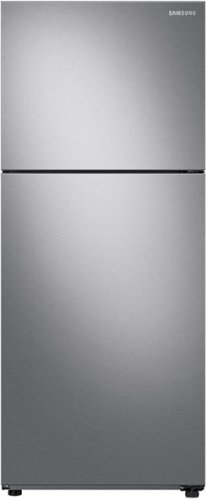
Samsung - 15.6 cu. ft. Top Freezer Refrigerator with All-Around Cooling - Stainless Steel
15.6 cu. ft. capacity Top Freezer Refrigerator with All-Around Cooling is beautifully designed with a modern look that blends seamlessly into your kitchen.
Does this come in white

Hi Lee,
Checking for the other color for this Samsung refrigerator is essential.
As per checking, this refrigerator does not come in white. It is only available in fingerprint-resistant black stainless steel.
Have a great day.
Melardo
Checking for the other color for this Samsung refrigerator is essential.
As per checking, this refrigerator does not come in white. It is only available in fingerprint-resistant black stainless steel.
Have a great day.
Melardo
3 years, 7 months ago
by
Posted by:
Samsung

Samsung - 75" Class The Terrace Series LED Outdoor Partial Sun 4K UHD Smart Tizen TV (2020)
Upgrade your audiovisual experience with this 75-inch Samsung The Terrace outdoor TV. The 4K UHD QLED display produces lifelike details, while the wide viewing angle offers comfortable viewing and minimizes neck strain. This smart Samsung The Terrace outdoor TV boasts an IP55 weather-resistant rating to withstand the elements, and Motion Rate 240 reduces motion blur for immersive viewing.
Will this tv come back in stock?
KingFudd - The Terrace 75" Partial Sun TV is currently available. However, it may be unavailable at your local store or for delivery to your area. Please continue to check the website or contact your local Best Buy for more information.
~ Samsung Specialist
~ Samsung Specialist
3 years, 8 months ago
by
Posted by:
Samsung
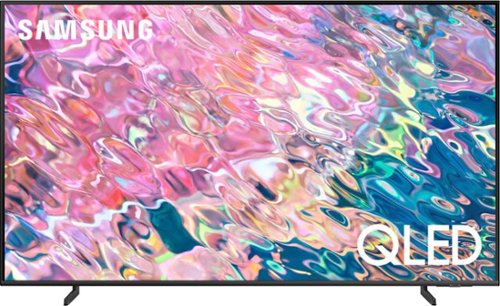
Samsung - 55 Class Q60B QLED 4K Smart Tizen TV (2022)
Leap into the world of bold contrast and vivid color with QLED 4K. Together, cool and warm Dual LEDs shine a billion shades of Quantum Dot color for a natural looking picture. Enjoy it all upscaled to glorious 4K, in details and colors that stay true even in bright scenes, thanks to 100% Color Volume.~ ~QLED televisions can produce 100% Color Volume in the DCI P3 color space, the format for most cinema screens and HDR movies for television.
I imagine that there would be no problem hooking up a fire stick to the unit. Is this correct?
Hi Bones - You can connect a Fire Stick to the Q60B TV via HDMI.
~ Samsung Specialist
~ Samsung Specialist
3 years, 8 months ago
by
Posted by:
Samsung
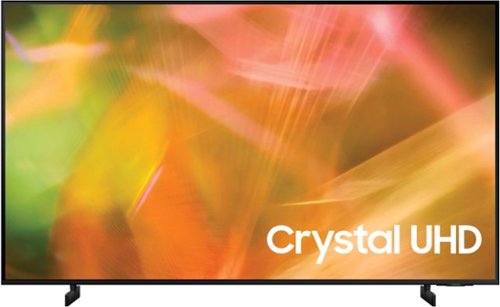
Samsung - 43" Class 8000 Series LED 4K UHD Smart Tizen TV (2021)
Step up to the world of Crystal UHD from Samsung. Elevated color and clarity offer you a picture that has to be seen to be believed. Add in smart features that make watching TV even easier, and you have a TV that is essential.
Does it matter which HDMI I iplug into 1,2 or 3?
Hi Roo,
You can plug any of your devices into ports 1, 2, or 3. However, “HDMI In 2” supports eARC, which enables sending audio to a TV that originates from cable, satellite, streaming, or source devices to be sent to an AVR or sound bar through a single HDMI cable.
~Samsung Advisor
You can plug any of your devices into ports 1, 2, or 3. However, “HDMI In 2” supports eARC, which enables sending audio to a TV that originates from cable, satellite, streaming, or source devices to be sent to an AVR or sound bar through a single HDMI cable.
~Samsung Advisor
3 years, 8 months ago
by
Posted by:
Samsung
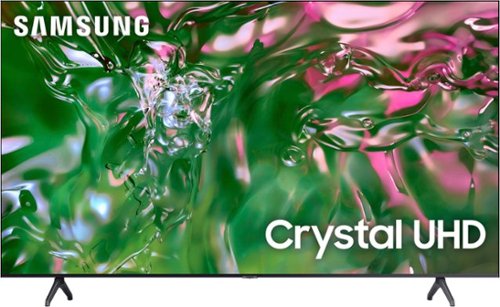
Samsung - 85" Class TU690T Crystal UHD 4K Smart Tizen TV (2023)
Elevate how you experience TV and step up to 4K and smart capabilities with Crystal UHD. See how Crystal UHD 4K with Smart TV powered by Tizen elevate what you watch~at a value you~ll love.
Can a video be played and looped (for a display or tradeshow) via the USB slot? Example: MP4 video file on a USB drive be played and endlessly looped for hours with no tv signal or internet connectivity?
Hi Aeng,
Yes, you could put your video on Repeat Mode.
~Samsung Advisor
Yes, you could put your video on Repeat Mode.
~Samsung Advisor
3 years, 8 months ago
by
Posted by:
Samsung
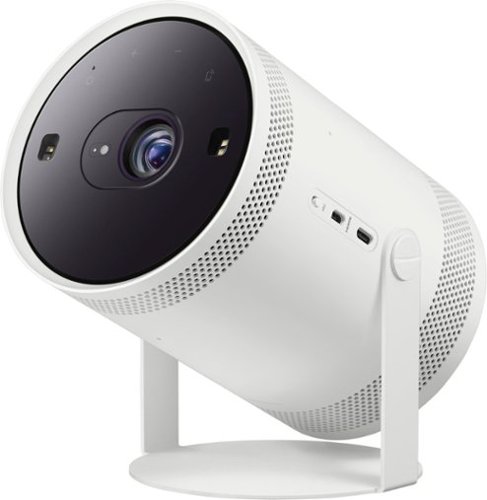
Samsung - The Freestyle FHD HDR Smart Portable Projector - White
Take the big screen experience to go with The Freestyle. This smart theater to go moves to where the action is. Just point and p lay on the wall, ceiling or even your table. The Freestyle automatically sets up your best picture experience, adjusting focus, keystone and leveling at the image size you want. You~ll be set to stream your shows using the Smart TV capabilities, check your social feed, play games, and hear it all in rich 360 sound. Gather your friends, your content is going places~. ~Includes Samsung SmartHub by Wi Fi; additional external content by Micro HDMI port and compatible devices with AirPlay 2, SmartThings~ Tap View.
Hi, do we need to buy a screen to project ? does it works OK by just projecting to a wall?
Hi Lo! The Freestyle does not require a screen and can be projected directly onto walls.
~ Samsung Specialist
~ Samsung Specialist
3 years, 8 months ago
by
Posted by:
Samsung
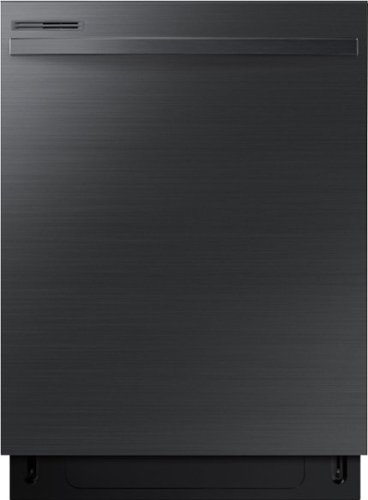
Samsung - 24" Top Control Built-In Dishwasher with Adjustable 3rd Rack, 55dBA - Black Stainless Steel
The Samsung Dishwasher features digital touch controls that make it easy to select functions with a gentle touch. The upper rack is height adjustable, so that it can easily accommodate dishes of various shapes and sizes. The interior door is made of stainless steel that~s more durable.
Can you change out the appliance pull on this dishwasher? If so, is it an 18” appliance pull?
It's a good thing you inquired about the appliance, Kari.
The appliance pull is not replaceable unless there's something wrong with the unit.
We highly recommend not repairing, replacing, or servicing any part of your dishwasher yourself. Only authorized service technicians must perform disassembly, repairs, and modifications. Work done by an unauthorized person may void your warranty.
If you require assistance, please feel free to get back to us via the following options for assistance:
1. Samsung: Community smsng.us/Samsung-Community
2. Facebook: smsng.us/Facebook-Messenger
3. Twitter: smsng.us/Twitter-Messages
When you message us, please provide us with this reference number 1145388631, to help our team pull up your information.
Have a great day!
^Chrystel
The appliance pull is not replaceable unless there's something wrong with the unit.
We highly recommend not repairing, replacing, or servicing any part of your dishwasher yourself. Only authorized service technicians must perform disassembly, repairs, and modifications. Work done by an unauthorized person may void your warranty.
If you require assistance, please feel free to get back to us via the following options for assistance:
1. Samsung: Community smsng.us/Samsung-Community
2. Facebook: smsng.us/Facebook-Messenger
3. Twitter: smsng.us/Twitter-Messages
When you message us, please provide us with this reference number 1145388631, to help our team pull up your information.
Have a great day!
^Chrystel
3 years, 8 months ago
by
Posted by:
Samsung

Samsung - HW-Q930B/ZA 9.1.4ch Soundbar with Wireless Dolby Atmos / DTS:X and Rear Speakers - Black
Enjoy an unparalleled audio experience with the Q930B, thanks to wireless Dolby Atmos. Sound floods your ears from every corn er of the room with 9 channels, 1 subwoofer and 4 up firing channels to make you feel like you~re right there at the big game, concert or action scene. With Q Symphony, the soundbar sound synchronizes with all of the internal speakers in your compatible Samsung TV to enrich the audio even further. Plus, the included up firing rear speakers project sound above and around you.
Are the rear speakers suppose to have a decent amount of sound coming from them. I have the level all the way up but I hardly hear anything.
Hi there,
There are a few things to keep in mind regarding rear speakers. Make sure that you are using any SOUND MODE other than Standard. This sound mode can not properly send surround sound to the rear speakers or additional channels properly that the HW-Q930B Soundbar has.
Also make sure that you are using the correct Audio Format within your TV. If you are using a Samsung TV follow these steps. To set up your TV’s input audio, navigate to Settings and select Sound, and then select Expert Settings. Select HDMI Input Audio Format, and choose between the two available audio formats:
PCM: This stands for “pulse-code modulation.” Use this setting if the external device you've connected to the HDMI port has already processed the sound, and you just want it to come out of your TV's speakers. Note: This changes the signal to 2.0 PCM as it passes through the TV. If you select PCM even though you have a home theater system or soundbar connected, the sound system will only receive 2.0 channel sound.
Bitstream: Use this setting if you plan to have audio processed by a home theater system or soundbar, after passing through the TV. This setting is required in order for a home theater system or soundbar to be able to offer multi-channel surround sound from other devices connected to the TV, if it is capable of it.
The audio coming out of your rear speakers will also depend on the content you are watching. If it is not designed for surround sound such as a 5.1 channel system or higher, then the audio may not play properly from the rears.
You also have the ability to increase the volume levels of the rear speakers. Press the CH LEVEL button on the provided remote until you see REAR LEVEL and REAR TOP LEVEL, from there you can adjust the volume between -6 to +6.
~Samsung Solutions
There are a few things to keep in mind regarding rear speakers. Make sure that you are using any SOUND MODE other than Standard. This sound mode can not properly send surround sound to the rear speakers or additional channels properly that the HW-Q930B Soundbar has.
Also make sure that you are using the correct Audio Format within your TV. If you are using a Samsung TV follow these steps. To set up your TV’s input audio, navigate to Settings and select Sound, and then select Expert Settings. Select HDMI Input Audio Format, and choose between the two available audio formats:
PCM: This stands for “pulse-code modulation.” Use this setting if the external device you've connected to the HDMI port has already processed the sound, and you just want it to come out of your TV's speakers. Note: This changes the signal to 2.0 PCM as it passes through the TV. If you select PCM even though you have a home theater system or soundbar connected, the sound system will only receive 2.0 channel sound.
Bitstream: Use this setting if you plan to have audio processed by a home theater system or soundbar, after passing through the TV. This setting is required in order for a home theater system or soundbar to be able to offer multi-channel surround sound from other devices connected to the TV, if it is capable of it.
The audio coming out of your rear speakers will also depend on the content you are watching. If it is not designed for surround sound such as a 5.1 channel system or higher, then the audio may not play properly from the rears.
You also have the ability to increase the volume levels of the rear speakers. Press the CH LEVEL button on the provided remote until you see REAR LEVEL and REAR TOP LEVEL, from there you can adjust the volume between -6 to +6.
~Samsung Solutions
3 years, 8 months ago
by
Posted by:
Samsung

Samsung - HW-S60B 5.0ch All in One Soundbar with Wireless Dolby Atmos - Black
Enjoy room filling sound in an all in one design. Hear Dolby Atmos sound from above and around without requiring HDMI cables. Perfectly synchronized TV and soundbar sound brings a new level of immersion. Don't miss a word, thanks to a built in center speaker. Plus, play your favorite songs with Alexa built in.
I’ve connected HW-S60B to Samsung TV via wifi. When I play music direct from phone to sound bar I can choose between 5 sound modes. But when watching TV I only have the option of 2 modes - Adaptive Sound or Game. Why can’t I access the other 3 modes?
Hello Al98765,
Please contact Samsung Customer Support who will be able to assist with step-by-step troubleshooting for this issue.
~Samsung Solutions
Please contact Samsung Customer Support who will be able to assist with step-by-step troubleshooting for this issue.
~Samsung Solutions
3 years, 8 months ago
by
Posted by:
Samsung
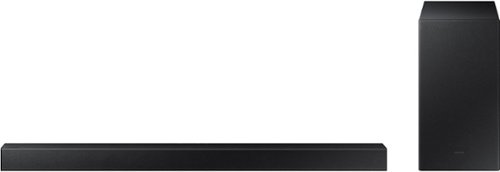
Samsung - 2.1-Channel Soundbar with Wireless Subwoofer and DOLBY AUDIO / DTS 2.0 - Black
Elevate your audio experience with high-quality optimized sound. The power of Samsung sound bar HW-A430/ZA makes surround soundbar comes to life with speakers that fire all around you.
what does 2.1 channel mean
Hi there,
The 2 means a Left and Right channel, all audio will either come out of either channel or both at the same time. The 0.1 channel means the included wireless subwoofer.
~Samsung Solutions
The 2 means a Left and Right channel, all audio will either come out of either channel or both at the same time. The 0.1 channel means the included wireless subwoofer.
~Samsung Solutions
3 years, 8 months ago
by
Posted by:
Samsung