Samsung
Samsung's Stats
Reviews
- Review Count0
- Helpfulness Votes0
- First ReviewNone
- Last ReviewNone
- Featured Reviews0
- Average Rating0
Reviews Comments
- Review Comment Count0
- Helpfulness Votes0
- First Review CommentNone
- Last Review CommentNone
- Featured Review Comments0
Questions
- Question Count0
- Helpfulness Votes0
- First QuestionNone
- Last QuestionNone
- Featured Questions0
- Answer Count74608
- Helpfulness Votes37,992
- First AnswerApril 24, 2013
- Last AnswerSeptember 29, 2026
- Featured Answers0
- Best Answers3952
Samsung's Reviews
Samsung has not submitted any reviews.
Samsung's Questions
Samsung has not submitted any questions.

Samsung - HW-S60B 5.0ch All in One Soundbar with Wireless Dolby Atmos - Black
Enjoy room filling sound in an all in one design. Hear Dolby Atmos sound from above and around without requiring HDMI cables. Perfectly synchronized TV and soundbar sound brings a new level of immersion. Don't miss a word, thanks to a built in center speaker. Plus, play your favorite songs with Alexa built in.
Is the Samsung HW-S60B soundbar compatible with Samsung UN58TU690T Tv, especially the Q Symphony feature of the soundbar?

Hello,
The HW-S60B Soundbar is compatible with the 58TU690T either through HDMI, or Digital Optical. The TV does not support the Q-Symphony feature though and will not be compatible.
~Samsung Solutions
The HW-S60B Soundbar is compatible with the 58TU690T either through HDMI, or Digital Optical. The TV does not support the Q-Symphony feature though and will not be compatible.
~Samsung Solutions
3 years, 9 months ago
by
Posted by:
Samsung

Samsung - HW-B650/ZA 3.1 Channel Soundbar with Wireless Subwoofer, Dolby 5.1 / DTS Virtual:X - Black
Dolby Atmos creates realistic 3D sound by projecting it from all around you, including from above, while DTS Virtual: X expands your listening experience without having to add extra speakers. Boost the bass with a touch of a button. The built-in center speaker delivers enhanced dialogue so you won't miss a word. Experience the intensity of action movies with the powerful bass coming from the included subwoofer. Enjoy optimized audio with enhanced voice clarity on all your favorite video content.
Is it possible to connect another subwoofer through wires or bluetooth to the soundbar?
Hi there,
The HW-B650 Soundbar is exclusively compatible with the provided wireless subwoofer and cannot be connected to another subwoofer.
~Samsung Solutions
The HW-B650 Soundbar is exclusively compatible with the provided wireless subwoofer and cannot be connected to another subwoofer.
~Samsung Solutions
3 years, 9 months ago
by
Posted by:
Samsung
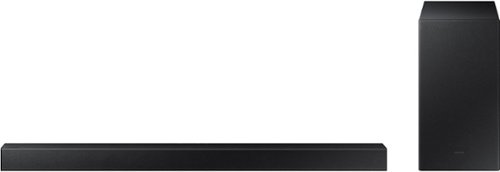
Samsung - 2.1-Channel Soundbar with Wireless Subwoofer and DOLBY AUDIO / DTS 2.0 - Black
Elevate your audio experience with high-quality optimized sound. The power of Samsung sound bar HW-A430/ZA makes surround soundbar comes to life with speakers that fire all around you.
Was wondering if can only hook up to Samsung devices or will it work with a Fire TV? Thank You
Hi Camo,
The HW-A430 Soundbar will connect using Digital Optical or Bluetooth. If your Fire TV has either of these inputs then you're all set.
~Samsung Solutions
The HW-A430 Soundbar will connect using Digital Optical or Bluetooth. If your Fire TV has either of these inputs then you're all set.
~Samsung Solutions
3 years, 9 months ago
by
Posted by:
Samsung
Samsung - 2.1-Channel Soundbar with Wireless Subwoofer and DOLBY AUDIO / DTS 2.0 - Black
Elevate your audio experience with high-quality optimized sound. The power of Samsung sound bar HW-A430/ZA makes surround soundbar comes to life with speakers that fire all around you.
I need info on the use of the remote. All the buttons.
Hello Chuck,
If you are unable to locate the User Manual for your soundbar on Samsung’s website, please follow these steps:
1) Visit the product page of the HW-A430 Soundbar on Samsung’s website
2) Click “Support” below the soundbar name - this will take you to the bottom of the web page.
3) You will then see 2 options in grey boxes: User Manual and Warranty.
4) Click “Download” under User Manual & agree to the terms – the full User Manual will then begin downloading!
The full manual will show you everything about your provided remote.
~Samsung Solutions
If you are unable to locate the User Manual for your soundbar on Samsung’s website, please follow these steps:
1) Visit the product page of the HW-A430 Soundbar on Samsung’s website
2) Click “Support” below the soundbar name - this will take you to the bottom of the web page.
3) You will then see 2 options in grey boxes: User Manual and Warranty.
4) Click “Download” under User Manual & agree to the terms – the full User Manual will then begin downloading!
The full manual will show you everything about your provided remote.
~Samsung Solutions
3 years, 9 months ago
by
Posted by:
Samsung
Samsung - 2.1-Channel Soundbar with Wireless Subwoofer and DOLBY AUDIO / DTS 2.0 - Black
Elevate your audio experience with high-quality optimized sound. The power of Samsung sound bar HW-A430/ZA makes surround soundbar comes to life with speakers that fire all around you.
Where can I buy another woofer to go with the set I already purchased? And will it connect to the system I already have?
Hi there,
The HW-A430 Soundbar is exclusively compatible with the provided wireless subwoofer and cannot be connected to another subwoofer.
~Samsung Solutions
The HW-A430 Soundbar is exclusively compatible with the provided wireless subwoofer and cannot be connected to another subwoofer.
~Samsung Solutions
3 years, 9 months ago
by
Posted by:
Samsung
Samsung - 2.1-Channel Soundbar with Wireless Subwoofer and DOLBY AUDIO / DTS 2.0 - Black
Elevate your audio experience with high-quality optimized sound. The power of Samsung sound bar HW-A430/ZA makes surround soundbar comes to life with speakers that fire all around you.
I plugged in my sound bar and woofer but I don't see any power lights. Should I see power lights on the sound bar?
Hello,
There isn't any power lights on your soundbar, the BLUE indicator LED on the back of the subwoofer is to show that the subwoofer is properly connected.
~Samsung Solutions
There isn't any power lights on your soundbar, the BLUE indicator LED on the back of the subwoofer is to show that the subwoofer is properly connected.
~Samsung Solutions
3 years, 9 months ago
by
Posted by:
Samsung
Samsung - 2.1-Channel Soundbar with Wireless Subwoofer and DOLBY AUDIO / DTS 2.0 - Black
Elevate your audio experience with high-quality optimized sound. The power of Samsung sound bar HW-A430/ZA makes surround soundbar comes to life with speakers that fire all around you.
My soundbar has an echo, regardless of volume or whether or not I turn down the subwoofer. How do I fix this?
Hello,
Make sure that you have your TV sound output set to External Speakers, if this still continues, please contact Samsung Customer Service.
Call us at 1-800-SAMSUNG (ask for Soundbars), available 8 AM – 12 AM EST, 7 days a week.
~Samsung Solutions
Make sure that you have your TV sound output set to External Speakers, if this still continues, please contact Samsung Customer Service.
Call us at 1-800-SAMSUNG (ask for Soundbars), available 8 AM – 12 AM EST, 7 days a week.
~Samsung Solutions
3 years, 9 months ago
by
Posted by:
Samsung
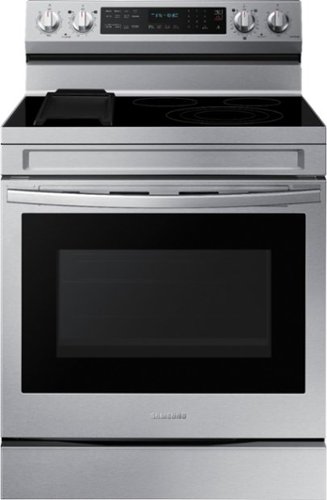
Samsung - 6.3 cu. ft. Freestanding Electric Convection+ Range with WiFi, No-Preheat Air Fry and Griddle - Stainless Steel
Elevate the look of your kitchen with Samsung~s Smart Freestanding Electric Range. Our Stainless Steel design elegantly wraps around cooktop sides and up through the slim control panel. Upgraded technology makes cooking on your stove simple and fun.
What power source does it use,110 or 220
Thanks for the effort you made in sending this question, Win.
This range has power/ratings of 240/208V/60Hz/40A.
Have a great day.
Melardo
This range has power/ratings of 240/208V/60Hz/40A.
Have a great day.
Melardo
3 years, 9 months ago
by
Posted by:
Samsung
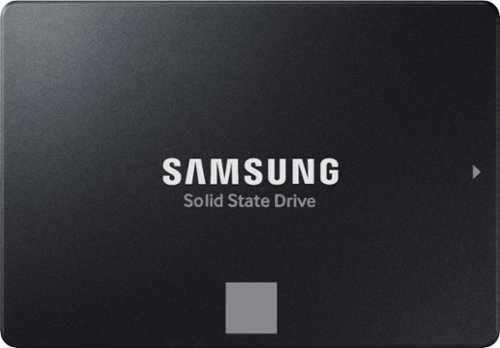
The perfect choice for creators, IT professionals or everyday users, the latest 870 EVO has indisputable performance, reliability and compatibility built upon Samsung~s pioneering technology.
Can this hard drive be used in a laptop?
JBlaze:
If your laptop supports a 2.5” SATA slot, you should have no issue connecting the 870 EVO SSD.
To check compatibility with your specific laptop model, please reach out to Samsung Support at:
1-800-SAMSUNG (ask for Memory or press #, then 6 for Memory products)
Available 9AM – 9PM EST (Mon-Fri)
- Samsung Memory
If your laptop supports a 2.5” SATA slot, you should have no issue connecting the 870 EVO SSD.
To check compatibility with your specific laptop model, please reach out to Samsung Support at:
1-800-SAMSUNG (ask for Memory or press #, then 6 for Memory products)
Available 9AM – 9PM EST (Mon-Fri)
- Samsung Memory
3 years, 9 months ago
by
Posted by:
Samsung
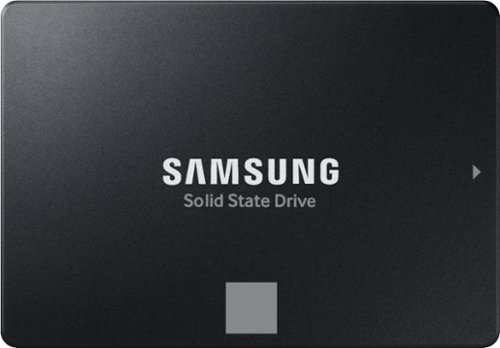
The perfect choice for creators, IT professionals or everyday users, the latest 870 EVO has indisputable performance, reliability and compatibility built upon Samsung~s pioneering technology.
is it compatible with the surveillance storage devise? like NVR's
Hanna:
We are unable to check compatibility without knowing the actual model of the surveillance device.
So that we can better troubleshoot towards a solution, please reach out to Samsung Support at: 1-800-SAMSUNG (ask for Memory or press #, then 6 for Memory products)
Available 9AM – 9PM EST (Mon-Fri)
- Samsung Memory
We are unable to check compatibility without knowing the actual model of the surveillance device.
So that we can better troubleshoot towards a solution, please reach out to Samsung Support at: 1-800-SAMSUNG (ask for Memory or press #, then 6 for Memory products)
Available 9AM – 9PM EST (Mon-Fri)
- Samsung Memory
3 years, 9 months ago
by
Posted by:
Samsung