Samsung
Samsung's Stats
Reviews
- Review Count0
- Helpfulness Votes0
- First ReviewNone
- Last ReviewNone
- Featured Reviews0
- Average Rating0
Reviews Comments
- Review Comment Count0
- Helpfulness Votes0
- First Review CommentNone
- Last Review CommentNone
- Featured Review Comments0
Questions
- Question Count0
- Helpfulness Votes0
- First QuestionNone
- Last QuestionNone
- Featured Questions0
- Answer Count74608
- Helpfulness Votes37,992
- First AnswerApril 24, 2013
- Last AnswerSeptember 29, 2026
- Featured Answers0
- Best Answers3952
Samsung's Reviews
Samsung has not submitted any reviews.
Samsung's Questions
Samsung has not submitted any questions.
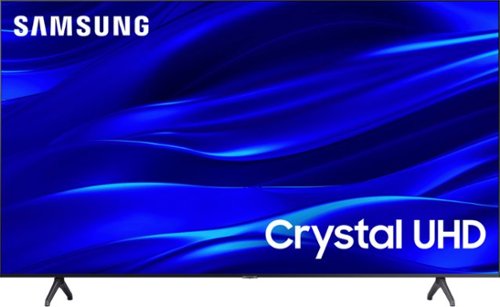
Samsung - 75" Class TU690T Crystal UHD 4K Smart Tizen TV (2023)
See how Crystal UHD with Smart TV elevates what you watch~at a value you~ll love. Go beyond HDTV to enjoy your content in 4K resolution, and in PurColor. And with Smart TV powered by Tizenbuilt in, it~s easy to find and stream the latest shows and movies in just a few clicks.
Product page - which affected my choice to buy - states "Works With Amazon Alexa, Google Assistant, SmartThings" but After long and frustrating go round with Samsung support, I am no closer to being able to get Google Assistant working. Now what?

Hi IxxE,
I am sorry about your experience with the TU690T connecting to your Google Assistant. You mentioned already attempting to connect your external device, but please review these instructions in case you haven't tried these exact steps.
Samsung Smart TVs let you sync with Google Home, allowing you the convenience of using voice commands for certain functionalities, such as power on/off, volume up/down, channel change, input source change, and playback control.
Here is a step-by-step guide for syncing with Google Home:
1) Make sure you have the SmartThings app on your mobile device. Add your TV device to the SmartThings app.
2) Open the Google Home app on your phone. If you do not have the app on your phone, you can search for Google Home in the Google Play Store and download the app.
3) Select the Add button. On the next screen, select Set Up Device.
4) Press on the text under the title Works with Google. Here you will see a list of accounts. Scroll down until you see SmartThings and select it or search SmartThings by pressing the search icon in the top right-hand corner.
5) Once you have selected SmartThings, press the “Sign in with Samsung Account”’ and use the same Samsung Account you used to sign in on the SmartThings app on your mobile.
6) The TV will be added automatically.
If you have tried these steps and are still having issues, please try the following:
1) Ensure both devices are running the latest software. Go to Settings> Support> Software Update to update your TU690T TV.
2) Ensure all devices are connected to the same local Wi-Fi.
3) Please try resetting your TV's Smart Hub; go to Settings > Support > Device Care > Self Diagnosis > Reset Smart Hub.
If you continue to have issues, please give us another chance to help you by calling us again. You can contact us at 1-800-SAMSUNG, 8 AM - 12 AM EST, seven days a week. Our LiveChat agents are also available by clicking on the ‘Support’ link on our website.
~ Samsung Advisor
I am sorry about your experience with the TU690T connecting to your Google Assistant. You mentioned already attempting to connect your external device, but please review these instructions in case you haven't tried these exact steps.
Samsung Smart TVs let you sync with Google Home, allowing you the convenience of using voice commands for certain functionalities, such as power on/off, volume up/down, channel change, input source change, and playback control.
Here is a step-by-step guide for syncing with Google Home:
1) Make sure you have the SmartThings app on your mobile device. Add your TV device to the SmartThings app.
2) Open the Google Home app on your phone. If you do not have the app on your phone, you can search for Google Home in the Google Play Store and download the app.
3) Select the Add button. On the next screen, select Set Up Device.
4) Press on the text under the title Works with Google. Here you will see a list of accounts. Scroll down until you see SmartThings and select it or search SmartThings by pressing the search icon in the top right-hand corner.
5) Once you have selected SmartThings, press the “Sign in with Samsung Account”’ and use the same Samsung Account you used to sign in on the SmartThings app on your mobile.
6) The TV will be added automatically.
If you have tried these steps and are still having issues, please try the following:
1) Ensure both devices are running the latest software. Go to Settings> Support> Software Update to update your TU690T TV.
2) Ensure all devices are connected to the same local Wi-Fi.
3) Please try resetting your TV's Smart Hub; go to Settings > Support > Device Care > Self Diagnosis > Reset Smart Hub.
If you continue to have issues, please give us another chance to help you by calling us again. You can contact us at 1-800-SAMSUNG, 8 AM - 12 AM EST, seven days a week. Our LiveChat agents are also available by clicking on the ‘Support’ link on our website.
~ Samsung Advisor
3 years, 10 months ago
by
Posted by:
Samsung
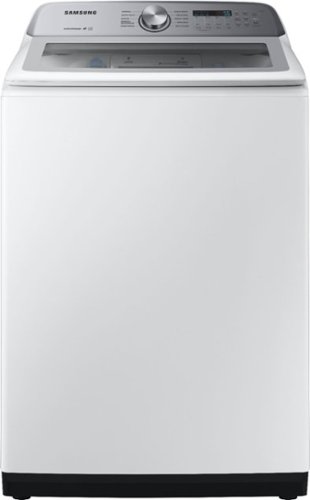
Samsung - 5.0 Cu. Ft. High-Efficiency Top Load Washer with Active WaterJet - White
Samsung's top-load washer has a large 5.0 cu ft. capacity to help you fit more in every load and cut down on laundry time, leaving more time for you. It is also equipped with Active WaterJet - a built-in faucet that lets you pre-treat stained clothes with a press of a button - and an EZ Access tub design that allows you to easily reach the bottom of the washer tub, stretch-free.
Does this machine have auto drain? If the load goes unbalanced and additional water is dispensed in order to rebalance the load, but something goes awry and water continues to fill the tub, will this machine auto drain?
Hi Drain,
We understand the concern about the continuous use of water to balance the load.
The washer detects the weight of the items and automatically adjusts the optimal water level, washing time, rinse counts, and spin counts. In the event of an unbalanced load, the washer will fill the tub with water to balance the load and will drain the water if it senses that it is above the threshold.
Leo
We understand the concern about the continuous use of water to balance the load.
The washer detects the weight of the items and automatically adjusts the optimal water level, washing time, rinse counts, and spin counts. In the event of an unbalanced load, the washer will fill the tub with water to balance the load and will drain the water if it senses that it is above the threshold.
Leo
3 years, 10 months ago
by
Posted by:
Samsung
Samsung - 75" Class TU690T Crystal UHD 4K Smart Tizen TV (2023)
See how Crystal UHD with Smart TV elevates what you watch~at a value you~ll love. Go beyond HDTV to enjoy your content in 4K resolution, and in PurColor. And with Smart TV powered by Tizenbuilt in, it~s easy to find and stream the latest shows and movies in just a few clicks.
IS this wall mountable and what mounts do you use
Hi,
Yes, the 75" TU690T TV can be wall-mounted. You will need to purchase a wall mount compatible with a VESA Pattern of 400x400mm.
~Samsung Advisor
Yes, the 75" TU690T TV can be wall-mounted. You will need to purchase a wall mount compatible with a VESA Pattern of 400x400mm.
~Samsung Advisor
3 years, 10 months ago
by
Posted by:
Samsung
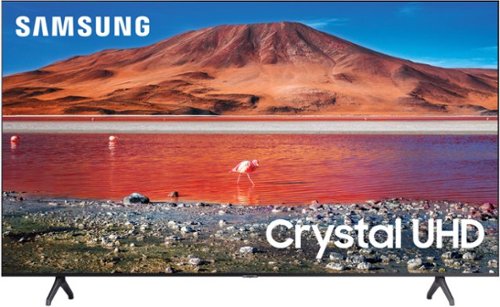
Samsung - 58" Class TU690T Crystal UHD 4K Smart Tizen TV (2022)
See how Crystal UHD with Smart TV elevates what you watch~at a value you~ll love. Go beyond HDTV to enjoy your content in 4K resolution, and in PurColor. And with Smart TV powered by Tizenbuilt in, it~s easy to find and stream the latest shows and movies in just a few clicks.
Can this TV connect to JBL Bluetooth headphones and if so, how?
Hi Marna1234,
You can absolutely connect your Bluetooth headphones or wireless headsets via Bluetooth. You can even use the Multi-Output Audio feature to use both TV speakers and Bluetooth headsets simultaneously if you have viewers who want two different volume levels.
To connect your Bluetooth device, go to Settings > Sound > Sound Output > Bluetooth Speaker List. Choose the headphones you wish to use for sound output. For more help, please contact Samsung TV Support at 1-800-SAMSUNG, available 8 AM - 12 AM EST, seven days a week.
~Samsung Advisor
You can absolutely connect your Bluetooth headphones or wireless headsets via Bluetooth. You can even use the Multi-Output Audio feature to use both TV speakers and Bluetooth headsets simultaneously if you have viewers who want two different volume levels.
To connect your Bluetooth device, go to Settings > Sound > Sound Output > Bluetooth Speaker List. Choose the headphones you wish to use for sound output. For more help, please contact Samsung TV Support at 1-800-SAMSUNG, available 8 AM - 12 AM EST, seven days a week.
~Samsung Advisor
3 years, 10 months ago
by
Posted by:
Samsung
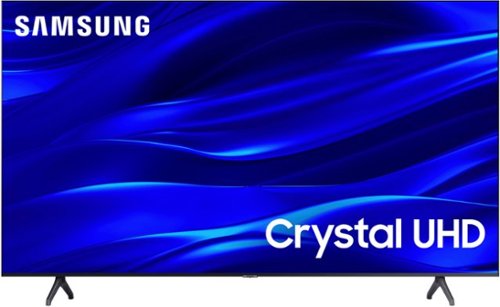
Samsung - 50" Class TU690T Series LED 4K UHD Smart Tizen TV (2023)
See how Crystal UHD with Smart TV elevates what you watch~at a value you~ll love. Go beyond HDTV to enjoy your content in 4K resolution, and in PurColor. And with Smart TV powered by Tizenbuilt in, it~s easy to find and stream the latest shows and movies in just a few clicks.
What is the distance between the 2 standup brackets?
Hi,
The feet on the 50" TU690T are 36.8" apart.
~Samsung Advisor
The feet on the 50" TU690T are 36.8" apart.
~Samsung Advisor
3 years, 10 months ago
by
Posted by:
Samsung
Samsung - 75" Class TU690T Crystal UHD 4K Smart Tizen TV (2023)
See how Crystal UHD with Smart TV elevates what you watch~at a value you~ll love. Go beyond HDTV to enjoy your content in 4K resolution, and in PurColor. And with Smart TV powered by Tizenbuilt in, it~s easy to find and stream the latest shows and movies in just a few clicks.
What size of screw will I need to mount this tv to a wall mount? I know it is some kind of metric or? Thanks
Hi Marv,
Most wall mounts will come with all the screws you need to get it successfully installed, and you should be able to contact the manufacturer of the mount to obtain additional screws if needed.
For the 75" TU690T, you will need 4 x M8 screws, 20-22mm length, and 1.25mm pitch.
~Samsung Advisor
Most wall mounts will come with all the screws you need to get it successfully installed, and you should be able to contact the manufacturer of the mount to obtain additional screws if needed.
For the 75" TU690T, you will need 4 x M8 screws, 20-22mm length, and 1.25mm pitch.
~Samsung Advisor
3 years, 10 months ago
by
Posted by:
Samsung
Samsung - 50" Class TU690T Series LED 4K UHD Smart Tizen TV (2023)
See how Crystal UHD with Smart TV elevates what you watch~at a value you~ll love. Go beyond HDTV to enjoy your content in 4K resolution, and in PurColor. And with Smart TV powered by Tizenbuilt in, it~s easy to find and stream the latest shows and movies in just a few clicks.
I have read the Samsung supports the Spectrum app. Will this TV download the Spectrum app? Thank you
Hi JM,
Yes, you can download the Spectrum app via the built-in app store on the TU690T TV.
~Samsung Advisor
Yes, you can download the Spectrum app via the built-in app store on the TU690T TV.
~Samsung Advisor
3 years, 10 months ago
by
Posted by:
Samsung
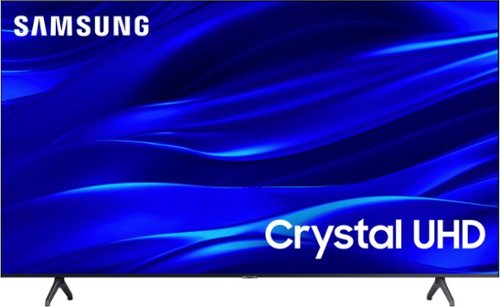
Samsung - 43" Class TU690T Crystal UHD 4K Smart Tizen TV (2022)
See how Crystal UHD with Smart TV elevates what you watch~at a value you~ll love. Go beyond HDTV to enjoy your content in 4K resolution, and in PurColor. And with Smart TV powered by Tizenbuilt in, it~s easy to find and stream the latest shows and movies in just a few clicks.
I bought it, but it didn't come with a remote control, what can I do?
Hi Edwin,
We appreciate you sharing your feedback regarding parts missing from your TU690T TV. If purchased brand-new and unopened, please contact Samsung Customer Support, and a representative will gladly help you. If purchased in open-box condition, we recommend contacting Best Buy directly for assistance.
You can call us at 1-800-SAMSUNG, 8 AM - 12 AM EST, seven days a week.
~Samsung Advisor
We appreciate you sharing your feedback regarding parts missing from your TU690T TV. If purchased brand-new and unopened, please contact Samsung Customer Support, and a representative will gladly help you. If purchased in open-box condition, we recommend contacting Best Buy directly for assistance.
You can call us at 1-800-SAMSUNG, 8 AM - 12 AM EST, seven days a week.
~Samsung Advisor
3 years, 10 months ago
by
Posted by:
Samsung
Samsung - 43" Class TU690T Crystal UHD 4K Smart Tizen TV (2022)
See how Crystal UHD with Smart TV elevates what you watch~at a value you~ll love. Go beyond HDTV to enjoy your content in 4K resolution, and in PurColor. And with Smart TV powered by Tizenbuilt in, it~s easy to find and stream the latest shows and movies in just a few clicks.
i can not figure out how to connect Alexa to my tv i can turn it off with my smart phone but that is all i can do
Hi BrettG,
Your TV works with Alexa-enabled devices. You can ask Alexa to turn on your TV, change channels, control the volume, and more.
You will need to download both the SmartThings app and the Amazon Alexa app.
1) Discover your TV in the SmartThings app by selecting the Add Device option.
2) Be sure your Alexa device has been discovered in your Alexa app.
3) From the Alexa app, enable SmartThings Skill for a TV. Once this skill is added, go to Discover Devices, and your TV will be automatically discovered.
If you are also using Alexa for an external speaker or soundbar and your TV, you can say volume up and volume down, along with the name of the device you want to operate.
On the Amazon Alexa app on your smartphone, check the name of the TV or device you want to operate.
Say the desired voice command:
“Alexa, volume up on (TV name).”
“Alexa, volume down on (device name)”
Should you need assistance with setting this up, please contact Samsung Customer Support at 1-800-SAMSUNG, 8 AM - 12 AM EST, seven days a week. Our LiveChat agents are also available by clicking on the ‘Support’ link on our website.
~ Samsung Advisor
Your TV works with Alexa-enabled devices. You can ask Alexa to turn on your TV, change channels, control the volume, and more.
You will need to download both the SmartThings app and the Amazon Alexa app.
1) Discover your TV in the SmartThings app by selecting the Add Device option.
2) Be sure your Alexa device has been discovered in your Alexa app.
3) From the Alexa app, enable SmartThings Skill for a TV. Once this skill is added, go to Discover Devices, and your TV will be automatically discovered.
If you are also using Alexa for an external speaker or soundbar and your TV, you can say volume up and volume down, along with the name of the device you want to operate.
On the Amazon Alexa app on your smartphone, check the name of the TV or device you want to operate.
Say the desired voice command:
“Alexa, volume up on (TV name).”
“Alexa, volume down on (device name)”
Should you need assistance with setting this up, please contact Samsung Customer Support at 1-800-SAMSUNG, 8 AM - 12 AM EST, seven days a week. Our LiveChat agents are also available by clicking on the ‘Support’ link on our website.
~ Samsung Advisor
3 years, 10 months ago
by
Posted by:
Samsung
Samsung - 58" Class TU690T Crystal UHD 4K Smart Tizen TV (2022)
See how Crystal UHD with Smart TV elevates what you watch~at a value you~ll love. Go beyond HDTV to enjoy your content in 4K resolution, and in PurColor. And with Smart TV powered by Tizenbuilt in, it~s easy to find and stream the latest shows and movies in just a few clicks.
Does the tv have Disney + and Netflix already installed?
Hi,
The apps pre-installed on the TU690T are Netflix, Prime Video, Hulu, Disney+, Apple TV, VUDU, YouTube, Gallery, Apple Music, Facebook Watch, YouTube TV, and tubi.
~Samsung Advisor
The apps pre-installed on the TU690T are Netflix, Prime Video, Hulu, Disney+, Apple TV, VUDU, YouTube, Gallery, Apple Music, Facebook Watch, YouTube TV, and tubi.
~Samsung Advisor
3 years, 10 months ago
by
Posted by:
Samsung