Samsung
Samsung's Stats
Reviews
- Review Count0
- Helpfulness Votes0
- First ReviewNone
- Last ReviewNone
- Featured Reviews0
- Average Rating0
Reviews Comments
- Review Comment Count0
- Helpfulness Votes0
- First Review CommentNone
- Last Review CommentNone
- Featured Review Comments0
Questions
- Question Count0
- Helpfulness Votes0
- First QuestionNone
- Last QuestionNone
- Featured Questions0
- Answer Count74615
- Helpfulness Votes37,992
- First AnswerApril 24, 2013
- Last AnswerSeptember 30, 2026
- Featured Answers0
- Best Answers3952
Samsung's Reviews
Samsung has not submitted any reviews.
Samsung's Questions
Samsung has not submitted any questions.
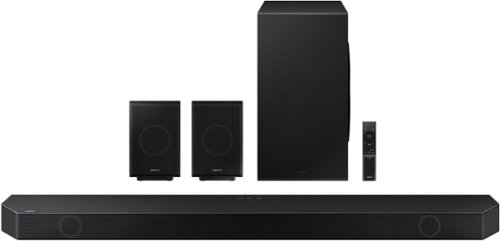
Samsung - HW-Q990B 11.1.4ch Soundbar with Wireless Dolby Atmos / DTS:X and Rear Speakers - Black
Keep your setup sleek and elegant without the clutter of wires. Enjoy enveloping sound with 11 channels, 1 subwoofer and 4 up-firing channels. Perfectly synchronized audio uses every speaker in compatible Samsung TV and soundbars. Get room filling sound designed specifically for your space.
Will it work if you don't have wi fi

Hi Dastz,
The HW-Q990B Soundbar will work using Bluetooth, Digital Optical, or HDMI inputs. You will lose some features such as being able to use the SmartThings app, but the overall audio quality will not suffer because you do not have Wi-Fi.
~Samsung Solutions
The HW-Q990B Soundbar will work using Bluetooth, Digital Optical, or HDMI inputs. You will lose some features such as being able to use the SmartThings app, but the overall audio quality will not suffer because you do not have Wi-Fi.
~Samsung Solutions
3 years, 10 months ago
by
Posted by:
Samsung
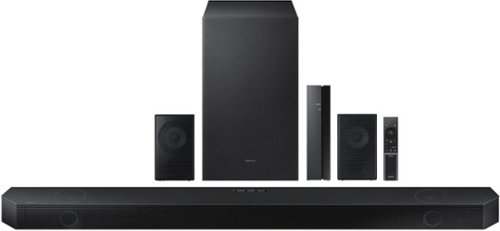
Samsung - HW-Q750B 5.1.2ch Soundbar with Wireless Dolby Atmos / DTS:X - Black
Take your audio to a higher level with the Q750B with Dolby Atmos sound without requiring HDMI cables. Enjoy a cinematic experience with 5 channels, 1 subwoofer and 2 up firing channels. With Q Symphony, the soundbar sound synchronizes with your compatible Samsung TV. Plus, control your soundbar hands free using Alexa voice controls.
Can I hook up this Samsung sound bar to a Smart aquas tv?
Hi there,
The HW-Q750B Soundbar has the ability to connect using Bluetooth, Digital Optical, or HDMI (eARC) port. If your TV has one of these inputs then you are good to go.
~Samsung Solutions
The HW-Q750B Soundbar has the ability to connect using Bluetooth, Digital Optical, or HDMI (eARC) port. If your TV has one of these inputs then you are good to go.
~Samsung Solutions
3 years, 10 months ago
by
Posted by:
Samsung
Samsung - HW-Q750B 5.1.2ch Soundbar with Wireless Dolby Atmos / DTS:X - Black
Take your audio to a higher level with the Q750B with Dolby Atmos sound without requiring HDMI cables. Enjoy a cinematic experience with 5 channels, 1 subwoofer and 2 up firing channels. With Q Symphony, the soundbar sound synchronizes with your compatible Samsung TV. Plus, control your soundbar hands free using Alexa voice controls.
Can I buy another Samsung Bluetooth subwoofer to add more base or a bigger one like the one from the 9.1 channel and add it to this one??
Hi Denbro,
The HW-Q750B is exclusively compatible with the included subwoofer and cannot have another one added. There is not a larger size available for purchase either.
~Samsung Solutions
The HW-Q750B is exclusively compatible with the included subwoofer and cannot have another one added. There is not a larger size available for purchase either.
~Samsung Solutions
3 years, 10 months ago
by
Posted by:
Samsung
Samsung - HW-Q750B 5.1.2ch Soundbar with Wireless Dolby Atmos / DTS:X - Black
Take your audio to a higher level with the Q750B with Dolby Atmos sound without requiring HDMI cables. Enjoy a cinematic experience with 5 channels, 1 subwoofer and 2 up firing channels. With Q Symphony, the soundbar sound synchronizes with your compatible Samsung TV. Plus, control your soundbar hands free using Alexa voice controls.
what size is the sub
Hello bobb,
The HW-Q750B has a 6.5" subwoofer.
~Samsung Solutions
The HW-Q750B has a 6.5" subwoofer.
~Samsung Solutions
3 years, 10 months ago
by
Posted by:
Samsung
Samsung - HW-Q750B 5.1.2ch Soundbar with Wireless Dolby Atmos / DTS:X - Black
Take your audio to a higher level with the Q750B with Dolby Atmos sound without requiring HDMI cables. Enjoy a cinematic experience with 5 channels, 1 subwoofer and 2 up firing channels. With Q Symphony, the soundbar sound synchronizes with your compatible Samsung TV. Plus, control your soundbar hands free using Alexa voice controls.
how can i turn the volume on rear speakers, i have more sound coming from the sound bar
Hi Frosty,
You will press the CH LEVEL button on the Soundbar Remote until you see Rear Levels. Then you will use the UP/DOWN buttons on that same remote to adjust between -6 to +6. Make sure that you are also using the SURROUND SOUND sound mode and on your TV change the Audio Output from PCM as this can decrease volume to the rear speakers.
~Samsung Solutions
You will press the CH LEVEL button on the Soundbar Remote until you see Rear Levels. Then you will use the UP/DOWN buttons on that same remote to adjust between -6 to +6. Make sure that you are also using the SURROUND SOUND sound mode and on your TV change the Audio Output from PCM as this can decrease volume to the rear speakers.
~Samsung Solutions
3 years, 10 months ago
by
Posted by:
Samsung
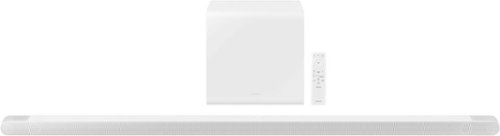
Samsung - HW-S801B 3.1.2ch Soundbar with Wireless Dolby Atmos / DTS:X - White
Unbelievably sleek, low-profile soundbar delivers high quality audio in a super slim package. Enjoy a surround sound experience with Dolby Atmos and skip the need for HDMI cables. Synchronized audio using every speaker in compatible Samsung TV and soundbars. Simply pair the soundbar with a compatible iPhone or other iOS device to play music.
Can we have this soundbar connected to the HDMI (eARC) port in Frame TV 2021 models ?
Hello DK,
The HW-S801B Soundbar does not have an eARC port, only regular ARC. But that doesn't mean you can't stream Dolby Atmos to this soundbar. You will need to turn on Dolby Digital+, which will allow for Atmos to stream to your Soundbar without any issues.
Go to SETTINGS - EXPERT SETTINGS - DIGITAL OUTPUT AUDIO FORMAT - DOLBY DIGITAL+
~Samsung Solutions
The HW-S801B Soundbar does not have an eARC port, only regular ARC. But that doesn't mean you can't stream Dolby Atmos to this soundbar. You will need to turn on Dolby Digital+, which will allow for Atmos to stream to your Soundbar without any issues.
Go to SETTINGS - EXPERT SETTINGS - DIGITAL OUTPUT AUDIO FORMAT - DOLBY DIGITAL+
~Samsung Solutions
3 years, 10 months ago
by
Posted by:
Samsung

Samsung - HW-S60B 5.0ch All in One Soundbar with Wireless Dolby Atmos - Black
Enjoy room filling sound in an all in one design. Hear Dolby Atmos sound from above and around without requiring HDMI cables. Perfectly synchronized TV and soundbar sound brings a new level of immersion. Don't miss a word, thanks to a built in center speaker. Plus, play your favorite songs with Alexa built in.
Will not work through hdmi on my LG. Works fine through bluetooth. Any ideas before returning?
Hi there,
There are a few things to consider, first I would try a few different HDMI cables. Make sure that you are plugged in to the TV ARC HDMI port on your TV as well.
Go to Samsung's website, hover your mouse over SUPPORT, then click on MANUALS & SOFTWARE. From there type in the full model name of your soundbar, and follow the instructions to do a firmware update.
If you are still experiencing issues, do a hard reset. With the Soundbar ON, press and hold the - & + (VOLUME UP/DOWN) buttons on the soundbar itself. You will see the five LEDs ontop of the soundbar scroll from left to right and right to left. Then you see the middle light blink Cyan three times. Once it turns red then it is off and reset.
1. With the Soundbar and TV turned off, connect the HDMI cable from your Soundbar to your TV (ARC TO ARC).
2. Turn on the Soundbar and TV.
3. TV sound is output from the Soundbar.
• If the TV sound is not playing, press the (Multi Function) button at the top of the Soundbar or the (Source) button on the remote control to select the “Digital Audio In” mode.
• If the sound is not playing, check the HDMI Cable connection again.
• Use the volume buttons on the TV’s remote control to change the volume on the Soundbar.
Another easy way to make sure you are on the correct input would be to use the SmartThings App as the HW-S60B Soundbar is Wi-Fi compatible.
Hopefully these tips will help you out!
~Samsung Solutions
There are a few things to consider, first I would try a few different HDMI cables. Make sure that you are plugged in to the TV ARC HDMI port on your TV as well.
Go to Samsung's website, hover your mouse over SUPPORT, then click on MANUALS & SOFTWARE. From there type in the full model name of your soundbar, and follow the instructions to do a firmware update.
If you are still experiencing issues, do a hard reset. With the Soundbar ON, press and hold the - & + (VOLUME UP/DOWN) buttons on the soundbar itself. You will see the five LEDs ontop of the soundbar scroll from left to right and right to left. Then you see the middle light blink Cyan three times. Once it turns red then it is off and reset.
1. With the Soundbar and TV turned off, connect the HDMI cable from your Soundbar to your TV (ARC TO ARC).
2. Turn on the Soundbar and TV.
3. TV sound is output from the Soundbar.
• If the TV sound is not playing, press the (Multi Function) button at the top of the Soundbar or the (Source) button on the remote control to select the “Digital Audio In” mode.
• If the sound is not playing, check the HDMI Cable connection again.
• Use the volume buttons on the TV’s remote control to change the volume on the Soundbar.
Another easy way to make sure you are on the correct input would be to use the SmartThings App as the HW-S60B Soundbar is Wi-Fi compatible.
Hopefully these tips will help you out!
~Samsung Solutions
3 years, 10 months ago
by
Posted by:
Samsung

Samsung - HW-B650/ZA 3.1 Channel Soundbar with Wireless Subwoofer, Dolby 5.1 / DTS Virtual:X - Black
Dolby Atmos creates realistic 3D sound by projecting it from all around you, including from above, while DTS Virtual: X expands your listening experience without having to add extra speakers. Boost the bass with a touch of a button. The built-in center speaker delivers enhanced dialogue so you won't miss a word. Experience the intensity of action movies with the powerful bass coming from the included subwoofer. Enjoy optimized audio with enhanced voice clarity on all your favorite video content.
Can i program my direct tv remote to control this sound bar? I am trying to find a model that will allow this so i can eliminate a remote.
Hi kentuckyblue,
You can use your direct tv remote if it isn't a Bluetooth remote, if it needs to be paired up to the cable/satellite cable then it won't work.
1. Turn Off the Soundbar.
2. Push up and hold the WOOFER button for 5 seconds.
Each time you push the WOOFER button up and hold it for 5 seconds, the mode switches in the
following order: “OFF-TV REMOTE” (Default mode), “SAMSUNG-TV REMOTE”, “ALL-TV REMOTE”.
~Samsung Solutions
You can use your direct tv remote if it isn't a Bluetooth remote, if it needs to be paired up to the cable/satellite cable then it won't work.
1. Turn Off the Soundbar.
2. Push up and hold the WOOFER button for 5 seconds.
Each time you push the WOOFER button up and hold it for 5 seconds, the mode switches in the
following order: “OFF-TV REMOTE” (Default mode), “SAMSUNG-TV REMOTE”, “ALL-TV REMOTE”.
~Samsung Solutions
3 years, 10 months ago
by
Posted by:
Samsung
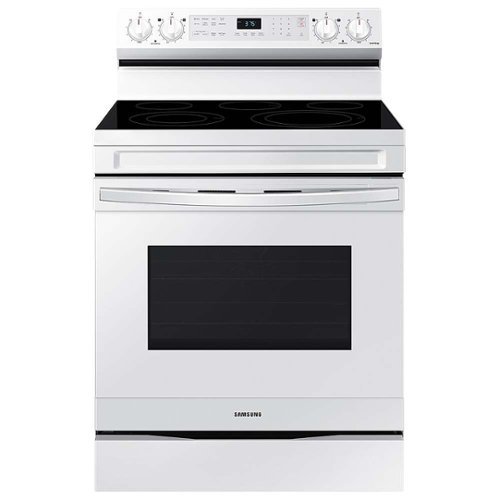
Samsung - 6.3 cu. ft. Freestanding Electric Range with WiFi, No-Preheat Air Fry & Convection - White
Elevate the look of your kitchen with Samsung~s new Smart Freestanding Electric Range. Our Stainless Steel design elegantly wraps around cooktop sides and up through the slim control panel. Upgraded technology makes cooking simple and fun.
Can I Broil with the Oven Door closed?
Glad you asked, MARK! We're here to help you with getting the information you need.
As per checking, you may leave the door open at the broil stop position. The door will stay open by itself, yet the proper temperature is maintained in the oven.
Thank you!
-Angelica
As per checking, you may leave the door open at the broil stop position. The door will stay open by itself, yet the proper temperature is maintained in the oven.
Thank you!
-Angelica
3 years, 10 months ago
by
Posted by:
Samsung
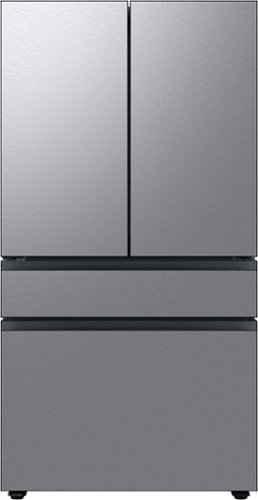
Counter Depth 4-Door French Door Refrigerator is a revolution in convenience and design, the concealed Beverage Center features both a water dispenser and AutoFill Water Pitcher. Plus a Dual Ice Maker with cubed ice and Ice Bites.
We are almost ready to order this refrigerator. Has anyone who already owns it encountered a problem with either the ice cubes or the ice bits clumping together so that it is difficult to scoop them out using the plastic scoop that comes with the unit?
Hi JuanJuanita,
We are ecstatic that you are about to purchase this Samsung refrigerator model.
Clumping ice cubes happen when ice isn't being dispensed regularly, it can clump together in the ice bucket.
To avoid this, make time every other week to dump the ice out, so the ice maker can produce fresh ice.
Leo
We are ecstatic that you are about to purchase this Samsung refrigerator model.
Clumping ice cubes happen when ice isn't being dispensed regularly, it can clump together in the ice bucket.
To avoid this, make time every other week to dump the ice out, so the ice maker can produce fresh ice.
Leo
3 years, 10 months ago
by
Posted by:
Samsung