Samsung
Samsung's Stats
Reviews
- Review Count0
- Helpfulness Votes0
- First ReviewNone
- Last ReviewNone
- Featured Reviews0
- Average Rating0
Reviews Comments
- Review Comment Count0
- Helpfulness Votes0
- First Review CommentNone
- Last Review CommentNone
- Featured Review Comments0
Questions
- Question Count0
- Helpfulness Votes0
- First QuestionNone
- Last QuestionNone
- Featured Questions0
- Answer Count73755
- Helpfulness Votes37,944
- First AnswerApril 24, 2013
- Last AnswerAugust 20, 2026
- Featured Answers0
- Best Answers3946
Samsung's Reviews
Samsung has not submitted any reviews.
Samsung's Questions
Samsung has not submitted any questions.
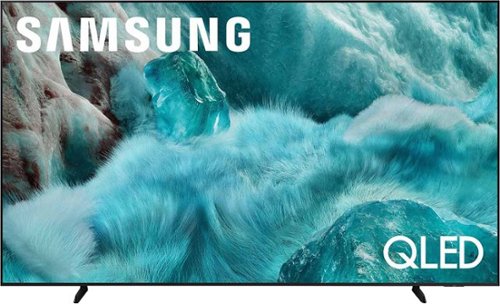
Discover a new level of visual and auditory brilliance with our next-level smart TV featuring an extra-large screen that's engineered to stay sharp and clear. Powered by Pantone-certified color accuracy, witness over one billion authentic hues burst forth in beautiful detail. Quantum HDR takes things further, elevating contrast for lifelike imagery. Add to that our advanced 3D audio system syncing flawlessly with on-screen motion, all intelligently powered by Samsung Vision AI. And rest assured, Knox keeps your private info safe and secure.
what is the return policy

Please directly contact or visit your local Best Buy for information on store policies.
~ Samsung Specialist
~ Samsung Specialist
4 months ago
by
Posted by:
Samsung
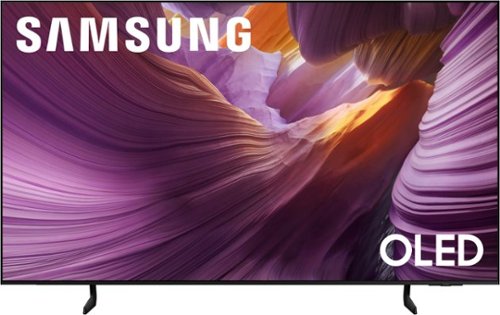
Self illuminating pixels deliver bright, expert validated color and the dramatic contrast of OLED, driven by our advanced AI processor. Experience a stunning picture with enhanced brightness and depth, all in a sleek design with a thin bezel. Dive into your content with Samsung Vision AI experiences and immerse yourself in multi dimensional audio with top firing speakers.
Is this samsung 65 inch tv glare free?
While the S85F features Ultra Viewing Angle and Anti-Reflection technology to provide you with wider viewing angles, enhanced color, and minimized glare to help you enjoy shows without distractions, OLED Glare Free is available on our S95F Series.
~ Samsung Specialist
~ Samsung Specialist
4 months ago
by
Posted by:
Samsung
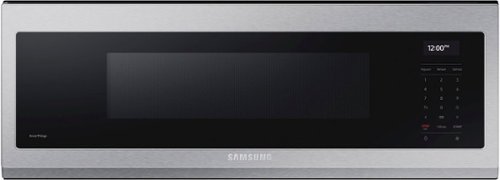
Free up space above your cooktop with the new beautifully designed Smart SLIM Microwave. This combination microwave with ventilation hood fits into the same space as an under-the-cabinet hood, but despite its slim size it has a sizeable 1.1 cu ft capacity. The SLIM Microwave packs in the powerful performance you need with all the technology that you love in a slim, space efficient size.
My microwave continues to have the vent fan and light turn on randomly without pressing any buttons. I will turn it off and it will turn back on. I’ve tried unplugging to restart however that has not helped the problem.
Hello Ahuey,
Hearing how your Samsung microwave performs during regular use gives helpful insight into everyday operation and control interaction.
Your Samsung microwave is designed to help manage airflow and temperature during regular kitchen use, which may include the vent fan or cooktop light turning on automatically. This built‑in operation supports consistent performance, especially when cooking nearby, and good ventilation can help it run smoothly.
You can explore the full guide here:
Microwave vent fan turns on automatically
https://www.samsung.com/us/support/troubleshoot/TSG10007188/
If issue persist, feel free to reach us through the following channels provided below. Please keep this reference number for your records: 1152363594.
Samsung Community: https://us.community.samsung.com/t5/samsung-community/ct-p/us
Facebook Messenger: https://m.me/samsungsupport
X: https://x.com/messages/compose?recipient%20id=18768513
Samsung Customer Care: 1-800-726-7864 (1-800-SAMSUNG)
Your business truly matters to us.
Nicole
Samsung Care
Hearing how your Samsung microwave performs during regular use gives helpful insight into everyday operation and control interaction.
Your Samsung microwave is designed to help manage airflow and temperature during regular kitchen use, which may include the vent fan or cooktop light turning on automatically. This built‑in operation supports consistent performance, especially when cooking nearby, and good ventilation can help it run smoothly.
You can explore the full guide here:
Microwave vent fan turns on automatically
https://www.samsung.com/us/support/troubleshoot/TSG10007188/
If issue persist, feel free to reach us through the following channels provided below. Please keep this reference number for your records: 1152363594.
Samsung Community: https://us.community.samsung.com/t5/samsung-community/ct-p/us
Facebook Messenger: https://m.me/samsungsupport
X: https://x.com/messages/compose?recipient%20id=18768513
Samsung Customer Care: 1-800-726-7864 (1-800-SAMSUNG)
Your business truly matters to us.
Nicole
Samsung Care
4 months, 1 week ago
by
Posted by:
Samsung
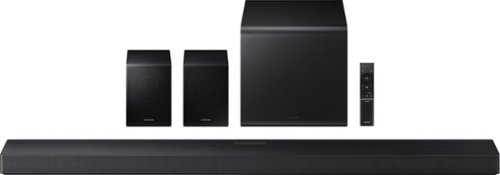
Enjoy a sleek, low profile design that fits into your space while delivering rich, multidimensional true surround sound with included rear speakers. Built in sensors detect whether the soundbar is placed flat on a table or is mounted flush against a wall and automatically recalibrates speaker direction for powerful Dolby Atmos audio, regardless of the setup. Enhance your home theater experience with crystal clear dialogue and booming bass, perfect for fast paced thrillers or action movies.
Why doesn’t this Q model have a built in microphone and a physical microphone button if it does?
Hi FJ! The microphone on the Samsung HW-Q750F Soundbar is used for smart features rather than for speaking into like a traditional mic. It helps enable voice assistant control so you can adjust volume, change inputs, or control playback hands-free. It also plays a key role in room calibration features like SpaceFit Sound, where the soundbar analyzes how audio reflects in your room and automatically adjusts settings to improve clarity, balance, and overall performance.
~ Samsung Solutions
~ Samsung Solutions
4 months, 1 week ago
by
Posted by:
Samsung
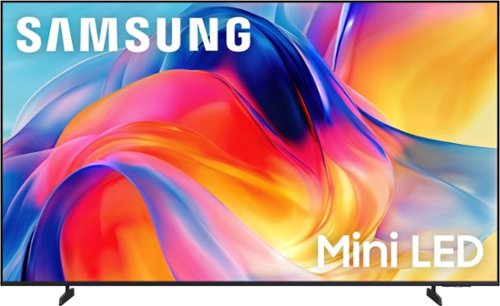
Bright, detailed colors pair together with deep, cinematic contrast in your favorite smart apps and video games thanks to precise control with Mini LEDs, delivering a realistic picture no matter what you watch. Get thousands of subscription free channels, including 700+ premium channels with Samsung TV Plus. Rest assured your personal data is secured with Knox Security.
Can this TV be wall mounted? Can it be used for Zoom and Teams meetings?
Hi,
Yes, you can mount the 75" M70H, but you will need an external wall mount. To use Zoom or Teams, you would need to Screen Mirror or connect the TV to an external laptop.
I hope this helps!
~Samsung Advisor
Yes, you can mount the 75" M70H, but you will need an external wall mount. To use Zoom or Teams, you would need to Screen Mirror or connect the TV to an external laptop.
I hope this helps!
~Samsung Advisor
4 months, 1 week ago
by
Posted by:
Samsung
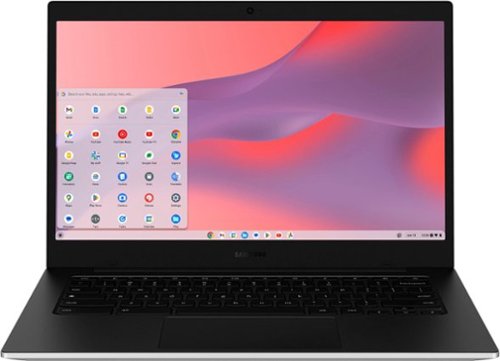
Samsung - Galaxy Chromebook Go - 14" LED Laptop - Intel Celeron- 4GB Memory - 128GB Storage - Silver
Make the grades with a Chromebook that~s at the top of its class in value and performance. Galaxy Chromebook Go is built with premium craftsmanship to endure everyday hiccups and long-lasting battery life to power through class without needing to sit by a power outlet. Plus, you'll blaze through every assignment with fast Wi-Fi connectivity. Thinner and lighter than other Chromebooks, Galaxy Chromebook Go fits easily into backpacks to help lighten the load. Best of all, Galaxy Chromebook Go is priced to please.
Does it have windows 11, so I can do my income tax
Greetings, thank you for taking the opportunity to ask us your question about the Samsung Galaxy Chromebook Go. The advertised Galaxy Chromebook Go runs on Chrome OS. As a Chromebook, it utilizes Google's cloud-based operating system designed for speed, security, and web-based applications, along with support for Android apps. This PC has not been designed to run Windows. If you have additional questions for us or if you would like further assistance, please feel free to reach out to Support. Thank you for being a loyal Samsung customer. - Debra
4 months, 1 week ago
by
Posted by:
Samsung
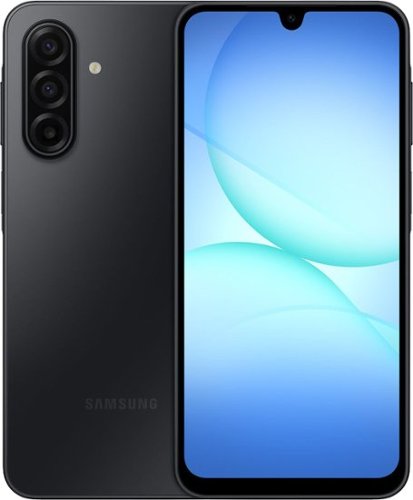
Galaxy A17 5G delivers everything you need at an awesome price for an awesome value. Capture precious memories in vivid colors and clarity with its enhanced triple lens camera. Stream your favorite movies and shows on its crystal clear 6.7" display. Now with the power of AI, Galaxy A17 5G makes web searches that much easier to seamlessly plan events, make dinner reservations, find the perfect gifts for loved ones and more with the help of Gemini. Power through your day with a reliable Super Fast Charging battery, up to 2TB of expandable storage and ultra fast 5G to stay connected with loved ones. As a Galaxy owner, you'll have access to amazing perks like Samsung Wallet, Samsung TV Plus and more. And with OS and security updates, Galaxy A17 5G keeps you protected and up to date So bring home a phone that delivers incredible value and makes every day a little more awesome.
I want to get transfer from old phone to new phone do you provide that service
Aloha Winnetka, thank you for taking the time to ask us your question about the Samsung Galaxy A17 5G. Samsung Smart Switch is available to get your previous information transferred over to your new device. Feel free to check out Smart Switch frequently asked questions, if you would like to learn more about utilizing this feature. If you have any other questions for us, please let us know by reaching out to Support at your earliest convenience. Thank you for being a valued Samsung customer. - Debra
4 months, 1 week ago
by
Posted by:
Samsung
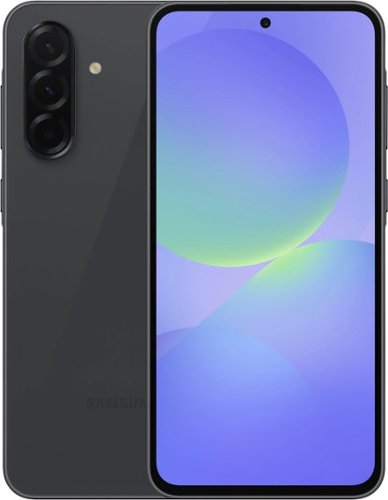
Samsung - Galaxy A36 5G 128GB (Unlocked) - Awesome Black
Unbeatable value with a slim, durable design and all the essential features you need await on Galaxy A36 5G. With more storage, you can keep your favorite photos, apps and memories without worrying about running out of space. Capture stunning studio grade selfies with the enhanced front camera and easily polish them with AI photo editing tools. The large 6.7" display makes gaming, scrolling and movie nights more enjoyable than ever. Enjoy all the awesome perks that come with an A Series phone, including Samsung TV Plus and partner offers like three months of free Peacock Premium. Plus, the redesigned One UI 7 interface offers smoother navigation and personalized design, giving you effortless access to the features you love most. Whether you're staying connected, capturing moments or browsing, A36 5G gives you premium performance at an affordable price. It's the smart choice you~ve been waiting for. Awesome price. Amazing value.
This phone does not specifically say that it works with straight talk wireless so I guess my question is will it work on straight talk
Howdy Hotrod, thank you for taking the time to ask us your question about the Samsung Galaxy A36 5G. The advertised unlocked Galaxy A36 5G is compatible with AT&T, Boost Mobile, Cricket, Google Fi, H2O Wireless, Metro by T-Mobile, Sprint, T-Mobile, US Cellular, Verizon, and Visible. Let us know if you have additional questions for us by contacting Support. Thank you for being a dedicated Samsung customer. - Debra
4 months, 1 week ago
by
Posted by:
Samsung
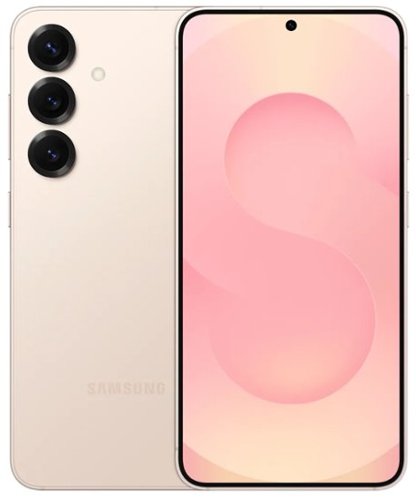
Samsung - Galaxy S25+ 256GB S936U Unlocked - Pinkgold
Meet the Refurbished Samsung Galaxy S25+ your premium companion for power and elegance. With a 6.7-inch QHD+ Dynamic AMOLED 2X display that dazzles at 120 Hz and peaks at 2,600 nits, it brings every image to life. Powered by the Snapdragon 8 Elite chip and backed by a generous 4,900 mAh battery with fast 45 W wired and 15 W wireless charging, it lets you stream, work, and play all day without pause. Snap stunning shots with a triple-camera setup (50 MP wide, 12 MP ultra-wide, 10 MP 3~ telephoto), stay protected with IP68 water & dust resistance and Gorilla Glass Victus 2, and enjoy sleek style thanks to its Armor Aluminum frame and modern color options.
Does it work with Metropcs?
Greetings Thomas, thank you for asking us your question about the Samsung Galaxy S25+. The advertised unlocked Galaxy S25+ is compatible with AT&T, T-Mobile, and Verizon. If you have any other questions for us or if you would like further assistance, please let us know by reaching out to Support. Thank you for being a loyal Samsung customer. - Debra
4 months, 1 week ago
by
Posted by:
Samsung
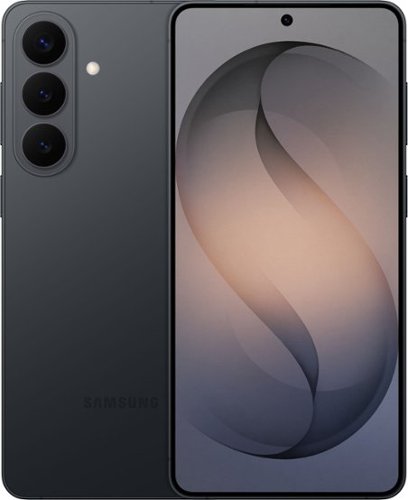
Samsung Galaxy S26+ is designed for the moments when creativity strikes ~ and the pace of your day doesn~t slow down. Powered by Galaxy AI, it helps you shape ideas, express yourself and keep everything moving naturally from inspiration to execution. With Photo Assist, creativity goes far beyond the original shot. Add or remove elements while restoring details or apply artistic styles like painting, black-and-white or playful illustrations to reimagine your photos in seconds. It~s an easy, intuitive way to give your images a new perspective ~ no additional apps required. Creative Studio with Galaxy AI takes those ideas even further. Create custom stickers, personalized profile pictures or entirely new images with a simple prompt. Whether you~re refining a memory or starting from scratch, Galaxy S26+ makes it effortless to turn imagination into something tangible and ready to share. As ideas turn into action, Galaxy S26+ keeps everything in sync. Now Nudge with Galaxy AI supports your conversations by surfacing helpful actions like adding events, viewing your calendar, sharing photos, browsing locations or sending contact details ~ right when they make sense. And with ProScaler enhancing sharpness and color automatically, everything you create, read and type looks clearer and more vibrant throughout the day. Samsung Galaxy S26+ brings creativity and momentum together ~ helping you express more, organize faster and move through your day with ease.
Is the phone gsm unlocked
Howdy ErnestO, thank you for asking us your question about the Samsung Galaxy S26+. The advertised unlocked Galaxy S26+ works well with 2G GSM - GSM850, GSM900, DCS1800, PCS1900; 3G UMTS - B1(2100), B2(1900), B4(AWS), B5(850), B8(900); 4G FDD LTE - B1(2100), B2(1900), B3(1800), B4(AWS), B5(850), B7(2600), B8(900), B12(700), B13(700), B14(700), B18(800), B19(800), B20(800), B25(1900), B26(850), B28(700), B29(700), B30(2300), B66(AWS-3), B71(600); 4G TDD LTE - B38(2600), B39(1900), B40(2300), B41(2500), B48(3600); 5G FDD Sub6 - N1(2100), N2(1900), N3(1800), N5(850), N7(2600), N8(900), N12(700), N20(800), N25(1900), N28(700), N66(AWS-3), N71(600); 5G TDD Sub6 - N38(2600), N41(2500), N77(3700), N78(3500); 5G TDD mmWave - N257(28GHz), N258(26GHz), N260(39GHz), N261(28GHz). If you have any other questions for us or if you would like any further assistance, please do not hesitate to contact Support. Thank you for being a faithful Samsung customer. - Debra
4 months, 1 week ago
by
Posted by:
Samsung