Samsung
Samsung's Stats
Reviews
- Review Count0
- Helpfulness Votes0
- First ReviewNone
- Last ReviewNone
- Featured Reviews0
- Average Rating0
Reviews Comments
- Review Comment Count0
- Helpfulness Votes0
- First Review CommentNone
- Last Review CommentNone
- Featured Review Comments0
Questions
- Question Count0
- Helpfulness Votes0
- First QuestionNone
- Last QuestionNone
- Featured Questions0
- Answer Count74632
- Helpfulness Votes37,992
- First AnswerApril 24, 2013
- Last AnswerSeptember 30, 2026
- Featured Answers0
- Best Answers3952
Samsung's Reviews
Samsung has not submitted any reviews.
Samsung's Questions
Samsung has not submitted any questions.
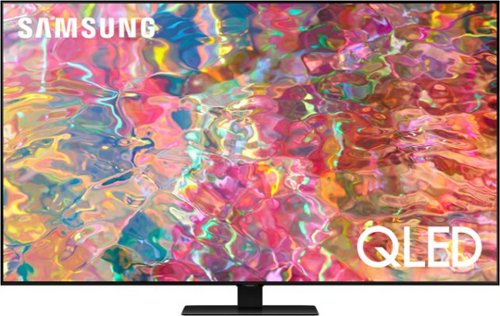
Samsung - 50 Class Q80B QLED 4K Smart Tizen TV (2022)
Delight in the dazzling details from bold contrast with this QLED 4K. Your picture comes to life with deep blacks and pure whites from the precise backlighting of Direct Full Array. Enjoy all you watch upscaled to 4K in a range of Quantum HDR 8X colors, along with 3D sound that follows the action.~ ~Utilizes AI-Based formulas to upscale to 4K Resolution. Resulting picture may vary based on source content.
Does this tv work with Amazon Alexa commands?

RogerRamjet - The Q80B TV features built-in Bixby, Alexa, and Google Assistant. While push to talk is available when using all 3 voice assistants, Alexa and Bixby will both allow you to utilize hands-free voice commands by enabling the Voice Wake-Up feature. Go to: Settings > All Settings > General & Privacy > Voice > Voice Wake-up = ON.
~ Samsung Specialist
~ Samsung Specialist
3 years, 10 months ago
by
Posted by:
Samsung
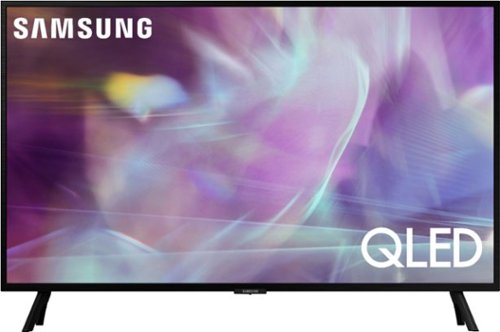
Samsung - 32" Class Q60A Series QLED 4K UHD Smart Tizen TV (2021)
Enjoy ultra-intense 4K vivid color and sharpened clarity with the Q60A / Q60AB. It combines Quantum Dot Technology with the power of 100% Color Volume to deliver a billion of shades for colorful, razor-sharp visuals. The ultra-smart Quantum Processor 4K Lite automatically upscales and transforms your content into 4K. Dual LED backlighting adjusts and coordinates with content in real time to enhance contrast and detail. Plus, with the rechargeable SolarCell Remote, you can easily access and control Smart TV and all your connected devices.
This TV has an edge-lit LED screen. How does the picture quality compare to something that is direct lit?
Hi Rich - Edge-lit panels feature lights on the edges of the display; Direct-lit panels feature lights on the edges and behind the screen for more light uniformity than Edge-lit.
~ Samsung Specialist
~ Samsung Specialist
3 years, 10 months ago
by
Posted by:
Samsung
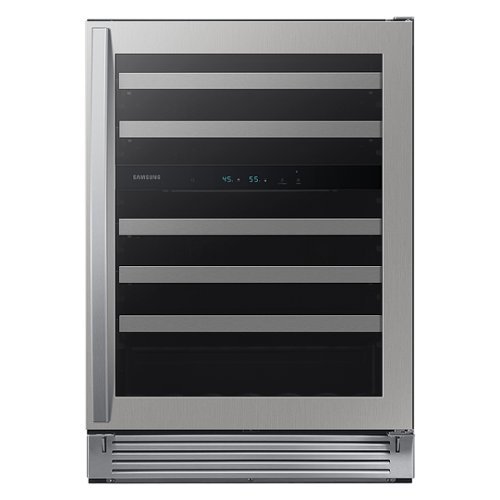
Samsung - 51-Bottle Capacity Wine Cooler - Stainless Steel
Samsung~s Wine Cooler is beautifully designed, with a 51-bottle storage capacity. So go ahead and get your favorite red, white or sparkling beverage, they~ll all be kept at the optimal temperature, ready for your next toast.
Where does the serial numbers locate? It is not printed or sticked on manual. We just got ours today. So far so good.
Hi Jane,
It is good to know where the product label is located for various reasons. Let me help you with locating the product label.
The model and serial number can be found on the back side of this Samsung wine cooler model. I have shared a Samsung link that you can use to aid you visually in where the product label is located.
https://www.samsung.com/us/support/downloads/#find-codes
Should you need more assistance, please feel free to get back to us via the following options:
1. Facebook Messenger: http://m.me/samsungsupport
2. Twitter: https://twitter.com/messages/compose?recipient_id=18768513
3. Samsung Community: https://us.community.samsung.com/t5/Samsung-Community/ct-p/us
When you message us, please provide us with this reference number 1145102233, to help our team pull up your information.
Leo
It is good to know where the product label is located for various reasons. Let me help you with locating the product label.
The model and serial number can be found on the back side of this Samsung wine cooler model. I have shared a Samsung link that you can use to aid you visually in where the product label is located.
https://www.samsung.com/us/support/downloads/#find-codes
Should you need more assistance, please feel free to get back to us via the following options:
1. Facebook Messenger: http://m.me/samsungsupport
2. Twitter: https://twitter.com/messages/compose?recipient_id=18768513
3. Samsung Community: https://us.community.samsung.com/t5/Samsung-Community/ct-p/us
When you message us, please provide us with this reference number 1145102233, to help our team pull up your information.
Leo
3 years, 10 months ago
by
Posted by:
Samsung
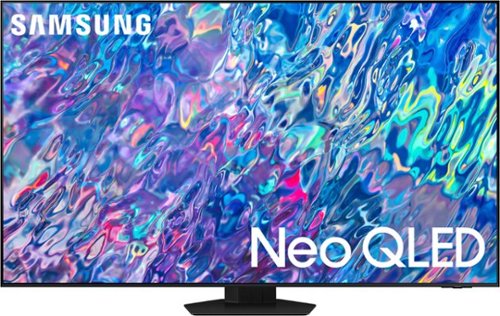
Samsung - 85 Class QN85B Neo QLED 4K Smart Tizen TV (2022)
Get next-level premium 4K experiences powered by Quantum Matrix. By using precision Mini LEDs, color and contrast come alive for details that shine. For all you watch, AI-processing refines your Smart TV Hub and sound, while upscaling your content to 4K - for a brilliant picture, even in bright daylight.
Is this Samsung Full Array, Direct Lit or edge lit?
Hi PJ - The QN85B TV features Full Array Local Dimming backlighting technology.
~ Samsung Specialist
~ Samsung Specialist
3 years, 10 months ago
by
Posted by:
Samsung
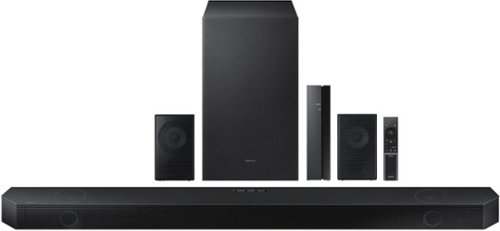
Samsung - HW-Q750B 5.1.2ch Soundbar with Wireless Dolby Atmos / DTS:X - Black
Take your audio to a higher level with the Q750B with Dolby Atmos sound without requiring HDMI cables. Enjoy a cinematic experience with 5 channels, 1 subwoofer and 2 up firing channels. With Q Symphony, the soundbar sound synchronizes with your compatible Samsung TV. Plus, control your soundbar hands free using Alexa voice controls.
Can someone please comment on the rear speakers wires length that connects to the wireless base unit
Hello HTGuy,
The length of the speaker cables is roughly 13 feet long.
~Samsung Solutions
The length of the speaker cables is roughly 13 feet long.
~Samsung Solutions
3 years, 10 months ago
by
Posted by:
Samsung

Enjoy room filling sound in an all in one design. Experience captivating 3D audio with Dolby Digital 5.1 capable and DTS Virtual :X. Perfectly synchronized TV and soundbar sound brings a new level of immersion. Plus, don't miss a word, thanks to a built in center speaker.
Will this work with Samsung - 55" Class 8000 Series LED 4K UHD Smart Tizen TV?
Hi Celeste,
The HW-S50B Soundbar has the ability to connect using Bluetooth, Digital Optical, or HDMI. As long as your TV has one of these inputs you will be all set.
~Samsung Solutions
The HW-S50B Soundbar has the ability to connect using Bluetooth, Digital Optical, or HDMI. As long as your TV has one of these inputs you will be all set.
~Samsung Solutions
3 years, 10 months ago
by
Posted by:
Samsung
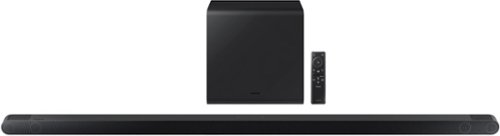
Samsung - HW-S800B 3.1.2ch Soundbar with Wireless Dolby Atmos / DTS:X - Black
Unbelievably sleek, low-profile soundbar delivers high quality audio in a super slim package. Enjoy a surround sound experience with Dolby Atmos and skip the need for HDMI cables. Synchronized audio using every speaker in compatible Samsung TV and soundbars. Simply pair the soundbar with a compatible iPhone or other iOS device to play music.
How do you charge the remote controller? It came with no adapter. thanks.
Hi there,
The HW-S800B Soundbar does not come with a Solar Remote, so you will use two AA batteries.
~Samsung Solutions
The HW-S800B Soundbar does not come with a Solar Remote, so you will use two AA batteries.
~Samsung Solutions
3 years, 10 months ago
by
Posted by:
Samsung
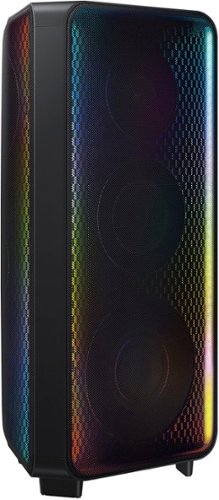
Get the party started with the Samsung MX-ST90B Sound Tower and fill the room with rich sound and LED party lighting.
In order to have in group 2 or more speakers. How many feet that it can be to play in group? Thanks
Hi Young,
When you are connecting Sound Towers together, make sure they are within 3.28 feet (1 meter) from each other. Once connected they can be within Bluetooth range, roughly 30 feet. As long as there are not any obstacles between the smart device and the main Sound Tower
~Samsung Solutions
When you are connecting Sound Towers together, make sure they are within 3.28 feet (1 meter) from each other. Once connected they can be within Bluetooth range, roughly 30 feet. As long as there are not any obstacles between the smart device and the main Sound Tower
~Samsung Solutions
3 years, 10 months ago
by
Posted by:
Samsung

Samsung - HW-B650/ZA 3.1 Channel Soundbar with Wireless Subwoofer, Dolby 5.1 / DTS Virtual:X - Black
Dolby Atmos creates realistic 3D sound by projecting it from all around you, including from above, while DTS Virtual: X expands your listening experience without having to add extra speakers. Boost the bass with a touch of a button. The built-in center speaker delivers enhanced dialogue so you won't miss a word. Experience the intensity of action movies with the powerful bass coming from the included subwoofer. Enjoy optimized audio with enhanced voice clarity on all your favorite video content.
Just purchased this soundbar on Monday, it worked great! Yesterday i was listening to music and the subwoofer stopped working? Tried it this morning with the tv and worked for 10 minutes. Blue light remains lit on back of subwoofer, so there is connection
Hi there,
Try manually reconnecting your subwoofer, doing a hard reset and also make sure that you did not PRESS IN the subwoofer button by accident because this will mute the subwoofer.
To do a manual connection first make sure the soundbar is ON.
1. Press and hold ID SET on the rear of the subwoofer for at least 5 seconds.
• The red indicator on the rear of the subwoofer turns off and the blue indicator blinks.
2. Press and hold the Up button on the remote control for at least 5 seconds.
• The ID SET message appears on the display of the Soundbar for a moment, and then it disappears.
• The Soundbar will automatically power on when ID SET is complete.
3. Check if the LINK LED is solid blue (connection complete).
If your subwoofer still isn't working, try doing a hard reset. With the Soundbar ON press the - & + (Volume UP/DOWN) buttons on the Soundbar itself for roughly 5 seconds. You see INIT scroll across the LED display on the front of your Soundbar. This means it worked and it has been reset.
If you are still having issues please contact Samsung Customer Service for further troubleshooting.
Call us at 1-800-SAMSUNG (ask for Soundbars), available 8 AM – 12 AM EST, 7 days a week.
~Samsung Solutions
Try manually reconnecting your subwoofer, doing a hard reset and also make sure that you did not PRESS IN the subwoofer button by accident because this will mute the subwoofer.
To do a manual connection first make sure the soundbar is ON.
1. Press and hold ID SET on the rear of the subwoofer for at least 5 seconds.
• The red indicator on the rear of the subwoofer turns off and the blue indicator blinks.
2. Press and hold the Up button on the remote control for at least 5 seconds.
• The ID SET message appears on the display of the Soundbar for a moment, and then it disappears.
• The Soundbar will automatically power on when ID SET is complete.
3. Check if the LINK LED is solid blue (connection complete).
If your subwoofer still isn't working, try doing a hard reset. With the Soundbar ON press the - & + (Volume UP/DOWN) buttons on the Soundbar itself for roughly 5 seconds. You see INIT scroll across the LED display on the front of your Soundbar. This means it worked and it has been reset.
If you are still having issues please contact Samsung Customer Service for further troubleshooting.
Call us at 1-800-SAMSUNG (ask for Soundbars), available 8 AM – 12 AM EST, 7 days a week.
~Samsung Solutions
3 years, 10 months ago
by
Posted by:
Samsung
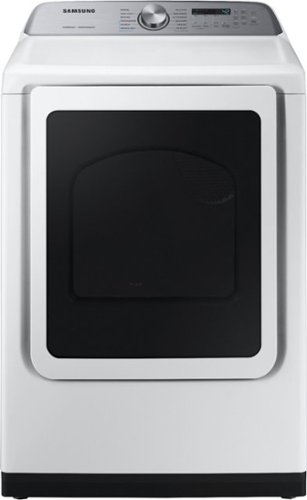
Samsung - 7.4 Cu. Ft. Gas Dryer with Steam and Sensor Dry - White
Advanced features, such as Steam Sanitize+, eliminate 99.9% of germs and bacteria, while the Multi-Steam technology relaxes and smooths away wrinkles from everyday wear. Sensor Dry optimizes cycle time and temperature to thoroughly dry without damaging your clothes. With 12 preset drying cycles, you can cover almost every drying need for your active family.
My dryer is located far from the washers's water line. Do I need to connect it even thought I'm not going to use the steam option? Or is the steam option installation optional?
Good day.
What a unique question you have here, Lucy. If you will not attach the cold water hose from your washer, make sure to attach the hose to the open end of the Y-connector to avoid leaks.
Please contact a qualified technician and follow the instructions on pages 24-25 of the manual to while connecting the water hose:
https://downloadcenter.samsung.com/content/UM/202210/20221028082248825/DV5400_UM_DC68-03784D-13_EN_MES.pdf
If you require further assistance in the future, please do not hesitate to reach us through the channels listed below:
1. Facebook Messenger: http://m.me/samsungsupport
2. Twitter: https://twitter.com/messages/compose?recipient_id=18768513
3. Samsung Community: https://us.community.samsung.com/t5/Samsung-Community/ct-p/us
Please provide us with this reference number (1145100720) to help our team pull up your information when you message us.
Thank you for choosing Samsung. Have a wonderful day!
—Vannesa
What a unique question you have here, Lucy. If you will not attach the cold water hose from your washer, make sure to attach the hose to the open end of the Y-connector to avoid leaks.
Please contact a qualified technician and follow the instructions on pages 24-25 of the manual to while connecting the water hose:
https://downloadcenter.samsung.com/content/UM/202210/20221028082248825/DV5400_UM_DC68-03784D-13_EN_MES.pdf
If you require further assistance in the future, please do not hesitate to reach us through the channels listed below:
1. Facebook Messenger: http://m.me/samsungsupport
2. Twitter: https://twitter.com/messages/compose?recipient_id=18768513
3. Samsung Community: https://us.community.samsung.com/t5/Samsung-Community/ct-p/us
Please provide us with this reference number (1145100720) to help our team pull up your information when you message us.
Thank you for choosing Samsung. Have a wonderful day!
—Vannesa
3 years, 10 months ago
by
Posted by:
Samsung