Samsung
Samsung's Stats
Reviews
- Review Count0
- Helpfulness Votes0
- First ReviewNone
- Last ReviewNone
- Featured Reviews0
- Average Rating0
Reviews Comments
- Review Comment Count0
- Helpfulness Votes0
- First Review CommentNone
- Last Review CommentNone
- Featured Review Comments0
Questions
- Question Count0
- Helpfulness Votes0
- First QuestionNone
- Last QuestionNone
- Featured Questions0
- Answer Count74637
- Helpfulness Votes37,992
- First AnswerApril 24, 2013
- Last AnswerSeptember 30, 2026
- Featured Answers0
- Best Answers3952
Samsung's Reviews
Samsung has not submitted any reviews.
Samsung's Questions
Samsung has not submitted any questions.
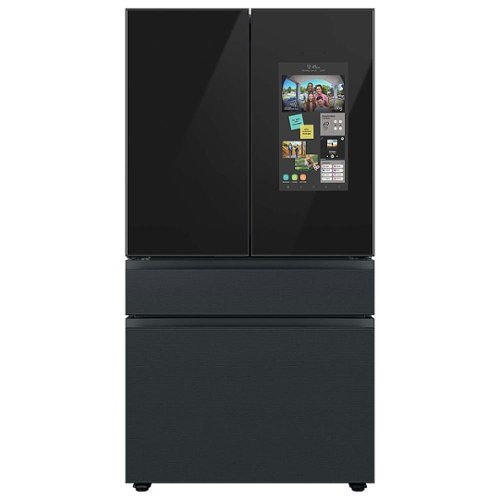
Samsung - BESPOKE 23 cu. ft. 4-Door French Door Counter Depth Smart Refrigerator with Family Hub - Matte Black Steel
Counter Depth 4-Door French Door Refrigerator with customizable and changeable door panels available in a variety of colors and finishes featuring Samsung~s Family Hub which lets you see inside your refrigerator, manage your family~s calendars, stream music, see who~s at the front door and much more, all right from your fridge. It also features the Beverage Center with both a water dispenser and AutoFill Water Pitcher. Plus a Dual Ice Maker with cubed ice and Ice Bites.
I put a thermometer in my refrigerator and my recorded temp goes up over 40F after setting my temp at 37F. This happens every hour or two. It also goes in the colder direction by 2 to 5 F.. My old refrigerator was set at 37 and it stayed at 37F. Normal?

Thank you for asking, Robert. Let's get you some details to help with the
fridge temperature.
Here is a quick note for the fridge:
*Keep the refrigerator away from direct sunlight or a heat source
*Do not overload the refrigerator. Do not allow food to block vents.
For more details, you can check the user manual on page 66.
https://downloadcenter.samsung.com/content/UM/202203/20220310114639753/FDR_RF8000B_F-hub_DA68_04402F_01_EN_MES.pdf
What temperature should I set my Samsung refrigerator to? https://www.samsung.com/us/support/answer/ANS00080450/
Should you need more assistance, please feel free to get back to us via the following options:
1. Facebook Messenger: http://m.me/Samsungsupport
2. Twitter: https://twitter.com/messages/compose?recipient_id=18768513
3. Samsung Community: https://us.community.Samsung.com/t5/Samsung-Community/ct-p/us
When you message us, please provide us with this reference number (1145095905) to help our team pull up your information.
Have a great day.
^Charles
fridge temperature.
Here is a quick note for the fridge:
*Keep the refrigerator away from direct sunlight or a heat source
*Do not overload the refrigerator. Do not allow food to block vents.
For more details, you can check the user manual on page 66.
https://downloadcenter.samsung.com/content/UM/202203/20220310114639753/FDR_RF8000B_F-hub_DA68_04402F_01_EN_MES.pdf
What temperature should I set my Samsung refrigerator to? https://www.samsung.com/us/support/answer/ANS00080450/
Should you need more assistance, please feel free to get back to us via the following options:
1. Facebook Messenger: http://m.me/Samsungsupport
2. Twitter: https://twitter.com/messages/compose?recipient_id=18768513
3. Samsung Community: https://us.community.Samsung.com/t5/Samsung-Community/ct-p/us
When you message us, please provide us with this reference number (1145095905) to help our team pull up your information.
Have a great day.
^Charles
3 years, 10 months ago
by
Posted by:
Samsung
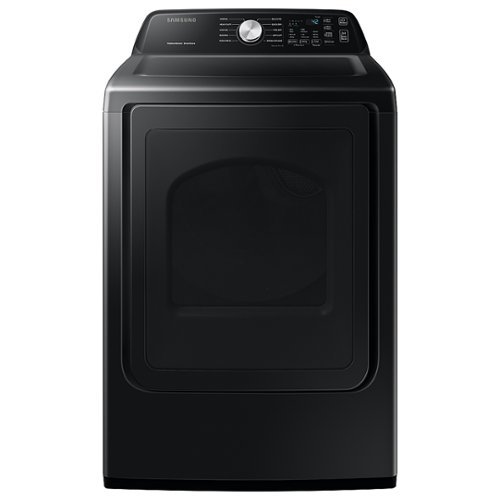
Samsung - 7.4 Cu. Ft. Electric Dryer with Sensor Dry - Brushed Black
Samsung~s Large 7.4 cu. ft. Capacity Top Load dryer fits more in every load, cutting down on laundry time. It features Sensor Dry that helps prevent overdrying for optimal fabric care, and has 10 Preset Drying Cycles to best suit your drying needs.
Just used dryer and had to do twice . Put it to high clothes wrinkle . Not a fan
Hi Manuel,
Nobody wants wrinkles after a dry as well as using the dryer more than you need to. Let me help with what you are experiencing with this Samsung dryer model.
This Samsung dryer model is equipped with a wrinkle-prevent feature. To enable wrinkle-prevent, select a cycle, dryness, and time. Then, press the wrinkle-prevent button. Wrinkle-prevent provides approximately 180 minutes of intermittent tumbling in unheated air at the end of the cycle to reduce wrinkling.
If you have to dry more than you need to, most often than not, your clothes are not dry after using the Samsung dryer. Please follow the steps outlined after selecting the closest to what you are experiencing.
https://www.samsung.com/us/support/troubleshooting/TSG01000999
Should you need more assistance, please feel free to get back to us via the following options:
1. Facebook Messenger: http://m.me/samsungsupport
2. Twitter: https://twitter.com/messages/compose?recipient_id=18768513
3. Samsung Community: https://us.community.samsung.com/t5/Samsung-Community/ct-p/us
When you message us, provide us with this reference number 1145095740, it will help our team pull up your information.
Leo
Nobody wants wrinkles after a dry as well as using the dryer more than you need to. Let me help with what you are experiencing with this Samsung dryer model.
This Samsung dryer model is equipped with a wrinkle-prevent feature. To enable wrinkle-prevent, select a cycle, dryness, and time. Then, press the wrinkle-prevent button. Wrinkle-prevent provides approximately 180 minutes of intermittent tumbling in unheated air at the end of the cycle to reduce wrinkling.
If you have to dry more than you need to, most often than not, your clothes are not dry after using the Samsung dryer. Please follow the steps outlined after selecting the closest to what you are experiencing.
https://www.samsung.com/us/support/troubleshooting/TSG01000999
Should you need more assistance, please feel free to get back to us via the following options:
1. Facebook Messenger: http://m.me/samsungsupport
2. Twitter: https://twitter.com/messages/compose?recipient_id=18768513
3. Samsung Community: https://us.community.samsung.com/t5/Samsung-Community/ct-p/us
When you message us, provide us with this reference number 1145095740, it will help our team pull up your information.
Leo
3 years, 11 months ago
by
Posted by:
Samsung
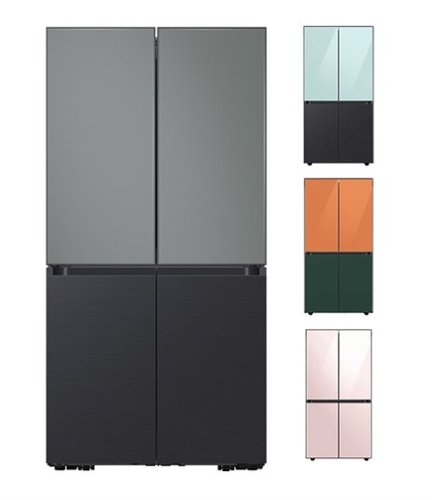
Samsung - BESPOKE 23 cu. ft. 4-Door Flex French Door Smart Refrigerator with Customizable Panels (panels sold separately) - Custom Panel Ready
Smart Counter Depth 4-Door Flex refrigerator with customizable door panels (panels sold separately) available in multiple colors and finishes. It features the Beverage Center with both a water dispenser and AutoFill Water Pitcher, plus a Dual Ice Maker with Ice Bites.
Is the water that comes out of the dispenser cold, or is it room temp?
Hi Kim,
We appreciate your interest in wanting to know more about the fridge's water dispenser feature.
The water dispenser will automatically dispense chilled water.
Water dispenser (applicable models only) on page 57
https://downloadcenter.samsung.com/content/UM/202205/20220525154141895/RF9000A_DA68-04023H-04_EN_MES_CFR.pdf
Please get in touch with us via one of the following options for further assistance:
1. Customer Care: 1-800-726-7864(1800-SAMSUNG)
2. Samsung Community: https://us.community.Samsung.com/t5/Samsung-Community/ct-p/us
3. Facebook Messenger: http://m.me/Samsungsupport
4. Twitter: https://twitter.com/messages/compose?recipient_id=18768513
When you message us, please provide us with this reference number (1145095539) to help our team pull up your information.
Have a great day.
^Charles
We appreciate your interest in wanting to know more about the fridge's water dispenser feature.
The water dispenser will automatically dispense chilled water.
Water dispenser (applicable models only) on page 57
https://downloadcenter.samsung.com/content/UM/202205/20220525154141895/RF9000A_DA68-04023H-04_EN_MES_CFR.pdf
Please get in touch with us via one of the following options for further assistance:
1. Customer Care: 1-800-726-7864(1800-SAMSUNG)
2. Samsung Community: https://us.community.Samsung.com/t5/Samsung-Community/ct-p/us
3. Facebook Messenger: http://m.me/Samsungsupport
4. Twitter: https://twitter.com/messages/compose?recipient_id=18768513
When you message us, please provide us with this reference number (1145095539) to help our team pull up your information.
Have a great day.
^Charles
3 years, 11 months ago
by
Posted by:
Samsung
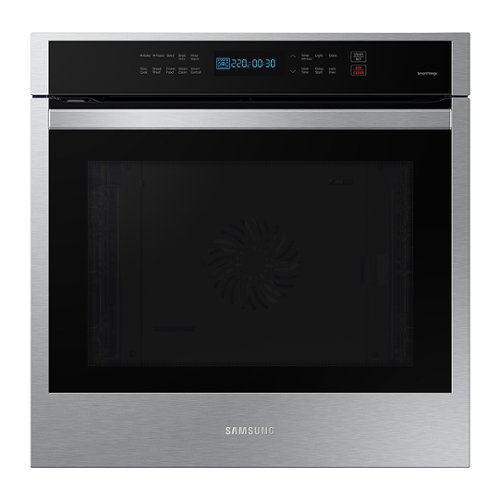
Samsung - 24" 3.1 cu. ft. Single Electric Wall Oven with Convection and Wi-Fi - Stainless Steel
The sleek 24" stainless steel convection oven cooks food quickly and evenly. With an expansive capacity, Wi-Fi connectivity and integrated Digital Touch Controls, it delivers high performance in a slim design that~s still large enough to cook a feast.
What is the actual height width and depth requirements for the cut out.
Hi Bjr1,
Proper installation of this Samsung wall oven model starts with the height, width, and depth measurements for the cut-out.
Please refer to pages 6 - 7 of the installation guide I have shared below as there 2 cut-out dimension information for this Samsung wall oven model.
https://downloadcenter.samsung.com/content/EM/202012/20201201103637745/Install_NV31T4551SS_AA_DG68-01266A-00_EN-MES-CFR.pdf
Should you need more assistance, please feel free to get back to us via the following options:
1. Facebook Messenger: http://m.me/samsungsupport
2. Twitter: https://twitter.com/messages/compose?recipient_id=18768513
3. Samsung Community: https://us.community.samsung.com/t5/Samsung-Community/ct-p/us
When you message us, provide us with this reference number 1145095424, it will help our team pull up your information.
Leo
Proper installation of this Samsung wall oven model starts with the height, width, and depth measurements for the cut-out.
Please refer to pages 6 - 7 of the installation guide I have shared below as there 2 cut-out dimension information for this Samsung wall oven model.
https://downloadcenter.samsung.com/content/EM/202012/20201201103637745/Install_NV31T4551SS_AA_DG68-01266A-00_EN-MES-CFR.pdf
Should you need more assistance, please feel free to get back to us via the following options:
1. Facebook Messenger: http://m.me/samsungsupport
2. Twitter: https://twitter.com/messages/compose?recipient_id=18768513
3. Samsung Community: https://us.community.samsung.com/t5/Samsung-Community/ct-p/us
When you message us, provide us with this reference number 1145095424, it will help our team pull up your information.
Leo
3 years, 11 months ago
by
Posted by:
Samsung
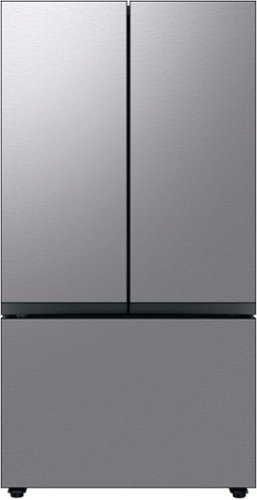
Extra-large capacity 3-Door French Door Refrigerator reinvents water and ice the way you want it with Samsung~s Auto Fill Water Pitcher and Dual Ice Maker with cubed ice and Ice Bites.
How far does the freezer door pull out on the Samsung bespoke 6200! I have a cabinet across from the refrigerator. Thank you
Great question, Lucky. The freezer measures 23 7/8 inches when opened with the door. See the link below for more details.
Dimensions on page 2
https://image-us.samsung.com/SamsungUS/home/home-appliances/pdf/RF30BB6200_V8.pdf
Have a great day.
^Charles
Dimensions on page 2
https://image-us.samsung.com/SamsungUS/home/home-appliances/pdf/RF30BB6200_V8.pdf
Have a great day.
^Charles
3 years, 11 months ago
by
Posted by:
Samsung
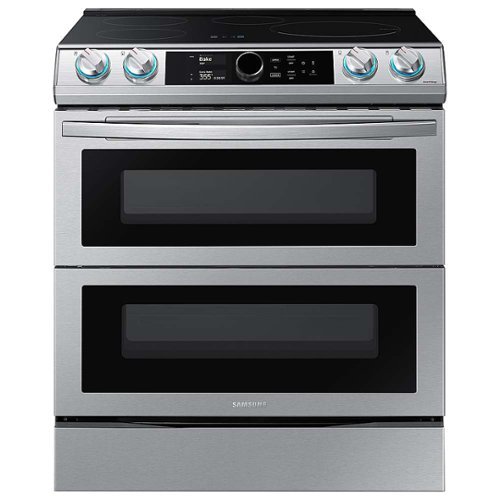
Samsung - 6.3 cu. ft. Slide-In Induction Range with WiFi, Flex Duo, Smart Dial & Air Fry - Stainless Steel
The Samsung Smart Slide-In Induction range with Flex Duo, Smart Dial and Air fry is fully Wi-Fi connected and voice-enabled, giving you the tools you need to simplify the cooking experience in the kitchen. This Slide-In range features Virtual Flame technology giving the visual of gas cooking, with the precision of induction cooking.
Will a 20# turkey fit in bottom oven?
Hi Mary,
Thanksgiving is just around the corner and getting the right oven to do the right job for your bird is needed.
A 20-pound turkey will fit the oven in Single Mode - Full Oven. If you wish to use the lower oven, you may have to cut the turkey into smaller portions, but doing so will not allow for stuffing.
Leo
Thanksgiving is just around the corner and getting the right oven to do the right job for your bird is needed.
A 20-pound turkey will fit the oven in Single Mode - Full Oven. If you wish to use the lower oven, you may have to cut the turkey into smaller portions, but doing so will not allow for stuffing.
Leo
3 years, 11 months ago
by
Posted by:
Samsung

Samsung - 55" Class The Frame QLED 4K UHD Smart Tizen TV (2022)
Artwork, shows, movies and memories display what you love on The Frame, the picture frame like TV. See everything on the QLED 4K TV at 100% Color Volume with Quantum Dot that saturates your screen with a billion colors. Switch on Art Mode and transform your TV into your own personal art exhibit.~ ~QLED televisions can produce 100% Color Volume in the DCI P3 color space, the format for most cinema screens and HDR movies for television.
Can a frame TV be mounted on a traditional TV mount and can traditional HDMI / Ethernet connections be used? I have a standard set of plugs that have been routed through my wall and no easy access to run another cord.
JimDJR - The 55" Frame TV can be wall mounted with any universal wall mount that supports a VESA pattern of 200mm x 200mm. HDMI and other cables can absolutely be used, but they'll plug into the One Connect Box, not the back of the TV.
~ Samsung Specialist
~ Samsung Specialist
3 years, 11 months ago
by
Posted by:
Samsung

Samsung - 65" Class The Serif QLED 4K Smart TV (2022)
Make a bold statement with this unique, unibody TV.Bask in a billion shades of brilliant color that stays true even in bright scenes. Enjoy more screen visibility with virtually no light reflection, night or day.Place The Serif QLED Smart TV anywhere in the room or house, thanks to its detachable stand.
Hi, to person that answered my question about motion plus/the soap opera effect, I’m speaking about your “auto motion plus” setting. Can you please tell me if that specific setting can be completely shut off on the Serif? And where can I see that? Thanks!
Jay - You can disable all Picture Clarity Settings on The Serif.
~ Samsung Specialist
~ Samsung Specialist
3 years, 11 months ago
by
Posted by:
Samsung
Samsung - BESPOKE 23 cu. ft. 4-Door French Door Counter Depth Smart Refrigerator with Family Hub - Matte Black Steel
Counter Depth 4-Door French Door Refrigerator with customizable and changeable door panels available in a variety of colors and finishes featuring Samsung~s Family Hub which lets you see inside your refrigerator, manage your family~s calendars, stream music, see who~s at the front door and much more, all right from your fridge. It also features the Beverage Center with both a water dispenser and AutoFill Water Pitcher. Plus a Dual Ice Maker with cubed ice and Ice Bites.
I just bought this fridge and it keeps tripping my GFCI. Before this fridge I had an older fridge and other appliances all into same circuit and it was fine. This new fridge isn’t. I even moved everything off the circuit. Who do I initiate my return with?
Great to see your review, Ryker. Let's get some details and try to get the fridge on track.
Since the GFCI keeps getting tripped, you can also try to plug it directly to a non-GFCI outlet and check if the breaker will still be tripped.
The refrigerator has no power
https://www.samsung.com/us/support/troubleshooting/TSG01109708/
You can get in touch with the BestBuy Customer Service department at (888) 237-8289, available 24 hours a day.
They can answer your question regarding the return policy.
Should you need more assistance, please feel free to get back to us via the following options:
1. Facebook Messenger: http://m.me/Samsungsupport
2. Twitter: https://twitter.com/messages/compose?recipient_id=18768513
3. Samsung Community: https://us.community.Samsung.com/t5/Samsung-Community/ct-p/us
When you message us, please provide us with this reference number (1145095063) to help our team pull up your information.
Have a great day.
^Charles
Since the GFCI keeps getting tripped, you can also try to plug it directly to a non-GFCI outlet and check if the breaker will still be tripped.
The refrigerator has no power
https://www.samsung.com/us/support/troubleshooting/TSG01109708/
You can get in touch with the BestBuy Customer Service department at (888) 237-8289, available 24 hours a day.
They can answer your question regarding the return policy.
Should you need more assistance, please feel free to get back to us via the following options:
1. Facebook Messenger: http://m.me/Samsungsupport
2. Twitter: https://twitter.com/messages/compose?recipient_id=18768513
3. Samsung Community: https://us.community.Samsung.com/t5/Samsung-Community/ct-p/us
When you message us, please provide us with this reference number (1145095063) to help our team pull up your information.
Have a great day.
^Charles
3 years, 11 months ago
by
Posted by:
Samsung
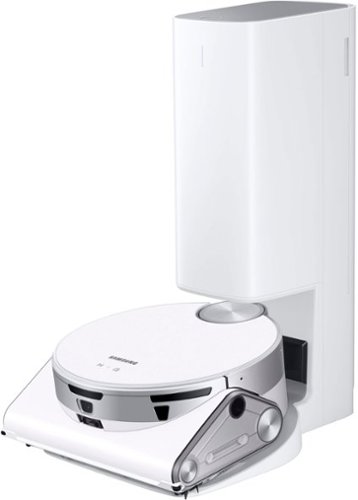
Samsung - Jet Bot AI+ Robot Vacuum with Object Recognition - White
With a 3D camera and AI Object Recognition Technology, the new Samsung Jet Bot AI+ is able to identify objects and smartly determine the best way to clean around them. It can also adjust suction to optimize cleaning performance on various surfaces such as carpet, hard floors, or tile. LiDAR sensors help provide an efficient mapping and cleaning route throughout your home. Use the no-touch Clean Station to automatically empty the dustbin.
How does the Jetbot handle stairs? Will it fall down or is it intelligent enough to turn around? Can you also tell it not to clean too close to the stairs so it won't fall down?
Hi David,
We understand the reason behind your question about stairs and this Samsung Jetbot model and whether it can identify areas where it can avoid damage.
This Samsung Jetbot model has the capability of knowing the boundaries it is to avoid when using the boundary markers that come with the unit.
Please refer to page 23 of the user manual of this Samsung Jetbot model I have shared below to learn more about setting the boundaries for the unit.
https://downloadcenter.samsung.com/content/PM/202112/20211220170649750/EN/1_VR9500_EN_00846B-00_AA.pdf
Should you need more assistance, please feel free to get back to us via the following options:
1. Facebook Messenger: http://m.me/samsungsupport
2. Twitter: https://twitter.com/messages/compose?recipient_id=18768513
3. Samsung Community: https://us.community.samsung.com/t5/Samsung-Community/ct-p/us
When you message us, provide us with this reference number 1145094980, it will help our team pull up your information.
Leo
We understand the reason behind your question about stairs and this Samsung Jetbot model and whether it can identify areas where it can avoid damage.
This Samsung Jetbot model has the capability of knowing the boundaries it is to avoid when using the boundary markers that come with the unit.
Please refer to page 23 of the user manual of this Samsung Jetbot model I have shared below to learn more about setting the boundaries for the unit.
https://downloadcenter.samsung.com/content/PM/202112/20211220170649750/EN/1_VR9500_EN_00846B-00_AA.pdf
Should you need more assistance, please feel free to get back to us via the following options:
1. Facebook Messenger: http://m.me/samsungsupport
2. Twitter: https://twitter.com/messages/compose?recipient_id=18768513
3. Samsung Community: https://us.community.samsung.com/t5/Samsung-Community/ct-p/us
When you message us, provide us with this reference number 1145094980, it will help our team pull up your information.
Leo
3 years, 11 months ago
by
Posted by:
Samsung