Samsung
Samsung's Stats
Reviews
- Review Count0
- Helpfulness Votes0
- First ReviewNone
- Last ReviewNone
- Featured Reviews0
- Average Rating0
Reviews Comments
- Review Comment Count0
- Helpfulness Votes0
- First Review CommentNone
- Last Review CommentNone
- Featured Review Comments0
Questions
- Question Count0
- Helpfulness Votes0
- First QuestionNone
- Last QuestionNone
- Featured Questions0
- Answer Count73755
- Helpfulness Votes37,944
- First AnswerApril 24, 2013
- Last AnswerAugust 20, 2026
- Featured Answers0
- Best Answers3946
Samsung's Reviews
Samsung has not submitted any reviews.
Samsung's Questions
Samsung has not submitted any questions.
Discover a new level of visual and auditory brilliance with our next-level smart TV featuring an extra-large screen that's engineered to stay sharp and clear. Powered by Pantone-certified color accuracy, witness over one billion authentic hues burst forth in beautiful detail. Quantum HDR takes things further, elevating contrast for lifelike imagery. Add to that our advanced 3D audio system syncing flawlessly with on-screen motion, all intelligently powered by Samsung Vision AI. And rest assured, Knox keeps your private info safe and secure.
Would this work on 240V?

This Samsung TV model is designed for use in the U.S. and supports 110-120V power only.
~ Samsung Specialist
~ Samsung Specialist
4 months, 1 week ago
by
Posted by:
Samsung
Samsung - 43 Class QN90F Series Neo QLED Mini LED 4K UHD SamsungVision AI Smart Tizen TV (2025)
Our most advanced 4K processor powers Samsung Vision AI for enhanced picture, sound, and breakthrough TV experiences. Get amazingly detailed picture and vivid color on a glare free screen for viewing without distraction, even in the brightest rooms. Enriching new personalized TV experiences let you dive deeper into your content and get more from your TV.
What is the distance from thr height of the stand to the bottom of the screen? Thank you.
The 43” QN90F has a clearance of 2.4” beneath the TV when set up with the stand.
~ Samsung Specialist
~ Samsung Specialist
4 months, 1 week ago
by
Posted by:
Samsung
Take full advantage of Samsung Vision AI with enhanced picture and sound upscaled to 4K quality, plus experiences uniquely tailored to you - whether you're streaming your favorite show, gaming with friends, or watching live sports. And with access to free, premium channels, there's always some thing great to watch - in vivid detail brought to life by proprietary Mini LEDs.
Does it have a directv app
hw - Yes, the DirecTV app is available.
~ Samsung Specialist
~ Samsung Specialist
4 months, 1 week ago
by
Posted by:
Samsung
Self-illuminating pixels deliver the dramatic contrast of OLED and dazzling, expert-validated color, driven by our advanced AI processor. Experience a stunning picture with enhanced brightness and depth, all in a sleek design with a thin bezel. Dive into your content with Samsung Vision AI experiences and immerse yourself in multi-dimensional audio with top-firing speakers.
Does this TV have dual Bluetooth connectivity?
MC - Yes, Dual Bluetooth is supported.
~ Samsung Specialist
~ Samsung Specialist
4 months, 1 week ago
by
Posted by:
Samsung
Self-illuminating pixels deliver the dramatic contrast of OLED and dazzling, expert-validated color, driven by our advanced AI processor. Experience a stunning picture with enhanced brightness and depth, all in a sleek design with a thin bezel. Dive into your content with Samsung Vision AI experiences and immerse yourself in multi-dimensional audio with top-firing speakers.
How do I prevent the screen saver from coming on so quickly
Please keep in mind that if your OLED TV displays a still image or receives no input for 2 minutes, the Screen Saver will activate automatically. This feature is built in and cannot be disabled, as it plays a key role in protecting your screen from long-term image retention or burn-in.
~ Samsung Specialist
~ Samsung Specialist
4 months, 1 week ago
by
Posted by:
Samsung
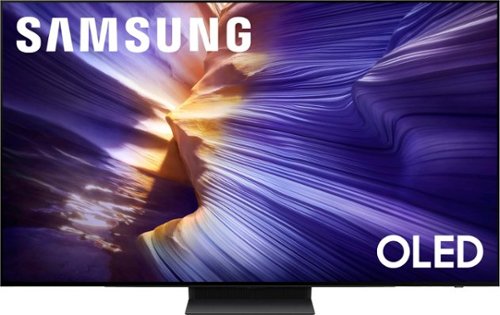
Our fastest 4K processor powers Samsung Vision AI to upscale your favorite content and put you at the center of the action. Powerful OLED HDR+ contrast and Pantone Validated color let you appreciate every detail. Dynamic motion enhancement technology delivers ultra smooth action for crisp visuals at blazing fast speeds whether you're streaming or gaming.
I bought a 55" Samsung OLED and ONE Connect Box seems to not attach to the back of the TV for wall mounting. Is that correct? Is this different with the 65"? I want the TV on the wall with wires in the wall and not have a table to hold the box. Thx.
MV - Please give us the opportunity to better assist with this by reaching Samsung Support at: 1-800-SAMSUNG (8AM – 9PM EST Mon – Fri, 8AM – 6PM Sat – Sun) or Chat with us on Samsung.com: https://www.samsung.com/us/support/contact/
~ Samsung Specialist
~ Samsung Specialist
4 months, 1 week ago
by
Posted by:
Samsung
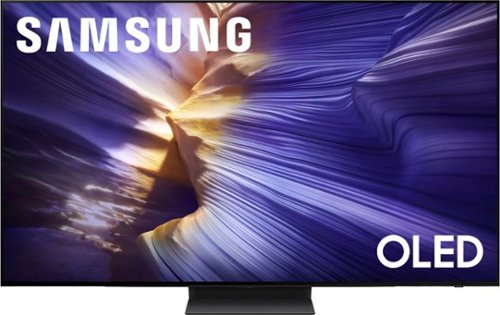
Our fastest 4K processor powers Samsung Vision AI to upscale your favorite content and put you at the center of the action. Powerful OLED HDR+ contrast and Pantone Validated color let you appreciate every detail. Dynamic motion enhancement technology delivers ultra smooth action for crisp visuals at blazing fast speeds whether you're streaming or gaming.
What is the fps on this monitor
Nightryder1 - All 4 HDMI ports on the S90F are capable of Auto Low Latency Mode (ALLM), Dynamic Metadata (HDR10+), Variable Refresh Rate (VRR), and 4K@120Hz (up to 144Hz for PCs). eARC support can further be found in HDMI port 3.
~ Samsung Specialist
~ Samsung Specialist
4 months, 1 week ago
by
Posted by:
Samsung
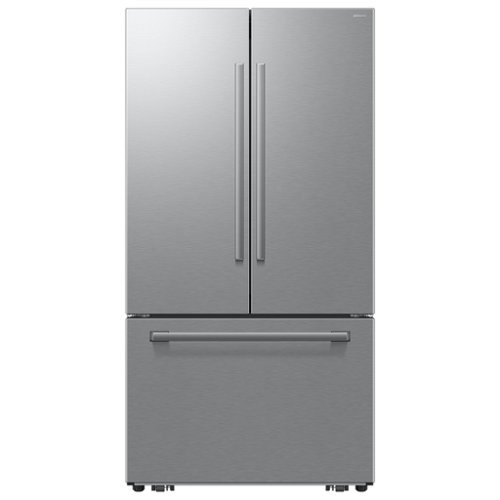
Samsung's Bespoke AI 25 cu. ft. Counter Depth 3-Door French Door Refrigerator with zero clearance fit is designed to fit in all types of spaces. Special hinges and slim doors allow the fridge to open with minimal gaps between walls and cabinets, providing a seamless look. Fill tall bottles and oversized tumblers without tilting or spilling with the In-Door Tall Water Dispenser's high-clearance design and enjoy cubed ice whenever you need it with the Auto Ice Maker.
When will this fridge be available?
Hi Matt,
It’s helpful to know you’re checking on availability, as that helps clarify what information will be most useful.
This refrigerator is currently part of Samsung’s active lineup and available to explore and purchase, allowing you to review features, pricing, and delivery options based on your location.
Official product page
https://www.samsung.com/us/refrigerators/french-door/bespoke-ai-25-cu-ft-counter-depth-3-door-french-door-refrigerator-with-zero-clearance-fit-and-in-door-tall-water-dispenser-in-stainless-steel-sku-rf70h25keraa/
Please keep this reference number for your records 1152355782.
Thank you for your question.
Meneleo
Samsung Care
It’s helpful to know you’re checking on availability, as that helps clarify what information will be most useful.
This refrigerator is currently part of Samsung’s active lineup and available to explore and purchase, allowing you to review features, pricing, and delivery options based on your location.
Official product page
https://www.samsung.com/us/refrigerators/french-door/bespoke-ai-25-cu-ft-counter-depth-3-door-french-door-refrigerator-with-zero-clearance-fit-and-in-door-tall-water-dispenser-in-stainless-steel-sku-rf70h25keraa/
Please keep this reference number for your records 1152355782.
Thank you for your question.
Meneleo
Samsung Care
4 months, 1 week ago
by
Posted by:
Samsung
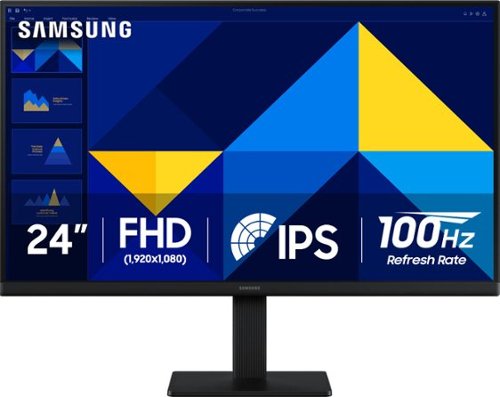
Samsung~s 24" S3 Monitor enables smooth performance, heightened productivity, and greater comfort. The IPS Panel delivers a stunning color experience across the entire display with less color washing, offering clarity from any viewpoint so tones stay consistent and accurate. The 100Hz refresh rate reduces lag and motion blur while playing games, watching videos, or working. Game Picture Mode with optimizable game settings enables instant adjustment of color and image contrast. Eye Saver Mode protects vision, reduces blue light and screen flicker, and extends comfort even during long sessions. The ergonomic super-slim design is a stylish addition to any environment, while ultra-thin border bezels make the most of screen space. Multiple connectivity enables devices to be plugged straight into the monitor for increased flexibility.
CAN THIS MONITOR BE WALL MOUNTED
Yes, the S30GD monitor can be wall mounted. It is equipped with a 100 x 100mm VESA mounting pattern on the back, allowing it to be attached to a wall, swivel arm, or multi-monitor stand.
- Samsung Monitors
- Samsung Monitors
4 months, 1 week ago
by
Posted by:
Samsung

With faster read/write speeds of up to 7,250/6,300 MB/s*, larger storage capacity of up to 4TB with TurboWrite 2.0 and 73% ** greater power efficiency compared with the 990 EVO, the 990 EVO Plus makes large editing, file transfer or gaming tasks go smoother and faster. It~s the perfect productivity boost helping you tackle a busy day full of work (or play).
Can this ssd fit and work with the Rog Xbox Ally?
Teddy,
Yes, the 990 EVO Plus SSD can be used with the Rog Xbox Ally.
~Samsung Pro
Yes, the 990 EVO Plus SSD can be used with the Rog Xbox Ally.
~Samsung Pro
4 months, 1 week ago
by
Posted by:
Samsung