Samsung
Samsung's Stats
Reviews
- Review Count0
- Helpfulness Votes0
- First ReviewNone
- Last ReviewNone
- Featured Reviews0
- Average Rating0
Reviews Comments
- Review Comment Count0
- Helpfulness Votes0
- First Review CommentNone
- Last Review CommentNone
- Featured Review Comments0
Questions
- Question Count0
- Helpfulness Votes0
- First QuestionNone
- Last QuestionNone
- Featured Questions0
- Answer Count74637
- Helpfulness Votes37,992
- First AnswerApril 24, 2013
- Last AnswerSeptember 30, 2026
- Featured Answers0
- Best Answers3952
Samsung's Reviews
Samsung has not submitted any reviews.
Samsung's Questions
Samsung has not submitted any questions.
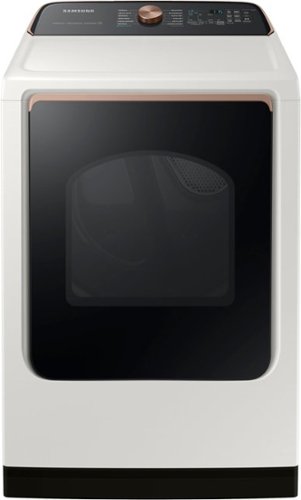
Samsung - 7.4 Cu. Ft. Smart Electric Dryer with Steam Sanitize+ - Ivory
Samsung~s new Smart Dryer has integrated Wi-Fi that allows you to remotely start or stop your cycle, schedule laundry on your time, and receive end of cycle alerts and more, right from your smartphone. Also, the Steam Sanitize+ cycle eliminates 99.9% of germs and bacteria while relaxing and smoothing away wrinkles from everyday wear.
What size vent hose does this dryer take?

Good question about the vent hose size BigMac. Let me provide the information you are needing below.
The required exhaust duct is 4 inches in diameter.
Leo
The required exhaust duct is 4 inches in diameter.
Leo
3 years, 11 months ago
by
Posted by:
Samsung
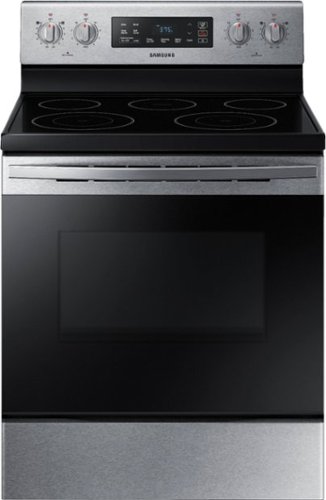
Samsung - 5.9 cu. ft. Freestanding Electric Range with Self-Cleaning - Stainless Steel
The Samsung freestanding range with a large 5.9 cu. ft. capacity oven can easily accommodate a big roast, multiple casserole dishes, or two racks of cookies. It also has a powerful and flexible cooktop with five heating elements, including two dual elements, to provide an element that accommodates multiple pan sizes, whether you're boiling water, melting chocolate, or simmering sauce. The self-cleaning setting has 3 different options, depending on your cleaning needs.
Where is this located. What store is located? Please give me information about it. Thank you
Dear Valued Best Buy Client,
To better assist you with this issue, please contact Best Buy customer service department at P. (888) 237-8289 H.24 Hours a Day.
They can either answer your question or transfer you to your local store to answer your specific concern.
Leo
To better assist you with this issue, please contact Best Buy customer service department at P. (888) 237-8289 H.24 Hours a Day.
They can either answer your question or transfer you to your local store to answer your specific concern.
Leo
3 years, 11 months ago
by
Posted by:
Samsung
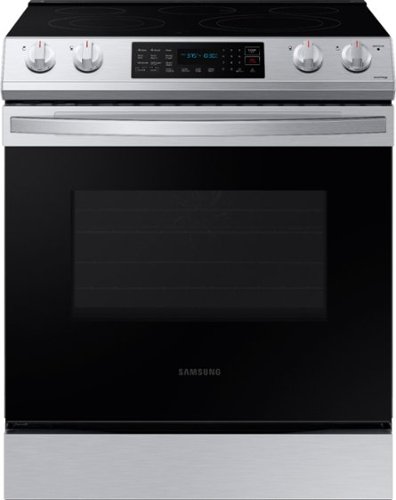
Samsung - 6.3 cu. ft. Front Control Slide-in Electric Range with Convection & Wi-Fi, Fingerprint Resistant - Stainless Steel
The new Samsung Front Control Slide-in Electric Range with Convection is fully Wi-Fi connected and voice enabled, making it easy to create delicious meals for your family faster.
Range only shows 3 modes even when I select all of them in my mode list and save The same three are only shown when I return to the main menu. Broil, connection bake, convection roast.
Hi Sue,
We appreciate your question and experience about the cooking mode list of this Samsung range model with the SmartThings app.
Some models only light up buttons that are currently available (like Broil, Roast, or Bake) and will ignore input from other buttons because they are not available at the moment.
You may have to perform a factory reset on your range if the settings are not reflecting on your range and the SmartThings app.
I have shared a Samsung link that will help with resetting the range.
Connect and use your Samsung range with SmartThings:
https://www.samsung.com/us/support/answer/ANS00049148/
If you have the same experience after performing a factory reset, please feel free to get back to us via the following options to collect more details and assist you in the best way:
1. Facebook Messenger: http://m.me/samsungsupport
2. Twitter: https://twitter.com/messages/compose?recipient_id=18768513
3. Samsung Community: https://us.community.samsung.com/t5/Samsung-Community/ct-p/us
When you message us, provide us with this reference number 1145077158, it will help our team pull up your information.
Leo
We appreciate your question and experience about the cooking mode list of this Samsung range model with the SmartThings app.
Some models only light up buttons that are currently available (like Broil, Roast, or Bake) and will ignore input from other buttons because they are not available at the moment.
You may have to perform a factory reset on your range if the settings are not reflecting on your range and the SmartThings app.
I have shared a Samsung link that will help with resetting the range.
Connect and use your Samsung range with SmartThings:
https://www.samsung.com/us/support/answer/ANS00049148/
If you have the same experience after performing a factory reset, please feel free to get back to us via the following options to collect more details and assist you in the best way:
1. Facebook Messenger: http://m.me/samsungsupport
2. Twitter: https://twitter.com/messages/compose?recipient_id=18768513
3. Samsung Community: https://us.community.samsung.com/t5/Samsung-Community/ct-p/us
When you message us, provide us with this reference number 1145077158, it will help our team pull up your information.
Leo
3 years, 11 months ago
by
Posted by:
Samsung
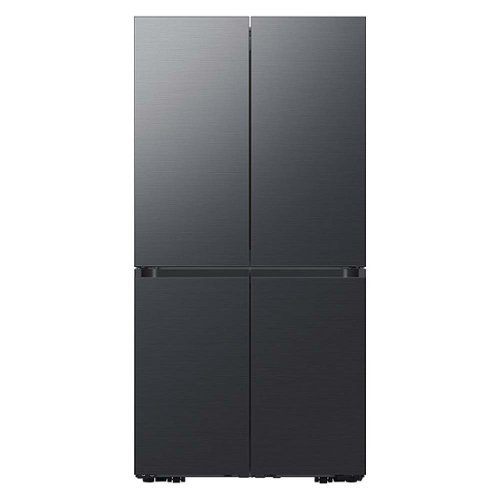
Samsung - BESPOKE 29 cu. ft. 4-Door Flex French Door Smart Refrigerator with Customizable Panel Colors - Matte Black Steel
Extra-large capacity Smart 4-Door Flex refrigerator with customizable door panels available in multiple colors and finishes. It features the Beverage Center with both a water dispenser and AutoFill Water Pitcher, plus a Dual Ice Maker with Ice Bites, nugget ice.
Refrigerator was just delivered, delivery people damaged wire to flex door. Does this wire affect freezer lighting because freezer lights are not working?
Thank you for taking the time to leave this review, Hoss.
Let us check some possible settings first on the refrigerator.
You've just delivered your refrigerator, and the lights don't come on inside.
Samsung refrigerator lights do not turn on
https://www.samsung.com/us/support/troubleshooting/TSG01109322/
You can also contact our BestBuy Customer Service department at (888) 237-8289, available 24 hours a day.
They can address the damage during the delivery for you.
Should you need more assistance, please feel free to get back to us via the following options:
1. Facebook Messenger: http://m.me/Samsungsupport
2. Twitter: https://twitter.com/messages/compose?recipient_id=18768513
3. Samsung Community: https://us.community.Samsung.com/t5/Samsung-Community/ct-p/us
When you message us, please provide us with this reference number (1145077084) to help our team pull up your information.
Have a great day.
^Charles
Let us check some possible settings first on the refrigerator.
You've just delivered your refrigerator, and the lights don't come on inside.
Samsung refrigerator lights do not turn on
https://www.samsung.com/us/support/troubleshooting/TSG01109322/
You can also contact our BestBuy Customer Service department at (888) 237-8289, available 24 hours a day.
They can address the damage during the delivery for you.
Should you need more assistance, please feel free to get back to us via the following options:
1. Facebook Messenger: http://m.me/Samsungsupport
2. Twitter: https://twitter.com/messages/compose?recipient_id=18768513
3. Samsung Community: https://us.community.Samsung.com/t5/Samsung-Community/ct-p/us
When you message us, please provide us with this reference number (1145077084) to help our team pull up your information.
Have a great day.
^Charles
3 years, 11 months ago
by
Posted by:
Samsung
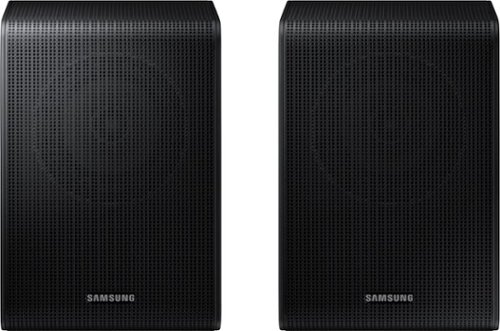
Samsung - SWA-9200S/ZA 2.0 Channel Wireless Rear Speaker Kit - Black
Connect easily and wirelessly to Samsung speakers for room-filling sound.
Ok, so my previous question was about compatibility with the Samsung TV I own. The response was yes. I’ve connected the speakers and paired them with the TV. However, no matter what show I watch the right speaker has no sound. Recommendations to fix?
Hi there,
Check to make sure that the red cable is inserted in to the + port and the black cable is inserted in to the - port. Also make sure that the cables are not too far in so the connect is solid.
If you are still having issues with the right speaker, please contact Samsung Customer Service for additional troubleshooting via 1-800 SAMSUNG.
~Samsung Solutions
Check to make sure that the red cable is inserted in to the + port and the black cable is inserted in to the - port. Also make sure that the cables are not too far in so the connect is solid.
If you are still having issues with the right speaker, please contact Samsung Customer Service for additional troubleshooting via 1-800 SAMSUNG.
~Samsung Solutions
3 years, 11 months ago
by
Posted by:
Samsung
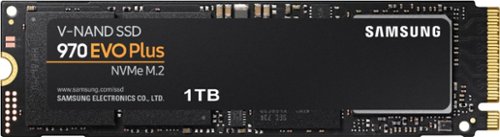
Samsung - 970 EVO Plus 1TB Internal SSD PCIe Gen 3 x4 NVMe
The ultimate in speed and performance Speed up your computer with this Samsung 970 Evo Plus 1TB internal SSD. It maximizes the potential of NVMe bandwidth for unbeatable computing The M.2 interface is capable of delivering read speeds up to 3,500MB/sec. and write speeds up to 3,300MB/sec., so you can finish work faster. Samsung's innovative technology empowers you with the capacity to do more and accomplish more. The 970 EVO Plus provides exceptional endurance powered by the latest V-NAND technology and Samsung's reputation for quality. This Samsung 970 Evo Plus 1TB internal SSD has Dynamic Thermal Guard technology for protection against overheating.
Well this could be a good idea to work with Samsung Notebook 9 (compatible and the work at Optimum speed) Notebook 9 not Notebook 9 Pro
Joe:
Yes, the 970 EVO Plus is compatible with the Samsung Notebook 9.
Should you have questions or need assistance using this product, please contact Samsung Customer Support.
Call: 1-800-SAMSUNG (ask for Memory or press #, then 6 for Memory products)
Available 9AM – 9PM EST (Mon-Fri)
- Samsung Memory
Yes, the 970 EVO Plus is compatible with the Samsung Notebook 9.
Should you have questions or need assistance using this product, please contact Samsung Customer Support.
Call: 1-800-SAMSUNG (ask for Memory or press #, then 6 for Memory products)
Available 9AM – 9PM EST (Mon-Fri)
- Samsung Memory
3 years, 11 months ago
by
Posted by:
Samsung
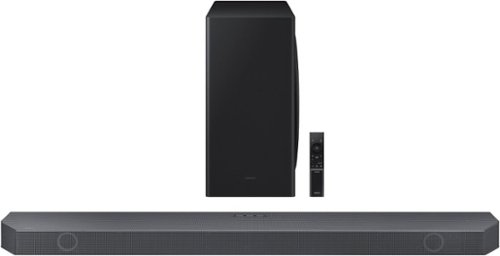
Samsung - 5.1.2 Ch Soundbar with Wireless Dolby Atmos/ DTS:X - Black
Enjoy a surround sound experience with Dolby Atmos and skip the need for HDMI cables. Totally immerse yourself in astonishing 3D sound with 5 channels, 1 subwoofer and 2 up-firing channels working together to create a captivating audio experience. Synchronized audio using every speaker in compatible Samsung TV and soundbars. Sound calibrated for your space to perfection.
What size/type of screws do I need to buy to mount this to the sheet rock wall using the brackets that come with this sound bar?
Hello there,
To use the mounting bracket provided with the HW-Q800B Soundbar, use screws with the diameter M5, with a length of 1 3/8 inch or longer recommended depending on your wall.
~Samsung Solutions
To use the mounting bracket provided with the HW-Q800B Soundbar, use screws with the diameter M5, with a length of 1 3/8 inch or longer recommended depending on your wall.
~Samsung Solutions
3 years, 11 months ago
by
Posted by:
Samsung

Samsung - HW-Q930B/ZA 9.1.4ch Soundbar with Wireless Dolby Atmos / DTS:X and Rear Speakers - Black
Enjoy an unparalleled audio experience with the Q930B, thanks to wireless Dolby Atmos. Sound floods your ears from every corn er of the room with 9 channels, 1 subwoofer and 4 up firing channels to make you feel like you~re right there at the big game, concert or action scene. With Q Symphony, the soundbar sound synchronizes with all of the internal speakers in your compatible Samsung TV to enrich the audio even further. Plus, the included up firing rear speakers project sound above and around you.
I have some in ceiling speakers in my basement which are hard wired to an older amp. Does the Samsung - HW-Q930B/ZA 9.1.4ch Soundbar have a port where I can reconnect the speaker wires from the ceiling speakers?
Hi SRB,
The HW-Q930B Soundbar is exclusively compatible with the Wireless Rear Speakers and Wireless Subwoofer included in the box and cannot be connected to any third party speakers.
~Samsung Solutions
The HW-Q930B Soundbar is exclusively compatible with the Wireless Rear Speakers and Wireless Subwoofer included in the box and cannot be connected to any third party speakers.
~Samsung Solutions
3 years, 11 months ago
by
Posted by:
Samsung

Enjoy room filling sound in an all in one design. Experience captivating 3D audio with Dolby Digital 5.1 capable and DTS Virtual :X. Perfectly synchronized TV and soundbar sound brings a new level of immersion. Plus, don't miss a word, thanks to a built in center speaker.
Samsung 50" - TU700D Series - 4K UHD LED LCD TV Will this sound bar connect with this TV? Will it come with cable needed to connect? If not, what type of cable is needed. Thanks
Hello Carl,
The HW-S50B Soundbar can be connected using Bluetooth, Digital Optical or HDMI. You will need to purchase either a digital optical or HDMI cable. We do recommend using the TV ARC HDMI port for the best audio experience.
~Samsung Solutions
The HW-S50B Soundbar can be connected using Bluetooth, Digital Optical or HDMI. You will need to purchase either a digital optical or HDMI cable. We do recommend using the TV ARC HDMI port for the best audio experience.
~Samsung Solutions
3 years, 11 months ago
by
Posted by:
Samsung

Samsung - HW-B650/ZA 3.1 Channel Soundbar with Wireless Subwoofer, Dolby 5.1 / DTS Virtual:X - Black
Dolby Atmos creates realistic 3D sound by projecting it from all around you, including from above, while DTS Virtual: X expands your listening experience without having to add extra speakers. Boost the bass with a touch of a button. The built-in center speaker delivers enhanced dialogue so you won't miss a word. Experience the intensity of action movies with the powerful bass coming from the included subwoofer. Enjoy optimized audio with enhanced voice clarity on all your favorite video content.
I have an older Samsung TV, MODEL LN40A650AFXZA. Is that TV compatible with the HW-B650/ZA sound bar ?
Hello,
The HW-B650 Soundbar has the ability to connect using HDMI, Digital Optical or Bluetooth. If your TV has one of those then you will be good to go.
~Samsung Solutions
The HW-B650 Soundbar has the ability to connect using HDMI, Digital Optical or Bluetooth. If your TV has one of those then you will be good to go.
~Samsung Solutions
3 years, 11 months ago
by
Posted by:
Samsung