Samsung
Samsung's Stats
Reviews
- Review Count0
- Helpfulness Votes0
- First ReviewNone
- Last ReviewNone
- Featured Reviews0
- Average Rating0
Reviews Comments
- Review Comment Count0
- Helpfulness Votes0
- First Review CommentNone
- Last Review CommentNone
- Featured Review Comments0
Questions
- Question Count0
- Helpfulness Votes0
- First QuestionNone
- Last QuestionNone
- Featured Questions0
- Answer Count73755
- Helpfulness Votes37,944
- First AnswerApril 24, 2013
- Last AnswerAugust 20, 2026
- Featured Answers0
- Best Answers3946
Samsung's Reviews
Samsung has not submitted any reviews.
Samsung's Questions
Samsung has not submitted any questions.
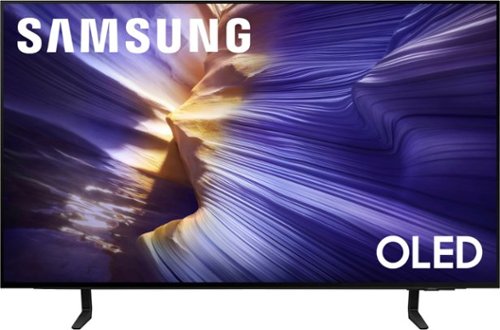
Samsung - 42 Class S90F Series OLED 4K UHD SamsungVision AI Smart Tizen TV (2025)
Our fastest 4K processor powers Samsung Vision AI to upscale your favorite content and put you at the center of the action. Powerful OLED HDR+ contrast and Pantone Validated color let you appreciate every detail. Dynamic motion enhancement technology delivers ultra smooth action for crisp visuals at blazing fast speeds whether you're streaming or gaming.
does the Samsung 42”Class S90F Series OLED 4K UHD TV (2025) come with the two legs or the solid stand? i have gotten conflicting infofrom both samsung and best buy.even the spec.info here is inconsistent.what is the width measurement of the legs/stand ?

Hi there - The 42" S90F comes with a 2-legged stand (center pedestal stand with 48" and larger).
~ Samsung Specialist
~ Samsung Specialist
4 months, 1 week ago
by
Posted by:
Samsung
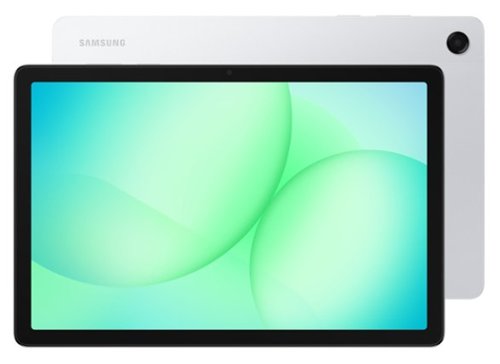
Galaxy Tab A11+ moves with your family~s day from work to play and every moment between. Its bright 11" screen brings streaming, reading and schoolwork to life while upgraded performance keeps multitasking smooth across all your everyday apps. A long lasting battery helps everyone stay powered through busy routines, and with plenty of memory plus expandable storage, there~s room to keep all your family~s photos, games and files together. All this power and convenience comes at an incredible value, making it an easy choice for every day.
Is the charger included?
Howdy Ger, thank you for taking the time to ask us your question about the Samsung Galaxy Tab A11+. The advertised Galaxy Tab A11+ includes a USB Type-C charging cable but a wall charger or adapter is not included in the box. If you have additional questions for us or if you would like further assistance, please feel free to contact Support. Thank you for being a valued Samsung customer. - Debra
4 months, 1 week ago
by
Posted by:
Samsung

Protect your Galaxy Tab S10 FE+ with a cover that~s both versatile and stylish. Not only does it help protect from everyday wear and tear, but it also features an easily detachable platform that allows for quick transitions between portrait and landscape modes, providing an unparalleled viewing experience.
does it also hold the s pen?
Good day Dale, thank you for reaching out with your question about the Samsung Galaxy Tab S10 FE+ Smart Book Cover. Yes, it has been designed with a dedicated, secure compartment to protect the S Pen, ensuring it stays attached to the tablet. If you have additional questions or if you would like further assistance, please feel free to reach out to Support. Thank you for being an integral part of the Samsung community. - Debra
4 months, 1 week ago
by
Posted by:
Samsung

Make sure your mobile devices get the powerful and safe charging support they need with the 25W Power Adapter. Its compact design makes it more travel-friendly, all while delivering Super Fast Charging with a USB Type-C cable. Now you're free to charge ahead wherever your day takes you.
Will this work with a Samsung Galaxy A17 5G smartphone?
Aloha Anonymous, thanks for asking us your question about the Samsung 25W Super Fast Charging Wall Charger. Yes, the advertised 25W Super Fast Charging Wall Charger is compatible with the Galaxy A17 5G. If you think of any other questions for us, please feel free to contact Support. Thanks for being a dedicated Samsung customer. - Debra
4 months, 1 week ago
by
Posted by:
Samsung
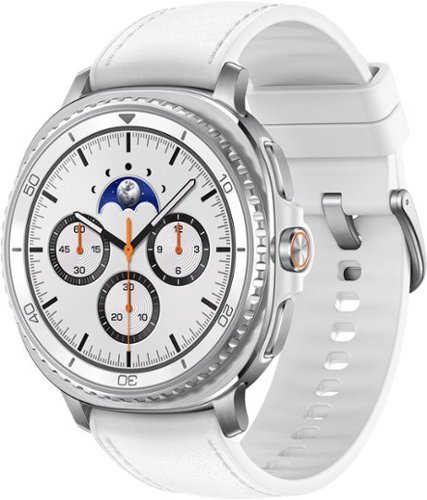
Galaxy Watch8 Classic is more than a watch- it~s an elegant timepiece with traditional style that helps keep your day on track. Now brighter and incredibly comfortable, it~s the perfect blend of fashion and function that offers enhanced performance without compromise. Backed by Galaxy AI, this watch does more than track- it understands and helps you act. Wake up to meaningful sleep insights, not just data- because when your sleep improves, so does everything else. Then confidently head out the door with quick briefings on weather, sports scores and more, all at a glance on your Watch screen. You can also send texts and knock out multiple tasks while you walk with an assistant you activate by raising your wrist. Whether you~re focused on productivity, health or performance, Watch8 Classic fits better, lasts longer and helps you get the most out of every day. Galaxy Watch8 Classic redefines what a timepiece can do.
I've been told by my heart dr. that i need a watch like the Apple one which would connect to the Iphone. But i have a Samsung Android and don't want an Iphone. Which watch would be good to get an EKG strip that i could send to my dr. if needed
Hey there Rain, thanks for contacting us with your question about the Samsung Galaxy Watch8 Classic. The Galaxy Watches 4 or newer offer FDA-cleared ECG monitoring and easy sharing via the Samsung Health Monitor app. Feel free to reach out to Support if you think of additional questions. Thank you for being a faithful Samsung customer. - Debra
4 months, 1 week ago
by
Posted by:
Samsung
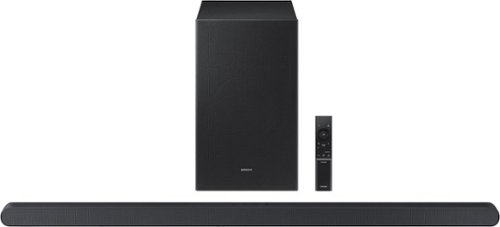
Samsung - HW-S700D 3.1 Channel S-Series Soundbar with Wireless Subwoofer, Dolby Atmos and Q-Symphony - Titan Black
This ultra slim Soundbar delivers a big audio experience. Enjoy audio calibrated to fit your space and Dolby Atmos sound from a slim, stylish package.
how to get the subwoofer to work
Hello there sabbel! To pair your subwoofer with the Samsung HW-S700D soundbar, start by plugging in both the soundbar and subwoofer and turning the soundbar on, these devices are designed to pair automatically. When connected, the LED on the back of the subwoofer will turn solid blue.
If it doesn’t connect automatically, you can pair it manually:
• Turn OFF the soundbar
• Press and hold the ID SET button on the back of the subwoofer for about 5 seconds until the LED blinks blue
• On the soundbar remote, press and hold the Up button for about 5 seconds
• The soundbar will power on and complete pairing (solid blue light confirms connection)
If you’re still having trouble, try placing both units closer together, power cycling them, or checking for interference.
~ Samsung Solutions
If it doesn’t connect automatically, you can pair it manually:
• Turn OFF the soundbar
• Press and hold the ID SET button on the back of the subwoofer for about 5 seconds until the LED blinks blue
• On the soundbar remote, press and hold the Up button for about 5 seconds
• The soundbar will power on and complete pairing (solid blue light confirms connection)
If you’re still having trouble, try placing both units closer together, power cycling them, or checking for interference.
~ Samsung Solutions
4 months, 1 week ago
by
Posted by:
Samsung
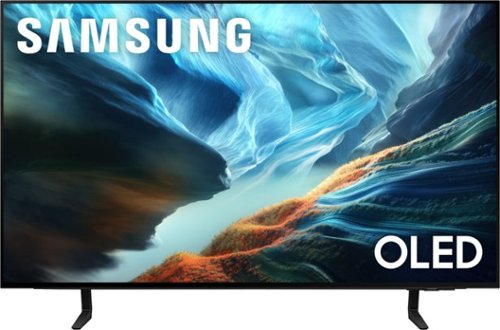
Level up your OLED experience and leave distracting reflections behind with Glare Free technology. Self-illuminating pixels precisely control brightness, contrast and color on this thin, sleek TV. Video games become ultra-smooth up to 165Hz thanks to the Ultimate Gaming Pack and the AI-powered processor enhances shows and movies for phenomenal depth and vibrant detail.
Is this a W old or qd old
Hi Bob26 - We’re continually evolving our TV portfolio to provide our customers with new and exciting innovations and experiences. Samsung OLED TVs consistently offer a premium experience while delivering excellent viewing performance, regardless of the specific panels that are integrated into the product. ~ Samsung Specialist
4 months, 1 week ago
by
Posted by:
Samsung
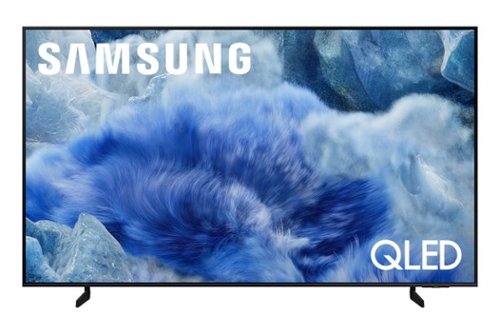
Elevate your entertainment with vivid visuals and dynamic audio tailored to your content. A color spectrum of over one billion shades brings scenes to life with distinctive contrast, highlighting details with precision. Plus, discover innovative personalized experiences with Samsung Vision AI and also enjoy access to thousands of live TV channels, movies and shows all for free while Knox protects your confidential data.
Can you pair a wireless speaker (Sonos) with the TV?
Mross - Wireless speakers can be connected via Bluetooth or Wi-Fi.
~ Samsung Specialist
~ Samsung Specialist
4 months, 1 week ago
by
Posted by:
Samsung
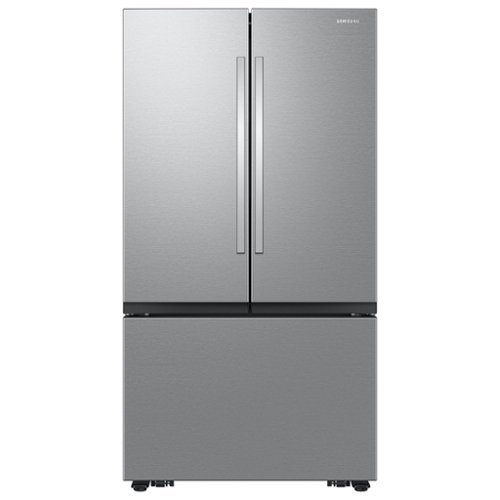
Samsung's Bespoke AI 32 cu. ft. Mega Capacity 3-Door French Door refrigerator gives you more space and easy access to what you need. Refined handles and a full-metal interior panel deliver premium design that elevates the look and feel of your kitchen. Plus, enjoy ice whenever you need it with the Auto Ice Maker, which automatically produces and stores cubed ice.
Does it have water dispenser
Hello Charles,
That’s a good thing to double‑check, water and ice features can definitely vary by model.
This model includes an exterior water and ice dispenser, allowing you to dispense water and ice directly from the door without opening the refrigerator.
If you’d like to see it confirmed in the official specs, here’s the specification sheet for reference:
https://images.samsung.com/is/content/samsung/p6pim/us/rf32cg5d00sraa/specsheet/us-specsheet-rf32cg5d00sraa-551368817.pdf
Please keep this reference number for your records: 1152341691.
We appreciate hearing from you, and Samsung truly values your business.
Pope
Samsung Care
That’s a good thing to double‑check, water and ice features can definitely vary by model.
This model includes an exterior water and ice dispenser, allowing you to dispense water and ice directly from the door without opening the refrigerator.
If you’d like to see it confirmed in the official specs, here’s the specification sheet for reference:
https://images.samsung.com/is/content/samsung/p6pim/us/rf32cg5d00sraa/specsheet/us-specsheet-rf32cg5d00sraa-551368817.pdf
Please keep this reference number for your records: 1152341691.
We appreciate hearing from you, and Samsung truly values your business.
Pope
Samsung Care
4 months, 1 week ago
by
Posted by:
Samsung
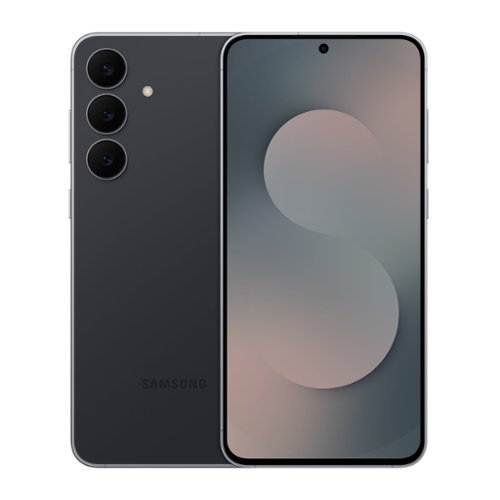
Galaxy S25 FE brings upgraded essentials to level up your everyday. Its lightweight and sleek design makes it easy to carry; and wrapped in durable Gorilla Glass Victus+ and a sturdy Armor Aluminum frame, it~s built to go wherever life takes you. The 6.7" full HD display with barely there bezels gives you more room to see and do and ensures smooth scrolling with a refresh rate up to120Hz. Plus, S25 FE brings smart assistance to your everyday with Gemini Live. Show Gemini what you see with camera sharing, and ask questions in real time. Add to that an advanced camera. Whether you're snapping a quick selfie or editing vacation footage, S25 FE helps you get the shot and polish it too. The triple lens rear camera system captures every angle with clarity, and the 12MP front camera with ProVisual Engine makes every shot count from bright daytime photos to clear low light moments. Plus, now you can erase audio, adjust skin tone, resize objects and more with AI powered Generative Edit. With a faster CPU, GPU and NPU, a larger vapor chamber for better cooling and a 4,900mAh battery with Super Fast Charging 2.0, Galaxy S25 FE delivers steady performance that carries you through your day. It~s the everyday ready device with smart, powerful, premium features that actually make a difference.
The 23fe is not compatible with Xfinity, is this 25fe compatible now?
Aloha Xfinity, thank you for asking us your question about the Samsung Galaxy S25 FE. The advertised unlocked Galaxy S25 FE is compatible with AT&T, Boost Mobile, Cricket, Google Fi, H2O Wireless, Metro by T-Mobile, Mint Mobile, Sprint, T-Mobile, Ultra Mobile, US Cellular, and Verizon. Please feel free to reach out to Support if you have additional questions for us. Thank you for choosing Samsung! - Debra
4 months, 1 week ago
by
Posted by:
Samsung