Samsung
Samsung's Stats
Reviews
- Review Count0
- Helpfulness Votes0
- First ReviewNone
- Last ReviewNone
- Featured Reviews0
- Average Rating0
Reviews Comments
- Review Comment Count0
- Helpfulness Votes0
- First Review CommentNone
- Last Review CommentNone
- Featured Review Comments0
Questions
- Question Count0
- Helpfulness Votes0
- First QuestionNone
- Last QuestionNone
- Featured Questions0
- Answer Count74667
- Helpfulness Votes37,995
- First AnswerApril 24, 2013
- Last AnswerOctober 2, 2026
- Featured Answers0
- Best Answers3953
Samsung's Reviews
Samsung has not submitted any reviews.
Samsung's Questions
Samsung has not submitted any questions.
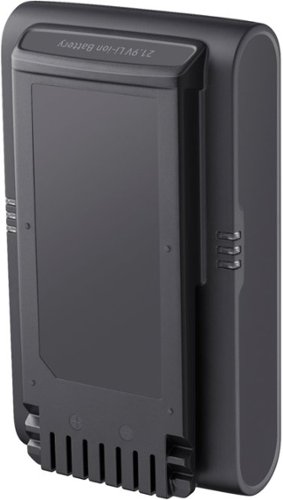
Samsung - Jet Battery - Jet 90 Complete and Jet 75 Complete
Samsung Jet~ battery for the Jet~ 75 Complete and Jet~ 90 Complete has a 60 minute run time~ before recharge is needed. ~ Stated run time applies to the minimum power level with a nonmotorized tool attached.
Folks, Looking for a replacement battery VCA-SBTA60. According to this website this battery is not available at this time. Is there another available battery that will work in its place or if not when will this battery become available?

Hi MikeG66,
This is very interesting. Thank you for bringing it to our attention.
It is appreciated that you raised this question regarding the vacuum.
You can get in touch with our Samsung Parts Team at (800) 627-4368Mon - Fri 9:00 AM ~ 6:30 PM EST. They can check for availability and compatibility for your device.
Should you need more assistance, please feel free to get back to us via the following options:
1. Facebook Messenger: http://m.me/Samsungsupport
2. Twitter: https://twitter.com/messages/compose?recipient_id=18768513
3. Samsung Community: https://us.community.Samsung.com/t5/Samsung-Community/ct-p/us
When you message us, give them this number (1144832125) to help our team pull up your information.
Have a great day.
^Charles
This is very interesting. Thank you for bringing it to our attention.
It is appreciated that you raised this question regarding the vacuum.
You can get in touch with our Samsung Parts Team at (800) 627-4368Mon - Fri 9:00 AM ~ 6:30 PM EST. They can check for availability and compatibility for your device.
Should you need more assistance, please feel free to get back to us via the following options:
1. Facebook Messenger: http://m.me/Samsungsupport
2. Twitter: https://twitter.com/messages/compose?recipient_id=18768513
3. Samsung Community: https://us.community.Samsung.com/t5/Samsung-Community/ct-p/us
When you message us, give them this number (1144832125) to help our team pull up your information.
Have a great day.
^Charles
4 years, 1 month ago
by
Posted by:
Samsung
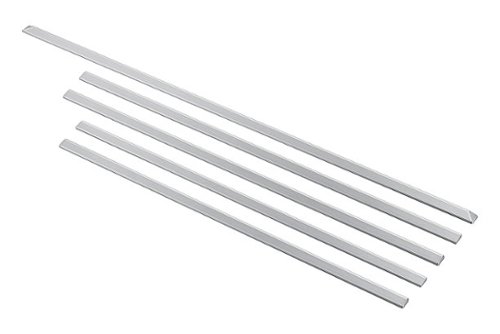
Get a built-in finished look with our easy-to-install trim kit. It~s so easy no tools are required! After determining position and placement, simply peel, stick and press firmly against the countertop for a seamless look, resulting in no gaps between your range and cabinetry.
WHERE can I find the back trim piece for ranges mounted against the wall. The trim kit directions just say "sold separately"
Hi tiffany,
We appreciate your question about where to purchase the back trim piece also called a filler kit.
You may visit our authorized distributor for parts and accessories website. I have shared their website below.
https://www.samsungparts.com/Default.aspx
Should you need more assistance, please feel free to get back to us via the following options:
1. Facebook Messenger: http://m.me/samsungsupport
2. Twitter: https://twitter.com/messages/compose?recipient_id=18768513
3. Samsung Community: https://us.community.samsung.com/t5/Samsung-Community/ct-p/us
When you message us, give them this number 1144831827 and it will help our team pull up your information.
Leo
We appreciate your question about where to purchase the back trim piece also called a filler kit.
You may visit our authorized distributor for parts and accessories website. I have shared their website below.
https://www.samsungparts.com/Default.aspx
Should you need more assistance, please feel free to get back to us via the following options:
1. Facebook Messenger: http://m.me/samsungsupport
2. Twitter: https://twitter.com/messages/compose?recipient_id=18768513
3. Samsung Community: https://us.community.samsung.com/t5/Samsung-Community/ct-p/us
When you message us, give them this number 1144831827 and it will help our team pull up your information.
Leo
4 years, 1 month ago
by
Posted by:
Samsung
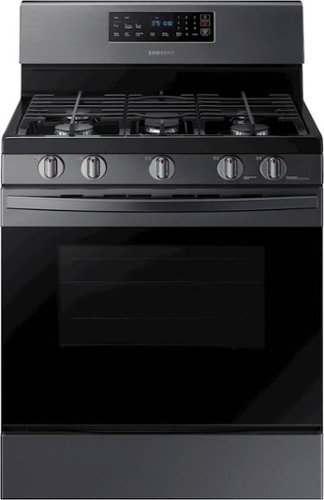
Samsung - 5.8 Cu. Ft. Self-Cleaning Freestanding Gas Range - Black Stainless Steel
This Samsung 5.8 cu. ft. freestanding gas range offers very large capacity and a very powerful and flexible cooktop that cooks faster with 5 specialized burners, including a 17K BTU power burner and a 5K simmer burner.
Does the clock panel have a fuse What is the cause of the lighted clock pannel going out?
Hi Minniemouse,
Thank you for raising this and letting us know of your concern. We understand this is difficult since the clock helps tell the time when preparing meals for your household.
There are several reasons why a control panel isn't working, from a power supply issue to a faulty touchpad or control board.
I have shared a Samsung link below that can help address your concern with the clock panel.
Samsung range or wall oven panel is blank, blinking, or partially or incorrectly displayed:
https://www.samsung.com/us/support/troubleshooting/TSG01110183/
Should you need more assistance, please feel free to get back to us via the following options:
1. Facebook Messenger: http://m.me/samsungsupport
2. Twitter: https://twitter.com/messages/compose?recipient_id=18768513
3. Samsung Community: https://us.community.samsung.com/t5/Samsung-Community/ct-p/us
When you message us, give them this number 1144831710 and it will help our team pull up your information.
Leo
Thank you for raising this and letting us know of your concern. We understand this is difficult since the clock helps tell the time when preparing meals for your household.
There are several reasons why a control panel isn't working, from a power supply issue to a faulty touchpad or control board.
I have shared a Samsung link below that can help address your concern with the clock panel.
Samsung range or wall oven panel is blank, blinking, or partially or incorrectly displayed:
https://www.samsung.com/us/support/troubleshooting/TSG01110183/
Should you need more assistance, please feel free to get back to us via the following options:
1. Facebook Messenger: http://m.me/samsungsupport
2. Twitter: https://twitter.com/messages/compose?recipient_id=18768513
3. Samsung Community: https://us.community.samsung.com/t5/Samsung-Community/ct-p/us
When you message us, give them this number 1144831710 and it will help our team pull up your information.
Leo
4 years, 1 month ago
by
Posted by:
Samsung
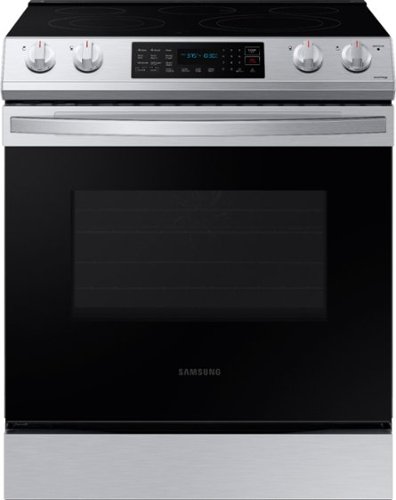
Samsung - 6.3 cu. ft. Front Control Slide-in Electric Range with Convection & Wi-Fi, Fingerprint Resistant - Stainless Steel
The new Samsung Front Control Slide-in Electric Range with Convection is fully Wi-Fi connected and voice enabled, making it easy to create delicious meals for your family faster.
One of the control knobs is broken and other 3 do not fit right. Could this have happened because they were removed for cleaning? The range was purchased in April (4 MONTHS AGO) ! Can I get replacements?
Hi Warp,
We appreciate your question about getting replacement knobs.
You can get replacement knobs for your range by visiting our authorized distributor for parts and accessories website, which I have shared below.
http://www.samsungparts.com/
In addition, I have shared Samsung links below that can help with cleaning your range.
How to clean electric and gas ranges:
https://www.youtube.com/watch?v=pCLkUo4ns6w
How to clean your Samsung gas cooktop:
https://www.samsung.com/us/support/answer/ANS00049945/
How to clean your Samsung oven:
https://www.samsung.com/us/support/answer/ANS00049011/
Should you need more assistance, please feel free to get back to us via the following options:
1. Facebook Messenger: http://m.me/samsungsupport
2. Twitter: https://twitter.com/messages/compose?recipient_id=18768513
3. Samsung Community: https://us.community.samsung.com/t5/Samsung-Community/ct-p/us
When you message us, give them this number 1144831520 and it will help our team pull up your information.
Leo
We appreciate your question about getting replacement knobs.
You can get replacement knobs for your range by visiting our authorized distributor for parts and accessories website, which I have shared below.
http://www.samsungparts.com/
In addition, I have shared Samsung links below that can help with cleaning your range.
How to clean electric and gas ranges:
https://www.youtube.com/watch?v=pCLkUo4ns6w
How to clean your Samsung gas cooktop:
https://www.samsung.com/us/support/answer/ANS00049945/
How to clean your Samsung oven:
https://www.samsung.com/us/support/answer/ANS00049011/
Should you need more assistance, please feel free to get back to us via the following options:
1. Facebook Messenger: http://m.me/samsungsupport
2. Twitter: https://twitter.com/messages/compose?recipient_id=18768513
3. Samsung Community: https://us.community.samsung.com/t5/Samsung-Community/ct-p/us
When you message us, give them this number 1144831520 and it will help our team pull up your information.
Leo
4 years, 1 month ago
by
Posted by:
Samsung
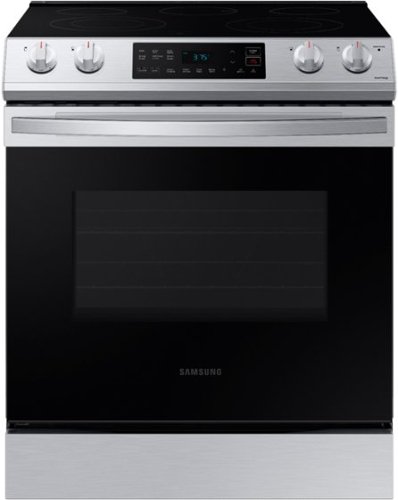
Samsung - 6.3 cu. ft. Front Control Slide-In Electric Range with Wi-Fi, Fingerprint Resistant - Stainless Steel
The Samsung Front Control Slide-In Electric Range is fully Wi-Fi connected and voice enabled, making it easy to create delicious meals for your family.
It seems the broiler comes on when you turn the oven on, I believe the lower element is under the bottom panel. What if you are baking a cake, does the top element come on during baking?
Hi Baking,
We appreciate your question about how this particular oven operates.
Depending on what button you have pressed to turn the oven on, bake or broil, will decide which element will activate to start the oven.
You are correct, the baking element is located under the bottom panel.
When baking a cake and you have selected or pressed the bake button, the bottom element will activate and turn on. If you press the broil button to attempt to bake a cake, then the top or the broil oven heater element will activate.
I have shared the user manual link below. Please access the link and turn to pages 28 and 33.
https://downloadcenter.samsung.com/content/UM/202103/20210322170107572/NE63T811_AA_DG68-01212A-04_EN-MES-CFR_210315.pdf
Should you need more assistance, please feel free to get back to us via the following options:
1. Facebook Messenger: http://m.me/samsungsupport
2. Twitter: https://twitter.com/messages/compose?recipient_id=18768513
3. Samsung Community: https://us.community.samsung.com/t5/Samsung-Community/ct-p/us
When you message us, give them this number 1144831371 and it will help our team pull up your information.
Leo
We appreciate your question about how this particular oven operates.
Depending on what button you have pressed to turn the oven on, bake or broil, will decide which element will activate to start the oven.
You are correct, the baking element is located under the bottom panel.
When baking a cake and you have selected or pressed the bake button, the bottom element will activate and turn on. If you press the broil button to attempt to bake a cake, then the top or the broil oven heater element will activate.
I have shared the user manual link below. Please access the link and turn to pages 28 and 33.
https://downloadcenter.samsung.com/content/UM/202103/20210322170107572/NE63T811_AA_DG68-01212A-04_EN-MES-CFR_210315.pdf
Should you need more assistance, please feel free to get back to us via the following options:
1. Facebook Messenger: http://m.me/samsungsupport
2. Twitter: https://twitter.com/messages/compose?recipient_id=18768513
3. Samsung Community: https://us.community.samsung.com/t5/Samsung-Community/ct-p/us
When you message us, give them this number 1144831371 and it will help our team pull up your information.
Leo
4 years, 1 month ago
by
Posted by:
Samsung
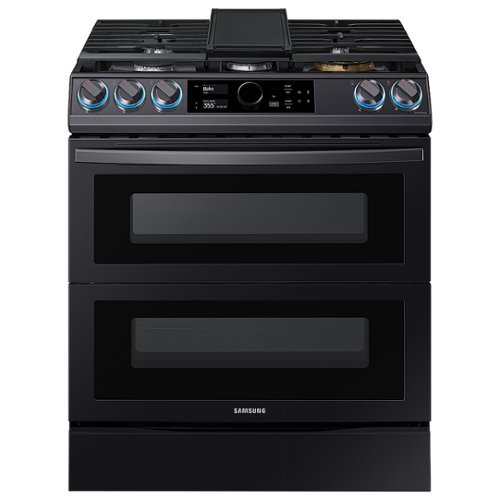
Samsung - Flex Duo 6.3 cu. ft. Front Control Slide-in Dual Fuel Range with Smart Dial, Air Fry & WiFi, Fingerprint Resistant - Black Stainless Steel
The Samsung Front Control Slide-in Dual Fuel Range with Smart Dial and Air Fry is fully Wi-Fi connected and voice enabled, giving you the tools you need to simplify the cooking experience in the kitchen.
whats the problem, i BAKE bread in top and the bottom OF BREAD doesnt brown. i Bake fish in bottom and just the bottom of fish browns. how can i get even brown bake
Hi DD,
We appreciate your question about how to evenly bake.
Your range/oven is equipped with a convection function. Unlike conventional ovens where you need to turn or reposition what is being baked, with convection ovens, a fan is used to circulate the heat in the oven for a more even and faster baking or roasting.
I have shared Samsung links below that will help you with your baking.
How to use your Samsung convection oven:
https://www.samsung.com/us/support/answer/ANS00089663/
Baking in your Samsung oven:
https://www.samsung.com/us/support/answer/ANS00089922/
Should you need more assistance, please feel free to get back to us via the following options:
1. Facebook Messenger: http://m.me/samsungsupport
2. Twitter: https://twitter.com/messages/compose?recipient_id=18768513
3. Samsung Community: https://us.community.samsung.com/t5/Samsung-Community/ct-p/us
When you message us, give them this number 1144831104 and it will help our team pull up your information.
Leo
We appreciate your question about how to evenly bake.
Your range/oven is equipped with a convection function. Unlike conventional ovens where you need to turn or reposition what is being baked, with convection ovens, a fan is used to circulate the heat in the oven for a more even and faster baking or roasting.
I have shared Samsung links below that will help you with your baking.
How to use your Samsung convection oven:
https://www.samsung.com/us/support/answer/ANS00089663/
Baking in your Samsung oven:
https://www.samsung.com/us/support/answer/ANS00089922/
Should you need more assistance, please feel free to get back to us via the following options:
1. Facebook Messenger: http://m.me/samsungsupport
2. Twitter: https://twitter.com/messages/compose?recipient_id=18768513
3. Samsung Community: https://us.community.samsung.com/t5/Samsung-Community/ct-p/us
When you message us, give them this number 1144831104 and it will help our team pull up your information.
Leo
4 years, 1 month ago
by
Posted by:
Samsung
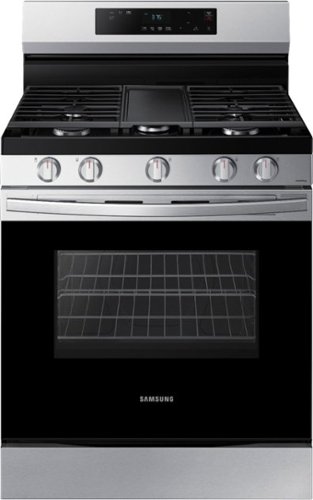
Elevate the look of your kitchen with Samsung~s Smart Freestanding Gas Range. Upgraded technology makes cooking with your stove simple and fun.
Power to the house went out.. THEN ..Bake button does not work.. broil does not work.. Baste button works. Clock will not reset. Any Ideas
Hi SGF1899,
We are disheartened to know that the control panel isn't working as intended after a power outage. The experience is not what we expect for our customers.
You will find the Samsung link I have shared helpful below.
Self Clean or other buttons do not light up or respond, or the panel is locked on the Samsung oven:
https://www.samsung.com/us/support/troubleshooting/TSG01110126/
Should you need more assistance, please feel free to get back to us via the following options:
1. Facebook Messenger: http://m.me/samsungsupport
2. Twitter: https://twitter.com/messages/compose?recipient_id=18768513
3. Samsung Community: https://us.community.samsung.com/t5/Samsung-Community/ct-p/us
When you message us, give them this number 1144830818 and it will help our team pull up your information.
Leo
We are disheartened to know that the control panel isn't working as intended after a power outage. The experience is not what we expect for our customers.
You will find the Samsung link I have shared helpful below.
Self Clean or other buttons do not light up or respond, or the panel is locked on the Samsung oven:
https://www.samsung.com/us/support/troubleshooting/TSG01110126/
Should you need more assistance, please feel free to get back to us via the following options:
1. Facebook Messenger: http://m.me/samsungsupport
2. Twitter: https://twitter.com/messages/compose?recipient_id=18768513
3. Samsung Community: https://us.community.samsung.com/t5/Samsung-Community/ct-p/us
When you message us, give them this number 1144830818 and it will help our team pull up your information.
Leo
4 years, 1 month ago
by
Posted by:
Samsung
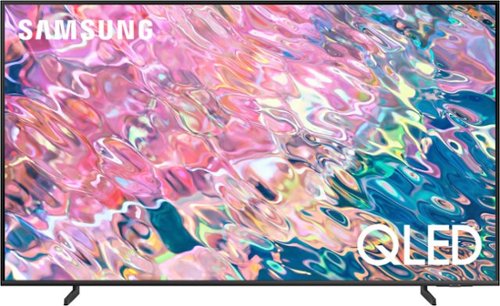
Samsung - 43 Class Q60B QLED 4K Smart Tizen TV (2022)
Leap into the world of bold contrast and vivid color with QLED 4K. Together, cool and warm Dual LEDs shine a billion shades of Quantum Dot color for a natural looking picture. Enjoy it all upscaled to glorious 4K, in details and colors that stay true even in bright scenes, thanks to 100% Color Volume.~ ~QLED televisions can produce 100% Color Volume in the DCI P3 color space, the format for most cinema screens and HDR movies for television.
Does this TV have hands free Alexa or do you have to use the microphone? Does Bixby have hands free voice control on this TV or is the only choice microphone on remote?
Hi Wellsie - While push to talk is available when using all 3 voice assistants, Alexa and Bixby will both allow you to utilize hands-free voice commands by enabling the Voice Wake-Up feature (Press the Microphone button > Explore Now > Settings > Voice Wake-up).
~ Samsung Specialist
~ Samsung Specialist
4 years, 1 month ago
by
Posted by:
Samsung
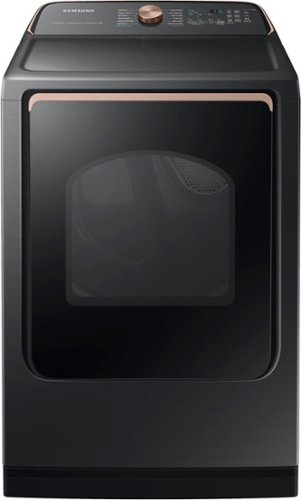
Samsung - 7.4 Cu. Ft. Smart Electric Dryer with Steam Sanitize+ - Brushed Black
Samsung~s new Smart Dryer has integrated Wi-Fi that allows you to remotely start or stop your cycle, schedule laundry on your time, and receive end of cycle alerts and more, right from your smartphone. Also, the Steam Sanitize+ cycle eliminates 99.9% of germs and bacteria while relaxing and smoothing away wrinkles from everyday wear.
Why does this say it is open box? It’s listed at regular price so I’m confused why “open box”?
Dear Valued Best Buy Client,
Thank you for you question. To better assist you with this issue, please contact the Best Buy customer service department at P. (888) 237-8289 H.24 Hours a Day.
Reference Ticket number:
1144830386
^^Ross
Thank you for you question. To better assist you with this issue, please contact the Best Buy customer service department at P. (888) 237-8289 H.24 Hours a Day.
Reference Ticket number:
1144830386
^^Ross
4 years, 1 month ago
by
Posted by:
Samsung
Samsung - 6.3 cu. ft. Front Control Slide-In Electric Range with Wi-Fi, Fingerprint Resistant - Stainless Steel
The Samsung Front Control Slide-In Electric Range is fully Wi-Fi connected and voice enabled, making it easy to create delicious meals for your family.
Do I need to buy anything else to get this set up or does it come with everything like the plug that goes into the wall? Also if I measured correctly the old range is W-30, L-30, H-36 so will this fit where the old one is? I uploaded a picture of the rang
Images for this Question
(click to see full-size image)

Hi MsPro2nd,
We appreciate your question about additional materials you may need.
You will need to purchase a 4-Wire Cord or 3-Wire Cord (UL Approved 40 or 50 AMP) and a Strain Relief (For Conduit Installation Only) if needed.
The general dimension of the range is enumerated below.
Width: 29 15/16 inches.
Length/Depth: 28 11/16 inches with handle, 49 1/4 in when the door is fully open.
Height: Between 36 inches and 36 3/4 inches.
Please refer to page 1 of the installation guide I have shared below for the additional materials needed and the complete clearance and dimension, including cut-out, of the range.
https://downloadcenter.samsung.com/content/EM/202103/20210302184716714/Install_NE63T8911_AA_DG68-01302A-01_EN-MES_210129b.pdf
Should you need more assistance, please feel free to get back to us via the following options:
1. Facebook Messenger: http://m.me/samsungsupport
2. Twitter: https://twitter.com/messages/compose?recipient_id=18768513
3. Samsung Community: https://us.community.samsung.com/t5/Samsung-Community/ct-p/us
When you message us, give them this number 1144830187 and it will help our team pull up your information.
Leo
We appreciate your question about additional materials you may need.
You will need to purchase a 4-Wire Cord or 3-Wire Cord (UL Approved 40 or 50 AMP) and a Strain Relief (For Conduit Installation Only) if needed.
The general dimension of the range is enumerated below.
Width: 29 15/16 inches.
Length/Depth: 28 11/16 inches with handle, 49 1/4 in when the door is fully open.
Height: Between 36 inches and 36 3/4 inches.
Please refer to page 1 of the installation guide I have shared below for the additional materials needed and the complete clearance and dimension, including cut-out, of the range.
https://downloadcenter.samsung.com/content/EM/202103/20210302184716714/Install_NE63T8911_AA_DG68-01302A-01_EN-MES_210129b.pdf
Should you need more assistance, please feel free to get back to us via the following options:
1. Facebook Messenger: http://m.me/samsungsupport
2. Twitter: https://twitter.com/messages/compose?recipient_id=18768513
3. Samsung Community: https://us.community.samsung.com/t5/Samsung-Community/ct-p/us
When you message us, give them this number 1144830187 and it will help our team pull up your information.
Leo
4 years, 1 month ago
by
Posted by:
Samsung