Samsung
Samsung's Stats
Reviews
- Review Count0
- Helpfulness Votes0
- First ReviewNone
- Last ReviewNone
- Featured Reviews0
- Average Rating0
Reviews Comments
- Review Comment Count0
- Helpfulness Votes0
- First Review CommentNone
- Last Review CommentNone
- Featured Review Comments0
Questions
- Question Count0
- Helpfulness Votes0
- First QuestionNone
- Last QuestionNone
- Featured Questions0
- Answer Count74667
- Helpfulness Votes37,996
- First AnswerApril 24, 2013
- Last AnswerOctober 2, 2026
- Featured Answers0
- Best Answers3953
Samsung's Reviews
Samsung has not submitted any reviews.
Samsung's Questions
Samsung has not submitted any questions.
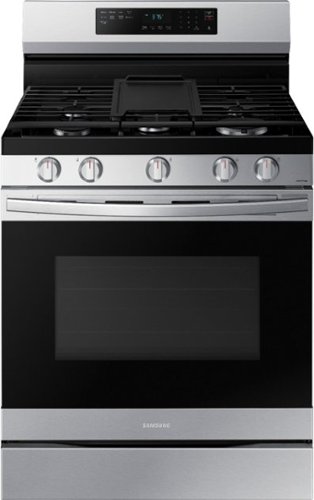
Elevate the look of your kitchen with Samsung~s Smart Freestanding Gas Range. Upgraded technology makes cooking simple and fun.
Is there a clock and how do you set it

Hi Cookie,
Thank you for reaching out, and we hope you are in good health. We appreciate your interest in Samsung home appliances, specifically with Samsung - 6.0 cu. ft. Freestanding Gas Range with WiFi, No-Preheat Air Fry & Convection - Stainless steel.
The range is equipped with a clock. To set the clock press the clock icon on the control panel, enter the current time using the number pad, then press START/SET to confirm the settings.
I have shared the user manual link below. Please access the link and turn to page 15 for the control panel layout and clock settings.
https://downloadcenter.samsung.com/content/UM/202207/20220713103218465/NX60A6511SS_AA_DG68-01339A-03_EN_MES_CFR_220712.pdf
Please feel free to communicate with us through the channels below if you have additional questions.
1. Facebook Messenger: http://m.me/samsungsupport
2. Twitter: https://twitter.com/messages/compose?recipient_id=18768513
3. Samsung Community: https://us.community.samsung.com/t5/Samsung-Community/ct-p/us
Your reference number: 1144710253
Leo
Thank you for reaching out, and we hope you are in good health. We appreciate your interest in Samsung home appliances, specifically with Samsung - 6.0 cu. ft. Freestanding Gas Range with WiFi, No-Preheat Air Fry & Convection - Stainless steel.
The range is equipped with a clock. To set the clock press the clock icon on the control panel, enter the current time using the number pad, then press START/SET to confirm the settings.
I have shared the user manual link below. Please access the link and turn to page 15 for the control panel layout and clock settings.
https://downloadcenter.samsung.com/content/UM/202207/20220713103218465/NX60A6511SS_AA_DG68-01339A-03_EN_MES_CFR_220712.pdf
Please feel free to communicate with us through the channels below if you have additional questions.
1. Facebook Messenger: http://m.me/samsungsupport
2. Twitter: https://twitter.com/messages/compose?recipient_id=18768513
3. Samsung Community: https://us.community.samsung.com/t5/Samsung-Community/ct-p/us
Your reference number: 1144710253
Leo
4 years, 2 months ago
by
Posted by:
Samsung
Elevate the look of your kitchen with Samsung~s Smart Freestanding Gas Range. Upgraded technology makes cooking simple and fun.
Can this oven be used without wifi? I want to make sure that if our wi-fi is out if we can still use the oven.
Hi Mame99,
Thank you for reaching out, and we hope you are in good health. We appreciate your interest in Samsung home appliances, specifically with Samsung - 6.0 cu. ft. Freestanding Gas Range with WiFi, No-Preheat Air Fry & Convection - Stainless steel.
Yes, this range will work even without an internet connection. The wireless connectivity adds value to the range and will not remove basic functionality if the internet connection is down.
I have shared the user manual link below. Please access the link and turn to pages 16 - 35 for instructions on the use of the range.
https://downloadcenter.samsung.com/content/UM/202207/20220713103218465/NX60A6511SS_AA_DG68-01339A-03_EN_MES_CFR_220712.pdf
Please feel free to communicate with us through the channels below if you have additional questions.
1. Facebook Messenger: http://m.me/samsungsupport
2. Twitter: https://twitter.com/messages/compose?recipient_id=18768513
3. Samsung Community: https://us.community.samsung.com/t5/Samsung-Community/ct-p/us
Your reference number: 1144708663
Leo
Thank you for reaching out, and we hope you are in good health. We appreciate your interest in Samsung home appliances, specifically with Samsung - 6.0 cu. ft. Freestanding Gas Range with WiFi, No-Preheat Air Fry & Convection - Stainless steel.
Yes, this range will work even without an internet connection. The wireless connectivity adds value to the range and will not remove basic functionality if the internet connection is down.
I have shared the user manual link below. Please access the link and turn to pages 16 - 35 for instructions on the use of the range.
https://downloadcenter.samsung.com/content/UM/202207/20220713103218465/NX60A6511SS_AA_DG68-01339A-03_EN_MES_CFR_220712.pdf
Please feel free to communicate with us through the channels below if you have additional questions.
1. Facebook Messenger: http://m.me/samsungsupport
2. Twitter: https://twitter.com/messages/compose?recipient_id=18768513
3. Samsung Community: https://us.community.samsung.com/t5/Samsung-Community/ct-p/us
Your reference number: 1144708663
Leo
4 years, 2 months ago
by
Posted by:
Samsung
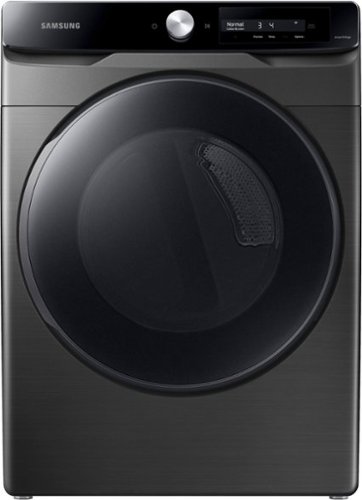
Samsung - 7.5 Cu. Ft. Stackable Smart Gas Dryer with Steam and AI Smart Dial - Brushed Black
Samsung~s new Smart Dial dryer uses AI power to learn and recommend your favorite drying cycles and displays them first for quick access in a simplified, easy to use control panel. Also, with Super Speed Dry you can dry a full load of laundry in just 30 minutes.
Can this dryer be used with LP?
Hi RobDom,
Thank you for reaching out, and we hope you are in good health. We appreciate your interest in Samsung home appliances, specifically with Samsung - 7.5 cu. ft. Smart Dial Gas Dryer with Super Speed Dry - Brushed black.
Yes, this dryer can be used with liquid propane. The dryer must be converted for safe and proper performance by a qualified service
technician. You may have to use LPKIT-4/XAA for the conversion. I have shared the user manual link below. Please access the link and turn to pages 20 and 62.
https://downloadcenter.samsung.com/content/UM/202107/20210720031129782/DV8600A_DV8800_SimpleUX_DC68-04179B-02_EN_CFR_MES_Final_Version.pdf
Please feel free to communicate with us through the channels below if you have additional questions.
1. Facebook Messenger: http://m.me/samsungsupport
2. Twitter: https://twitter.com/messages/compose?recipient_id=18768513
3. Samsung Community: https://us.community.samsung.com/t5/Samsung-Community/ct-p/us
Your reference number: 1144708417
Leo
Thank you for reaching out, and we hope you are in good health. We appreciate your interest in Samsung home appliances, specifically with Samsung - 7.5 cu. ft. Smart Dial Gas Dryer with Super Speed Dry - Brushed black.
Yes, this dryer can be used with liquid propane. The dryer must be converted for safe and proper performance by a qualified service
technician. You may have to use LPKIT-4/XAA for the conversion. I have shared the user manual link below. Please access the link and turn to pages 20 and 62.
https://downloadcenter.samsung.com/content/UM/202107/20210720031129782/DV8600A_DV8800_SimpleUX_DC68-04179B-02_EN_CFR_MES_Final_Version.pdf
Please feel free to communicate with us through the channels below if you have additional questions.
1. Facebook Messenger: http://m.me/samsungsupport
2. Twitter: https://twitter.com/messages/compose?recipient_id=18768513
3. Samsung Community: https://us.community.samsung.com/t5/Samsung-Community/ct-p/us
Your reference number: 1144708417
Leo
4 years, 2 months ago
by
Posted by:
Samsung
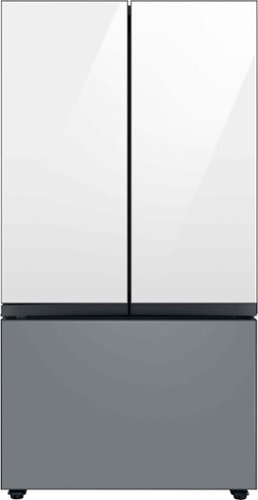
Samsung - BESPOKE 30 cu. ft. 3-Door French Door Smart Refrigerator with Beverage Center - Custom Panel Ready
Extra-large capacity 3-Door French Door Refrigerator with customizable and changeable door panels available in a variety of colors and finishes. A revolution in convenience and design, the concealed Beverage Center features both a water dispenser and AutoFill Water Pitcher. Plus a Dual Ice Maker with cubed ice and Ice Bites.
What is the coldest the freezer can be set to?
Hi RiskC,
Thank you for reaching out, and we hope you are in good health. We appreciate your interest in Samsung home appliances, specifically with Samsung - Bespoke 30 cu. ft. 3-Door French Door Refrigerator with Beverage Center - Custom Panel Ready.
The freezer can be set to 34 °F (-23 °C) as the coldest temperature of the freezer. I have shared the user manual below. Please access the link and turn to page 36.
https://downloadcenter.samsung.com/content/UM/202207/20220711165107990/FDR_RF8000B_DA68-04402K-01_EN_MES_CFR.pdf
Please feel free to communicate with us through the channels below if you have additional questions.
1. Facebook Messenger: http://m.me/samsungsupport
2. Twitter: https://twitter.com/messages/compose?recipient_id=18768513
3. Samsung Community: https://us.community.samsung.com/t5/Samsung-Community/ct-p/us
Your reference number: 1144708263
Leo
Thank you for reaching out, and we hope you are in good health. We appreciate your interest in Samsung home appliances, specifically with Samsung - Bespoke 30 cu. ft. 3-Door French Door Refrigerator with Beverage Center - Custom Panel Ready.
The freezer can be set to 34 °F (-23 °C) as the coldest temperature of the freezer. I have shared the user manual below. Please access the link and turn to page 36.
https://downloadcenter.samsung.com/content/UM/202207/20220711165107990/FDR_RF8000B_DA68-04402K-01_EN_MES_CFR.pdf
Please feel free to communicate with us through the channels below if you have additional questions.
1. Facebook Messenger: http://m.me/samsungsupport
2. Twitter: https://twitter.com/messages/compose?recipient_id=18768513
3. Samsung Community: https://us.community.samsung.com/t5/Samsung-Community/ct-p/us
Your reference number: 1144708263
Leo
4 years, 2 months ago
by
Posted by:
Samsung
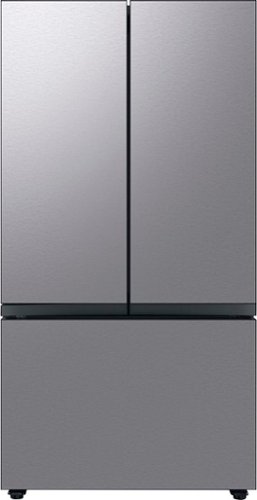
Extra-large capacity 3-Door French Door Refrigerator : a revolution in convenience and design, the concealed Beverage Center features both a water dispenser and AutoFill Water Pitcher. Plus a Dual Ice Maker with cubed ice and Ice Bites.
Does the stainless steel version come as stainless steel, or do you have to purchase stainless steel panels separately? If panels are not included, what does the front look like without them?
Hi Melvin,
Thank you for reaching out, and we hope you are in good health. We appreciate your interest in Samsung home appliances, specifically with Samsung - Bespoke 30 cu. ft. 3-Door French Door Refrigerator with Beverage Center - Stainless steel.
Yes, the stainless steel version comes with stainless steel panels. Without the panel, the refrigerator doors will have a white or black color with holes on the side where the panel's screws will fit into.
I have shared the user manual link below. Please access the link for your reference to the features and functions.
https://downloadcenter.samsung.com/content/UM/202207/20220711165107990/FDR_RF8000B_DA68-04402K-01_EN_MES_CFR.pdf
Please feel free to communicate with us through the channels below if you have additional questions.
1. Facebook Messenger: http://m.me/samsungsupport
2. Twitter: https://twitter.com/messages/compose?recipient_id=18768513
3. Samsung Community: https://us.community.samsung.com/t5/Samsung-Community/ct-p/us
Your reference number: 1144707985
Leo
Thank you for reaching out, and we hope you are in good health. We appreciate your interest in Samsung home appliances, specifically with Samsung - Bespoke 30 cu. ft. 3-Door French Door Refrigerator with Beverage Center - Stainless steel.
Yes, the stainless steel version comes with stainless steel panels. Without the panel, the refrigerator doors will have a white or black color with holes on the side where the panel's screws will fit into.
I have shared the user manual link below. Please access the link for your reference to the features and functions.
https://downloadcenter.samsung.com/content/UM/202207/20220711165107990/FDR_RF8000B_DA68-04402K-01_EN_MES_CFR.pdf
Please feel free to communicate with us through the channels below if you have additional questions.
1. Facebook Messenger: http://m.me/samsungsupport
2. Twitter: https://twitter.com/messages/compose?recipient_id=18768513
3. Samsung Community: https://us.community.samsung.com/t5/Samsung-Community/ct-p/us
Your reference number: 1144707985
Leo
4 years, 2 months ago
by
Posted by:
Samsung
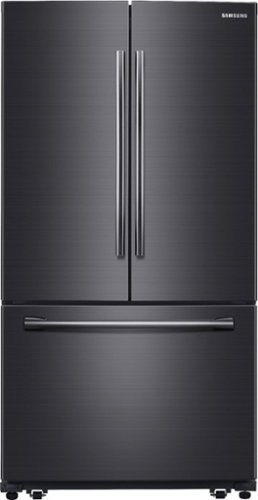
Samsung - 25.5 Cu. Ft. French Door Fingerprint Resistant Refrigerator with Internal Water Dispenser - Black Stainless Steel
Keep your groceries fresh and delicious for longer. This Samsung refrigerator offers plenty of space, adjustable shelves, and controlled zones that store produce, meats and more at the ideal temperatures.
What is the lowest temperature you can set the freezer to? Also please confirm that it is truly a Dual Cool split between the Refrigerator and Freezer.
Hi RiskC,
Thank you for reaching out, and we hope you are in good health. We appreciate your interest in Samsung home appliances, specifically with Samsung - 25.5 Cu. Ft. French Door Fingerprint Resistant Refrigerator with Internal Water Dispenser - Black stainless steel.
The lowest temperature you can set in the refrigerator is -8 °F(-23 °C).
The refrigerator is equipped with Twin Cooling Plus. I have shared the specification link below. Please access the link to learn about the features of the refrigerator.
https://image-us.samsung.com/SamsungUS/home/home-appliances/refrigerators/french-doors/pdp/rf261beaesg-aa/pdf/RF261BEAESR.pdf
Please feel free to communicate with us through the channels below if you have additional questions.
1. Facebook Messenger: http://m.me/samsungsupport
2. Twitter: https://twitter.com/messages/compose?recipient_id=18768513
3. Samsung Community: https://us.community.samsung.com/t5/Samsung-Community/ct-p/us
Your reference number: 1144707905
Leo
Thank you for reaching out, and we hope you are in good health. We appreciate your interest in Samsung home appliances, specifically with Samsung - 25.5 Cu. Ft. French Door Fingerprint Resistant Refrigerator with Internal Water Dispenser - Black stainless steel.
The lowest temperature you can set in the refrigerator is -8 °F(-23 °C).
The refrigerator is equipped with Twin Cooling Plus. I have shared the specification link below. Please access the link to learn about the features of the refrigerator.
https://image-us.samsung.com/SamsungUS/home/home-appliances/refrigerators/french-doors/pdp/rf261beaesg-aa/pdf/RF261BEAESR.pdf
Please feel free to communicate with us through the channels below if you have additional questions.
1. Facebook Messenger: http://m.me/samsungsupport
2. Twitter: https://twitter.com/messages/compose?recipient_id=18768513
3. Samsung Community: https://us.community.samsung.com/t5/Samsung-Community/ct-p/us
Your reference number: 1144707905
Leo
4 years, 2 months ago
by
Posted by:
Samsung
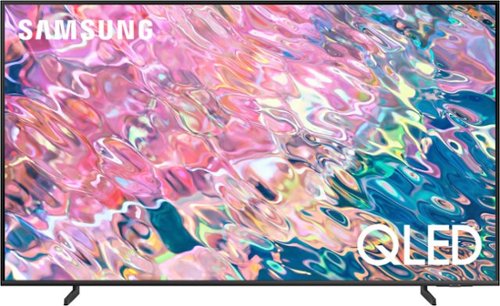
Samsung - 43 Class Q60B QLED 4K Smart Tizen TV (2022)
Leap into the world of bold contrast and vivid color with QLED 4K. Together, cool and warm Dual LEDs shine a billion shades of Quantum Dot color for a natural looking picture. Enjoy it all upscaled to glorious 4K, in details and colors that stay true even in bright scenes, thanks to 100% Color Volume.~ ~QLED televisions can produce 100% Color Volume in the DCI P3 color space, the format for most cinema screens and HDR movies for television.
I heaard some I heard some Samsung TV had a built in camera. Does this TV have a built in camera? samsung TV
Hi - You will need to connect a compatible camera to the TV, as Samsung TVs do not feature built-in cameras. ^Gina
4 years, 2 months ago
by
Posted by:
Samsung
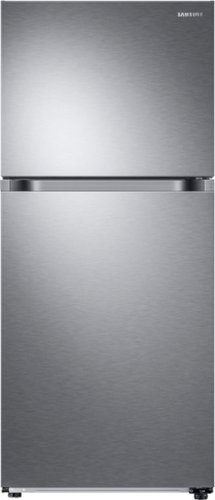
Samsung - 17.6 cu. ft. Top-Freezer Refrigerator with FlexZone - Stainless Steel
Top Freezer Refrigerator featuring the FlexZone with versatile freezer and fridge convertible zones and Twin Cooling, maintaining the humidity level of the refrigerator and keeping foods fresher longer.
Where is the on:off switch located for the ice maker?
Hi Andrea,
Thank you for reaching out, and we hope you are in good health. We appreciate your interest in Samsung home appliances, specifically with Samsung - 17.6 Cu. Ft. Top-Freezer Refrigerator with FlexZone and Ice Maker - Stainless steel.
The ice maker switch is located on the control panel (power freeze). I have shared the user manual link below. Please access the link and turn to pages 29 - 30.
https://downloadcenter.samsung.com/content/UM/202207/20220713145434133/TMF_RT6500M_DA68-03570A-15_EN_MES_CFR.pdf
Please feel free to communicate with us through the channels below if you have additional questions.
1. Facebook Messenger: http://m.me/samsungsupport
2. Twitter: https://twitter.com/messages/compose?recipient_id=18768513
3. Samsung Community: https://us.community.samsung.com/t5/Samsung-Community/ct-p/us
Your reference number: 1144707739
Leo
Thank you for reaching out, and we hope you are in good health. We appreciate your interest in Samsung home appliances, specifically with Samsung - 17.6 Cu. Ft. Top-Freezer Refrigerator with FlexZone and Ice Maker - Stainless steel.
The ice maker switch is located on the control panel (power freeze). I have shared the user manual link below. Please access the link and turn to pages 29 - 30.
https://downloadcenter.samsung.com/content/UM/202207/20220713145434133/TMF_RT6500M_DA68-03570A-15_EN_MES_CFR.pdf
Please feel free to communicate with us through the channels below if you have additional questions.
1. Facebook Messenger: http://m.me/samsungsupport
2. Twitter: https://twitter.com/messages/compose?recipient_id=18768513
3. Samsung Community: https://us.community.samsung.com/t5/Samsung-Community/ct-p/us
Your reference number: 1144707739
Leo
4 years, 2 months ago
by
Posted by:
Samsung
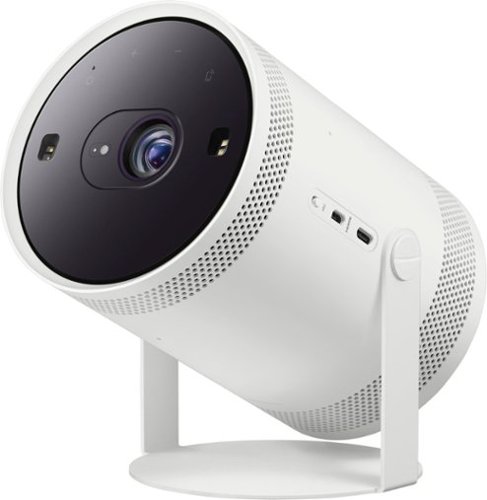
Samsung - The Freestyle FHD HDR Smart Portable Projector - White
Take the big screen experience to go with The Freestyle. This smart theater to go moves to where the action is. Just point and p lay on the wall, ceiling or even your table. The Freestyle automatically sets up your best picture experience, adjusting focus, keystone and leveling at the image size you want. You~ll be set to stream your shows using the Smart TV capabilities, check your social feed, play games, and hear it all in rich 360 sound. Gather your friends, your content is going places~. ~Includes Samsung SmartHub by Wi Fi; additional external content by Micro HDMI port and compatible devices with AirPlay 2, SmartThings~ Tap View.
can I project pictures to my wall without it shaking
chiwit - As long as The Freestyle is placed on a stable surface, you can project images without issue. ^Gina
4 years, 2 months ago
by
Posted by:
Samsung
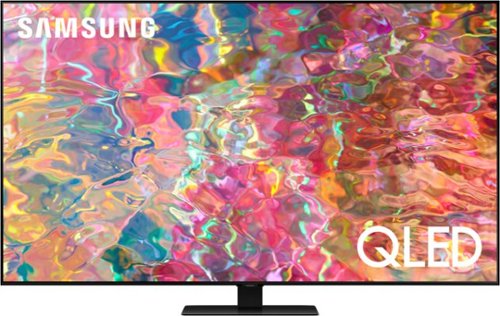
Samsung - 55 Class Q80B QLED 4K Smart Tizen TV (2022)
Delight in the dazzling details from bold contrast with this QLED 4K. Your picture comes to life with deep blacks and pure whites from the precise backlighting of Direct Full Array. Enjoy all you watch upscaled to 4K in a range of Quantum HDR 8X colors, along with 3D sound that follows the action.~ ~Utilizes AI-Based formulas to upscale to 4K Resolution. Resulting picture may vary based on source content.
What apps come with this TV? Do I need a sound bar?
Hi Ditty - Samsung offers hundreds of apps in our App Store that you can download, and we are continuously working with our partners to make apps available in our 2022 lineup. Keep an eye on the App Store of your TV to see the latest apps available. The Q80B TV has 60-Watt 2.2.2 Channel audio, Dolby Atmos, and OTS (Object Tracking Sound), allowing you to enjoy rich 3D sound that moves with the action happening on screen. Object Tracking Sound adjusts the audio to follow the movement, while Dolby Atmos envelops you in cinematic surround sound—all from strategically placed speakers behind the screen. Should you choose to add a Samsung Soundbar to your TV, please know that our Q-Series Soundbars (such as the HW-Q800B) feature Q-Symphony which will synchronize with the speakers of the Q80B TV for an immersive 3D sound experience. ^Gina
4 years, 2 months ago
by
Posted by:
Samsung