Samsung
Samsung's Stats
Reviews
- Review Count0
- Helpfulness Votes0
- First ReviewNone
- Last ReviewNone
- Featured Reviews0
- Average Rating0
Reviews Comments
- Review Comment Count0
- Helpfulness Votes0
- First Review CommentNone
- Last Review CommentNone
- Featured Review Comments0
Questions
- Question Count0
- Helpfulness Votes0
- First QuestionNone
- Last QuestionNone
- Featured Questions0
- Answer Count74690
- Helpfulness Votes37,996
- First AnswerApril 24, 2013
- Last AnswerOctober 5, 2026
- Featured Answers0
- Best Answers3953
Samsung's Reviews
Samsung has not submitted any reviews.
Samsung's Questions
Samsung has not submitted any questions.
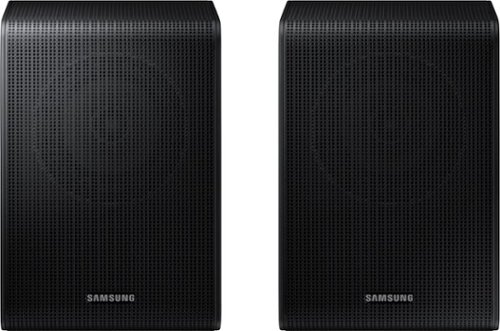
Samsung - SWA-9200S/ZA 2.0 Channel Wireless Rear Speaker Kit - Black
Connect easily and wirelessly to Samsung speakers for room-filling sound.
will these rear speakers work with Samsung HWM435 sound bar ?

Fred,
The M435 works with the SWA-8500S Wireless Rear Speaker Kit.
^Andrew
The M435 works with the SWA-8500S Wireless Rear Speaker Kit.
^Andrew
4 years, 3 months ago
by
Posted by:
Samsung

Samsung - HW-S60B 5.0ch All in One Soundbar with Wireless Dolby Atmos - Black
Enjoy room filling sound in an all in one design. Hear Dolby Atmos sound from above and around without requiring HDMI cables. Perfectly synchronized TV and soundbar sound brings a new level of immersion. Don't miss a word, thanks to a built in center speaker. Plus, play your favorite songs with Alexa built in.
How do I get the voice enhancement to turn on? When I press the button it goes through all the options and says each is off.
Hi rikraq,
By pressing the Sound Control button (which looks like a gear), you can set the audio function. The desired item can be adjusted using the Up/Down buttons. Each time the mode changes, the Multicolor LED blinks in white. SpaceFit Sound - ActiveVoiceAmplifier - Voice enhancement - Night
mode - Sync - Virtual are the different sound modes.
When you get to the desire sound mode, press the UP button on the remote to turn on, and DOWN to turn it off.
^Andrew
By pressing the Sound Control button (which looks like a gear), you can set the audio function. The desired item can be adjusted using the Up/Down buttons. Each time the mode changes, the Multicolor LED blinks in white. SpaceFit Sound - ActiveVoiceAmplifier - Voice enhancement - Night
mode - Sync - Virtual are the different sound modes.
When you get to the desire sound mode, press the UP button on the remote to turn on, and DOWN to turn it off.
^Andrew
4 years, 3 months ago
by
Posted by:
Samsung
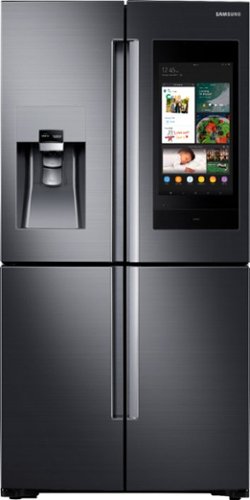
Samsung - Family Hub 22 Cu. Ft. 4-Door Flex French Door Counter-Depth Fingerprint Resistant Refrigerator - Black Stainless Steel
Samsung~s Family Hub refrigerator helps you connect to what~s most important: your family and home, whenever and wherever. Family Hub lets you see inside your refrigerator from anywhere, manage your family~s calendars, stream music and stay connected right from your Family Hub screen. Now with Family Board, a digital bulletin board, you can create a home screen with personalized pictures, stickers and hand-written notes for your family.
What power outlet should I install/use 15 or 20 Amp?
Hi Antony.
Thank you for reaching out regarding your Samsung - Family Hub 22 Cu. Ft. 4-Door Flex French Door Counter-Depth Fingerprint Resistant Refrigerator on the power outlet should I install/use 15 or 20 Amp. Regarding your concern, you need to use 115-120 V, 10 Amp or higher.
I suggest you check this link to your user manual for assistance. Please go to page 7.
https://downloadcenter.samsung.com/content/UM/201812/20181210134815685/T-TYPE_RF9500N_DA68-03460M-01_EN_MES_CFR.pdf
Should you need more assistance, please feel free to get back to us via the following options:
1. Facebook Messenger: http://m.me/samsungsupport
2. Twitter: https://twitter.com/messages/compose?recipient_id=18768513
3. Samsung Community: https://us.community.samsung.com/t5/Samsung-Community/ctp/us
Reference Ticket Number: 1144656825
Thank you for being a valued customer of Samsung. Have a great day.
^Camille
Thank you for reaching out regarding your Samsung - Family Hub 22 Cu. Ft. 4-Door Flex French Door Counter-Depth Fingerprint Resistant Refrigerator on the power outlet should I install/use 15 or 20 Amp. Regarding your concern, you need to use 115-120 V, 10 Amp or higher.
I suggest you check this link to your user manual for assistance. Please go to page 7.
https://downloadcenter.samsung.com/content/UM/201812/20181210134815685/T-TYPE_RF9500N_DA68-03460M-01_EN_MES_CFR.pdf
Should you need more assistance, please feel free to get back to us via the following options:
1. Facebook Messenger: http://m.me/samsungsupport
2. Twitter: https://twitter.com/messages/compose?recipient_id=18768513
3. Samsung Community: https://us.community.samsung.com/t5/Samsung-Community/ctp/us
Reference Ticket Number: 1144656825
Thank you for being a valued customer of Samsung. Have a great day.
^Camille
4 years, 3 months ago
by
Posted by:
Samsung
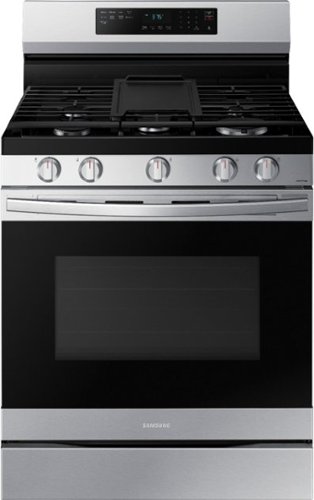
Elevate the look of your kitchen with Samsung~s Smart Freestanding Gas Range. Upgraded technology makes cooking simple and fun.
Does timer have minutes and seconds or just minutes?
Hi DMcL.
Thank you for reaching out regarding your Samsung - 6.0 cu. ft. Freestanding Gas Range with WiFi, No-Preheat Air Fry & Convection if the timer has minutes or minutes and seconds. Regarding your concern, you can set the timer from 1 minute to 9 hours and 59 minutes.
I suggest you check this link to your user manual for assistance. Please go to page 26.
https://downloadcenter.samsung.com/content/UM/202105/20210525183339900/NX60A6511SS_AA_DG68-01339A-02_EN-MES-CFR_210511.pdf
Should you need more assistance, please feel free to get back to us via the following options:
1. Facebook Messenger: http://m.me/samsungsupport
2. Twitter: https://twitter.com/messages/compose?recipient_id=18768513
3. Samsung Community: https://us.community.samsung.com/t5/Samsung-Community/ctp/us
Reference Ticket Number: 1144656753
Thank you for being a valued customer of Samsung. Have a great day.
^Camille
Thank you for reaching out regarding your Samsung - 6.0 cu. ft. Freestanding Gas Range with WiFi, No-Preheat Air Fry & Convection if the timer has minutes or minutes and seconds. Regarding your concern, you can set the timer from 1 minute to 9 hours and 59 minutes.
I suggest you check this link to your user manual for assistance. Please go to page 26.
https://downloadcenter.samsung.com/content/UM/202105/20210525183339900/NX60A6511SS_AA_DG68-01339A-02_EN-MES-CFR_210511.pdf
Should you need more assistance, please feel free to get back to us via the following options:
1. Facebook Messenger: http://m.me/samsungsupport
2. Twitter: https://twitter.com/messages/compose?recipient_id=18768513
3. Samsung Community: https://us.community.samsung.com/t5/Samsung-Community/ctp/us
Reference Ticket Number: 1144656753
Thank you for being a valued customer of Samsung. Have a great day.
^Camille
4 years, 3 months ago
by
Posted by:
Samsung
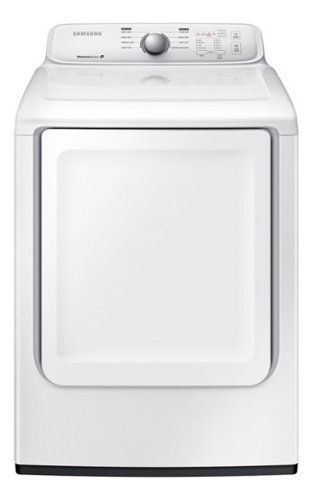
Samsung - 7.2 Cu. Ft. Electric Dryer with 8 Cycles - White
With 8 preset cycles and 4 temperature settings, this Samsung DV40J3000EW electric dryer offers the versatility needed to provide ideal drying levels for clothing, bedding and more. Noise-reduction technology helps ensure quiet performance.
Is there a way to turn off the song that plays at the end of the cycle?
Is there a way to turn off the song at the end of a cycle? My son says it wakes him up, and I can't do laundry at the times of day it is most convenient for me. The song has no volume control and the manual doesn't address this.
Hello.
Thank you for reaching out regarding your Samsung - 7.2 Cu. Ft. Electric Dryer with 8 Cycles if there is a way to turn off the end cycle chime. Regarding your concern as much as I want you to be able to switch it off this dryer does not have that feature.
I suggest you check this link to your user manual for assistance. Please go to page 2.
https://downloadcenter.samsung.com/content/UM/201909/20190913052051286/DV3000J_DC68-03170N-10_EN_CFR_MES.pdf
Should you need more assistance, please feel free to get back to us via the following options:
1. Facebook Messenger: http://m.me/samsungsupport
2. Twitter: https://twitter.com/messages/compose?recipient_id=18768513
3. Samsung Community: https://us.community.samsung.com/t5/Samsung-Community/ctp/us
Reference Ticket Number: 1144656450
Thank you for being a valued customer of Samsung. Have a great day.
^Camille
Thank you for reaching out regarding your Samsung - 7.2 Cu. Ft. Electric Dryer with 8 Cycles if there is a way to turn off the end cycle chime. Regarding your concern as much as I want you to be able to switch it off this dryer does not have that feature.
I suggest you check this link to your user manual for assistance. Please go to page 2.
https://downloadcenter.samsung.com/content/UM/201909/20190913052051286/DV3000J_DC68-03170N-10_EN_CFR_MES.pdf
Should you need more assistance, please feel free to get back to us via the following options:
1. Facebook Messenger: http://m.me/samsungsupport
2. Twitter: https://twitter.com/messages/compose?recipient_id=18768513
3. Samsung Community: https://us.community.samsung.com/t5/Samsung-Community/ctp/us
Reference Ticket Number: 1144656450
Thank you for being a valued customer of Samsung. Have a great day.
^Camille
4 years, 3 months ago
by
Posted by:
Samsung
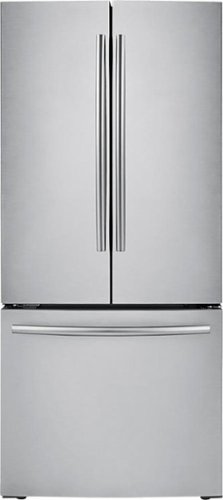
Samsung - 21.8 Cu. Ft. French-Door Refrigerator - Stainless Steel
Keep your fresh and frozen foods organized in this Samsung French door refrigerator that features a 21.8 cu. ft. capacity, 6 gallon-size door bins and 2 humidity-controlled crispers to provide plenty of storage space.
Will it create a problem if back of fridge is flush with wall?
Hello.
Thank you for reaching out regarding your Samsung - 21.8 Cu. Ft. French-Door Refrigerator if you can push the refrigerator flush up against the wall, or is some space required. Regarding your concern, you need to allow 2.5" of clearance on the hinge side of the refrigerator when installing next to a wall where the handle may make contact.
Allow 1" minimum clearance at rear for proper air circulation and water/electrical connections. Allow a 3/8" minimum clearance at sides and top for ease of installation.
I suggest you check this link for further assistance.
https://image-us.samsung.com/SamsungUS/home/home-appliances/refrigerators/pdf/RF220NCTASR.pdf
Should you need more assistance, please feel free to get back to us via the following options:
1. Facebook Messenger: http://m.me/samsungsupport
2. Twitter: https://twitter.com/messages/compose?recipient_id=18768513
3. Samsung Community: https://us.community.samsung.com/t5/Samsung-Community/ctp/us
Reference Ticket Number: 1144656194
Thank you for being a valued customer of Samsung. Have a great day.
^Camille
Thank you for reaching out regarding your Samsung - 21.8 Cu. Ft. French-Door Refrigerator if you can push the refrigerator flush up against the wall, or is some space required. Regarding your concern, you need to allow 2.5" of clearance on the hinge side of the refrigerator when installing next to a wall where the handle may make contact.
Allow 1" minimum clearance at rear for proper air circulation and water/electrical connections. Allow a 3/8" minimum clearance at sides and top for ease of installation.
I suggest you check this link for further assistance.
https://image-us.samsung.com/SamsungUS/home/home-appliances/refrigerators/pdf/RF220NCTASR.pdf
Should you need more assistance, please feel free to get back to us via the following options:
1. Facebook Messenger: http://m.me/samsungsupport
2. Twitter: https://twitter.com/messages/compose?recipient_id=18768513
3. Samsung Community: https://us.community.samsung.com/t5/Samsung-Community/ctp/us
Reference Ticket Number: 1144656194
Thank you for being a valued customer of Samsung. Have a great day.
^Camille
4 years, 3 months ago
by
Posted by:
Samsung
Samsung - 21.8 Cu. Ft. French-Door Refrigerator - Stainless Steel
Keep your fresh and frozen foods organized in this Samsung French door refrigerator that features a 21.8 cu. ft. capacity, 6 gallon-size door bins and 2 humidity-controlled crispers to provide plenty of storage space.
Can I push the refrigerator flush up against the wall or is some space required
Hello.
Thank you for reaching out regarding your Samsung - 21.8 Cu. Ft. French-Door Refrigerator if you can push the refrigerator flush up against the wall, or is some space required. Regarding your concern, you need to allow 2.5" of clearance on the hinge side of the refrigerator when installing next to a wall where the handle may make contact.
Allow 1" minimum clearance at rear for proper air circulation and water/electrical connections. Allow a 3/8" minimum clearance at sides and top for ease of installation.
I suggest you check this link for further assistance.
https://image-us.samsung.com/SamsungUS/home/home-appliances/refrigerators/pdf/RF220NCTASR.pdf
Should you need more assistance, please feel free to get back to us via the following options:
1. Facebook Messenger: http://m.me/samsungsupport
2. Twitter: https://twitter.com/messages/compose?recipient_id=18768513
3. Samsung Community: https://us.community.samsung.com/t5/Samsung-Community/ctp/us
Reference Ticket Number: 1144656159
Thank you for being a valued customer of Samsung. Have a great day.
^Camille
Thank you for reaching out regarding your Samsung - 21.8 Cu. Ft. French-Door Refrigerator if you can push the refrigerator flush up against the wall, or is some space required. Regarding your concern, you need to allow 2.5" of clearance on the hinge side of the refrigerator when installing next to a wall where the handle may make contact.
Allow 1" minimum clearance at rear for proper air circulation and water/electrical connections. Allow a 3/8" minimum clearance at sides and top for ease of installation.
I suggest you check this link for further assistance.
https://image-us.samsung.com/SamsungUS/home/home-appliances/refrigerators/pdf/RF220NCTASR.pdf
Should you need more assistance, please feel free to get back to us via the following options:
1. Facebook Messenger: http://m.me/samsungsupport
2. Twitter: https://twitter.com/messages/compose?recipient_id=18768513
3. Samsung Community: https://us.community.samsung.com/t5/Samsung-Community/ctp/us
Reference Ticket Number: 1144656159
Thank you for being a valued customer of Samsung. Have a great day.
^Camille
4 years, 3 months ago
by
Posted by:
Samsung
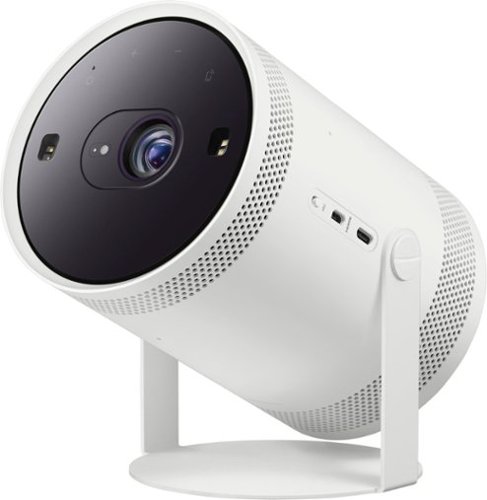
Samsung - The Freestyle FHD HDR Smart Portable Projector - White
Take the big screen experience to go with The Freestyle. This smart theater to go moves to where the action is. Just point and p lay on the wall, ceiling or even your table. The Freestyle automatically sets up your best picture experience, adjusting focus, keystone and leveling at the image size you want. You~ll be set to stream your shows using the Smart TV capabilities, check your social feed, play games, and hear it all in rich 360 sound. Gather your friends, your content is going places~. ~Includes Samsung SmartHub by Wi Fi; additional external content by Micro HDMI port and compatible devices with AirPlay 2, SmartThings~ Tap View.
What is the lumens number and how is this machine in daylight?
Hi there! The Freestyle is 550 Lumens and operates best in a light-controlled environment. ^Gina
4 years, 3 months ago
by
Posted by:
Samsung
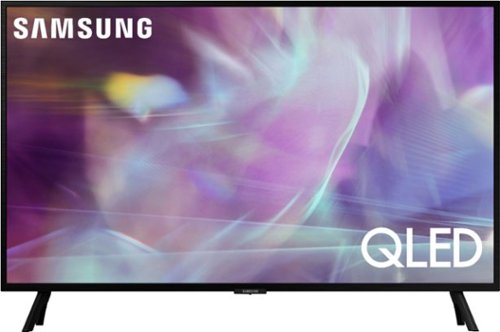
Samsung - 32" Class Q60A Series QLED 4K UHD Smart Tizen TV (2021)
Enjoy ultra-intense 4K vivid color and sharpened clarity with the Q60A / Q60AB. It combines Quantum Dot Technology with the power of 100% Color Volume to deliver a billion of shades for colorful, razor-sharp visuals. The ultra-smart Quantum Processor 4K Lite automatically upscales and transforms your content into 4K. Dual LED backlighting adjusts and coordinates with content in real time to enhance contrast and detail. Plus, with the rechargeable SolarCell Remote, you can easily access and control Smart TV and all your connected devices.
Has anyone had any problems with the sound echoing on this smart TV? I have tried the sound in many ways to try to get rid of the echo. Thank-you!
Unicornlov - I'm sorry to hear you're experiencing sound issues on your TV. So that we can better troubleshoot towards a solution, please reach out to Samsung Support at: 1-800-SAMSUNG, 8AM - 12AM EST, 7 days a week, or Chat with us on Samsung.com: https://www.samsung.com/us/support/contact/ ^Gina
4 years, 3 months ago
by
Posted by:
Samsung
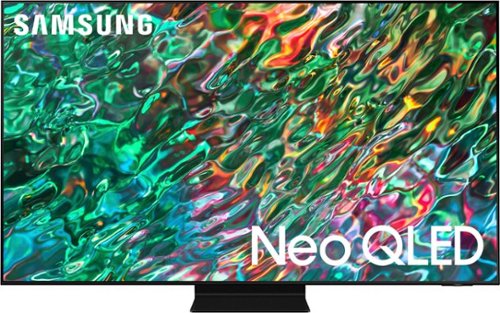
Samsung - 65 Class QN90B Neo QLED 4K Smart Tizen TV (2022)
Dive into our most brilliantly intense 4K experience, powered by Quantum Matrix Technology. By using precision Mini LEDs to create a wide range of color and contrast, rich details are revealed. Marvel at all that emerges from your darkest and brightest scenes thanks to 14 bit processing for deep blacks and over a billion shades of color. From daytime sports to movie night, your picture amazes in any light with AI processing that expertly upscales content to 4K and refines your Smart Hub and sound.
Do you need a soundbar with this tv?
Hi Gary - The 65” QN90B has 60-Watt 2.2.2 Channel sound with Dolby Atmos, as well as OTS+ (Object Tracking Sound+) which uses strategically placed speakers behind the screen, allowing you to hear the getaway car drive from one side to the other, the fighter jet fly overhead, and the rain falling around you. Should you choose to add a Samsung Soundbar to your TV, please know that our Q-Series Soundbars (such as the HW-Q930B) feature Q-Symphony which will synchronize with the speakers of the QN90B TV for an immersive 3D sound experience. ^Gina
4 years, 3 months ago
by
Posted by:
Samsung