Samsung
Samsung's Stats
Reviews
- Review Count0
- Helpfulness Votes0
- First ReviewNone
- Last ReviewNone
- Featured Reviews0
- Average Rating0
Reviews Comments
- Review Comment Count0
- Helpfulness Votes0
- First Review CommentNone
- Last Review CommentNone
- Featured Review Comments0
Questions
- Question Count0
- Helpfulness Votes0
- First QuestionNone
- Last QuestionNone
- Featured Questions0
- Answer Count74714
- Helpfulness Votes37,996
- First AnswerApril 24, 2013
- Last AnswerOctober 5, 2026
- Featured Answers0
- Best Answers3953
Samsung's Reviews
Samsung has not submitted any reviews.
Samsung's Questions
Samsung has not submitted any questions.
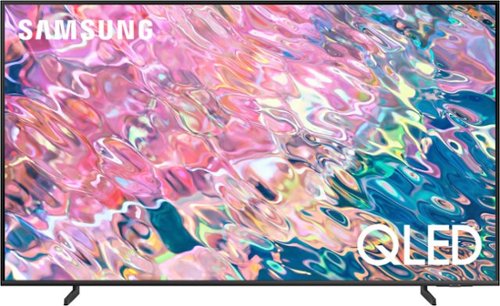
Samsung - 43 Class Q60B QLED 4K Smart Tizen TV (2022)
Leap into the world of bold contrast and vivid color with QLED 4K. Together, cool and warm Dual LEDs shine a billion shades of Quantum Dot color for a natural looking picture. Enjoy it all upscaled to glorious 4K, in details and colors that stay true even in bright scenes, thanks to 100% Color Volume.~ ~QLED televisions can produce 100% Color Volume in the DCI P3 color space, the format for most cinema screens and HDR movies for television.
Can this tv be used as a remote computer screen for my laptop?

Hi KfH - You can absolutely utilize the 43" Q60B as a PC monitor! While you can connect the Q60B to your PC with an HDMI cable, you also can wirelessly connect using the PC on TV feature. PC on TV allows you to connect your PC to a TV and control it while it's displaying on the bigger screen. You can access this feature under: Home > Menu > Connected Devices > PC on TV. ^Gina
4 years, 3 months ago
by
Posted by:
Samsung
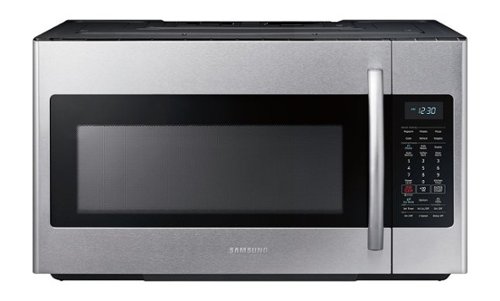
Samsung - 1.8 cu. ft. Over-the-Range Fingerprint Resistant Microwave with Sensor Cooking - Stainless Steel
The Samsung over-the-range microwave with sensor cooking makes it easy to heat and is simple to clean.
Can this vent upwards thru the top cabinet?
Hello.
Thank you for reaching out regarding your Samsung - 1.8 cu. ft. Over-the-Range Fingerprint Resistant Microwave with Sensor Cooking if this can vent upwards through the top cabinet. Regarding your concern, this microwave can be vented upwards.
I suggest you check this link to your installation manual to assist you further. Please go to page 12.
https://downloadcenter.samsung.com/content/EM/202202/20220223182321209/SMH1927_XAA_DE68-04108A-07_EN_220120.pdf
Should you need more assistance, please feel free to get back to us via the following options:
1. Facebook Messenger: http://m.me/samsungsupport
2. Twitter: https://twitter.com/messages/compose?recipient_id 18768513
3. Samsung Community: https://us.community.samsung.com/t5/Samsung-Community/ct-p/us
Thank you for being a valued customer of Samsung. Have a great day.
Reference Ticket Number: 1144611684
^Camille
Thank you for reaching out regarding your Samsung - 1.8 cu. ft. Over-the-Range Fingerprint Resistant Microwave with Sensor Cooking if this can vent upwards through the top cabinet. Regarding your concern, this microwave can be vented upwards.
I suggest you check this link to your installation manual to assist you further. Please go to page 12.
https://downloadcenter.samsung.com/content/EM/202202/20220223182321209/SMH1927_XAA_DE68-04108A-07_EN_220120.pdf
Should you need more assistance, please feel free to get back to us via the following options:
1. Facebook Messenger: http://m.me/samsungsupport
2. Twitter: https://twitter.com/messages/compose?recipient_id 18768513
3. Samsung Community: https://us.community.samsung.com/t5/Samsung-Community/ct-p/us
Thank you for being a valued customer of Samsung. Have a great day.
Reference Ticket Number: 1144611684
^Camille
4 years, 3 months ago
by
Posted by:
Samsung
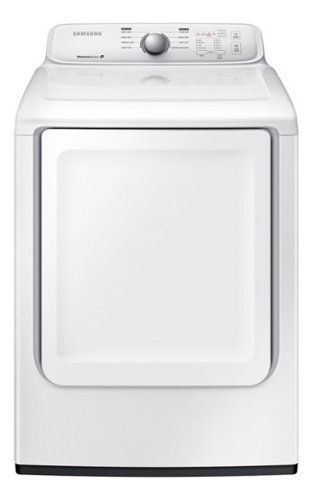
Samsung - 7.2 Cu. Ft. Electric Dryer with 8 Cycles - White
With 8 preset cycles and 4 temperature settings, this Samsung DV40J3000EW electric dryer offers the versatility needed to provide ideal drying levels for clothing, bedding and more. Noise-reduction technology helps ensure quiet performance.
Do you have financing
Dear Valued Best Buy Client,
To better assist you with this issue, please contact our Best Buy customer service department at (888) 237-8289. Call 24 hours a day. They can either answer your question or transfer you to your local store to answer your specific inquiry.
Thank you, and stay safe!
Your Reference Ticket Number: 1144611663
-Angelica
To better assist you with this issue, please contact our Best Buy customer service department at (888) 237-8289. Call 24 hours a day. They can either answer your question or transfer you to your local store to answer your specific inquiry.
Thank you, and stay safe!
Your Reference Ticket Number: 1144611663
-Angelica
4 years, 3 months ago
by
Posted by:
Samsung
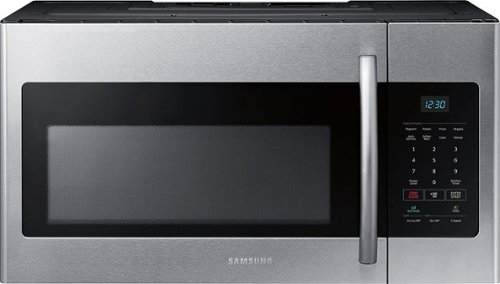
Samsung - 1.6 cu. ft. Over-the-Range Fingerprint Resistant Microwave - Stainless Steel
This sleek, yet spacious, over-the-range microwave looks beautiful in any kitchen. Its large display is brightly lit with a clean, ice-blue color for elegance and easy reading. This stainless steel microwave features intuitive controls and a variety of auto cook presets that save you time while preparing meals. It even features an Eco Mode that reduces energy consumption so you can save money, too.
Can this microwave vent upwards thru the top cabinet?
Hello.
Thank you for reaching out regarding your Samsung - 1.6 cu. ft. Over-the-Range Fingerprint Resistant Microwave if this can vent upwards through the top cabinet. Regarding your concern, this microwave can be vented upwards.
I suggest you check this link to your installation manual to assist you further. Please go to page 12.
https://downloadcenter.samsung.com/content/EM/202202/20220223181324341/SMH8165_XAA_DE68-03587A-12_EN_220120.pdf
Should you need more assistance, please feel free to get back to us via the following options:
1. Facebook Messenger: http://m.me/samsungsupport
2. Twitter: https://twitter.com/messages/compose?recipient_id 18768513
3. Samsung Community: https://us.community.samsung.com/t5/Samsung-Community/ct-p/us
Thank you for being a valued customer of Samsung. Have a great day.
Reference Ticket Number: 1144611657
^Camille
Thank you for reaching out regarding your Samsung - 1.6 cu. ft. Over-the-Range Fingerprint Resistant Microwave if this can vent upwards through the top cabinet. Regarding your concern, this microwave can be vented upwards.
I suggest you check this link to your installation manual to assist you further. Please go to page 12.
https://downloadcenter.samsung.com/content/EM/202202/20220223181324341/SMH8165_XAA_DE68-03587A-12_EN_220120.pdf
Should you need more assistance, please feel free to get back to us via the following options:
1. Facebook Messenger: http://m.me/samsungsupport
2. Twitter: https://twitter.com/messages/compose?recipient_id 18768513
3. Samsung Community: https://us.community.samsung.com/t5/Samsung-Community/ct-p/us
Thank you for being a valued customer of Samsung. Have a great day.
Reference Ticket Number: 1144611657
^Camille
4 years, 3 months ago
by
Posted by:
Samsung
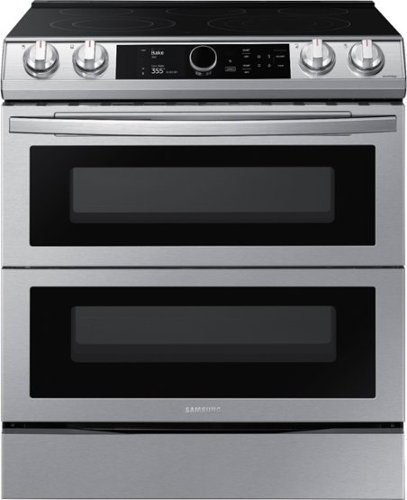
Samsung - 6.3 cu. ft. Flex Duo Front Control Slide-in Electric Range with Smart Dial, Air Fry & Wi-Fi, Fingerprint Resistant - Stainless Steel
The Samsung Flex Duo Front Control Slide-in Electric Range with Smart Dial and Air Fry is fully Wi-Fi connected and voice enabled, giving you the tools you need to simplify the cooking experience in the kitchen.
what type of venting is on this range?
Hi Pat,
Thank you for reaching out, and we hope you are in good health. We appreciate your interest in Samsung home appliances, specifically with Samsung - 6.3 cu. ft. Flex Duo™ Front Control Slide-in Electric Range with Smart Dial, Air Fry & Wi-Fi, Fingerprint Resistant - Stainless steel.
The range has no specific venting (down/updraft). The oven vent is
located above the right rear surface unit. This area could
become hot during oven use. Never block this vent or place
plastic or heat-sensitive items on it.
I have shared the user manual link below. Please access the link and turn to page 21 for the location of the oven vent.
https://downloadcenter.samsung.com/content/UM/202107/20210716111032090/NE63T8751_AA_DG68-01208A-05_EN-MES-CFR_210702.pdf
Please feel free to communicate with us through the channels below if you have additional questions.
1. Facebook Messenger: http://m.me/samsungsupport
2. Twitter: https://twitter.com/messages/compose?recipient_id=18768513
3. Samsung Community: https://us.community.samsung.com/t5/Samsung-Community/ct-p/us
Your reference number: 1144611617
Leo
Thank you for reaching out, and we hope you are in good health. We appreciate your interest in Samsung home appliances, specifically with Samsung - 6.3 cu. ft. Flex Duo™ Front Control Slide-in Electric Range with Smart Dial, Air Fry & Wi-Fi, Fingerprint Resistant - Stainless steel.
The range has no specific venting (down/updraft). The oven vent is
located above the right rear surface unit. This area could
become hot during oven use. Never block this vent or place
plastic or heat-sensitive items on it.
I have shared the user manual link below. Please access the link and turn to page 21 for the location of the oven vent.
https://downloadcenter.samsung.com/content/UM/202107/20210716111032090/NE63T8751_AA_DG68-01208A-05_EN-MES-CFR_210702.pdf
Please feel free to communicate with us through the channels below if you have additional questions.
1. Facebook Messenger: http://m.me/samsungsupport
2. Twitter: https://twitter.com/messages/compose?recipient_id=18768513
3. Samsung Community: https://us.community.samsung.com/t5/Samsung-Community/ct-p/us
Your reference number: 1144611617
Leo
4 years, 3 months ago
by
Posted by:
Samsung
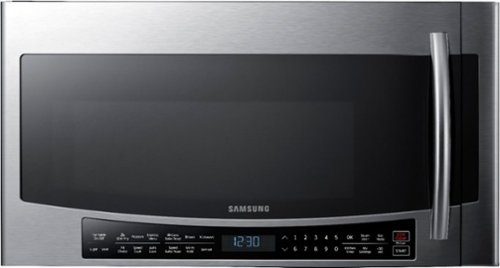
Samsung - 1.7 Cu. Ft. Convection Over-the-Range Fingerprint Resistant Microwave - Stainless Steel
Cook with variety. This Samsung over-the-range microwave lets you create quick, healthy meals, crispy fried foods, baked or roasted dishes, and much more. Convection and Slim Fry technologies heat food faster and more evenly than traditional microwave cooking.
Does this come with the mounting brackets??
Hi Angela.
Thank you for reaching out regarding your Samsung - 1.7 Cu. Ft. Convection Over-the-Range Fingerprint Resistant Microwave if this comes with a mounting bracket. Regarding your concern, this microwave has a hardware kit with all the screws and brackets needed.
I suggest you check this link to your user manual to assist you further. Please go to page 10.
https://downloadcenter.samsung.com/content/UM/201904/20190417134224394/MC17J8000CG_AA_DE68-04224E-02_EN-MES.pdf
Should you need more assistance, please feel free to get back to us via the following options:
1. Facebook Messenger: http://m.me/samsungsupport
2. Twitter: https://twitter.com/messages/compose?recipient_id 18768513
3. Samsung Community: https://us.community.samsung.com/t5/Samsung-Community/ct-p/us
Thank you for being a valued customer of Samsung. Have a great day.
Reference Ticket Number: 1144611621
^Camille
Thank you for reaching out regarding your Samsung - 1.7 Cu. Ft. Convection Over-the-Range Fingerprint Resistant Microwave if this comes with a mounting bracket. Regarding your concern, this microwave has a hardware kit with all the screws and brackets needed.
I suggest you check this link to your user manual to assist you further. Please go to page 10.
https://downloadcenter.samsung.com/content/UM/201904/20190417134224394/MC17J8000CG_AA_DE68-04224E-02_EN-MES.pdf
Should you need more assistance, please feel free to get back to us via the following options:
1. Facebook Messenger: http://m.me/samsungsupport
2. Twitter: https://twitter.com/messages/compose?recipient_id 18768513
3. Samsung Community: https://us.community.samsung.com/t5/Samsung-Community/ct-p/us
Thank you for being a valued customer of Samsung. Have a great day.
Reference Ticket Number: 1144611621
^Camille
4 years, 3 months ago
by
Posted by:
Samsung
Samsung - 1.7 Cu. Ft. Convection Over-the-Range Fingerprint Resistant Microwave - Stainless Steel
Cook with variety. This Samsung over-the-range microwave lets you create quick, healthy meals, crispy fried foods, baked or roasted dishes, and much more. Convection and Slim Fry technologies heat food faster and more evenly than traditional microwave cooking.
Does this microw wave support recirculating non-vented ductless?
Hi Tom.
Thank you for reaching out regarding your Samsung - 1.7 Cu. Ft. Convection Over-the-Range Fingerprint Resistant Microwave if this microwave supports recirculating non-vented ductless. Regarding your concern, this microwave has the recirculating non-vented ductless.
I suggest you check this link to your installation manual to assist you further. Please go to pages 11 to 14.
https://downloadcenter.samsung.com/content/EM/201712/20171226115003929/Installation_MC17J8100CS_AA_DE68-04129C-01_EN-MES.pdf
Should you need more assistance, please feel free to get back to us via the following options:
1. Facebook Messenger: http://m.me/samsungsupport
2. Twitter: https://twitter.com/messages/compose?recipient_id 18768513
3. Samsung Community: https://us.community.samsung.com/t5/Samsung-Community/ct-p/us
Thank you for being a valued customer of Samsung. Have a great day.
Reference Ticket Number: 1144611570
^Camille
Thank you for reaching out regarding your Samsung - 1.7 Cu. Ft. Convection Over-the-Range Fingerprint Resistant Microwave if this microwave supports recirculating non-vented ductless. Regarding your concern, this microwave has the recirculating non-vented ductless.
I suggest you check this link to your installation manual to assist you further. Please go to pages 11 to 14.
https://downloadcenter.samsung.com/content/EM/201712/20171226115003929/Installation_MC17J8100CS_AA_DE68-04129C-01_EN-MES.pdf
Should you need more assistance, please feel free to get back to us via the following options:
1. Facebook Messenger: http://m.me/samsungsupport
2. Twitter: https://twitter.com/messages/compose?recipient_id 18768513
3. Samsung Community: https://us.community.samsung.com/t5/Samsung-Community/ct-p/us
Thank you for being a valued customer of Samsung. Have a great day.
Reference Ticket Number: 1144611570
^Camille
4 years, 3 months ago
by
Posted by:
Samsung
Samsung - 1.7 Cu. Ft. Convection Over-the-Range Fingerprint Resistant Microwave - Stainless Steel
Cook with variety. This Samsung over-the-range microwave lets you create quick, healthy meals, crispy fried foods, baked or roasted dishes, and much more. Convection and Slim Fry technologies heat food faster and more evenly than traditional microwave cooking.
Does it come in white
Hello.
Thank you for reaching out regarding your Samsung - 1.7 Cu. Ft. Convection Over-the-Range Fingerprint Resistant Microwave if this comes in white. Regarding your concern, white is not available; the colors that are only available for this microwave would be the following:
Fingerprint Resistant Black Stainless Steel
Fingerprint Resistant Stainless Steel
I suggest you check this link for the full specs, features and dimensions.
https://www.samsung.com/us/home-appliances/microwaves/over-the-range/mc17j8000cs-1-7-cu-ft-over-the-range-convection-microwave-stainless-steel-mc17j8000cs-aa/
Should you need more assistance, please feel free to get back to us via the following options:
1. Facebook Messenger: http://m.me/samsungsupport
2. Twitter: https://twitter.com/messages/compose?recipient_id 18768513
3. Samsung Community: https://us.community.samsung.com/t5/Samsung-Community/ct-p/us
Thank you for being a valued customer of Samsung. Have a great day.
Reference Ticket Number: 1144611508
^Camille
Thank you for reaching out regarding your Samsung - 1.7 Cu. Ft. Convection Over-the-Range Fingerprint Resistant Microwave if this comes in white. Regarding your concern, white is not available; the colors that are only available for this microwave would be the following:
Fingerprint Resistant Black Stainless Steel
Fingerprint Resistant Stainless Steel
I suggest you check this link for the full specs, features and dimensions.
https://www.samsung.com/us/home-appliances/microwaves/over-the-range/mc17j8000cs-1-7-cu-ft-over-the-range-convection-microwave-stainless-steel-mc17j8000cs-aa/
Should you need more assistance, please feel free to get back to us via the following options:
1. Facebook Messenger: http://m.me/samsungsupport
2. Twitter: https://twitter.com/messages/compose?recipient_id 18768513
3. Samsung Community: https://us.community.samsung.com/t5/Samsung-Community/ct-p/us
Thank you for being a valued customer of Samsung. Have a great day.
Reference Ticket Number: 1144611508
^Camille
4 years, 3 months ago
by
Posted by:
Samsung
Samsung - 1.7 Cu. Ft. Convection Over-the-Range Fingerprint Resistant Microwave - Stainless Steel
Cook with variety. This Samsung over-the-range microwave lets you create quick, healthy meals, crispy fried foods, baked or roasted dishes, and much more. Convection and Slim Fry technologies heat food faster and more evenly than traditional microwave cooking.
Does it have the slim fry heating coil
Does it come with the slim fry heating element in it or is that an extra option
Hello.
Thank you for reaching out regarding your Samsung - 1.7 Cu. Ft. Convection Over-the-Range Fingerprint Resistant Microwave if this has a slim fry heating coil. Regarding your concern, this microwave has a slim fry menu button that contains pre-set cooking programs for 9 different items. You do not need to set the cooking times or the power level.
I suggest you check this link to your user manual for assistance. Please go to pages 18 to 19.
https://downloadcenter.samsung.com/content/UM/201904/20190417134224394/MC17J8000CG_AA_DE68-04224E-02_EN-MES.pdf
Should you need more assistance, please feel free to get back to us via the following options:
1. Facebook Messenger: http://m.me/samsungsupport
2. Twitter: https://twitter.com/messages/compose?recipient_id 18768513
3. Samsung Community: https://us.community.samsung.com/t5/Samsung-Community/ct-p/us
Thank you for being a valued customer of Samsung. Have a great day.
Reference Ticket Number: 1144611476
^Camille
Thank you for reaching out regarding your Samsung - 1.7 Cu. Ft. Convection Over-the-Range Fingerprint Resistant Microwave if this has a slim fry heating coil. Regarding your concern, this microwave has a slim fry menu button that contains pre-set cooking programs for 9 different items. You do not need to set the cooking times or the power level.
I suggest you check this link to your user manual for assistance. Please go to pages 18 to 19.
https://downloadcenter.samsung.com/content/UM/201904/20190417134224394/MC17J8000CG_AA_DE68-04224E-02_EN-MES.pdf
Should you need more assistance, please feel free to get back to us via the following options:
1. Facebook Messenger: http://m.me/samsungsupport
2. Twitter: https://twitter.com/messages/compose?recipient_id 18768513
3. Samsung Community: https://us.community.samsung.com/t5/Samsung-Community/ct-p/us
Thank you for being a valued customer of Samsung. Have a great day.
Reference Ticket Number: 1144611476
^Camille
4 years, 3 months ago
by
Posted by:
Samsung
Samsung - 7.2 Cu. Ft. Electric Dryer with 8 Cycles - White
With 8 preset cycles and 4 temperature settings, this Samsung DV40J3000EW electric dryer offers the versatility needed to provide ideal drying levels for clothing, bedding and more. Noise-reduction technology helps ensure quiet performance.
Which way does door open on this model
Hello,
Thank you for reaching out. We appreciate you informing us about your inquiry on which way the door of this Samsung dryer opens. We understand this information's importance, and we'll be glad to look into this for you.
As per checking, this dryer's door is on the side, and it opens from left to right. However, you have an option to reverse it. If you want to change the direction of the door, it is recommended to call a qualified service technician.
You may also refer to page 19 of the user manual to learn more about the process of reversing the door for reference.
https://downloadcenter.samsung.com/content/UM/201909/20190913052051286/DV3000J_DC68-03170N-10_EN_CFR_MES.pdf
Do not hesitate to contact our Support Channels below to speak with a live representative for other concerns.
1. Facebook Messenger: http://m.me/samsungsupport
2. Twitter: https://twitter.com/messages/compose?recipient_id=18768513
3. Samsung Community: https://us.commuity.samsung.com/t5/Samsung-Community/ct-p/us
Thank you, and stay safe!
Your Reference Ticket Number: 1144611444
-Angelica
Thank you for reaching out. We appreciate you informing us about your inquiry on which way the door of this Samsung dryer opens. We understand this information's importance, and we'll be glad to look into this for you.
As per checking, this dryer's door is on the side, and it opens from left to right. However, you have an option to reverse it. If you want to change the direction of the door, it is recommended to call a qualified service technician.
You may also refer to page 19 of the user manual to learn more about the process of reversing the door for reference.
https://downloadcenter.samsung.com/content/UM/201909/20190913052051286/DV3000J_DC68-03170N-10_EN_CFR_MES.pdf
Do not hesitate to contact our Support Channels below to speak with a live representative for other concerns.
1. Facebook Messenger: http://m.me/samsungsupport
2. Twitter: https://twitter.com/messages/compose?recipient_id=18768513
3. Samsung Community: https://us.commuity.samsung.com/t5/Samsung-Community/ct-p/us
Thank you, and stay safe!
Your Reference Ticket Number: 1144611444
-Angelica
4 years, 3 months ago
by
Posted by:
Samsung