Samsung
Samsung's Stats
Reviews
- Review Count0
- Helpfulness Votes0
- First ReviewNone
- Last ReviewNone
- Featured Reviews0
- Average Rating0
Reviews Comments
- Review Comment Count0
- Helpfulness Votes0
- First Review CommentNone
- Last Review CommentNone
- Featured Review Comments0
Questions
- Question Count0
- Helpfulness Votes0
- First QuestionNone
- Last QuestionNone
- Featured Questions0
- Answer Count74743
- Helpfulness Votes37,983
- First AnswerApril 24, 2013
- Last AnswerOctober 6, 2026
- Featured Answers0
- Best Answers3954
Samsung's Reviews
Samsung has not submitted any reviews.
Samsung's Questions
Samsung has not submitted any questions.
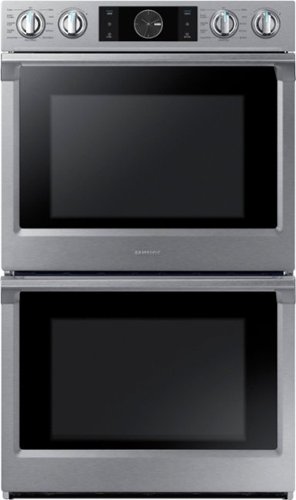
Samsung - 30" Double Wall Oven with Flex Duo, Steam Cook and WiFi - Stainless Steel
The Samsung Double Wall Oven has steam cooking so you can bake and roast with professional results. Steam cook delivers moisture at precise times for a crisp, browned outside, and tender inside. Dual convection circulates air faster for more even and efficient cooking results. The 5.1 cu of capacity can accommodate a roast, multiple casserole dishes, or several racks of cookies.
I currently have a 30 amp. What amp is required/recommended? Also, what kind of outlet does it plug into? What kind of electrical receptacles does it use?

Hi Al,
Thank you for reaching out and we hope you are in good health. We appreciate your interest in Samsung home appliances, specifically with Samsung - 30" Double Wall Oven with Flex Duo, Steam Cook and WiFi - Stainless steel.
The home appliance uses a hard-wired electrical connection that uses a range of Amperes (between 20 - 50), depending on the KW rating.
I have shared the user manual link below. Please access the link and turn to pages 9 - 10, 13 - 14 for the electrical connection.
https://downloadcenter.samsung.com/content/EM/202003/20200306172627089/Install_NW9000K_DG68-00862A-09_EN-MES-CFR.pdf
Please feel free to communicate with us through the channels below if you have additional questions.
1. Facebook Messenger: http://m.me/samsungsupport
2. Twitter: https://twitter.com/messages/compose?recipient_id=18768513
3. Samsung Community: https://us.community.samsung.com/t5/Samsung-Community/ct-p/us
Your reference number: 1144443167
Leo
Thank you for reaching out and we hope you are in good health. We appreciate your interest in Samsung home appliances, specifically with Samsung - 30" Double Wall Oven with Flex Duo, Steam Cook and WiFi - Stainless steel.
The home appliance uses a hard-wired electrical connection that uses a range of Amperes (between 20 - 50), depending on the KW rating.
I have shared the user manual link below. Please access the link and turn to pages 9 - 10, 13 - 14 for the electrical connection.
https://downloadcenter.samsung.com/content/EM/202003/20200306172627089/Install_NW9000K_DG68-00862A-09_EN-MES-CFR.pdf
Please feel free to communicate with us through the channels below if you have additional questions.
1. Facebook Messenger: http://m.me/samsungsupport
2. Twitter: https://twitter.com/messages/compose?recipient_id=18768513
3. Samsung Community: https://us.community.samsung.com/t5/Samsung-Community/ct-p/us
Your reference number: 1144443167
Leo
4 years, 5 months ago
by
Posted by:
Samsung
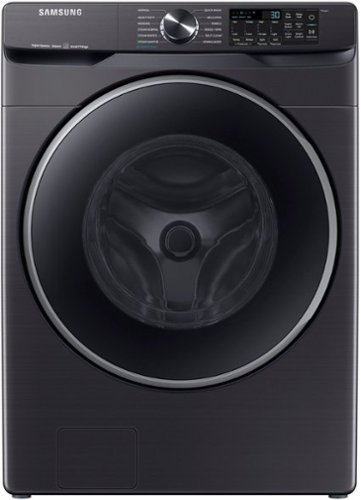
Samsung - 5.0 Cu. Ft. High-Efficiency Stackable Smart Front Load Washer with Steam and Super Speed Wash - Brushed Black
Samsung~s new 5.0 cu. ft. Extra-Large Capacity Front Load Washer helps you fit more in every load and cut down on laundry time, leaving more time for you. Also, with Super Speed Wash, you can wash a full load of laundry in just 30 minutes without sacrificing cleaning performance.
Is this a belt drive or direct drive unit?
Hi DIYDAD.
Thank you for reaching out regarding your Samsung - 5.0 cu. ft. Extra-Large Capacity Smart Front Load Washer with SuperSpeed Wash if this a belt drive or direct drive unit. Regarding your concern, the motor power will be direct drive.
I suggest you check this link for the full specs, dimensions, and features.
https://www.samsung.com/us/home-appliances/washers/front-load/5-0-cu--ft--extra-large-capacity-smart-front-load-washer-with-super-speed-wash-in-brushed-black-wf50a8500av-a5/#specs
Should you need more assistance, please feel free to get back to us via the following options:
1. Facebook Messenger: http://m.me/samsungsupport
2. Twitter: https://twitter.com/messages/compose?recipient_id=18768513
3. Samsung Community: https://us.community.samsung.com/t5/Samsung-Community/ct-p/us
Thank you for being a valued customer of Samsung. Have a great day.
Reference Ticket Number: 1144443045
^Camille
Thank you for reaching out regarding your Samsung - 5.0 cu. ft. Extra-Large Capacity Smart Front Load Washer with SuperSpeed Wash if this a belt drive or direct drive unit. Regarding your concern, the motor power will be direct drive.
I suggest you check this link for the full specs, dimensions, and features.
https://www.samsung.com/us/home-appliances/washers/front-load/5-0-cu--ft--extra-large-capacity-smart-front-load-washer-with-super-speed-wash-in-brushed-black-wf50a8500av-a5/#specs
Should you need more assistance, please feel free to get back to us via the following options:
1. Facebook Messenger: http://m.me/samsungsupport
2. Twitter: https://twitter.com/messages/compose?recipient_id=18768513
3. Samsung Community: https://us.community.samsung.com/t5/Samsung-Community/ct-p/us
Thank you for being a valued customer of Samsung. Have a great day.
Reference Ticket Number: 1144443045
^Camille
4 years, 5 months ago
by
Posted by:
Samsung
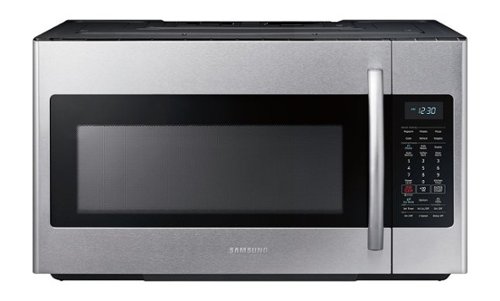
Samsung - 1.8 cu. ft. Over-the-Range Fingerprint Resistant Microwave with Sensor Cooking - Stainless Steel
The Samsung over-the-range microwave with sensor cooking makes it easy to heat and is simple to clean.
What are the external dimensions of this microwave (Samsung Model ME18H704SFS)?
Hi mct.
Thank you for reaching out regarding your Samsung - 1.8 cu. ft. Over-the-Range Fingerprint Resistant Microwave with Sensor Cooking dimension. Regarding your concern, the dimension would be 29 7/8" W x 17 1/16" H x 15 9/16" D.
I suggest you check this link for the full specs, dimensions, and features.
https://www.samsung.com/us/home-appliances/microwaves/over-the-range/me18h704sfs-1-8-cu-ft-over-the-range-microwave-with-sensor-cooking-stainless-steel-me18h704sfs-aa/#specs
Should you need more assistance, please feel free to get back to us via the following options:
1. Facebook Messenger: http://m.me/samsungsupport
2. Twitter: https://twitter.com/messages/compose?recipient_id=18768513
3. Samsung Community: https://us.community.samsung.com/t5/Samsung-Community/ct-p/us
Thank you for being a valued customer of Samsung. Have a great day.
Reference Ticket Number: 1144442939
^Camille
Thank you for reaching out regarding your Samsung - 1.8 cu. ft. Over-the-Range Fingerprint Resistant Microwave with Sensor Cooking dimension. Regarding your concern, the dimension would be 29 7/8" W x 17 1/16" H x 15 9/16" D.
I suggest you check this link for the full specs, dimensions, and features.
https://www.samsung.com/us/home-appliances/microwaves/over-the-range/me18h704sfs-1-8-cu-ft-over-the-range-microwave-with-sensor-cooking-stainless-steel-me18h704sfs-aa/#specs
Should you need more assistance, please feel free to get back to us via the following options:
1. Facebook Messenger: http://m.me/samsungsupport
2. Twitter: https://twitter.com/messages/compose?recipient_id=18768513
3. Samsung Community: https://us.community.samsung.com/t5/Samsung-Community/ct-p/us
Thank you for being a valued customer of Samsung. Have a great day.
Reference Ticket Number: 1144442939
^Camille
4 years, 5 months ago
by
Posted by:
Samsung
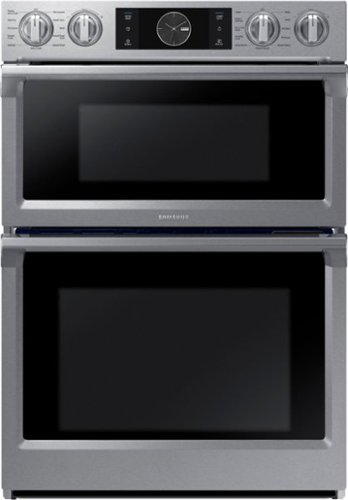
Samsung - 30" Microwave Combination Wall Oven with Flex Duo, Steam Cook and WiFi - Stainless Steel
The Samsung Microwave Combination Wall Oven has steam cooking, so you can bake and roast with professional results. Steam Cook delivers moisture at precise times for a crisp, browned outside, and tender inside. In the microwave oven, Speed Power Convection technology reduces cooking time. Enjoy the comfort of Analog-Knobs combined with the advanced technology of a touch controlled digital display.
The unit is hardwired, it does not require a power cord. Someone from Samsung please confirm
Hi Cookingmama,
Thank you for reaching out and we hope you are in good health. We appreciate your interest in Samsung home appliances, specifically with Samsung - 30" Microwave Combination Wall Oven with Flex Duo, Steam Cook and WiFi - Stainless steel.
Yes, the home appliance is hard-wired for electrical connection. I have shared the installation link below. Please access the link and turn to pages 7, 10 - 12.
https://downloadcenter.samsung.com/content/EM/201803/20180314141509825/Install_NQ70M6650_NQ70M7770_AA_DE68-04454A-00_EN-MES-CFR.pdf
Please feel free to communicate with us through the channels below if you have additional questions.
1. Facebook Messenger: http://m.me/samsungsupport
2. Twitter: https://twitter.com/messages/compose?recipient_id=18768513
3. Samsung Community: https://us.community.samsung.com/t5/Samsung-Community/ct-p/us
Your reference number: 1144442861
Leo
Thank you for reaching out and we hope you are in good health. We appreciate your interest in Samsung home appliances, specifically with Samsung - 30" Microwave Combination Wall Oven with Flex Duo, Steam Cook and WiFi - Stainless steel.
Yes, the home appliance is hard-wired for electrical connection. I have shared the installation link below. Please access the link and turn to pages 7, 10 - 12.
https://downloadcenter.samsung.com/content/EM/201803/20180314141509825/Install_NQ70M6650_NQ70M7770_AA_DE68-04454A-00_EN-MES-CFR.pdf
Please feel free to communicate with us through the channels below if you have additional questions.
1. Facebook Messenger: http://m.me/samsungsupport
2. Twitter: https://twitter.com/messages/compose?recipient_id=18768513
3. Samsung Community: https://us.community.samsung.com/t5/Samsung-Community/ct-p/us
Your reference number: 1144442861
Leo
4 years, 5 months ago
by
Posted by:
Samsung
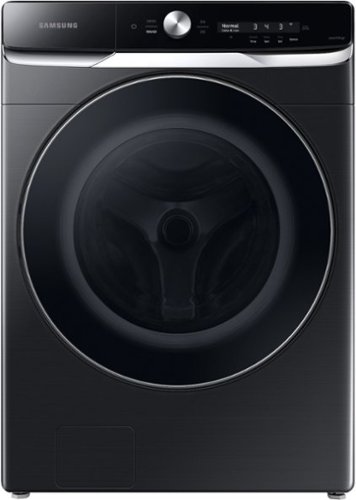
Samsung - 5.0 Cu. Ft. High-Efficiency Stackable Smart Front Load Washer with Steam and OptiWash - Brushed Black
Samsung~s Smart Dial Front Load Washer uses AI power to learn and recommend your favorite wash cycles and displays them first for quick access in a simplified, easy-to-use control panel. It has an extra-large 5.0 cu. ft. capacity, features OptiWash that senses soil levels to improve cleaning, and features CleanGuard antimicrobial technology that helps keep the inside of the drum smelling fresh and for added protection of high touch surfaces.**Antimicrobial treatment does not protect users or other items against bacteria, viruses and other disease organisms.
Can the washer be connected to google home or Alexa?
Hi Kenya.
Thank you for reaching out regarding your Samsung - 5.0 cu. ft. Extra-Large Capacity Smart Front Load Washer with SuperSpeed Wash if this washer can be connected to Google Home or Alexa. Regarding yes, this can be connected to Google Home and Alexa.
I suggest you check this link for the full specs, features, and dimensions.
https://www.samsung.com/us/home-appliances/washers/front-load/5-0-cu--ft--extra-large-capacity-smart-front-load-washer-with-super-speed-wash-in-brushed-black-wf50a8500av-a5/#specs
Also, you can check this link for assistance.
Set up and use Google Assistant or Amazon Alexa with SmartThings
https://www.samsung.com/us/support/answer/ANS00083611/
Should you need more assistance, please feel free to get back to us via the following options:
1. Facebook Messenger: http://m.me/samsungsupport
2. Twitter: https://twitter.com/messages/compose?recipient_id=18768513
3. Samsung Community: https://us.community.samsung.com/t5/Samsung-Community/ct-p/us
Thank you for being a valued customer of Samsung. Have a great day.
Reference Ticket Number: 1144442773
^Camille
Thank you for reaching out regarding your Samsung - 5.0 cu. ft. Extra-Large Capacity Smart Front Load Washer with SuperSpeed Wash if this washer can be connected to Google Home or Alexa. Regarding yes, this can be connected to Google Home and Alexa.
I suggest you check this link for the full specs, features, and dimensions.
https://www.samsung.com/us/home-appliances/washers/front-load/5-0-cu--ft--extra-large-capacity-smart-front-load-washer-with-super-speed-wash-in-brushed-black-wf50a8500av-a5/#specs
Also, you can check this link for assistance.
Set up and use Google Assistant or Amazon Alexa with SmartThings
https://www.samsung.com/us/support/answer/ANS00083611/
Should you need more assistance, please feel free to get back to us via the following options:
1. Facebook Messenger: http://m.me/samsungsupport
2. Twitter: https://twitter.com/messages/compose?recipient_id=18768513
3. Samsung Community: https://us.community.samsung.com/t5/Samsung-Community/ct-p/us
Thank you for being a valued customer of Samsung. Have a great day.
Reference Ticket Number: 1144442773
^Camille
4 years, 5 months ago
by
Posted by:
Samsung
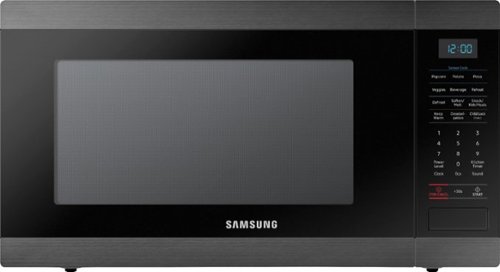
Samsung - 1.9 Cu. Ft. Countertop Microwave for Built-In Applications with Sensor Cook - Black Stainless Steel
This Samsung Microwave has been designed for built-in applications when paired with its matching trim kit (MA-TK8020TG). It's large 1.9 cu. ft. capacity, will accommodate even your largest dishes. Sensor Cook technology allows you to automatically adjust cooking time for optimal results. Additionally, the Ceramic Enamel Interior provides a durable, scratch resistant and easy to clean interior, making everyday maintenance simple.Countertop version is also available, model MS19M8000AG.
Who sells the trim Kit!!!
Hi Bishop759,
Thank you for reaching out and we hope you are in good health. We appreciate your interest in Samsung home appliances, specifically with Samsung - 1.9 Cu. Ft. Countertop Microwave for Built-In Applications with Sensor Cook - Black stainless steel.
You may visit our authorized distributor for parts and accessories website. I have shared the website address below.
http://www.samsungparts.com/
Please feel free to communicate with us through the channels below if you have additional questions.
1. Facebook Messenger: http://m.me/samsungsupport
2. Twitter: https://twitter.com/messages/compose?recipient_id=18768513
3. Samsung Community: https://us.community.samsung.com/t5/Samsung-Community/ct-p/us
Your reference number: 1144442745
Leo
Thank you for reaching out and we hope you are in good health. We appreciate your interest in Samsung home appliances, specifically with Samsung - 1.9 Cu. Ft. Countertop Microwave for Built-In Applications with Sensor Cook - Black stainless steel.
You may visit our authorized distributor for parts and accessories website. I have shared the website address below.
http://www.samsungparts.com/
Please feel free to communicate with us through the channels below if you have additional questions.
1. Facebook Messenger: http://m.me/samsungsupport
2. Twitter: https://twitter.com/messages/compose?recipient_id=18768513
3. Samsung Community: https://us.community.samsung.com/t5/Samsung-Community/ct-p/us
Your reference number: 1144442745
Leo
4 years, 5 months ago
by
Posted by:
Samsung

Samsung - 65" Class The Terrace Series LED Outdoor Partial Sun 4K UHD Smart Tizen TV (2020)
Stream sports and entertain your guests with this Samsung 65-inch outdoor TV. The 120Hz refresh rate enables smooth playback during fast-moving movie scenes, while the 4K UHD display brings out the fine details in your media. This Samsung 65-inch outdoor TV uses direct full-array lighting technology to produce 2000 nits of brightness for viewing vibrant videos in sunlight.
Hi. How might this TV be locked and protected from theft since it will be outside? Any product recommendations? Any way to secure a cable locking device on the back of the TV?
Hi AmyJ! So that we can best assist you with this question, please reach out to Samsung Support at: 1-800-SAMSUNG, 8AM - 12AM EST, 7 days a week, or Chat with us on Samsung.com: https://www.samsung.com/us/support/contact/ ^Gina
4 years, 5 months ago
by
Posted by:
Samsung
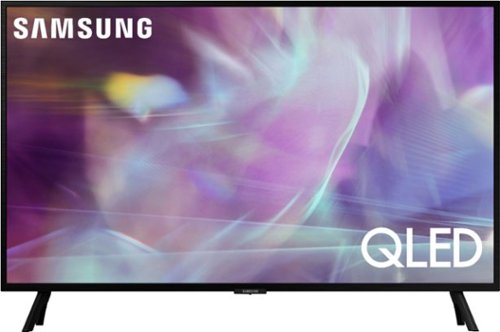
Samsung - 32" Class Q60A Series QLED 4K UHD Smart Tizen TV (2021)
Enjoy ultra-intense 4K vivid color and sharpened clarity with the Q60A / Q60AB. It combines Quantum Dot Technology with the power of 100% Color Volume to deliver a billion of shades for colorful, razor-sharp visuals. The ultra-smart Quantum Processor 4K Lite automatically upscales and transforms your content into 4K. Dual LED backlighting adjusts and coordinates with content in real time to enhance contrast and detail. Plus, with the rechargeable SolarCell Remote, you can easily access and control Smart TV and all your connected devices.
Does this TV come with Samsung TV Plus?
Hi Harry - It sure does! Samsung TV+ will come pre-installed on the Q60A TV. ^Gina
4 years, 5 months ago
by
Posted by:
Samsung
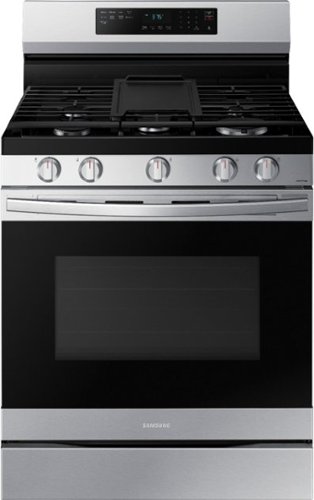
Elevate the look of your kitchen with Samsung~s Smart Freestanding Gas Range. Upgraded technology makes cooking simple and fun.
Does this stove require 220 volt?
Hi Rick.
Thank you for reaching out regarding your Samsung - 6.0 cu. ft. Freestanding Gas Range with WiFi, No-Preheat Air Fry & Convection if this stove requires 220 volts. Regarding your concern, this requires 120 volts.
I suggest you check this link for the full specs, features, and dimensions.
https://www.samsung.com/us/home-appliances/ranges/gas/6-0-cu-ft-smart-freestanding-gas-range-with-no-preheat-air-fry-convection-in-stainless-steel-nx60a6511ss-aa/#specs
Should you need more assistance, please feel free to get back to us via the following options:
1. Facebook Messenger: http://m.me/samsungsupport
2. Twitter: https://twitter.com/messages/compose?recipient_id=18768513
3. Samsung Community: https://us.community.samsung.com/t5/Samsung-Community/ct-p/us
Thank you for being a valued customer of Samsung. Have a great day.
Reference Ticket Number: 1144442729
^Camille
Thank you for reaching out regarding your Samsung - 6.0 cu. ft. Freestanding Gas Range with WiFi, No-Preheat Air Fry & Convection if this stove requires 220 volts. Regarding your concern, this requires 120 volts.
I suggest you check this link for the full specs, features, and dimensions.
https://www.samsung.com/us/home-appliances/ranges/gas/6-0-cu-ft-smart-freestanding-gas-range-with-no-preheat-air-fry-convection-in-stainless-steel-nx60a6511ss-aa/#specs
Should you need more assistance, please feel free to get back to us via the following options:
1. Facebook Messenger: http://m.me/samsungsupport
2. Twitter: https://twitter.com/messages/compose?recipient_id=18768513
3. Samsung Community: https://us.community.samsung.com/t5/Samsung-Community/ct-p/us
Thank you for being a valued customer of Samsung. Have a great day.
Reference Ticket Number: 1144442729
^Camille
4 years, 5 months ago
by
Posted by:
Samsung
Samsung - 32" Class Q60A Series QLED 4K UHD Smart Tizen TV (2021)
Enjoy ultra-intense 4K vivid color and sharpened clarity with the Q60A / Q60AB. It combines Quantum Dot Technology with the power of 100% Color Volume to deliver a billion of shades for colorful, razor-sharp visuals. The ultra-smart Quantum Processor 4K Lite automatically upscales and transforms your content into 4K. Dual LED backlighting adjusts and coordinates with content in real time to enhance contrast and detail. Plus, with the rechargeable SolarCell Remote, you can easily access and control Smart TV and all your connected devices.
Is this tv able to download the Xfinity app?
Riebs - You can download the Xfinity app directly from the Q60A TV's built-in App Store. ^Gina
4 years, 5 months ago
by
Posted by:
Samsung