Samsung
Samsung's Stats
Reviews
- Review Count0
- Helpfulness Votes0
- First ReviewNone
- Last ReviewNone
- Featured Reviews0
- Average Rating0
Reviews Comments
- Review Comment Count0
- Helpfulness Votes0
- First Review CommentNone
- Last Review CommentNone
- Featured Review Comments0
Questions
- Question Count0
- Helpfulness Votes0
- First QuestionNone
- Last QuestionNone
- Featured Questions0
- Answer Count74768
- Helpfulness Votes37,985
- First AnswerApril 24, 2013
- Last AnswerOctober 7, 2026
- Featured Answers0
- Best Answers3954
Samsung's Reviews
Samsung has not submitted any reviews.
Samsung's Questions
Samsung has not submitted any questions.
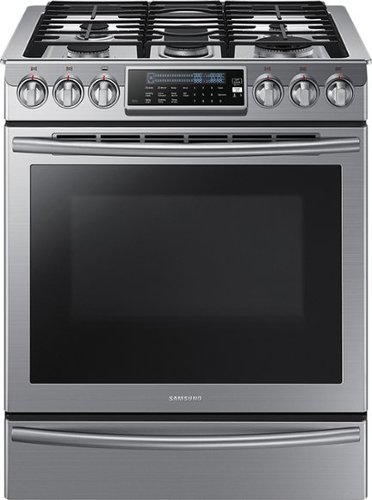
Samsung - 5.8 Cu. Ft. Self-Cleaning Slide-In Gas Convection Range - Stainless Steel
Create new recipes every day. This spacious Samsung range is equipped with all the tools you need to expand your culinary skills. The Guiding Light controls, reversible cast iron griddle, custom wok grate, and more, will help you bring variety to every mealtime.
Does the warming drawer get hot enough to cook in? Like 350 degrees Fahrenheit?

Hello.
Thank you for reaching out regarding your Samsung - 5.8 Cu. Ft. Self-Cleaning Slide-In Gas Convection Range if the warming drawer gets hot enough to cook. Regarding your concern, The warming drawer is designed to keep hot foods at serving temperature. Always start with hot food. Cold or room-temperature foods cannot be heated, warmed, or cooked in the warming drawer.
I suggest you check this link to your user manual for further assistance. Please go to pages 16 to 17 and pages 42 to 43
https://downloadcenter.samsung.com/content/UM/202103/20210308174059918/NX58H9500WS_DG68-00566A-14_EN.pdf
Should you need more assistance, please feel free to get back to us via the following options:
1. Facebook Messenger: http://m.me/samsungsupport
2. Twitter: https://twitter.com/messages/compose?recipient_id=18768513
3. Samsung Community: https://us.community.samsung.com/t5/Samsung-Community/ct-p/us
Thank you for being a valued customer of Samsung. Have a great day.
Reference Ticket Number: 1144407096
^Camille
Thank you for reaching out regarding your Samsung - 5.8 Cu. Ft. Self-Cleaning Slide-In Gas Convection Range if the warming drawer gets hot enough to cook. Regarding your concern, The warming drawer is designed to keep hot foods at serving temperature. Always start with hot food. Cold or room-temperature foods cannot be heated, warmed, or cooked in the warming drawer.
I suggest you check this link to your user manual for further assistance. Please go to pages 16 to 17 and pages 42 to 43
https://downloadcenter.samsung.com/content/UM/202103/20210308174059918/NX58H9500WS_DG68-00566A-14_EN.pdf
Should you need more assistance, please feel free to get back to us via the following options:
1. Facebook Messenger: http://m.me/samsungsupport
2. Twitter: https://twitter.com/messages/compose?recipient_id=18768513
3. Samsung Community: https://us.community.samsung.com/t5/Samsung-Community/ct-p/us
Thank you for being a valued customer of Samsung. Have a great day.
Reference Ticket Number: 1144407096
^Camille
4 years, 5 months ago
by
Posted by:
Samsung
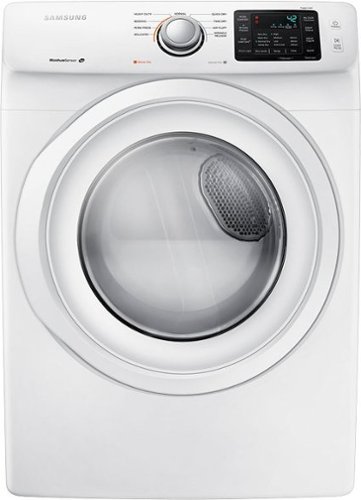
Samsung - 7.5 Cu. Ft. Stackable Electric Dryer with Sensor Dry - White
Samsung 7.5 Cu. Ft. 9-Cycle Electric Dryer: Make laundry day a breeze with this electric dryer. It's equipped with 9 cycles for a variety of fabrics and it handles large loads so you can save time.
Pedestal
Does the dryer need a pedestal and then if I decide to order one which one doni get for this dryer? Thank you
Hello.
Thank you for reaching out regarding your Samsung - 7.5 Cu. Ft. Stackable Electric Dryer with Sensor Dry if this dry needs pedestal. Regarding your concern, the pedestal gives you additional height and extra space as this also stands as a drawer.
I suggest you check this link if you need to use a pedestal.
https://image-us.samsung.com/SamsungUS/home/home-appliances/washers/front-load/pd/wf42h5000aw/WF42H5000AW.pdf
Should you need more assistance, please feel free to get back to us via the following options:
1. Facebook Messenger: http://m.me/samsungsupport
2. Twitter: https://twitter.com/messages/compose?recipient_id=18768513
3. Samsung Community: https://us.community.samsung.com/t5/Samsung-Community/ct-p/us
Thank you for being a valued customer of Samsung. Have a great day.
Reference Ticket Number: 1144407071
^Camille
Thank you for reaching out regarding your Samsung - 7.5 Cu. Ft. Stackable Electric Dryer with Sensor Dry if this dry needs pedestal. Regarding your concern, the pedestal gives you additional height and extra space as this also stands as a drawer.
I suggest you check this link if you need to use a pedestal.
https://image-us.samsung.com/SamsungUS/home/home-appliances/washers/front-load/pd/wf42h5000aw/WF42H5000AW.pdf
Should you need more assistance, please feel free to get back to us via the following options:
1. Facebook Messenger: http://m.me/samsungsupport
2. Twitter: https://twitter.com/messages/compose?recipient_id=18768513
3. Samsung Community: https://us.community.samsung.com/t5/Samsung-Community/ct-p/us
Thank you for being a valued customer of Samsung. Have a great day.
Reference Ticket Number: 1144407071
^Camille
4 years, 5 months ago
by
Posted by:
Samsung
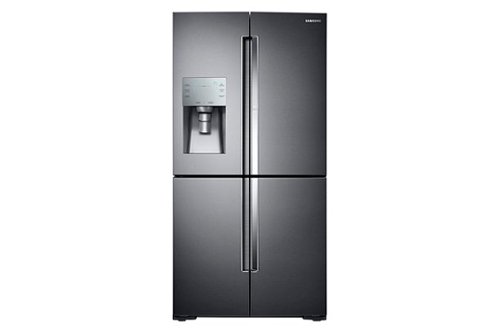
Samsung - 27.8 cu. ft. 4-Door Flex French Door Refrigerator with Food ShowCase - Black Stainless Steel
Make this sleek Samsung refrigerator the center of your kitchen. Access on-the-go items quickly, get filtered water and ice right from the door, and keep ingredients fresh and cool, just the way they should be.
Does this model in black stainless come in a larger size?
Hi Bopeep.
Thank you for reaching out regarding your Samsung - 27.8 Cu. Ft. 4-Door Flex French Door Fingerprint Resistant Refrigerator with Food ShowCase if this comes in black stainless steel and this is the larger size. Regarding your concern, this would be the larger size for this model.
I suggest you check this link for the full specs, features, and dimensions.
https://www.samsung.com/us/home-appliances/refrigerators/4-door-flex/36-wide-x-72-high-28-cu-ft-capacity-4-door-flex-food-showcase-refrigerator-with-flexzone-black-stainless-steel-rf28k9380sg-aa/#specs
Should you need more assistance, please feel free to get back to us via the following options:
1. Facebook Messenger: http://m.me/samsungsupport
2. Twitter: https://twitter.com/messages/compose?recipient_id=18768513
3. Samsung Community: https://us.community.samsung.com/t5/Samsung-Community/ct-p/us
Thank you for being a valued customer of Samsung. Have a great day.
Reference Ticket Number: 1144407003
^Camille
Thank you for reaching out regarding your Samsung - 27.8 Cu. Ft. 4-Door Flex French Door Fingerprint Resistant Refrigerator with Food ShowCase if this comes in black stainless steel and this is the larger size. Regarding your concern, this would be the larger size for this model.
I suggest you check this link for the full specs, features, and dimensions.
https://www.samsung.com/us/home-appliances/refrigerators/4-door-flex/36-wide-x-72-high-28-cu-ft-capacity-4-door-flex-food-showcase-refrigerator-with-flexzone-black-stainless-steel-rf28k9380sg-aa/#specs
Should you need more assistance, please feel free to get back to us via the following options:
1. Facebook Messenger: http://m.me/samsungsupport
2. Twitter: https://twitter.com/messages/compose?recipient_id=18768513
3. Samsung Community: https://us.community.samsung.com/t5/Samsung-Community/ct-p/us
Thank you for being a valued customer of Samsung. Have a great day.
Reference Ticket Number: 1144407003
^Camille
4 years, 5 months ago
by
Posted by:
Samsung
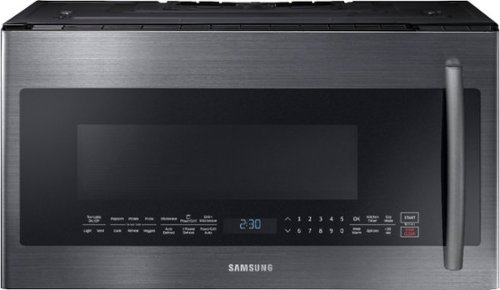
Samsung - 2.1 Cu. Ft. Over-the-Range Microwave with Sensor Cook - Black Stainless Steel
Samsung's 1000-Watt Over the Range Microwave gives you the convenience of traditional microwave cooking plus the added PowerGrill feature that allows you to grill up to 1500 watts, just like you would with your outdoor grill. Glass Touch Bottom Controls provide precise touch control with a premium look. Keep the microwave spotless and avoid scratches with Ceramic Enamel Interior. Plus, 2.1 cu. ft. of capacity provides big space for big results.
Does this model come in black
Hi Res.
Thank you for reaching out regarding your Samsung - 2.1 Cu. Ft. Over-the-Range Microwave with Sensor Cook if this comes in black. Regarding your concern, the only available colors are black stainless or stainless steel.
I suggest you check this link for the full specs, features, and dimensions.
https://www.samsung.com/us/home-appliances/microwaves/over-the-range/me21k7010dg-2-1-cu-ft-over-the-range-microwave-with-powergrill-and-ceramic-enamel-interior-me21k7010dg-aa/
Should you need more assistance, please feel free to get back to us via the following options:
1. Facebook Messenger: http://m.me/samsungsupport
2. Twitter: https://twitter.com/messages/compose?recipient_id=18768513
3. Samsung Community: https://us.community.samsung.com/t5/Samsung-Community/ct-p/us
Thank you for being a valued customer of Samsung. Have a great day.
Reference Ticket Number: 1144406972
^Camille
Thank you for reaching out regarding your Samsung - 2.1 Cu. Ft. Over-the-Range Microwave with Sensor Cook if this comes in black. Regarding your concern, the only available colors are black stainless or stainless steel.
I suggest you check this link for the full specs, features, and dimensions.
https://www.samsung.com/us/home-appliances/microwaves/over-the-range/me21k7010dg-2-1-cu-ft-over-the-range-microwave-with-powergrill-and-ceramic-enamel-interior-me21k7010dg-aa/
Should you need more assistance, please feel free to get back to us via the following options:
1. Facebook Messenger: http://m.me/samsungsupport
2. Twitter: https://twitter.com/messages/compose?recipient_id=18768513
3. Samsung Community: https://us.community.samsung.com/t5/Samsung-Community/ct-p/us
Thank you for being a valued customer of Samsung. Have a great day.
Reference Ticket Number: 1144406972
^Camille
4 years, 5 months ago
by
Posted by:
Samsung
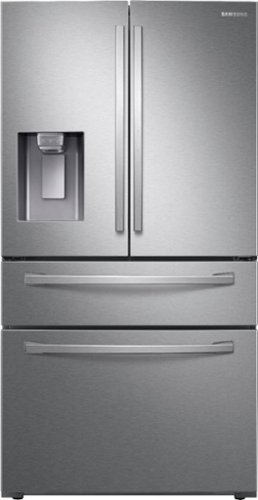
Samsung - 22.4 cu. ft. 4-Door French Door Counter Depth Refrigerator with Food Showcase - Stainless Steel
A counter depth refrigerator that is beautifully designed, with a modern dispenser, polished door, and sleek handles. The Food Showcase Door provides quick access to on-the-go items.
What is the duration of manufacturer's warranty?
Hi PotentialBuyer,
Thank you for reaching out and we hope you are in good health. We appreciate your interest in Samsung home appliances, specifically with Samsung - 22.4 cu. ft. 4-Door French Door Counter Depth Refrigerator with Food Showcase - Stainless steel.
The refrigerator is is warranted by SAMSUNG against manufacturing defects in materials or workmanship for the limited warranty period, starting from the date of original purchase, of:
One (1) year parts and labor.
Five (5) years parts and labor on Sealed Refrigeration System Only (Compressor, Evaporator, Condenser, Drier, and Connecting Tubing).
Ten (10) years part and Five (5) years labor on Digital Inverter Compressor Only.
Please click on the link for complete details of warranty coverage.
https://www.samsung.com/us/support/service/warranty/RF22R7351SR/AA
Please feel free to communicate with us through the channels below if you have additional questions.
1. Facebook Messenger: http://m.me/samsungsupport
2. Twitter: https://twitter.com/messages/compose?recipient_id=18768513
3. Samsung Community: https://us.community.samsung.com/t5/Samsung-Community/ct-p/us
Your reference number: 1144406967
Leo
Thank you for reaching out and we hope you are in good health. We appreciate your interest in Samsung home appliances, specifically with Samsung - 22.4 cu. ft. 4-Door French Door Counter Depth Refrigerator with Food Showcase - Stainless steel.
The refrigerator is is warranted by SAMSUNG against manufacturing defects in materials or workmanship for the limited warranty period, starting from the date of original purchase, of:
One (1) year parts and labor.
Five (5) years parts and labor on Sealed Refrigeration System Only (Compressor, Evaporator, Condenser, Drier, and Connecting Tubing).
Ten (10) years part and Five (5) years labor on Digital Inverter Compressor Only.
Please click on the link for complete details of warranty coverage.
https://www.samsung.com/us/support/service/warranty/RF22R7351SR/AA
Please feel free to communicate with us through the channels below if you have additional questions.
1. Facebook Messenger: http://m.me/samsungsupport
2. Twitter: https://twitter.com/messages/compose?recipient_id=18768513
3. Samsung Community: https://us.community.samsung.com/t5/Samsung-Community/ct-p/us
Your reference number: 1144406967
Leo
4 years, 5 months ago
by
Posted by:
Samsung
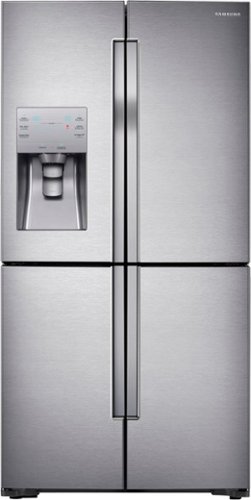
Samsung - 23 cu. ft. Counter Depth 4-Door with Cool Select Plus Fingerprint Resistant Refrigerator - Stainless Steel
This four-door counter depth refrigerator features a Triple Cooling System designed to maintain optimal conditions within the stainless steel refrigerator and help keep your perishable fruits and vegetables fresher longer. FlexZone provides the ability to switch between cooling and freezing to maximize fresh food storage space. Plus, Ice Master ice machine, high-efficiency LED lighting, and Power Freeze and Power Cool for dropping the temperature in a compartment within minutes for quick chilling.
Can one of the vegetable or fruit crispers be used to store cheese and lunch meat?
Hi maj1215.
Thank you for reaching out regarding your Samsung - 23 cu. ft. Counter-Depth 4-Door with Cool Select Plus Fingerprint Resistant Refrigerator if one of the vegetables or fruit crispers can store cheese or lunch meat. Regarding your concern, yes, you can. The upper shelves are the second warmest part of the fridge. This area can reach up to 40 degrees Fahrenheit, the ideal temperature for many foods.
This makes it a good place to keep items that need to be cool but not overly cold. For example, have you ever had yogurt that somehow got frozen over? Storing certain items on the top shelf can prevent this while also keeping your food nice and cold.
Here are examples of food to store on the upper shelves:
Jam and jelly
Cheese
Leftovers
Peanut butter
Yogurt
Snacks
I suggest you check this link for further assistance.
https://www.samsung.com/us/support/answer/ANS00084845/
Should you need more assistance, please feel free to get back to us via the following options:
1. Facebook Messenger: http://m.me/samsungsupport
2. Twitter: https://twitter.com/messages/compose?recipient_id=18768513
3. Samsung Community: https://us.community.samsung.com/t5/Samsung-Community/ct-p/us
Thank you for being a valued customer of Samsung. Have a great day.
Reference Ticket Number: 1144406936
^Camille
Thank you for reaching out regarding your Samsung - 23 cu. ft. Counter-Depth 4-Door with Cool Select Plus Fingerprint Resistant Refrigerator if one of the vegetables or fruit crispers can store cheese or lunch meat. Regarding your concern, yes, you can. The upper shelves are the second warmest part of the fridge. This area can reach up to 40 degrees Fahrenheit, the ideal temperature for many foods.
This makes it a good place to keep items that need to be cool but not overly cold. For example, have you ever had yogurt that somehow got frozen over? Storing certain items on the top shelf can prevent this while also keeping your food nice and cold.
Here are examples of food to store on the upper shelves:
Jam and jelly
Cheese
Leftovers
Peanut butter
Yogurt
Snacks
I suggest you check this link for further assistance.
https://www.samsung.com/us/support/answer/ANS00084845/
Should you need more assistance, please feel free to get back to us via the following options:
1. Facebook Messenger: http://m.me/samsungsupport
2. Twitter: https://twitter.com/messages/compose?recipient_id=18768513
3. Samsung Community: https://us.community.samsung.com/t5/Samsung-Community/ct-p/us
Thank you for being a valued customer of Samsung. Have a great day.
Reference Ticket Number: 1144406936
^Camille
4 years, 5 months ago
by
Posted by:
Samsung
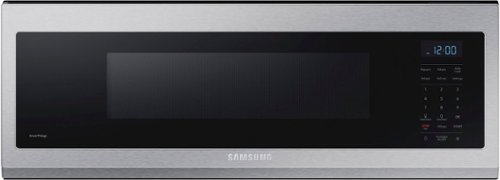
Free up space above your cooktop with the new, beautifully designed Smart SLIM Microwave. This combination microwave with ventilation hood fits into the same space as an under-the-cabinet hood, but despite its slim size, it has a 1.1 cu. ft. capacity. The SLIM Microwave packs in the powerful performance you need with all the technology that you love in a slim, space efficient size.
Can this microwave be installed in a cabinet like a microwave drawer?
Hello Drawer,
Thank you for showing interest in our product the Samsung - 1.1 cu. ft. Smart SLIM Over-the-Range Microwave with 400 CFM Hood Ventilation, Wi-Fi & Voice Control - Stainless steel
to answer your question Can the microwave be installed in a cabinet like a microwave drawer? Yes, it can be installed but ventilation is very important with this product. Let me share the product specification and manual.
Product Weight55.8
Product Dimensions29 7/8 x 10 3/4 x 19 1/8
Cutout DepthMax Cabinet Depth 12"
Capacity1.1 cu ft
Product Manual:
file:///C:/Users/SRW/Downloads/User_Manual.pdf
For further inquiries you may reach us via the following options:
1. Facebook Messenger: http://m.me/samsungsupport
2. Twitter: https://twitter.com/messages/compose?recipient_id=18768513
3. https://us.community.samsung.com/t5/Samsung-Community/ct-p/us
Thank you for choosing Samsung.
Reference number: 1144406899
^Ross
Thank you for showing interest in our product the Samsung - 1.1 cu. ft. Smart SLIM Over-the-Range Microwave with 400 CFM Hood Ventilation, Wi-Fi & Voice Control - Stainless steel
to answer your question Can the microwave be installed in a cabinet like a microwave drawer? Yes, it can be installed but ventilation is very important with this product. Let me share the product specification and manual.
Product Weight55.8
Product Dimensions29 7/8 x 10 3/4 x 19 1/8
Cutout DepthMax Cabinet Depth 12"
Capacity1.1 cu ft
Product Manual:
file:///C:/Users/SRW/Downloads/User_Manual.pdf
For further inquiries you may reach us via the following options:
1. Facebook Messenger: http://m.me/samsungsupport
2. Twitter: https://twitter.com/messages/compose?recipient_id=18768513
3. https://us.community.samsung.com/t5/Samsung-Community/ct-p/us
Thank you for choosing Samsung.
Reference number: 1144406899
^Ross
4 years, 5 months ago
by
Posted by:
Samsung
Samsung - 2.1 Cu. Ft. Over-the-Range Microwave with Sensor Cook - Black Stainless Steel
Samsung's 1000-Watt Over the Range Microwave gives you the convenience of traditional microwave cooking plus the added PowerGrill feature that allows you to grill up to 1500 watts, just like you would with your outdoor grill. Glass Touch Bottom Controls provide precise touch control with a premium look. Keep the microwave spotless and avoid scratches with Ceramic Enamel Interior. Plus, 2.1 cu. ft. of capacity provides big space for big results.
Can this be purchased in regular stainless steel instead of BLACK stainless steel?
Hi CountryConnie1.
Thank you for reaching out regarding your Samsung - 2.1 Cu. Ft. Over-the-Range Microwave with Sensor Cook; if you can purchase this in regular stainless steel. Regarding your concern, regular stainless steel is available.
I suggest you check this link to where you can purchase the over-range microwave in stainless steel.
https://www.samsung.com/us/home-appliances/microwaves/over-the-range/me2-1-cu--ft--over-the-range-microwave-with-powergrill-and-ceramic-enamel-interior-me21k7010ds-a2/
Should you need more assistance, please feel free to get back to us via the following options:
1. Facebook Messenger: http://m.me/samsungsupport
2. Twitter: https://twitter.com/messages/compose?recipient_id=18768513
3. Samsung Community: https://us.community.samsung.com/t5/Samsung-Community/ct-p/us
Thank you for being a valued customer of Samsung. Have a great day.
Reference Ticket Number: 1144406885
^Camille
Thank you for reaching out regarding your Samsung - 2.1 Cu. Ft. Over-the-Range Microwave with Sensor Cook; if you can purchase this in regular stainless steel. Regarding your concern, regular stainless steel is available.
I suggest you check this link to where you can purchase the over-range microwave in stainless steel.
https://www.samsung.com/us/home-appliances/microwaves/over-the-range/me2-1-cu--ft--over-the-range-microwave-with-powergrill-and-ceramic-enamel-interior-me21k7010ds-a2/
Should you need more assistance, please feel free to get back to us via the following options:
1. Facebook Messenger: http://m.me/samsungsupport
2. Twitter: https://twitter.com/messages/compose?recipient_id=18768513
3. Samsung Community: https://us.community.samsung.com/t5/Samsung-Community/ct-p/us
Thank you for being a valued customer of Samsung. Have a great day.
Reference Ticket Number: 1144406885
^Camille
4 years, 5 months ago
by
Posted by:
Samsung
Samsung - 5.8 Cu. Ft. Self-Cleaning Slide-In Gas Convection Range - Stainless Steel
Create new recipes every day. This spacious Samsung range is equipped with all the tools you need to expand your culinary skills. The Guiding Light controls, reversible cast iron griddle, custom wok grate, and more, will help you bring variety to every mealtime.
Do we need a ventilation fan with this oven.
Hi Kevin.
Thank you for reaching out regarding your Samsung - 5.8 Cu. Ft. Self-Cleaning Slide-In Gas Convection Range if you need to have ventilation for your oven. Regarding your concern, this oven has an oven vent located at the back of the oven range.
I suggest you check this link to your user manual for further assistance. Please go to page 21.
https://downloadcenter.samsung.com/content/UM/202103/20210308174059918/NX58H9500WS_DG68-00566A-14_EN.pdf
Should you need more assistance, please feel free to get back to us via the following options:
1. Facebook Messenger: http://m.me/samsungsupport
2. Twitter: https://twitter.com/messages/compose?recipient_id=18768513
3. Samsung Community: https://us.community.samsung.com/t5/Samsung-Community/ct-p/us
Thank you for being a valued customer of Samsung. Have a great day.
Reference Ticket Number: 1144406870
^Camille
Thank you for reaching out regarding your Samsung - 5.8 Cu. Ft. Self-Cleaning Slide-In Gas Convection Range if you need to have ventilation for your oven. Regarding your concern, this oven has an oven vent located at the back of the oven range.
I suggest you check this link to your user manual for further assistance. Please go to page 21.
https://downloadcenter.samsung.com/content/UM/202103/20210308174059918/NX58H9500WS_DG68-00566A-14_EN.pdf
Should you need more assistance, please feel free to get back to us via the following options:
1. Facebook Messenger: http://m.me/samsungsupport
2. Twitter: https://twitter.com/messages/compose?recipient_id=18768513
3. Samsung Community: https://us.community.samsung.com/t5/Samsung-Community/ct-p/us
Thank you for being a valued customer of Samsung. Have a great day.
Reference Ticket Number: 1144406870
^Camille
4 years, 5 months ago
by
Posted by:
Samsung
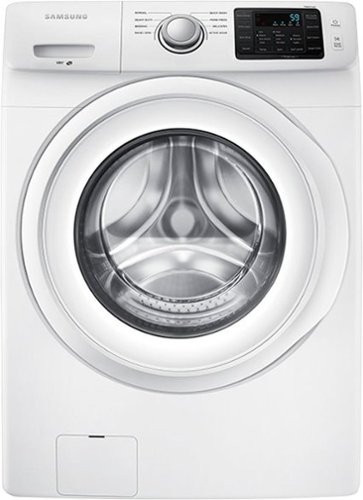
Samsung - 4.2 Cu. Ft. High-Efficiency Stackable Smart Front Load Washer with Vibration Reduction Technology+ - White
Do more laundry in less time. This spacious Samsung washer takes fewer loads to get all your laundry done. Plus, you can use it anytime, because everyone will sleep right through the reduced noise and vibration levels.
Any problems with mold in the washer door?
Hi Mrs D.
Thank you for reaching out regarding your Samsung - 4.2 Cu. Ft. High-Efficiency Stackable Front Load Washer with Vibration Reduction Technology+ if there are any problems with molds in the washer door. I understand your concern, and regarding this, as the washing machine has the Self Clean+, this self-cleaning cycle helps remove mold inside the washing machine, which means you won't have any problem.
I suggest you check this link to your user manual for further assistance. Please go to page 31.
https://downloadcenter.samsung.com/content/UM/201904/20190416101808805/BETTER_WF42H5000-DC68-03397A-14_A2.pdf
Should you need more assistance, please feel free to get back to us via the following options:
1. Facebook Messenger: http://m.me/samsungsupport
2. Twitter: https://twitter.com/messages/compose?recipient_id=18768513
3. Samsung Community: https://us.community.samsung.com/t5/Samsung-Community/ct-p/us
Thank you for being a valued customer of Samsung. Have a great day.
Reference Ticket Number: 1144406812
^Camille
Thank you for reaching out regarding your Samsung - 4.2 Cu. Ft. High-Efficiency Stackable Front Load Washer with Vibration Reduction Technology+ if there are any problems with molds in the washer door. I understand your concern, and regarding this, as the washing machine has the Self Clean+, this self-cleaning cycle helps remove mold inside the washing machine, which means you won't have any problem.
I suggest you check this link to your user manual for further assistance. Please go to page 31.
https://downloadcenter.samsung.com/content/UM/201904/20190416101808805/BETTER_WF42H5000-DC68-03397A-14_A2.pdf
Should you need more assistance, please feel free to get back to us via the following options:
1. Facebook Messenger: http://m.me/samsungsupport
2. Twitter: https://twitter.com/messages/compose?recipient_id=18768513
3. Samsung Community: https://us.community.samsung.com/t5/Samsung-Community/ct-p/us
Thank you for being a valued customer of Samsung. Have a great day.
Reference Ticket Number: 1144406812
^Camille
4 years, 5 months ago
by
Posted by:
Samsung