Samsung
Samsung's Stats
Reviews
- Review Count0
- Helpfulness Votes0
- First ReviewNone
- Last ReviewNone
- Featured Reviews0
- Average Rating0
Reviews Comments
- Review Comment Count0
- Helpfulness Votes0
- First Review CommentNone
- Last Review CommentNone
- Featured Review Comments0
Questions
- Question Count0
- Helpfulness Votes0
- First QuestionNone
- Last QuestionNone
- Featured Questions0
- Answer Count74719
- Helpfulness Votes37,934
- First AnswerApril 24, 2013
- Last AnswerOctober 8, 2026
- Featured Answers0
- Best Answers3941
Samsung's Reviews
Samsung has not submitted any reviews.
Samsung's Questions
Samsung has not submitted any questions.
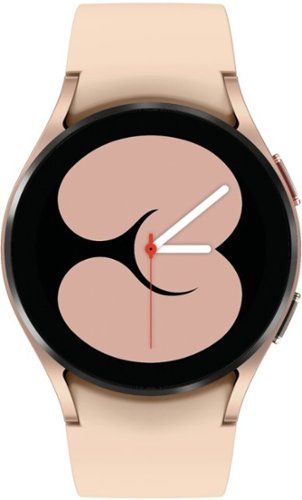
Samsung - Galaxy Watch4 Aluminum Smartwatch 40mm BT - Gold - (2021)
Crush workouts and all your health goals with Samsung Galaxy Watch4. Be your best with the watch that knows you best.
Does it monitor my sleep heart rate?

Hi SusiQ!
Thank you for reaching out to us. We appreciate your interest in knowing if Galaxy Watch4 monitors sleep and heart rate. In line with this, yes, this Galaxy watch can monitor sleep and heart rate.
For your reference, you may access the user's manual on page 48: https://downloadcenter.samsung.com/content/UM/202109/20210929010214001/WEA_R89X_R88X_R87X_R86X_EN_UM_071621_FINAL_AC.pdf.
Should you need more assistance, please feel free to get back to us via the following options:
1. Facebook Messenger: http://m.me/samsungsupport
2. Twitter: https://twitter.com/messages/compose?recipient_id=18768513
3. Samsung Community: https://us.community.samsung.com/t5/Samsung-Community/ct-p/us
Reference #: 1144349111
Have a great day.
Melardo
Thank you for reaching out to us. We appreciate your interest in knowing if Galaxy Watch4 monitors sleep and heart rate. In line with this, yes, this Galaxy watch can monitor sleep and heart rate.
For your reference, you may access the user's manual on page 48: https://downloadcenter.samsung.com/content/UM/202109/20210929010214001/WEA_R89X_R88X_R87X_R86X_EN_UM_071621_FINAL_AC.pdf.
Should you need more assistance, please feel free to get back to us via the following options:
1. Facebook Messenger: http://m.me/samsungsupport
2. Twitter: https://twitter.com/messages/compose?recipient_id=18768513
3. Samsung Community: https://us.community.samsung.com/t5/Samsung-Community/ct-p/us
Reference #: 1144349111
Have a great day.
Melardo
4 years, 6 months ago
by
Posted by:
Samsung
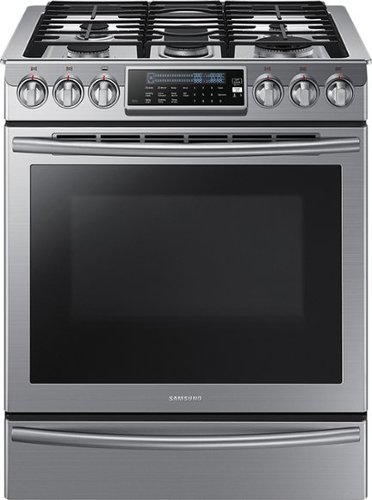
Samsung - 5.8 Cu. Ft. Self-Cleaning Slide-In Gas Convection Range - Stainless Steel
Create new recipes every day. This spacious Samsung range is equipped with all the tools you need to expand your culinary skills. The Guiding Light controls, reversible cast iron griddle, custom wok grate, and more, will help you bring variety to every mealtime.
Exact definition between "freestanding" and "slide-in" . Can this range be vented out the bottom (previous range) or is a vent hood required?
Hi Ed,
Thank you for reaching out and we hope you are in good health. We appreciate your interest in Samsung home appliances, specifically with Samsung - 5.8 Cu. Ft. Self-Cleaning Slide-In Gas Convection Range - Stainless steel.
The main difference between freestanding and slide-in ranges is installation. While freestanding ranges can stand alone or be installed between cabinets, slide-in ranges are specifically designed to sit between cabinets for a seamless look. Because of this, slide-in ranges have unfinished sides that make them ill-suited for standalone installation. The configuration is also different – controls for slide-in ranges are usually located on the top or front of the appliance. Slide-in ranges also lack a backguard, which is why many homeowners install tile behind the range if they are placing it against a wall. The sleek look of slide-in ranges has made them popular choices for kitchen remodels and installation in kitchen islands.
This particular model is not a downdraft range. You may need to install a range hood but it isn't a requirement when getting this range.
Your reference number: 1144349108
Leo
Thank you for reaching out and we hope you are in good health. We appreciate your interest in Samsung home appliances, specifically with Samsung - 5.8 Cu. Ft. Self-Cleaning Slide-In Gas Convection Range - Stainless steel.
The main difference between freestanding and slide-in ranges is installation. While freestanding ranges can stand alone or be installed between cabinets, slide-in ranges are specifically designed to sit between cabinets for a seamless look. Because of this, slide-in ranges have unfinished sides that make them ill-suited for standalone installation. The configuration is also different – controls for slide-in ranges are usually located on the top or front of the appliance. Slide-in ranges also lack a backguard, which is why many homeowners install tile behind the range if they are placing it against a wall. The sleek look of slide-in ranges has made them popular choices for kitchen remodels and installation in kitchen islands.
This particular model is not a downdraft range. You may need to install a range hood but it isn't a requirement when getting this range.
Your reference number: 1144349108
Leo
4 years, 6 months ago
by
Posted by:
Samsung
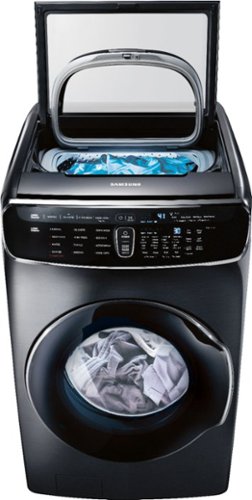
Samsung - 6.0 Cu. Ft. High-Efficiency Smart Front Load Washer with Steam and FlexWash - Black Stainless Steel
Samsung's FlexWash; Washer provides the ultimate washing flexibility, with two separately controlled washers in the same unit, so you can wash different types of laundry at the same time.
The top door lock is broken . How can I order that part to replace
Hi Navid.
Thank you for reaching out regarding your Samsung - 6.0 Cu. Ft. High-Efficiency Smart Front Load Washer with Steam and FlexWash™ top door lock broken. I am sorry to learn that your top door lock is broken; regarding your concern, I suggest you get in touch with our Samsung Parts team to assist you in getting the part needed. You can reach them on this details.
J & J International, Inc.
Live Help: 800.627.4368
( Mon - Fri 9:00 AM ~ 6:30 PM EST )
Fax: 973.226.6682
Address: 8 York Avenue, West Caldwell, NJ 07006
I suggest you check this link for further assistance.
http://www.samsungparts.com/
Also, here is a copy of your warranty.
https://www.samsung.com/us/support/service/warranty/NE63T8911SG/AA
Should you need more assistance, please feel free to get back to us via the following options:
1. Facebook Messenger: http://m.me/samsungsupport
2. Twitter: https://twitter.com/messages/compose?recipient_id=18768513
3. Samsung Community: https://us.community.samsung.com/t5/Samsung-Community/ct-p/us
Thank you for being a valued customer of Samsung. Have a great day.
Reference Ticket Number: 1144349099
^Camille
Thank you for reaching out regarding your Samsung - 6.0 Cu. Ft. High-Efficiency Smart Front Load Washer with Steam and FlexWash™ top door lock broken. I am sorry to learn that your top door lock is broken; regarding your concern, I suggest you get in touch with our Samsung Parts team to assist you in getting the part needed. You can reach them on this details.
J & J International, Inc.
Live Help: 800.627.4368
( Mon - Fri 9:00 AM ~ 6:30 PM EST )
Fax: 973.226.6682
Address: 8 York Avenue, West Caldwell, NJ 07006
I suggest you check this link for further assistance.
http://www.samsungparts.com/
Also, here is a copy of your warranty.
https://www.samsung.com/us/support/service/warranty/NE63T8911SG/AA
Should you need more assistance, please feel free to get back to us via the following options:
1. Facebook Messenger: http://m.me/samsungsupport
2. Twitter: https://twitter.com/messages/compose?recipient_id=18768513
3. Samsung Community: https://us.community.samsung.com/t5/Samsung-Community/ct-p/us
Thank you for being a valued customer of Samsung. Have a great day.
Reference Ticket Number: 1144349099
^Camille
4 years, 6 months ago
by
Posted by:
Samsung
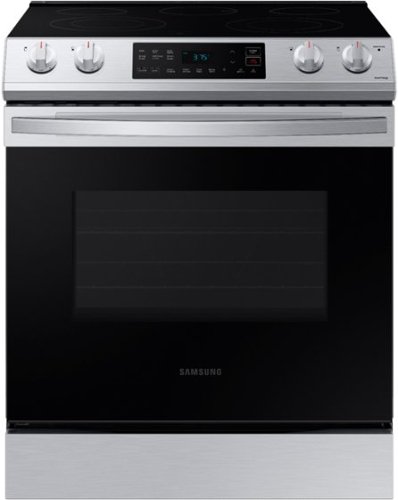
Samsung - 6.3 cu. ft. Front Control Slide-In Electric Range with Wi-Fi, Fingerprint Resistant - Stainless Steel
The Samsung Front Control Slide-In Electric Range is fully Wi-Fi connected and voice enabled, making it easy to create delicious meals for your family.
This works in 110 or 115 voltage
Hello Fabian,
Thank you for reaching out and raising your question about the Samsung - 6.3 cu. ft. Front Control Slide-In Electric Range with Wi-Fi, Fingerprint Resistant - Stainless steel. I understand you want to know the power source of this unit. We are here to help.
To answer your question, the product's power/ratings are 240/208V/60Hz/40A.
You can also check this link https://image-us.samsung.com/SamsungUS/home/home-appliances/ranges/freestanding/pd/ne63t8111ss-aa/pdf/NE63T8111SS_V3.pdf to know more about the specifications of the product.
Should you need more assistance, please feel free to get back to us via the following options:
1. Facebook Messenger: http://m.me/samsungsupport
2. Twitter: https://twitter.com/messages/compose?recipient_id=18768513
3. Samsung Community: https://us.community.samsung.com/t5/Samsung-Community/ct-p/us
Your reference number is 1144349073.
-Noraina
Thank you for reaching out and raising your question about the Samsung - 6.3 cu. ft. Front Control Slide-In Electric Range with Wi-Fi, Fingerprint Resistant - Stainless steel. I understand you want to know the power source of this unit. We are here to help.
To answer your question, the product's power/ratings are 240/208V/60Hz/40A.
You can also check this link https://image-us.samsung.com/SamsungUS/home/home-appliances/ranges/freestanding/pd/ne63t8111ss-aa/pdf/NE63T8111SS_V3.pdf to know more about the specifications of the product.
Should you need more assistance, please feel free to get back to us via the following options:
1. Facebook Messenger: http://m.me/samsungsupport
2. Twitter: https://twitter.com/messages/compose?recipient_id=18768513
3. Samsung Community: https://us.community.samsung.com/t5/Samsung-Community/ct-p/us
Your reference number is 1144349073.
-Noraina
4 years, 6 months ago
by
Posted by:
Samsung
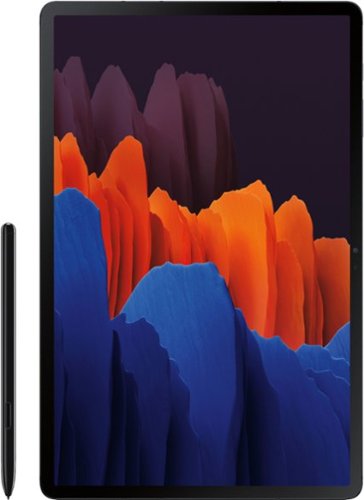
Samsung - Galaxy Tab S7 Plus - 12.4 - 256GB - With S Pen - Wi-Fi - Mystic Black
With the power of a PC and the mobility of a tablet, the Samsung Galaxy Tab S7+ Wi-Fi is your secret weapon for getting more done~wherever you are. Enjoy the advantages of a true 2-in-1 device, where an expanded keyboard(1) and built-in memory up to 256GB are backed by a battery that lasts the entire workday(2) for ultimate portability. With a redesigned, minimal-lag S Pen that lets you control a presentation with the tap of a finger and an expanded edge-to- edge screen(3) for better streaming, gaming and video chatting, the Galaxy Tab S7+ Wi-Fi simplifies life, work and play. **(1) Keyboard sold separately. **(2) Battery life may vary depending on network environment, usage patterns and other factors. **(3) S7+ 12.4~ screen is a sAMOLEDTM screen.
Does it have a Micro SD Slot?
Hi LC,
Thank you for reaching out to us. We appreciate your query regarding if the Galaxy Tab S7 Plus caters to a microSD card slot. In line with this, yes, the device has an expandable memory space that can store up to 1TB.
For more information, you may visit our website under the "Specs" section:
https://www.samsung.com/us/mobile/tablets/galaxy-tab-s/galaxy-tab-s7-plus-256gb-mystic-black-wi-fi-sm-t970nzkexar/#specs
Also, you may visit the user's manual on Page 7, 121, and 122 for your reference:
https://downloadcenter.samsung.com/content/UM/202202/20220226013347059/SAM_T870__T878_T970_T978_EN_UM_OS12_021722_FINAL.pdf
Should you need more assistance, you may reach us via the following for immediate support:
1. Samsung Community: https://us.community.samsung.com/t5/Samsung-Community/ct-p/us
2. Facebook Messenger: http://m.me/samsungsupport
3. Twitter: https://twitter.com/messages/compose?recepient_ id=18768513
Reference Number: 1144349077
Thank you for choosing Samsung. Have a great day!
^Chrystel
Thank you for reaching out to us. We appreciate your query regarding if the Galaxy Tab S7 Plus caters to a microSD card slot. In line with this, yes, the device has an expandable memory space that can store up to 1TB.
For more information, you may visit our website under the "Specs" section:
https://www.samsung.com/us/mobile/tablets/galaxy-tab-s/galaxy-tab-s7-plus-256gb-mystic-black-wi-fi-sm-t970nzkexar/#specs
Also, you may visit the user's manual on Page 7, 121, and 122 for your reference:
https://downloadcenter.samsung.com/content/UM/202202/20220226013347059/SAM_T870__T878_T970_T978_EN_UM_OS12_021722_FINAL.pdf
Should you need more assistance, you may reach us via the following for immediate support:
1. Samsung Community: https://us.community.samsung.com/t5/Samsung-Community/ct-p/us
2. Facebook Messenger: http://m.me/samsungsupport
3. Twitter: https://twitter.com/messages/compose?recepient_ id=18768513
Reference Number: 1144349077
Thank you for choosing Samsung. Have a great day!
^Chrystel
4 years, 6 months ago
by
Posted by:
Samsung
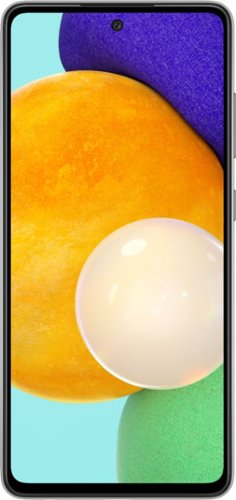
Samsung - Galaxy A52 5G 128GB (Unlocked) - Black
We've outfitted Galaxy A52 5G for Verizon with some of our most awesome Galaxy innovations so you can stream, capture and experience all the action at a price you'll love.
Just got the Galaxy A52 5G 128GB. Consumer Cellular. As soon as I make a call, it goes straight to call ended and if someone calls me, it goes straight to my voicemail. I was told it has to do with the VoLTE and 5G towers. Any thoughts?
Hi DavidB. Thank you for bringing this to our attention. I appreciate you raising this inquiry regarding whether Samsung - Galaxy A52 5G(Unlocked) can be used with Consumer Cellular.
Yes, an unlocked phone works on multiple networks, and make sure that you have a compatible SIM card. SIM cards must be compatible with the area's available networks. Contact provider for details.
Voice Over LTE (VoLTE) uses the LTE network (SIM cards need to be LTE capable) to make higher-quality voice calls. The phone you are calling also needs to work with VoLTE
1. Swipe down from the top of the screen with one finger
2. Tap the Settings icon
3. Tap Connections
4. Tap Mobile Networks
5. Tap the status switch beside VoLTE Calls to toggle it on and off
You may visit our website for more information about unlocked phones: https://www.samsung.com/us/mobile/phones/unlocked-by-samsung/.
Should you need more assistance, please feel free to get back to us via the following options:
1. Facebook Messenger: http://m.me/samsungsupport
2. Twitter: https://twitter.com/messages/compose?recipient_id=18768513
3. Samsung Community: https://us.community.samsung.com/t5/Samsung-Community/ct-p/us
Reference Number: 1144349068
Have a great day.
^Charles
Yes, an unlocked phone works on multiple networks, and make sure that you have a compatible SIM card. SIM cards must be compatible with the area's available networks. Contact provider for details.
Voice Over LTE (VoLTE) uses the LTE network (SIM cards need to be LTE capable) to make higher-quality voice calls. The phone you are calling also needs to work with VoLTE
1. Swipe down from the top of the screen with one finger
2. Tap the Settings icon
3. Tap Connections
4. Tap Mobile Networks
5. Tap the status switch beside VoLTE Calls to toggle it on and off
You may visit our website for more information about unlocked phones: https://www.samsung.com/us/mobile/phones/unlocked-by-samsung/.
Should you need more assistance, please feel free to get back to us via the following options:
1. Facebook Messenger: http://m.me/samsungsupport
2. Twitter: https://twitter.com/messages/compose?recipient_id=18768513
3. Samsung Community: https://us.community.samsung.com/t5/Samsung-Community/ct-p/us
Reference Number: 1144349068
Have a great day.
^Charles
4 years, 6 months ago
by
Posted by:
Samsung

Samsung - Galaxy A32 5G 64GB - Awesome Black (T-Mobile)
Galaxy A32 5G pairs our best core features with one of the most affordable 5G devices on the market. That means you get a long lasting battery, expandable storage, multiple cameras, a super crisp display and blazing fast 5G speed.
Will this phone work with a wireless charger?
Hi Jack!
Thank you for reaching out to us. We appreciate your interest in knowing if Galaxy A32 5G works with a wireless charger. We apologize; Galaxy A series devices are not compatible with wireless charging.
For your reference, you may use this link about "Wireless Charging for your Galaxy Devices": https://www.samsung.com/us/support/answer/ANS00047798/.
Should you need more assistance, please feel free to get back to us via the following options:
1. Facebook Messenger: http://m.me/samsungsupport
2. Twitter: https://twitter.com/messages/compose?recipient_id=18768513
3. Samsung Community: https://us.community.samsung.com/t5/Samsung-Community/ct-p/us
Reference #: 1144349064
Have a great day.
Melardo
Thank you for reaching out to us. We appreciate your interest in knowing if Galaxy A32 5G works with a wireless charger. We apologize; Galaxy A series devices are not compatible with wireless charging.
For your reference, you may use this link about "Wireless Charging for your Galaxy Devices": https://www.samsung.com/us/support/answer/ANS00047798/.
Should you need more assistance, please feel free to get back to us via the following options:
1. Facebook Messenger: http://m.me/samsungsupport
2. Twitter: https://twitter.com/messages/compose?recipient_id=18768513
3. Samsung Community: https://us.community.samsung.com/t5/Samsung-Community/ct-p/us
Reference #: 1144349064
Have a great day.
Melardo
4 years, 6 months ago
by
Posted by:
Samsung
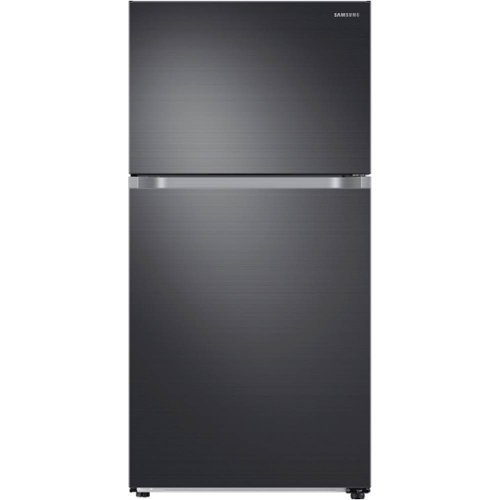
Samsung - 21.1 cu. ft. Top-Freezer Refrigerator with FlexZone - Black Stainless Steel
This Top-Freezer Refrigerator features FlexZone with versatile freezer and fridge convertible zones and Twin Cooling, maintaining the humidity level of the refrigerator and keeping foods fresher longer.
Can the doors hinges be switched from the right to the left. It is opening the wrong way for my needs.
Hi Major,
Thank you for reaching out and we hope you are in good health. We appreciate your interest in Samsung home appliances, specifically with Samsung - 21.1 Cu. Ft. Top-Freezer Fingerprint Resistant Refrigerator - Black stainless steel.
Yes, the door opening can be switched. I have shared the user manual link below. Please click on the link and turn to pages 36 - 48.
https://downloadcenter.samsung.com/content/UM/202101/20210111110110655/DA68-03570A-14_EN_MES_CFR.pdf
Please feel free to communicate with us through the channels below if you have additional questions.
1. Facebook Messenger: http://m.me/samsungsupport
2. Twitter: https://twitter.com/messages/compose?recipient_id=18768513
3. Samsung Community: https://us.community.samsung.com/t5/Samsung-Community/ct-p/us
Your reference number: 1144349037
Leo
Thank you for reaching out and we hope you are in good health. We appreciate your interest in Samsung home appliances, specifically with Samsung - 21.1 Cu. Ft. Top-Freezer Fingerprint Resistant Refrigerator - Black stainless steel.
Yes, the door opening can be switched. I have shared the user manual link below. Please click on the link and turn to pages 36 - 48.
https://downloadcenter.samsung.com/content/UM/202101/20210111110110655/DA68-03570A-14_EN_MES_CFR.pdf
Please feel free to communicate with us through the channels below if you have additional questions.
1. Facebook Messenger: http://m.me/samsungsupport
2. Twitter: https://twitter.com/messages/compose?recipient_id=18768513
3. Samsung Community: https://us.community.samsung.com/t5/Samsung-Community/ct-p/us
Your reference number: 1144349037
Leo
4 years, 6 months ago
by
Posted by:
Samsung
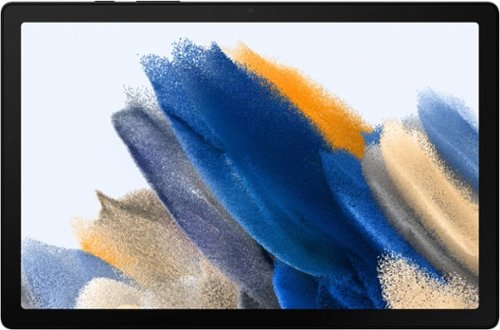
Samsung - Galaxy Tab A8 10.5" 64GB - Wi-Fi - Gray
Bring home Galaxy Tab A8, the awesomely entertaining tablet enhanced by the Galaxy ecosystem experience.
What pen/stylus works with this tablet?
Hi Justice!
Thank you for reaching out to us. We appreciate your interest in knowing if what S Pen/Stylus works with Galaxy Tab A8. We apologize; this tablet model does not support S Pen.
For more information about Galaxy Tab A8, you may visit our website: https://www.samsung.com/us/mobile/tablets/galaxy-tab-a/galaxy-tab-a8-64gb-gray-wi-fi-sm-x200nzaexar/#specs.
Should you need more assistance, please feel free to get back to us via the following options:
1. Facebook Messenger: http://m.me/samsungsupport
2. Twitter: https://twitter.com/messages/compose?recipient_id=18768513
3. Samsung Community: https://us.community.samsung.com/t5/Samsung-Community/ct-p/us
Reference #: 1144349038
Have a great day.
Melardo
Thank you for reaching out to us. We appreciate your interest in knowing if what S Pen/Stylus works with Galaxy Tab A8. We apologize; this tablet model does not support S Pen.
For more information about Galaxy Tab A8, you may visit our website: https://www.samsung.com/us/mobile/tablets/galaxy-tab-a/galaxy-tab-a8-64gb-gray-wi-fi-sm-x200nzaexar/#specs.
Should you need more assistance, please feel free to get back to us via the following options:
1. Facebook Messenger: http://m.me/samsungsupport
2. Twitter: https://twitter.com/messages/compose?recipient_id=18768513
3. Samsung Community: https://us.community.samsung.com/t5/Samsung-Community/ct-p/us
Reference #: 1144349038
Have a great day.
Melardo
4 years, 6 months ago
by
Posted by:
Samsung

Samsung - Galaxy Tab A (2019) - 8" - 32GB - Black
Stay productive and entertained with this 8-inch Samsung Galaxy Tab A tablet. The 8-inch 1280 x 800 touchscreen provides an immersive entertainment experience, and the powerful battery offers up to 13 hours of viewing per charge. This Samsung Galaxy Tab A tablet has a 2.0GHz processor that makes resource-intensive applications run smoothly.
How much ram does this tablet have?
Hi Booboo,
Thank you for reaching out to us. We appreciate your query regarding how much RAM does the Galaxy Tab A (2019) has. To answer your question, it has 2GB (RAM) and 32GB of internal memory space.
For more information, kindly visit our website under the "Specs" section:
https://www.samsung.com/us/mobile/tablets/galaxy-tab-a/samsung-galaxy-tab-a-8-0-2019-32gb-black-wi-fi-sm-t290nzkaxar/#specs
Should you need more assistance, you may reach us via the following for immediate support:
1. Samsung Community: https://us.community.samsung.com/t5/Samsung-Community/ct-p/us
2. Facebook Messenger: http://m.me/samsungsupport
3. Twitter: https://twitter.com/messages/compose?recepient_ id=18768513
Reference Number: 1144349003
Thank you for choosing Samsung. Have a great day!
^Chrystel
Thank you for reaching out to us. We appreciate your query regarding how much RAM does the Galaxy Tab A (2019) has. To answer your question, it has 2GB (RAM) and 32GB of internal memory space.
For more information, kindly visit our website under the "Specs" section:
https://www.samsung.com/us/mobile/tablets/galaxy-tab-a/samsung-galaxy-tab-a-8-0-2019-32gb-black-wi-fi-sm-t290nzkaxar/#specs
Should you need more assistance, you may reach us via the following for immediate support:
1. Samsung Community: https://us.community.samsung.com/t5/Samsung-Community/ct-p/us
2. Facebook Messenger: http://m.me/samsungsupport
3. Twitter: https://twitter.com/messages/compose?recepient_ id=18768513
Reference Number: 1144349003
Thank you for choosing Samsung. Have a great day!
^Chrystel
4 years, 6 months ago
by
Posted by:
Samsung